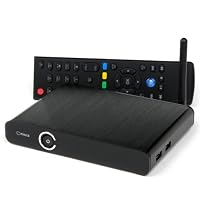
 I purchased this player with a very specific need in mind. I wanted to play my ripped movie collection, HD home movies, pictures and music through my home entertainment system. I wanted to do this without having my computer on all the time. This player, along with a Netgear N600 Wireless Dual Band Gigabit Router WNDR3700 and a 2TB external USB drive allowed me to accomplish this.
I had previously owned (and still do own) the Micca MPLAY-HD 1080p Full-HD Digital Media Player and was very happy with it. It played every media type I threw at it. It really was a wonderful device. The drawback with it came when I wanted to load more content. I would have to remove the external USB drive from my entertainment center, connect to my PC to put more media on it, and then move it back. This process became tedious.
Enter the Micca ep600...
With the external USB drive hooked to the USB port on my Netgear n600 WNDR3700, and the ep600 connected to the router with a wired 1Gb connection, I was ready to go. Note that this ep600 does support a wireless dongle to connect to your router, but since I already have a wired connection into a switch inside my entertainment center for my XBOX360, Blue Ray Player and TV; using the wired connection was a better option for me.
I did upgrade the firmware to the latest version, as it didn't ship with the latest revision. I did notice a snappier feel to the menu transitions and there is a readme file that shows everything that was fixed/added. It took me a little bit of playing around to figure out how to navigate the menus and what some things did, but overall I am very impressed with this device. It does play youtube videos, but it is limited in that you can change the quality of the video like you can on the actual website. There is also a web browser that you can use with a USB keyboard, but it doesn't do flash. But, I wasn't expecting to use it as a web browser or youtube player, so this in no way effects my overall opinion of the device.
There is one thing that does bother me. The player has a media library feature, that will scan you drive devices and find media and things. This is a nice feature. It also creates a database file that you can manipulate to put things in certain categories and stuff like that. This is how the player knows where to go look for your movies, pictures or music if you click that icon on the main dashboard. However, it looks like the media library is only supported on drives connected directly to the device via USB. In my setup, all my media is hanging off my network. I can still access it just fine, but it takes me longer to navigate down to it through the menu selections. I know I can probably make this easier on me by setting up my USB shares so they are shared at the "Movie", "Picture", "Music" etc. level, but it would be nice if there was a feature that I could use to create a shortcut for the various icons on the main splash screen down to any network attached path I choose. This is really my only complaint thus far.
Overall, I am very satisfied with my purchase, and I look forward to using this and other Micca products for years to come. Their intuitive design, ease of use and support for pretty much every media type I'd ever use have made me a customer for life.

This is a gigabit device and my 10/100 network card on my desktop did cause some slight stuttering (hardwired) when streaming 50GB 3D ISO files (no problems will smaller 10GB 1080p MKV files). However, this stuttering went away when I plugged the hard drive directly into the player. I expect this slight stuttering when streaming these massive files will go away when I upgrade my network card. I'm actually surprised it did so well considering my slow network card. To be clear, the slight stuttering was caused by my computer's limitations. It was not a problem with this device itself.
There is NO Cinevia protection to worry about. In fact, now that most bluray players have Cinavia, streaming a 3D bluray ISO file is really the only way to play a copy of a full (1080p over 1080p) 3D movie. It automatically switches into 3D when the ISO file starts playing.
Another note on the ISO files: You should be able to get full menus, but I have yet to figure out how to do this. There is a setting for this that I have played with, but I still won't get the full menu and bonus features of the ISO. A future firmware upgrade may help this issue. I consider this a very minor issue and it should not be a deal breaker for anyone.
It also works flawlessly with 3D MKV files in SBS format. You can easily switch over to SBS 3D directly from the device. I previously had to plow through the menus on my Epson 5010 projector to turn on 3D ( I would then have to repeat the process to turn off 3D). However, now I can just change modes from the player and my projector automatically switches into 3D mode. Exit the movie, and it automatically switches out of 3D. WONDERFUL!!!!
I got this device on amazon for $120, but I would easily pay 3x that amount for a quality player like this. If your looking to stream your movie collection to your 3D TV or projector, this device is a MUST HAVE!!!This is my first and perhaps only review i'll be doing on amazon. Because the market for digital media players is so convulted, its a hard choice to pick one. I settled on this one and have been using it for over a month with ZERO problems. Item arrived on time, brand new, and works wonderfully. All the people who write bad reviews may have valid points, but so far my experience with this player has been superb. It's quite, remote works very well, plays GREAT quality videos (assuming the videos themselves are in a good format)...
Please note though, this product does NOT come with an HDMI cable to connect to TV, so make sure you pick one up (sell on amazon for around 3 bucks, or higher quality ones for around 8). All I wanted this for was to play different file formats of videos, and on that note, it works very well.I am not a big review writer, but every once in a while, if I feel I can help out others, I write something. Here is why I like this unit more then a Western Digital I returned. First it reads this USB that I have fine, and the WD did not. This way I can put a movie on thumb drive and Carry it over to the TV. Also it has 2 USB ports on the side next to each other. This is very practical if you have a hard drive that uses 2 USBs, one for power the other for the data. As well as easy access. Also, the interface seems to be a little bit better. You get what you click a little faster. It also looks more expensive and classier, a nice addition. And yes I know it is more expensive, but you don't buy one every day, so why struggle with it every day you use it.
Just my humble Un-prof. opinion,
JayI got my Micca EP600 G2 a week ago and wanted to do some robust testing before I wrote this review. Being an owner of the Asus R1 and R3 o!Play (which I both love dearly), this is my 6th media player, among others I've returned due to not meeting my expectations. The Asus o!Play finally met its limits when I bought a 3D TV (Samsung UN60D6400) and purchased a 7.1 surround sound receiver (Onkyo 616), therefore the purchase of the Micca EP600 G2 was a perfect match made in heaven. I will list the pros and cons below along with a quick review.
PROs:
-Sleek design and small footprint
-Ultra responsive to remote button presses due to high RAM and a fast processor (and Realtek 1186 chipset)
-Plays back 3D with DTS MASTER HD, TRUE HD, you name it
-Perfect 3D blu ray ISO playback over USB hard drive
-Perfect blu ray playback ISO over gigabit LAN
-Rich GUI, album art for movie titles simply name your album art jpg as the same name as your media file (.iso,.mkv,etc)
-SATA w/power connection for external hard drives
-Android 2.2
-Deep Color 12-bit and 10-bit support
CONS (only 1 for me):
-Cannot get a smooth playback for 3D blu ray ISO over gigabit LAN. Hopefully not due to high bit-rate demand of 3D and DTS MASTER / TRUE HD sound and hoping a future firmware update can fix this.
REVIEW:
Look no further than the Micca EP600 G2 for all your playback needs. The player automatically recognizes your system setup and plays back the 3D content of the blu ray ISO, and the 2D version if it cannot detect a proper signal. This can be manually turned on/off in case you want to only watch the 2D version. DVD menus are fully compatible, whereas some blu ray menus are a hit/miss... Micca is working on this as we speak. Personally I care less and only want the movie playback. 12-bit deep color support is truly amazing on my Samsung LED and Onkyo 616, makes the color pop even more. HTML5 browser is ok and Android apps (premium apps on Micca) works as expected.
BTW, if you want the built in hard drive version consider the Micca EP950. I prefer the two USB ports on my EP600 G2.
Save 27% Off

No comments:
Post a Comment