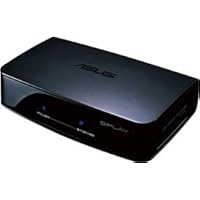
- Hassle-free multimedia playback without file conversion
- Full 1080p high-definition video via HDMI output
- Simple and fast plug-and-play connectivity (eSATA, USB 2.0)
- High-speed Ethernet LAN connection for easy network streaming
- Highly compatible device that supports HDMI and composite inputs

SETUP:
Setup is easy and literally takes 30 seconds. On the side is 1 USB port and 1 eSATA port to connect local hard drives should you need them. HDMI and optical cable (S/PDIF) are not included, so you'll need your own. I really appreciate Asus using a 2-prong power cord instead of a wall-wart that blocks neighboring outlets. True to Asus's PC pedigree, the AC adapter looks like a PC laptop's AC adapter. It's very small (about the size of a Hostess Twinkie) and has a pleasant (and VERY BRIGHT) blue LED. Upon boot-up, the device asks you to configure it with TV settings, network settings, time and date, etc. After plugging in the LAN cable, it found my NAS units (D-Link DNS321 Gigabit Network Storage Enclosure and D-Link DNS323) right away. The O!Play did have a problem interpreting non-Roman characters on my NAS, so folder names and files got garbled. Some files did not show up on the O!Play until I removed the offending non-Western characters (Chinese and Japanese).
With the new firmware, UPnP has been added, along with some slightly improved icons. With UPnP, the O!Play sees Chinese and Japanese filenames properly, but none of my MKV's showed up, a problem I had on all networked players I've tested. Only a fraction of my total library was listed. If you want to see your entire list, don't use UPnP.
INTERFACE AND USABILITY:
From a total off and unplugged state, the O!Play takes 10 seconds to boot to the home screen, compared to as many as 40 seconds for the Iomega ScreenPlay Plus HD Multimedia Player 1 TB. The home screen is bright and attractive, but the folder navigation scheme leaves a bit to be desired. It's spartan, white text on black, and not nearly as attractive as the WDTV or WDTV Live, but it gets the job done. The remote control is big and solid, though the buttons seem to be bizarrely grouped and scattered about, forcing me to look down each time to make sure I'm pushing the right button. The bottom group of buttons is arranged in a circle around the music button for example, mixing different functionality into one area: volume controls (+/-) with subtitle (Aa), audio track (head icon), repeat mode (circular arrows), picture zoom (magnifying glass), file display mode (Mode), and device setup options (Setup). "Mode" is a file listing filter, toggling between Movies, Music, and Pictures. With it, you never need to go back to the home screen. Unfortunately, there's no "Show All" mode which lists every file together at the same time. To PageUp or PageDown long directories, use the |< and >| buttons.
During video or image playback, the picture can be zoomed up to 8x. During video playback, the fast-forward/rewind can go up to 32x. The inclusion of volume control buttons is very thoughtful and useful. You can turn video preview on or off. Pausing over a file for a second will play it in a smaller window on the right (with audio). There is a slight delay of a second or two when reading the file's metadata off a drive or the network, during which time you can't push the play button. This can be a potential problem for people and gets annoying. For music, pausing over the file displays the ID3 info (song name, artist, album name, year, etc).
One cool feature is the ability to adjust the device options while playing back a movie. The menu overlays on top of the movie and you can adjust your settings (Brightness, Contrast, Aspect Ratio, etc) and resume. There's also a Noise Reduction option, but I suggest turning this OFF. It caused strange and distracting frame shimmering in some movies. Lastly, O!Play also remembers where you left off on each movie and can resume the next time you play the file.
FORMAT SUPPORT:
This is where the O!Play really shines. It played all of the 100+ random files I threw at it, except for a few stray (and poor quality) .WMV files I got from the internet. MKV, AVI, MPG, DIVX, RM, TS all played flawlessly, both standard def and hi-def 720p/1080i/p content. It even plays Flash Video (FLV), a feature rarely encountered. DTS and Dolby multi-channel audio is downsampled to stereo, so there's no need for an audio receiver if you just want to output through the TV for convenience.
The Asus also plays .IFO/VOB files with DVD chapters, menus, and all disc features as if it were the original DVD. That's great news for users looking to make a centralized DVD collection on a server or a big hard drive. The only problem is there doesn't seem to be a button to get back to the menu. You have to stop the movie and start it again.
For photos, the ASUS has a problem displaying progressive JPEGs. Images will fit to screen and can zoom up to 8x, but there's no 1x view to see it at the original size.
EXTERNAL SUBTITLES:
I tested external .SRTs and internally embedded subtitles in .MKV's in a number of languages, including Chinese, Japanese, Russian, English, French, and others. All worked when saved as UTF-8. For multilingual families and fans of foreign film, this is great news. You can also set the interface to one of 10 major world languages. Subtitle files can be downloaded from sites like DivxStation.
With firmware 1.11, external and internal subs are both recognized if both types co-exist for a movie. Previously, only embedded subs were seen when a movie had both types. Now, pushing the subtitle button pops up a submenu where you can select the subtitle, change its encoding, font size, position, color, and importantly, syncing (many downloaded subtitles are off by a few seconds). This is very useful! No more re-saving. Just cycle through the available encodings or adjust the timing until the sub looks right (but you should still re-save to avoid doing this every time). Where multiple external subs existed, the O!Play did not recognize their names, showing only a number (like "Subtitle: 2 (SRT)", even when named according to the movie's filename (e.g. "Batman.mkv" -> "Batman English.srt"). Pushing the info button a second time shows extended info like codec, resolution, and bitrate. It is better to mux the subtitle into the file using something like mkvmerge GUI and metatag the language name onto it. Subtitle line-spacing is a bit of an issue (too much). You can change the font size and color, but not the gap. Lastly, I wish for a thick black outline around the text like the WDTV Live. Sometimes the subtitle blends into the movie, no matter what color you set it to.
10/100 NETWORK INTERFACE:
This is a weak point for the device. With no gigabit Ethernet, it is less future-proof against monster 8GB+ .MKV files and other bandwidth intensive HD content. Also lack of wireless connectivity means I do not have freedom to locate this device wherever I want.
FINAL THOUGHTS:
The O!Play is truly a multimedia beast. It plays nearly everything under the sun and as a WDTV and WDTV live owner, I can safely say that Western Digital has some serious competition here. At $99, it is a very capable device at a fantastic value, and its homely interface is forgivable. It is, however, rather boxy and brick-like, taking up as much space as a 3.5" external hard drive or an average Bible. It's 2x the size of the WDTV. Lastly, WDTV Live has Flickr, YouTube, and Pandora streaming. O!Play has no internet playback capabilities as of the current firmware release, though that can quickly change. ASUS has already added substantial improvements like the subtitle fixes and UPnP.
If wireless connectivity could be added with a firmware update, then this player will be all things to all people. (WDTV Live supports third party WiFi dongles). This is THE player to get if you want MKV, RMVB, and DVD .IFO support and don't care about wireless. Great value coupled with a great firmware support attitude makes this a highly recommended buy, and I hope ASUS surprises us with more software features down the road.
UPDATE #1: Dec 10/09: Firmware 1.17 is now available, which adds BD .iso support and lets you jump forward by 5/10/15/30 mins.
UPDATE #2: Feb 15/10: Firmware 1.21 has just been released. It adds MAJOR internet content connectivity as well as the option to wirelessly connect your R1! This is something users have been clamoring for since this product's release and a giant leap forward. With a compatible USB dongle, this thing does everything the Air does, except the media reader capabilities (which you can add that with an external USB reader). I am upgrading my rating to 5 stars as a result of the obvious effort ASUS put out to make this player what users want. It's still rough around the edges and the interface still needs polish, but this update adds major value to the player-a truly excellent buy at $99. I can now watch TV streams from all over the world, including my favorite, NHK (Japan). WDTV Live, the gauntlet has officially been thrown down.
UPDATE #3: Jul 1/10: A user notified me that he could find no mention of the WIFI upgrade. I checked on ASUS's site and do not see any mention of it. Sadly, ASUS seems to have removed external dongle WIFI support from the firmware, probably to avoid competing with the Air.
UPDATE #4: Sep 20/10: A recent firmware added external DVD support. I bought a Samsung USB 2.0 8x DVD Writer External Optical Drive to test and have mixed results. The DVD I tested (Feeling Minnesota) did not play, giving a "cannot decode encryption" error, so there are some DVD playback codecs missing from the release. An MKV file burned onto a DVD+R DL worked fine however.
Buy ASUS O!Play - TV HD Media Player (Black) Now
asus boxSpeaking as someone who really does own this device this thing rules. It streams easily and quickly from my xp box in my basement over cat5 cable. (or the technologically inept may just hook a USB or esata hard drive direct)
It plays everything so far including ISO (dvd image) files, video_ts rips from dvds (I know someone will ask these questions) but I did it already and it works great.
Other files, MKV, xvid, divx, whatever. PERFECT. 1080P, blue ray quality files look perfect. No blockiness, no hesitation, no problems. And they start IMMEDIATELY.
All you need do is create a share on the server pc, then create a shortcut to it on the asus. (EASY) And off you go. Some files will not easily fastforward/rewind, and that mostly relates to how well the original creator encoded the file. In other words, if they used lousy/cheap software to rip a file, it may not fastforward smoothly, but it will still play.
The other con is no wireless networking. Now, I personally don't care about this because I have cat5 cable already and real wired networking is far more reliable. Also, it probably makes the product cheaper.
If you have a habit of playing huge 1080p files and want to go wireless, you may have to go with 802.11N hardware if you encounter stuttering. If it stutters it's probably not the Asus's fault.
As a sidenote, I have tried other methods of showing movies and such on TV's. Xbox360, PS3, PC. They all have huge disadvantages, mostly relating to codecs and incompatabilities and transcoding and such for the Xbox and PS3. It's just too much trouble. Seriously. I've become somewhat of an expert on the subject and I got really sick of saying "I downloaded this sick video, lets watch it" and then some error message comes on because of some obscure encoding quirk like wmv 8.2jafjSOB352. I wouldn't have bought either game console had I known what a pain it was. Especially the media sharing and transcoding, don't get me started. (I don't play games)
The PC, well, still too darn much trouble I have to give tech support to every tom, frank, and larry who just want to watch a movie. Log into the computer, start media center, navigate, navigate, navigate. Ugh. Have done XP media center, vista media center, windows 7 ultimate media center. Holy moley, just forget it I don't want to train people. This Asus thing? Connect and go. No joke. I will not mention macs, because you know what? No matter which way you go with Apple, it's more than $99. (and I don't own one because I don't think different)
I don't work for any of these companies, I'm just happy I can watch a movie. That's all I ever wanted.
Oh, and full subtitles and multiple audiotracks, no problems at all.
Oh, and I own a WD Media TV thing as well. No networking and audio troubles to boot. Blech.
Read Best Reviews of ASUS O!Play - TV HD Media Player (Black) Here
Update Nov/11/09: I installed the latest firmware and this solved several of the issues I had. I edited a few things I have previously written.I bought this box based on many positive reviews here. My experiences differ a little though.
Yes this unit plays pretty much anything. That's a big plus. The interface and setup is also very simple and easy. You really don't need a manual for it. The image quality is great, both SD and HD movies look excellent. It even playes ISO files of DVDs or bluray disks! That's a very nice feature as you can dump the whole DVD to disk and get all menus and features. It does not play ISO files from the old HD-DVD disks. That's a bummer as this would give us access to very inexpensive HD movies. There is a fix provided you have a HD-DVD drive. A software called Clown_BD (google it) will create a .ts file from your HD-DVD disk in 20 min. These will play fine on the O!Play.
Even though it's supposed to play ISO images from bluray disk, it still has some issues with that. Transformer 1 for example doesn't have sound (it says 'unsupported audio format').
I have a collection of 400+ movies on my server, in various formats. The O!Play plays them all. The slightly annoying thing is that as you scroll through a list of movie files it tries to instantly play a preview which causes a delay in scrolling through the list. This preview feature can now (new firmware) be turned off in the setup so the annoying delay can now be reduced but not entirely avoided. It still takes two or three seconds before it actually allows you to hit play (using a fast network). :-/
The bigger issue I found was that it stops to play back in the middle of a movie. It happened on every movie I tried it on so far, so it's not a random issue. The new firmware seems to have fixed this issue but I haven't had the time to test this with enough movies to be sure. I will update my review once I have had the chance to test more and confirm it's really fixed.
The O!Play now supports media servers! The firmware that my box came with did not, so you have to upgrade the firmware. (It is very easy though!)
The O!Play uses very little power which I think is a big plus! My PS3 needs 150-200 Watt, the O!Play only 10.
Want ASUS O!Play - TV HD Media Player (Black) Discount?
I have been waiting for a media player like this for a long time and this one does not disappoint at all. I was thinking of building my own HTPC; but I am glad I held off and waited. This little box does everything you could hope for and it costs less than one hundred dollars. Here is what is awesome about it:I had it out of the box and set up in 5 minutes. I networked it to my Windows XP computer (plugged it into my router). There was not one single issue in getting it set up. It works perfectly and it is easy to get going right out of the box. Just pick the right video and audio setting during the setup and off you go (I used HDMI raw).
It plays every single file format you could want. I was using my Xbox 360 but I got tired of only being able to play .avi files at low resolutions. Now I can play high def .mkv blueray and .iso files and everything else imaginable.
The video and sound quality if superb. I have played 13 GB Bluray files without so much as a stutter. I have tried to play the bluray files on my computer (on board graphics only) and it grinds to a halt. But the little O!Play doesn't even break a sweat playing them on my TV. And the digital DTS audio sounds great on my surround sound system.
No fan noise whatsoever. This thing is silent and it does not get hot at all. Not heat build up.
Menu is simple and easy to navigate. Not flashy but it works. No complaints here.
It was easy to program into my logitech remote control. I have set it up already so feel free to go ahead and download it now. Or use the remote that comes with it. It fits in your and nicely and is easy to use.
I like the option of being able to travel with it and have video content on my flash drive or bring a hard drive (eSATA or USB). Then I could watch my videos anywhere I go. Obviously networking is the way to go at home though, but I really like the versatility. And who knows, maybe someday I will prefer to be able to watch video on my TV without having to boot up my computer.
Even my wife can figure this thing out and watch content.
Price is fantastic. It is much cheaper than other players with networking capability. And the Western Digital player cannot be networked so why would you want it -yet their player costs about the same as the O!Play.
HDMI output on the O!Play works great.
I am going to dump my cable subscription now and just pick up the free over the air signal for local channels. I can get whatever I else want to watch on the internet and view it through my O!Play.
If you have been looking for a media player, you have just found it. Don't wait! This thing does everything it promises at an amazing price. And I have had other Asus products and I have come to really like their quality. The only reason to hold off on this (for now) is if you are running Windows 7 as they have not come out with the firmware yet. They will soon enough though.
Seriously, why haven't you ordered this yet? By they way, I don't work for Asus or have any financial interest in the company. I just love this product.

First you Have to download and install the 1.11 firmware version, it will solve alot of issues like HDMI compatibility and the subtitle options, plus it will add the UPNP server option.
The O!play has network capability which the WD hasn't.(they are both priced at $99)
The O!play supports more formats than the WD does.
With the O!play audio is played through the HDMI so you dont need additional audio cables like the WD TV does (big advantage if your not using a sound system), you can choose 2 channel or RAW that plays the audio the way it was created, plus with the WD you need the fiber optics cable for some of the digital audio tracks, the O!play played them all.
The remote is much more responsive than the WD.
The O!play doesn't have the picture preview of the files like the WD, instead it plays a preview of the file.(this option can be disabled).
Subtitle codes are the same as the WD but it has 6 colors to choose from instead of two and the size range is much larger.
Resume play is perfect with the O!play whereas the WD sometimes it doesn't work.
Even after the firmware update the O!play still has HDMI compatibility issues, basically you CAN'T choose the 1080p option with some TVs,(Doesn't work on a PHILIPS LCD but works perfectly with a SAMSUNG PLASMA!),Check out the ASUS forums, the WD worked on all the TVs I plugged it to.
The O!play is ALMOST double the size of the WD (check the picture I posted), it's remote is too.
The O!play has one USB and an esata/USB port whereas the WD has two USB ports.
When using an external hard drive it turns off when you turn the O!play off, with the WD it doesn't.
Fastforwarding with the O!play is 32x, the WD 16x.
The O!play stays clean and doesn't attract fingerprints or scratches, the WD .. OMG!
For 720p and 1080p MKV and MP4 files both players are perfect.
Conclusion..
I really can't decide which one is better, they both have thier pros and cons, my guess is that it will be decided with upcoming firmware updates.
UPDATE OCT 30th
Version 11.3 is out and from what I've noticed there is an addition of LPCM HDMI Multichannel in audio, and a 16:10 aspect ratio in video, more additions were made to the pic's modes as well.

No comments:
Post a Comment