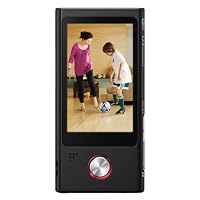
 Many people now ignore handheld camcorders because they have them built into their phones, iPods, and other devices, but is this reason enough? I can think of many reasons people may want a dedicated device, so this review doesn't presume that the Sony Bloggie is obsolete simply because "my iPod does the same thing".
The Bloggie Live incorporates WiFi to allow many of the things that make iPod Touch, iPhone, and Android phone so popular easy sharing. It also does some cool things like transferring your pictures and videos to other phones & iPod by creating a peer-to-peer wireless network using an app. The advantage is that you can selectively transfer 1 or multiple files all in one session rather than sending each by text message/mms/or synching to a computer.
Not everyone is going to have a smartphone with data plan, and the Bloggie offers better resolution and expanded options compared to an iPod touch. I'll examine the performance, the realistic usage of these features, and comparisons in my review here.
__________
Startup
__________
It turns on quickly, within about a second. Autofocus takes about 1-2 seconds for stills, and a bit longer for quick changes in focus length when shooting video. It's nice that with a dedicated button for stills there's no delay when switching from video to stills. You can also shoot stills while recording video.
___________
Touchscreen
___________
The touchscreen is very large, well detailed and color accurate. The problem is the touch part. I often have to hit things 2 or 3 times to get it to register, usually for specific buttons on the screen. Using it to zoom seems ok, though. Usually deliberate presses work better than a quick tap or slide. Simply put, it's not on-par with what you get from an Apple touchscreen.
__________
SteadyShot
__________
One word: Awesome. Compared to an iPhone, there simply is no comparison. The Sony blows the iPhone out of the water. You can walk with the Bloggie and still have surprisingly good video. With the iPhone, you'll see every bounce. This is a key feature that sets the Bloggie apart and should be a consideration if you really want a pocket camcorder. It works REALLY well and makes taking video while walking and moving a good experience rather than a motion-sickness inducing roller coaster ride. With small devices, handshake and movement is amplified since they're so light. Steadyshot not only evens out this unintentional movement, but also helps smooth out panning (turning the camera side-to-side). These are very real and common scenarios that everyone will appreciate. If you plan to really use video often, this feature is one that should be high on your priority list.
________________
Resolution Modes
________________
To be honest, I didn't see much difference between 1080p, 720p, and 720p60fps. I took the raw video and froze the frames, and there wasn't really a whole lot of difference in terms of jaggies or resolution. With the 720p mode at 60fps it didn't seem to stop the action any better during a freeze frame, and the odd thing was that the bitrate was lower than the regular 720p mode. In all, I'm suspecting that the higher compression necessary in the 1080 and 60p modes reduces some of the benefit you'd otherwise get. All that said, when shooting in 1080 mode, I still felt comfortable zooming in a small amount without the video greatly suffering.
_______________
Audio Recording
_______________
The Bloggie has stereo mic's set into the unit and it does a good job of picking up the audio you want. I didn't notice any extraneous background noise and voices and other sounds were realistic. Wind noise wasn't too bad of a problem, either. The only negative I could see here is that there's no audio-in jack, nor is there a headphone jack for playback. Therefore playback has to be done with the built-in speaker.
______________
Tripod support
______________
The Bloggie does have a tripod mount located next to the flip-out USB cable. The only downside here is that it's not centered with the lens.
____________
AF/Metering
____________
Autofocus is fairly decent, though it is basically center-weighted to the closest object, unless it recognizes a face. Facial recognition occurs automatically and the screen will show a green box around the identified face. It will identify faces anywhere in the frame, not just near the center, and will continue to track them as they move. Unfortunately, there's no tap-to-focus ability for situations where your target is off-center or the wrong face is identified. Sometimes it does hunt for focus and on occasion it wouldn't pick up focus until it could identify the edge of an object. In all, it's not as good as a traditional camcorder, but decent for a device in this category. It's much better than the fixed focus that some devices use. It can focus as close as about 4-5 inches from the subject.
Similarly, metering seems pretty much center-weighted or matrixed as well, with no additional options. Overall, the metering performs well, though I really miss the tap-to-focus/meter option that the iPhone has. With high contrast scenes, it gradually adjusts metering so that you don't get huge swings in brightness all at once, and it responds to changing lighting conditions pretty quickly.
______________________
Low Light Performance
______________________
The Sony had a more incandescent color tint in low-light, even when I was in pure fluorescent lighting conditions. The LED is of limited use and won't substitute true fill-lighting. It has a pretty narrow arc, and is best used for objects directly in-line with the LED and less than about 3-4 feet away. Additionally, focusing in low-light is near impossible. In a room lit with a single lamp objects are visible in the screen, but the Bloggie can't focus on them. Turning on the LED didn't help much unless the object was 3-4 feet from it.
_______
Editing there's no editing of any kind on the Bloggie itself.
_________
______________
Live Streaming
______________
Live streaming is amazingly easy. Just have viewers go to your Qik.com page, press Menu, then Live Streaming on your Bloggie, then begin recording. While on my home network there was only about a 3-second delay in the live feed. Quality was pretty good as well not super high resolution like those that you record, however, more than good enough for web video. Users watching your feed can type in messages which then appear on your Bloggie, but there's no way to respond to them other than by talking into the Bloggie. The other minor issue is that if you're recording in the vertical, the text messages come through only on the horizontal.
The great thing about the Live Streaming is that the Bloggie is recording a full-resolution version at the same time, so you don't have to choose between live feed and high quality for later playback you get both. This is definitely an advantage.
Compared to Facetime, Qik with the Bloggie gives your better quality video, ability to have full-resolution saved permanently and you can broadcast to an unlimited number of people. The downside is that the only way a viewer can interact is by typing a text into Qik's viewer.
It should be noted that Qik works with smartphones as well, so you don't NEED a Bloggie to do live streaming you can do it from supported smartphones as well.
__________________
View on Smartphone
__________________
This is a pretty cool option. When activating this option, the Bloggie creates its own wireless network. You then go to your smartphone, join this wifi network and start the app. Just remember to start the Bloggie first, or else you get a really cryptic error message from the app on your smartphone. Once connected, you can view a thumbnail of every file on the Bloggie and selectively choose which ones to transfer to your phone. The transfer is very quick, and it transfers the entire file. This is a good way to share pics and videos from the Bloggie if you don't have wifi available. My only watchout is to be careful of letting others connect to your Bloggie as I said, there's no filtering of the files, so they'll have access to everything stored on it.
________________
Facebook Sharing
________________
Well, it doesn't work. Period. When trying to post a video to Facebook, I entered my login info and it popped up a screen on the Bloggie asking to install the Bloggie Live app for Facebook. It then failed the install saying "An error occurred with Bloggie Live. Please try again later." Searching directly on Facebook for the app leads to a dead page. Sony failed on this one.
_______________________________________________________
Software, Qik, and PlayMemoriesOnline setup experience
_______________________________________________________
Of the setup steps, only downloading of the Play Memories software actually worked. Download was easy and fast. Selecting the custom install only lets you customize installation path and if you want desktop icons created. It's pretty good a basic but easy to use interface with many options for capturing and storing your pictures and video. If you let it, it will scan and import all existing files on your PC. I chose to only monitor and scan the directory where my Bloggie downloads to, as I already use Photoshop Elements to manage all my files. There's lots of customization for importing, how to organize files (folders by date, by import date, etc), as well as options for WiFi transfer and more. I'm usually not a fan of included software, but this seems pretty well done.
_______
Editing
_______
Basic image manipulation is available in the PC software. Video editing is limited to trimming the ends of the video file as well as converting to WMV. Sony is introducing some sort of editor for the PS3, but since I don't own one I can't comment further. There is no editing on the Bloggie itself everything must be done on your computer.
_________
Wifi sync
_________
The PlayMemories Home software has included options for automatically syncing your files via Wifi for supported devices. Cool, the Bloggie Live has wifi, right? No go there's no options on the Bloggie itself for enabling this and by default the Bloggie doesn't turn on wifi until you start a function that requires it. Even with the Playmemories Home software turned on and trying to access wifi features on the Bloggie Live, it never popped up as a connected device within the desktop software.
___________________
PlayMemories Online
___________________
The link to PlayMemories Online was inactive (and marked as coming in spring).
_________________________________________
Qik.com service (Live streaming provider)
_________________________________________
The link to Qik, the service that allows the live streaming didn't work from within the PlayMemories software. Clicking the button in the installer tries to launch a webpage on Sony's Japan site that isn't active. Going to Qik.com manually works well enough, though, and they even have a special button to press for the Sony Bloggie. I chose to sign in using Facebook, which is a mistake. Creating an account in this way gives you a really bad username "fb-user-10digitnumber". The username is easily changeable in your Qik account profile, but the larger issue is that you don't know your Qik account password until you find the email it sends you. Gmail captured the email as spam, so beware. Next you'll probably want to reset it on Qik's website because you can't sign in to Qik on the Bloggie using the Facebook option. The other crappy thing is that Qik wants access to two things in your Facebook profile: 1. Access to post on your wall ok, fair enough that if I'm going to use this thing to take a video then I'd probably want the ability for it to post it to my wall. 2. Access to posts in my newsfeed I don't think so. Why should Qik need access to anything in my newsfeed? I chose to uncheck this option, however each time you log in to Qik.com using Facebook, it will re-ask for that access.
Qik was recently acquired by Skype, so this seems to speak pretty well for it. Note that you can use Qik with most smartphones in addition to the Bloggie. Therefore, you can get similar live-streaming with your phone, but I don't know that it'll also record the full-quality video like the Bloggie does. The free version of the service allows you to do live broadcasts up to a limited length (approximately 20-30 minutes). You'll have to upgrade if you want additional storage or longer broadcast lengths.
___________
Conclusion
___________
The Bloggie is a good choice for someone who either doesn't have a decent camera/video camera on a phone or mp3 player, as it does basically everything those devices do.
It also has several features not found on iOS: stills while recording, steadyshot, stereo sound, dedicated still/video buttons, 60p mode, and direct sharing with other smartphones to name a few. I found myself reaching for the Bloggie when I knew I'd want to take some video rather than relying on my iPhone. Therefore, I could also say this is a good choice for someone not entirely happy with the camera on their phone.
The negative points for this device are that the software isn't completely ready and several features just don't work (ie Facebook sharing). Also, the weird error messages and touchscreen lack of sensitivity are two examples of things that detract from the experience, but may not be issues for some people.
In all, I really like the Bloggie Live despite its few shortcomings and feel that it's a dependable solution providing better video than my phone.

I downloaded Sony's iPad app: PlayMemories Mobile app and waited for the Bloggie Live to arrive. After a few false starts, I finally got the two to communicate (BTW: BE SURE to change from LUN Multi to Single or it won't work!!!). Once the PlayMemories app recognized the Bloggie it immediately listed all of the test photos I took that morning. I chose the Import All feature and one by one the pictures transferred to the iPad. After that, I simply connected the iPad to my Mac and transferred them once again.
Why the two step transfer? Since the Bloggies only have internal flash memory (no memory card option), once it gets filled up (while on vacation) you are out of luck no more pictures can be taken. But now, I simply upload all the photos to my iPad, wipe the Bloggie clean and start all over again the next day taking my vacation pictures. Just beware, if you send your 12 megapixel 4128 x 3096 files to the iPad via WI-FI, they will downgrade to 1920 x 1440.
I do not upload photos to the internet or the Cloud, so I couldn't test those Bloggie features. Others will have to comment on that.
I like that there are two different buttons on this camera-one to take photos and another to take video. No more missing that magical moment trying to switch settings from one to the other. The Zoom feature works for both.
The only negative is with the light. None of the three Bloggies have a flash they simply have a light that you manually turn on and off. I think Sony should look into fixing that. Inside photos in an unlit room did not come out.
I shot long range mountains and a baby caterpillar on the sidewalk. A parked motorcycle with lots of chrome was unbelievably crystal clear. Photos in a range of 6' to the primary object still had very good depth of field resolution for the background up to almost 100 yards. I also like that this Bloggie has 8 GB of internal memory. That's double the memory of my Bloggie Duo. More memory means more photos can be taken.
Overall opinion: For what I need it to do two thumbs up. I couldn't be happier. I like that it takes 12.8 megapixel photos versus the 5 megapixel photos of my other two Bloggies. So far I haven't had one fuzzy photo. this is my 2nd bloggie camera, the first being the 3D version. that camera was ok, but more of a novelty than a great camera. i was excited to try to the bloggie live to see if sony had made any improvements. the answer? both yes and no.
i'll make this as concise as possible.
what i liked: i was able to quickly get the wi-fi set up, shoot a video, and upload it to youtube in a matter of seconds. it seems that upload speed was much faster on the bloggie live than it was on my ipad.
it has a nice, sleek design. it's also fairly slim, so you could feasibly stash in your back pocket if you needed to.
the menu and interface are much improved over the bloggie 3D. as others have noted, if you have bigger hands/fingers, then you may have some trouble using the touch screen. it's default settings give you the ability to upload to facebook and youtube, so that's a nice feature.
the picture quality seems par for the course. i'm not a high-end camera connoisseur, so most pictures/videos look pretty much the same to me.
what i didn't like: that live streaming/hosting requires yet another new application. i understand there's a free verion of qik (or whatever it's called), but i'm at a point in my life where i just don't need new/more apps. i know they're all the range and everyone's trying to take a piece of that market, but it seems like a lot of extra work.
i also had some issues with the playmemories app, sony's picture hosting site/app (yes, *another* app). i downloaded the app for my ipad because the bloggie live apparently gives the ability to view your videos on your ipad or smart phone. well, i tried and tried and tried to get them to sync, but no dice. not only that, but connecting your ipad to the bloggie live will disconnect you from your normal wi-fi. i'll try again tonight, but i'm not very optimistic. if i am successful, i will update this review.
all in all, an ok camera, but i'm sure you're $250 would be better spent elsewhere. .
This pocket video cam is like a souped up version of the Kodak PlayFull, or like a disappointing low-end version of an iPhone camera.
Lots of function, but too many drawbacks. The Top 3:
* Handling it is constant hassle -too easy to drop
* Touchscreen is balky
* Expensive (at over $200)
Even before noticing its hit-and-miss touchscreen (230k pixel, scratch-able -not glass), you realize something is not right. That something is "hold-ability."
Because of the smooth, curved edges, it feels like you're getting ready to drop it 100% of the time. OK, 99% of the time. 1% of the time you are actually dropping it. How did Sony make it so fumble-icious?
At its current price of $200+, I give it 2-stars. At half that price, barely 3 stars.
Comparison with Kodak PlayFull -
How does it compare with the ($70) Kodak PlayFull?
PROs:
* Screen is much larger (3" vs 1.5")
* Auto-focus (but with annoying delay)
Touch screen (but so-so sensitivity)
Wi-Fi built in
Auto-macro (to 4")
Image stabilization
Digital Zoom (but it's jumpy. See Note 1)
Flash (LED)
The company is not in bankruptcy
OKs: (equivalent to Kodak PlayFull)
Full HD (1920 x 1080 @ 30fps, or 1280 x 720 @ 60fps)
Video quality is about the same pretty good
Boot-to-Shoot is under 2 seconds. Few missed shots.
USB connector built in
Tripod mount
CONs:
* More drop-able (smooth curved edges)
* Horizontal orientation -less ergo than vertical-hold pocket cams
Won't stand on edge for landscape video
Touch screen controls are laggy and unpredictable vs. hard controls
Less compact (25% larger)
No trim or edit capability
Printed user manual is very sparse (see Note 2)
PDF manual is hard to find until too late (see Note 2)
Expensive
Video Quality -
Sony MHS-TS55 . . Kodak PlayFull . . iPhone 4S . . Video Attribute
--------------. . -------------. . ---------. . ------------
Good . . . . . . . . . . . Good . . . . . . . Very Good . . . Video sharpness
OK . . . . . . . . . . . . . Good . . . . . . . Good . . . . . . Color
Slow to respond . . . . No . . . . . . . . . Good . . . . . . Auto Focus
Good to 4" . . . . . . . . No . . . . . . . . . No . . . . . . . Macro (closer than 1 foot)
In-depth Reviews -
In addition to user reviews posted here, there's an in-depth product review at camcorderinfo and several others at gdgt.
Alternatives -
Kodak PlayFull
Flip UltraHD
Sony MHS-PM5
Dimensions & Weight -
2.2" x 4.4" x 0.65" - 4.9 oz
Tip -
A 1/4" rubber band can make it much more hold-able. Wrap it near the right side of the screen.
Notes -
Note 1: Zoom It's OK if you set it before shooting, but it's jumpy (not smooth) if you zoom while shooting.
Note 2: User manual Inside the velvet-lined Tiffany's-quality box, is a scrap of paper labeled "Instruction Manual" with almost no info. Finding the 75-page electronic manual is like an ingenious treasure hunt. Turns out it's right on the camera (but not viewable on the camera), and the only way to know that is...first complete the online setup script, and then notice the following:
. . . > Also see the PDF Handbook in the internal memory of your Bloggie ("COMPUTER"-"START"drive"Handbook" folder)
If you find this, it's after you've been struggling with a lot of questions. Complete disregard for customer experience.This is borderline irresponsible -I don't own this camera, but spent quite a bit of time with one at a store. (I assume I'll own one before too long, or persuade someone to buy one so that I can borrow it.)
I have made a living in videography for about twelve years, and have watched Canon and Sony duke it out in the area of pro and prosumer camcorders for over a decade as a result.
And I just have to post this: I have never, ever seen an image stabilization system work like this one does. I have no idea what voodoo Sony has installed in this tiny camera, but a small form factor is notoriously bad for steady handholding. I had it zoomed all the way in (reading signs at the far side of the big-box store I was in -signs that I couldn't even locate by eye, let alone read), and it looked like I was using a fluid-head tripod.
I have no reason to exaggerate.
But I've never seen anything like it.
So If you find yourself handholding a lot when you should really be on a tripod, even shooting an interview, and for whatever reason you need that tiny form factor -this is something you should check out. Try it in a store, you have to see this feature to believe it.


No comments:
Post a Comment