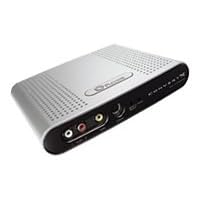
 I cannot rate ConvertX for the Mac any higher than 3 stars, because there are problems with the device. To Plextor's credit, I will say that it is the most affordable PVR for the Mac that compresses video in real-time. The only other Mac-compatible PVR's (El Gato's EyeTV200 and Miglia's Evolution PVR) can cost well over $200. Everything else that's cheaper either cannot timeshift recordings, doesn't contain a channel tuner, or cannot convert video to MPEG-2 on the fly.
While ConvertX provides timeshifting, TV tuning & real-time compression, it suffers from unimpressive picture & sound quality. The visuals are compromised by artefacts, even at the highest bitrates. The picture can get blocky in the frames just prior to a change in scenes or shots. (A big no-no.) Also, the picture's stability is affected momentarily by flash frames, sudden changes from light to dark, and the kind of fast-paced editing you see in film trailers & Hollywood action flicks; the picture seems to jump an inch down the screen and back up again, as if your cable signal was suffering from hiccups.
The PVR records the audio at a noticeably lower volume than in other converters I've seen, like ADS' USB Instant DVD for Mac. With Plextor's unit, I can max out every volume control on my Mac, and I still cannot hear the audio clearly. This summer, I have a fan operating at the lowest speed in my computer room, and it is a strain to hear the PVR recordings on my Mac. By comparison, the USB Instant DVD produces a fine, loud audio signal, even when my Mac's volume isn't all the way up.
With regards to bitrates, you can use it with reliably with USB1.1; while you won't get a bitrate much better than 4.0Mb/s without USB2.0, that will be sufficient for recording almost 2 hours of DVD-quality footage for a single-layer DVD-R. I do wish that the unit could export the videos into M2V and AIFF formats like Quicktime Pro does. My audio software of choice (Peak Express by Bias) cannot recognize the audio files produced by Plextor's PVR, which leaves me unable to increase the gain on the sound files without transcoding the audio up into AIFF through a tedious workaround using iTunes. Also, Plextor's PVR seems to export audio in a compresed MPEG format, rather than in an uncompressed AIFF (again, like USB Instant DVD does, and it does it at USB 1.1 speeds. Why can't Plextor do the same?!)
I will say that if you desperately need a PVR device that can timeshift, then Plextor's device is the most economical choice available for the Mac platform. However, if I knew then what I know now, I would have saved my pennies and tried out either the EyeTV200 or Miglia's Evolution PVR. Buy only if $200 is the most you can spend.

Buy Plextor ConvertX DVR for Macintosh Computers (Model PX-TV402U-NA/MAC) Now
I looked at all the other products in the $200 price range, and this is the only Mac product I found that has a hardware MPEG4/Divx encoder (in addition to MPEG1 and MPEG2 formats as well.) This means that the Plextor unit does all the heavy lifting when recording shows, so it doesn't drag your Mac down to watch or record live TV.There are different quality options to choose from depending on how much space you want to take up, and you can also customize your recording options. The program also hooks into Titanium Toast, so you can instantly burn your recorded shows to DVD.
It uses the excellent EyeTV software, which is a snap to set up and use. Free program information is provided via the .
The Plextor unit is also very versatile with cable, RCA, and S-Video inputs. The only thing it can't handle is HDTV and higher cable channelsI think it goes up to 99.
It is also a very attractive unit that does not take up too much space. It uses USB 2 but is also USB 1 compatible. If your computer only has a USB 1 connection, keep in mind that you won't be able to record at highest bitrates (still enough to get good functionality from the unit.)
Read Best Reviews of Plextor ConvertX DVR for Macintosh Computers (Model PX-TV402U-NA/MAC) Here
I've had no problems recording TV shows, converting VHS tapes to digital, and exporting the video in different formats. The EyeTV software works well with this. I wish it had included a copy of Roxio's Toast; Toast integrates well with the unit's software for DVD burning. My first unit died after a week and Plextor promptly replaced it. Flawless in 4 months since.Want Plextor ConvertX DVR for Macintosh Computers (Model PX-TV402U-NA/MAC) Discount?
I purchased this converter, and I have used it to watch, record TV and also I have transfered an old video tape to test out the software for recording. It works excellent, and the software included for editing your TIVO'd material is very good. For saving TIVO'd recordings, the software makes it very easy to cut all commercials out of the recording before you burn to DVD. As for video quality, it is great. The reception on my computer is sometimes grainy, but that is strictly due to the crappy reception that I receive on some channels through my cable company and not the converter. When I compare it to watching TV on a 50'' HDTV I have in my media room it is very comparable. Plextor is an excellent company that has a great reputation for building and selling QUALITY products whether it is a video converter or a CD burner. I have both from plextor, and I bought this product simply because Pextor was the company that made it. No complaints whatsoever.A remote would have been nice, but from what I have read, you can purchase one to work with the unit. I am thinking about doing that, but I haven't needed to yet.


No comments:
Post a Comment