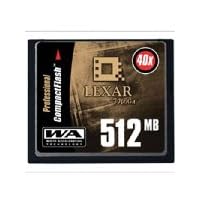
 This is a high-quality product aimed at the photography professional or serious amateur. It's got the high capacity and the speed to work with high-end digital cameras, featuring 40x access (rated just like a CD-ROM, each 1x is 150K/second throughput) and WA (Write Acceleration) technology.
The card's capacity from my Canon 10D is about 200 images, taken at Large-Fine settings (3072 x 2048). That's more than ample for most users; Lexar makes a 1GB version too if that's not enough. The 10D can burst up to 9 images to its internal memory before it has to write them to the CF. When I take 9 in a row (approx. 3 seconds), my camera is busy for another couple of seconds before I can burst another 9. 9 images in 5 seconds is a pretty good rate; I'd challenge a film camera to do better.
What really makes the card top notch is what comes with it. Included in the pack is a USB reader (compatible with any USB-enabled CF card) and Lexar's ImageRestore software (this version is only compatible with Lexar media, they sell a $40 retail version that is compatible with non-Lexar cards). Make sure you copy the setup program from the CF card to your computer when you first get it. The ImageRestore program will examine the memory in the card for image formats (JPG and TIFF, I believe; I don't think it can work with raw formats) and put them on your computer's hard drive. This proved to be a day-saver when I accidentally deleted some images (*thought* I was just clearing the DPOF settings...).
If you do happen to delete some images, stop taking pictures immediately! (Deletion doesn't remove the data, it just marks the space that it occupies in the card as available--if you keep taking pictures you could be overwriting the space that still has your image data.) Run the ImageRestore program and it will put all images that it finds in a directory that you can browse. It would be nice if it either didn't put the non-deleted images on your hard drive or restored images that you selected to the CF card, but I'm happy enough to get the pictures back that it's a minor nitpick at best.
Lexar also has a live technical support option on their website that was extremely helpful. I was not able to get the ImageRestore program to find the card and got on the support chat. The problem was that the card and reader were installed using the Windows-provided USB Mass Storage Device drivers. Once the tech support person told me that this had to be changed to the Lexar-provided JumpShot device driver (open Device Manager, right-click on USB Mass Storage Device, Properties, Driver tab, Update Driver..., Next, Display a list of known drivers..., choose the JumpShot driver, then finish the wizard--you'll have to confirm that you really want to install an unsigned driver), it worked great.
I've used this card in my camera, a PCMCIA adapter, the included USB adapter, and my HP Photosmart printer, and had no compatibility or other problems.
All in all, this is a good choice for a high-speed, high-capacity CF card. When considered that it comes with a reader and the ImageRestore software, and in light of my excellent experience with their tech support, I will definitely recommend Lexar.

Seems like a no-brainer.
Buy Lexar Media 512 MB 40X CompactFlash Pro Now
for those who have this card and have had issues with your Nikon cameras.1the problem on curruption was with the implementation of WA (write acceleration)tech in the card. this was an oops! on the part of lexar. contact lexar during their normal hours and if you don't get through they will call you back. you will return your card to them and it will be returned fast. they do a firmware upgrade and then all is well. unfortunately it has to be done there. i have had 2 cards done and the turnaround is pretty quick.
2as to the 24hr live support. after there normal hours it is live chat support on the web. and yes it is a real person. it may take a little time to connect. sort of like being on hold.
Read Best Reviews of Lexar Media 512 MB 40X CompactFlash Pro Here
I bought this for my Canon Digital Rebel and Powershot S400 cameras, and it works great. If you're using an old slow card, and not a high-speed Lexar or Sandisk Ultra card, you can notice the difference in upgrading to a faster card! If you take photos in rapid succession, the write time is much faster, and maybe even battery life is longer since the camera spends less time writing. (Of course, the quality of your photos will remain exactly the same.)However, the USB card reader that comes with this Lexar card is NOT compatible with other brands of flash cards! It works fine with the Lexar card, but DOES NOT WORK with other brands such as my Sandisk or Canon cards. Keep in mind that if you have a USB 2.0 port, and a USB 2.0 device, your photos will transmit from your camera to your computer MUCH faster. (And most digital cameras are still the older USB 1.1, so a card reader makes a huge difference in transfer time.)
Want Lexar Media 512 MB 40X CompactFlash Pro Discount?
I've been using my 512 meg 40X Lexar card in my Canon Digital Rebel for some time now. I have found the speed of this card is much faster in both saving and downloading images compared to a standard SanDisk card. Speed is comparable to the SanDisk UltraII card which is very similar to the Lexar 40X. The included USB cable is only for Lexar cards, but it's a really nice, compact unit. Be careful to download the Image Rescue software from the card before you erase the card (the software is on the flash card).When taking burst mode shots (2.5 fps) the save time is easily twice as fast as a standard card. As with anything, what you are taking a picture of and the settings on the camera will affect how much data is being written, and thus how fast it is perceived by the user.
Not all cameras can take full advantage of the speed, so check with Lexar or your camera maker to make sure the camera itself can write data this fast. Even if your camera can't take full advantage of the speed, it is really nice to be able to copy images to your computer so much faster than regular flash using the jump cable.


No comments:
Post a Comment