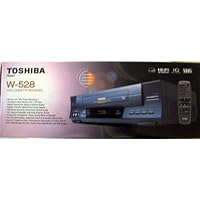
The w-528 vcr by Toshiba is one there most popular vcr's they made. It comes with all the basic features as well as a few advanced ones. I like that it works quietly without any buzzing or hissing that I find in some Sony brand VCR's. One of the best things about this model is the remote control. The remote on toshiba's is fairly the same through all their models. This is because it is easily one of the best designed remotes made. The buttons are positioned well on the remote and they are not hard to read. The remote for this model also has a commerical skip button which allows for 30 advance without holding down the FF button continuously. The vcr accepts tapes in good time. I find it also plays vhs tapes at EP mode with good picture quality. You can use the auto tracking adjustment or manual picture tracking with the remote. Its a great compact mid-range vcr that easy to use and program.
Tuesday, August 26, 2014
Toshiba W-528 4-Head Hi-Fi Video Cassette Recorder
The w-528 vcr by Toshiba is one there most popular vcr's they made. It comes with all the basic features as well as a few advanced ones. I like that it works quietly without any buzzing or hissing that I find in some Sony brand VCR's. One of the best things about this model is the remote control. The remote on toshiba's is fairly the same through all their models. This is because it is easily one of the best designed remotes made. The buttons are positioned well on the remote and they are not hard to read. The remote for this model also has a commerical skip button which allows for 30 advance without holding down the FF button continuously. The vcr accepts tapes in good time. I find it also plays vhs tapes at EP mode with good picture quality. You can use the auto tracking adjustment or manual picture tracking with the remote. Its a great compact mid-range vcr that easy to use and program.
Monday, August 18, 2014
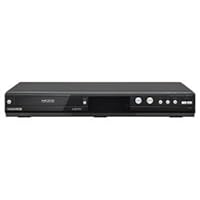
Magnavox up to 620hrs onto 500GB HDD and DVD Recorder with Digital Tuner Watch, Forward, Rewind or

- 1080p up-conversion
- Watch, forward, rewind or freeze live TV while recording
- 4-way dubbing
- Dolby Digital stream out
- Virtual Surround System
More info at avsforum.com > Forums > Video Components > DVD Recorders > Magnavox 537, 535, 533, 515, 513, 2160A, 2160, 2080 & Philips 3576, 3575.Page 1 there is the only page you need to read and bookmark.
* * * * * * * * * * * * * * *
The Mag 533/535/537 (53x) Series is the 8th, and possibly final, generation of simple, family-friendly, durable, std def (SD, 480i) analog/digital DVD recorders (DVDR) with hard disk drive (HDD) that are yearly improvements of the same basic design and operating system.
They're the ONLY recorders, SD or HD (720/1080), available for daily use in North America with:
-NTSC/ATSC/QAM tuners for antenna or cable.
-Easily replaceable/upgradeable/expandable hard-disk drive (HDD).
-Easily replaceable DVD/CD drive for burning DVDs and playing DVDs and CDs.
-Widescreen (16:9) recording.
-Amplified coax passthru w/unit on or off.
-Amplified coax and line inputs.
-DV input.
-Coax digital audio out.
-1080p HDMI upconvert.
-36 timer-rec programs with pre-titling.
-6-hour autorecord buffer.
-Pause & rewind live TV.
-Chase play.
-Skip/replay.
-Simultaneous play/record.
-Record while watching diff. channel on TV via coax passthru.
-Integrated TV/DVDR control via HDMI CEC-link.
-1-2 hour power backup, dep. on whether Auto Clock is off or on.
-Simple editing for your archive copies or home movies.
* * * * * * * * * * * * * * *
FOR NEWCOMERS TO DVDRs OR THIS BRAND OF DVDR
The 53x Series are standalone units that can record from antenna or cable coax. They also have line inputs so they can record from cable boxes and satellite receivers or copy from VCRs, DVRs, cameras and camcorders.
They're so easy to use they can be operated by the entire family, from kids to timeshifters to gearheads.
Timeshifters can reliably record a bunch of named shows, unattended and with NO tapes or discs.
Gearheads can upgrade their HDD or create an "HDD farm" of multiple 2.5" and 3.5" external (E-SATA) HDDs with unlimited storage, Cable (Analog/Digital) to make sure your DVDR sees and memorizes the unscrambled channels (if any).
2. OMITTED MAKING FRONTAND END-CUTS IN EDIT, Pp 93-94.
Frustrates many new users! In the Scene Delete menu, only REW stops on 1st frame and only PLAY and FF stop on last frame. 2160, 2160A and 513 also had a totally confusing and unnecessary auto-Preview after an End Cut that should be IGNORED. At least the 53x Series doesn't have the confusing auto-preview!
3. MISLEADING RECORDING 16:9 WIDESCREEN AS 4:3, pg 45.
This half-truth has caused more misunderstanding than almost anything else in the manual. It's a "deep" technical subject that didn't need to be there! It HAS TO record a 4:3 aspect pic FRAME because the DVD Std was built on the old 4:3 VHS Std, but the DVD std allows a combo of square/non-square pixels, variable horiz. rez, compression and decompression within that 4:3 frame. THAT'S what allows your HDTV to stretch the "non-square" (rectangular) pixels of a WS image inside that 4:3 frame to natural 16:9 WS aspect. You just need to set this DVDR's Video > TV Aspect to "16:9 Wide" and your HDTV on its "Wide" aspect setting. However, this DVDR's DEFAULT setting for aspect ratio is "4:3 Letter Box" so you have to change that to 16:9 Wide during setup or none of your recordings will be 16:9 WS!
* * * * * * * * * * * * * * *
More info at avsforum.com > Forums > Video Components > DVD Recorders > Magnavox 537, 535, 533, 515, 513, 2160A, 2160, 2080 & Philips 3576, 3575.
Page 1 there is the only page you need to read and bookmark.
* * * * * * * * * * * * * * *
Disclaimer: I have never represented or worked for Funai or any seller in any capacity... and currently don't work for anyone else! -:)I cancelled my satellite (and beloved DVR!) in December 2011 and missed it terribly. Not having it made me a DVD-recording-slave. (Using rewritable DVD's is really a pain after using any kind of DVR, but that's what I've been doing for almost two years. X.X) I was thrilled to learn about this machine. I love this product because there's no monthly fee. It gives me the ability to record programs on a hard drive that I can dub onto different DVD's when I have time. Without this DVR, if I was away from home or asleep and I had more than one show to record, the DVD recorder could do it, but they would both be on the same DVD. This machine solves that little problem.
It would have gotten 5 stars except I have a couple gripes. The down side to this machine is that each recording is 'one unit' and dubbing to DVD is an automatic process that I am not allowed to fiddle with. When I would record from satellite to their paid DVR, I would then play the hard drive version and when laying onto DVD, could eliminate all commercials by pausing recording through them, which saved a lot of DVD space, and I could cram like 19-20 shows onto a single DVD if I didn't care about it looking a little choppy. This unit takes the recording and lays down the whole thing onto DVD in one bite. I can still do the pause thingy, but only if I am there in person to do that during the recording of the show I can't do that later. I'll assume this is a by product from being both machines in one.
That brings me to the second thing I didn't like. DVD's which used to give me 8 hours recording time on the slowest speed on other recorders will only give me 6 maximum hours on this machine. That sucks. I haven't figured out how to get a full 8 hours from a DVD on this machine.
So, 2 hours lost, plus commercials not cut out, that nets me more like 11-12 shows per DVD. Quite a loss. But since it is saving me big bux for not being a monthly service, I'll just buy more DVD's and a few more DVD storage albums. 4 happy stars!! ****We were trying to find a replacement for our TiVo after moving and had poor antenna reception. It took me 3 weeks to figure out from reading the manual how to program the shows I wanted to record. Then I couldn't figure out how to make it work with the DISH satellite system that we had installed after getting this recorder because our antenna reception was so poor even though I tried to follow the directions from an on-line "techie". It's just tooooo complicated. Then because I was over the 30 days, I cannot even return this. It's not worth even $100 even though I paid $319 for it.Great machine. We were hoping it would work on some Australian DVDs that we have. I did not. Still, very useful.
Wednesday, August 13, 2014
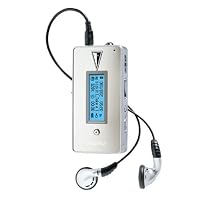
Digitalway MPIO FL100 128 MB MP3 Player

- 128 MB built-in memory
- 3-line, backlit, full-graphic LED display shows track information in several languages including English, Japanese, Korean, and Chinese
- Features built-in FM tuner and microphone for voice recording
- Includes manual, set-up CD-ROM, USB cable, earphones, AA battery, carrying Case, and hand strap
- Compatible with Windows 98, 2000, ME, XP, and MacOS X
#1. It's very small. Inside the included belt clip it looks exactly like a pager. You could easily keep it in your pocket or wear it around your neck with the include strap. For me the IPOD wasn't even an option because I wanted my MP3 player to be pocket-sized.
#2 There's no hard drive. The FL100 uses flash memory so there's no chance of skipping during exercise, etc. I don't care what the Mac folks sayif it has a hard drive it CAN skip.
#3 The FL100 has lots of memory. In researching this product, it seems that 512MB is about as big as you can get in flash memory. Sure, the IPOD has more, but I normally don't have more than about 5 or 6 CDs in regular rotation. However, if you need more you can always expand memory using the SD/MMC memory card slot. I haven't shopped around very much for memory cards, but I know that the capacity goes up to at least 512 MB, meaning you could at the very least double your memory to over a Gig.
I use the included Real One software to rip CDS at a variable bit rate (128 average). With better headphones I might notice degradation in quality, but so far I have no complaints. Even classical sounds great! Real One seems to be drawing from a better internet database than others (like MediaPlayer). I have yet to find a CD on which it can't find title/track info. Files are extracted into folders: Artist > Album > Track # and Title. You then use the MPIO manager software to download these folders directly to the device.
The architecture of the FL100 is superb. Browse through titles while listening, display titles or MP3 tag IDs, set repeats, delete tracks directly from the device, display 1 of 2 different peak meters while track plays, and so on. The graphic EQ presets are not very good unfortunately. But you can manually set the EQ to your liking. The voice recorder is fun, but even better is the ability to record FM radio. I'm a talk radio fanatic so this is something I use frequently. You can choose high or low quality recording. With only about 40MB free, I recorded about 3 hours of talk on low quality.
I do wish this device had the ability to function like a thumb drive in explorer. Unfortunately all data must be uploaded/downloaded through MPIO manager. Perhaps this could be changed in a future firmware updateI don't know.
Lastly, I would recommend picking up some AAA rechargeable batteries. I use my player all day and burn through about 1 battery a day.
Buy Digitalway MPIO FL100 128 MB MP3 Player Now
I finally found an MP3 player that could replace my Sony S2 AM/FM radio. The MP3 comes in real handy whenever I'm in the part of the gym that has bad reception and the FM radio is great when i don't want a repeat of my MP3 tracks. After hearing each song 2-3 times with your routine workout, it kind of loses its luster.Two features I haven't really used are the external memory slot and the voice recorder. Haven't had a chance to buy an external memory card.
The two problem that people complained about to which I concur are 1) the battery has a low life expectency and 2) the sound quality is so-so. First off, i read some comments about the volume not being loud enough or that the sound quality was below average. The reason, in my opinion, is the lack of bass. I've even switched to a pair of high quality Sony headphones that's suppose to increase the bass. In addition, I even adjusted the preset graphic equalizers. Didn't seem to make much of a difference. This leads to our second problem. Because I constantly need to turn up the volume, almost to the max, it drains the battery at a much quicker rate. For gym use, with the volume in the low 30 (range being 0-40), I get a battery life of about 4 hours. But while in the office, with the volume at 7 or 8, I can obtain a battery life of up to 9 or 10 hours. But with that kind of volume in the gym, you might as well listen to the barely audible sound coming out of the gym's overhead speakers.
Overall, this unit is great if you need an MP3 player and a FM radio with an external memory slot. I'm hoping to have a different memory card for each genre of music in the future. If you aren't extremely picky about sound quality, then I would highly recomment this unit. By the way, it looks great too and clips right on to my existing arm band that came with my Sony S2. One other recommendation I would also make is to go out and get some rechargable batteries if you do buy this unit.
Read Best Reviews of Digitalway MPIO FL100 128 MB MP3 Player Here
I just bought the mpio FL 100 256mb to replace my Rio S10. I was quite happy with the S10 although it only had 64mb memory, no radio and a few idiosyncracies such as not being able to delete songs directly from the player (instead of having to use music manager software).I am very pleased with my purchase. The fl100 is just plain sexy with its mirrored face plate. the controls are small but seem to work well. the multi-function buttons enable the player to have a lot of control with a minimum of size. The battery life is probably in the 8-10 hour range for me. My Rio got nearly 25 hours with a single AA battery, the fl100 uses a AAA battery thus not as much juice available, but still respectable I think.
the fl100 is so light and compact in size you can carry it virtually anywhere. the included leather case with belt clip is quite nice but has one MAJOR flaw. there is a clear plastic side panel which completely covers the volume control and the menu button. the result is that the volume can change on you when the player is in the case...either full volume or no volume. this can be circumvented by carefully stretching the case a little bit after you've put the player in it and then using the lock switch once you've set your volume. It's too bad that digitalway didn't design the case better because that is really the only major flaw with the unit.
But wait, there's more...
The manual is so poorly written it is laughable. I can't even understand what it is saying much of the time. I normally don't even read manuals but this player is a bit complex to figure out without some assistance from a manual. Even now, I'm not sure what a couple features are supposed to do because I can't discern a difference whether they are enabled or not. for instance there is a system setting for "fade in/fade out". I would assume that if enabled this is supposed to gradually fade in and out of the song that is currently playing...but I do not notice a difference is this is enabled or not. Also the function of the 'study mode" is to actually enable you speed up or slow down the material that you are listening to, sort of like a tempo control. It's particularly useful for listening to the spoken word.
I like this player a lot. I wanted a player that had decent battery life, FM radio, good amount of built-in storage but also expandable memory. The fl100 has all this and more. I had considered the iriver players because of their small size and apparent durability, but the non-expandability of them turned me off. It does take a bit of time and effort to learn how to use all the features of the fl100. I had a really hard time figuring out how to create folders of music and navigate between them.
Another thing is that Mac users can use iTunes for music management but creating folders on the mp3 player is not intuitive.
I would rate the durability of this unit as very good in the case and average out of the case. It is very light, but if dropped could get dented pretty easily. The Rio S10 on the other hand has a padded protective clam shell case which is excellent for durability and the player itself is plastic which would help protect it in falls I think. Motto is, don't drop it.
Want Digitalway MPIO FL100 128 MB MP3 Player Discount?
At about half the size of a small deck of cards the MPIO FL100 is pretty small. Light too, even with the AAA battery it weighs almost nothing. The inteface is intuitive. The MPIO Manager software makes transferring files simple. Windows Media files are also supported.The FM reciever is outstanding. In my office building this little device gets better reception than my Sony portable stereo. The FM tuner has a seek feature also.
The electronics inside the device are manufactured by Samsung, but what makes this thing so nice is that attention to detail and the software and firmware support provided by MPIO. Unlike many small electronics that tout the ability to firmware upgrade, MPIO actually follows through. Currently you can update both the Media Player software and device firmare for tweaks and new features.
The only weak points to this MP3 player are the earphones and the LCD dimming too fast. The headphones are OK, but seem a little cheap. Whenever you press a control the LCD backlight comes on and goes off too fast. There is a backlight setting in the firmware settings, but is only turns the backlight feature on or off.Well, I'm pretty happy with it. The leather case has been feels pretty tough (and the volume control now has a spot for it, so there's no longer that issue that some people had a while ago). The software works okay. Their MPIO allows you to upload songs, create folders, delete songs, etc. You can also name radio stations for frequencies that you have already saved on your player. Finally, there's a feature to change the start-up and shut-down animations (haven't tried it yet though).
However, I'm somewhat disappointed that I can't store the same file in multiple folders. For example, I would possibly want to put a file in the folders "My favorites" and "Easy Listening". It would also be nice if it had smart folders like in Windows Media Player 9. But, I think the only portable players with such features are the heavy and bulky hard-drive based MP3 players.
Also, you can't rearrange songs from your player. You can do this with your computer, but I would like to be able to organize my songs from the player alone.
I previously considered buying a minidisc. So, I think for the same amount of money, minidisc can still offer more features (in terms of playback options and folder management). However, the fact that mp3 players use optical media is still the deciding issue for me (mp3 players are definitely smaller/lighter and are guaranteed to be skip-free).
Thus, I would recommend this product for someone looking for a small and light music player. It doesn't have all the advanced organizational features, but considering its size, oh well.
Saturday, August 9, 2014
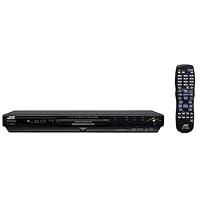
JVC XV-N40BK Progressive-Scan Slim DVD Player , Black

- Ultra-slim player with standard and progressive-scan video outputs (for use with high-definition and HD-ready TVs)
- Compatible with DVD-Video, VCD, DVD-R, DVD+RW, CD, JPEG image CD-R, and MP3 CD
- 192 kHz audio digital-to-analog converters optimal for CD and higher-resolution sources
- Video Fine Processor (VFP) offers exceptional versatility in fine-tuning images to personal preferences
- Includes 13-step zoom and screen fill (which zooms in on a DVD image to eliminate letterbox "bars" on the TV screen)
There are a couple of things I've noticed about it, and I don't know if this is common practice with VCRs or not. But not all my reviews are for ranting or raving; I like to inform, as well! So here's what I know:
I don't have cable, and I've noticed that if I sit the machine on top of my TV, the reception on the TV gets very snowy. It took me a while to figure out why my picture got so bad, when I had a powered antenna that usually brings in a great picture for me. This problem went away when I moved the DVD player off the TV and onto its own shelf.
I think the machine is very quiet. Mind you, I live in an apartment, and I watch my TV with stereo headphones, so machine noise as I'm watching a movie is not an issue for me. So if the DVD player is making noise, it's not enough to bother either me or the neighbors.
The remote has more buttons on it than I will ever use. Six months later, I still haven't figured out what they all are. All the important buttons that actually play the DVD are in white. If you switch to TV, you can turn the sound up and down and channel surf with the blue buttons. Other than mute and video, I've never touched the gray buttons, and frankly don't understand why there are so many. On the other hand, I've bought more DVD player than I need, so it's not that surprising that the buttons are a little daunting.
I have a JVC television (which I've reviewed some years ago), and that colored my decision to buy it somewhat. It ended up being a choice between the Panasonic and JVC, but ultimately, all other things being equal, I bought it for its looks. Being JVC, I knew it would be a quality device, and a delightful result of my decision is that it is already programmed to work with my three-year-old JVC 20" TV! I didn't have to program it or anything.
I could have bought a ridiculously low-priced machine from APEX, but I'm old school and I don't like buying things figuring I'm just going to toss it later. I buy quality and I expect it to last. So far, the XV-N40BK is just what I need. If, heaven forbid, I'm ever crazy enough to spend more on a TV than I do my car, then the machine will be ready, since it is already progressive-scan. I don't know what progressive-scan is, and I cannot use that feature anyway. You don't have to use it to use the machine.
Part of me wanted to wait for DVD recorders to get real cheap, because I have a lot of videotaped TV shows I'd like to convert. Well, I figured why wait for what could be years down the road, when you can enjoy DVDs now. Tomorrow isn't promised to anybody! And I was a die-hard convert, too. I didn't jump on the DVD bandwagon; I had to be thrown! But I'm glad I made the move. I love the fact that you get extra stuff besides the movie on the DVD; audio commentaries are the best thing since movies started talking, in my opinion. And when you pause the DVD, it's perfectly still and will stay that way forever until you un-pause it. (My VCR only paused for 3 minutes, and you had some flicker with it.)
So, all in all, I think I've made a great decision on two counts: one, jumping on the DVD bandwagon (and if you rent you never really have to own any...no more bulky tapes! Imagine the storage space you save...); and two, choosing the JVC XV-N40BK, a beautiful little black machine that says hello to you when it's activated and shows every indication that it's going to be around a long time.
Buy JVC XV-N40BK Progressive-Scan Slim DVD Player , Black Now
I bought this unit to replace my older Sony unit, which has trouble playing home-burned CDs and some home-burned DVDs. Furthermore, I thought that with progressive scan it would be a good match to the component inputs of my JVC 56" projection set. Immediately I noticed bad video artifacts on any fast action scenes...anything moving horizontally would have streaky lines trailing it. If you then "rewind" over the same section, it would play fine! I tried every possible combination of settings and switched from the component outputs to S-Video and even composite, but the streaking remained.The JVC is on it's way back to the store, and my Sony is back in place. Maybe I got a lemon, but I'll be looking at other brands.
Read Best Reviews of JVC XV-N40BK Progressive-Scan Slim DVD Player , Black Here
Doesn't JVC understand that they cannot afford to sell an incredible dvd player for under $90.00--especially when it out performs a $280.00 top brand name dvd player. MY family gave this baby the full test: DVD movies, Audio CDs, CD-R audio, CD-R video slide shows, CD-R jpegs, and the ultimate -An original collector's edition DVD movie that would breakup every time on our $280.00 DVD player (it played flawlessly with the JVC). Needless to say, the JVC XV-N40BK is now hooked up to our home entertainment system & the "expensive" model is headed to Ebay! Don't take my word, check what Consumer Reports says about this machine!Want JVC XV-N40BK Progressive-Scan Slim DVD Player , Black Discount?
I got this player new for around $100. It matches my Sony receiver just right and is awesome for music CDs and DVDs. I also read that it was the top-rated Consumer Reports DVD player.The picture and sound quality so far have been superb with it hooked up through component. However, I have seen the stuttering problem occur on this player in panning scenes, but it only happens if I start pause the movie a lot. I can play movies from start to finish and pause a couple of times and never see it stutter. Another thing is that I have never seen the 4:3 PS mode work to stretch a widescreen movie to fit the whole screen. Isn't that what it's supposed to do on some DVDs (if any)?
It does read all kinds of discs and supports Pro Scan too. I really like how any disc will begin to play after only 2-3 seconds on this player. Coax and Optical audio outs are also a definite plus. I recommend this as an excellent DVD/CD player.I have had this JVC unit now for about two weeks. It replaced my aging high-end, at the time, Toshiba which was having trouble playing DVD-R's CD-R's etc. I am very impressed by this unit. It plays any disc I put into it, including MP3's a big plus.
The picture and sound are outstanding. I use it soley in 480P and it is jaw dropping on my 65" HDTV.
A really happy customer.
Sunday, August 3, 2014
Pioneer DV-410V-K Multi-Format 1080p Upscaling DVD Player Featuring HDMI

- HDMI Terminal for Digital Audio/Video Out
- HDMI Upscaling (to View on 1080p) WMV (Windows Media¿¿¿ Video) Compatible
- HD JPEG Playback JPEG PhotoViewer(Fujicolor CD) Video Adjust Func
- PureCinema 2:3 Progressive Scan
- 1 HDMI Terminal ,1 USB Input, 1 Coaxial Digital Output, 1 S-Video Output, 1 Audio/1 Video Output, Component Video Output (DVD, Video CD)
Pioneer DV-410V has a very handsome form factor. There are more controls in the front panel of the player than most other DVD players (even though I probably would not use any of them). Disc tray is very solidly made. The display is easy to read. Pioneer comes with plenty of connection options. Composite A/V, S-video, component video, HDMI, plus coaxial digial audio out. The notable omission is the optical digital output (fortunately I do not need it), which is available in Pioneer's higher-end models. The set up was very easy. Connect the HDMI cable, went through various settings in the Home Menu, and I was ready to watch my first DVD.
The Home Menu is a model of efficiency. It is divided into five major sections: Audio Settings, Video Adjust, Play Mode, Disk Navigator, and Initial Settings. It is very easy to navigate through each section using cursor buttons. I especially like the Video Adjust Menu, which give you control over such settings as Sharpness, Brightness, Contrast, Gamma, Hue, and Chroma Level. This may be redundant with many TVs, but my Panasonic LCD display has minimal picture settings, so some of those settings are still useful.
The picture quality is much better than what I have been used to with the Sony, at least due to using HDMI instead of component video cable. The picture is more lively and rich than what I have been used to. The picture quality difference was most evident when viewing JPEG photo files. They were like viewing them on my computer display, except on very large scale. I gave up watching JPEG files with the Sony because the images were so pixelated and the resolution was so terrible.
Audio was very rich and clear, although this only happened when I disabled surround and other special audio features. Sometimes less is more. Too many special settings actually have opposite effect. The player remembers last five discs, and it resumes the play automatically. When I stop a DVD and then press play there is no delay; on my old Sony there was a considerable delay
So why only four stars. Any man-made product has at least a bit of imperfection, so this DVD player is no exception. My major gripe is that Pioneer is noisy. It is not a problem when I am watching a DVD, but when I first turn on the unit or when I pause or stop the noise level is perceptible. Next, the display in front of the unit is fixed at displaying chapter and elapsed time (for DVDs). I rather have the flexibility to change it to the remaining time, which is more useful to me. I can view the remaining time and other informations by pressing Display button on the remote (and I have to press the button two more times to get rid of the onscreen display), but that's not as convenient as just looking at the unit's display. Time format is in minutes and seconds, so 1 hour 25 minutes will show up as 85:00, instead of 01:25:00 which I am accustomed to viewing. The remote control is not a universal remote, so I cannot control my TV with it. It does not even have volume or mute buttons. This is no problem for me because I use Sony RM-VL600 8-Device Universal Learning Remote, which I would recommend very highly. Lastly, it only comes in black, if anyone cares.
My next venture into this field will be for a Blue ray player. I wanted to wait purchasing it until blue ray becomes the de facto standard. I would not mind if I wait a year or two until prices of blue ray players come down to around $100 level. Until then, Pioneer DV-410V will serve as a useful bridge. It's picture and audio qualities (the two most important factors) are very impressive. Pioneer has a long history of making quality audio-video products. As I mentioned earlier, it tops all DVD players in the Consumer Reports ratings. The negative aspects of this DVD player are very minor and in no way diminish the appeal of owning this fine product. Therefore, I would highly recommend Pioneer DV-410V to anyone who's shopping for a DVD player.
Buy Pioneer DV-410V-K Multi-Format 1080p Upscaling DVD Player Featuring HDMI Now
I have been buying all kinds of DVD players (2 years searching) with no luck for the HDMI to DVI. Until this one. It works!!!Works in 1920x1080p 1920x1080i 1280x720p 720x480p 720x480i
Even tried the Pioneer DV-400V-K. Pioneer said that one would work but it did not. Pioneer also said the only difference was the USB on this is in HD and the DV-400V-K is standard definition.
Pop in a USB key and it lets you scroll through videos and pictures in HD.
The picture is fantastic and the multiple adjustments you can do in the settings for picture and sounds. There are so many settings, you will not believe it.
This is "THE BEST" UP-Convert DVD player.
Read Best Reviews of Pioneer DV-410V-K Multi-Format 1080p Upscaling DVD Player Featuring HDMI Here
Update, this is an older model now, I think I paid $100 new last year.Pros:
Full controls on front panel
Excellent image quality (no blocking)
Slim and quality feeling
USB 2.0 content with HD images
Cons:
No optical audio out
Some graininess to dark scenes
Who should buy this player? Anyone looking for a full featured upconverting DVD player for a reasonable price.
I like the DVD player. The main reasons I bought this model is that it is upconverting for my HD TV and that it has full controls on the front panel. My TV is only 32" so there is only a slight improvement in image quality over standard DVD. Those with larger TVs might notice more improvement. The quality is nowhere near HD or Blu-Ray of course, but still an improvement. The full controls on the front panel are important to me, because any function can be performed without the remote in case it is lost.
Menus are intuitive and easy to use, and the HDMI output is handy to reduce cables. I run the HDMI cable to my TV and the Digital Audio out to my Amplifier (it doesn't take HDMI at all), and that works great. I just disable the audio output in the HDMI cable (through the menus) and no sound comes out the TV (which is what I wanted).
Overall, this is a great DVD player, and I hope it lasts longer than my previous players from other brands. I like the feel and function.
Want Pioneer DV-410V-K Multi-Format 1080p Upscaling DVD Player Featuring HDMI Discount?
I did my research prior to buying this player. For those who are looking for an affordable DVD player that plays ANY region disc as well as UPSCALING...look no further. I have done both of these things with the Pioneer DV-410V-K and it works perfectly. The remote is user friendly and the menu/programming is simple and easy to navigate. IMPORTANTLY when it comes to the upscaling feature there is a little programming however which I contacted the seller and received instructions on this procedure machine will not automatically do this and this makes a big difference! Here are the intructions :Here are steps:
1) You need to connect both RCA cable and an HDMI cable both together first time.
2) Confirm that you are getting picture using RCA cables.
3) Change the input source on your TV from RCA to HDMI.
4) Take the remote of Pioneer DVD player press the Home Menu Button.
5) Select the Initial Setting menu.
6) Go to Video Output and choose the resolution what ever you want.
Once you do this quite frankly you will get optimum 1080i or 1080p upscaled image quality. I do not have a Blu-Ray player but the cost of these and investment in the discs are only really worth it if you are using a 70" TV. I have played old BBC TV series in PAL as well as newer discs that are currently released and the Pioneer is outstanding. For around $100+ you cannot go wrong!The Pioneer DV-410 is a very solid performer, but it has one fatal flaw: an inexcusably unresponsive remote. I can't really complain about the video quality or the array of features, but when you're trying to access a menu or even turn the unit on and the remote just isn't working, it gets pretty annoying really fast.
Here are the good features: You get a USB jack right on the front. This is incredibly useful for connecting your digital devices. I also really like the presence of buttons on the front of the unit. Judging by the utter lack of controls on the face of DVD players, I must be in the minority, but I really like to not rely on the remote for essential tasks like play, stop, and chapter skip.
I don't have an amazing TV, so I can't really speak to its upconverting capabilities. If you want flawless video, you probably want a Blu-Ray player anyway. For standard definition DVDs, I'm very satisfied with the image quality.
The strongest feature is probably its compatibility. I've encountered so many DVD players that are picky when it comes to DVD-/+Rs, DIVX, DVDRW, and whatever else you can think of. Amazingly, I've not had a single disc not play in the DV-410.
There are so many great features, but again I have to return to the terrible remote. Seeing as you'll likely need to use the remote every time you use to DVD player, it *will* annoy you every single time. My recommendation is to consider where you'll be placing the unit. Anything beyond a 30 degree angle is not going to work and that is just unacceptable. If you'll have a straight shot with the remote, you'll probably be okay, and if so, you'll get a great deal of use out of the Pioneer DV-410.
Monday, July 14, 2014
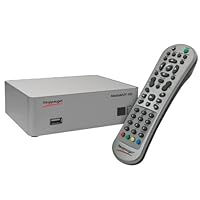
Hauppauge 1340 MediaMVP-HD Digital Media Player
For the price paid (less than $75), it's not half bad. I connected it to my LAN and HDTV, configured for DHCP, and was easily able to detect my Ubuntu Linux based Mediatomb server.When I attempted playback of various media, I wasn't able to get sound over HDMI. I then tried component video (YPbPr) successfully. I went back to HDMI, lowered the bit rate for the sound, and had it up and running fine (including 720p .MKV playback).
From time-to-time the screen goes blank when you've been wandering around in the menus for too long and as of now, I have not been able to make use of the USB port (always reads folder empty no matter what's connected). I have a trouble ticket in with Hauppauge, will update with results.
Pros:
Low price
Played every video format I threw at it
1080p HDMI Output
Decent WAF (Wife Approval Factor)
Instinctive remote control (could be better)
Intuitive on-screen menus
Easy network setup
Automatic video setup built into the software
Cons:
Unit itself could look better
OSD needs polishing: speed, smoothness, fonts are big & blocky (can't really complain for the price)
Has to reboot after some setting changes
Screen goes blank every now and again while in the menu system
No automatic audio setup
Conclusion:
Setup could have gone more smoothly. For the problem I had with sound over HDMI, there was nothing in the manual, on the website, or in any of the forums that gave me any insight on this problem. I literally stumbled onto the fix. The problem was likely due to the limitations of my HDTV, but the average consumer might not catch that. Although it's not important to my intended application, I'm still waiting on an answer for my USB port issue. All-in-all, for what I purchased it for, (multi-format Upnp/DLNA player w/ HDMI output) it's not horrible when you take into consideration that other comparable consumer products cost anywhere from $30 to $125 more and a custom-built PC with an HDMI output could cost upwards of $400 to $500 at a minimum.
Update (12/20/2010):
I've not heard anything beyond the initial response (addressing my already resolved audio over HDMI issue) from Hauppauge support. I've also discovered that the MediaMVP-HD cannot play OGM video. The format is summarily ignored by the media browser (as in doesn't even show up as unknown). Although it's not advertised as one of the supported formats, I'm still disappointed. As for .MKV playback, if you have an MKV video with multiple audio tracks, there's no way to switch betewwn the two tracks. I also contacted Hauppauge about this and have gotten no answer. Prehaps I'll have better luck after the holidays.
Update (03/30/2011):
Still no response from Hauppauge, I've moved on to using a PC with XBMC Live installed. The MediaMVP will still serve as a spare in my workshop, but isn't quite smooth and polished enough (software-wise) for my living room system. Eye candy is important.I've had a Hauppage HD PVR for about a year now, and I've been recording my HD TV programs (I have a library of TrueBlood, Lost and Heroes) from my Fios box and burning them onto a CD for playback on my Blu-ray player in my living room. But I've wanted to just simply play the recordings back to my HD TV in the living room instead of going through the "record/burn" steps.
So I picked up one of the MediaMVP-HD's. It basically did just what I wanted.
I hooked up the MVP up to my HD TV set in the living room (I used HDMI to connect to my Samsung "B" series LCD TV). I have an ethernet connection in my living room, so the connection for me was pretty simple. I then scanned my network and found both my PC where the HD PVR is connected and also my laptop computer. In about 5 minutes I was able to play the HD PVR recordings from my PC to the HD TV set.
I like the fast skip buttons (you hit 0 to 9 on the remote control to go to different spots in your recording) and I like being able to adjust the volume from the MVP remote control.
The video quality on my Samsung is incredible, I guess due to the HD PVR recordings but also (I assume) to the HDMI output on the MVP.
Wireless would be nice to have on the MVP, though I didn't need this on my TV set in the living room. I have another HD TV in the bedroom which does not have an ethernet cable, so I'd need wireless there.
Also, I liked the front panel USB port on the MVP, where I've been plugging in my digital pictures which I keep stored on my thumb drive.
In my opinion, if you have an HD PVR, you need to get a MVP so you can avoid burning blu-ray disks when you want to play your HD PVR recordings onto your HD TV set.
Buy Hauppauge 1340 MediaMVP-HD Digital Media Player Now
I bought this player based on the review and price. It took me a while to setup and got it working after a struggle. I have Gigabit network in my home. First the network cable was really loose and did not get connected then one of the cable with support connected to the network. Photo browsing did not work as a 4MB file took 15 minutes to load and the software froze. Only good thing was the video played well accessing the files from the network. It did not play .MKV files. The software indicated as "Beta" while trying to play .MKV files and did not have audio. I will not recommend this hardware. I returned this hardware in a week after trying everything possible.Read Best Reviews of Hauppauge 1340 MediaMVP-HD Digital Media Player Here
I have the Hauppage WinTV-HVR-1600 running on one of my PCs. The other PCs I have are too old and slow to playback the video files it creates. Then along came this little gem. It was very easy to setup and use. The only drawback is the video playback controls. The fast scan backward and forward does not work very well at all. I am going to try their beta firmware and see if this corrects the problem. The picture and sound from this is goes way beyond my expectations, though. I am very happy I bought this and will be ordering another soon for my other TV.Update: I am no longer happy. I loaded the beta firmware and box no longer works to playback video. I tried reloading the old firmware and it will not accept it.
Let's see what their tech support comes up with.
12/21/10
Hauppauge tech supports response was not acceptable so I returned the product to Amazon. Amazon gave me a full refund demonstrating their dedication to customer service/satisfaction.
Want Hauppauge 1340 MediaMVP-HD Digital Media Player Discount?
Bought one of these from Amazon and it failed to turn on (no screen, just the power light). Hauppauge was quick to repair/replace but the it worked once before the same problem :(Friday, July 11, 2014
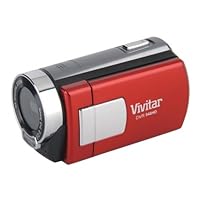
Vivitar 5.1 MP HD 4X Digital Camcorder Recorder 548 w/ 2-inch Screen Red
For the price i paid it was well worth it it was easy to transfer vidieo to computer. Also light weight would recommend it.This was a gift for my granddaughter from her father. It was very age appropriate and she used it a lot on Christmas day. I know she will have a good use for it because she use to tape with her phone or camera and this is much easier for her to use.Buy Vivitar 5.1 MP HD 4X Digital Camcorder Recorder 548 w/ 2-inch Screen Red Now
This set is alright compared 2 other cameras,and the buttons do stick, but 4 value, u could not go wrong.
i am satisfied.
Read Best Reviews of Vivitar 5.1 MP HD 4X Digital Camcorder Recorder 548 w/ 2-inch Screen Red Here
had to send this back. It took two pictures and the viewing screen went completely blank. It was a very cheesy product. It was bad enough to discourage me from buying online again.Want Vivitar 5.1 MP HD 4X Digital Camcorder Recorder 548 w/ 2-inch Screen Red Discount?
Friday, July 4, 2014
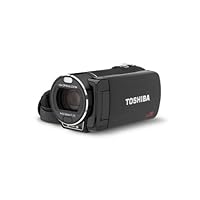
Toshiba's CAMILEO X416 Full HD Camcorder
Do not purchase this camera if you are shooting indoors.My first experience with Toshiba's Camileo video camcorder line was an exercise in frustration both with the camera performance and with Toshiba Customer Service. I first purchased the X400 model. After speaking with their customer service department they said the camera was defective and to return it. They gave me a store credit for the retail value. With this credit I ordered the next model, X416. This is the same camera except it has 16GB of memory built in. You can also use SD cards to increase the storage capacity.
I experienced the exact same issues with the X416 as I did with the X400. After repeated calls to Toshiba customer service and technical support they were unable to resolve the issue. I thought perhaps it could be an adjustment in the camera settings. I tried everything but still the resulting video was blurry. I even posted a sample video to youtube for their engineers to see what the issue was. Here is the link: I. This was done at Toshiba's request. Sadly, they never responded back to me.
I told their customer service supervisor I would just like to get a refund but they explained they could only give me a store credit for another product. They offered to send me another camcorder but I declined. This was the top of the line recorder made by Toshiba and it didn't work any better than the previous one. So why would I want to get another? Their warranty states that they can issue a refund upon their disgression. When I mentioned this I was told they can but they don't have any mechanism to do so.
Exasperated, I finally boxed up the camera and shipped it back to Toshiba. I'm now waiting to hear from them if they will give me a refund or offer store credit.Pro
Solid, expensive feel in hand, nice finish all over. The design and the feel is Better than most of the Sony or Canon I tried. It is truly a pleasure to hold it. It also comes with very nice amenities at least with what I ordered from amazon: a remote, a carrying case, and a lens cover.
Con
Either its just my copy or in general, the auto focus does not work thus all videos are blurry. Image stabilizer seems not working at all. White balance seems to be always off too. I'd love to get another copy to try, but I decided not to waste the time.
Conclusion
Beauty is just skin deep.
Buy Toshiba's CAMILEO X416 Full HD Camcorder Now
I had purchased this Camera and am currently in the process of returning it to Amazon for a refund. When the camera was on a tripod stationary within a well lit hall it's auto focus feature would focus, then get blurry, focus, and go back and forth throughout the entire recording defiantly not a feature you would want and no way to disable auto focus either. In addition, if the battery gets low I also discovered you cannot have it plugged in and record at the same time; I have never heard of a camcorder like this. Toshiba advised I upgrade the firmware and I did, this did not help anything. Do not buy this camera, I've seen cameras that perform way better for the price.Read Best Reviews of Toshiba's CAMILEO X416 Full HD Camcorder Here
I can confirm the reviews above. I used this camera on tripod to shoot a sports event and the camera zooms in and out constantly. The footage I took was completely worthless. Too late to return. Don't buy this camera.This camcorder has a problem keeping in focus on objects far away, it goes in and out of focus repeatedly. Video quality is good, just poor focus.Thursday, July 3, 2014
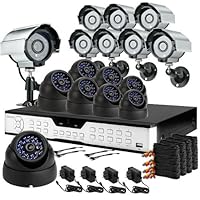
ZMODO 16CH H.264 Standalone DVR CCTV Surveillance System with 8 Bullet Sony CCD Outdoor Cameras & 8
Exactly what i was looking for...very good price durable easy to install outdoor camera sizes are perfect...better connections= better picture quality..recommened BNC compression coax connectors.. more work but its worth itI had a great experience with this security set... actually I got a few more. The price is very convenient as well.I orderd the item, it arrived on time and I am loving it. Looks and feels great. although I am yet to install I would certainly recommend
Friday, June 20, 2014
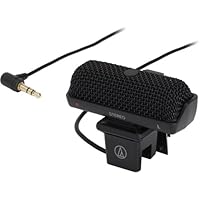
Audio Technica AT9900 | Stereo Lavalier Microphone ( Japan Import )

- Element: Stereo Electret Condenser | Polar Pattern: Unidirectional | Frequency Response: 70-16,000 Hz
- Sensitivity: -42ohms (7.9 mV) re 1V at 1 Pa | Impedance: 2,000ohms | Power Supply: Battery/Plug in Power
- Battery Current/Life: about 300hrs | Dimensions: 41(H) x 58(W) x 20(D)mm
- Weight: 23g | Cable: 1.6m | Connector: ?3.5 mm L-type gold-plated stereo mini jack
- Accessories: LR44 Battery
Tuesday, June 3, 2014
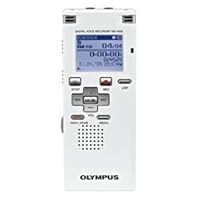
Olympus Digital Voice Recorder
Works great, ultra clear recordings, plenty of space, and files easily load onto Windows XP (have not tried any Apple PC's with it). Only issue it the switch from conference and dictation is sometimes easily switched, and you will later realize you recorded in the incorrect format.I GOT THIS VOICE RECORDER. I AM NOT SURE IF MINE IS PRE OPENED, BECAUSE I FOUND OUT THAT THE BATTERY IS MISSING(WHICH SHOULDN'T),EVEN THOUGH THE RECORDER IS STILL, OBVIOUSLY, BRAND NEW.
Tuesday, May 6, 2014
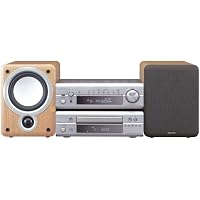
Denon D-F101S Micro Stereo System

- Stylish, powerful micro-system for living room, bedroom, kitchen, or home office; measures 23.2 x 11 x 10.8 inches (WxHxD)
- 2-channel amplifier pumps 70 watts per channel into supplied speakers
- Includes a pair of Denon engineered and European tuned, 2-way bass-reflex speakers
- 5 audio inputs including a phono input for a turntable
- Optical digital-audio output simplifies hookup with a CD or MD recorder
My one dislike is the remote. Its plasticky and feels cheap. It is also more bulky than it needs to be.
If you have the money to spend, and I admit the price is up there compared to other shelf systems, you will not be disappointed. I am not an audiophile (only because I don't have thousands to throw around) and I can't give you many technical details on why this system sounds so good. But I do know that Denon is a good brand, and they back up their stereos and components with good warranties. I give this five strong stars and recommend it to anybody interested in a great sounding stereo.
Buy Denon D-F101S Micro Stereo System Now
I purchased this system for use with a laptop on my desk after extensive research and listening to mini systems. This fits my needs perfectly. I paired it with a Yamaha YST-FSW100 subwoofer to kick up the bass a bit. Nice clear, clean, crisp sound. I'm an older rock'n'roller that just wants good sound from my older cd's (Savoy Brown, Ten Years After, etc.). This system has nice bass, treble and loudness adjustments that can easily be made by hand and not just the remote. Very easy to use. This Denon F101S system has satisified all the requirements I wanted in a system for use on my desk while playing on my laptop. I hope you enjoy yours as much as I do mine!Read Best Reviews of Denon D-F101S Micro Stereo System Here
Very sosphisticated audio system. This is beautiful visually and the sound is very bold. It sounds as if I bought a more expensive sound system. Wether rock, r&b, and jazz it has own flavor. I made the right choice.Want Denon D-F101S Micro Stereo System Discount?
I bought this system for my bedroom. I wanted something with good sound and small.The good part: nicely built, lots of connectors, good looks.
The bad: sound quality is good but not fantastic (far from it!). For $700 you could assemble a much better sounding system. Of course it would be bulkier and not so sleek. But still, bearing the Denon brand I expected more than what I got.
Some reviewers are suggesting that you attach a subwoofer and I might try that.I'm in my late 50s and gave my 30 year-old still useable sony receiver (100 watts per channel) to my teenage son as a birthday present who is moving into his first apartment as a summer student at College Of Charleston. I wanted a replacement unit that was small, simple, low tech look with good nondigital sound for my analog tastes. I am very pleased with most of my requirements being met but attaching the supplied speaker wires to the unit and speakers turned out to be quite a chore! I remember in the old days of spliting the outer layer to splice the copper wires and that is what I had to do with the supplied speaker cables. You would think that a more modern hookup would be available! Anyway, I attached my Teac reel-to-reel, manual turntable and cassette deck and found the sound to be total bliss. I play lots of early 20th century opera (78s of course) on my turntable and have been VERY pleased with the reproduction of sound especially with the recent Enrico Caruso remastered songs converted to digital. All-in-all a great value package with pure, clear and concise sound worth every penny!
Sunday, May 4, 2014
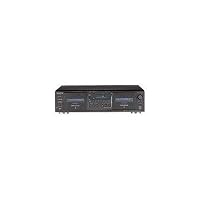
Sony TCWE475 Dual Cassette Player / Recorder

- Utilize our Dual auto reverse feature as you listen
- Dolby B and C noise reduction makes as it suppresses high frequency noise
- Also features Dolby HX Pro circuitry, Auto Record Level, Multi-AMS track search
- It has relay play, and full-logic feather-touch transport controls
I couldn't afford a 3-head audiophile Cassette Player which would no doubt increase the quality of the analog to digtal conversion process. So I settled for this Sony which was in my price range.
I purchased this model instead of the TEAC W-860 R mainly because of the slight price difference.
If this had a remote it would be much better but as it is, I'm not that lazy. I mostly use the playback well, because I don't really need to record onto tape anymore.
It is also fairly noisy when stopping, playing, forwarding, etc. Don't use it near someone who is trying to sleep!
The Dolby Noise logic is also fantastic, I have a lot of tapes with large amounts of tape hiss and the logic cuts most of that down.
I also like the fact that you are able to do continuous play but I try not to do that because I hear that auto-reverse degrades the heads/motor of the unit.
My conversion process has begun and it is taking a really long time, but I am getting great results with this Sony TCWE475.
Buy Sony TCWE475 Dual Cassette Player / Recorder Now
This cassette deck does have some really good features like HX Pro, Dolby B & C, music search (AMS, which looks for blank spaces to guess where the next song is), and full dubbing capabilities. I have it connected to my Onkyo A/V receiver via both output and input, since all of my components operate through the receiver. It works well this way and i can record from all sources with no problem.I have a problem with the sound. It's not as good as the specs would have you believe. I've compared it with an Onkyo tape recorder and, although the numbers are similar (as far as wow & flutter and dynamic range), the Onkyo is much better (it was too expensive and had less features, but now i see why it cost more). The big thing is the lack of a remote. Sony has this funky A1II communication bus system, which is only truly useful if you buy all Sony components. I don't so it's useless to me. The excuse for not including the remote is that you can buy a Sony 300-CD Changer that can control this tape deck. I don't like it when companies use this method to obtain sales, so chances are i'll eventually resell this deck and get one with its own remote and better sound.
I paid $150 + tax at Circuit City. Same price as from J&R/Amazon and with shipping costs the price is almost equal. I'd say buy it if the price is $110 or less. That's all it's worth to me personally.
Read Best Reviews of Sony TCWE475 Dual Cassette Player / Recorder Here
150 USD is not really an expensive price for a tape deck of this quality. That would be about 8 new CD's purchased in a store. Ten years ago tape decks cost more, but since cassette tapes are a quickly dying medium, lowering the price is the only enticement left. I have 150-200 cassette tapes with a mix of songs from about 1500 different CD's and albums, so even if I throw out 80-90% of my tapes that's still the equivalent of songs from 150+ different CD's. That would be an expensive replacement cost, let alone what the price of what 1500 CD's would cost. So a new cassette deck allows me access to those relatively few songs I still like.Phil Audio of Bangalore India didn't like the sound quality. He's listed some high quality equipment so he's familiar with audiophile level electronic equipment. He stated that the Sony deck doesn't sound as good as the specs listed. Sony's specs list 30 Hz-17,000 Hz +/-3dB for the widely available CrO2 high bias type II cassette tape. That's a relatively good range. The important thing to look for is the +/-3 dB value. If missing, the number given is almost meaningless. A tape deck performing at this level should sound adequate. If it doesn't then maybe the source material is of low quality. The other would be if Sony is lying about their specs, in that case they could be liable of and a possible lawsuit. One would hope that a multi-billion dollar corporation like Sony wouldn't risk their reputation and lie about their equipment specs. That doesn't mean it couldn't happen. I own and have owned several Sony products and they've all worked well and as specified. So maybe something else is influencing the sound. I've looked at the specs of a similarly priced Onkyo tape deck. There a little lower at 30 Hz-14,000 Hz +/-3dB, but this is still good and would probably be adequate for most people and Onkyo is another high quality high fidelity electronics company. The one thing I would not consider is relying on the tape deck portion of mini stereo system. I'm mildly familiar with audiophile quality equipment. I have a Harman-Kardon cassette deck that lists 20-21,000 Hz +/-3dB for the lowest level type I tape that's exhibiting some problems after many, many years of use. When I first got this deck, I was a little thrown off by the sound because it played so high in the high frequency range. The low frequency sounds are still there for an adequately recorded tape, it's just with so many high frequencies it's not as immediately noticeable. So if one is listening to low fidelity sound equipment, their ear is becoming accustomed to it and to the probable boominess being used to compensate for the poor sound reproduction. It takes some time then to readjust to high quality sound and reproduction closer to what the musicians originally played at. I have owned a mini-stereo system by Aiwa and the tape deck on it ceased functioning after a few months. Another one lists the specs as 80-12,500 Hz 8dB. What does the "8dB" mean here... who knows. If you want to hear a bad tape player, get out your Sony Walkman (which makes no claim to good sound reproduction, but wasn't meant for that) out of the box and compare the sound of that Walkman to this tape deck to hear the sound difference. If you think the Walkman sounds better in comparison, then either you'll need to listen to this deck for a while to reprogram your ears, or this deck will be actually too high quality for you. If, however, this tape doesn't sound good enough one will then need to progress to higher quality audiophile cassette decks. Years back there was the famous Nakamichi Dragon with enough knobs to look like a missile launch facility or another Nakamichi cassette deck that was auto-reverse but that preserved the quality of a single direction motor that it would physically eject the tape, rotate it and reinsert it (you had to see it to believe it). Now tape decks at this level, if they even still exist, will probably be in the 4 digit price range by now. This Sony tape deck is a moderate level audiophile cassette tape player and at 150 USD is reasonably priced for a dying media (note that it is overpriced at 300 USD in some European countries).
The one thing this tape deck deserves an F for is for their manual. I've read several manuals over the years and this one is nothing short of confusing. They combine the WE-475 and WE-675 into one manual. However, the WE-675 is so different that their are pages just dedicated to it. Also in several places they list: (for WE-675 only) and this includes for the automatic bias adjustment for type I, II, and IV cassettes, that seems to imply that the WE-475 doesn't do that. That would be unfathomable and would be unacceptable for a tape deck at this level. Also for playing and recording in Dolby, it lists (for WE-675 only) in places that if it wasn't for a photo where I could actually see the Dolby switch, I would have thought this tape deck didn't have Dolby, again which would be unacceptable at this price. So if you don't understand something in their manual, it's not you, it's Sony's fault.
The one thing interesting in the Specifications section, is that Sony seems to imply that a type IV metal tape will play at 30 Hz-19,000 Hz +/-3dB, but has a line listed as: 30 Hz-13,000 Hz +/-3dB, -4dB recording. Now this is a confusing spec, but seems to imply that the tape deck will RECORD at a lower frequency range of 30-13,000 Hz +3dB -4dB (?) for a metal tape. Now this was something I've never considered before, that a tape deck would record at a lower level than it played at. Of course a tape recorded at 30-13,000 Hz will only be able to play back at 30-13,000 Hz, no matter what the machine. Let alone what it records at for the much more available type II tape. Now I don't know if this is just unique to this tape deck, which would be a serious negative mark, or whether all tape decks record at a different freq range than they play at and just don't mention it, and thus should give Sony a lot of credit for being honest to mention it.
Want Sony TCWE475 Dual Cassette Player / Recorder Discount?
I currently have 5 of these decks I didn't just purchase them, I have had them The reason I am posting here is I was about to order another one when I decided to read the reviews and compare them to mine -If you want a good multifunction cassttte deck, this is the one The price at Amazon beats everyone online at this current price This cassette deck is well worth the price Its easy to use The only thing most people won't like is that it doesn't come supplied with a remote -
Fortunately I have one -
I bought one for my Dad who is in his seventies If he can figure out how to use it at high speed ddubbing, Cd to casstette, cassette to CD, well, need I say more Doesn't take a rocket scientist to use this product -Initially sounded flat when reprodicing analog or digital sourced material. Wow and flutter very good and tape transport very stable.
Modifying this equiptment will void your warranty, so wait til it has passed. Top cover easily removed for full interior view. Bias, speed, input and output volumes all easily adjusted via tunable circuits and clearly labeled on circuit board.
My adjustments put the frequency responses (inaccurately) higher than my Onkyo deck when reproducing to any type cassette. I had to back it off due to too much bias ceiling and to naked human ears with Dolby C, is indescernable to the source vinyl or CD. Now my best deck in 15 years.
Sturdy wheels and rollers, gears and easily replaceable, readily available belts. Highly recommended by a reel to reel enthusiast. Happy music and long live analog.
Saturday, April 26, 2014
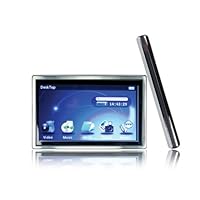
Mach Speed 8 GB Trio-T4300HD MP3 Media Player (Silver/Black)

- Trio 8GB MP3 Player with 4.3-Inch HD display (Silver)
- Plays videos, Displays photo gallery, FM Tuner, HDMI-out, Voice Recorder, Rechargeable Battery
- USB 2.0, Earbuds & USB Cables included
1) it can play .avi (divx/xvid) files directly without the need to convert to a different file type. A lot of similar products seem to need conversion to mp4 or other formats. Until now I have been watching videos on my Sony PSP which takes an inordinate amount of time to convert large avi files.
2) its inexpensive compared to similar avi players. One of the marketplace sellers (Circuit City) listed it new for sixty and so far its been worth every penny.
The video quality is very good though I can't say for sure if its true high definition. I have been able to view several different avi files seamlessly and all 16:9 widescreen videos have fit the screen perfectly. It has a 4.3 inch widescreen display (the same size as a PSP screen) and its very lightweight and portable. The 8 gigs is great as it can hold a number of videos and has the micro SD slot for adding extra disk space.
Another useful feature is it remembers where you stopped watching a video when you exit the player or the battery runs out. You then have the option to resume where you left off. You can also choose the point in time to start watching a particular video by selecting the hours and minutes. This is nice as it saves you having to fast forward for a long time.
I don't plan to listen to much music with this Trio, but the few mp3 songs that I did copy over (Coldplay, Muse, Bryan Adams and John Williams) played quite nicely. The FM radio wasn't so good, maybe because I'm using it on the train. The voice recorder sounded alright but again not something I will use. It also has a calculator, picture viewer and some other features.
Its very easy to use. The user manual suggests using Windows media player to transfer media files from your computer, but since the Trio works like a USB flash drive you can simply use Windows Explorer to copy & paste (or drag & drop) the files, delete files, create directories (folders) and so forth.
The battery life is not bad. A full charge provided about three hours of video play and that's with me constantly fiddling with the volume and other features. Oh and there's no external charger for this, the USB cable charges the battery while connected to the computer.
The product was packaged extremely well, just like you would expect from Apple or Sony. The following additional items were included: a compact user manual, headphones, a USB cable, a HDMI cable for hooking up to a tv, and a remote.
All good stuff but a few shortcomings worth pointing out. I have noticed that under bright sunlight the video resolution isn't as clear. If you're in a window seat with light coming through it could be a nuisance. Secondly the touchscreen is a little cumbersome to use, especially when trying to adjust the volume. If you have big fingertips like me it might prove fiddly. Finally the on/off switch feels a little delicate. If it comes off I'm not sure how easy it will be to fix.
All in all I think the Trio is excellent value for money. Its given me everything I wanted in a portable avi player despite the limitations. I only hope it can last a long time. I do recommend this product based on my own experience but to be on the safe side make sure your seller has a sensible return policy.
Cheers,
John
Buy Mach Speed 8 GB Trio-T4300HD MP3 Media Player (Silver/Black) Now
I just started using this product recently. It is really one of the best mp3/mp4 products that I have found and I have done a bit of research finding out what works.Great points:
1. Radio works well. Note, the radio works only with headphones plugged in, otherwise the reception is poor. Mp3's sound great.
2. Video works like a charm. Loading them into the device is really easy.
3. Comes with an HDMI cable, allowing you to plug it into your HD T.V. This also works really easily, no configuring at all required. Even comes with a remote to allow you to control the device while you have it plugged into the T.V. (remote can be finicky, but this is not a huge deal).
Negative points:
1. My device emits a high pitched sound. It doesn't seem to be effecting anything through.
2. Sometimes it can be difficult to scroll through menu items because of the responsiveness of the touch screen.
3. The e-reader has limited functionality, it only accepts very few file types (however this is not why I bought the device, so this point has little weight to me)
4. Sometimes my custom settings automatically reset.
The positive points completely outweigh the negative points. I cannot comment on the durability as I only received the device recently. I would definitely recommend this product.
Read Best Reviews of Mach Speed 8 GB Trio-T4300HD MP3 Media Player (Silver/Black) Here
I was looking for a replacement for my hard drive-based MP3 player when I found this on a clearance shelf and figured I'd give it a try. At first glance, it's a pretty good device, but there are several things that just don't work quite right.I found playlist management to be rather poor. You can add single files, whole albums, or all songs by an artist or genre easily enough if your files have ID3 tags, but they get dumped into a single list sorted by filename within that category. So if you have several albums by the same artist and add by artist, the list will be alphabetical by filename for that artist. The device only supports one playlist, so if you want change your playlist, you have to remove each file individually (with a confirmation popup) before building the new one.
The music library won't scan the micro-SD card for music and there's no way to add music on the micro-SD card to a playlist. The only way I've found to play music from the micro-SD card is to use the file exporer and browse into whatever directory structure you've set up. I also haven't found a way to manually set up a playlist for files on the SD card. You can have it play all the files in a specific directory in order or random, but this doesn't help much if you use a hierarchical file structure to sort your music.
These two issues are what cost most of the 2 stars I took away.
When you connect it to a computer, it appears to go into flash drive mode and will only let you access it through your computer to transfer files. You have to unmount the drive in Windows in order to put it into charge-only mode and get access to the device menu. If you connect it to a power-only port (I used a cigarette lighter to USB converter), you can use it while it charges.
I think someone else mentioned this, but the world time zone doesn't work. It appears to be hard-coded to use Beijing as it's reference even if you try to set the default to something else.
On the plus side, it will take a 16GB micro-SD card, and if you connect the device to a Windows XP machine, the devices internal memory and the SD card are both recognized. I haven't been able to get Linux to recognize the SD card, but it sees the internal memory.
If your MP3s have lyrics embedded in them, the device will display them during playback. I didn't even know this was possible until I saw the lyrics while playing a song. It will also display album art if available.
I tried to play a couple videos. If your video is 4:3, you have the option of keeping that ratio or stretching it to fill the full width. Most of my files are h.264/mkv, which isn't officially supported but works sometimes. Most of the 480p files worked, while the 720p didn't. The 720p that did play were rather choppy. I've had some issues playing certain videos under Windows/Linux, so it could be the files. I didn't buy this for video, so it's not a big issue for me.
I wasn't able to get the HDMI connection to work. My TV wouldn't work with it at all. When I tried connecting it to a monitor with a HDMI-DVI connector, I wasn't able to get it to stay active; it acted like ther was a loose connection. Both are older devices, so I can't definitively blame the Trio. If you do get it working with the HDMI connection, you will have to use the remote because the display is disabled.
The FM radio is a little weak, and you really need the headphones plugged in to act as an antenna (just like the manual says).
The e-book reader is really just a text file viewer. It can't handle any kind of formatting (html, rtf, etc.)
The connector is a standard mini-USB, the same as what's used on most 2.5" external hard drives.
I haven't tested the battery life yet.
Want Mach Speed 8 GB Trio-T4300HD MP3 Media Player (Silver/Black) Discount?
This is the 3rd mp3 player I've bought for my son, and I must say I had expected something slightly better than the rest. But this little media device gave me everything I wanted and more. Mine was bought with a total of 60 dollars, and true, this thing comes with a few minor issues (The only thing that bothered me was the "soft" material they used to make the screen) but the technical details don't cover all the things that this thing does. My screen broke along with other minor technical issues involving the USB cable, and Amazon is sending me a new replacement with 1 day shipping (Amazing service!!!)Pros:
-An actually HD (720p) screen
-Play all the major video formats that I use (Flv, Avi, and Mp4)
-8 gigs storage!!!
-Super long battery range (I went 4 hours of video watching without it running out on me)
-Great music as long as you have headphones
-Lots of cool apps+time (It has calender, ebook, search via txt format, stopwatch, a calculator, etc)
-You can personalize stuff like the desktop by downloading pics from the internet
-Great, responsive 4.3 inch touchscreen (Even bigger than my Galaxy's phone)
-Everything about the media programming is perfect
-Programmed manual that is surprisingly helpful and simple
Cons:
-Doesn't handle glare and harsh nails (Watching it in dim lights would be best)
-Radio doesn't work (But most mp3's don't have good ones either in my experience)
-Doesn't have loud speakerphones (But that's why normal people use headphones and stereo)
-Time is off by a few minutes after you set it (Is that really a big problem?)
-Doesn't do PDF (It isn't a kindle, it's more of a media player)
-Playlist option is temporary (But I don't use it anyways)
-Not much to complain about except the fragile screen
*I had trouble at first saving on this mp4 player, however, if you just push the power button down, that will turn it off with saving
Overall, this is what I consider the best Mp4 player out there, if your looking for a pro music player, this probably isn't what your looking for, however, if your looking for a media player (Videos), than this is your productThis is quite a good little mp3 player, i use it for videos and pics mostly and it serves me quite well. The screen is big, bright and colors are good. Hooked it up to my tv via hdmi cable and all worked as stated. Does not come with a video converter program but their are plenty of programs to be downloaded via the web so no issues there. It is picky about the type of video it will play but for the price I paid I can overlook that aspect. The speaker on it is ok, not the greatest but I did not expect to be and I use either headphones or an external speaker and have no problems with the sound. Holds a charge well and can easily watch a full movie on it with a single charge. Only thing I wish it came with was a case, as I have not been able to find one for it yet. All in all this is a very capable little player with a large screen and good picture and well worth the little money spent on it!
Sunday, April 13, 2014
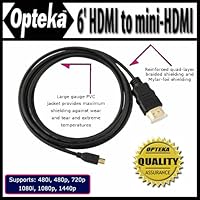
Opteka Gold Plated high speed HDMI to mini-HDMI 6' Cable For Nikon D7100, D7000, D5200, D5100, D320
Product was shown as new in a sealed package. It arrived in a regular ziplock cover and was used (had scratches, especially at the both the leads).Hi, It works great! Very happy to have it, very easy to use and I use it all the time. Thank youThis was one of the most important ad dings to my camera, I loved it and will recommend it stronglyI use this to connect my Nikon to my computer and it works great and the price was cheaper than going to Target or Walmart.The plates are good quality and for the price this was sold, I dont think any other one would have compared. I got this for my Nikon D5100.
Tuesday, April 8, 2014
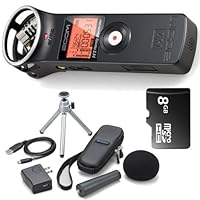
Zoom H1 Handy Portable Digital Recorder + Accessory Kit
Sunday, March 23, 2014
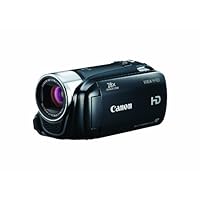
Canon VIXIA HF R20 Full HD Camcorder with 8GB Internal Flash Memory (Black)
The Canon Vixia HF R20 is a basic HD (hi definition) flash memory camcorder that is capable of producing very high quality 1080p video in MPEG4-AVC/H.264 format, thanks to its 1/4.85-inch CMOS sensor and DIGIC DVIII processor. The unit is rated at 3.28 Megapixels (2.07 effective).Canon positions this product as offering the ideal combination of price and performance for the budget-conscious consumer who wants Full HD 1920x1080 video.
The camcorder comes with 8GB of built-in flash memory, and accepts 2 additional SDXC memory cards, each of which can be up to 2 TB. Yes, that is terabytes. Suffice it to say, you can record a LOT of video on this unit if you make use of the expansion slots. The camcorder switches automatically from one storage device to another without interruption. Nice feature. With just the built-in memory, at highest quality, you can record 40 minutes of video. As inexpensive as flash memory is, there's no reason not to fill both slots with at least 16 GB SD cards in each ... 32 if you're feeling extravagant.
As a budget HD camcorder, the Vixia HF R20 seems a likely upgrade for pocket camcorder users. I shot indoor and outdoor video with this camcorder, and with a pocket camcorder that shoots 1080p video also. I viewed the Canon Vixia video first, and observed the quality, then watched the pocket camcorder video and made comparisons. I'll share comparisons at the end.
First, here are some Pros and Cons I observed while using the Vixia camcorder.
PROS:
Excellent 20x optical zoom lens produced very sharp video in adequate lighting. This means outdoor daytime, and bright indoor lighting.. There is a 28x "advanced" setting and 400x digital zoom. The advanced zoom is supposed to yield more zoom without compromising image quality. I'll stick to optical zoom myself, but it's a nice feature if you're into zooming.
Auto Exposure worked very well outdoors, exposing bright scenes and shaded ones very well, and smoothly transitioning between the two. Indoors, I was less thrilled, because even during the daytime indoors, the video seemed a wee bit contrasty.
Combined processor/lens/metering produced stunning outdoor video. Perfectly exposed, very sharp, vibrant color without being super saturated ... if this is the main way you use your camcorder, you would be completely satisfied with the product.
Opening the LCD doesn't turn on the camcorder. You have to press the on button too. However, once it's on, closing the LCD puts the device into a standby mode and shuts the automatic lens cover, so that opening the LCD again puts you into shooting mode in less than a second. While out and about, I recommend operating in this mode ... however it likely consumes extra battery, so be sure to power down completely when you're done shooting for the day.
3" touchscreen for settings and preview. It's a good size while maintaining the light weight of the device.
Face detection works well at acquiring faces. Even cat faces. Well implemented feature.
CONS:
No onboard light. There is no accessory attachment for adding light (you have to move up to the HF21 model for that), and unbelievably, there is not even a booster LED onboard. For a camcorder of this price, and for the quality of video it is capable of producing, this is just inexcusable. Even phones today have a LED for lighting. My $100 pocket camcorder has one. Seriously Canon? Because of this, indoors, even during daytime, the camcorder had a tendency to hunt for focus a bit, and indoor video was more contrasty than I like.
No viewfinder. While this adds cost, I have always found it very difficult to use LCD screens in the daylight for composing scenes. You have to move up to the HV40 to get a viewfinder. More than double the cost of this unit.
The image stabilization just didn't do that much. I tried both Auto and Dynamic modes. The jittery effect is most noticeable when zoomed in, so be aware of this.
Battery life seemed short to me. I shot video and looked through settings for no more than 1.25-1.5 hours.
So-So:
The GUI. Most of the settings are made on the touchscreen, and the menu system is easy to navigate without needing to go to the manual to figure everything out. Contrarily, there are actual buttons on the body of the camera opposite the LCD (record/play, video snap, auto/web, disp/battery info). Why the mix? I spent 10 minutes trying to find the playback button in the menu system, until I was forced to go to the manual to figure out how to playback video. Sheesh. It's 2011. Can't we be consistent with GUI design? Please?
Daylight and daytime indoor white balance was set properly by the camera, but under compact fluorescent light at night, the balance was very very warm.
Comparison with pocket camcorder:
Canon Vixia produces much sharper and clearer video. This is likely due to a larger sensor, better optics, and Canon's prowess at processing.
The Canon Vixia zooms in HD modes. The pocket camcorder does zoom, but only in SD modes.
Solid colors are noisier/grainier in the pocket camcorder.
That one little LED makes the video shot indoors better exposed on the pocket camcorder. It's just enough light to fill in the shadows.
Stabilization works better in the pocket camcorder. It seems very weak in the Canon Vixia.
Outdoors, the pocket camcorder video is a little washed out, and overall exposure is a little brighter.
The pocket camcorder is much worse at processing panning video. The video image gets semi-scrambled by the pocket camcorder ... the Vixia keeps up with video processing during panning scenes.
The pocket camcorder does not handle bright to dark (and vice versa) transitions as well as the Vixia does. It's smooth as silk with the Canon. Choppy exposure transition with the pocket camcorder.
BOTTOM LINE:
The Canon Vixia HF R20 is an easy-to-use, lightweight camcorder that produces stunning full HD (1080p) video on the easiest media of all to use, flash memory. It operates at full default, full auto settings for the novice, and allows many manual settings for more advanced camcorder users. It even lets you shoot 24p cinema-mode video. The strongest features of this camcorder are the lens, exposure, and image processing capabilities. Daytime and bright indoor video is excellent. However, Canon needlessly compromised the indoor capabilities of the camera by failing to include any onboard light. As well, the image stabilization could use some improvement, as zoomed video seemed needlessly jittery to me. Still, an entry level product cannot be at the pinnacle in every aspect of use, and Canon rightly focused its efforts on excellent quality video in what it judges as the most likely venues of usage. Battery life could be longer, so plan to have a spare (or two) on hand for a full day of shooting.
I've use the Vixia HF R20 to record this review. The built-in mic and external mics show the real life results. Mac owners should note the great info around here about dealing with the AVCHD files. Get a monopod/tripod and decent mic, and you'll be ready to play Spielberg!
Buy Canon VIXIA HF R20 Full HD Camcorder with 8GB Internal Flash Memory (Black) Now
For all the appeal of this small and proficient camera, the battery life is quite short, and the bottom-mounted battery doesn't allow for a larger battery to be used. And extra batteries are quite expensive! ($70 with no free shipping).Yes, the internal memory + two SD slots will allow for hours and hours of continuous recording...from an AC power source! But the battery? The "mini instructions" that come with the camera suggest a typical recording time of 45 minutes. 45 minutes? I've NEVER had a camcorder with such short life on a new battery!
I've been testing, and the actual maximum continuous recording time, with no zooming or focusing, is about 75 minutes to an external SD card. Recording to the internal memory increases the recording time slightly, as does setting the viewscreen to 'extra dim' mode.
Conclusion: the extended recording time of the multi-memory system is completely wasted, as the battery will be the limiting factor for almost every user.
Other issues: I like the touch-screen, but it helps to have fingernails.
The flashing red "access" light on the back of the camera is really annoying.
Low-light performance is not as good as previous Canon camcorders.
The lens mount has threads for an accessory, and there's a mic jack and headphone jack option (unlike an otherwise attractive Panasonic competitor).
The camera defaults to recording on the internal memory, even after you put in a memory card, which is confusing.
The full instruction manual is included only on a CD disc; very annoying.
Haven't yet looked into the file format, but if, as suggested, it's non-standard, that would be quite a drawback.
Sad to say, I'll be returning this camera AND the Panasonic. Maybe by next year chip cameras in this price range will be worthwhile. This year (7/2011), not so much.
--Gary ==Summary==
The Canon Vixia HF R20 offers many of the features found in a larger, more expensive camcorder, but is small and light enough not to be a burden. While the higher-end Vixia models provide some serious upgrades for the enthusiast for a significant price, the casual point-and-shoot crowd will find plenty to love about the Vixia HF R20 and only one thing to hate. The R20 shoots clear, vivid video with only minor weakness in low light, image stabilization and motion. The .mts file format will be alien to most users and may require time-consuming file conversion on additional (not the included) software to retain full HD quality for viewing on common devices.
==Construction==
Weighing only 9.5 oz. and measuring 2.4" x 2.4" x 4.8", the Canon Vixia is just small enough to it in a large pocket and light enough to pack in a backpack without weighing you down. The overall construction feels a little cheap simply due to the light weight and this will also make it harder to shoot steady video. The lens is noticeably smaller than those found on the more expensive Vixia models, but still vastly superior to the majority of cheap point and shoot video cameras that have been flooding the market.
The touchscreen measures 3", which should be big enough for most, but I'd have liked at least 3.5" and capacitive instead of pressure-sensitive response. Aesthetically the R20 is quite attractive and comfortable to grip. The buttons, ports and slots are all laid out efficiently and ergonomomically. Hdmi, composite and audio ports and two slots for SD/SDHX/SDXC cards round out the package.
==Video Quality==
The Canon Vixia HF R20 provides an Auto shoot mode as well as scene modes for more specific environments. In auto mode it only takes a few frames for the camcorder to adjust from shooting indoors to outdoors. The image stabilizer (dynamic/standard(default)/off) works great overall, except for close-ups. The lens provides a very clear image with only minor distortion and provides a 20x optical zoom (28x advanced zoom). Low light performance is only okay.
Frames rates of 24p, 30p and 60i are available. Five bit rate qualities are available, the two highest shoot in 1920x1080 resolution while the 3 lower ones shoot in 1440 x 1080. The following bitrates can be selected: MXP-24Mbps, FXP-17Mbps, XP-12Mbps, SP-7Mbps, LP-5Mbps. The default shooting mode is SP with 60i frame rate. You can shoot 2hr 20min in deault SP, 1hr in FXP or 40 min in MXP using the internal 8GB. Keepn in mind that higher quality bitrates may not save onto lower speed SD cards. Maximum shooting time is 12 hours. Pictures are saved at either 2 (1920x1080) or 2.4 megapixels depending on aspect ratio.
==Ease Of Use==
Most owners should be able to dive right into using their R20 for shooting home videos. The buttons are (for the most part) clearly labeled as to their function(s) and logically laid out so you can find things intuitively. Both composite and hdmi (mini-hdmi to hdmi) cables are included as well as 8GB of internal memory. The only times I had to look at the manual were to figure out the Vid Snap button (sets camcorder to shoot for 2/4/8 sec at a time) and look up how to get at some of the more advanced settings (touch "Func" on the touchscreen when NOT in Auto mode). A minor complaint is the inability to shoot stil pictures WHILE you're filming video.
The major complaint I have for the R20 is the file format that every video is saved in: .mts. It took me a while to find adequate software to convert the .mts files into .avi and even longer to convert a few short videos (on my last generation computer). I suspect most people don't have software on their computers already that will convert or even play MTS video files. I've been a long time user of Pixela software for my photos, but video software is a joke (the video browser disc required me to uninstall what i had installed only minutes before from the image transfer disc). The included video converter will not convert the MTS files without reducing the resolution significantly! Thankfully the pictures save as .jpg files. I ended up removing the included software from my computer and simply drag and drop the files from the Canon onto my desktop.
Want Canon VIXIA HF R20 Full HD Camcorder with 8GB Internal Flash Memory (Black) Discount?
A nice little affordable digital flash memory video camera from a trusted name. I'm glad I purchased it on Amazon. I would highly suggest buying additional batteries and a battery charger. I find I have to swap out batteries if I record for a long time.PROS:
1)small
2)light
3) easy to operate
4) built-in-features are nice
5) zoom is good
6) records to flash memory
7) expandable memory with added cards (upto 128G with 2 64G cards) [be sure to get class 10 cards]
8) quiet operation
9) USB
10) wonderful quality picture
11) nice resolution
12) nice recording options
13) affordable
14) automatic lens protection mechanism
15) touch LCD screen from which most features can be controlled
16) external mic connection available
17) HDMI output connection
18) easy access to memory cards
19) easy access to battery compartment
20) standard camera mount for tripod
21) DOLBY stereo
22) batteries charge relatively fast compared to others.
CONS:
1)battery life is just barely adequate best to have a spare battery or two or more on hand
2)the zoom control is located in the usual place, but the small size of the camera makes it a little difficult for someone with big hands to operate optimally. Will take some getting use to.
3) proprietary video upload utility software to get video from camera to PC which is very slow. To transfer video from the camera to the PC requires use of a proprietary software utility (provided). It would have been much better had the camera had the ability to import video simply using native video import functions built into Windows. This is very inconvenient especially if you want to import the video to a machine that does not have the proprietary software installed.
4) despite having the ability to control how video is recorded to memory such as setting the mode that will first fill internal memory then automatically continue onto added memory cards, the camera loses this configuration selection when powering off the PC and goes back to the default mode of recording only to internal memory. It's easily remedied by setting the configuration option again after powering up, but it is very inconvenient that the camera does not remember these settings between power ups.
5) the battery and electric power is provided via a proprietary AC Adapter with a very proprietary connection. I would have preferred they use the USB connection to provide electrical power and battery charging perhaps the camera draws more current/voltage than a standard UDB connection can provide to be able to power the camera or charge the battery. It is very inconvenient having to carry around a special adapter like this if one has a PC USB connection available.