Showing posts with label usb dvr. Show all posts

Friday, November 21, 2014

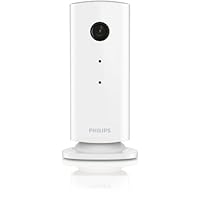
Philips M100/37 Wireless Home Monitor

Philips M100/37 Wireless Home MonitorThe Philips In.Sight home monitor is a stylish and simple way to watch over your home while you're away, but be sure to check the limitations before you buy.

For starters, do not bother purchasing this device unless you have at least one iOS device, preferably an iPhone. Do not purchase this device as a long term security solution unless you're going to stick with iPhones as your current and future cell phone. Also, as of mid Oct 2012, this camera doesn't really work with iOS 6. It worked under iOS 5, and I'm sure they'll eventually update the app, but if you need a security camera to work right now, I would check to see if there have been any app updates in Oct 2012 or later.

HARDWARE

As for the In.Sight itself, it is a rather nifty looking camera. It feels solid and durable, and it was thoughtfully designed. It comes with two bases, one that can be installed on side walls, and one for a ceiling/table. It also comes with mounting drywall screws. The camera has strong magnet on the bottom of the unit, and that allows it to magnetically connect to the ceiling/table base. It can also be tilted and swiveled to any desired viewpoint with ease thanks to these magnets. The side-wall mount comes with a ball joint arm, which also permits a range of viewpoint possibilities. A long micro-USB cable (included) is used to power the camera. A electric wall adapter is supposed to be included in the box, but it was missing in my package. Luckily I have several wall-to-USB electrical adapters and one of my replacements worked. Anyway, as long as you mount the camera anywhere near an electrical outlet, you'll be fine.

INSTALLATION

Installing the In.Sight couldn't be easier. Just plug it into the wall and then download the Philips In.Sight app from the Apple App Store. You will not be able to install the camera without getting the iOS app. Fire up the app on your iPhone, iPad, or iPod Touch and then create a Philips user account (Name, email, password, and security question are needed). You will also need to be on the wireless home WiFi network that you want the camera to connect to. The SSID and WiFi passkey will need to be entered into the app's software. Once you're logged into your account, a Qcode will be displayed on your screen. Place the Qcode a couple inches away from the In.Sight camera and after about 1 minute, it should connect. It's incredibly simple and takes the guess work away from trying to assign IP addresses to individual devices.

PERFORMANCE

The camera's performance can be best described as "limited." Again, you need to install the device with an iOS device. I currently have a WiFi-only iPad 2, but no longer have an iPhone. Installation was a snap and I could see through the camera while I'm on my home network for 2 hours straight. While I'm away from home (when I actually want to use the camera), I can only view it for 5 minutes at a time when I can connect to a WiFi network. There are no Android or Windows Phone or Blackberry apps for this thing. Additionally, the app is not optimized for iPad usage, meaning you have to look at it with the "mini-iPhone" screen transposed onto the iPad's screen. If you want to be able to view your camera for longer than 5 minutes, you'll have to pay a premium for the app ($25). Depending on when the box was put on store shelves, it may also advertise that you can set your camera to begin recording when it detects motion and upload a clip to your private YouTube account. Well, sometime in June this feature was disabled. Recently, Philips lets you record these motion detected clips to your DropBox account instead. I don't have a DropBox account, so I don't know how well this works. But there are no alternatives to record to say, a SkyDrive account. The video itself is passable, if there is some light around, but it's only VGA quality. The darker it gets, the grainier the picture. Don't expect an HD video to be played on your RetinaDisplay. Finally, as mentioned above, it's not really compatible with iOS 6. All I can see are updated snapshots, the streaming video does not consistently work.

SUMMARY

The Philips In.Sight camera is a simple security solution for iOS users. Yes, there is a webpage Java app that you can use, but you still need an iOS device to display the initial Qcode to set up the camera. And the webpage display is even more limited, as you can't really adjust any camera settings with it; so don't think about using this camera primarily with the web browser, it isn't a viable choice here. This camera should only be purchased by iOS users (I would almost say, only iPhone users, as my WiFi iPad is limited here) who want an incredibly simple security camera solution. The draw here is an easy set up for brief, 5 minute house checks. There are other networked cameras out there that do more for a comparable price---they're just more difficult to install. And unfortunately, until this thing works smoothly with iOS 6, it's difficult to give it any stars.

I picked up a 2 pack at the apple store yesterday, I was kinda hesitant after reading the reviews here, but I needed a camera that could do sound on an iPhone and record events to the cloud. After hearing that Dropbox support was released I decided to bight the bullet.

I've use many IP cameras and they all have there issues, but Philips has done a great job hiding these issues from the user.

Network configuration was very simple, plug it in and point the iPhone screen at the camera, the camera then configured itself. All I had to do was give it a name.

Streaming video via wifi and 3G on Verizon worked without a hitch, I did notice on 3G that video was delayed about 15 seconds, and on the same wifi about 2 seconds.

I configured the camera to my dropbox account and turned on the motion detection and to my amazement video clips and thumbnails were being uploaded to my dropbox account. Nice!

You can view your dropbox thumbnails and videos from the app, which is nice.

All and all I'm fairly impressed, this is a huge evolution from other cameras I've used. Now they just need waterproof outdoor.

Things to note:

You can view the camera on a computer, but the experience is not the same as the app, it is much more limited.

I haven't been able to find an android version of the app to try yet, I don't know if there is one.

I don't think you could setup this camera without a iPhone/iPad/iTouch.

Buy Philips M100/37 Wireless Home Monitor Now

I was just as frustrated as many of the One Star raters when I first got these cameras. However, I must say that since they have updated the software, the camera firmware and added Dropbox support, I am now pretty happy.

I think people that are complaining that these are not good for a security system do not understand what they really are. They are simply home monitors and they are always going to be at the mercy of your home network speed and internet bandwidth. If you want a truly reliable internet security camera you are going to have to spend A LOT more money.

I have been using these to keep an eye on some home contractors, the housekeeper, my pet sitter and just see what the cats are up to while I am at work. They work great for that. I would NOT rely on them to alert me to a break-in. I have a separate (much more expensive) monitored security system to do that.

I really like the motion sensor feature. I know immediately when someone comes into the house. However, I really wish there was a way to set up times to stop the motion sensing. The thing alerts like crazy when I get home from work until I reduce the sensitivity. Then I have to reset in the morning.

I have only had these a few months and in that time Philips has made HUGE improvements in the functionality. I am hopeful that they will continue to do so.

Read Best Reviews of Philips M100/37 Wireless Home Monitor Here

I liked the look, price and simplicity & purchased 3 monitors. Of the 3, only one has been successfully connected to wifi. I have contacted Philips, but to date, they have not provided any additional information that has been a help. The first one connected so easily, that I thought the others would be a snap as well. Not the case. The second one took a few hours over several days to connect, trying many resets & relocations. Then after about a day, the first one cut out & after numerous resets & reconnect attempts, still have not been able to connect it despite strong wifi strength & Unobstructed path. The third never did connect.

Want Philips M100/37 Wireless Home Monitor Discount?

Purchased two-pack from Apple store. Setup was easy and I can view video/sound with both my IPad and IPhone with wifi and 4g. I also upgraded for the annual plan to get more streaming view time for 24.95 annually. Synced to my Dropbox was no problem. Now, it would be nice when the price comes down on single cameras..that are battery operated or have a battery backup..you have to power the cameras using the USB cord plugged into the wall. Battery operated would give you more options form mounting camera.

Save 18% Off

Monday, October 20, 2014

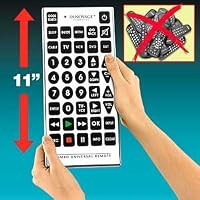
8 Functions Jumbo Universal Remote Control TV VCR Cable DVD Satellite

8 Functions Jumbo Universal Remote Control TV VCR Cable DVD SatelliteI already had what appeared to be the same remote that I bought locally (it was the ONLY one they had!), and this one looked like the same one. But once I got it I discovered that the number of brands it has codes for is VERY LIMITED and does not include a lot of major brands!! Even when I tried using the codes from the booklet in my other remote all I can get to work is the TV function. My DVD player, stereo, CD player etc are all less than a year old (my cable box is older though...) and are all major brands, and this remote doesn't have the capability of operating ANY of them. I have spent about 4 hours using the Code Search function to try every code in it on them, and still have control of ONLY my 8 year old television!! While it LOOKS exactly like several others (including one that operates everything) it definitely is NOT as versatile as others!!! My ONLY complaints are about the remote itself, the seller shipped it quickly and did everything required of them.

Bought this remote for a new TV so my wife could have her own remote with larger buttons. The remote works well but it was a learning experience about remotes in general and the complexity of a television's on screen menu's that an inexpensive remote must work with.

The problem I did have using this remote was I may hit a menu controlling button on the remote by accident when I only wanted to change channels. This mistake would take me into the TV's menu with no way to control or back out of the menu with this remote. Again it's not this remote but the complexity of the new TV menus and having all of these buttons on a remote that does not have all of the manufactures function programmed into it.

May solution was to buy a remote with just the basic buttons large enough for my wife to see.

The other thing I learned is I need to get a extra remote from the manufacturer that function properly incase I break the one that came with the TV. A more expensive learning remote may also be a solution.

Buy 8 Functions Jumbo Universal Remote Control TV VCR Cable DVD Satellite Now

I bought this remote as a present for my step mother who has macular degeneration. I could not get it to work the DirecTV or the digital/analog converter box for older TV's. This is going back. I will look for a big button learning remote. I am very disappointed with this.

Read Best Reviews of 8 Functions Jumbo Universal Remote Control TV VCR Cable DVD Satellite Here

I purchased the Quantum Fx REM-115 remote this year and it worked great for a while. Today I went to use the remote and it has unprogrammed itself. I have tried to find the programming codes via the internet, but have been unable to. Can anyone help me? Without these, the remote is useless.

I have a Sanyo TV if anyone could help me!

Want 8 Functions Jumbo Universal Remote Control TV VCR Cable DVD Satellite Discount?

I bought this remote for my mother who is nearly blind. It can with no directions. I have the remote code for the tv she owns and I have tried 4000 ways to program this remote. Any help out there?

Saturday, October 11, 2014

ViewSonic 8-Inch Digital Media Album with Auto On/Off Light Sensor (VFM820-70)

ViewSonic 8-Inch Digital Media Album with Auto On/Off Light SensorI love this frame way too much! I have bought several digital photo frames before and this is by far the best. The display and picture quality is flawless, I really like the color and the feel of it (does not feel cheap), easy to set up, the light sensor is really handy, and the background music option is definitely worth the extra money. I cannot think of anything that I would improve about it; it is the perfect product. The step down of this model is the VFD820-70, which I have gifted before, but this one looks a lot better, has a better feel, and is just an overall much better value. If you are unsure about buying this, do not hesitate. You will not regret it!

It may be small but photos display extremely clear. Not intuitively easy to setup though. Prefers landscape photos over portraits, because of the screen orientation. Portraits are fit to the screen so you have empty space on both sides of the photos.

Buy ViewSonic 8-Inch Digital Media Album with Auto On/Off Light Sensor (VFM820-70) Now

Very easy to use, I just put in the memory card right out of my camera and the pictures started to display. The resolution is very good but the sound for videos is not so good. Nice/Clean design. Bottom line for under $50, this is a good deal.

Read Best Reviews of ViewSonic 8-Inch Digital Media Album with Auto On/Off Light Sensor (VFM820-70) Here

Perfect for monitoring anyone sick or dying in your home..Even allows night vision!

Easy Portability and set up. Best Ever purchase!

Want ViewSonic 8-Inch Digital Media Album with Auto On/Off Light Sensor (VFM820-70) Discount?

Friday, August 22, 2014

Samsung SMX-F50BN SD Camcorder with 65x Zoom (Black)

Samsung SMX-F50BN SD Camcorder with 65x ZoomI had owned an earlier model of a Samsung SD card camcorder and it did a fine job. I sold it to a friend and later regretted it, so recently decided to update and get the newest incarnation of this series. I'm sorry to be the bad guy, but I have to say I'm not pleased with this particular model. I'm simply going to make a "list" of the reasons I'm going to return this camcorder to the store:

1) A past model had a "swivel" strap area so you could pivot the camera body up or down for odd angle shooting and this feature has been removed from this model.

2) The F50 does not save all of your menu settings. For instance, if you set the digital image stabilization feature and power the camcorder off, the feature will reset to "off" and you must go into the menu each time you power the camcorder on in order to use it. Some of your custom settings will be saved others will not. VERY inconsistent and VERY inconvenient when you're trying to quickly capture a moment. That aside, the digital I.S. feature just barely works once you're more than midway past the full zoom area, everything shakes very bad.

3) The F50 takes still shots and says they are 1.9 megapixels. They are far worse than even today's cheapest cell phone photos. My guess is that the F50 is really taking 640x480 stills and "interpolating" (blowing up) the photos to a larger size. Regardless, they are horrible in quality.

4) The top-mounted microphone catches even the tiniest puff of wind noise. Going into the menu and setting the wind feature only helps a small amount. The microphone should have been front-mounted.

5) The video format is still "interlaced" meaning you see ragged edges on everything in the video until you run it through video editing software to fix this. Other modern camcorders now avoid this there is no reason the F50 can't as well.

So again, I'm sorry to be the bad guy, but I just cannot recommend this camcorder to anyone, even at it's low price. Far too many design glitches were allowed to slip out, and the frustrations of using the device far outweigh any fun in using it. I'm not a newbie to tech or using camcorders I know what to expect for the price, and while the F50 isn't expensive, some of the design/use flaws in it are inexcusable at any price point. Shop around.

I absolutely love this camcorder! I searched for weeks and watched the price on several camcorders. This year we will be celebrating many important milestones in my family and I don't want the opportunity to watch them over and over again. The only "problems" that I've experienced stem from my inability to keep the camera pointed at the action, instead of the ground/floor. The microphone (sadly) picks up all of my commentary as I tape my sons' baseball games. Makes for a good laugh when we watch the playback. The picture quality is crystal clear. Buttons are good size so I don't accidentally hit anything that I'm not intending to. Couldn't be any easier to hook up the camcorder to my tv and watch the videos on a big screen. Now I just need to find a tripod.

Buy Samsung SMX-F50BN SD Camcorder with 65x Zoom (Black) Now

DVD quality for home users, don't expect anything wow.

Pros:

Good for youtube home video

Not internal battery (you can change the battery)

Memory (Portable memory)

Excellent for home memories (use tripod)

Cons:

Need a tripod to produce good videos, otherwise it can be a little shaky :p

No use for the maximum quality of video. (use the one before maximum quality)

Neutral:

Microphone is Ok

Read Best Reviews of Samsung SMX-F50BN SD Camcorder with 65x Zoom (Black) Here

Given the purchase price, I certainly wasn't looking for a professional quality video/digital camcorder, but I did want one that I could use under most conditions, with results that I could consider good to very good and that is exactly what I got! I've not used it a great deal yet, but the more I do use it and learn about it, the more I like it. I felt that I had read enough positive reviews that the purchase was much more than a good gamble. I did get the free carry bag and a good price on a fair size SD Card, all at the same time. My overall feelings to date is this; SO FAR, SO GOOD, and again, for the price! Should anything strange or ugly pop up, I will certainly come back here and post that as well. Good luck and have fun with yours!

Want Samsung SMX-F50BN SD Camcorder with 65x Zoom (Black) Discount?

What a great camera! So easy to use, takes awesome still pictures, and great video. And the software that comes with it to download your videos and pics is so user-friendly. I love this camera

Tuesday, June 10, 2014

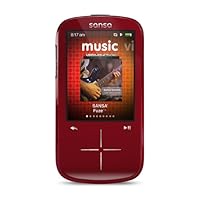
SanDisk Sansa Fuze+ 4 GB MP3 Player (Red)

SanDisk Sansa Fuze+ 4 GB MP3 Player
  • Get more player for less money with the Sansa Fuze+ MP3 player
  • Expandable memory slot, FM radio and voice recorder
  • Plays your media, your way
  • Play, pause or record FM radio stations
  • Add an optional slotRadio card for an instant library of songs
  • 19-inch LCD display
  • Expandable memory slot, FM radio and voice recorder; Get more player for less money with the Sansa Fuze+ MP3 player
  • Add an optional slotRadio card for an instant library of songs

Having bought an original Fuze for myself and one for my wife and having convinced two co-workers to buy the original Fuze, you could say I am a fan.

I wanted to buy my father one as a Christmas present and thought it would be nice to pre-load it with old time radio shows (my main use of the original Fuze). I thought that the new Fuze+ would be an improvement, but I was badly mistaken.

First off, the new Fuze+ does not have folders. If you have 1,000 episodes you have to scroll through all of them, as opposed to scrolling through folders that list them by show (i.e., if you have Jack Benny, Fred Allen, and Henry Morgan you do not see folders, but rather all of the individual files).

The start up is cruelly slow now.

The user interface is unwieldy and the buttons are overly sensitive. Yes, it looks more like an Apple product, but it does not work as well as a Sansa Fuze (original).

I expected there to be some issues in figuring out a new machine, but the problem with this one is that once you figure it out it is still inferior to the older model. Perhaps I am missing something and it is a wonderful player, but having read the directions (something I did not need to do on the original Fuze) I still found it awful to use.

Do yourself a favor and either wait until they have provided better software for this dog or buy something else...anything else.

I sent mine back and ordered an original Fuze, which is a brilliant product.

Buy SanDisk Sansa Fuze+ 4 GB MP3 Player (Red) Now

As humans, we sometimes tend to personify our gadgets. Having witnessed the phenomenon in others, I'm happy to see I'm not the only one (a psychologist could explain it better, but it probably stems from our post-toddler, invisible friend/stuffed animal days, but no matter). So if this little MP3 player could speak, I reckon it would probably say something like, "Hi there! I know I'm not as full-blooded as an iPod Touch or as sleekly designed as an iPod Nano, but I'll work real hard to make you happy. Honest!"

First, a bit of history: I've owned iPods since late 2003 when I bought a spanking new 15 GB third generation iPod. Back then, smart phones had yet to come of age and if you wanted a high-capacity MP3 player, Apple were just about the only game in town. It helped matters immensely that my iPod was so well constructed since I used it day in, day out for five years until it finally died and I replaced it with a fourth generation iPod Nano. That Nano sure *seemed* solid enough (what with its sleek, anodized aluminum body and all) but a mere year-and-a-half later it fell apart faster than Joan Crawford in a wire hanger factory (see "Mommie Dearest" for an explanation of that analogy). With hopes held high for an amazing sixth generation Nano, I balked at the rather stripped-down feature set and the tiny, nigh-unusable touch screen.

So, off a-shopping I did go.

Since Sony didn't appear to make a Mac-friendly Walkman, I opted to punt, snapping up the newly released Sansa Fuze+ (black, 8BG capacity). I'd known about -and respected -Sansa players for years as affordable and worthy iPod competitors, so this seemed the best available option. Whether consciously or not, SanDisk are filling a huge void in the marketplace right now caused by the absence of last year's multi-purpose fifth generation Nano (and as a student, I really, really needed its now long-gone voice recorder feature badly).

To define the negatives of this particular player: as many reviewers have pointed out, the Fuze+'s touch-sensitive interface can be a bit unresponsive at times and over-responsive at others. The GUI isn't anywhere near as intuitive as anything Apple could have designed. Furthermore, the industrial design is rather plain and the plastic is easily scratched (HINT: rub any scratches that appear on plastic with Brasso and a clean, lint-free cloth; after several minutes, it clears them right up -promise!). That said...

Onto the positives: the sound quality from this thing is amazing -rich and full! I've run battery tests only to have my jaw hit the floor when power usage on my unit clocked in at a WHOPPING 53 hours for 128 kbps MP3s and 30 hours for 256 kbps AAC files. This in itself is an astonishing discovery, particularly having come from the notoriously power-hungry iPod realm. This little fellow plays video beautifully, although the screen's visual "sweet spot" is at a slightly off-centre angle when watching a movie in Landscape mode. Also, it's got a voice recorder -a good one - that uses the unit's incredibly wee, shockingly responsive built-in microphone. While the Fuze+ won't win any beauty contests, it is enough for me to say that it *is* solidly constructed, having already dropped it several times without so much as scratching it (Brasso time!).

I give this player a solid recommendation -especially (way) over the current iPod Nano -keeping in mind that it is still quite new and there *are* flaws. However, SanDisk seems to really care about their customers, listening to their concerns and working hard to iron out the kinks. Their Website support forums are a good place to go for advice, especially considering that by buying any new first-generation product, you're essentially signing up to be a Beta tester.

It just comes with the territory, folks.

Read Best Reviews of SanDisk Sansa Fuze+ 4 GB MP3 Player (Red) Here

Hello All

I am posting a review of the new Sandisk Sansa Fuze+. I have the 8gb model in black. I am going to go into some depth, so if you are looking for a quick opinion, here it is: Excellent player, great price, highly recommended.

If you are willing to read on, I will offer my data and reasoning for the above recommendation.

Background:

I have taught computer science for 15 years so I am not a technology novice. I started my experience with MP3 many years ago with a couple of iRiver MP3-CD players because I wanted to be able to rip audio books on multiple cd's down to a single disk. I also made a few music collection disk. When I moved into the mp3 player world I went with an iRiver because I liked their products, and they offered a waterproof case and headphones for wearing while swimming laps. Eventually it wore out and I was on the brink of going with an Ipod Nano when I read a review of the Sansa E200 series here. I bought one and absolutely loved it. I bought Sansa Clips for my kids and have loved them. I accidentally destroyed my E270 by spilling pickle juice on it. I took it apart and discovered that the pickle juice had reacted with something on the circuit board and eaten away the power ribbon cable to the video screen. I could still access the player via computer. Despite my best efforts I could not fix the solder joint.

So, I was in the market for a new player and while leaning toward Sansa I read reviews on all kinds of players. I spend 66% of my time listening to Audiobooks and 33% to music. I definitely wanted at least 8gb, a MicroSd slot and upgradeable firmware and support for Audible and other audiobooks. This quickly winnowed down the field. Basically my choice came down to the new Fuze+ with touch controls, or the older Fuze with tactile controls. I agonized and went back and forth. Eventually after reading reviews I decide to go with the older player, but they were only available online. Also, Amazon, my normal online vendor kept changing the price, one day $89.99, the next day $149, then $79.00, then $135. On impulse I walked into our local Radio Shack (franchise, not company owned) and they had the Fuze+ on sale for $79.99. I asked if I could return it if I did not like the touch controls. They said yes, and I bought it.

First Impressions:

It looks beautiful, and feels appropriately weighty. It is slightly bigger than my E270, but maybe a hair thinner. I disagree with those reviewers who say it looked and felt cheap and plasticky. It does pick up fingerprints and smudges easily.

I almost decided to return it immediately, however. Every time I plugged it into my computer (at work) it shut down and the computer would not recognize it. (I wanted to to upgrade firmware immediately). Instead, I went online and went to support chat. There was akmost no wait before someone joined the chat. The person (Marie G) was helpful and knowledgeable, and in short order we determined that the problem was that I was not an Administrator user in Windows XP. When I connected to my laptop, where I was an Admin user, everything worked perfectly, and I upgraded the firmware manually (no net on laptop at work). I was quite pleased and impressed with support.

Sound Quality/ Ear Buds:

I am not an audio snob, but I do recognize the difference between cheap crappy head phones and decent ones. The included buds are perfectly satisfactory for me, much better than some of the cheap ones I have used, and they are the first ear buds I have owned that stay in my ears while walking around. Normally I have to use over the head type phones. I do have an expensive set of noise canceling phones to use when I want extra quality.

Touch Controls:

This was the deal breaker for me, and I had read a number of reviews where people hated it and I was apprehensive, especially since I have never used a touch screen device. Bottom line is that it works fine for me. Yes, occasionally I overshoot, but its not a huge problem. Sometimes I hit near the dividing line between two functions and get the wrong one, but I am getting the feel for it. I did upgrade to firmware 1.3 right away, and that may have fixed problems from earlier versions. I am perfectly happy with the controls. YMMV. I do miss the ability to pause or next the device while in my pocket, but feel that, for me at least, the other benefits make up for it. I am still getting used to sensitivity, but for having never used a touch device before, I am not having trouble.

Video:

I only ever watched one short video on my E270, and may never really use this feature, but I watched the sample video and the picture quality and colors were excellent. I did not notice the viewing angle problem some reviewers mentioned. The screen is a decent size, and if I have a long bus trip with my chess team (I'm a high school coach) I would consider watching a movie on it. Also, it supports several formats natively, including H.264 which my camcorder uses, so I may end up using it.

Audio Formats:

Everything I would ever use and more. I like that it supports Audible.

Transferring Music:

It comes with Rhapsody and will sync with most major systems, but I will only ever use Drag and Drop. (Except possibly with downloaded audibooks). The drag and drop was quick and easy.

Audibooks:

OK, here there are some issues, but none that I was not able to work around. I have several dozen audiobooks that I ripped from CD's on my computer. I have used tagging software to make sure that they are named and tagged properly so that they will be ordered track by track either by file name or by track name, or title. I used audiobook as GENRE name. This worked perfectly on the E270. No matter how I put them on the FUZE+ it would not recognize Audiobook as a genre, and the files did not appear by artist or album. I tried several ways, I put them in a folder with the title of the book, in a folder called Audiobooks, and just as mp3's in the music folder. No go. When I put them in the Podcast folder they show up and work fine. Slightly annoying, but I can work with it til they address it in an upgrade. One other issue. I pause an Audiobook and then listen to music. When I go back to the Podcast menu it shows the name and album art and the track number I was on. If I start it playing from their, it seems to shuffle, and the previous, next buttons work backwards. If instead of hitting play, I select the 'Podcast" and go in and choose the track it showed, it works fine, but starts at the beginning of the track. Odd, but again, I can live with it, and with all the people asking for more Audiobook support I would guess it will get fixed.

Music:

You can navigate by Song, Artist, Genre, Album, All, etc (and except for Audiobook) it recognized several custom genres I had created. It is reading all of my ID3v2 tags and embedded album art perfectly.

Operation:

Some reviewers have complained of sluggishness. I have 5.5 gb of music and 2 gb of Audiobook files on the player and a small amount of both on a 2gb card and I see no sluggishness. In fact sometimes it scrolls faster than I want and it shoots past. I like how in long lists it pops up a big letter (A,B,C, etc). I am sure with practice I will master it. So far the end to end style of navigation (vs wrapping around, has not bothered me. Once you get the scroll moving fast it does not take long to move up or down a long list. The lock/hold (play/pause) for 3 secs has worked fine for me and it has never unlocked in my pocket. It does integrate the files on the card into the library, with the caveat that Audiobooks/Podcasts have to be in a folder called Podcasts.

There is a small boot up delay when the music database is changed or a new MicroSD card is inserted, but no worse than on my E270, and much better than my old iRiver.

Overall:

Positives:

Great price point. Expandibility, sound quality, variety of formats supported, upgradeable firmware, customizable menus, excellent video quality, and for me at least, excellent support w/ online chat.

Negatives:

Smudges easily, minor idiosyncrasies in getting Audiobooks to play.

Want SanDisk Sansa Fuze+ 4 GB MP3 Player (Red) Discount?

I got this MP3 player to help get me thru frequent traveling, and lots of running. I found it to be just about everything I wanted. Intuitive when transferring files, good price, nice size, and good features (I especially like the radio). On my most recent trip, I rolled my ankle while running over some broken ground, and the Fuze...took the full force of my fall. If I could change it, I'd make the SCREEN touch-sensitive (and give it a steel-reinforced case?). Sometimes, the touch pad doesn't scroll the way you'd expect. Also, it was sometimes difficult to make it scroll a little (selecting the NEXT song, for example, instead of two songs down on the list). That's the reason for 4 stars, as opposed to 5. But all in all, I was happy with it. I guess the strongest endorsement I could make is that I'm going to replace my broken one with the same model!

Save 11% Off

After reading through all of the positive and negative reviews for the Fuze+, and noting that most complaints were "navigation-oriented", and seeing recommendations to simply update the firmware to solve the problems, I went ahead and ordered. I'd gotten an original Fuze for my daughter a couple years ago, and she's still happy with it, so "go with what you know".

I don't regret my decision at all. The player has excellent sound, is very solid and sturdy in feel, a convenient size...I honestly don't have any complaints.

I updated the firmware immediately, and find navigation to be simple and reliable. The firmware upgrade appears to have solved any issues with funky navigation using the faux-touchpad controls. I'm having no problems at all getting around, and find the menu system very easy to maneuver.

One note, which also seems to have addressed a few complaints about using the play/pause control to lock the player: the firmware update changes that feature. You now lock and unlock the player via the power button, very easy to do and it seems to be more intuitive.

Even with the included earbuds, the sound quality of this player is outstanding. I am probably going to upgrade to a better set of buds (if anyone reads this and would like to leave recommendations in the comments...?)

Actually, the earbuds that come with the unit are my only complaint, and a minor one. My ears must be smaller than the average bear's, as I find them uncomfortable -they're a bit too large to fit properly, and one ear is actually painful when wearing them. For someone with average-sized ears, though, I'm sure they would be fine, and the sound is, as stated, surprisingly good.

One aspect of the player I've yet to put to the test is battery life. As of writing this review, so far so good.

All told, I don't regret purchasing the Fuze+ at all. For anyone reading reviews to help make their decision, a simple (and it is simple, "easy peasy", in fact) update of the firmware solves the primary issue people have mentioned in the negative reviews.

Saturday, June 7, 2014

A-514 Ac Adapter

A-514 Ac Adapter
  • Charge devices with USB charge function via USB cable without computer
  • Includes 4 connectors: Europe, UK, Japan & US, Australia

INTRO: We bought the Olympus A514 unit to power and/or charge the superb Olympus DM-520 voice recorder that I bought for my mate. After some initial difficulty inserting the correct wall jack adapter (they include the most common 4 types), the unit has performed as expected and posed no problem after 2 months of daily use.

DESCRIPTION: The charger is the fairly common USB power brick design providing 5 volts to USB powered and/or charged devices connected by a USB cable that *YOU* provide and insert into the power block's full sized USB female jack. The all black, all plastic block is much smaller than older style dedicated power units but much larger than the tiny iPod charger block.

PACKAGING: The packaging consists of a compact glossy cardboard box containing 5 items: The main power block (without any wall plug) and 4 wall jack adapter plugs one of which you slide into the side of the power block. The mating of the adapters is where the unit loses credits. No USB cable is provided in this package.

OLYMPUS-SPECIFIC FEATURES: When used with an Olympus device like the superb DM-520 voice recorder, this power unit allows you to power the recorder and charge the batteries at the same time or power the recorder only to avoid unneeded recharging. See your Olympus recorder manual for a section on selecting the mode. On theDM-520, you press and hold the STOP button when inserting the USB cable to place it into power with charge mode. Not doing so defaults to power only. Remember, all rechargeable batteries have a finite number of recharges so it behooves you to NOT charge your batteries constantly.

WORK FLOW: We use the unit to power and charge our DM-520 voice recorder as follows. My mate plugs the unit in without holding STOP so it defaults to power only mode. Once every 1-2 weeks, I will re-mate it with the STOP button pressed to initiate the power + charge mode. That should maintain the life of the batteries for a few years and ensure there is always a charge when it is needed to operate the unit naked in the field without a charger.

PROBLEMS: Each wall jack adapter plug slides into a shoe on one side of the power block very similar to how a camera's flash unit male mounting "tongue" slides into the female "hot shoe" on the top of the camera. The problem is that the edges of the included adapters as well as the retaining edge rails on the block's recessed "shoe" area are plastic, simply molded without "rounds" or "fillets", and provides minimal clearance without any features to ease sliding and mating. So, you have to squint a little, line up an adapter, push it in fairly hard and hope there is minimal "flashing" or other plastic defects on the plastic forms so that it will mate completely.

BOTTOM LINE: If you only need to mate the unit to a single wall jack style and carefully insert the adapter correctly, you should be fine and have no aftertaste. We have forgotten the problems and view the unit simply as a power adapter that works. On the other hand, if you need to use different adapters for foreign travel, I'd re-mate all adapters several times to wear any plastic edges or flashing and ensure they work as required.

OUR RATING: We would have given the unit 4.5 stars were it not for the cheaply designed adapter plug plates. However, since they do work after a little playing around, we reduced the rating only by 1 star to 3.5. Since we cannot enter a ½ and it is clearly not 4 stars, we entered 3 stars.

OEM INFO PAGE:

Save 26% Off

Friday, June 6, 2014

HP iPAQ HW6900 Series HW6945 HW6940 Pocket PC Smartphone Handheld

HP iPAQ HW6900 Series HW6945 HW6940 Pocket PC Smartphone HandheldI've been using this PDA phone for 2 years now and it's excellent! I bought TomTom GPS software for it and works great. Keeps me super organized with the calendar, contacts, and task options. I used it a lot for Nursing references and drug book. Phone-wise, can't ask for more. It uses the contacts from the contact list. Phone sound quality is nice and clear. I also like to take it jogging using the Media Player. Syncing with my Outlook is a breeze. Wifi is a nice touch for airports and while away from the computer. I didn't do the data plan with the phone, but I'm sure that would be another nice option if you like that sort of thing. Overall, very happy with the product.

I am very disappointed with this product, IPAQ 6945. Battery life is frequently less than a full day. Using WIFI, the GPS, or being out of range of a cell station will drastically lower the life of the battery. I can no longer find an extended life battery. When I originally wanted to buy an extended life battery and I wondered with the sales rep how it could fit in the current battery compartment, the rep did not know. I was afraid if I bought the battery and it did not fit I would be out of luck. The rep I spoke with on the phone could not calm my fears. A good return policy would have sufficed.

The battery that shipped with the phone did not work well with the battery life indicator in Windows Mobile. Batteries from other manufacturers reported the remaining charge more accurrately.

I did have to return the phone once for service and after we got my issue back from India or Pakistan the service was just wonderful.

Once an application is started it continues to run until the user stops it or the phone is rebooted. This seems to make the system run slower and slower. The way an applcation is stopped is to go into system settings, then into memory and click stop.

With Windows xp or equivalent I am used to frequent updates of the software. I don't see any easy way to get updates installed on my phone.

Buy HP iPAQ HW6900 Series HW6945 HW6940 Pocket PC Smartphone Handheld Now

Sunday, June 1, 2014

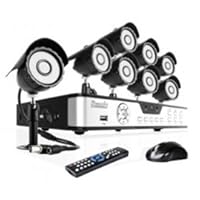
Zmodo 8CH Surveillance DVR Security Camera System with 8 Outdoor Security Sony CCD IR Night Vision

Zmodo 8CH Surveillance DVR Security Camera System with 8 Outdoor Security Sony CCD IR Night Vision CCTV Black Cameras - 500GB HDI was very satisfied with this system. I don't believe you will find a better product in this price range for CCD Camera kit. The free Zviewer app works great so I can see my cameras at home when I'm away. Would recommend to anyone looking for home security cameras for peace of mind. Excellent for the money.

The network set up is bit of rough... Average Joe will probably need to use Zmodo's interactive online tutorial for help. ()

May 23, 2013: Got the Netgear Wireless adapter and now I am able to connect this equipment wirelessly to my home internet. This Netgear device required a little configuration (1.5 hours effort to figure it all out.)

May 21, 2013: Upgrading to a 4-star rating as I got a call back from tech support which resolved issues. Turns out one additional parameter was not correctly set which was not in the help video / files.

Now, I can view video on my home PC, my iPhone and also get email alerts when motion is sensed. Beautiful!

The Zmodo guys now need to work on simplifying the usability of a great product.

Nice package with fairly easy to follow instructions to set up the camera and DVR. These worked with no problem.

Next is where the nightmare starts. I am a fairly technical guy and I am baffled how freakin' complicated the set up is for remote viewing (both through my home computer on the home network and through my cell phone.) There is a new help guide on the zmodo website, but, it is still not helpful. Few gotchas not mentioned in Zmodo's marketing or support:

1. The Zmodo DVR can only talk to your PC or Laptop if it is connected by Ethernet Cable to your DSL modem. It can't communicate through your home wireless network (unless you buy another Netgear device they recommend!)

2. You will need to tinker with your home DSL modem firewall settings to get the Zmodo DVR to talk to your home PC / laptop. I tried following instructions but it did not work. Had to call my DSL provider and am still only partially successful

3. Zmodo's instructions say you need ports 80, 9000 and 18004 open on the DSL modem. Catch is that for my (and most) home DSL services, the carrier AT&T will only allow opening of ALL ports or no ports. If you want specific ports open (as Zmodo requires), you need to upgrade AT&Ts service to Business DSL to purchase static IPs lot more expensive!

4. So, here I am after 4 hours of experimentation and on the phone with AT&T, still can't get it to work

5. Called Zmodo tech support and they are apparently swamped and asked me to leave a message.

So, beware, this is not for the faint hearted! If you are content sitting in front of the DVR and watching videos, this is simple and nice. For anything more, no idea still what it is going to take!

Buy Zmodo 8CH Surveillance DVR Security Camera System with 8 Outdoor Security Sony CCD IR Night Vision Now

Friday, May 2, 2014

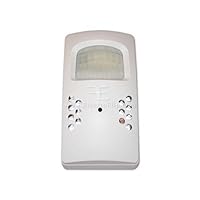
Baby Sitter Digital Video Recorder Camera IR Infrared Motion Sensor

Baby Sitter Digital Video Recorder Camera IR Infrared Motion Sensori have an aunt that lives where she needs help and i got this to keep an eye on the aids, believe me its nice being able to stay on top of things like this, you will be happy with this item..

Wednesday, April 16, 2014

DXG DXG-581V High Definition Digital Camcorder - Flash Memory, Memory Card - 2.5" Active Matrix TFT

DXG DXG-581V High Definition Digital Camcorder - Flash Memory, Memory Card - 2.5' Active Matrix TFT Color LCD - 4x - 32MB Flash MemoryI am glad I purchased this instead of the other HD camcorders in this price range.

I was about to return this and get an aiptek a-hd+ but its a good thing i found some raw MOV files of the aiptek a-HD+ on forums.

After seeing the quality of the aiptek a-hd+ raw MOV files I decided to keep the DXG 581v.

After comparing the raw MOV files of both camcorders, DXG 581v looked so much better, and sharper. The aiptek a-hd+ looked like it was only upscaled and was actually only 480p...the aiptek lacked sharpness and detail

The DXG's 480p at 60 fps is smooth as butter and still sharp and detailed. UPDATE: The 720p mode and the 1080 mode is also smooth change sure your frequency setting is set to "50 hz" and change "TV format" to PAL. This will smoothen out the panning...i guess the electronics inside are PAL but the software is set to NTSC because the unit is sold in the states.

The problem with the raw MOV files I saw with the aiptek was that it would sometimes skip frames. It appeared aiptek found a way to double the frames of its 720p at 30fps mode...it is a faux 60fps and doesn't look good.

If you want an HD camcorder that can catch a clear view of a car's license plate as it unintentionally passes by your camcorder's line of sight then get the DXG 581v.

Pros:

large lcd screen.

Sharp even at 480p

smooth 480p at 60 fps compared to the other HD camcorders at $130+

-UPDATE: also smooth 720p and 1080 after changing TZV format to PAL and frequency to 50

comes with cables:

> composite inputs and USB input.

> mini HDMI to HDMI

audio passes through the HDMI connection

good audio quality...very detailed and can pick up deep bass sounds.

can change resolutions on the fly pressing right on joystick

can change exposure on the fly pressing up/down on joystick

can turn on the LED flash during video recording press left on the joystick

very light

very smallyou can actually hide it in your fist.

comes with pouch you can attach to your belt.

720p and 1080i are very good quality. can catch alot of detail.

macro switch is firm and in perfect spot if you want to quickly change to macro and back to normal mode

autofocus does a good job of getting every detail.

works with my 16gb class 6 sd card

battery is rechargeable and only costs $3. It uses FUJI NP60 battery.

battery life long i will update this and do a battery test. battery gave me 2 bars out of the box. UPDATE: did a continuous recording at 1080i which lasted 1 hr 30 min. using my replacement battery gave me 2 hour recording continuous.

-voice recording is great. I was able to record a lecture 30 feet away from the professor and could hear his voice clearly during playback.

when camcorder is plugged into HDMI slot of HDTV it enters playback mode. Files will play continuously and will loop.

can upload the raw MOV files directly to popular video sharing sites

battery is secure...no wobble.

camera is more steady then other camcorders. (less shaking)

was able to attach camcorder to tripod.

able to keep camera stable without tripod.

Cons:

720p and 1080i run at 30 fps.

1080i only. it is not 1080p (1920x1080)...it is actually 1440x1080.

no lens cap

does not include an SD card.

movie mode and voice recording mode must be selected in the menu. After shutoff movie mode is set as default. you must go back into the menu to enable voice recording.

raw MOV files do not play on the xbox 360

only 32 mb internal memory. about 5 seconds video, or 20 photos, or 1 minute of voice recording.

Since I can change resolutions at a click of a button on the joystick, I use 480p when I am recording a fast motion video, where I know there will be alot of panning.

Then I will use 720p or 1080i, when the video calls for slower or litte to no panning, and details need to be captured. UPDATE: after changing TV format to PAL and Frequency to 50 hz panning is now smooth. so I use 720 and 1080 most of the time now.

In staples I was hunting for a laser copier. I could have used my phone to take photos of each copier and price tag but using the DXG 581v made it so much quicker and easier to review when i got home.

I used the 1080i resolution. took a full body shot of one copier then focused on the price tag while switching to macro mode and taking a shot of hte price tag. Did this for the whole aisle of laser copiers. It was quick and I ended up with everything I needed on one file when i got home.

UPDATE: Attended a trade show in Las Vegas and I have to say the DXG did an amazing job.

I recorded each workshop and seminar at 1080i and during playback the video quality was so clear. The power point presentation on the projector screen which I recorded was very sharp on playback.

Using the replacement battery I purchased for $4 here on amazon, lasted 30 minutes longer than the original battery that came with the DXG 581v.

UPDATE:

To hook up the camcorder to an old HDTV with the HDMI port that doesnt support audio.

1.) plug the usb cable with composite out and left channel out to the dxg 581v

2.) plug the left channel audio out to the audio input of the HDTV

3.) plug the HDMI cable to the HDTV

4.) plug the other end of the HDMI cable into the DXG 581v camcorder

You will now have audio while using the HDMI portof the HDTV.

Prior to a March 2009 vacation to Disney World, I was looking for an inexpensive HD camcorder to take along. I almost bought the Kodak Zi6, which records up to 720P. Then I saw an article from the February Consumer Electronics Show that mentioned the DXG 581V, which records up to 1080P. I had to make a purchasing decision before I could find any reviews of the DXG, but decided to purchase the DXG any wayfor about the same price as the Zi6. I was not disappointed. Shooting in both 1080P and 720P, the DXG captured very good quality HD video. The proof of this was provided by connecting the camera directly to my 52 inch Sony LCD TV via the provided HDMI cable. On the 52 inch screen, the 1080P video was crisper than the 720P, but not by much. Shooting in 720P means you can fit much more video on the memory card, and it greatly reduces the processing time if you are making a movie in Apple's iMovie or something similar. Until Blu Ray burner prices come down, I will continue to shoot in 720P.

Outdoor shots in sunlight are excellent, while indoor shooting in low artificial light is not great, but is useable for my purposes. The camera does not have image stabilization, and it is essential to really concentrate on keeping the camera steady when panning, etc. The camera is very easy and intuitive to use, except that the LCD screen is tough to see in strong sunlight (a common problem). The camera also shoots 5 MP stills, which are pretty good. However, at Disney World I carried a little pocketable Pentax digital camera that shoots 8 MP stills and has a 7X optical zoom for more versatility.

Battery life with the included 1200mAh battery is very good (20-30 minutes). I purchased an 8 GB SDHC memory card, and used only about 60% of its capacity in shooting 1.5-2 hours of mostly 720P video. The 4X digital zoom is useful, although an optical zoom would obviously be better. However, considering the $150 price, the features provided are very good in my opinion. The included belt holster is not much bigger than a cell phone holster and is convenient with its velcro flap.

My one complaint is that the built in microphone is extremely sensitive to wind, which can completely overpower any other ambient sounds. When wind wasn't a problem, the camera did a good job of recording music and other ambient sounds in the Disney World attractions. Overall, I am extremely satisfied with the DXG 581V.

Buy DXG DXG-581V High Definition Digital Camcorder - Flash Memory, Memory Card - 2.5" Active Matrix TFT Now

Having gotten the camera a few days ago I sat back and impatiently waited for the 8gb memory card to come in. Once the camera battery charged and the card was in I started shooting and experimenting like mad. Now granted the only two camcorders I've owned previous to this were not to great, but nevertheless will be my means of comparing. The first camera I owned was JVC mini-vhs, the second being the original Flip. I've also seen the footage and sound that the Flip Mino or whatever you wish to call it takes.

Here's my verdict:

CONS:

The camera only films 60fps with the 480p setting (nevertheless the 30fps

doesn't look too bad with the 720p and 1080i)

films like a vhs camcorder but slightly better when it is DARK inside a room

same goes for outside footage. But outside nighttime footage is slightly better than most portable camcorders.

no image stabilization but holds up to being not NEARLY as watery and bouncy as other portable camcorders such as the FLIP.

PROS

Video format really easy to work with in quicktime

Video files don't take up a lot of space for the amateur filmmaker who

doesn't want to have to by an external harddrive to work his camera.

Very VERY nice detail and quality in well-lit and outdoor situations

VERY GOOD and CLEAN audio pickup

Not too small, and doesn't feel necessarily cheap

TONS of features [unlike the FLIP] not just one touch recording

white balance

brightness

display settings

playback of video and photos

films decent macro video and still pics

takes decent pics from 5mp-8mp

nighttime settings

choose between NTSC and PAL

comes with plugins for HDTV and for playing on regular TV

In summary the only reason I gave it one star less is because it's not necessarily 100% HD. I mean on your laptop when you just finished shooting in a

good lit situation outside it looks pretty darn close. But I can't imagine it looking like your Blue-rays when you play it on your 42 inch.

If your looking for a cheaply priced camera with quality, durability, and tons of features this is as best as it gets. From what I've seen THIS IS the best model DXG sells and I would highly recommend buying it.

Read Best Reviews of DXG DXG-581V High Definition Digital Camcorder - Flash Memory, Memory Card - 2.5" Active Matrix TFT Here

I like the DXG HD 581 Camcorder because of its light weight and ease of operation. You can just put it on your belt like a phone. I really like that. Unfortunately, my rating on the battery is not so good. I charged the battery when I got it and less than two days later without having used the camera, the battery was dead. I tried charging it again but to no avail. Unfortunately, I had to go and purchase another battery at the cost of $32.00. So with the price of the camera at $115 and a new battery at $32, I felt that I got taken on the camera. Unfortunately that is why I'm rating the camera so low.

Want DXG DXG-581V High Definition Digital Camcorder - Flash Memory, Memory Card - 2.5" Active Matrix TFT Discount?

I purchased this camera because it seemed to have a lot of features for the price. I received the item, removed it from the packaging and found that it was dead. The only thing that works on it is the little green power LED. Really poor quality control.

Save 50% Off

Monday, April 7, 2014

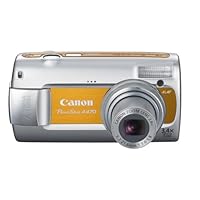
Canon PowerShot A470 7.1 MP Digital Camera with 3.4x Optical Zoom (Orange)

Canon PowerShot A470 7.1 MP Digital Camera with 3.4x Optical ZoomFor the list price ($129.00) I really couldn't find a better camera. I work in a photo processing lab, where I also deal with and sell cameras for most of the day, so before purchasing my own I did a lot of hands-on research playing with and reading about all the cameras that were within the price I wanted to spend. I'm still learning as far as all the fancy features, but if you're like me and just need a good camera for everyday type stuff, this one is perfect. With its 7.1 mega pixels, it takes really sharp pictures and what I really like is how fast the shutter is. There's virtually no delay between the time you focus the camera and go to snap the actual picture. That was my biggest problem with my old camera-I'd go to focus in and then by the time I actually snapped the photo, the delay was so annoyingly long that the moment was lost. The LCD screen is a great size, not too large and not too small. At 2.5", you get a really good idea of what you're shooting, even without a viewfinder. The only complaint I have is that it's not as great outdoors in bright weather. The screen gets really washed out and makes it kind of difficult to get a good shot. This is fixable though, as they sell pop-up shade clips (about $10) you can attach to the camera so as to correct that. I haven't tried them personally, but heard they work really well. I also really like the size of the camera itself. A lot of people are attracted to the super slim tiny cameras you can fit in a pocket, but that didn't appeal to me. I wanted something I'd be comfortable holding, fit well in my hands, and didn't feel like I was going to drop it. Its like the perfect size for me, because it's still really compact but not so small that it gives me anxiety over dropping it/breaking something. Alternately, its not so big that I can't easily carry it around with me.

I would consider this camera a step up from a lot of others in the price range. Along with the scene modes (which is pretty standard on most point and shoots anyway) it has a manual setting, which is fun to play around with and really easy to navigate. For someone like me who is still learning all the technical stuff it's a good first camera. You can customize a fair amount but its not overwhelming and hard to learn. At my job we are trained on what are the best selling points, features, etc, and whereas I take that into mind I also know that everyone is picky in their own way and some people care about certain features more than others. Personally I just wanted something to use on vacations, to take pictures of friends and I, my cats, etc. If you want something for fast action scenarios, sporting events and the like, you might want to skip this camera. It's only got the standard 3.4 optical zoom, which really is not that far, and even though it zooms farther digitally...it will get more blurry the further in you go. That is one thing Canon needs to improve upon-a lot of their lower end models like this one have poor image stabilizing.

Canon's face detection technology is pretty cool though. In Auto mode (and probably manual too, I'm not positive though) it actually locks onto a person's face and almost highlights it...like zooms just their face in so you can see if it's clearly focused before taking the pic. This is a feature you can turn on or off in the Menu settings. It throws you off a bit in relation to the rest of the photo, but once you get the hang of it it's really helpful (in group shots especially.)

Bottom line great deal for the price! You see a lot of Nikon's (Coolpix series) in the $89-129 price range, but in my experience this newer Canon definitely surpasses them. I had a Nikon Coolpix 5600 (probably about 2 yrs old now), and whereas it took beautifully sharp photos, the lag time was incredibly slow and that's what made me like this Canon better. Faster shutter times make all the difference! Canon's photo software is easier to navigate as well, with more custom settings to play around with when you want to edit/share your pictures on your computer. Most people are surprised to learn what kind of camera I have after they've seen the photos it takes. I just think its really nice that you can get something of this quality for such a low price.

OHAnd a note about the AA batteries for this Canon: Obviously if you use standard alkaline AA's your response time is going to be a lot slower. Investing in good quality rechargeables is more than worth the money, it makes all the difference. I myself prefer Energizer's Lithium batteries, the blue and silver ones, as oppose to the rechargeables...just because they are specially designed for high powered devices like digital cameras, and you don't have to mess around with a charger, or the whole rotating batteries in and out. I got a good couple months of use out of a set of two, while taking pictures frequently...on a trip, and even just in everyday daily use. It's about $5 for a two pack and $9 for 4.

These PowerShot "A" cameras are Canon's attempt to deliver the quality and features of its more expensive PowerShot "G" and PowerShot Pro "S" lines (such as full zoom lenses) at a budget price. The results are pretty good. (How do I know? Because I've actually gotten to use all of these cameras. I earn my living at Walt Disney World writing a travel guide, and nearly every day guests ask me to take photos of them with their own cameras, which most often are Canon PowerShots.)

Here's my opinion of the top-selling "A" series cameras:

7TH PLACE: Featuring Canon's acclaimed Digic III processor, the 2007-model A560 includes the company's face-detection metering system and a decent red-eye removal. It's a nice camera, but a better value is the new A470 (see below). $150 list.

6TH PLACE: The A570IS is the same camera as the A560 but with optical image stabilization and the ability to shoot manually. $200 list.

5TH PLACE: You can do a lot with the sweet little A630. It's a 2006 model, but has a flip-out LCD panel and lots of manual controls. The shots I've seen from this model look great. Keep your ISO under 800 and you won't get any noise. $350 list. (Canon offers a 2007 version of this camera that I haven't had much experience with yet, the A650 IS. It also lists for $350.)

4TH PLACE: The 2008-model A580 is an A590IS (see 1st Place, below) without image stabilization and with semi-automatic instead of manual controls. $150 list.

3RD PLACE: The fully-loaded A720 IS has all the toys, including a 6x zoom (35mm film equivalent of 35-210mm), image stabilization, adjustable flash power and optional second-curtain flash. This last feature means you can make the flash fire at the end of a long exposure, instead of the beginning, so moving subjects streak into focus instead of out. A 2007 model. $200 list.

2ND PLACE: The 2008 entry-level A470 (the camera on this page) is great for kids or anyone just looking for a good basic camera. But frankly, it's better than basic. It includes Canon's face detection technology and has a zoom lens, 14 shooting modes and the ability to set exposure compensation, ISO and white balance manually. Plus it looks great with the color inserts. Everyone with this little camera always seems to be having fun. $130 list.

1ST PLACE: The A590IS is the A580 (see 4th Place, above) with image stabilization and with the option of full manual controls. For an extra $30 those features are well worth it. I bought this model for myself. $180 list.

Buy Canon PowerShot A470 7.1 MP Digital Camera with 3.4x Optical Zoom (Orange) Now

I was attracted to this camera as a new version of the A460, which was highly rated by PC World. It is indeed very simple to use with a large LCD display, much greater resolution than the A70 I bought five years ago, and uses a 2 GB memory chip. The drawback is that the camera has no view finder. You take a picture by looking at it in the LCD display. That works fine indoors, but outdoors the daylight washes out the display so that framing a picture is almost guesswork.Canon PowerShot A470 7MP Digital Camera with 3.4x Optical Zoom (Red)

Read Best Reviews of Canon PowerShot A470 7.1 MP Digital Camera with 3.4x Optical Zoom (Orange) Here

I bought this camera for my 14 year old son to take on school trips. His previous camera from another manufacturer lasted barely six months and took mediocre photos. This camera however is awesome! The pictures are sharp, perfectly exposed and the camera is really simple to use. Seems the menus are designed for regular people to understand. He appreciated that a lot.

The bottom line is he had one day to learn how to use the camera and then spent a week in Boston with his class. His photos were great and his camera experience was excellent...and I didn't break the bank for to purchase it either :)

Want Canon PowerShot A470 7.1 MP Digital Camera with 3.4x Optical Zoom (Orange) Discount?

This is a good camera for the price. It is simple to use and takes clear, crisp pictures. Also, the battery life is good. And the price makes it affordable to take good pictures.

Just keep in mind, that this camera works well if your subject is stationary. It is not for action shots. I have tried to take pictures of my kids playing in the yard and pictures usually come out blurry. Also, there is a bit of a lag time for the picture to be taken. Therefore, I have a tendency to miss the shot.

Saturday, March 22, 2014

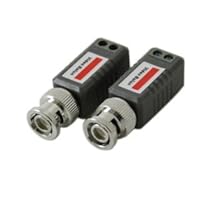
6 PAIRS (12 Pcs) Mini CCTV BNC Video Balun

6 PAIRS Mini CCTV BNC Video BalunThese are perfectly competent video baluns, and honestly described in the product description.

However, all purchasers of such items should be aware that while such inexpensive passive baluns will provide the desired impedance matching and common-mode rejection, they do NOT provide any sort of isolation at all -they are wired in an autotransformer configuration.

As a result, they provide ZERO protection for the video ports on your camera/DVR/whatever.

You can see this yourself without gutting one by simply using an ohm-meter to measure the resistance from the balanced line terminals to the BNC terminal -you will discover that one of the BL terminals is directly connected to one of the BNC terminals, and the other has a very low resistance between it and the other BNC terminal.

Or you can go to the Wikipedia article for BALUN and see a schematic of a typical balun, right under the subtitle: "Types of balun"

If you are running video over twisted pair, I sincerely recommend using some sort of grounded lightning/surge protection device between the BALUN and your more expensive widgets, like a DVR. The newer, inexpensive security DVRs do not seem to have much in the way of internal protection on them, and a nearby lightning strike or whatnot can easily generate voltages on the twisted pair that will fry an input port. Cameras seem to be more durable.

Bought this item to test it out and, it works ok for the price I paid for.

just make sure not to move the balun from DVR once you get it to work

otherwise it will loose signal.

Buy 6 PAIRS (12 Pcs) Mini CCTV BNC Video Balun Now

Items work as promised. However they are cheap. The spring on the locking ring is weak and the fitting is loose. If you wiggle or bump them the video goes OUT or becomes noisy. This is a pain if you put the balun into the camera housing and later have to disassemble the camera again to wiggle the balun. If I had to do over, I would buy better quality baluns. The size is good and the fact that there isn't a cable hanging of them is also a plus to me. However they do work as long as you dont touch or wiggle them.

Read Best Reviews of 6 PAIRS (12 Pcs) Mini CCTV BNC Video Balun Here

These units were priced to sell. They do what a Balun is supposed to do. Match a Balanced signal to an un-balanced connection. Balun.. Balanced to Unbalanced.

Want 6 PAIRS (12 Pcs) Mini CCTV BNC Video Balun Discount?

These baluns work flawlessly. Just as good as any other $10/a pair passive balun at a fraction of the cost.

Friday, March 7, 2014

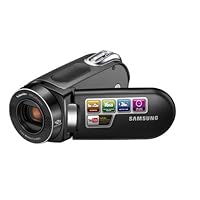
Samsung SMX-F34 Flash Memory Camcorder w/16GB Memory & 42x Intelli-Zoom (Black)

Samsung SMX-F34 Flash Memory Camcorder w/16GB Memory & 42x Intelli-ZoomI just purchased this camera a few days back from Target and couldn't be happier. I did almost a straight month of research on deciding what camcorder to buy. Reviews after reviews make me unsure what to buy. I started with a decision to purchase the Canon FS100. Well a week later the new model FS200 came out and was $70 more. No thanks.

Then I found information on this camcorder. It actually won an award for best entry level camcorder. Got to be good I thought. I researched Samsung camcorders from my ultimate source of camcorderinfo.com. They rated the standard definition SC-MX20 very well in comparison to camcorders much more expensive. Therefore I took the plunge.

I have used the camera for a few days now and ran through a battery of tests. First off in regular daylight or inside light the picture is phenomenal for this camcorder. Shots are crisp and clear and the autofocus is quick. Zoom is great as well; great pace to keep focus and the intelli-zoom works well too.

As for the anti-shake function, this works pretty well until you hit 8x or more zoom, then it's tough to keep it really steady. Overall the F34 was pretty good for a digital (non-optical) anti-shake.

Now on to the low light, the dreaded measure of most camcorders. I can tell you that of all the reviews I have read there is no camcorder under $600 that performs really well in low light. This is the nature of low end camcorders. Who is gonna spend most of their time recording at night anyways!!! For this the low light was ok. I went out side at night with just the motion light on and I could see what was illuminated. I turned up the exposure manually and it was even better. Not too bad for a $250 camcorder.

Overall I am very impressed with this camcorder. How can you pass up a Samsung brand item that performs well with 16GB built in and a 3 hour battery for $250? It's a steal compared to JVC and Canon. I would highly recommend.


Well, I had a video review ready but it simply won't upload so I had to shorten it substantially. Also, I'm new to video reviews so be kind. To be perfectly fair, I wanted to mention the following (and somewhat obvious)...

1. Took out of box, charged and recorded hand held while walking in neighborhood park with mowing taking place in background. Unfortunately, the video goes fuzzy and there is a lag time when moving about quickly. In fact, it becomes downright blurry although it's not as obvious when you are actually holding the camera. Upon playback the fuzziness becomes more obvious.

2. Handled sound very well. The park was actually pretty loud but this buffered the background noise and picked up only the sound of our voices. Surprisingly decent.

3. Color saturation fair but not stellar. Again, I made zero adjustments only the straight out of the box settings. Accurate but not great.

4. Ergonomic and convenient size. Buttons easy enough to locate. Light weight, easy to hold. Strap is non-slip.

5. Software installation simple enough but had to change format 3 times before would upload to website. Is a lot slower than anticipated took 6 minutes to do 'save as' for a 2 min clip. I'm fairly underwhelmed by the included software. It has some cute little navigation etc but the Adobe and even the Microsoft "movie-maker" were a lot faster.

6. I would have uploaded a second video clip where I was standing still but Amazon only allows one so I deliberately selected the WORSt one to show the deficiencies. When I buy an item I want to know the limits of what I can do with it...when standing still, this item does much better. When moving/walking the lag time and shake (especially on zoom) becomes very obvious and exaggerated. Standing still, the picture is still a bit grainy and color saturation (out of the box settings) isn't great but quite sufficient for a general all-purpose inexpensive camcorder.

7. Comes packed with everything needed to get started takes an optional card but not required.

Bottom line this is a fun, entry level camcorder with suprisingly good sound. Not great for those planning a lot of movement as the lag time and blur gets pretty bad. Much better when standing still to record the action. Color saturation on factory settings is okay/acceptable but wont knock your socks off. Easy to use albeit a bit slow on the coversion with the supplied software. Everything you need to get started is in the box, battery recharge is fast. At this price, a solid buy.

Buy Samsung SMX-F34 Flash Memory Camcorder w/16GB Memory & 42x Intelli-Zoom (Black) Now

Please note that this camera does not shoot in HIGH DEFINITION.

The idea of migrating the storage of camcorder shots to an internal memory was very appealing with this camera. It stores up 16GB and there is a slot to add an SD card. Hence, there is no extra cost in buying an SD card, which is not the case for all camcorders in the same price range.

What we liked about the camcorder

very light, very easy to hold and shoot.

has a built in lense cap, which is terrific and mades the whole design have a much cleaner finish. Also, when you switch the camcorder on, it will tell you when you have not opened the lense cap!

built in 16GB of ram and a slot to add an SD card

a visible botton on the outside that allows you to choose between using the a) camcorder b) camera c) watch the movies stored

the menu is very user friendly and some of the options we liked include:

i) grids to help you frame your shot

ii) focus that allows for auto focusing, face recognition or manual focusing

iii) simpe scence shot options: sports or portraits

IV) has anti shake option, which comes in handy if you are using the zoom (also see below for the not so great bits about the zoom).

vi) up load to utube is very easy

v) cuts on wind noise (it works and reduces the muffle sound)

vii) the program for editing your shot is very simple, as the intention is to allow you to edit (if any) before loading to utube or send it for friends/family to see. If you are looking for a more sophicated finish then you need to buy a separate program.

Maybe it is the price bracket this camcorder falls within, but we would have liked to see improvements in the following:

the zoom feature is great to a point, but if you plan to use it to its full capacity then I would recommend that you use a tripod. Otherwise, the whole shot comes out very 'shakened'.

we noticed that the zoom button was more sensitive compared with other camcorders in the same price range, which made it very difficult to zoom in and out without you feeling that you were travelling through the stargate!

the camcorder and camera options are best used in good lighting. Not advisable for low lighting events.

no flash light.

Read Best Reviews of Samsung SMX-F34 Flash Memory Camcorder w/16GB Memory & 42x Intelli-Zoom (Black) Here

I wanted to record my children in a format that I could easily work with and save on my computer. But my biggest concern was video quality. When I looked at it on TV I didn't want to regret not getting a hard drive or HD camera. I have been recording on one setting below the best quality and I would say that the quality is as good or better than my old 8 mm tape recordings. The camera is a breeze to use and it is very convenient and easy to carry with you. The 16 gb built memory is great with room to spare. I would defiantly buy this camera again.

Want Samsung SMX-F34 Flash Memory Camcorder w/16GB Memory & 42x Intelli-Zoom (Black) Discount?

Last year, Samsung introduced the consumers to the first generation SC-MX20 Flash Memory Camcorder. This year, there are a few updates that make a solid value for budget minded consumers. This camera includes the capability for still photos (at 800x600 resolution), 16 GB of internal memory, 42x Intelli-zoom, and Time Lapse Photography. This is an excellent point and shoot camera/camcorder.

The camera features a 2.7" 112k pixel LCD screen, 34x optical/42x Intelli-zoom/1200x digital zoom, a swivel handle and a rotating LCD screen. This particular model operates utilizing a SDHC (high capacity HD card) or MMC (multimedia card) plus.

WHAT IS IN THE BOX?

AC power adaptor

Audio/video cable

USB cable

Software CD (Cyberlink Media Show, Windows Only)

User manual CD, quick start guide (hard copy)

No carrying case this year

DESIGN/CONSTRUCTION:

An important feature for any electronic device is a battery life indicator. This camera states the amount of battery life in minutes. It is useful to carry a spare when traveling. In addition, the camera displays the amount of time left based upon its internal memory and flash memory card.

The housing is hard plastic in a cobalt blue color with matte silver accents. A switch operates the built-in lens cover. The built in cover really helps when traveling since it is one less loose part to have to keep track of. The camera has a handle that swivels 180 degrees to allow versatility for positioning. The LCD screen flips out 180 degrees, also, and can be closed with the screen facing out, if desired.

The unit has a bullet shape with a flat bottom surface to keep from rolling off of the table. The back of the unit has a flip off cover exposing the USB port, AV port and DC power in port. The underside of the unit has a battery door with an adjacent slot for the SDHC Card.

This camera features a simple design. The top of the unit includes the zoom/wide angle control, the photo shutter button, and mode button. There is also a record button in the back for one handed operation; however, to turn the unit on, you need to slide the power button down which requires 2 hands.

To the left of the LCD screen, a menu button, 4-way directional control button and central enter button, and record button, are unchanged from last year's model. The microphone is in the front of the unit and is quite sensitve. There is a solitary speaker along the left side of the internal housing.

A volume control toggle, fast forward, reverse, play and pause button are utilized with the 4 button directional keys, during playback.

OPERATION:

The biggest improvement to last year, is the whopping 16 GB of internal memory. Startup time from the off position is about 6 seconds. The user can toggle between photography and video recording by either pushing the camera shutter or pushing the "Mode" button.

At near maximum zoom levels, the camera shake from pushing the shutter button is too excessive to get optimal focus. This is also the case for the camcorder operation. You really need a tripod for zoom greater than 20x.

Playback uses the directional keys to highlight the clip of interest. The menu button allows the user to format the internal memory/memory card and protect a clip. The advantage of flash memory recording is the instantaneous review of images

The Easy Q button makes this camera a point and shoot camcorder that optimizes all of the various parameters for the best `foolproof' clips. Intermediate and advanced users can optimize their artistic talent with various digital effects (through iScene), 16:9 or Standard screens, white balance, exposure and shutter settings.

One of the newest additions this year is the time lapse photography, which is great for focusing on a flower bud opening and closing through the day, recording the setting sun or watching beach goers come and go over a long period of time.

PICTURE/SOUND QUALITY:

Picture quality has improved over last year's model with regards to lower light; which seems to be a perceptible improvement. However, very low light demonstrates a lot of noise, still.

You really need to use a tripod since the amount of compensation from "anti-shake" is minimal, at best.

Recording time with the built in memory is as follows:

Web/mobile @640x480 924 minutes

TV normal @720x480 (60i) 640 minutes

TV fine @720x480 (60i) 490 minutes

TV superfine @720x480 (60i) 396 minutes

You can take about 31,000 still images at 800x600 resolution.

PROS:

Compact and light

34x optical zoom with 42x Intelli-zoom

Built in memory, 16 GB

Still photo capability

Time lapse capability

CONS:

Minimal Anti-shake

Limited in low light settings (but improved from last year's model)

Only up to 16 GB cards are supported

No integrated flash for still images

VERDICT:

Given the added improvements over the 1st generation Flash Memory Camcorder, this camera deserves 5 stars.

Tuesday, January 21, 2014

NISIS Pocket DV6 - Camcorder with digital player/voice recorder - 3.1 Mpix - supported memory: SD -

NISIS Pocket DV6 - Camcorder with digital player/voice recorder - 3.1 Mpix - supported memory: SD - flash cardI realized what a mistake I made the day after I purchased this product. The battery completely went dead on me. After much research, I was able to find a replacement battery for $45 at radio shack.

The camera says its 11 mp but not a single picture taken from this camera has been satisfactory. The 1 mp camera in my phone takes better pictures. The video too has been horrible.

There was no documentation with this product. Each time, I charge the battery, I cannot even tell if the charge is complete or not.

If you read carefully you will notice the sensor is only 3.1 megapixel but the camera is 6.6 how does that happen? The image is interpolated and the quality is pretty bad. I was sold one as a high-def camcorder with 10x zoom however the picture quality is most definitely not high-def and there is 0 optical zoom. Using digital zoom degrades the picture quality even more.

Videos or photos are not captured well with medium and low light conditions. In bright light the image on the LCD viewfinder is impossible to see. Another issue with video is unless you move the camera very slowly, the image will video image will 'split' during the movement.

Transferring video to a Mac requires painful jumps through hoops since the video is cannot be directly imported using iMovie.

The mp3 player provides very limited navigation and browsing features rendering it mostly useless, unless you don't care about what you listen to in your entire playlist.

The only appeal of this product is it's form factor (very small and sleek looking), however what would you do with a small form-factor product that you wouldn't want to use? Definitely not recommended.

Buy NISIS Pocket DV6 - Camcorder with digital player/voice recorder - 3.1 Mpix - supported memory: SD - Now

I purchased this camera and was very disappointed. The camera did not work verywell and the support was nowhere to be found. The video was blurry and the knobs were difficult to use. I returned the camera and have yet to recieve a refund from them. I am in the process of filing a complaint with better business burea. My credit card company is also working to get the refund. Don't waste your time or money on this junk.

Read Best Reviews of NISIS Pocket DV6 - Camcorder with digital player/voice recorder - 3.1 Mpix - supported memory: SD - Here

I recieved one of these cameras and was very pleased. The fact that it is such a compact product was a thrilling idea! Would definatley recommmend.

Want NISIS Pocket DV6 - Camcorder with digital player/voice recorder - 3.1 Mpix - supported memory: SD - Discount?

Friday, December 13, 2013

Sony DCR-SX45 Handycam Camcorder (Black)

Sony DCR-SX45 Handycam CamcorderThis handycam camcorder was the first I ever bought, so I can't really compare it with any others. But, I have noticed that the recorded picture is remarkably still, despite one's shaky hands! And I was able to take clear pictures through my car windows. The sound is very clear and picks up even the quietest sounds. I don't know how much better a HD picture would look, so I cannot comment much on the picture quality. However, it is certainly good enough for my touristy purposes. After downloading the software, I was able to burn DVD's very easily from the camera (since I have an external DVD player attached to my computer). And, it sounds like a "slot machine" when you turn it on and press buttons, as it has all sorts of internal sounds to let you know what it is doing!

So, I am very happy with this camcorder.

This is not a High Definition model, if it were my review would be quite different but beings it's standard def it's okay.

Okay first there's the light which is little more than a hoax, but it does mean that it might need a light in lowlight conditions. It is very small, and light, flip the 3" LCD & the camera turns on and the lens opens immediately. The battery life is as good as any Sony camcorder and I have an older sony that I used for 2 years & never had to get another battery for it. Can count on at least an hours worth of juice, but you can power it with the ac adapter.

It has no built in memory so you need to buy an SD card, 16GB is good.

It does not have very good manual adjustments, just like all sony camcorders I suppose, but most of you will be using the iAuto anyways.

Some folks think standard definition is dead but it is still used a lot, including all DVD's are not HD.

It's affordable and well worth the money for a beginner, if you are a serious photographer with experience save your money and get something bigger.

Buy Sony DCR-SX45 Handycam Camcorder (Black) Now

After reading so many bad reviews, I was a little leery about buying this, but it sounded like what I wanted.

After purchasing, I am SO happy with this camera. If you're looking for an expensive camera to take WONDERFUL footage of your family's moments, this camera is for you. Ignore all the crap about "fuzzy footage," etc...I mean, what are you looking for? I can't honestly believe that people can tell the difference between this and a supposed high def camera. Your eyes only see what they see, and this camera gives you great picture (and sound.)

Even in low light...we used it Christmas Eve with nothing but the tree on...it gave us wonderful footage...not blurry.

Plus, it is super easy to use...

...and though I couldn't find any of the transfer info I wanted online, it couldn't be more easy. I hooked it up to my VCR with the included AV cables and transferred footage straight to VHS...and plan to do the same with a DVD burner. Very simple.

Read Best Reviews of Sony DCR-SX45 Handycam Camcorder (Black) Here

I bought this camera for my wife and she absolutely loves it. She loves being able to pause the video playback and snap a picture. She loves it so much she hasn't quit talking about it. She also loves being able to hook it up to her phone charger with the usb and charging it in the car! I think this was a great buy!

Want Sony DCR-SX45 Handycam Camcorder (Black) Discount?

I recently purchased this unit and gave it it's first real try on our trip to Disney World. The camera performed extremely well for something in this price range.

Battery life is about 1 hour with the standard battery.

Works well in low light (for night time use, I would suggest a tripod).

Rugged, it fell about 3 feet on to the sidewalk and continued to work fine.

If you're looking for a good, low-priced camera, I would definitely recommend this one.