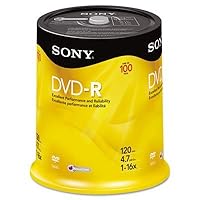
 These DVD-R's are great.
Now, I need to clear up a misconception about DVD-R's and Sharpies.
On a DVD-R, the dye/reflective layer is sandwiched between two polycarbonate discs. It is well protected from abrasion or chemical attach. A Sharpie WILL NOT DAMAGE a DVD-R.
1)Markers have little to no effect on DVDs because the 0.6 mm thickness of the polycarbonate prevents either seepage or pressure damage. However, writing on a DVD disc that is not resting on a flat surface will physically distort the disc temporarily. Tilt is a much greater factor with DVDs because the wavelength of the ruby-red laser and the tracks are smaller than those of the infrared laser and wide tracks of the CD-R. The smaller dimensions are why the recording layer of the DVD is in the middle of the disc instead of the top (and on the bottom of the Blu-ray disc.)
2}Paper labels damage DVDs because of increases in tilt caused by the changes in tension across the label as water is absorbed and evaporated. (This can also happen when printable DVDs use ink coatings that can change over time. Most of these issues with the inks have been resolved by changes in the ink chemistry.)
3) Paper labels that are designed for CD-Rs have much less change in tilt or shrinkage on these single-piece discs. In some ways, the added cover offers some protection to the fragile upper surface of these media, but the labels must be precisely centered to avoid damage to high-speed drives trying to extract data.
4) All markers can damage CD-Rs' upper surface either by chemical interaction or by excessive writing pressure (far less likely). Water-based markers are superior, but much depends on the lacquer used. Writing on printable discs reduces the chance of damage because the coating adds another layer of protection.
I hope that clears this issue.
Cheers.

The DVD-R discs are compact and easy to store. While the discs are still blank, store them in the circular case on the spindle that they came in. After your burn data onto them, I would recommend storing them in slim jewel cases instead of paper sleeves. It's just better protection for your DVD-Rs that have data stored on them. Don't store these discs, burnt or blank, in rooms that become very hot; this causes damage to any brand of this type of disc and you could lose data over time.
There are two caveats that many other people note about any brand of this product: when you are burning the data onto the blank disc, don't be surprised if you see that the data is burning at a rate slower than 16x. This can happen if your burner doesn't have the capacity to burn faster, or it may be a quirk. I am not a professional so I cannot be certain of precisely what causes this phenomenon; but I assure you that the extra minute or two (tops) that you wait to get your DVD-R completed is worth the wait. In addition, DON'T write on these using Sharpie ink pens. The ink can seep through the top coating of the DVD-R disc and slowly but surely compromise your data--and you wouldn't want that, now would you? If you need to label the discs, label its' jewel case using a post-it note. At least that's what I do.
Overall, Sony blank DVD-R discs store data reliably over the years and I believe that an extra minute to burn the data onto the blank disc is well worth it in the event that it doesn't actually burn at 16x.
Use them in good health!
Buy Sony DVD-R 16x Recordable DVD 4.7GB - 100 Disc Spindle Now
I'm burning DVD's on a Mac Powerbook G4 1G with a 2x SuperDrive. I tried Verbatim, Maxell, Memorex, Imation...all had a failure rate of anywhere from 25-75%. I switched to this Sony DVD-R as a last resort before I was about to upgrade to a new PowerBook with the 8x Superdrive. I have now burned 25 DVD's without a failure.Read Best Reviews of Sony DVD-R 16x Recordable DVD 4.7GB - 100 Disc Spindle Here
I've had a Plextor drive for a few years now and have only used Sony DVD-Rs with it. I use an eMac and a Powerbook, and I have never had any issues with the discs themselves either when burning or when using them even a couple years later. I cannot say the same thing about Memorex or TDK.Want Sony DVD-R 16x Recordable DVD 4.7GB - 100 Disc Spindle Discount?
I have used Sony DVD-R media for several years with great success, but my equipment can't even initialize these. Using free DVD identifier software, you can read the manufacturing information on DVDs. The Sony DVD-R's use to be "SONY16D1," made by a company named Daxon. Now they are "RITEKF1" made by Ritek. Different DVD burning equipment tend to like different DVD media, so these may work OK for you. It's not Amazon's fault that Sony has switched to a different manufacturer, but you next time you buy some media, you might look at the DVD indentification information and then look at this site for some information about that media,Save 41% Off

No comments:
Post a Comment