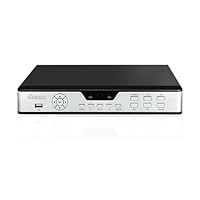
 I just bought this dvr and apparently this is the old sku:DVR-H910V, the new sku is:ZMD-DD-SBNA. This is what the box says, but the dvr I have looks
exactly like this one, but also has a new model: D9104BH. So go figure. I had to return the first one and now will return the second for an exchange. I
got two one for me and one for one of my family memebers. So without making this too long I'll just describe it in the pros and cons to make it simple.
Note that these don't come with any hard drives. I just happen to have a few 500 gigers around so that save me some money and now I get to keep using
those. These are from my nas so they are just perfect for this.
Pros:
1. It's nice and small (I set these things up at work and the ones we use are still larger than this one.)
2: The price was low enough locally to make me want to try them.
3. So far it seems pretty easy to get up for me, but I did have to spend some time fitting in a fan and fixing a few things to make sure it runs without a problem.
4. The included remote and mouse are small and very functional which I like. I have not tried the software as I still need to figure out what type of
wire to use. I bought two sets with the bnc, power and sound, but the picture is crappy. I connected the cameras which are also from zmodo and they
looked much better when going straight into the tv so this is why this is important.
5. I do like this dvr because if the drive dies then I can change it myself. The company stuff, we have to send back to them to fix when we have
problems.
6. I like the simple button layout.
7. This dvr does come with a decent English manual and quick quide.
Cons:
1. I found that these don't include a fan unfortunately. There is a hole on one side where one would fit. I found out my drive got really hot in there
and I know that heat is just bad for hard drives and there's no way I'm going to run this without a fan. This is apparently also due to the low profile
unfortunately. I have now found out that the slightly bigger ones also heat up too, and sometimes they just freeze due to the heat. The bad side it the fan is loud, but keep it away from you and you will be fine.
2. I found that the sound inputs are only soldered on the bottom. When I was setting up the second one I got, I noticed the inputs were pushed in, so if
you were to use them you will end up pushing them in with the first one you try to use. This was really surprising and just not a good thing. So I just
pushed them back in to place. I also added hot glue on the top inside of the case to hold them and keep them from moving back when pushed in. I've had good luck with hot glue in keeping things together like this. It's the quickest, cheapest and very functional way to do it without getting all crazy
about it.
3. I couldn't find a fan to put into the dvr because the plug only has two pins and the ones at the store have three pins. My first unit was also
missing a case screw. Second and third are all there. In any case, I ended up getting two 40mm fans with the 3 pins. I measured the case and knew these
where the size that would fit in there. I'm a computer guy and with my rc hobbies I had what I needed to make them work. I used small red lipo battery
connectors on the red and black wire and just left the yellow out and zip tied to the other two. I first measured and cut the connector the fan came
with. I first checked to see if the new red plug I had would fit and it did, but it comes off easily, so I used hot glue to keep it in place and now I have a running fan inside. The good thing I forgot to mention is that the board does have a fan plug in it. The dvr is now noisy but it's just warm to the touch and
not hot like it was without it. The fan is a must in this dvr or it's just a matter of time before the drive dies. Could be just hours or a day if it's
a 7200rpm like the one I'm using. I forgot to mention that I just used double sided tape to stick the fan on the case. The screws I had would not work since they need to be low profile for the top of the case to go over them, so this is how I fixed this. I don't know what the manufacturer has, but this is the only way you can use this dvr or your hard drive will just die.
4. The dvr does not come with any connectors or wires so you can test your cameras straight on it. You will need to get these separate.
5. The front "OK" button seems to be like a lazy eye, it just sort of drops which is weird. Hardly noticeable, but it works. All the buttons work fine,
but just noticed this one is a bit loose or something. That's just how they all come.
6. The setup seems to be a bit more work vs the ones I've used. Meaning you have to have your own dyndns account in order to access the dvr remotely.
The company we use has their own that we use which makes it easier to get going, so you'll be doing a bit more work on these. I can't comment on the software as I have not used it yet. I'll update later as time goes on and on the cameras I also got. I haven't bother with dvrs due to their prices but it seems that they are getting lower and better with what you get. So it was time to try them now that I got a bit more experience with them.
6. Every time I press the tv/vga button, the screen freezes and I can't ever get out of that. I have to turn the whole unit off then back on.
7. The button labels are very hard to see from a feet feet away, you really have to be next to it in order to read the text on the front of each one.
Keep in mind that cheap doesn't necessarily mean, well cheap. You still need to figure out how you will connect this to your cameras and depending on that, the price for the whole system goes up quite a bit. I also tried some pre-made audio/video/power cables but the image from the cameras looked worst than straight to the tv. The cameras looked great when I plugged them directly to the tv though, so keep that in mind.
I finally got both dvrs running side by side to make sure they work fine before getting them installed. I got the fourth exchange today so after all that going back and forth I think these two are working the way they should now. I just have to wait for the rest of the parts to come in.
Save 50% Off

No comments:
Post a Comment