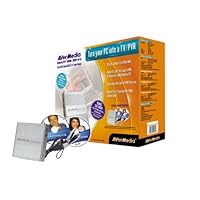
 I researched this product, made sure it fit my technical specs, and finally made the plunge. I couldn't wait to get the thing, because it was exactly what I was waiting for.
I set it up in minutes after it arrives, and got only a black screen. I tried a few tweaks, and no luck.
So, I got on with AverMedia tech support. It was a known problem that I was having-the product doesn't work with motheroboards that use the ATI chipset-which an increasing number of computers (mine is a Toshiba laptop) do.
At any rate-this may be a great product, but I'll never know. I had to pack the thing back up, arrange for a return code and ship it back. All because they make no reference of this hardware incompatability anywhere on their site or packaging.
So, make sure you do your homework-and don't just go by their stated requirements.

I kind of got this running after a few hours of trying and although the picture was pretty bad it was good enough. I have two large screens and while i am working in the evenings from home i can have it on a small window down in one corner. And i figured that i could take it with me on my laptop whenever i needed it.
Then lets say it went all wrong. firstly when i would first turn it on there would be no sound. I worked around this by removing the USB and inserting it again which seemed to get it going again. OK it worked but it is not to gracefull clambering over my pc every time i wish to watch TV.
My girlfriend has a logon to my machine but the settings are not system wide and it has to be tuned in again for each user and setup again.
I decided to move some of my USB connections around but the tv card will not work unless it gets the USB slot it was installed with. ?!?!. I thought the U in USB was universal.
When i bought a USB hub i decided to move it to it's own special slot and reinstall the software. After 6 hours of trying i admit defeat. Firstly the uninstalls don't work and i could not install over them so you have to go through the registry searching for avertv and remove all those entries but reinstalling the program and the TV will just not start up without a useless error message. In my early days of programming if i was to create an error message saying "error: 8321412 description: " i would be taken out and shot but how on earth a respected software house can get away with this all over the program is beyond me. And these error message dialog boxes come up everywhere.
I tried the new drivers and application programs from the site but the install just don't work full stop.
i am not even going to contact support as i know that there is no way anybody could support this pile of mince the way it has been written.
Now i am sure that some people get it to work first time and everthing i rosey but everybodys machines are slightly different and it just won't run on mine.
So if you are thinking of buying this produce stop. If a software engineer can't get this to work after 6 hours you probably won't if you run into trouble and i would bet you will.
1 star is to much.
Buy Avermedia ULTRATV USB 300 TV Tuner (MULTRAU30) Now
I used to have one of their PC installed tuner cards that worked quite well. So I decided to buy this new product for my IBM Thinkpad laptop.While I have had no issues with the hardware performance, the software problems I am having this product render its good propaganda totally useless. Ever since I have installed the drivers for the product, I am plagued by -
1) AverTV application self-starts randomly while I'm reading office email, using my editor, browsing web pages. It's unreal! It's like it's possessed and has the mind of a devil!
2) When it "auto" launches, it kills my audio volume and pops up on top of all other applications.
3) The "always on top" attribute randomly works as intended.
4) When I drag it across to my secondary monitor, video disappears.
5) All my USB 1.0 and 2.0 devices that coexisted happily (and I have quite a few), now work unreliably once AverTV software starts up.
I am a software engineer as well and I know the sad story of crappy products. It took me 1 week of trying various combinations of USB devices before I isolated all my USB problems to arise from this product. This tuner was supposed to make my life easier not be another problem I have to deal with. Where's that RMA form?
Z
Read Best Reviews of Avermedia ULTRATV USB 300 TV Tuner (MULTRAU30) Here
I bought this avermedia and it works flawlessly on my Toshiba 2455S305 laptop. Installation smooth no trouble running any of the proggrams. there is a patch adding support for Titantv programming guide and also overscan, which get rid of the squiggle lines at the video top. My laptop does have a linein plug, so I think that helps.Want Avermedia ULTRATV USB 300 TV Tuner (MULTRAU30) Discount?
Just wanted to post about this. I had the same problem with using the Mic In, and I did figure out how to set the audio control panel to use that as the input. The audio was kinda bad though, and sounded too loud even at the lowest settings. I contacted Avermedia tech support, and they sent me a small device that connects to the audio cable, and it sort of muffled the sound a bit and made it sound a lot better. Other then the audio setup, this was easy to plug in and use, and the video quality is very nice. I have a couple of avermedia products and I am satisfied with the products.

No comments:
Post a Comment