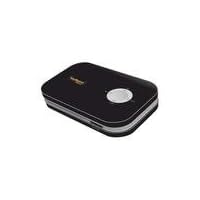
 I recently purchased this item in order to convert a massive collection of old video tapes into digital files and to record analogue input from my PlayStation 2. All in all the device is very easy to set up. Just be sure you have a TV with composite A/V inputs to plug the device into. You will also need an SD or SDHC card (not included with the product) onto which to save your digital files, as well as a way for your computer to read said card.
Note that the cords which lead input and output to and from the converter have all male ends, so whatever your source and destination devices are you will need them to have female connectors. In my case, My PS2 outputs through a cable with male connectors. To make the connection between the PS2 and the converter, I ran the PS2 output through my VCR and then ran the VCR output into the converter. The converter output then plugs into the TV.
As another review has stated, this product converts analogue input into MPEG-4 encoded .asf video files (a Microsoft format which should be readable in Windows Media Player). The quality of these files is decent--certainly not spectacular--but far superior to some cheaper analogue to USB converters on the market. There was some noticeable artifacting and blurring in the image after converting, but it is the sound quality that I think suffers more. The sound compression removes much of the highs from the input and "muddies" up the sound. I did not, however, notice any noise in either the audio or video after conversion.
I was able to import and edit the .asf files on my PC (running Windows Vista 64 Ultimate) using Adobe Premiere Pro without any problem.
As a final note, the construction quality of the device is not the greatest. The plastic feels light and flimsy, and I wouldn't be surprised if the buttons on the top of the device eventually stopped working. All this aside, however, I am generally happy with the product for the price (I purchased it on clearance at a local store). Just don't expect exact duplication in the conversion.

Pros:
*Easy to use
*convert analog videos to digital while you watch the video
*compatible with pretty much all VCRs/TVs
*Compatible with bot PAL and NTSC (NTSC is the North American video standard, PAL is the European standard... if you don't know what this means, don't worry about it-the instructions are clear)
Cons:
*the converted digital video is lower-quality than the original VHS tape... not sure why
*Sometimes, the audio and video get out of sync... I haven't used this product very much, so I'm not sure how big of a problem this might become
*No option to use S-Video connectors
Buy VuPoint Solutions Digital Video Converter - Black (DVC-ST100BZ-VP) Now
I had hoped to convert my VHS tapes to digital recordings to either save on my computer or burn on a DVD. I purchased this converter with hopes of keeping the quality fairly close to that on the VHS tapes. But it was not even close. I then tried copying a DVD, and the results were just as bad. I just recently converted some VHS tapes using my ditital camera with very good results, but that was a long, slow process. So I had hoped to get this product to cut the conversion time to a minimum while producing quality video. But the video is just unwatchable. I guess the great VuPoint video conversion experiment will cost me about $35 since I purchased it from a dealer who does not accept returns. And now its back to the old video camera conversion. Alas.Read Best Reviews of VuPoint Solutions Digital Video Converter - Black (DVC-ST100BZ-VP) Here
To any R/C FPV hobbyists out there, this device is *great* for recording your live video feeds for reference or recovery of your model. The quality is not great, but it's also not terrible either for standard definition video. The recorded video is easily shared on YouTube without need for conversion. It can be powered by a 5V UBEC if you want to wire it into your ground station.One of the excellent, non-obvious features of this uber-cheap recorder is the fact that it has a pass-through video output. This means you can hook it up inline to your ground station monitor or video goggles (using a couple of RCA couplers). Another benefit of the pass-through is that it will turn a weak video signal that would otherwise blue screen a cheap LCD into a usable signal. That means you can potentially have a non-blue screen LCD for less than $50 which also serves as a DVR!! Finally, using the video pass-through allows you to easily see when you are recording, and you can also play back recorded video directly to your LCD or goggles. The only downside to the pass-through is that some of the DVR's on-screen icons/text might overlap your OSD, if you're using one. However, you will not find anything better than this for FPV at this price point.
Want VuPoint Solutions Digital Video Converter - Black (DVC-ST100BZ-VP) Discount?
This is a great device for converting from VHS to SD cards. I just needed something simple plug and play with no frills of editing or effects, and this device delivered. I would highly recommend this to anyone looking to clean out those old VHS tapes and convert them to a digital format!

No comments:
Post a Comment