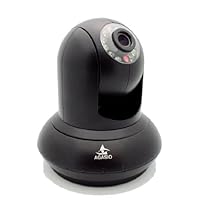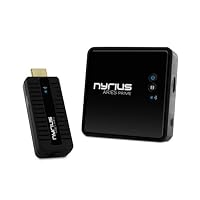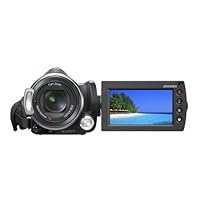
Showing posts with label digital audio recorder. Show all posts

Saturday, October 18, 2014

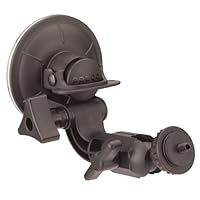
Panavise 809 Camera Window Suction-Cup Mount

Panavise 809 Camera Window Suction-Cup MountDue to the low price and generally good reviews, I bought this item. The suction grip is very strong; there seems to be no risk that this will fall off a window even with a small camcorder attached. Mine did not come with the extension arm, so my camcorder had to be mounted upside down on the windshield. The image can easily be rotated 180 degrees within Sony Vegas Movie Studio Platinum 9 editing software, so being upside down is not a problem for me. Furthermore, having an extension arm might likely result in less stability, so it's probably best to use the shortest/sturdiest mount possible. (I haven't tested that claim so it might not be true.) My camcorder, with optical image stabilization, zoomed all the way out for the widest view (also the least sensitive to vibration), and driving on a reasonably smooth paved road even as slow as 20mph exhibited very noticeable vibration. The vibration is too great to use the video. Much smoother video is obtained by hand holding a camcorder in a moving vehicle; your body and arms act as shock absorbers and dampen vibration preventing it from reaching the camera. With this mount, small vibrations from the moving vehicle are transmitted directly to the camcorder and it seems to be amplified by the time it gets there. Furthermore, my high-definition camcorder, with a CMOS image sensor (which uses a "rolling shutter"), exhibits noticeable skewing artifacts from frame to frame as a result of the vibration, so there are not just blurred frames and jittery motion, but distorted frames as well. Consequently, even using a motion stabilization algorithm during post production won't produce acceptable results.

This mount should be excellent for situations where there is no vibration and no need to pan or otherwise modify the camera settings or view during exposure, but seems useless from a moving vehicle unless it's moving very slowly on smooth pavement.

---------IMPORTANT UPDATE -----------

I just noticed a few recent reviews that mentioned they received a knock-off, rather than a genuine Panavise 809. After studying the Panavise picture on this page very closely, I see that my unit is not a genuine Panavise 809, either. (There is no manufacturer or product ID on my unit or on the packaging, so I have no idea who manufactured it or what its true model name is.) I purchased my unit from Vangoddy through amazon.com. Perhaps that explains why so many other reviews are so good (especially the video review left by Thomas which shows, though at slow speed, how good his unit works) and my results are so bad -and I mean BAAAD, truly unusable. There is no comparison between the results I obtained and those that Thomas showed in his video.

This clearly is designed to be a CCTV mount. As such, with most CCTV cameras having top mounted attachment, I have no doubt that it works flawlessly.It is very well constructed and does indeed have amazing suction power and solid construction without any "wriggles".

I bought it hoping that I could use it on the fairly steeply raked windshield of a late model Civic to film driving routes with my digital camera. Even though I have a low profile "ultracompact" digital camera, there was not enough room between the windshield and the mount to allow me to mount the camera unless I mounted it upside down, which I obviously could not do because of the inability to rotate the resulting movie.

FORTUNATELY I discovered that the Civic has a flat non-porous ( i.e. plastic ) top gauge cover, and was able to mount it on that. But the vast majority of cars have curved top gauge covers, so I don't think this will be suitable for any but a few car models for the purpose I'm using it for.

If Panavise could come up with the same assembly and a U shaped holder for mounting a camera with a standard tripod screw thread from the bottom, BELOW the mount now that would be far more useful.

Buy Panavise 809 Camera Window Suction-Cup Mount Now


The product is really awesome.

The only thing you need to be careful is the extension arm.

If you have an oversized camera or a camcorder, you'll definetely

need an extension arm which originally doesn't come with the product.

Please see my user photos after January 8th, 2010.

The user photos showing the extension arm are a little confusing.

I bought a geniune one directly from the Amazon, and it doesn't have

the extesion arm which I later got directly from PanaVise. The guys

over there are terrific, and extremely helpful. They said the model

with the extension arm should be called as 809-X.

The video was recorded with Xacti 1010

I passed over two railroad crossings (at 1:44 and 3:33), the road

was terrible. The vibration and shaking is acceptable.

Read Best Reviews of Panavise 809 Camera Window Suction-Cup Mount Here

When I first got into highway videography, I purchased a small Aiptek camera Aiptek IS-DV2.4Blue MPEG-4 Digital Camcorder with Video Stabilization (Blue) and I was looking for a windshield mounting option. I purchased this unit but the angle of the mounting arm made it unusuable with my truck windshield. So I sent it back to Amazon and opted for a Sunpak Clik n Stick mount Flexpod Click N' Stick Suction-cup Monopod. I recently upgraded to a Panasonic SDR-H40 videocam Panasonic SDR-H40 40GB Hard Drive Camcorder with 42x Optical Image Stabilized Zoom and needed something a little more substantial to hold the bigger, heavier camera. I originally thought that this unit, attached to one of those GPS friction mount pads that can be placed on the dashboard, would be perfect, but then I found out that Panvise now includes a mounting arm extension with this unit. (See the customer photo that shows the extension arm and a camcorder mounted in a car). So I bought another one. This appears to be just the solution for mounting a video camcorder in a vehicle. If you order one and the extension arm isn't included, just contact Panavise directly and they will send you the extension arm for free. No instructions for installing the mounting arm extension were included, but it's pretty easy to figure out how to install it. This unit holds tightly and seems to be pretty stout and secure. The mounting arm extension Panavise now includes makes all the difference in the world. I think the company realized that there is now a market for sturdy vehicle camcorder mounts. I recommend this highly! Can't wait to try out this setup and see how it works!

Want Panavise 809 Camera Window Suction-Cup Mount Discount?

Purpose brought: Used to make mounted vehicular videocam.

Pros: When set properly, this device sticks like glue!

Cons: Small swing arm limits mounting positions.

The suction seal is very strong and after two weeks I still can't physically remove it unless I use the pressure release lever.

The small arm limits the placement and use of a camera (ie: camera is inverted when mounting on a windshield), but it is perfect for holding small camcorders and digital cameras on a smooth, non-porous upright surface.

If you already have a small handheld videocam and wish to use it as a vehicle cam, Use this and a 90mm mounting pad mounted on top of the dashboard as a cheap alternative to buying a dedicated vehicle camera.

Great product but only 4 stars due to the small swing arm.

Save 10% Off

Friday, September 19, 2014

Morris Mini DC Slave Flash Wide Plus with PC Cord, Guide Number 24 with ISO 100 in Feet.

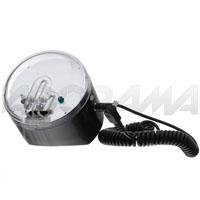
Morris Mini DC Slave Flash Wide Plus with PC Cord, Guide Number 24 with ISO 100 in Feet.This thing packs a big punch to be so small! I like the angled bottom, and it's only about the size of a tennis ball, and I even glued some Velcro straps to it so I and mount it about anywhere needed when I am outdoors.

Wednesday, September 3, 2014

Polaroid IP200B Wireless Network Surveillance Camera with High Quality Audio & Video Recording, Rem

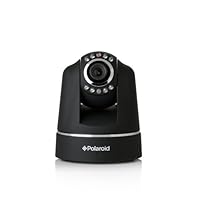
Polaroid IP200B wireless IP Network Security Camera, Pan and Tilt, BlackI recently bought 2 cameras and I am very happy with them. Setup was pretty simple and it works well with my email account, it's a decent camera with a decent web interface that does what it's supposed to do and works reliably, supports modern features and multiple users can be configured with different access levels.

The pen and tilt moves almost silently, and are quick and precise. The LEDs on the rear panels can be disabled to be less conspicuous, in a nice touch.

I really love these cameras so far. They are good budget priced cameras and other cameras with an image that's no better and software that's much worse are priced much higher. It's a great balance of modern features and decent quality.

I bought 2 IP200's and an IP300 and only 1 IP200 still works. These are junk don't waste your time

Buy Polaroid IP200B Wireless Network Surveillance Camera with High Quality Audio & Video Recording, Rem Now

Absolutely the worst set up instructions I have ever seen. I own a mac and work with macs professionally on a daily basis. The software comes on a CD which won't play on your mac...and there are no drivers to download from their website. I tried doing this manually but the booklet of instructions that's included doesn't address this on a mac...only on windows machines. Oh wait, it does say, if you own a mac, "it's pretty much plug and play". Btw, the manual reads like a 5 year old wrote them, spelling errors in every paragraph which really makes you feel confident about the product. This will be going back.

*Update. Just got of the phone with their tech support. After 45 minutes of waiting, they realized that they haven't tested the product on the TWO most recent Mac OS systems...thus they have no idea if it actually works on Macs. They asked me to call back in two weeks to see if they would have an update. Impressive, isn't it?

Update 2. Stay away from this seller. Extremely unpleasant to deal with...will charge you shipping and restocking fee regardless of reason for return.

Read Best Reviews of Polaroid IP200B Wireless Network Surveillance Camera with High Quality Audio & Video Recording, Rem Here

Purchased this camera for an experiment, for the money and features it had to offer it seemed like a no brainer, after comparing it to similar

cameras in its price range and reading several reviews it has proven to be a wise choice, the camera is very easy to set up, and provides a very

clear picture, the user interface leaves a little to be desired, and the audio will not work for some reason, but audio is illegal to use in security

surveilance in many states anyhow, dollar for dollar , I would recomend this camera , it moves very smooth and almost silently, would be nice if they

improve the interface so that you can choose limits on auto scan movement, but I have yet to find a low end IP camera that does, and zoom again would

be a valued upgrade to it's performance, but is only available in more expensive cameras as well, try one, you should be pleased with it's performance

and appearance,

Want Polaroid IP200B Wireless Network Surveillance Camera with High Quality Audio & Video Recording, Rem Discount?

The camera may be OK, I'm not sure as I never got it working. The software is terrible. The web server on the camera repeatedly prompts for a userid for any operation, but will not accept the default userid provided in the instructions unless it is typed in three times in a row. It looks like you can provide any old userid three times in a row and it will let you in to the site. Clicking on any page within the site prompts for userid once again. Looks like you can also hit "cancel" when prompted for a userid and still get in! Once in though, I couldn't get a video feed with either VLC on IE or Google Chrome or the Server Push Mode. That makes this thing pretty much useless to me. I'm sending it back.

Update: I skipped using IE and went to a Chrome browser, using the userid "admin" rather than the specified "Admin". It worked! Setting it up for wireless access was a snap. Next hurdle is setting up DDNS.

Monday, August 25, 2014

AT&T CL4940 1-Handset Landline Telephone with Large Display

AT&T CL4940 1-Handset Landline Telephone with Large DisplayI purchased my AT&T CL4940 locally because I needed a that-day replacement for a long-time-in-service Nortel.

I'm writing this review based on initial quality as I have only owned the phone for 24 hours. Thus far I am impressed by:

1. Sound quality through both the handset and speaker. This is adjustable with a 4 setting equalizer, I'm using the default 'Natural' setting, there are two treble boost settings and one bass boost setting available.

2. Volume available through both handset and speaker is individually adjustable and can be made very loud on the highest settings.

3. Answering machine ease of operation.

4. Total message+announcement recording time of 25 minutes -these days that's good, many answering machines have less than 15 minutes of audio storage. 60 minutes is still the target amount for manufacturers in my opinion -the problem is that like most answering machines, this one will stop taking messages once the memory is full -and a busy business day or some political robocalls can fill things up pretty fast and shut the system down.

5. Good human interface -big buttons, readable and backlit display, clealy labled control buttons -you do still need to look at the manual just a bit to see how the menu and control system is set up but it's about as simple as it can be made, IMO.

The one disadvantage is the index in the user manual which has way too few entries -I downloaded the .pdf version of the manual just to search for info on the 'equalizer' (it can only be set while you are listening to something) -and how to reset the 'missed calls' counter (press and hold the CANCEL button). Other than the lack of a complete index, the user manual is clear and explanatory.

At the time of this review there are two 2-rated reviews. The one mentioning the need for a DSL filter if you have DSL service applies to most phones and fax machines. Although I did not try the included wall mounting bracket, looking at it I would agree that this phone is not well suited for wall mounting -I don't know of any larger desktop type phones that include an answering machine that are.

Overall I give this phone high marks for design, execution, and value, with durability being the unknown factor.

The AT&T CL4940 is a single-line speakerphone with answering machine functions and caller ID, which makes it one of many similar phones crowding the market.

What sets this phone apart is the large, backlit, tiltable display. Why every landline phone doesn't have a display this nice is beyond me. Most everything else about the phone is typical, but it does add further functions to help those of us who are growing older:

* A large keypad for easy dialing

* A four-setting equalizer function to tweak sound

* "Audio Assist" to temporarily boost receiver volume

* Relatively intuitive functions that can be set up easily

That said, one of the failings of this phone is that--for all its audio-altering capabilities--it does not have a rich sound compared to a cheaper AT&T phone I used to own. This seems odd given this phone's equalizer and Audio Assist functions, but the duller sound quality is obvious in comparison. Another quirk is the dial-back feature; there seems to be no way to program it to add a "1" automatically when dialing outside a set of local area codes, reducing the function's usefulness.

If all those sound bells and whistles had worked as advertised, this could have been a five-star phone. As it is, it's okay, but that still makes it better than many phones out there. And did I mention how great the display is?

Buy AT&T CL4940 1-Handset Landline Telephone with Large Display Now

I bought this phone to replace an AT&T CL4939 which failed just three months after the warranty expired. While the phone has many nice features, when I hooked it up, the phone would not ring when a call came in. It took two different techs at AT&T customer service to figure out that I needed to upgrade my phone line to a digital signal box. This was nowhere disclosed either on the box or in the owner's manual. It should be. So, before you buy this phone, make sure you have the correct line coming into your system.

Read Best Reviews of AT&T CL4940 1-Handset Landline Telephone with Large Display Here

The phone is well designed, except for one major flaw, which I discuss later. The basic controls are easy to use. It has some clever features, like the redial format selection, which allows one to select the format the phone uses to redial a number from the phone log. After selecting a number from the caller ID lot, you can select whether the phone dials seven digits, 10 digits, or 10 digits preceded by 1. The major flaw goes to the heart of the product, the large display. It is large. It is not backlit. An LCD display that is not backlit appears black on gray. It can be read only with strong direct light on it. It is all well and good to see the new message light blinking, but I wish I could glance into the kitchen as I pass and read the text display of how many calls I'd missed, or be able to review the caller ID log without turning on the brightest light in the room. While I'm at it, it is grossly misleading to market this phone with a picture of a backlit display. That is not what the phone looks like when installed.

Want AT&T CL4940 1-Handset Landline Telephone with Large Display Discount?

Bought this through Amazon.com. Price and delivery were very satisfactory. The phone has nice features like the amber back lighted display with large characters in addition to the large dial buttons especially good for older folks with less than perfect vision. The speaker phone works in a satisfactory manner.

Now for what I think may need some improvement:

when you record a voice greeting you have speak to the phone approximately 9 inches away from the phone. There should be a way to record your greeting on the handset. The resulting recorded greetings were not as good as they should be in this day and time I would not let this keep me from buying this phone at this price point.

our mounting location in the kitchen is under a high cabinet but lower than what many wall phone elevations are. The display on the phone is ok if you are sitting or kneeling down, but if you are standing the ability to read the display is diminished. The display tilts down, but I think the manufacturer should consider giving the display more range of tilt to include a few degrees up tilt.

the small recording controls buttons at the top of the keypad could be a little larger to accommodate larger characters so they would be more readable by the visually challenged.

Overall this phone is very nice and I recommend its purchase it just could use some improvements.

(Some reviewers complained about a flimsy wall mounting bracket that comes with the phone I have had no problems with the phone coming off the wall even with small jerks on the handset cord.)

Save 19% Off

Thursday, July 3, 2014

Sony HDR-CX12 High Definition Memory Stick PRO Duo Handycam Camcorder With 12x Optical Zoom

Sony HDR-CX12 High Definition Memory Stick PRO Duo Handycam Camcorder With 12x Optical ZoomFive months ago, I took the leap and bought a Sony HDR-CX7. I had been using the Sony HDR-HC1 HDV camcorder, but as my boxes of DV tapes grew, I thought going tapeless would solve two problems: 1) tapes degrade and take space, while a flash memory card could be backed up easy to DVD-Rs. 2) it would take much less time to copy data from a flash card to the computer, instead of importing real-time. The downsides will be mentioned in a moment.

As it turns out, #1 was correct, but #2 was not. After getting an 8GB memory stick, I realized I could not back that up to a 4.7GB DVD-R (single layer) so I now use a series of 4GB parts, so each backs up to a cheap DVD-R when I am done (I just use the Apple Mac OS X disk utility and tell it to make a Disk Image from Folder, and point it to the memory stick. When I mount that image later, it will be recognized in iMovie or Fnial Cut as a camera/memory stick and let me import.) So now I have a stack of DVD-Rs of backup images -much nicer than DV tapes (and I can make clones/copies much easier).

#2, though, surprised me. The computer has to import the AVCHD and then transcode it to some editable format, and this takes longer than real-time. On my Core Duo 2 iMac, it was fast enough to import and transcode HDV video from tape (one hour of footage took one hour) most of the time, but importing AVCHD from memory stick or CD or disk image takes about double time. So note that this format is slower -until we all get computers fast enough. Maybe one day I will be able to import an hour of video from a memory card as fast as the USB reader will handle it, and instantly be able to use it.

The downside would be that AVCHD compression would not be as good as HDV. (13GB of data on a DV tape versus 8GB of flash memory for about an hour of video). And, after watching some footage, I could see much more artifacting and blockiness in dark/shadow areas. There are four quality settings in the CX12, and I have not tested the highest (I record on the second setting), so it may be better.

Still, for general video, it's completely acceptable. Motion did not seem to be an issue (taping out the side of a moving car, recording the joust or sword fighters at a renaissance festival, etc.)

The size and convienience won me over, totally. The CX12 also takes very nice still pictures -good enough that I generally don't bring my Fuji F10 camera with me. But, if you side-by-side compare the lower-resolution Fuji 6.3 megapixel images to the CX12 "10 megapixels" (not true resolution), the Fuji clearly wins -brighter colors, better in low light, and sharper image. The CX12 is "good enough" for casual photos, but still doesn't replace even a cheap $170 digital camera.

Sound is good. Features are good -having a manual knob to focus, for instance (upgrade from the CX7). Smile detection is addictive -I set it to automatic, and it captures images while I video tape. I get home to find pictures I didn't take. Posing people can be diffuclt in this mode -you have to say "wait, don't smile until I tell you" else it starts snapping away if it gets a face (even if you have yet to frame the photo in the viewfinder). Still nice.

It can record more than three photos while video taping -three was the limit of the CX7. It is also faster between still shots (about a second, or 3-4 with flash, and slower if it has to refocus). Acceptable, and much faster than CX7.

The camera loses the flash button (you now do it through a menu system on screen) but gains a sleep mode, so you can suspend the camera, then power it up and start recording in about a second (instead of 5 or so from a cold start). It uses about half battery to sleep, but still may be useful.

Overall, I'm very pleased, though I still wish the stills could be good enough to not need a still camera, too.

Low-light sucks compared to my old 1999 vintage Digital8 Sony, and focusing is slow in low light (just like with the $2000 Sony HDR-HC1). I guess that's just an issue of the HD imaging sensors being so small (?).

But I do like it, and I like it better than the CX7 (which I also liked).

This isn't a review of the features and performance of the camera. I am not an expert at comparing it to others. This is a review of what you can do with the files that you create.

I got this camera and the 16gb memory duo card. So far so good. It stores between 2 and 5 times the life of a single battery in video.. hours and hours unless you pick the highest bit rate.

The challenges come after you get your files home.

1. Sony Vegas

Probably this is the best solution for workflow from this camera, but it is windows only. Moving right along ..

2. PS3

Happily you can either insert the card into your PS3 (or into a multi-card reader via USB a recent one, not an old one, as high capacity memory sticks can't be read by older multi-card readers). The PS3 sees the clips, shows moving previews, and they look fantastic. You can also put them on a media server (such as MediaTomb mac/linux) and connect to it from the PS3. Not quite as nice, as the thumbnails lack preview, but workable.

3. Connecting the camera to your Mac via the included dock

This works fine and I'll sub-divide what you can do at this point:

3a. Using Final Cut Express (or Final Cut Pro).

Neither of these programs will deal directly with the MTS files (which are AVCHD and 5.1 ac3) without the full directory structure of the card present! so don't copy the MTS files off, and delete them if you want to use FCE! At any rate, use FCE to import the clips, they are decompressed and blown up to an apple format that uses heaps more space! you can't edit natively in AVCHD using FCE. It isn't clear to me that you can even edit natively in FC Pro. Note, FCE down-mixes to 2 channel stereo during import!

3b. Not using Final Cut Express using other tools (linux users read this too)

You can't play these MTS files reliably using Quicktime or Quicktime Pro despite the claim that quicktime pro can play h264 video. You can't even use the Perian codecs (which are available free and based on the open source libraries used by ffmpeg). They claim h264 compatibility but unfortunately they do not read the sony h264 stream properly. You may see various problems: missed frames, half speed, crashing or lots of errors. It may be that a SD camera setting on this camera is more reliably usable, I got bored trying so many different things. This also means you can't use ffmpeg or mencoder under linux, despite their flexibility. The latest version as of time of this review just does not deal with all your clips. It might deal with some, reading and re-encoding if necessary to mpeg4 or whatever, but you WILL get frustrated. The same problems apply to mplayer, vlc, MPEG Streamclip, and so on, as they also depend on the same libraries.

Note: xportdev will demux MTS files and TMPGenc will decode the video correctly, you CAN use these two tools to create mpeg4 or whatever.

see http://www.sonyhdvinfo.com/forumdisplay.php?f=40 this forum for more info.

3c. Not using Final Cut Express using VoltaicHD

VoltaicHD will convert the clips properly but there are no options to speak of. It creates much larger mov files that can be used in typical mac utilities, quicktime, etc.

3d. Using Toast Titanium

I believe this produce accepts AVCHD files. I haven't tested it, obviously you have to buy the product. It appears to be capable of writing DVDs or even bluray discs after the edit is done.

4. Uploading to vimeo (the HD version of youtube)

Vimeo does not accept MTS files, it tries to accept h264 video if packaged in an avi or whatever, but will not process them correctly. It accepts mpeg4, or re-encoded h264 as output by mencoder. It probably also accepts mov files from VoltaicHD and obviously you can get FCE to output a file that vimeo will take.

The problem I have with this is the chain of encoding and decoding:

image --> camera --> encoded to avchd --> decoded in voltaicHD or FCE --> re-encoded to mpeg4 or whatever --> uploaded to vimeo --> decoded --> re-encoded to their On2 codec --> played by flash.

As you can see this chain is ridiculous and the result will not look as good as the ideal, which is:

image --> camera --> encoded to avchd --> played

My conclusion is that your frustration level will vary according to what you want out of your clips. The camera offers very limited editing: you can chop a clip into two and delete any clip, so you can basically throw away bits you won't want to waste time on.

If you want to show them off on your HDTV via the PS3, without mixing them into a "movie" then everything is great. They look really good.. the interlacing is really not visible when the PS3 plays them, resolution is outstanding at least depending on how high a bit rate you pick.

If you want to burn DVDs then I expect Toast Titanium or FCE will be reasonable but there is some quality loss from the inevitable decode reencode cycle.

If you want them on the web at vimeo, although the result is heaps better than youtube, it certainly isn't high definition. I believe the vimeo bit rate is limited to 2000 kbit, for example.

Buy Sony HDR-CX12 High Definition Memory Stick PRO Duo Handycam Camcorder With 12x Optical Zoom Now

I have a Sony standard definition miniDV camcorder, and also bought the HF100 and the Sony CX12, both flash camcorders.

I found the Canon to be the better value: good to great video and audio quality in good lighting conditions, better user interface, and standard SD cards will save you money and hassle vs. the Sony CX12.

However, the Sony is the superior product IMHO based on the following features: much better low-light performance (by low-light I mean indoor night-time videos of kids with under ordinary incandescent lighting (without lots of halogens)). Sony DVD HD DVD burner is more flexible than Canon's, for example, you can shoot video in HD, and burn a standard DVD for people w/o HDTVs and Blu-ray. I understand to do this on the Canon burner, you need to record in standard definition to begin with. Build quality is a little higher (LCD joints stiffer, battery/inputs door covers more firmly attached). Slightly better audio (I noticed you could sometimes hear "clicks" from the Canon's zoom button).

The first 2 items (low-light & recorder characteristics) seal the deal for me. Generally, the camera is comfortable to hold, image stabilization is excellent (better than the Canon). Flash performance for still pictures is poor.

Read Best Reviews of Sony HDR-CX12 High Definition Memory Stick PRO Duo Handycam Camcorder With 12x Optical Zoom Here

I was so happy when I got the CX12. It was beautiful, the video was beautiful, and the camera was incredibly easy to use. I started taking video and buying hard drives to hold it all...

The problem came afterward. The camcorder records to a file format called .m2ts, which is an "mpeg-2 transfer stream". What this means to you and I: barely anything in the world supports it (except Sony products). The same way that you can only buy Sony flash memory cards for the camcorder. And even the software that supports it does so poorly. This was my experience:

1. Picture motion browser. The included software that came with the device. This software fairly reliably recognizes the camcorder is plugged in (plus). Unfortunately, if the clip is bigger than 2GB (equivalent to 16 minutes of HD video), the software will split it automatically. And this isn't an exact split you are missing a few seconds. Imagine my surprise when one of my gigs that I recorded was missing 5 seconds in the climax of a song. Thankfully, I hadn't deleted the files from the camera yet, so I went back and manually split the video during a pause. Lately, though, my band has been doing improv's that last ~15-20 minutes as we write new material. I can't break these up, and thus get fragments of songs on my computer.

Worse than this, though, is the incredibly tedious process of splitting a video every 10 minutes. Every time I upload video I have to go through and spend 20 minutes of work formatting the video for the SOFTWARE THAT WAS BUILT FOR IT.

2. Sony Vegas Pro. I called Sony customer support and asked them if there was a way around the 16 minute barrier. They said I would have to get another video editing program. They recommended the Vegas line of programs, which comes with M2TS support (most video editing programs don't. you see where this is heading?). These programs cost between $50-$600, which depends on the amount of bugs you want fixed and features you'd like. I figured I would go with a free trial version of Vegas Pro, and skip all of the hassles.

Before saying where I am now, I would like to note that I am a computer engineer, have done extensive technical support, and always have dealt with my own computer problems. I am an experienced PC user. Here we go:

I'm sitting here after 3 hours of frustration, and Vegas won't recognize my camcorder. It is there, It has video, and *Windows* knows it is, but this $600 piece of Sony software (designed by the same company) cannot recognize it.

I've had this camera for about a year, and I have yet to make anything out of all the video I've recorded with it. This is a beautiful, sleek, sexy camcorder with a ton of power for the size. I just wonder when I'll get some use out of it.

Just, before you get this, ask yourself if you want to deal with the Sony deathtrap.

Want Sony HDR-CX12 High Definition Memory Stick PRO Duo Handycam Camcorder With 12x Optical Zoom Discount?

This is simply the best camcorder I have ever owned, and I have owned seven dating back to 1987. I have a fairly new Sony hard disk camcorder and this HDR-CX12 has it beat hands down. The hard disk will skip and stop recording if the buffer is exceeded when there is repetative movement, whereas the HDR-CX12 just keeps on recording. The storage media is so much easier to deal with than the video tapes in other camcorders. I purchased this camcorder for my motorcycle tours and it has worked out perfectly. I wish that Sony would get away from using their Sony-only storage media (in this case the Memory Stick Pro Duo) and start using the storage media that is more widely available. I would also like to have more storage on the memory stick than 16GB, but that is the max currently. But, until then I will continue to buy Sony simply for the quality of the product. Highly recommended for anyone looking to purchase a quality camcorder.

Pros: extremely small camcorder, storage media easy to handle, video quality outstanding (records in HD), simple to operate, quality product.

Cons: not waterproof, Sony needs to develope storage media greater than 16gb (seems like a ripe market for Sandisk?), pricey (but most likely worth it), pricey stoage media, so much fun that I end up recording TOO much.
Sunday, June 29, 2014

BestDealUSA Battery for Sony NP-730 NP-F750 NP-F730H Camcorder

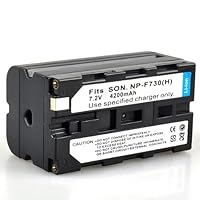
BestDealUSA Battery for Sony NP-730 NP-F750 NP-F730H CamcorderThis is just a charger, not a spacecraft.

OMG, can you imagine it works and charges a battery? Yes, it does.

What you can't imagine that every time you take the batter off the charger, the part of the charger slides off the rest of the body and stays connected with battery. Every time you have to separate this part from the battery and place it back where it belongs: = back to the rest of the charger.

I'd recommend another seller, but I'm afraid all the chargers are the same : made cheap somewhere in China

Monday, June 9, 2014

RCA DRC8000N Progressive-Scan DVD Recorder/Player

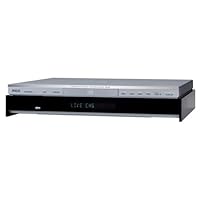
RCA DRC8000N Progressive-Scan DVD Recorder/PlayerI've used several different makes and models of DVD recorders, and this is one of the best!

First off, the person who said you can't play DVDs made with these on other players is VERY mistaken. The DVD+R and erasable DVD+RW formats will play on the vast majority of DVD players with no problems. Players older than 3 years may not be compatible, but this is minor. 99% of players on the market today will play DVD+R and DVD+RW so compatibility is not an issue.

The machine records in DVD+R and DVD+RW formats but can also play back DVD-R and DVD-RW, as well as VCD and SVCD and of course CDs.

Recordings look quite good, especially at the 1 or 2 hour speeds. The 8 hour picture isn't much good for anything except maybe timeshifting daytime soaps, but since discs are dropping in price so quickly most people will use the better quality modes for keepsake material anyway.

The menu system could use some improvement/streamlining but it isn't hard to use once you figure it out.

For the price, this is the best DVD recorder I've encountered.

I have owned the DRC800N now for 4 days. I have used the timer record successfully 3 times. Any familiarity you have with

VCRs and/or DVD players will be helpful in the operation of this unit, but having said that.........it's not rocket science.

The improvement of video quality alone when recording broadcast TV is nice, but like most people my main reason for this purchase was to put treasured family videos onto DVD. I'll

be starting that project soon.

In the course of researching this unit, you may come across a

dissenting opinion about the unit being noisy due to a small cooling fan on the back. Yes it is on constantly, and yes you can hear it. My furnace makes noise too.

Buy RCA DRC8000N Progressive-Scan DVD Recorder/Player Now

I bought this as a refurb for $130 and cant believe I didnt buy one sooner. I have had it about a month with no problem and make a recording probably everyday. The guideplus did not work with digital cable but it has its own guide so not a big deal and the small buttons on the remote could bother some. It records off the premium channels just great. It has a input door on the front which i can hook my computer into. Great for making dvd slideshows of family pictures. I have not had any clock trouble like another reviewer. I have 3 other dvd's players in the house, all play the recordings and quality is great.

Read Best Reviews of RCA DRC8000N Progressive-Scan DVD Recorder/Player Here

I purchased this unit a year ago. It has performed great. I have dubbed VHS tapes to DVD and they come out better than the original. My only complaint is that when I erase a DVD-RW disc the system erases then says please wait,but nothing happens. It never finishes what it is doing, and it locks up everything. The only way to get it to unlock is to unplug the unit and plug it back in ! I don't know if it's something with my machine or a defect in the model.

Want RCA DRC8000N Progressive-Scan DVD Recorder/Player Discount?

this unit has been the worst for the money.. i already had the remote control die, and it hard to shut off when it is on a timed recording!!! the customer support for RCA was a bunch of jerks to me, but i finally got them to send me a new remote (supposidly).. still waiting for it.. i won't buy any more RCA PRODUCTS after they way they treated me and screwed me around..

Tuesday, May 20, 2014

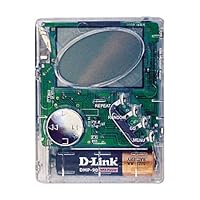
D-Link 16 MB MP3 Player

D-Link 16 MB MP3 Player
  • 16 MB MP3 player and digital voice recorder
  • Expandable using SmartMedia memory cards
  • Customize sound with equalizer presets
  • Includes earphones and PC cable
  • Requires a parallel port connection to the PC

Six months ago this product had an awsome price to value raito (I paid 30.00 after the 60.00 mail in rebate), however times are changing. Memory prices are falling, and you can buy a player with 64 MB for 90.00 to 200.00 , and many of these include a radio and USB connection. The point, this is a good product, but I would suggest you consider another, more advanced product.

Saturday, May 3, 2014

Zmodo 16CH Video DVR Security Surveillance Camera System With 1TB Hard Drive Pre-installed

Zmodo 16CH Video DVR Security Surveillance Camera System With 1TB Hard Drive Pre-installedI purchased this and had to return it. Could not get it to work to view on iphone, etc. I have another dvr hooked up to the same router and works perfectly fine. Customer service tried to troubleshoot it but was unsuccessful and told me that they would call me back to figure out the problem. Never heard from them again.

In terms of overall quality, very cheap. When viewing live footage on my mac, the resolution was terrible and there's no way to adjust it. I called customer service yet again and they could not help as there were no adjustments.

Even at 100.00, it's not worth it.

The DVR is very basic. The remote serves almost no function, you can't use the record buttons, software is very scetchy. But it is a 16 channel DVR for a very low cost.

Buy Zmodo 16CH Video DVR Security Surveillance Camera System With 1TB Hard Drive Pre-installed Now

System works well so far, its the first 6 months. I read the last review and wondered what mobile app they were using. I was able to set up 3 mobile phones for viewing and one of them was an iPhone. My favorite free viewing app for this DVR is Asee.

Because of its basic setup I would normally give this DVR three stars but because of the great price I will give it a four.

Read Best Reviews of Zmodo 16CH Video DVR Security Surveillance Camera System With 1TB Hard Drive Pre-installed Here

I would give 5 stars if: 1) there is better manual. Like other Chinese products the manual is lacking in detail, 2) the receptacles in the back of the box, for the 16 cables are placed so close by that it is difficult to get proper hold with my not so stubby fingers. I had to use pliers to turn the quick connects, 3) the on-screen menus could have been better designed and explained.

Having said that, I have used other brands more expensive ones and this one is far better, and offers a great value. I have not used all the features yet though.

Want Zmodo 16CH Video DVR Security Surveillance Camera System With 1TB Hard Drive Pre-installed Discount?

I can't get this machine to prerecord the three seconds that is should be doing. When motion is detected, a three second pre-record should occur. That way when you click on an alert you can actually see the event as it happens. However, this 16 channel machines software does not allow for that. What happens is when a motion is detected let say at 10:23:31 PM you click on the alert video and it starts viewing the occurrence three to four seconds after the motion occurred. Say at 10:23:34. This time delay allows someone to actually NOT be caught on camera if they were to move across viewing area of camera.

Tuesday, April 29, 2014

JVC HRS5902U 4-Head Hi-Fi VCR, Black

JVC HRS5902U 4-Head Hi-Fi VCR, Black
  • S-VHS and VHS recording and playback; Super VHS ET Recording gives you S-VHS quality with standard VHS tapes
  • Gold-plated front AV inputs accommodate a camcorder or gaming console
  • 1-year, 8-event express programming; VCR Plus+ with cable-box control
  • Includes full-function multibrand TV/cable/DBS-compatible remote control with glowing keys
  • Active Video Calibration automatically judges head condition and tape quality to maximize recording potential

Okay! I admit I was a bit condescending on my previous comment, but it's only because the review I was critiquing was illogical and the rating unfair. I'll be good this time and try to be less of a smart aleck.

The original review to which I posted a rebuttal was flawed. He bought an excellent, high-end VCR for the wrong reasons. Then he complained when it did not perform better than technologically-possible in his system and gave it a one-star rating. He has now compounded the error in his logic by trying to throw PRICE into the equation. Did I realize that this machine costs 3 times as much as the cost of a standard VCR? Yep, I just purchased an el-cheapo machine for about fifty bucks two weeks ago. But I didn't need the capabilities of this sweet device.

First, a quick technology overview: There are a number of factors that make up how clear and detailed a video image is going to look, but resolution appears to have the most effect so I'll concentrate on that.

The US television standard is called NTSC. NTSC stands for National Television System Committee, or as those of us in the industry call it: Never Twice the Same Color. (NTSC stinks, but this is not the place for that discussion.) Of the 525 NTSC scan lines, only 485 lines are used in the image.

Standard VHS VCRs can record and display only about 220 lines of resolution less than half what your TV is capable of displaying. Your standard TV broadcast (either off the air or cable) will get up to 330 lines on a good day. A DVD player can output 540 lines.

The S-VHS VCRs can record and playback about 400 lines of resolution, or nearly twice what a standard VHS machine can display. But there is problem: it can only display as much data as was originally recorded. If you're playing back an old VHS recording with 220 lines of resolution, that's all you're going to see. If one records programs off the air ON THIS MACHINE, they will look a bit better when played back on this machine -as good as your TV broadcast signal happens to be that day (up to 330 lines) -but still not as good as a DVD.

So why would someone pay the big bucks and buy an S-VHS VCR? Because if you have an S-VHS camcorder, this puppy is going to SHINE. You can record and playback the full 400 lines of resolution even on a standard NTSC TV set. Also, the S-VHS technology allows for much better tape dubbing. Ever try to copy a standard VHS tape? The result appears to have about 100 lines of resolution and the colors bloom so badly it is unbearable to watch. S-VHS machines do not have this problem. Plus, this particular machine has a flying-erase head, which allows you to make beautiful edits. You can take the six hours of video recorded at your family reunion and produce a one-hour tape of the highlights with seamless edits, then add your own narration with the audio over-dubbing capability of the JVC. After that, you can make near-perfect copies to give to all your family members. You CANNOT do that with a standard el-cheapo VHS VCR. No way! No how!

So... If I owned an S-VHS camcorder, would I be willing to pay 3-times as much for this lovely VCR? You betcha!!!

To give my own analogy, the previous writer said that there is no reason to buy a Porsche Carrera because it rides just as poorly as his Chevy pickup truck down the rut-filled dirt road he lives on yet costs three times as much as the Chevy and isn't as fast as a Lear Jet. Substitute the JVC S-VHS VCR for the Porsche Carrera, a standard VCR for the Chevy pickup truck, an old VHS tape recorded off the air for the rut-filled dirt road, and a DVD player for the Lear Jet and you'll see my point. He's comparing apples-to-oranges-to-pears.

And why, you ask, would I waste my time responding to this these ill-conceived reviews? (It's quite obvious from the feedback so far that most people found my critiques much more "helpful" than his criticisms.) It's because I use the reviews and ratings here quite often to determine which item I am going to purchase. If I can help him (or others who read this) to THINK about what they write (state how well the item really operates, etc.) and then give fair reviews, we all profit and this customer review system becomes more valuable.

Thanks for reading this far.

Buy JVC HRS5902U 4-Head Hi-Fi VCR, Black Now

Ever since I bought my Samsung 50" DLP HDTV a few months ago I've been on a quest to upgrade my DVD player and now my VCR player as well. To be brief, if you have an HDTV, and you intend to still keep using VHS cassettes, then you must have this VCR.

Only recently I learned that an S-VHS (Super VHS) VCR gives you a resolution of 400 lines, as opposed to your standard VCR which gives you 230 lines of resolution. Obviously, for a standard TV you might not notice much difference. But for an HDTV, the difference is amazing! Here's a summary of my experience with this VCR:

Pros:

1) Super Video Quality. I tried recording a TV program on a standard VHS cassette (in fact the cassette is very old, recorded over many, many times). Remember, this VCR allows you to get the S-VHS quality even when recording on a standard VHS cassette you don't have to buy an expensive S-VHS cassette (although it should give a little better quality). When I played back the recorded program, it was unbelievable! The picture was clearer than what was broadcast on TV now that's impressive!

2) I mentioned it above, but it really is an additional bonus the fact that you can record S-VHS quality on a standard VHS cassette. You do have to change the default setup to enable this 'ET' mode (that's what JVC calls it).

3) The '24Hr Jog Dial' I really like this feature. With this you can setup to record a TV program within the next 24 hours. You don't have to turn on your TV. All you do is set the start time, the end time, and the channel using the jog dial on the VCR. Very neat feature.

Cons:

1) When playing a tape, the display on the VCR will NOT show the counter. In fact, the display NEVER shows a tape counter at all! If you want to see the tape counter, you have use the OSD (On Screen Display) and then you can see the counter on the TV that's annoying!

2) Auto clock doesn't work with cable They actually warn you about this when you try to set the Auto clock. When I first got the VCR, I left it in for a few hours before finally giving up. I had to set the time manually. By contrast, my Sony VCR can set the time in less than 5 minutes using its auto clock.

3) No memory backup if you have any programs scheduled to be recorded, even a 1 second power glitch will make you lose everything! For a VCR this expensive, they could have added a simple battery backup!

On a side note, I thought it important to mention that when playing tapes that are NOT recorded with S-VHS (like my older Disney movies), the output is not at 400 line resolution, it's at 230 lines. But the picture quality is as good as you'd get with any other high quality VCR. In other words, to avail of the S-VHS quality, you must have a tape (movie, etc.) already recorded in S-VHS to get the full benefit.

Side note no. 2 Also remember that when you record in S-VHS mode on a cassette with this VCR, you may not be able to display it on another VCR that does not support S-VHS. I have that problem with my other Sony VCR it cannot display S-VHS recordings (looks very fuzzy). But that's a fault of the Sony VCR of course, not this JVC one.

So, in summarizing, there definitely are some annoying facts about this VCR. But you may forgive and forget when you see the picture quality it's capable of producing near DVD quality! I would recommend buying this VCR but only if picture quality is absolutely essential.

Read Best Reviews of JVC HRS5902U 4-Head Hi-Fi VCR, Black Here

Many TV newsrooms use super VHS, in their cameras, or for editing & dubbing in the studio... quickly, on the fly.

Flaw, bug, & software free, fool-proof analog video almost as good as DVD, with S-video & multiple inputs & outputs that would make any videophile drool. The more sophisticated a machine becomes, the more sophisticated a user will have to be happy with it. Great pic, great sound, & fantastic for quick editing on the fly... maybe to later be burned on a DVD.

The tuner gets a better pic, than my sony wega's tuner. If you get a bad channel 9, one of you're RF cords may be broken inside, at the end, or it not connected properly. Don't blame JVC. I own this & 3 other JVC s-vhs machines. The tuner is better than any equipment I'm seen... even on channel 9. But really, if you don't have a cable box or satellite, don't buy this machine, it's capable of much more than your system is capable of. If you don't know what a s-video connector is for & why you need it, these machines are too good for what you're capable of. AMF if you don't notice a startling difference in the picture quality compared to ordinary VHS, you're TV or how you got it hooked up isn't good enough.

But these machines also play back ordinary VHS tapes with better quality than ANY other machine. There are pic/filter settings to clean up extra crummy tapes too.

This particular machine I purchased as a back-up & extra. I was expecting it to be the quality of some of their cheapest s-vhs machines. To my surprise the machine works very well & the pic is excellent for s-vhs at this price range.

One minor problem noted. The oscillator that generates the voltage for the fluorecent display generates interference to my Akai DVD burner it's setting on, & my other JCV s-vhs machine I have stacked ontop of it (on top of that I have my Directv TVO box). So with 4 units stacked together some interference came from this machine's fluorecent circuits. I found if I slid it 1" back from the burner, & the other machine ontop of it 1" back, all the interference disappeared. But now they aren't flush with each other. Someday I'll try stacking them differently. Beside them I have a JVC DVD player, Terapin VCD/CD burner, & another JVC s-vhs deck stacked together. Between the 2 stacks is 2 5" LCD monitors (for dubbing/cueing).

Anywho, it's not unusual to have stacked machines interfere with each other. But it's the first time it ever happened with a JVC unit. Some TVs will even interfere with some machines set on top of them. It's not a defect but rather an occasional coincedence that one machine is emitting a certain frequency close to a frequency that another machine is particularly sensitive to. Moving the units a little or the wires behind them usually will clear it up.

Update: I've read S-VHS tapes are harder to come by in another review. These machines use ordinary VHS tapes, you don't need super-vhs tapes for them, but they should be good tapes. My best pix on the come from ordinary t-120 & t-160 memorex tapes I buy in 10-packs real cheap. DVD burners & blank DVDs are getting cheap but the lasers & drives wear out after your 100th to 500th disk. 10 years after your fifth DVD burner has bit the dust your super-vhs machine will still be going strong. I know from experience, I'm a tech, I work on stuff like this all the time. My first 10 year old super-vhs machine is still running like new after extremely heavy use & conditions. It's been banged around overstacked, & used in hot environments that would kill most electronic equipment. It's never been opened or repaired. The newer cheaper s-vhs models only had minor negligible problems, & are still many times better than any ordinary vhs machine.

BTW, I don't work for JVC.

Want JVC HRS5902U 4-Head Hi-Fi VCR, Black Discount?

I've learned a few more things since I wrote my last review. The following are corrections to my previous review:

1) Memory backup Apparently there is some sort of memory backup, even though the manual clearly states there isn't. Quite by accident I unplugged the VCR and then plugged it back in. I was sure I'd have to re-program the timer to record my favorite programs, but I was pleasantly surprised the VCR remembered all my previous programs! In experimenting further, I disconnected power for almost 5 minutes and the programs still remained in memory afterwards! I didn't test further than that.

2) Auto clock I figured out why the auto clock won't work for cable. When the unit is without power for a while (I think the manual says 10 minutes), it defaults all the settings. The default settings for the tuner preset is 'air' not 'cable'. That's why they advise cable users to set the clock manually. However, the first thing you should do after a long power failure is to set the tuner to 'cable' and have it scan all channels. You should now be able to power off the VCR and auto clock should work (for me it took about 30 mins though, but it got it eventually!).

So this is good news. If there's a power failure for a short time (say 5 mins), the auto clock should eventually set the clock and your programs set for timer recordings should still be there!

I think the JVC now deserves a 4.5 star rating and so I'm giving this review a 5 (my other was a 4).

This high-end VCR has many advanced features,such as jog and shuttle on the remote, flying erase heads, S-VHS, etc. It produces a fine picture, and has very good tracking with old tapes.

The annoyances, particularly for editing:

(1) Unlike even simple VCR's that I have had in the past, this machine has no tape counter on the VCR's display. The counter is available only on screen, in "Play" mode only at regular speed, and in "Fast Forward" without picture.

(2) The speed controls are different from any other VCR's:

(i) Pushing the Pause button a second time does not put it back into Play, but into Frame Advance.

(ii) The shuttle feature is also nonstandard: it goes from Slow Forward directly to Slow Reverse, rather than through Pause.

Monday, April 14, 2014

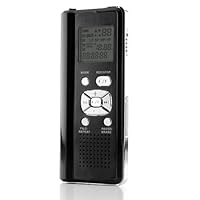
Coby CXR190-4G Digital Voice Recorder with Integrated Speaker

Coby CXR190-4G Digital Voice Recorder with Integrated SpeakerEasy to use, reasonable price, internal memory hols a lot.

USB doesn't work with Mac/Apply computer...if you were wondering.

Hoping the microSD card will work or do the job of transferring records to computer and sharing with family.

Blaming a product for one's own stupidity seems to rampant on Amazon reviews lately. This unit is perfect for the application for which I bought it recording class lectures in school (the same as WOW-MOM's). The microphones pick up the teacher's voice perfectly. You can set different recording resolutions depending on how clearly you need to replay the material. As far as I can tell, this little unit would be perfect for clandestinely recording live band events. It's a quality unit at a great price. Only downfall is that although it's compatible with MicroSD cards, I haven't been able to find what the max size card I can use. I'll update this if/when I find out.

Buy Coby CXR190-4G Digital Voice Recorder with Integrated Speaker Now

I just used this for the first time to record a lecture. I would have rated this 4 stars as I feel it is a great value except for one thing...when I played back my hour and a half long recording, there were many periods of massive distortion where the audio is absolutely unreadable. I haven't done much to figure out why this could be at this point, if I find out I will update with the cause and solution. If there is none I am likely going to return and buy a Sony. I hope this can be fixed, the features and quality seem like an awesome value (comparably Sony recorder is about 17 dollars or nearly 50% more this what I paid for this coby). Very dissapointed to hear the distortion which could come as much as every 5 minutes for about 20 seconds or it may not be distorted for a longer period, but it was there consistently thought my 1.5 hour recording.

UPDATE:

I called coby's customer service and their service was good as far as I was not on hold for very long. After explaining the problem with the device, I was told the unit has a defective mic, and directed to return it through Amazon.

Summation...the unit would have been a great buy if it had actually been fully functional. I could try to get a replacement but rather than have another distorted recording I will buy the more expensive sony comparable.

Read Best Reviews of Coby CXR190-4G Digital Voice Recorder with Integrated Speaker Here

Bought for my kid for her A & P college lectures, but could not get it to work. Told her to read the manual and use it. After reading the manual, she couldn't get it to work either. After a week of trying, I decided to take the batteries out. The inside of the recorder had dried battery acid all over, those were brand new batteries I placed a week earlier.

The recorder did feel too light and cheaply made. The casing was thin and flimsy.

I will never buy another Coby product again.

Want Coby CXR190-4G Digital Voice Recorder with Integrated Speaker Discount?

Tuesday, March 18, 2014

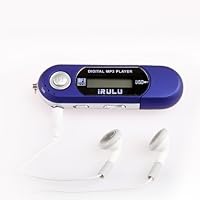
iRulu Brand USB 4GB WMA MP3 Music Player Voice Recorder FM Radio(Blue)

iRulu Brand USB 4GB WMA MP3 Music Player Voice Recorder FM Radio(Blue)
  • MP3/WMA Player: fantanstic quality, unbeatable price and accurate shipping!
  • USB Flash Drive
  • Digital Voice Recorder
  • Built-in FM Radio
  • 4 in 1 with 7 Colors backlight LCD

Would've given 4.5 stars if possible!

WELL WORTH THE MONEY, PEOPLE. WELL WORTH IT. Just play with the controls, you'll get it soon enough.

Pressing the PLAY/PAUSE button = turning on/off

Holding the MODE button = previous menu access

MODE left/right = selecting options, next/previous song

Most of the time people search for MP3 players that have all the bells & whistles; playlists, touchscreen, movie/picture showing, as well. I wasn't looking for that. I just wanted something that I could put my music on, like a gig-stick, and that thing could just show me the name of the music and play it back. This is EXACTLY what it is.

You put music on it. You can see the title of the song, alphabetical order. You can play it. You can go forward and back. For anyone looking for something simple in the age of "overdone," this is the relief.

Like another reviewer said, however, there is an additional step needed to be done to use all 4GB. You need to "format" the drive to "FAT32" [which is an option in a drop down box] instead of "FAT", which is very simple. Follow the instructions at the website below, and you'll see the FAT32 option and, bingo, 4GB for $12.40 where it takes near $80 to get it otherwise.

Buy iRulu Brand USB 4GB WMA MP3 Music Player Voice Recorder FM Radio(Blue) Now

This product was received in a timely manner. The instructions for it were written by foreigners with little first hand English experience. The instructions spoke to a Power On/Off switch and is not described. The instructions describe a installed Lithium battery when in truth the product requires a single AAA battery. The memory comes formatted in FAT and will not allow continues use of the 4GB of memory.

I struggled with the product, found the on/off switch hidden in the down depression of the play button. I formatted the FAT to FAT32 and was able to utilize the full 4GB of memory.

Now that I've found most of the controls this product is a satisfactory simple MP3 playing device.

The instructions for this manual are severely lacking for an English speaking customer.

Read Best Reviews of iRulu Brand USB 4GB WMA MP3 Music Player Voice Recorder FM Radio(Blue) Here

Well, I bought the iRULU MP3 player to replace my RCA TH1100A MP3 player, but was very skeptical because of the price. I read numerous reviews about this MP3 player and was quite impressed with them, which gave a confident feeling about purchasing an iRULU for myself. So, I did.

The shipping time was good, and when I recieved the iRULU, it came with Bud headphones and folded up instructions, which are understandable and explains how to operate the MP3 player. The only trick about the instruction is it does quite fully explain how to work the MP3 player. For example my instructions read "when the MP3 player is in music mode press the play button to start playing... the current song". Well see theres where the trick happens. so I will tell you fine people how to play your songs....

1. press and hold the silver play button on the face of the iRULU for like 2 second or until you read "starting" on the screen.

2. When the menu screen comes up, cycle through them with the mode toggle(looks like a silver thumb), until you get to the music symbol icon(might even say music under it).

3. Now, press that mode toggle INTO the device like "clicking" a ink pen. AND PRESTO music!! cycle through your songs by toggling the mode button left or right. To get your song to play, just click the silver play button on the face of the device and sit back, relax, and enjoy.

Also, "clicking" the mode button while listening to your songs will bring up a sub menus like: replay, equalizer, repeat. just toggle the mode button left or right to cycle through those. Want to leave and get back to the tunes? find "exit" on that sub menu and "click" the mode button.

You can thank me later.

you see, I solved the mystery of this device and where other fine patrons of this device suggested you "just fiddle with the buttons and youll figure out" on your own, I GIVE TO YOU ALL, THE SECRETS OF THE iRULU!!!!

And thats my good deed for the year.

your fellow iRULU-er

Odieman

Want iRulu Brand USB 4GB WMA MP3 Music Player Voice Recorder FM Radio(Blue) Discount?

The case broke while putting in the battery. The spring that held the battery was bent when I got it. The plastic clips that hold the battery are easy to break. It is very flimsy, and in no circumstances would this product last any length of time. It is the worst electronic product I have ever seen. Should not even be sold poorly made. The instruction book is so tiny that it is almost unreadable. I had to get out my magnifier to read the tiny print.

I spent a little more money and found a basic MP3 player that has a strong case, and works as it should. RCA TH1814 4 GB MP3 Player with Flipout USB and Display

The player has good features but the operating directions seem to be written for a different player. It took some trial and error to figure out how to navigate the menus and discover the operation of the button and the lever. After playing with it, I discovered that the lever, that moves you forward and back in your selection, can also press down in the vertical position to navigate the menus. Another negative feature is that although you can upload folders and you can see the folders, I was not able to select a folder to play its contents. The player seems to play the files in the folders sequentially, so you need to listen to every file or skip ahead or back to find the selection you want to play. With 4GB of music or audio files, it can be a time consuming and annoying task to find and play a specific selection.

All in all, it is a good, dependable player. The main reason I bought this player is that it uses a replaceable battery. I can carry extra charged batteries when I am out so that I can listen without any down time.

Monday, February 24, 2014

VideoSecu Built-in 1/3'' SONY Effio CCD Day Night Vision Outdoor IR CCTV Security Camera 700TVL 28

VideoSecu Built-in 1/3'' SONY Effio CCD Day Night Vision Outdoor IR CCTV Security Camera 700TVL 28 Infrared LEDs Wide Angle High Resolution Vandal Proof Weatherproof with Pre-Amp Mini Hidden Microphone, Extension Cable and Power Supply 1ZGI didn't know too much about cameras when I ordered this. What I wanted was an unobtrusive camera with wide capture angle to replace a bulky and ugly camera that came with a package set. Installation was a snap and the microphone is nice b/c it does a nice job capturing conversations near the front door. Video quality is great and it's lasted 9 months so far without any problems. I'll plan to buy more of these as the need arises.

Save 80% Off

Monday, February 17, 2014

Panasonic PVL452 VHS-C Mulitcam Camcorder with 2.5" Color LCD & 8MB SD Memory Card

Panasonic PVL452 VHS-C Mulitcam Camcorder with 2.5' Color LCD & 8MB SD Memory CardI purchased this camcorder/digital camera in May 2002 and found that it takes excellent video, is easy to use, and seemed to be a good value. Unfortunately my good first impression came to an end. Despite every trick known to a computer geek and following Panasonic's instructions to the letter, I cannot get the camera to "talk" to my PC. Therefore the digital camera function is worthless to me now. Panasonic's product literature states the Windows 95/98/Me/2000 OS is required. I am using Windows XP. So I went to Panasonic's website to download the newest iteration of the software but that didn't solve the problem. I called Panasonic's customer service and despite numerous busy signals, finally reached a rep who was basically clueless. It might be the cable, but I don't want to buy a new one. I'd really like Panasonic to solve the problem!

I have wanted a video camera for years and years. When I finally decided to get one, I chose this one. I read all the reviewers comments, and compared it to other products. I even found it here on Amazon for ...less than I saw it at another online store. As for using it, so far it's been easy to figure out. And the videos are bright, crystal clear and colorful -both indoors and out. I still have to play with it a little bit (it's my first camcorder ever) but I have the basics down pat. Indoors and out, my family and I are having a ball with this. I agree with the others who said it's a great first camcorder.

***************

June 29, 2004

My father died a month ago, and I am the only family member who has him in living, breathing, talking and singing color on video thanks to this cam. A few weeks after I bought it, I took it with me on a visit to see him. If I thought it was a splurge purchase back when I bought it, it's value has become priceless as I've found comfort in these sad times by watching and rewatching the video I made of my dad back in 2002!

Buy Panasonic PVL452 VHS-C Mulitcam Camcorder with 2.5" Color LCD & 8MB SD Memory Card Now

I think this camcorder/camera is very nice!! I have used it to download pictures and they turn out great. I did have a little problem with it saying that it was not connected but after just trying a few more times it worked. I love it and especially for the price and the accessory kit. I am anxious to use it more!! You can find the memory cards at at good deal. I bought a 64mb one so that I will have lots of room. Lots of gadgets on the camcorder but will take time to figure them all out but I think a VERY good deal for the price!!!

Read Best Reviews of Panasonic PVL452 VHS-C Mulitcam Camcorder with 2.5" Color LCD & 8MB SD Memory Card Here

This is probably one of the best electronics I have bought in a while, the only complaint I have on it is you need good light to take pictures or video tape anything, otherwise it comes out fuzzy and slightly blurry. It works great other than that. I already have transfered about 300 pictures onto my computer and have enhanced and printed them out. I would like to have something smaller to take pictures but I am happy w/ what I have until I get some extra $$$ to spend on a small digital camera.

Want Panasonic PVL452 VHS-C Mulitcam Camcorder with 2.5" Color LCD & 8MB SD Memory Card Discount?

This camera takes amazing quality digital photos. The features are extremely handy for making home movies, incorperating still photos; It is also nice to be able to get a still photo out of a movie! I have gotten a lot of compliments on the close-ups I took of my dogs... no red eye, no blurs... I also managed to get quite a few wildlife photos because the zoom quality is so good. I could also take a picture of a dew drop on my roses at night. So, that should tell you how good this camera is. The ONLY thing I do not like is the smaller sized video casettes. But, that is pretty standard with camcorders.. and a small price to pay for the size reduction from the much older, more cumbersome models. I would definitely recommend this product.

Saturday, January 25, 2014

Evision Bird Observer Telescope Sound Amplifier Spy Camera Digital Spy Recording

Evision Bird Observer Telescope Sound Amplifier Spy Camera Digital Spy Recordingvery good for birds only & not to hear human conversions

if you want to locate a bird and you are a bird lover this is for you,

not for ant thing else

Sunday, January 19, 2014

SureConnect Select TSC-HDMI-SEL-4 HDMI Cable (Black, 4 Feet)

SureConnect Select TSC-HDMI-SEL-4 HDMI CableAfter constantly re-adjusting my previous basic HDMI cable from my DirecTV STB to my Flatscreen when losing video, I was able to determine that the issue was with the lacking security of the connectors. I researched other cable options online and thought that I would give this cable a try, especially for all that it offers and it's competitive price.

PROS: Right out of the packaging, I connected it once and have no longer had to re-adjust it at all. With it's beefy cable design, solidly built connectors and built-in continuity LED indicators, it beats any HDMI cable hands down! In fact, I plan on replacing all of my existing flimsy HDMI audio/video cables with this one. For those individuals who are thinking that their signal loss may be a sign that an internal component is going bad in their TV's, this cable should be a definite first expense before spending additional money on either an unnecessary repair or TV replacement.

CON: The only specification that I noticed was not mentioned on their website, the packaging or instructions was that this cables' connectors will also work where there is a mounting screw securing the connector to the chassis.

...unless of course the mill is being bombarded with electronic interference and crosstalk...and is 4 feet long.

There's a lot of conflicted feelings on this product. It is fantastic a blocking out interference with other wires. The activity lights on both ends are cool too. (I'm not exactly sure of their purpose, but they look neat-o!)

However, all of the jacketing that's protectin this baby makes it quite rigid. Don't expect to bend this to much more than a 45° turn. The other problem is that it's 4 feet long! This is handy for short runs, but there's only so much crosstalk a wore can get on a 4ft run.

On a side note, the corn comes with 4 magnetic rings that are actually pretty sweet. They function much like the power cord on a MacBook does, in that it pulls the cord right into the port. Very useful if you have to switch ports on the fly.

Buy SureConnect Select TSC-HDMI-SEL-4 HDMI Cable (Black, 4 Feet) Now

Purchased this item thinking it would be a solution to my HDMI cables constantly coming out. It was not! It really does not lock the cable into the Jack, and the cable still keeps coming loose. What a disappointment. What I thought was a great idea turned out to be a dud. If you watch the YouTube video of this product you will see the demonstrator holding up what ever it's connected to by the cable. Don't try this at home, your product will drop on the floor. It simply does not have the holding power it should. One further point the cable itself is not very flexible but somewhat rigid. If it were more flexible it might do a better job. I purchased these cables through Amazon and finally return them. A locking cable should truly hold tightly. This does not.

Read Best Reviews of SureConnect Select TSC-HDMI-SEL-4 HDMI Cable (Black, 4 Feet) Here

Thursday, December 26, 2013

Philips Universal Remote

Philips Universal RemoteWe bought the Philips SRU4105WM/17 recently for a Panasonic TV/VCR/DVD combo unit and an Insignia Digital Converter and a 15 year old Sony rack stereo system. I was able to program ALL UNITS to work with this remote.

We're very happy with this purchase. I had lost the remote to the Sony a long time ago and wasn't sure if this would work, but it does. I also didn't see any digital converters on the list of approved products that this works with, but after doing the search mode, it found my unit.

The learn feature is very simple and has worked every time for functions that the remote didn't automatically program in. You have to have the orignial remote if you want the new one to learn any functions. So there will probably be things with my Sony that it won't be able to do, but I can live with that.

The stickers are very handy. No more pushing 12-3 for PBS, I can just program it in for PBS Kids and push the button next to that sticker.

Great product. Worth more than the eight bucks I paid for it.

Philips SRU4105WM Universal remote control infrared

It was a Christmas gift. I love not having to remember favorite channels. It was easy for me to set it up. Ended writing the person who gave it to me to get the company name and product number as it isn't on the product (should be!). I need another one for another TV.

Buy Philips Universal Remote Now

This product seems to be well made and it worked with my Samsung TV. It was easy to program for the TV but it did not have the capability to work with many of my DISH receiver controls. It would do some things but only the very basic things. Would not skip forward or backward. I plan to return it because it won't work with the DISH (I have a Hopper).

Read Best Reviews of Philips Universal Remote Here

When I started programming for TV, DVD, and DTV Cable box I thought it was going to be easy. The TV code went in pretty easy and the DVD code went in well. Then in order to change channels I needed to be able to control the Digital TV converter. The website says

"No , because this product was developed before the DTV convertor boxes were developed.

If it is not mentioned in your user manual it's not supported.

Note : When your remote is able to learn key's you can use this option to control your DTV box "

The learning keys was going to be a little work but I had time. Then I started learning the number keys. One, two, three went fine but it would not take 4, 5, 6, 9, ch up, ch dn. That effectively makes the remote rather useless because it gives no way to change channels...

I have seen these advertised at fire sale prices but I don't recommend this remote. There is a good chance it will not work for what you want it to.

Want Philips Universal Remote Discount?

I like Philips remotes. They're the only replacement remotes I buy and they work well for me. I don't have a lot of products to use them on so I can't say how well they work for other electronics but for my tv sets, Toshiba and Panasonic, they work perfectly, and this one in particular. I love the favorites buttons and being able to mark them with stickers. It helps my grandson choose the channels he should be watching easily since he hasn't learned how to identify his numbers yet.

The shipping and delivery were also very quick.

Saturday, December 21, 2013

Agasio A533W H.264 Megapixel Pan/Tilt Wireless IP Camera with IR-Cut Off Filter for True Color Imag

Agasio A533W H.264 Megapixel Pan/Tilt Wireless IP Camera with IR-Cut Off Filter for True Color Images, Built-in 32GB Micro SD Card Slot DVR, Two-way Audio, IR Night Vision, I/O Alarm Linkages, 720p HD High DefinitionI own an Agasio and was appalled to see all of the five star reviews for this camera. Look at them closely, because they don't rate the camera but instead claim great tech support. Agasio tech support is horrible. I tried looking for some firmware and half of the Agasio website links don't work. My order from 2011 still shows as "processing" even though I received my camera 2 years ago. Also look at some of those 5 star reviews talking about Foscam when this camera is the Agasio. Someone obviously planted all of those reviews to build up the star rating from 2 to 5...

I would have given this camera a higher rating but for the following reasons:

It's not easy to set up. in spite of having set up 3 other Agasio wireless IP cameras.

There is no written manual. The instructions are on a CD and the translation isn't very clear.

Two of the led infrared lights stopped working after a couple days after I had it set up and 2 more only intermittently.

A few days after that, the color image turned pink and sometimes sepia for a whole day, in bright sunlight. It seemed to be stuck in an infrared mode. It did the same thing a few days later. I fixed this problem by unplugging and replugging it back in.

The picture is ok. I was hoping for a sharper image since it is 720p HD. It is better than a 640x480 image though. I plan on returning this camera to amazon and getting another one in the hopes that it won't be defective. One other thing which another reviewer noted, is that there is no way to turn off the infrared lights once the photocell activates them. I use my cameras in protective domes and keep the leds off because of this. My solution will be to tape these over for this camera.

Buy Agasio A533W H.264 Megapixel Pan/Tilt Wireless IP Camera with IR-Cut Off Filter for True Color Imag Now

Works well, image is not quite as vibrant as others, can't seem to find a saturation setting but does have brightness and contrast settings. The 720p mode gives a very nice wider angle view and a nice sharp image, I wish all IP cameras had this. Works fine using Internet Explorer. Firefox however only gives me a very small "quicktime" image which I can't seem to resize or make full screen. Using IP Cam Viewer Pro and Tiny Cam Monitor Pro for Android has been unsuccessful so far. No drivers appear to be available and various generic attempts have been unsuccessful. Image gets 4 stars, platform options for viewing gets 2 stars.

Read Best Reviews of Agasio A533W H.264 Megapixel Pan/Tilt Wireless IP Camera with IR-Cut Off Filter for True Color Imag Here

I needed help with setting up the camera wirelessly and remotely. Also needed assistance with setting up the camera to record and send the emails. Very satisfied with phone support. Very professional technician.

Quality camera with excellent features at a low price. I would recommend this product.

Want Agasio A533W H.264 Megapixel Pan/Tilt Wireless IP Camera with IR-Cut Off Filter for True Color Imag Discount?

Needed help with setting up the cameras remotely over the internet and on the android phone.

I was very satisfied with the technical support that I received this afternoon. The technical support rep. was very well informed with the product and very patient!! The camera quality is great and I really surprised with the 360 view and night vision. I would definitely recommend this product to all!!!!

Friday, November 15, 2013

Nyrius ARIES Prime Digital Wireless HDMI Transmitter & Receiver System for HD 1080p 3D Video Stream

Nyrius ARIES Prime Digital Wireless HDMI Transmitter & Receiver System for HD 1080p 3D Video Streaming, Laptops, PC, Cablebox, Satellite, Blu-ray, DVD, PS3, XboxWas very skeptical as at the time of purchase, there were no reviews. However I am thrilled. Truly Plug and play and there is no lag or latency. I've got full 1080p and smooth, clear sound transfer running between computer and 50" TV or Projector. No jumping, skipping, lag, anything. Worth every penny.

I had a challenge to install a projector with HDMI input in a place where routing the HDMI cable was a huge issue inside a diesel pusher motorhome to create a home theater environment. This wireless system solved my problem. The receiver and sender sync immediately after power on, there is no line of sight required, I get close to BluRay quality about 18 ft awayIt works ...

Update April 2013 still works ok, some signal degradation observed. Wanted to get another unit for another application and they raised the price from 149.99 to 199.99....I'll have to look for another product33% price increase without any product improvements is unacceptable and unwarranted....lost a customer.

Buy Nyrius ARIES Prime Digital Wireless HDMI Transmitter & Receiver System for HD 1080p 3D Video Stream Now

This device just works.

In my office, there is the wired version of this product.

That works great as is. The frame is not 100% but it's the best you can get.

I was a bit skeptical when I purchased this wireless version.

And when I plugged it in, there was no question about the quality.

It just works. I have a Macbook Pro, using this device, to have Extended Desktop to my 42'' LG TV.

Plug and play. Plug and go. Call it what you will.

[ Things to Note ]

If the connection is not live before you play the video (whether it's from program or from a web),

you have to do the following:

Make sure the link from computer-to-TV is live.

Change the Sound Output to your TV or whatever your unit is connected to.

Then either [1] Restart your browser if you're using a browser to watch videos, YouTube, Hulu Plus/Netflix, etc., and pull up the same video again, after the connection is established.

[2] Use a different browser

[3] Restart the application you're using to watch your content, e.g. Quicktime, VLC, etc.

Other than that, there are no issues that I've ran into.

I often plug and unplug and the receiver and transmitter have no problem with that.

I had AirParrot and an Apple TV the week before I purchased this.

I returned that Apple TV a week after I purchased this.

This is a much better solution if you want to watch whats on your computer, but extend it onto your TV.

Worth the investment.

Read Best Reviews of Nyrius ARIES Prime Digital Wireless HDMI Transmitter & Receiver System for HD 1080p 3D Video Stream Here

I purchased this item and tried hooking it up to my TV and it would not work. I worked on trying to install this device for about 2 hours and made multiple calls to customer service for help. Finally we made the assumption that the device is defective. I sent the item back to the manufacturer on 1/23/13 and to this day I can't get anyone to give me an update on this return. Terrible service.

Want Nyrius ARIES Prime Digital Wireless HDMI Transmitter & Receiver System for HD 1080p 3D Video Stream Discount?

After moving out all of our furniture in order to pull up our carpet to cut and tape the pad to install an expensive 30' HDMI cable to hook up a new projector 20+/feet from our screen, receiver and DVD, my granddaughters boy friend somehow bend/destroyed the end of the projector side cable! With all the work and cost it took to install the cable I was really upset! A friend told me to look into a wireless HDMI and after reading reviews purchased the Nyrius. After an easy set up I held my breath and turned on my projector, surround sound and DVD and was blown away that it worked immediately without any quality change what so ever. I highly recommend this product!

Save 43% Off