Showing posts with label digital video recorders best buy. Show all posts

Tuesday, October 21, 2014

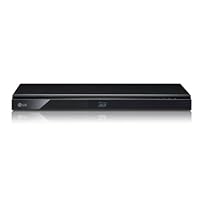
LG BP620 3D Blu-Ray Player with Built-In Wi-Fi - Black

LG BP620 3D Blu-Ray Player with Built-In Wi-Fi - BlackAt the time of this review I have the latest firmware (version BD7.341.00).

The BP620 is LG's 2012 blu-ray player model that replaces the LG BD670 from the 2011 lineup. The new 2012 BP620 model comes in at the same physical size as last years. I personally like the build quality of the player compared to the 2012 Sony BDP-S390 model, which while smaller feels very cheap.

The user interface is virtually identical to last year's model. At times last year's BD670 model suffered from delay reaction to the remote control. This is not the case with this year's model. The exception to this is during the first 20 seconds of the player booting up (turning on).

In terms of blu-ray playback quality, it is up to par compared to all sub-$180 players on the market today. The disc load times have improved on the model compared to last year's LG BD670. DVD up-scaling to 1080p is well done on the BP620 too. One feature missing across all video playback formats is the zoom feature. While I never really took advantage of zooming in on my video, I know of some people who will miss it.

The included remote control is almost exactly the same as the model included with last year's BD670. The big difference is the lack of the "marker," "search" and "zoom" buttons neat the bottom. These three buttons have been replaced with a "music id" button to have the player access GraceNote for disc info and a dedicated "Audio" button to switch audio tracks. This was a button last year's model did not have. Before you had to hit the "Info" button and scroll down to audio and then toggle to the desired track. A dedicated "subtitle" button has also been added to the remote.

Compared to the 2012 Sony blu-ray players, this LG streams a lot of video file formats from my local network: AVI, DIVX, XVID, MKV, MP4, MPEG-1, MPEG-2 & more. The Sony BDP-390 would not see or play any of my video files. This LG sees and plays them all. The one thing I miss is the "search" function that the LG LD670 had. It made fast forwarding though a long video much quicker to skip ahead. The BP620 would not see my home Seagate NAS as the BD670 did unless I turned on the DLNA Media Server function of my NAS. Not really an issue. Just worth mentioning. When fast forwarding or rewinding video was much smoother than when doing so on the BD670. Also, if you stop playing a video file then go back to playing the same file again it starts all over instead of picking up where it left off like on the BD670.

The BP620 features only a 2.4Ghz wireless radio card. This year's model lacks the 5Ghz wireless radio which I liked on the BD670.

In terms of steaming services, at this time there are a few less available than the 2011 BD670 model. Some people have written in reviews of Netflix issues. I have not experienced any to date. As of 3/14/12, the BP620 has: Netflix, vudu, hulu PLUS, Pandora, CinemaNow, AccuWeather, AP, vTuner, YouTube, Picasa Web Albums & viewstar.

Lastly I will say that the unit runs fairly warm. There is no fan in the rear or ventilation in the rear. I opened the unit up to find a very low end heat sink on the main board.

** UPDATE **

Sony has released firmware version M11.R.0211 for the BDP-S390 and while it is not listed in the updated items in the release notes from Sony, this firmware seems to have corrected the issue mentioned eariler in my review about the Sony 2012 units not seeing video files (MKV, AVI, XVID, etc) from my DLNA Certified NAS.

Disclaimer: I'm writing a review on an identical model sold by Costco (LG BP620C).

In the past 4-5 months I've tried several Blue Ray DVD players; several models by Samsung, a Sony and as of late, this LG. I've had different issues with each of the previous units which is why I kept trying other ones. My Conclusion is that the LG is the best (from my stand point). It is the only one that played anything and everything I throw at it. It played all MKV files (even the one that a Sony unit complained was corrupted), it was able to recognize and display both subtitles embedded in the MKV as well as added subtitle files within the folder. It did so both from a disk and from a connected USB device. It even played DVDs that were encoded in PAL (!!!), something none of the others could.

So, I'm sticking with the LG BP620C.

Buy LG BP620 3D Blu-Ray Player with Built-In Wi-Fi - Black Now

Hard to believe, but it was just a few years2006, actuallyago that Blu-Ray players cost $500 or more for even the most basic units. Now you can get a fully-functioned unit with WiFi, Internet connectivity, and players for Netflix and other services that didn't even exist in 2006 for a fraction of the cost. So how good a player do you get for under $150?

Pretty good, actually. I've never used a really high end player (you can spend well over a thousand dollars for a high end unit) but I can't image the images they produce are significantly better than those I get from this box. I started my evaluation by putting the manual aside and plugging the player into the wall and my LG TV. I turned it on with the remote, and the on-screen instructions led me painlessly through the setup procedure and software update. I tried a few discs, which played with no problem, and then turned my attention to configuring Netflix. This went even more smoothly than the Netflix setup on my LG TV, although there was one odd glitch. When I entered my Netflix id and password, I got an "ID or password not recognized" message, and then the player connected to Netflix without further problems. Curiously, I had exactly the same error message with my LG TV. Other than that I had no problems with that function. The user interface once you launch Netflix is very goodbetter than that in my LG TV, I think. It scrolls more smoothly and more quickly than the TV set based player.

The up-scaling feature that reprocesses ordinary DVDs to full 1080p doesn't appear to deliver significantly more resolution with the ordinary DVDs I've tried, compared to my old Philips player. I tried both older movies originally shot on film as well as brand-new videos of current TV series, but neither showed that much improvement on my 1080p set. The various Internet streaming functions, like YouTube and Hulu worked without a glitch. One curious omission from both this unit and my TV is a player for Amazon Prime videos. Amazon has a full writeup on their site on how to input code numbers from LG equipment to enable Amazon Prime video playing, but it doesn't appear to be supported on those units I've looked at. Some reviews say that previous models of this player did have Prime support. I checked an FAQ at LG's web site and read that Prime support "may possibly be made available on a future update" but there is no timetable to do so. Pity.

Other than those few quirks, I didn't have any problems with this player. The BP620 may not have all the functions I'd like, but it's still a very good deal in a basic Blu-Ray player, and includes a lot more functionality than even top line DVD players of just a few years ago. I'd say it's a good choice for anyone looking for a not-too-expensive entry into Blu-Ray technology, or a good all-around DVD player with Netflix streaming.

Read Best Reviews of LG BP620 3D Blu-Ray Player with Built-In Wi-Fi - Black Here

Let me start off by saying that many of these reviewers are correct in their assumptions about this blu-ray player, even the negative reviewers. I did not care much for this blu-ray player from the start but with my experience with electronics I decided to be patient and wait for all the proper updates. After about two weeks of the blu-ray player locking up and having to unplug it I gave LG a call and they told me they were aware of it and they were working on fixing it. Now, I'm no nuby to electronics and I try to stay realistic and patient. In this instance it paid off. I also have a LG 7600 tv that had some issues, but like with blu-ray player, the updates fixed everything.

A lot of times these companies get a wee-antsy when trying to push their yearly products out, and this blu-ray player was no exception. On the other hand, now that it's fixed it's the best blu-ray player I've ever owned (and I've owned a few). Not only does it play blu-rays and DVDs great, but it also streams at extremely great levels. I can't tell the difference between the streaming quality and blu-ray quality sometimes. It's crystal clear and runs 1080p very smoothly.

The Blu-ray player itself is very quiet in comparison to earlier blu-ray players. Some of you are familiar with loud blu-ray players and it can be very annoying. This blu-ray is as quiet as a church mouse.

One negative mark that is pretty minimal is that the blu-ray player is a bit slow. It is slow in loading and it is slow with the remote when you are trying to type out a title for a show you might be looking for on Vudu or Netflix. It's nothing major, but it is evident.

Overall this blu-ray player has been very good to me (minus the first couple weeks). I got this back in April, so I have had it for a little over 9 months. It's running great and I am 100% satisfied. Hope this helps. Take care

Want LG BP620 3D Blu-Ray Player with Built-In Wi-Fi - Black Discount?

I gought this as a companion to my LG55LM7600 3d tv. It's my second 3d blu-ray player, and it compares well to my first, a Samsung product. I hooked it up to my newly-mounted tv just 12 days ago. Haven't used the wi-fi yet...need to get a router. I've watched a 3d movie, several 2d blu-ray movies and some dvds. The 3d is fine, no ghosting, no trails, smooth motion. 2d movies are extremely sharp, but I don't know whether to credit the player or the tv for that. One thing that startled me was the picture I got when playing non-blu-ray dvds. Almost indistinguishable from blu-ray.

The player hooked up easily they all do and looks great, all slim and shiny black. One other thing: it operates much faster much than either of my two SONY blu-ray players. I'd recommend this unit.

Save 3% Off

Thursday, October 16, 2014

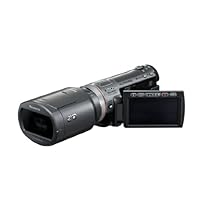
Panasonic HDC-SDT750, High Definition 3D Camcorder

Panasonic HDC-SDT750, High Definition 3D CamcorderI bought this Panasonic 3-D camcorder based on the fabulous features it shows in the description.

Zoom 12X with 18X capability and High Definition full 1080P.

It has many features usually found on Professional models but when you connect the supplied 3-D attachment the buck stops here, or should I say the value.

When shooting 3-D you do not have HD-1080P. In fact, your shooting in 3:2 instead of 16:9 which means the High Definition quality is gone and you have a black border surrounding the screen.

There's no Zoom.

The Fuji W3 may only be 720P but at least if has a 5X optical zoom and plays in 16:9 format.

The Fuji W1 and W3 both shoot 16:9 3-D still photos.

Even the cheaply made Aiptek 3-D camera takes photos and Video in 16:9 format and it's only $200.00 but the quality is really bad.

As for the Panasonic. it does not shoot still photos at all in any format with the 3-D attachment.

I am lost for words on how Amazon and especially PANASONIC avoids any mention of these facts.

They certainly lead the consumer to believe the fabulous features of the camcorder are available while shooting both 2-D and 3-D.

There should be a big warning: THE FEATURES OF THE HDC-SDT750K CAMCORDER SHOWN IN THIS DESCRIPTION DO NOT FUNCTION WHEN SHOOTING 3-D.

Also, Panasonic should not claim that the consumer will be able to shoot 3-D video just like Hollywood with this statement:

POWERFUL TRUE TO LIFE 3-D VIDEO JUST LIKE HOLLYWOOD MOVIES.

This is false because the depth of the 3-D does not come even close to reality of a really devoted 3-D camera such as their professional model or the old Toshiba.

Panasonic makes a great professional 3-D camcorder priced at $21,000.00 and they could make a consumer model for much less by merely making a 3-D camcorder specifically designed for 3-D only.

My old Toshiba 3-D camcorder works great because it's devoted to shooting only 3-D and the lenses are farther apart so it has the proper depth of field.

It's too bad Toshiba was ahead of it's time with limited resolution of standard VHS tape.

I will say when shooting close ups the Panasonic does a great job with 3-D but beyond 20 to 30 feet the 3-D is more like 2-D.

One other positive feature is that after you put your 3-D video on a disc it will play directly on your 3-D TV just like a Bluray 3-D movie, but only in 1080i 3:2.

When will Sony come out with a real consumer 3-D camcorder like Toshiba did 20 years ago?

What are you waiting for SONY.

UPDATE 11/25/10

If you own any laptop or computer with NVIDIA 3-D you will not want this Panasonic 3-D camcorder because it is not compatible with NVIDIA 3-D.

The best 3-D camera you want is the AIPTEK 3-D camera priced on Amazon at only $189.00.

It's a cheaply made camera and the quality is not as good as Panasonic but Aiptek includes NVIDIA 3-D in their softwear. (PLease read my review on the Aiptek 3-D camera)

It's really an insult for Panasonic to allow this cheaply made Aiptek from China to be ahead of one of the biggest consumer electronic company in Japan and the world.

Please read my important update below dated 9/4/11

IMPORTANT UPDATE 5/15/11

I finally got the new Sony HDR-TD10 3-D camcorder I've been waiting for so long (Priced at $1,498.00) and what a disapointment.

It will not allow 3-D copying to disc like this Panasonic.

The Sony direct DVD copier does not recognize the SD memory card from Sony's new 3-D camcorder but the Sony direct DVD copier does recognize and copy the SD card from this Panasonic camcorder and makes an instant 3-D AVCHD copy ready for immediate viewing on any 3-D TV with a Bluray 3-D player, just like a Bluray 3-D movie. Sony does not allow any copying in 3-D, you cannot view 3-D in a computer designed for 3-D viewing such as the Toshiba laptop with Nvidia 3-D or any of the Acer 3-D laptops.

In fact, the only way you can watch 3-D with the new Sony is to watch your 3-D video directly from the camcorder with the HDMI connection.

You can transfer your 3-D video to an external hard drive but then must return the 3-D video to the camcorder in order to watch it in 3-D.

Sony praises the fact that when you shoot 3-D video you're able to watch what you shoot later in HD 2-D and so when you do transfer your 3-D videos to a computer you can watch it in 2-D. BIG Deal!

If I want a High difinition 2-D camcorder I can get one for a lot less then $1,498.00, even a model made by Sony.

Sony does have nice 3-D quality with a little more depth but I'm sending mine back for a refund because of the lack of other features.

I hate to say it 3-D enthusisits but I now appreciate this Panasonic more then ever because it is the only 3-D camcorder which allows your 3-D videos to be copied and viewed on a Bluray 3-D player.

Perhaps Panasonic's claim that it's just like Hollywood 3-D movies isn't completely false after all as I previously stated in this review.

By the way, the new JVC 3-D camcorder is the same as the Sony. It will not allow any 3-D videos to be copies to a disc and the only way you can watch the 3-D video you shoot is with the camcorder connected to the TV with the HDMI connection.

I read this in a review posted at B & H. so I'll save my money for some one to do it right!

SPECIAL UPDATE JUNE 2011

I was curious about a cheap CODY 7 inch portable 2-D to 3-D DVD player actually manufactured by V-ZON model TF3DVD7019 so I decided to check it out for $118.00 here on Amazon.

I was expected to be disappointed and I was at first because it would not play any 3-D from the Fuji W1, Fuji W3 or of course any of the AVCHD DVD's from this Panasonic 3-D camcorder but was I surprised when I played a copy of a regular 3-D DVD made from this Panasonic 3-D camcorder that was not AVCHD.

It plays pretty good in 3-D.

There's a little ghosting now & then and there's no 3-D adjustments but it works!

I made the regular type of DVD without AVCHD by connecting the audio/video cable supplied with my Panasonic 3-D camcorder directly to the input of my DVD recorder.

If you attempt to make a copy with the Panasonic softwear you will only get 2-D if you choose to make a regular DVD copy. Only AVCHD copies are in 3-D.

I did notice slight pausing every few seconds when playing the DVD on the Cody player so more testing will have to be done but it's atill a way to view your 3-D videos when you're away from home.

Don't expect HD quality and keep in mind you must be directly in front of the Cody 7 inch screen in order to view 3-D properly.

I am not a big fan of CODY or V-ZON products as they usually bite the dust after the warranty is expired but I'll take a chance on this product because it's the only way to watch my Panasonic 3-D videos without a 3-D TV.

IMPORTANT UPDATE 9/4/11

You will be happy to know that the latest version of Stereoscopic player available from 3dtv.at features ways to view 3-D files from this camcorder and new Sony 3-D camcorders.

I have a Toshiba 3-D laptop and the Stereoscopic viewer has various options for viewing Side By Side 3-D including Nvidia 3-D which is installed in my Toshiba so for the first time I am now able to watch 3-D from this Panasonic camcorder on my computer.

Please see my other reviews.

Basics: The camera is a SMALL (good or bad depending on your needs) unit that takes very nice HD video and has some cute & trendy features such as face recognition etc.

It records to an SD card. It has HDMI output. It works. It takes nice stills. Not bad.

But the main reason to own this camera is that when you attach the front lens unit it engages the camera both structurally AND functionally. Functionally it shuts down EVERYTHING that isn't straight forward 3D. So don't worry about how to use facial recognition in 3D, you can't. But that's OK. Or is it?

I happen to know a whole bunch about 3D and especially 3D video as I have been doing it for over 20 years. That's right, and it matters. I'll explain as I go.

This camera is both a breath of fresh air and a cold shower.

To do real 3D you need two cameras each one assigned to one eye a right and a left properties of living human beings. The mechanism is thus subserviant to how human beings observe and react and perceive.

So to understand the problems imagine your subject a nice red car parked dead center on a very large lazy susan that extends many yards beyond the subject. On the far side of the lazy susan we have a microphone stand. near us on the near side of the lazy susan is a vertical coat rack. Both of these non car objects are there just to enhance the 3D experience.

What do we see? If we are looking at the car (the director's intention), then if we are really there where the camera would be, we see the car. Duh. But we don't really see the other two objects so well, they are blurry as they are out of OUR eyes focal lengths for looking at the car. Hollywood movie makers do this with normal movie making to bring the eye naturally to the point of the DIRECTOR'S interest.

Key concept : SHARED INTEREST You must share the interest of the director. Out of focus works well. That's how we see anyway. .. until we decide to check out the other stuff.

While looking at the car if we close one eye then swap to the other eye, the car does NOT move. Both images are nearly as one, just subtly altered by the angle, but not displacing as you blink R L R L...

The two objects jump right and left or left and right, what's far goes one way, what's near goes the other. THINGS NOT IN SHARED INTEREST JUMP SIDEWAYS, one way for far the other way for near. It is as if you turn that lazy susan a bit one way then back the other way. What is at center does not move much but the far & near objects go in opposite directions as you oscillate the platform.

Now, as seen in 3D video, if somebody does something really bizzarre with that far microphone and you want to check it out in life your eyes NOW converge on that far location and the car becomes a jumpy object. But if the director's interest remains on the car then your desire to check out that far thing has your eyeballs going nuts. YOUR point of interest won't stop jumping left and right as if you can't converge. You are relying on the convergence of the video system which is not attuned to your new curiosity.

Guess what? This camera does NOT converge. Cold shower time. But the breath of fresh air: to converge really I had to use two cameras that were mounted to control them to converge and which put out a dual video monitoring stream one each with a video marker at dead center and mixed with a video mixer to overlay the two views and keep the two cursors superimposed on the intended object of interest. Both f-stops had to adjust depth of field in unison. Do you know how much junk you need to do that? How heavy all that stuff is?

So they compromised they even tell you this as a big HINT as to how to get nice 3D (withn this unit). Have your subject at 4 to 5 feet away. PERIOD. The camera has an amazingly sharp super depth of field which can make you really sick if you are shooting one thing and somebody far away is doing something distracting. There is no getting near and far out of focus. Everything is in focus. That can make you sick as your eye will wander through all the tid bits but only that fixed spot 4 feet away does not jiggle. The facial recognition, which COULD HAVE been used to focus and converge is not used at all. The lenses are what they are. One fixed point of interest. If you want to be interesting then you have to be at that point of convergence.

So after the birthday party at the gymnasium with kids having a ball on parallel bars, jumping into the pit, skinning the cat, walking the bar .. all in 3D.. how did the begoggled grandparents react that night?

WHOA! THAT'S GREAT! It was a hit. No doubt about it.

Panasonic made compromises, but they enabled the process, with constraints, at a price real people can afford. I can't imagine what the pro 3D camera will cost (which handles all the stuff above). Just don't tell me.

Buy Panasonic HDC-SDT750, High Definition 3D Camcorder Now

After attaching the 3D lens you lose the function to zoom, take photos. The video quality is not good in 3D.

I bought this Cam only for it's 3D capability, and i am very disappointed.

But I have to mention that as a 2D Cam you have every thing a super quality and features.

Read Best Reviews of Panasonic HDC-SDT750, High Definition 3D Camcorder Here

This is my fourth camcorder (2 Sony's and 2 Panasonics) and first HD. It is equal to or exceeds my expectations for the picture quality. The audio, from the embedded microphone, is pretty good too. I can't say I'm crazy about having to access so many settings via the touchscreen, but it works. Other reviews have covered the camera adequately, so let me talk a minute about the "deal".

This is virtualy the same camera as the Panasonic TM700, except 1) it has no internal RAM (32GB, worth about $50); 2) it includes the 3D lens and firmware (the MSRP for just the lens is $500); and it supposedly has slightly better image stabilization. The TM700 lists for $1300 and is selling for around $900-1100. The SDT750 lists for $1400 and is selling for $700-800. It looks like the 3D version isn't selling too well (not too many folks have 3D TVs to display it on). So buy the SDT750 even if you don't need/want 3D and get the equivalent of the TM700 at a huge discount. The newer Panasonic camcorders that support 3D don't include the lens, so I'm going to try to sell mine for a couple of hundred dollars, further lessening the real cost.

Want Panasonic HDC-SDT750, High Definition 3D Camcorder Discount?

I'm a professional videographer and I was looking into buying the Panasonic TM900 or TM700 because of its great low light and 1080/60p abilities that are very uncommon at the moment in the camcorder world. Then after researching those cameras I came across a review of the SDT750 and it turns out its almost exactly the same camera as the TM700, the only difference is that it has a slightly better powered stabilization system and it it comes with the 3D adapter. However it also lacks the 16gb of internal memory so you have to buy that separate, but for the difference in price between the 700 and the 750, the 750 is way more value for your dollar. I'm 100% satisfied with this purchase. For those who are looking to do some extensive editing look into Adobe Premiere or Sony Vegas, because right now those are the only two editors that support the 1080/60p format from this camera.

Tuesday, October 14, 2014

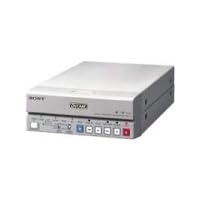
SONY DSR-11 DVCAM Digital Videocassette Recorder

SONY DSR-11 DVCAM Digital Videocassette Recorder
  • Digital Audio - two-channel 48kHz/16-bit or four-channel 32kHz/12-bit recording, providing a wide dynamic range & excellent signal-to-noise ratio
  • DV EE Out - signals from analog input can be converted into digital signals
  • DV Format Recording & Playback
  • Standard & Mini Cassette support - standard size provides a recording time of up to 184 minutes
  • Mini size provides a recording time of up to 40 minutes

I have been using this deck as a source deck for Final Cut Pro, to digitize tapes from my DV Camcorder. I also back up-edited programs back to DVCam tape with no loss of quality. It has also been a workhorse in the field. I've shot 2 plus hour seminars using the firewire out of the camcorder to the firewire in of the DSR-11. I have never had a failure. There aren't enough adjectives to describe how great this little deck is. How can something so small be such a huge and versatile tool for digital video production!?

Buy SONY DSR-11 DVCAM Digital Videocassette Recorder Now

I had this DSR-11 for many years and it still functioningSONY DSR-11 DVCAM Digital Videocassette Recorder I still have to use my remote for some operations as sometimes the buttons on the DSR-11 will not work, but I had this little recorder for 16 years. I never had to clean it inside. I can not do without this little thing.

Read Best Reviews of SONY DSR-11 DVCAM Digital Videocassette Recorder Here

Luego de revisar varios modelos de MiniDV Player/Recorder de bajo precio, llegue a la conclusión de que este era el mejor... y en realidad no me equivoque. Reproduce y graba MiniDV y DVCAM (small and large cassette). Es una extraordinaria unidad para acompañar cualquier sistema de edición no lineal. Lo único que me parece un poco delicado es la tapa frontal del equipo (hay que bajarla manualmente para insertar el cassette y sus bisagras aparentemente se ven muy fragiles). Solo por eso no le otorgo las 5 estrellas. Lo Recomiendo!!!.

Tuesday, September 16, 2014

Samsung UN55B7000 55-Inch 1080p 120 Hz LED HDTV

Samsung UN55B7000 55-Inch 1080p 120 Hz LED HDTV
  • Ultra-slim 55-inch LED HDTV with full HD 1080p resolution for the sharpest picture possible
  • LED technology enables a true-to-life range of picture brightness; uses 40 percent less energy than conventional LCD TVs
  • Internet@TV online content service from Yahoo!, Flickr, YouTube via your broadband connection
  • Inputs: 4 HDMI, 1 component, 2 USB, 1 Ethernet, 1 PC, 1 optical digital audio output
  • Includes detachable swivel table stand; measures 51.7 x 39.2 x 12 inches (WxHxD) with stand

I was a committed DLP fan before undergoing a conversion experience on Friday April 17th. I had planned to replace my Samsung DLP with a Mitbushi DLP or LaserVue. In the final hours, I just couldn't go through with it.

A major Los Angeles vendor set up a display with the UN55B7000 sandwiched between a LaserVue and a Kuro 151. The results were pretty plain to my eyes. The Luxia pretty well crushed both of them. The cult of Kuro will denounce me for heresy and blaspheme, but this is what I saw. About 1 hour of fiddling with the settings on LaserVue did not change the situation much. The Kuro was locked in at calibrated settings which the employees would not allow me to change. Evidently, it was fully tuned up. Once again, this left me with the impression that a fully calibrated Kuro is an over-rated beast indeed. No wonder Pioneer quit the market.

The bottom line: I bought this unit the next day. It took about 2 hours to tune up after I took it out of the box. [Use the natural color setting. Customize motion smoothing to 7 for jitter control and 7 for blur control, or shut it off entirely] Since then it has been pretty astounding. Unbelievable color. Unbelievable reds. Unbelievable contrast ratios. Unbelievable black levels. Very bright. Generates no perceivable heat. Does not get hot. The detail and sharpness and depth of image is truly astounding. I have never seen anything that can compare, and I have been shopping for several months now.

Cons

I am still questioning the merit of the 120Hz motion smoothing technology. It does weird things to slow motion instant replays. It does stranger things to 24fps movies. Seems to work best with live actions sports and HDTV programs shot on digital. You can always turn it off. Blu-rays seem more natural with the technology switched off. Ultimately, Blu-Ray looks magnificent either way.

Advice

A word of advice for the first reviewer and everybody else. You should never, never, never use the speakers on your HDTV. All HDTVs are equipped with pathetic 10 watt reference speakers that stink. All HDTV owners should invest in some sort of home theater surround sound system. It doesn't have to be that expensive. Even a $300 Home Theater in a Box will make a world of difference.

Buy Samsung UN55B7000 55-Inch 1080p 120 Hz LED HDTV Now

UPDATED BELOW 9/23/09...

I have had this TV for about 2 weeks now and could not be more pleased! My A/V setup was in place when it arrived and all I had to do was connect the HDMI to start watching television. I am running HD cable (HDMI), Wii (Component), Blu Ray (HDMI), and a camera (HDMI) all through the Denon AVR-1910. Only the HDMI out from the Denon to the TV is needed as it switches and upconverts all video.

So after I plugged it in, cable channels started appearing...except for 2 HD channels just got a black screen. I spent 45 minutes adjusting resolution ins/outs on the cable box, receiver, and TV to no avail. Finally, I rebooted the cable box, and there they were. Yes, I should have tried that first. Anyway, everything has been running without issue.

I must say, this picture is flat out gorgeous. I spent a lot of time researching TV's and checking them out in the stores; LG, Sony, Sharp, Toshiba, LCD, LED, etc... but I always came back to this Samsung LED line of sets. I had read reviews talking about "searchlights" in the corners, and conversely, dark spots in the corners. The former issue I never really saw firsthand. The dark spots though, I did notice in the stores. It seemed more prevalent on the 8000 series, and in some cases I didn't see them at all. When it came down to it though, I found the overall picture so stunning that the dark areas didn't affect me (it was REALLY subtle). I was also suspicious that the sets in the stores that are constantly turned on may have something to do with it. I am pleased to say that I don't see any artifacts on my new set. The picture brightness is very uniform throughout. Couldn't be happier! If you've seen these TV's firsthand you know the thinness of the set is beyond compare. Mine is on a stand, but on the wall it would look amazing (too bad speakers aren't this thin).

As far as the picture goes, if you are pushing an HD signal to it...WOW! The picture is so vivid, bright, and detailed some scenes truly start to look 3-dimensional. Not sure what effect I'm really seeing but that's what it looks like. We had friends over and the kids were watching Kung Fu Panda in HD. All the guys were standing there behind the kids mumbling about the amazing picture. Standard def pictures look fine as well, certainly better than my old DLP. But make no mistake, the payoff is in the HD content.

So I find myself tweaking the picture each day....2 notches lower on the color, 1 higher on the gamma, 1 more for backlight, etc... it's pretty much at the point where all channels look fabulous and I don't need to adjust anything else. I'd say, expect to do that on any TV you get. I tried a cnet configuration that they recommend for dark room viewing and I hated it! Immediately switched back to my personal settings. The great thing is that the accurate colors and different configurable settings on this TV provide the flexibility that makes it nearly impossible NOT to get a perfect picture! BUT everyone's TV room, own eyes, and preferences are a little different. Because there are so many setting combinations, finding the perfect configuration for you will just take a little time don't expect to have it straight out of the box. As far as contrast goes, awesome! In a scene of Iron Man (Blu Ray), when Tony Stark crashed his own companies party, Jeff Bridges is wearing a tux with a white scarf. I could see the ever-so-slightest off-color herringbone pattern in the scarf next to the black jacket and it wasn't a close up. (Not kidding, it was kind of neat!)....so just based on that scene, I'd say the contrast and sharpness are top notch.

The 120hz motion effect is great as well. If you haven't yet, go see a demonstration in the store you really need to see it to understand the hype. It is definitely pretty cool, but I have added some blur and judder back into my settings because it kind of freaked my wife out a little bit. Incredibly smooth, but definitely not how you'd see a movie in the theater. Many scenes end up looking fake, or like you're standing there watching a play on stage. Just know that it's completely adjustable or can be shut off entirely. Again, your personal preference will dictate the settings.

I'm also happy to say that the Denon upconverts the Wii video nicely and it pops out on the Samsung in full-screen looking great. I imagine PS3 or XBOX games with HD output look as good as Blu Ray. I also got the wireless adapter and hooked up to my Windows Media Center to browse pics and movies. Works great no issues there.

The only oddity that I have seen is the fluctuating back light during dark scenes. Other reviews point this out as well. If a scene goes really dark, like rolling the first credits after the movie, yes, the entire screen will dim. Switch back to a bright scene and the brightness pops back on. When it happens it's noticeable, but it doesn't happen often. I only see it in an extreme contrast change as described above. In my opinion this is a small price to pay when 99.9% of the experience is breathtaking.

Overall, this set delivers an incredible picture that is hard to beat. I read a lot of professional reviews and they always find a few negative things to focus on, like "the moiré on the fence in the 16th fight scene when the guy drops his gun was noticeable." Huh? They also say 240hz is better than 120hz. Yes, if your name is UNIVAC and you are analyzing a test pattern. Real people can't even sense some of these things! I stopped paying too much attention to these after a while. Stand in front of these sets, adjust the pictures, and you will figure out what looks good! For me, this was it I absolutely recommend this television!

UPDATE: 9/23/09 Fluctuating Backlight Fixed! Just want to say that this TV still impresses me every time I watch it. As to the fluctuating backlight issue... I found a post that explained how to go into the service menu and turn this off. It's called CE Dimming and can be set to on or off in both Standard and Movie modes. I turned it off in the Standard mode and it worked without issue. You do need to go in and readjust your picture settings since it resets them, so write them down beforehand. Otherwise, it worked fine and now I have to say the picture is 100% solid. Here are the instructions: With the TV off, push Mute, 1, 8, 2, Power. Scroll to "Advanced", press 0000 don't hit enter. Scroll (down arrow) to CE Dimming and hit Enter. Select Movie or Standard, and hit the left or right arrow to switch it off. Done, hit power. Turn on the TV like you normally would and Auto-dimming is now off!

Read Best Reviews of Samsung UN55B7000 55-Inch 1080p 120 Hz LED HDTV Here

Pros:

1amazing size to performance ratio. This TV is incredibly thin. You will have to see it to believe it. At just over an inch thick (not to mention 55" from corner to corner), this television boasts some of the best stats available, compared to any other brands/models out there.

2-LED back lighting. This feature is what initially caught my eye. When I first saw it I noticed immediately how incredibly deep the blacks were. This boost in depth of the color plate seems to permeate the entire color spectrum, allowing for deeper, more remarkable fullness when viewing all forms content.

3base statistics. The contrast ratio (although I have read many conflicting, reports, including the manufactures own specification information, which makes it difficult to place an exact quantitative value), 120hz, 1080p, 4 millisecond response time, USB x2 connections, LAN access, ect... They are all there. This television has the capabilities to seamlessly bind your computer or local area network and your home theater into a truly coherent "media center" provided you have the gumption.

4"Xbrite" like display. I call it this for lack of a better option. The screen itself of this LCD is not matted like many of its predecessors, it is glossy resembling a plasma TV or some of its smaller LCD PC monitor cousins, which allows it a brighter, fuller color clarity. This could be considered as "bothersome" by some because it allows for more apparent reflections of light, casting it back into the viewers eye, but the shear intensity of light emitted by this TV puts this claim to rest.

Cons:

1Menus. After spending multiple hours removing my previous television, measuring and cutting holes in walls, fuddling with cables, and vacuuming dust bunnies and drywall dust, I found my self at the heart of my disappointment with this TV. Navigating the menu system. Don't get me wrong, it is not difficult, but it is entirely cumbersome. To start off a simple task like switching sources is made time consuming and attracts attention because you have to hit a minimum of 3 buttons on the remote to switch to your closest input. This may seem like someone complaining that you have to turn the faucet on to fill a glass of water but just play with it for a bit and you will see what I am talking about. The menus themselves are all animated and take a moment to load, which adds to the frustration when trying to navigate through them, and when you get to the input you want you have to manually exit the menu by pressing the "enter" or "return" button on the remote. This problem could have been easily alleviated by having shortcut buttons to the individual inputs on the remote, like most other manufactures offer.

2-Sound. The sound quality is greatly deteriorated by the fact that the speakers on this model face the opposite direction of the screen. Reverberation off a wall is not an adequate substitution for direct focus. The sound quality is not bad in itself, such as being boxy, tinny or deteriorating with increased volume, it is just not as full as others that I have heard (but this is to be expected being the form factor that it is). It will be necessary to have a surround sound system with this TV, but you probably already have one if you are seriously looking at this model.

3 Limitation of inputs. For some insane reason, Samsung preemptively decided which inputs (HDMI) you could use for which devices and placed limitations on those inputs as they saw fit. This is entirely lame and a let down. Scrolling through the menu selections on various HDMI inputs you will notice that a good majority or your picture modifications are not adjustable according to what input you have currently selected. Despite changing the labels of the inputs and reorganizing HDMI inputs, you are not able to get the full gamut of picture corrections that you payed a lot of money for. This, for me, is the biggest let down of the television. There is nothing worse than seeing a whole slue of options that are supposedly available, but are "grayed out" for some unknown reason. I expect, at this price and ability, to be able to fully customize each input that the televesion has, regardless of what peripheral I am connecting to it.

This con might not prevent you from purchasing this TV, but you should be at least aware of it. I have a lot of different devices connected at any given time, ie. blue ray, dvd, vhs, xbox 360, ps3, wii, xbox, n64, psx, snes, nes, pc, camcorder, camera, and some flash based devices, like some of the newer ipods/iphones, and it really bothers me that I cannot change the settings to what ever fits my needs best.

4Dynamic contrast. This feature seems to be a blessing and a bit of a curse. On one hand you get dark, rich colors, and on the other you get much darker whites when the majority of the screen is dark in hue. You only need to scroll through the menu system of the TV on a static, dark background to see this flaw in action. How dynamic contrast works is that it lowers the backlighting of the television when it senses most of what it is displaying is dark, which makes any contrast in hues, i.e. whites to blacks, much darker than they would normally be. This may not be a deal breaker for some, but depending on what you watch, there is a noticeable difference. I personally like to watch a lot of the space/nasa documentaries, and when they show Hubble images of deep space that are for the most part black, with just a few pin points of light, you notice that that you are loosing quality/brightness of image (as compared to other flat panels without this dynamic contrast perk).

5Lack of inputs. This downfall is the price you pay for having such a small form factor I guess. 4 HDMI is ok, minus them all being individually limited, but there is only one component in, no composite/S video in at all and the stereo out is a 3.5mm jack so you need an adapter, which is not included. The TV does have optical audio out, so if you have a somewhat capable/newer surround sound system you will be ok, provided you spend the money and buy the expensive cabling to connect it (heaven forbid that your receiver is more than a few feet away or else you are going to feel it in your wallet). Another problem that all of these digital connections bring, that is rarely advertised, is that there is a lot more optimization involved to make them work normally. Say "good by" to just plugging things in and having them work. If you don't have a lot of patients for reading user manuals or trial and error, it might be necessary to pay the extra cost for having some "Geek" come to your house and make everything work properly for you.

Another slight annoyance is that this TV does not offer any sort of video out. A slight inconvenience really, but I would like to keep my options open.

6120 hz it more like "beauty is in the eye of the beholder". Some people like its effects on movies/games, I personally have turn it off to make the TV look normal to me. You really need to evaluate the feature for your self and make a decision. For me, it looks like it increases the frame rate at times and slows it down in others, which gives the overall viewing quality a "hurky-jerky" feel. Others that have seen the feature on my TV say it gives it more of a 3D quality or that it is more like looking out a window, as apposed to viewing a TV. Its effect is much more noticeable while viewing certain media such as , blue ray, DVD's or video games. I can barely notice it while watching HD/SD content from Comcast (1080i/480p respectively).

7-"Media Center" short comings. What, no youtube? Even my phone has that. I would also like to see WMC connectivity, a flash enabled web browser, and come to think of it, bluetooth, so you can connect a qwarty keyboard to actually take advantage of it all. This would truly bump this TV into an upper eschelon, rivaled by no other device to date.

Summary

All in all, I think this TV is feature rich with a few let downs that could be corrected with a bit of ingenuity (hopefully made possible in the way of firmware upgrades, putting the LAN feature to good use). I would not personally recommend this TV to any of may friends because I would not want to hear them complain, but I would tell them to come over, play with it and decide for themselves if it is the right choice for them. Knowing what I know now it would be hard to say if I would upgrade again from what I had previously (LG 50px4dr) to this TV, but I can truthfully say that the picture quality on most devices (cable, xbox 360 and others (NOT PLAYSTATION 3, I get a weird snowy pixelated effect on the home screen that drives me crazy and was the reason I bought a new TV in the first place)) is vastly superior to most other televisions that I have seen. The bottom line is that you need to play with this television for a bit before you purchase.

Want Samsung UN55B7000 55-Inch 1080p 120 Hz LED HDTV Discount?

Wow! Do you want the best picture available today. Look at the Samsung 7000 series LED TV.

I have had this for a week now and am very, very pleased with the set. I have the 7100 series from Best Buy. This is a special model only sold through Best Buy. It is the same as the 7000 except for some cute little add ons. One being the ability to scroll through a series of museum paintings. This allows you to use the set as a picture viewer/screen saver and when used with your audio system makes a nice back drop for a party or something of that sort. You can not add pictures. It also allows you to go to the internet and use Yahoo widgets and about five other widgets. There are also a couple of games built in. Will most people use these features? Probably not!

The other feature is the Touch Of Color which I really do not care for anyway. The 7000 is generally $300 cheaper than the 7100 so you chose.

The 7100 series is on sale the week of Apr 28, 2009 for $3,100. This is a $600 price drop. This is the same thing that happened to the Sony 240 hz set. In January 2009 it was $3,900 and is down to $2,800. If you want to wait, it will drop more but that is technology.

My wife usually does not say anything about the TVs we have except if she can not get the remote to turn everything on. She and my son were watching James Bond Quantum of Solace on bluray. She told me that it was like sitting in the director's chair on the set. The quality of the bluray screen is so clear that it takes on a 3D appearance. The colors are true, the whites are white and the blacks are black. There is no bleeding or blurring of motion. The dark scenes are just as life like as the light scenes.

If I spend this much on a TV, then I will also have a good sound system so the built-in speakers are not a problem. The TV remotes are not that useful. The small round remote is useless. Again, I have the set connected to an amp, a cable box, a bluray player and an old VHS player. I use a programable remote so I do not use the Samsung remote.

The thinness of the set makes the set shrink from the viewer. I mean my old 56' cabinet was two feet deep. This set is 1 and 1/4 inches deep. It hugs the wall so well that it does not dominate the room even though it is 55". The most important part is that there is little to no heat generated by this set. It uses 40% less power than an LCD of the same size. This should help the set last longer and save power on AC and set top use as well.

When using this set to compare pictures make sure that you look at about a dozen different high definition stations. The high definition stations are not all the same! HDNet1, HDNet2, The Science Channel, and ABC in my area are tremendous with the quality in the order shown above. The worst are CBS, PBS, and TBS. There is a big difference in video and audio quality of these stations. Again, look at several stations your area may be totally different.

I had planned to purchase the Sony 240hz TV. I am so glad that I did not. The matte finish on the Sony does little to cut down glare but really, really mutes the picture. The colors and picture on the Sony are also muted by the matte finish.

The picture on the Samsung LED is like looking through a really, really clean window. In other words awesome!

Pro: Picture quality.

Con: Price.

First, let me say, this is not my first big screen HDTV. In fact, this is replacing a 62 inch DLP. So I wasn't expecting to be WOW'd by this TV... but I was. I don't have a way to compare the DLP and LCD side by side -the DLP is dead. But I don't recall the DLP's image being as clear and vivid as this image. The DLP was able to display 1080i/720p which is about as good as you're going to get from digital broadcasts. But even on DVD's with lower resolution, the image appears more life-like.

There were a number of other expectations I had. Some of them were met, some where not, some were exceeded. I will go into details of each.

1) Setup: I was expecting to have to assemble something. But the unit was shipped in a fairly large box fully assembled. I suppose if you intended to mount yours on the wall, you'd have to disassemble the stand. As for me, I intended to have it sitting on it's stand.

2) Swivel base: I didn't expect the base would allow it to swivel side to side. Because the TV is so thin and I've put it in a place that used to be occupied by a 17 inch thick DLP, there is plenty of room for the TV to swivel so you can sit on one side of the room or the other and still be in the sweet-spot. That's probably not a big deal for those who are buying the TV for it's 1.6inch depth.

3) Connections: I was disappointed in several ways. The information on Amazon indicated this TV has 2 RF inputs. It has only 1. My DLP had 2 RF inputs so I could connect my cable to one, and antenna to the other. In my area, with a moderate size antenna, I can pick up about 50 HD channels Out-of-the-Air. My cable company rebroadcasts only about 15 of those digital signals, and periodically changes what channel they're on.

In an attempt to make the TV very thin, it appears they've given very little room for high quality connectors. I had to remove the boot from my CAT6 (network) cable. I had to shave one side of the boot of my RG6 (RF) cable. Without these modifications, I couldn't use those cables.

In an era of HighSpeed internet, I would have expected the network connection to be a GigE, but it appears to only be 100BT. While 100BT is theoretically enough to stream even the highest resolution media to the TV, my media servers, media receivers, and PC all have GigE. When I switched to a GigE switch, I noticed considerable difference in viewing experience. A GigE chipset would have probably added only about $30 to the price of the TV -not a big deal.

I was however very impressed with this TV's ability to be a monitor my my laptop. I plugged it into the VGA connection and was surprised to get full 1920x1080 resolution.

4) Yahoo Widgets: It's certainly a neat idea to be able to see certain information on the screen, but the widgets that are available are unimpressive. You can get most of that information on your Cell phone, without interfering with your TV watching experience.

For about 3 years, I've looked for a way to watch YouTube videos on my HDTV. The YouTube widget leaves a lot to be desired. As far as I can tell.... there is no way to associate the widget with your YouTube account so you can't subscribe to channels, mark favorites, set up play lists, or view your history. The image quality seems to be better than I expected and it appears that it selects the HQ feed when available. Even attempting to search is rather difficult because the on screen keyboard is the worst I've ever used. The keyboard doesn't wrap side-to-side or top-to-bottom. If you're on the key in the top right, and the next key is in the bottom left, you have to move across a million keys to get to the one you need. In it's current state, the YouTube widget is worthless.

5) DLNA: Very disappointing. I have 3 media servers that have different implementations of the DLNA (non)standard. The media receives I've used that interact with the DLNA servers have a variety of flaws, but this TV is probably the worst of them. It's slow bringing up the lists of available content, and tends to refuse to play simple content, or doesn't play them correctly. I was hoping to replace the media receiver attached to my DLP, but I'm not able to because it has faster, better support for the DLNA server, as well as supporting SMB. If the TV can't do DLNA well, maybe Samsung should think about supporting SMB instead (this TV doesn't).

6) AnyNet+: This works a lot better than I expected. I bought a Samsung BD player with this TV. There are a couple of things I can't do with the BD player except with it's remote, but for the most part, it's a seamless experience. It would be nice to have a BD button on the remote -there's a TV button.

7) Image: Based on reviews I'd read elsewhere and here, I was expecting to have issues with various aspects of the picture. I haven't had any of the "spot light" or "dark corner" problems that people have reported. This TV has incredible darks, brights, and colors. If you get a chance to watch Survivor on this TV.... Do it! Some of the scenes are breathtaking.

I have noticed however, that the picture looks "too good." The high contrast, clear detail, and motion smoothing tend to make the picture too good. It's a little disturbing. I've had to adjust some of the picture settings to add a little imperfection.

8) Glare: I was expecting to see considerable reflection on the high gloss screen. With the DLP, during dark scenes, I could see my reflection staring back at me. With this screen, I don't see that reflection. In fact, I don't see any reflection. I haven't figured out why that would be -it's a high gloss screen.

9) USB media player: I'm impressed that this TV is able to play so many formats. I have media in some odd formats that I've had difficulty playing -even in Windows Media Player. This TV is able to play them. I'm dissapointed though that it's not able to play VOB files from the USB. It will play them with the DLNA player, so I would think it should pay them from a USB stick. But it doesn't.

I compared this TV with the 8000, and 8500 in the same size. When the TV's are sitting side-by-side, you're 5 feet away, and looking for specific differences, you can see those differences clear as day. When you look at each TV by them self, or if you're actually watching a move or show, it's hard to pick up those flaws/differences. Even watching the same feed with them side-by-side, I couldn't justify spending the hunderds of $$ more for the minor improvements of the 8000 or 8500.

Reading back, my review sounds very negative. But I'm very happy with this TV. It's much better than the DLP it's replacing both in picture quality and features.
Monday, August 11, 2014

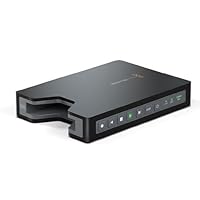
Blackmagic Design HyperDeck Shuttle 2 SSD Video Recorder, 2.5" SATA SSD Drives, HD-SDI Input & Outp

Blackmagic Design HyperDeck Shuttle 2 SSD Video Recorder, 2.5' SATA SSD Drives, HD-SDI Input & OutputBlackmagic makes some awesome and affordable stuff that are must have items in any amateur or professional's gear collection. The HyperDeck Shuttle 2 is another solid offering that delivers amazing performance in a very affordable package.

Snap in a supported SSD drive, plug in an HDMI source, and hit record. That's it. The drive will write an uncompressed HD quicktime file to the solid state drive that can be ingested into most popular editing packages on both the Mac and Windows. A quick configuration utility can set the device to record in ProRes 422 or an Avid format as well. In my testing I was able to work on the recorded ProRes file immediately in Final Cut Pro X with no conversion or transcoding necessary.

The device has both SDI and HDMI inputs and outputs. The outputs can either playback recorded content from the drive or mirror what's being recorded back out. That output can be run through another piece of hardware like the Blackmagic Design Intensity Extreme to allow for simultaneous live streaming.

I am using the HyperDeck with the equally amazing Blackmagic Design ATEM Television Studio Production Switcher to record product reviews and podcasts in my basement. It reduced the complexity of my recording process and helped me work with a better quality video file.

Compatible SSD drives like the SanDisk Extreme SSD 240 GB or the OCZ Vertex 3/4 Series are now around $200 making the cost of entry a lot less burdensome.

If you need a capable recording deck look no further. This is a great piece of hardware.

I use the Shuttle to record from the SDI tap on my RED Scarlet and to screen capture off of HDMI from my PC.

The Scarlet functionality works without a hitch. I would give it 5 stars if it recorded the clip name meta data, would start recording off of the first SDI record trigger (you have to manually record/stop once) and if it used a common file format like ex-FAT. You need a copy of MacDrive or equivalent on every PC you want to read from which is annoying.

Another annoyance is that it has no built in USB3 or eSATA plugs. So you have to remove the drive in order to read or format necessitating an extra piece of gear to offload footage to a laptop. You also can't format drives in the field, you need a PC (with aforementioned sata cable). I had one instance where I ran out of drive space and wanted to simply format a drive with less important footage but alas there was nothing I could do.

Overall it does what it needs to do very incredibly cheap. If you need more than the barebones I recommend going with something that can manage drives and footage better like the Atomos Ninja or Samurai. However at 3x the price and increased bulk you have to balance the value. Personally the hassle is worth the savings for me.

Bonus Tip: Get the Small-HD PTap -> DC power adapter and get extended batterly life off of the PTap on your camera for only a couple bucks.

Buy Blackmagic Design HyperDeck Shuttle 2 SSD Video Recorder, 2.5" SATA SSD Drives, HD-SDI Input & Outp Now

I am a professional photographer dabbling my feet in videography using DSLR's. Therefore I wanted something where I could record more than the limited 20 minute clips limits from my D4. Since I am just getting started in videography I didn't want to spend the almost $1,000 for its closest competitor (Atomos Ninja 2)

This is a very easy unit to use. Get the correct SSD for it, format it to the recommended format, insert it, plug in your camera live feed, and press record. Its build is very solid and I am certain that is built to last.

However, there are certain things that I found annoying after the first use:

1.Where do I put it!? I cannot mount it anywhere without buying the additional plate, too big to fit in a pocket. Therefore, unless I am recording from a steady position (ie, fixed tripod location) I was having issues. I was hoping there would be at least a 1/3 screw in mount on the bottom but there wasn't. SO I am being forced to buy the plate if I want to secure this hardware if my filming requires any movement.

2.No external batteries.You can plug it into an outlet but, once again, if you are going to do any on-location shooting that requires moving around that is not a viable option.

3.Limited recording formats. You can either record unformatted video (get ready to spend a lot of $$$ in SSD Drives) or DNxHD MXF-compressed video. Although DNxHD is all I need I know there are some who will find this limitation annoying.

Overall it's a great external recorder for the price. However, I can see myself being limited by some of the items that this recorder lacks so I returned it. I will save to purchase the ATOMOS Ninja 2. But if you just want a good solid external recorded this will get the job done.

Read Best Reviews of Blackmagic Design HyperDeck Shuttle 2 SSD Video Recorder, 2.5" SATA SSD Drives, HD-SDI Input & Outp Here

I've been looking for "this" device for a long time. Something that can record uncompressed HD video in 422 format. The Hyperdeck Shuttle works very well...does exactly what Blackmagic claims it can do, cheaply and simply. There are some issues to take into account before purchasing. Most notably is the cost of SSDs. With uncompressed video, the Shuttle consumes SSDs like crazy. A 128 GB SSD will only last me 20 to 25 minutes, meaning I don't consider buying an SSD smaller than 240 GB. At last, the cost of the SSDs are starting to drop. Another issue is that you need a good SSD, as not all will handle the bandwidth throughput. And it's hard to judge an SSD's real throughput based on their specs. I've had good luck with all SATA 3 drives. My other issue, also related to throughput, is the capacity of my computer to handle the bandwidth of this device. It's not just drive speed, it's video card, plus CPU speed, plus storage hard drive, plus...all the potential speed bottlenecks in a standard computer. I had to upgrade my computer to handle the Shuttle. Assembled a new computer just to work with the Hyperdeck Shuttle. Used an SSD for my "C" drive (OS plus main software), high-end i7 CPU and MB with overclocking ability, plus a good video card that meets Adobe CS-6 criteria. Bottom line...I love it! It was all worthwhile.

Want Blackmagic Design HyperDeck Shuttle 2 SSD Video Recorder, 2.5" SATA SSD Drives, HD-SDI Input & Outp Discount?

One of the reasons I like using a high-end DSLR for video work is that the HDMI outputs on these cameras often emit totally uncompressed video at least, this is the case with both my Nikon D4 and D800. Connecting a device like the Blackmagic Shuttle 2 to this type of camera gives you a way to record video at a level of quality not easily matched with conventional recorders. Between the camera's large sensor (24x36mm), the wonderful pro-grade lenses available in this format, and the uncompressed video stream, you can truly get amazing results.

The Blackmagic is made well and is rugged enough to survive being jolted along with my camera. As the description says, the case is machined out of a solid block of aluminum, so it looks like the internal SSD would fail long before the Blackmagic ever would. Still, the add-on case is good additional insurance against wetness, and I recommend it as well. I tend to velcro mine to my video tripod and it's withstood a few falls with no ill effects.

For SSDs, a number of choices are available. They're pricey (like $2500), but there are a few 1TB drives out there if you need huge capacity (1TB gives you about 75 minutes of uncompressed 10-bit 1080/30p). I find the Samsung 512GB drives much more practical I carry a few, and at about $500 each (as of July 2012), they seem to be a good balance of capability and cost. Any drive should be capable of keeping up with the bitrate of uncompressed 1080/30p (which is about the max this drive supports). 1080/30p at 10 bit color requires about 250MB/sec uncompressed well within the range of most SSD drives. Some non-SSD drives work too though most of them have the dreaded "TCAL" (Thermal Calibration) problem that causes irregular recordings if you aren't careful...they are much less expensive if you can find one you're happy with (or if you tend to record short bursts of video instead of long streams).

Just can't say enough good things about this whole approach it's giving me the edge in video, without having to break the bank on commercial grade equipment costing tens of thousands of dollars.

Save 5% Off

Saturday, July 19, 2014

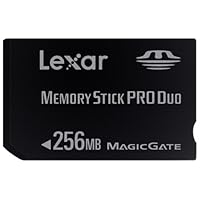
Lexar Media 256MB Memory Stick Duo Pro MSDP256-331

Lexar Media 256MB Memory Stick Duo Pro MSDP256-331i used this one for the psp, and it works fine, however, if you don't know about media, you get less storage than it is labeled as, you actually get 227mb of storage instead of 256. anyway, the adapter works fine, and will works with my vaio PC, however, some say the new memory stick pro does not work with the slot on the vaio, just simply download a driver off the sony site to read the MS pro. great product except it is black not white (i think the white is more stylish).

How many pictures will it store? It is the most commonly asked question from digital camera enthusiast but usually the question that is the most difficult to get a straight answer about. Well, considering I worked in the memory industry for over 7 years I can help clarify this perplexing question and do so unbiased as I have since changed industries.

The Lexar Media 256MB Memory Stick Duo Pro MSDP256-331, like most 256MB cards, will store on average 284 pictures when used with a 2 megapixel camera, 213 images when used with a 3 megapixel camera, 128 pictures when used with a 4 megapixel camera, 102 images when used with a 5 megapixel camera, and 80 pictures when used with a 6 megapixel camera. These numbers are based off the assumption that you are going to shoot your images at the highest quality JPEG setting available for the camera and understand that they are estimates and may be off by as much as 10 percent due to numerous factors including the complexity of the scene being shot and the compression algorithm used by your specific camera.

I truly hope this review was helpful to you in determining whether this card is the right capacity for your specific needs.

Buy Lexar Media 256MB Memory Stick Duo Pro MSDP256-331 Now

Tuesday, July 15, 2014

SainSpeed F198 Car Dash DVR With Night Vision, Microphone Built In, 2.5" Rotatable and Foldable TFT

SainSpeed F198 Car Dash DVR With Night Vision, Microphone Built In, 2.5' Rotatable and Foldable TFT LCD Screen display
  • 2.5-inch 280° Rotatable and Foldable TFT Color LCD Screen, Flexibile to monitor and display
  • Good Performance of IR Night Vision For Recording by 6pcs LED Lights
  • Recycle Record for Covering Old History To Save Space and Auto Record Once Engine Starts.
  • 1/4" Color CMOS HD Fish-Eye Camera with 120 Degree Range Creates Wide and Clear Image and Video

I have this DVR for 4 days.

The video quality is not that bad at this price. Please see my videos.

I use the following setting: SxGA(HD), 2 minutes file length, Transcend 8GB SDHC card (class 6). There are 6 seconds gap between the files. Something will happen in 6 seconds that you may miss.

37 files X 2 min = 74 min; 7 GB memory used.

The day time video is shaking a lot because my wife held it due to the suction cup could not stick on the windshield more than 15 seconds. I though it maybe the windshield too cold (36 degree F) so I tried it on the dress mirror at home with different methods clean both side, moisture the cup with water, with alcohol. It always falls down in 15 seconds.

I took out my Gamin GPS suction cup and tie the DVR on it with rubber band. Gamin suction cup sticks on the windshield like glued on it even in the evening with colder weather and raining time.

I took the night video with the same setting as the day video. You only can see the license plate number that at font of you with HIGH mount on a van or SUV. The license plate on a sedan car will reflect the lights that from your car low beam.

I also took a night video in a clear night with / without the head-light on.

The raining night video shows local and high way.

I can hear the conversation with a little background noise on the playback records.

Once, the DVR suddenly stopped record without any reason while I was driving (cigar lighter power code was connected).

DVR was frozen twice in the last day. I had to take out battery to turn it off.

I decide to return this item and order another. It took a while for me to pull out the SD card.

Updated on 12/30/2011

I received a new one on 12/23/2011 and use it every day without any problem.

I set the record time to 10 min the longest record time, and the gap between the 2 files is 10 seconds. I tried both class 6 and class 10 SDHC cards and got same 10 seconds gap. I have to set it back to 2 min with 6 seconds gap. Lost 6 seconds record is better than lost 10 seconds record.

The video quality is better than the video I posted on Amazon. Because after I cut and combined the footages, it lost the quality during the save time. I will re-post the original video late.

Updated on January 16, 2012

The temperature drop to 28 F last night and this morning the DVR completely die because my wife forgot to bring it home and left it in the car which parked outside. I took it in home and let it seat for few hours to warm up and recharged the battery, but the DVR still could not be turned on. Lucky it still in 30 day return period and I always save the package until 30 day return period past.

Now I use $60 Kodak EasyShare Touch M577 14 MP Digital Camera with 5x Optical Zoom and 3-Inch LCD Touchscreen Black with NAVGEAR Universal Dash Mountas the DVR. The Kodak M577 has 14 megapixels and 5X wide-angle optical zoom, and it easy to record videos in HD (only allow to record 29 min in HD, after 29 min it automatically stop record, you have to press the record button again to start another 29 min record) the battery only last for 80 min, but it enough for 20 min commute each way. The bad is that it cannot record while charging.

Buy SainSpeed F198 Car Dash DVR With Night Vision, Microphone Built In, 2.5" Rotatable and Foldable TFT Now

I have been using my F198 for a few days now [aug 15, 2011]...

In VGA mode it takes a decent picture. This mode is good enough to see stop lights & the cars in the field of view. The wide angle lense provides a very good picture of what is going on, but there is some loss of clarity. You can read the licence plate of cars stoped directly in front of you, and with some time you might pick up a letter/number at a time for moving cars. It is much like a cell phone cam & shows cars pulling in your lane, or crossing the light well.

I set the motion detect mode on. At first it was not active at the time I started recording, but then I stopped the car powering the F198 down & when I powered back up, it was in motion detect mode. The mode is not sensitive enough & is not acceptable for use when driving, so I advise leaving motion detect mode off.

At VGA resolution, it could record three 15 minute clips on 2 Gb. Then it deletes the oldest file when creating a new file. This process takes 2-3 seconds.

The F198 has a car-off detection & will stop recording when the car is off. This requires a switched circuit. The F198 detects loss of power & properly closes the active file using the battery before powering down. When the power input comes back, the F198 automatically resumes recording. If your cigar lighter is not switched... this feature will not work.

The menu is a bit difficult, so read the directions. The IR led mode works well from about 3-4 feet. similar to filming with a flashlight. You do not want to use IR mode for night driving because you will be recording the windsheid reflection... use standard mode.

The mount did not have a swivel end on it, so you end up extending it more than desired to get the correct angle. A better mount willl lower the profile of the camera in the window.

The LCD screen does not switch off when closed. This would be nice, but my battery did not go dead when recording over night.

I believe I got about what I expected because I first looked the camera up on the internet google/yahoo & also saw a video on you-tube. It is useful & of reasonable quality for the very low price.

Updated Aug 1, 2012: This camera has been working non-stop 24 hrs in my car for almost 1 year. The swevil at the camera connection is a bit loose & can't be tightened, so occasionally the camera may get turned if I drive too rough.

Read Best Reviews of SainSpeed F198 Car Dash DVR With Night Vision, Microphone Built In, 2.5" Rotatable and Foldable TFT Here

Using this item for 2 weeks. It creates new files any 2, 5 or 15 minutes of recording (you can choose). It has 3 quality modes (VGA, DL, SxGA(HD)). Tried sxga, but the fps amount is not enough and the picture is intermittent, not comfortable to watch.

VGA has too low resolution but movement is smooth. The best choice for me became DL mode.

Picture quality is not impressive. You can recognize the licence plate number of the cars only near you. And it's almost impossible to do in the night on moving cars. Night vision is pretty good, but the headlights of oncoming cars create large white holes on the picture. The same with the stop lights of the cars in front of you.

Plastic is very low quality, but I didn't expect more for this price.

The dashboard mount works perfect, you just have to make the surface wet a little, and it will hold like with glue.

Not bad device but I'd like it to have better picture quality.

Want SainSpeed F198 Car Dash DVR With Night Vision, Microphone Built In, 2.5" Rotatable and Foldable TFT Discount?


The uploaded video is a 2 min clip recorded in 720P format.

I have been using this camera every single day, every time I drive, for about 2 months now. The picture quality is nothing special. Its pretty much like watching a video on TV recorded by a police car. There isn't much detail but it does catch whatever happens in front of the car.

The battery does not hold a charge for more than a few minutes so the camera has to be plugged into the 12V at all times. Also the connection between the 12V cable and the camera is pretty loose so sometimes the cable falls out of the camera when going over bumps. Taping the cable to the camera helps.

I use a 32GB memory card so it can record about 9-10 hours. What I like about the camera is that the LCD does not have to be opened all the time. The camera records with the LCD closed. Also, to start recording, all I have to do it hold the power button for about 3 seconds to hear a chirp sound and the camera starts recording automatically. It records in 2/5/15 minute intervals and afterwards it records over the old videos.

Overall I think that this camera is pretty ok. Its cheap but after all you get what you pay for.

***3 Month UPDATE: So it has been 3 months now since I'v been using this camera pretty much every single day. It still works just like the first day when I used it. There are normal signs of wear and tear but nothing serious.

One flaw I forgot to mention the first time when I wrote this review is that the date and time on the camera doesn't save. Because the battery doesn't hold a charge for very long, it resets the time and date. I would assume that if the camera was connected to the 12V 24/7, then maybe the time and date would not reset.

Anyways, I'm actually thinking about getting another one of these cameras for my other car. I just saw a scam attempt video online of how a car backed up into another car on the highway to do a scam. If the second car didn't have a dash cam, he'd be in trouble.

***4 Month UPDATE: I ended up buying a second camera for my weekend car. Although the new camera was supposed to be the same, its actually a bit different... better than the first one I got. When I bought my first camera 4 months ago, the camera was sent from California whereas the new camera was sent from Shanghai (Amazon seller BestDeal777). It seems like I received an updated model because the software looks newer and the power connection is different.

With my old camera, the 12V power connection was round, similar to a headphone jack and easily fell out. The connection in the new camera is USB (mini-B), works great and doesn't fall out. As far as the software in the new camera, the camera turns on a lot quicker and there is no "Welcome" screen. When the camera is turned off but connected to power, it shows a "full battery" icon or "charging battery" icon on the screen. The recording modes are in 2/5/10 minute increments. I use a Transcend 16GB Class 10 SDHC Card (TS16GSDHC10) with the camera and there is absolutely zero time loss between videos. In the video mode section, there are 3 options. One is "720p HD" the other "480" and the third is even smaller... I don't remember. The one that I use is 720p and it records in wide screen mode. On my 16GB SD card, I am able to get about 3.5 hours of video. Although it says 720p HD, it is not HD but whatever.

One thing I don't like is that with the old camera when I turn it on, it automatically starts recording and while recording, the indicator light flashes. In the new camera, it does not automatically start recording and the indicator light does not flash while recording. So in order for me to know for sure if it is recording, I have to open the screen. Not a huge flaw but a bit annoying.

***1 Year UPDATE

Both cameras still work however with some issues. On the first camera, the 12V cable fuse blew after about 8 months and I had to get a new cable. I ended up buying this one: http://www.amazon.com/gp/product/B004ZL5ARI/ref=oh_details_o04_s00_i00. Although it is for Sirus Radio, the connection and power output are almost identical and have no issues with it. The second problem, still with the 1st camera is that the power connection inside the camera is really lose now it barely gets any power most of the time... not many options with this unfortunately. My weekend car camera has zero issues. It ended up falling to the floor about 5 times so far because the suction cup didn't hold well but thankful the camera still works.

Few tips:

+Use 2 minute clips, not 5/10/15 min clips-the shorter the easier and faster they will transfer to PC

+When the memory card is full, Format it! this way you will not have any gaps in between clips. When the card is full, the camera will stop recording in order to erase old clips. This can take several seconds or a minute+.

+Use the lowest resolution. I tried all 3 and there is no difference in playback quality. The main difference is that you'll be able to record 9.5 hrs vs. 3.5 hrs.

+DO NOT leave the camera plugged into the 12V for a week or 2 without driving the car. It WILL drain your car battery.

+Get the camera from overseas (Chine, Hong Kong, etc). It might be a newer model with a better connection and software.

Save 74% Off

I bought this as a way of protecting myself in my cab. I have the camera pointed inwards so I can see my passengers, and if needs be (which I hope never happens) identify a run-out or worse, a robber. The picture quality is pretty good, for the price. The night vision feature is decent. The audio completely sucks, sound is really garbled can't understand anything hardly being said, which means I won't be producing my own "Taxi cab Confessions". All in all, the purpose I bought it for, it works well enough.

Tuesday, July 8, 2014

LTS LTD04HTSK 4-Camera H.264 Realtime DVR Security System with 320GB, Mobile Phone Live View, VGA o

LTS LTD04HTSK 4-Camera H.264 Realtime DVR Security System with 320GB, Mobile Phone Live View, VGA outputI purchases this for the sole purpose of residential security. Amazon did a great job at getting the product to me extremely quickly. The setup for this system is really simple based on the fact of siamese cable (BNC & power) being bundled with the package. In other words you have everything you need to get going. However after everything was setup was where I started to see issues. The main problems I experienced were:

1) Cam resolution is very low

2) DVR kept shutting down without warning or reason

3) DVR resolution is low (352x which is then interpolated to full screen)

4) 2 cameras died after a day or two

Needless to say you unfortunately seem to get what you pay for. To put it in perspective a full D1 (720x resolution) DVR would set you back at least $500 by itself with individual cameras (decent quality like CNB etc) being $200 each plus cables etc. So with that said as long as you don't expect high quality capture, great night vision then you may be okay with this. Similarly you can always by this as a starter set then switch out the cams however my major concerns were with the quality of the product after some of the issues seen which is what forced me to return this (bad DVR and 2 cams).

Would recommend looking elsewhere unless your needs are very basic.

Also of note finally is the Mobile Phone view and remote view. You can watch the cams remotely via iPhone as long as you use a 3rd party Apple Store App and have remote access to your DVR (use Dynamic DNS to set this up). For remote view (using an Internet browser) you must have one that supports ActiveX so anyone using a MAC you will either need you use Parallels or Fusion with Windows and IE or move to a PC to accomplish this.

I had the unit for 2 months now, At first just set the cameras out to test what views I would get, By the end of two weekends I had hide most of the wires and mounted the cameras in the best spots. The night mode do work up to about 30-40 feet, more if you have a street light to help out. The cameras are OK and work well. I hooked up a $300 camera from work and the DVR did show and record much better picture, but again for a price. Over the Internet work very well. All in all, I'm happy for the price/performance of the system! I now know that it's the skunks that are getting into the feeder at night. ;-)

Buy LTS LTD04HTSK 4-Camera H.264 Realtime DVR Security System with 320GB, Mobile Phone Live View, VGA o Now

only had it 2 weeks.. hard drive died.. cameras are blurry.. system keeps shutting itself on/off would not recommend buying.

shipped back.

Read Best Reviews of LTS LTD04HTSK 4-Camera H.264 Realtime DVR Security System with 320GB, Mobile Phone Live View, VGA o Here

No support.

No answer on phone...

Total frustration getting the internet view going.

I made the mistake of buying 5 of them at once.

Want LTS LTD04HTSK 4-Camera H.264 Realtime DVR Security System with 320GB, Mobile Phone Live View, VGA o Discount?

I got this system about 3 weeks ago and I love it.The system setup was easy.The picture quality is great.The dvr is easy to setup along with the network and internet connections.The night vision is the best to,40 feet easy!This is a great product.Anyway just thought I would give my two cents.

Save 32% Off

Thursday, June 12, 2014

C2G / Cables to Go - 29743 - 50ft Sonicwave S-Video Cable

C2G / Cables to Go - 29743 - 50ft Sonicwave S-Video CableFor the price charged I'd rate this a top quality cable. I got it as well as a composit and Component Video cable to go with a Panasonic HD1000U projector. Can't say i'd complain about the picture. Granted you can get better cables but good luck at this price point for a 50' length.

I purchased this cable to connect my AV home theater system to my ceiling mounted DLP video projector. The required distance was about 40 feet and i was concerned that the video signal might be degraded. To my delight, the signal was perfect. This is a great cable and highly recommended.

Buy C2G / Cables to Go - 29743 - 50ft Sonicwave S-Video Cable Now

Wednesday, May 28, 2014

Samsung YH-820MC 5 GB Digital Audio Player

Samsung YH-820MC 5 GB Digital Audio Player
  • Compact portable digital music player and voice recorder with a 5 GB, 1-inch HDD
  • MP3, WMA, Secure WMA, Janus Upgradeable, Ogg Vorbis, and JPEG image file playback
  • 1.6-inch CSTN Color LCD (65K color) for Picture Viewing at 128 x 96 resolution
  • Built-in rechargeable battery good for 8 hours between charges
  • Includes ID3-tag update software, stereo earphones, a USB cable, a belt clip, and a line-input cable

I have been using my YH820 for about 2 months now. I think it is a great value for the money.

Pros:

5 Gb for $200. For now, that is a good deal and certainly a value when you consider the other features the 820 provides

Unlike previous reviewers, I had absolutely no problems getting my unit to synch with Windows Media Player. Select your files and send them to your Synch list, then Synch now, and the files get pushed over. I didn't load NAPSTER, as I don't want 3rd party apps cluttering my PC. Originally I didn't load the Samsung software either, but then I had problems getting the JPGs to show correctly after a direct file transfer via filesystem (not saying that it can't be done, its just easier with the native Samsung software)

Accessible via file system (technical saavy required)

Battery life is satisfactory, about 6-7 hours.

Color LCD and ability to display JPGs and slide shows

Unit has a Line-in, and is capable of recording/ripping from external sources (have a portable CD player, and you dont need a pc to rip songs to your device)

SAMSUNG claims that the software and features are upgradeable on the player, as well as 3rd party apps, but I have yet to see any released software or updates.

CONS

Color LCd, still too small to really enjoy the pictures

Proprietary USB connection integrated into charger. Would have liked a standard micro USB connector.

LOOOONG start up time

Hard drive is formatted with FAT32. Over time, this will prove to be a problem as the file system degenerates.

Takes way too long to synch/xfer files. My first synch was 4.5 GB and took hours.

Overall, I think its great for the price and as a bonus, you get to view pictures (would have been nice to be able to watch WMV's) and record. I bought it and would recommend it to anyone.

Buy Samsung YH-820MC 5 GB Digital Audio Player Now

First of all, I'd like to say that I have NO idea what anyone here is talking about. I purchased this MP3 player, have loaded over 2000 songs in it, and never ONCE installed napster. the installation of napster is just NOT necessary! i never installed it. i stuck with realplayer, which works VERY well and I am very pleased. I use my mp3 player for hours every day and have NEVER had any problems with it. The only issue I have with it is that it does take about 15 seconds to start it up. But that doesn't make any difference to me. Who needs music to startup right away anyway?! I am not a camera person, but I have used the photo album. I'm pleased with it, but that wasn't the reason I bought it for. In conclusion, this mp3 player is very nice, despite what was said by the crazy people below. And not ONCE have I had an issue with the Hard Drive. This mp3 player might be a little pricy, but if youre willing to spend the amount, the color screen makes it worth it. The headphones included are very acceptable, and I am extremely satisfied with my samsung mp3 player.

Read Best Reviews of Samsung YH-820MC 5 GB Digital Audio Player Here

Smaller than the iPod mini and has a color screen and relatively easy navigation. A little slow to boot up initially, but this is not a detrimental issue. Definitely glad I researched this before plunging into the iCult. I'm not sure what Bill Waff was speaking of below, but the player is indeed WMP compatible and you do not need to be online to manage your library.

Want Samsung YH-820MC 5 GB Digital Audio Player Discount?

I've used this MP3 player for a few months now and have to say its a very nice little unit. I would spring for the extra $20-30 to get an extra warranty. With mine, I swap it out if something goes wrong...no sending it in for repairs.

So here's a breakdown of what I think of the Sam-pod...

Positive:

Great color screen

Easy to use

Nice size

Sounds great

Looks great

Negative:

Barely get 8 hours on battery

Can't use I-Tunes (but Media Player 10 works well)

Not many accessories

SLOW to start up (as compared to ipod)

I bought my unit after trying two different units in home. I tried the Creative Labs Jukebox(40GB) and then tried another Creative Labs unit. I stayed with this one because it gave me zero problems. I like the color screen that the unit has. Nice and easy software to uplaod photo's to and from the unit. The player comes bundled with Napster software but the software is not necessary to use th player. If you read the users manual you will realize that you can also use Windows Media PLayer to transfer music to and from the unit. It is a fairly fast transfer to the unit if you have USB 2.0. If you dont have USB 2.0 and are wanting to use the player it is going to be a slow slow process for you. I filled up the player to full capacity in less than three hours(dont know exact time....I walked away and went to do some other things around the house). Unlike the Ipod you can delete track by track listing instead of having to erase the whole players memory. Found that a very cool feature. I have switched out songs a few times and never experienced one problem in doing so. When the player gets to full capacity it does run slow(they even tell you this in the manual). This is a drawback to going with a hard drive based unit in general. Every HD unit has this problem so if you think you will avoid it by going wiht an Ipod think again. While using the player I found a few minor problems. The menu system likes to move slow and seems to get stuck at times. If you excersise patience when you player this shouldnt present any problems. I can't seem to get the two second gap in between tracks out. I listen to techno and this does bother me but I will get over it. I recommend this player to anyone who wants a better deal than the Ipod.