Showing posts with label hd pvr. Show all posts

Monday, November 17, 2014

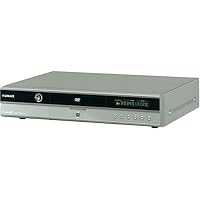
Humax DRT800 DVD-R/RW Recorder/TiVo Series2 DVR Combo

Humax DRT800 DVD-R/RW Recorder/TiVo Series2 DVR Combo
  • Digitally records up to 80 hours of programming onto the 80-GB hard drive
  • Playback for DVD, DVD-R/RW, CD-R/RW, A/V CD
  • Control live TV by pausing and rewinding it, and create slow-motion and instant replays of any channel at any time
  • Season Pass function automatically records every episode of a favorite program all season long
  • Browse up to 14 days of program data with the Electronic Program Guide

I don't want to go through all of Tivo's features, but they really are amazing, and aren't over hyped at all. This Humax unit has all of those features, plus a DVD-RW drive perfectly integrated into the rest of the Tivo interface. Burning a DVD is as easy as sticking a disk in the drive and selecting from a list which shows you want to transfer to DVD. Every show has a percent listed after the name, indicating how much of a DVD the show will fill up, and the top of the screen indicates how much space is left on the disc. There are no editing features on this, or any other Tivo based DVD-Recorder. If you pick a show to copy to DVD, it copies all of it.

While the disc is burning, the unit can still record another show and playback any show (except for any show being written to the disc).

I'm not 100% sure I like the image quality on this unit as much as on a standalone Tivo. I think it's slightly different, as the format it's writing has to be compatible with DVD players (obviously), whereas the "normal" Tivo format could be slightly more tweaked.

The remote is a slightly improved version of the normal Tivo "peanut" remote. The thumbs up/down buttons have been shrunk slightly (makes sense), and a few things have been slightly altered to allow for the new features this unit has.

Oh, I guess it's worth mentioning that ALL Tivo units don't really give as much recording time as they say on the box. This is an "80 hour" unit, which really means 80 hours at the "Basic" quality level, which is pretty poor (might be useable for news shows, stuff like Charlie Rose, etc., but it's not good enough for anything with much movement). Above that is "Medium" quality which gives about 55 hours recording time, and is also pretty bad. "High" quality gives about 27 hours, and is significantly better, as is "Best", which yields only 18 hours. Of course you can set up different shows to use different qualities-mix and match on both the hard drive and on DVDs, though you'll probably use "High" for most shows.

Pros:

*EXCELLENT interface, both for watching/recording TV shows, and for burning them to TV. I'm almost 100% certain there's nothing on the market that's easier to use. Unlike other DVD recorders or PVRs, this unit (and Tivo units in general) explain what's going on, and what different options mean IN ENGLISH, on your TV.

*The front screen displays the time if you want it (normal Tivos don't), and tells you what percent of the DVD has been burned if you're recording one.

*While you're burning a DVD the unit continues to record any scheduled shows, and you can watch any previously recorded shows. So the unit can actually be doing three things at once, all with no effort from the user-recording to DVD, recording a show from TV, and playing back a show. (The exception being you can't watch a show while it's being recorded to DVD).

Cons:

*This Humax, like *ALL* Tivo and ReplayTV units runs 24 hours a day. There's no true "off" or standby mode. Although it's quiet, this could be an issue if you plan to put it (or any Tivo/Replay unit) in a bedroom.

*Image quality appears to be different, possibly worse than stand alone Tivo units-probably to facilitate compatibility with other DVD players. I'm not even sure if I like it as well as the Sony VCR I bought this to replace.

*DVD-RW drive can use DVD-RW 4x media, but it only records to them at around 1x. That means that a full disc takes a little under an hour to burn. (But keep in mind that at "High" quality, you can fit 2 hours on a DVD, and it only takes >30 minutes to record an hour show-at "Medium" quality you can fit 4 hours, and it takes a little under 15 minutes for an hour show, etc.). Also bear in mind that you can continue using the unit for almost anything else while it's burning the DVD (a lot of competing products tie up the unit while they're burning a DVD)

Buy Humax DRT800 DVD-R/RW Recorder/TiVo Series2 DVR Combo Now

We've owned one of these for a few weeks now and love it! We already had TiVo but decided that being able to record DVDs was worth getting this machine.

At medium quality you get four hours' worth of shows on one disc. Other settings give you more or less disc space accordingly. When TiVo burns a disc it creates a DVD menu for all the shows on the disc. It allows you to burn the shows in the order you want and name the DVD as well.

Speed of burning depends on the speed rating on the disc; R/W discs take twice as long as R in our trials. The quality of the DVD recording reflects the quality the show was recorded at, so if you record at basic then that's what you'll get on the DVD as well (so don't be surprised if the DVD you burn is not "DVD quality" -it's just a storage medium reflecting the TiVo recording quality).

You can mix quality-level ratings on one DVD, and the manual says that shows needing more than one disc will be automatically created to span DVDs if necessary (although we have not tried this capability yet).

The DVDs we've burned played fine on both Windows and Macintosh computers as well as a Sony portable DVD player.

When watching a DVD with this machine, all the regular TiVo remote buttons perform the same, including the 8-second back-jump, which is great for catching a line or two of dialog just missed.

No drawbacks found so far. Highly recommended.

Read Best Reviews of Humax DRT800 DVD-R/RW Recorder/TiVo Series2 DVR Combo Here

I've owned an 80hr Series2 Tivo for years and just picked up the DRT800 shortly after it got released this past fall. I've never heard of Humax prior to owning this unit, but so far I've been quite happy with it.

Overall, when considering this unit, I think it depends on what you're looking for primarily: a Tivo or a DVD-recorder.

If you're primarily looking for a Tivo and would like the "added bonus" and convenience of a built-in DVD-recorder, the DRT800 is fantastic! It's everything everyone loves about Tivo, plus it makes it easy and convenient to dump your programs to DVD.

However, if your first priority is getting a DVD-recorder, and Tivo features are secondary, you might want to look at some stand-alone DVD-recorders. Or at the very least, weigh your decision a bit more carefully. The DRT800 (and the same probably goes for any Tivo with an integrated DVD-recorder) lacks some basic editing features for your programs, which might make a stand-alone a more suitable option for you.

Differences from a Series2 Tivo:

external display

The DRT800 features an external display. When playing a DVD, it displays the typical chapter and time information. When burning a DVD, it displays the percentage completed. Otherwise, it displays a clock. You can choose to make the display, dim, bright, or just turn it off.

DVD control buttons

Below the display are chapter skip, stop, play, etc buttons found on typical stand-alone DVD Players. These only control the DVD functions and do not control the Tivo software. Which brings me to the next cool addition...

front-mounted joystick

This is probably one of the neatest additions! Although, granted, I don't use this a whole lot, it's always irked me that normal Tivos don't have any buttons of any sort on the actual unit. This basically means that your ability to control the Tivo is entirely dependent on the remote control. But woe be the day that you misplace it, lose it, or break it (although you can always order a new one). The joystick is the equivalent of the directional control on the Tivo remote, and pressing the joystick inward acts as the Select button, giving you full control of the Tivo from the units front panel.

Composite Video Outputs & SPDIF Digital Audio Output

My previous Series2 Tivo didn't come with these and I don't know if regular Tivos come with them now, but these are clearly a must for any DVD Player. If your TV and/or receiver doesn't support these, you still have the standard A/V outputs at your disposal.

A/V, S-Video, & Firewire inputs

Hidden behind a drop-down panel are a set of front-mounted A/V, S-Video, and Firewire inputs with a second set of A/V & S-Video inputs located on the rear panel. These allow you to record from external devices (such as a Camcorder or VCR) onto your Tivo, which can then be burnt to DVD. This makes it perfect for digitizing old tapes and home movies or any other type of unprotected media. The Tivo allows you to assign a Title to the incoming recording. However, you cannot add a program description, which would have been nice.

DVD functions

This is probably the section you have the most questions on.

DVD interface:

A new "DVD" menu item now appears underneath the "Watch Live TV" option in the main menu. The on-screen display of this menu item changes, depending on what (if any) media is inserted into the disc tray. When you insert any disc into the tray, it is immediately scanned by the Tivo and the display is changed to DVD, DVD-R, DVD-RW, VCD, Audio CD or whatever appropriate format. Within the DVD menu selection, you will find appropriate play/record options.

Playing Disc Media:

The DRT800 supports DVD, VCD, CD, Photo CD, and MP3 CD. So far, I've played DVDs, VCDs, and standard redbook audio CDs with no issues. I haven't had the chance to try out any other formats yet. Playing DVDs and VCDs will look and feel exactly like watching any Tivo recorded program, with all the same playback features. My only main issue I have with playing Audio CDs is that, even if your Tivo is hooked up to your broadband connection, there is no attempt made to do a CDDB lookup to get track and artist information for the CD you're playing. Therefore, when you play an Audio CD, each the tracks will appear as "Track1", "Track2", etc and no information for artist or album title. This is a rather big disappointment.

Recording to DVD:

The only type of recordable media the DRT800 supports is DVD-R and DVD-RW.

A "Save to DVD or VCR" option conveniently appears in the information view of every recorded program on your Tivo, but you can also access recording features via the DVD option in the main menu. Prior to burning the DVD, you can select and order your programs and also add a title for your DVD. When you finally burn your DVD, the software will add a menu interface which looks almost identical to the regular Tivo interface.

Burn speed is pretty slow at 1x, but the upside is that while it's writing your DVD, you can continue using your Tivo for watching other pre-recorded programs. However, you cannot watch the program that is currently being recorded.

DVD capacity depends on the recording quality used for the original Tivo recording:

1 hr Best Quality

2 hr High Quality

4 hr Medium Quality

6 hr Basic Quality

This is basically the territory where you might not be too happy if you're looking for a good DVD recorder.

Negatives:

No program editing!

You can only burn the Tivo programs AS-IS. That means that you can't edit out commercials or any unwanted footage.

No resampling or re-encoding of program quality

I pretty much record everything at "High Quality". What that means, however, is that if I record a program on my Tivo that happens to be 2.5 hours, I would not be able to burn it onto DVD, because at that quality setting, the max capacity is 2 hours. It would be nice if the option were available to downsample a program to make it fit onto a DVD, albeit at a lower quality. Coupled with the inability to edit out unwanted footage like commercials (which might have made a 2.5hr program fit into 2hrs), this severely limits the DVD burning feature.

and for people with Home Media Option:

Can't burn programs recorded on another Tivo

Home Media Option (available at an additional cost) allows you to transfer programs from one Tivo to another. However, the DRT800 cannot burn programs created on another Tivo. This is apparently an encoding issue.

Other than that, the Tivo offers pretty much the same great features as all other Series2 Tivos. The peanut-shaped remote control layout is identical, but some of the buttons have been repurposed for DVD-related functions. If you connect your Tivo to your home network, you can look at pictures on your PC or stream MP3s from your PC.

Problem-wise, I did have one crash during the first week. While burning a DVD, the unit froze up and I had to unplug its power to start it back up again. But I haven't had any other problems during the months after.

If you do get this (or any other Tivo) and you have a broadband internet connection at home, I highly suggest getting a USB network adapter for your Tivo. I use a Linksys USB200M. Tivos are pretty finicky about which adapters they work with so make sure you check the tivo site if you decide to get a different brand. By default, Tivo uses a dial-up modem connection, but if you have a broadband connection, you may as well take advantage of it.

As a basic roundup:

PROS:

1) It's a Tivo!

Everyone says it and everyone's right: You gotta get a Tivo.

Once you get it, you'll never be able to live without it. :)

2) Convenient DVD-burning/playing

3) Easy recording from external sources

Easily record home movies onto your Tivo or DVD

4) Front-mounted control

CONS:

1) Hard Drive is LOUD!

This is definitely my biggest shocker. I don't know if it's just my unit, but this thing grinds like no other. My other Series2 was never this loud.

2) Limited DVD-recording features

I'm gonna guess it's by design, but the DRT800's greatest feature (DVD recording) is also its greatest weakness. The inability to edit out commercials (or at the very least resample your programs to make them fit onto disc) probably will ward off a lot of potential buyers.

3) Only comes in 80hr version

You can never have enough space and I wish this unit came with a bigger drive option.

Basically, it comes down to my earlier comment regarding what your first priority is. The DRT800's DVD-recording features aren't the greatest by far, but it's the a great extension to the already-awesome features of Tivo.

Personally, the DRT800 suits my needs perfectly. I don't record a lot of DVDs, but when I do, I appreciate the convenience. If the unit had a multi-disc changer, I would let it replace my current DVD player at the drop of a hat. Overall, I'm completely satisfied and don't regret buying it for a second.

Want Humax DRT800 DVD-R/RW Recorder/TiVo Series2 DVR Combo Discount?

I bought my DVR 800 in November. The Tivo service is awesome but the Humax Box is terrible. There was a problem with the IR Sensor on the DVR. I had to push the remote control buttons several (10+) times before it made a connection. I called Humax, the customer service rep. said they are having problems with the IR sensor. She asked me if I had the latest software version on my machine...I did. So she sent me a new remote control. The remote was not the problem. I called back and they sent me a replacement (new or used) DVR800.

The problem still exists. With the replacement unit I have to press at least 5 times and I have to be physically close to the unit. It's very frustrating. I should not have to press the remote buttons more than twice to initiate a command.

I bought a 40hr Tivo unit for a relative and it works great. So I know it's not the Tivo service or the remote control.

The Hard Drive and the DVD "recorder" works great I was able to burn movies on a DVD and record shows with no problem. It's just that the unit does not pick up the remote control signal easily.

Not sure what I am going to do.

I've had this unit for a couple of weeks now, and it works as advertised. TiVo service is great, the interface is great, and the DVD burning of stored shows is great, too.

My biggest disappointment is the picture quality of the live programming. I'm using cable (granted not the cleanest source) and the picture is dark and grainy. The same cable run through my JVC SVHS VCR or eight-year-old JVC 32" TV is noticeably better. It's as if the tuner in this TiVo isn't as good. Either that, or the conversion of an analog signal over to digital causes your picture to deteriorate. However, another TiVo Series 2 box that this unit replaced produced a better picture than this HUMAX.

Overall, this is a great concept, and has allowed me to turn three components (DVD player, TiVo box, and DVD recorder) into one unit saving me space. However, considering the price, you'd hope that a regular TV picture, something this unit spends most of its time presenting, would be better.

Tuesday, October 21, 2014

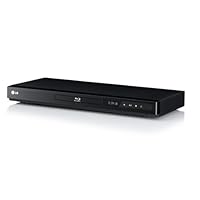
LG BD640 Network Wireless Blu-ray Disc Player

LG BD640 Network Wireless Blu-ray Disc Player
  • Internet access lets you stream instant content from Netflix, CinemaNow, Vudu and YouTube direct to your TV ? no computer required
  • Wi-Fi Enabled with the LG dongle makes it easy to get your LG Blu-ray player connected to internet Entertainment Access
  • Standard DVD Up-Scaling delivers exceptional image quality from standard DVDs with 1080p up scaling via HDMI output, Universal remote control - Infrared technology
  • Dolby Digital Plus lets you experience all of the enveloping surround sound that Blu-ray Disc, high-definition (HD) broadcast, and streamed and downloaded media make possible

I was told by a friend that this unit was great but I could not find many reviews at amazon and actually it had only one review and was negative. I went to my local video store and they had the unit for a good price plus a 30 days money back guarantee so I gave it a try. Setup took me less than 10 minutes in total, from the moment I opened the box to the moment I was streaming a Netflix movie.

I have a wireless network created with an Apple Airport Express router. I connected the LG unit to the TV with an HDMI cable (not included). Connected the unit to the AC power and connected the included USB wireless adaptor. When I turned the unit ON, the HOME screen was easy to understand, went to SETUP and clicked on NETWORK. My home network was listed, entered my password and in 30 seconds it was connected. I went to HOME, clicked on the ONLINE icon and then clicked on Netflix icon. The unit connected, gave me a Netflix code that I entered in my account using my computer and in less than 1 minute I was connected and browsing titles.

Picture quality very good. Overall very satisfied. DVD quality as well as Blu-Ray quality is very good and similar to higher end units that retail for 2x more.

Buy LG BD640 Network Wireless Blu-ray Disc Player Now

My observations, opinions, and preferences make this a mediocre product at best. Others' observations, opinions, and preferences may make this perfectly suitable for them. That said...

This is my second BD-640. The first one arrived defective. The tray wouldn't open. A phone call to LG Customer Service at 2:00am Pacific got very quick, courteous support, but it was still dead, Jim. So back it went. Amazon cross shipped a new player, next day, no charge. Yippee!

It arrived and the tray door didn't open at first. Cycling the power a couple of times and hitting the remote button a few times got it working. Not an auspicious beginning.

The unit is very cheaply made and looks and feels like it. Its tiny buttons are almost impossible to discern in low light and also feel very cheap. It looks much better in ad copy than up close and personal. I bought it for One-Fourteen, but it's really only a Seventy dollar player. It looks like it it should be named OnkoPhonic, Sonny, or Kracko, rather than a major brand name. At a distance or behind a glass door, looks don't make much difference. Amazon had the cheapest price, though I paid more than Seventy.

It's low profile and shallow depth make it easy to place anywhere. I doesn't come with an HDMI cable, and I find that disappointing.

Set-up was fairly easy, once I got the tray working. It found my AirPort network instantly, and the walkthrough was simple and quick. The only slow part was navigating the onscreen "keyboard" with the up-down-left-right pad on the remote. That's to be expected in a budget player, but may be an issue elsewhere.

The wireless function comes from a USB dongle that plugs into the single USB port on the front. It's large and ungainly, but if any of that is antenna, then that may explain the good connectivity I have (along with my AEBS).

Navigate to the LG's Netflix screen you get to the Netflix site where you're given an activation code to enter in the LG to authorize it. Pretty straight forward. While accessing Netflix is slow, I have no problems with buffering and get good image quality when streaming, equal to a good SD DVD.

The player moves quite slowly. It takes awhile to load a BD. Most players seem to, so it may be average, but it advertises otherwise. The playback quality is very good. I haven't used or viewed any Super Gear, so it could be on par with far more expensive stuff. But the picture is amazing. (Watch the planet earth series on a big screen. My preference is the BBC version).

Back to the USB port, it's used for both the wireless dongle and playback of your music or video files on a USB jump/flash drive. I haven't used the latter feature yet, as I had to set up the wireless connection each time I unplugged the WiFi dongle. I'd have to unplug it every time I wanted to watch video files from a jump drive. This is really inconvenient, so I haven't bothered to try the file playback yet. To advertise these two features but provide only one port seems a little, whatmisleading? That may be a bit too strong. Anyway, it should have two ports or built-in WiFi. (That would raise the price no doubt.)

I've only had it a couple of months, so I can't speak to reliability.

This is a very bare bones player as someone else mentioned. I have both high-end and mid-range audio gear and am not snobbish about it. So overall while form, functionality, and execution of the LG BD-640 disappoint me, the BD and streaming performance do not.

My objective *and* subjective opinion is that model should be priced under One Hundred dollars. If it proves to be reliable, then I'd say even at it's current price of One O Eight, it's a decent value.

Read Best Reviews of LG BD640 Network Wireless Blu-ray Disc Player Here

This product works as well as the package directions and reviews indicated. Super easy set up for a novice like me. Nice slim design makes it unobtrusive and the small footprint is appreciated amidst all the other devices (satellite, DVD/VCR, sound bar.)

The wireless LG dongle works flawlessly with great speed connected to our wireless router. Must say, though, that the wireless router is in the same room. Incredibly clear and crisp video through Netflix for movies made in 1969 & the 1970's. Haven't tried a blu-ray DVD yet (need to bring them back from being on loan.)

Want LG BD640 Network Wireless Blu-ray Disc Player Discount?

I bought this player since it was on sale and would connect wirelessly to stream movies from Netflix. I've been using my new player for about a month, and it works great with my HDMI-connected HD LCD TV. The setup was very easy...it found my wireless router and accepted the router password and connected right away. I've been using it for Netflix streamed movies, have watched a bunch of them, and have never had a glitch or pause in any of them. When you first power it on, it takes about a minute to connect to Netflix and bring up the menu with all of the movies in your queue. I've also played DVDs and Blu-rays without any issues. The remote is easy to use for Netflix or disks.

I only had 2 small issues:

1) I had one aesthetic issue ... it comes with a largish USB style stick that is it's wireless connection. It plugs in and sticks out of the front right of the machine. It's 1" wide and sticks out 3". I was surprised the wireless wasn't integrated in like a PlayStation 3. Since the player sits on a small table, I worried about hitting it as I walked by and made sure to push the player back. The player itself is only 8" deep, so +3" makes it 11", so it wasn't a problem pushing it back.

2) I'm not sure if some players have more memory, but on some of the blu-ray's I've rented or bought, the Internet interactive features (like BD live) give a message that there is not enough memory to download the software. Since I don't care about online interactive features, it doesn't matter to me, but you should research this if this is important to you.

EDITED TO ADD: After reading the manual, it appears that in order to use the BD Live function, you need to attach a USB memory stick to download the content. And in order to do this wirelessly, since the player has only 1 USB slot, you buy and insert a USB hub into the one slot, and then insert the memory card AND the wireless card into the hub. I have not tried this.

I have read a few reviews saying this player is only good for Blu-Ray movies; NOT TRUE. It connects to effortlessly to my network. Watched 7 movies straight streaming perfectly.

Updated 10/29/12: To Whom It May Concern, this player isn't great at all. It's a decent budget Blu-Ray but it will fail. I've owned this for almost 1 1/2 years and the Blu-Ray drive just failed. I tried unplugging it but it won't play Blu-Ray's or DVD's. Over the course of the year it has frozen up at least once a week while playing movies. It streams ok so that's why im keeping it. If You still plan on buying it BEWARE: when i contacted customer service they basically said it would cost $69 for shipping, plus parts and labor. AVOID THIS LG PRODUCT. NOTICE HOW I HAD TO UPDATE TO TRY AND WARN OTHERS.

Tuesday, September 23, 2014

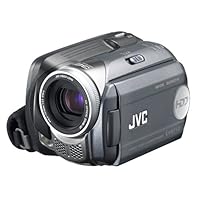
JVC Everio GZMG37 30GB HDD Digital Media Camcorder with 32x Optical Zoom

JVC Everio GZMG37 30GB HDD Digital Media Camcorder with 32x Optical ZoomAt $700 this camera was not a good buy for $500-$550, not too bad.

The biggest complaint people seem to have is with the video quality and while I agree it's not as good as a top quality miniDV or some of the more expensive HD models JVC also produce, it's not nearly as bad as they're making out (or they've somehow managed to buy a whole bunch of bad cameras).

I've recorded movies both indoors and out neither have been particularly poor, and I would place it's top quality setting somewhere around that of a VHS tape. I got none of the artifacts or corruption people have complained about, the quality is a bit fuzzy, but on the whole perfectly acceptable for creating family movies or sending scaled down mpgs via email.

The format it records in is NOT proprietory as some people claim. It records in mpeg 2 format, but unfortunately due to the proprietory software that comes with the camera all the clips have a .mod instead of a .mpg file extension.

No drivers or software are needed just attach to your PC, then access the HD as if it were a USB thumbdrive. After you've copied the data, you can rename the files to .mpg if you wish, this will make them instantly available to any movie playback program, including Media Player.

Editing in Windows Movie Maker however is not possible, as this softare isn't able to handle mpgs it doesn't create with it's own proprietory codec but all versions of Premier or other decent video editing programs work fine.

If you want top quality, don't buy an HD video camera stick with miniDV or spend big bucks on High Definition. If you don't mind a little bit of fuzziness around the edges, then any of these cheaper HD cameras work great.

I've head that the more expensive versions of this camera have higher resolution recording as well as better handling of colour/light/etc. If this is true then you might want to ask a sales rep to do a recording and transfer it to a large screen PC to see if that works better for you. Any salesman worth his salt will do this test for you, after all $500+ is a lot of money, and if they truly want the sale they'll show you how good or bad the camera really is.

This videocam turned out to be a great and expensive disappointment. I spent some time searching through the menus for the right settings--surely something wasn't set properly. I studied the manual until it dawned on me that the settings were not actually misconfigured -that the image quality truly is horrendous.

Even at the highest resolution, there are more compression artifacts than picture. This is especially visible in freeze-frame mode. The contrast is very poor, and the colors look hideous. In Ultra-fine mode (the best mode) the images look like a cheap CMOS webcam. Don't believe the hype that claims "DVD-quality movies". For such an expensive camera I was expecting something much better than this. I'm returning it. This product is not ready for prime-time. I've got an ancient mini-DV Sony DCR-PC100 that has much better picture quality. Also, the battery life on the GZMG37 is very short.

On the positive side, it is quite light-weight and there is no videotape to mess around with. If only one did not have to sacrifice image quality completely for that convenience. Overall, this unit does not live up to its promise.

Buy JVC Everio GZMG37 30GB HDD Digital Media Camcorder with 32x Optical Zoom Now

The only advantage this camcorder has it size/media. That is it.

While it has a 30gb HDD, which is certainly very convienent, the highest quality setting uses half of the bitrate of what a minidv would use. In addition, the artifacting is multiplied in lowlight conditions.

You can use a USB cable to transfer the videos to your computer, to edit them.. but you have to use their software, or you will lose the audio. (What is wrong with just using MPG files?)

Bottom line is:

It's quite obvious that a HDD in a Camcorder is the way to go. But not until the video quality is comparable to what is out there now.

Read Best Reviews of JVC Everio GZMG37 30GB HDD Digital Media Camcorder with 32x Optical Zoom Here

I was waiting for the second generation to come out, hoping there would of been some improvments from the first generation hard disk camcorders.

The good: looks and feels reel good. Easy to use, LOTS of room with the 30 gig drive. 32x zoom.

The Bad: LOUSY low light! Maybe I'm spoiled. My first mini-dv camcorder was a JVC-GR-DVM70 that is now 7 years old. Compared to that camera, the GZMG37 is bad in low light. The other thing I was disapointed in is that the movie is NOT recored as MPEG2, but a .MOD file extention. SHAME ON YOU JVC for creating your own file extention and not using a standard MPEG file. If you search you'll find programs that will convert it to the standard mpeg.

Bottom line...This camcorder is great except for low light recording. After looking at several other camcorder reviews that seems to be the biggest issue out there.

Want JVC Everio GZMG37 30GB HDD Digital Media Camcorder with 32x Optical Zoom Discount?

I returned this camera to Best Buy and gladly paid the %15 restocking fee. This is the biggest waste of money I can imagine. There is no documentation on how to convert to PC for editing and the video quality is terrible. Don't waste your money. I can't believe they charge $700+ for this thing!

Friday, August 15, 2014

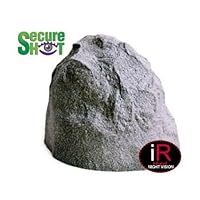
Rock Camera/DVR-PIR Motion Activated, True Night-vision with Invisible IR Illumination and Ultra Li

Rock Camera/DVR-PIR Motion Activated, True Night-vision with Invisible IR Illumination and Ultra Life 1 Year BatteryNot only does it work, it works well! you have to wave your hand at it once placed, but after that, it records very well. Easy to use and review I highly recomend this, not only because it works so well, but the seller is very responsive and helps as much as they possibly can!

Tuesday, June 3, 2014

50ft HDMI v1.3 Certified Category 2 CL2 rated- Premium GOLD Plated for HDTV, PS3, Bluray, HD-DVD, D

50ft HDMI v1.3 Certified Category 2 CL2 rated- Premium GOLD Plated for HDTV, PS3, Bluray, HD-DVD, DVR, Xbox,...We have now purchased 2 of these cables and they certainly do the job for us. Our components are on the opposite wall from the television and these cables meet the specification requirements of all of our electronics and the price can't be beat! We will definitely buy again, when and if we need this type cable again.

Monday, May 19, 2014

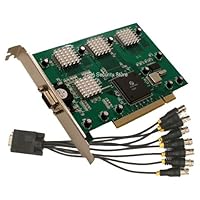
USS808 8 CH Security Surveillance PC PCI DVR Card, Real Time 240FPS Software Included

USS808 8 CH Security Surveillance PC PCI DVR Card, Real Time 240FPS Software IncludedWhere to start

I have experience with many cards and this one is total junk

The image quality of the card, not the camera, is very bad. I highly doubt it is any higher than cf or 320 so if you want detail you will be very disappointed.

The software is even more rediculous. Motion sense area says multiple motion areas, not true, one per camera.

Playback does not indicate the type of record mode on the timeline so finding motion events is impossible

In live mode there is no indicator of what type of record mode the camera is in

I could go on and on and on but I hope you get the picture.

If you want a real cheap low res starter card that needs Very specific pc requirements, which I followed to the letter, and you can get itbfor under 40 dollars then it is what you pay for.

Otherwise run away very fast!

I will be throwing this on in the garbage as I would not give tis away.

Honestly.

If you are looking for a pretty simple card that will do the trick and give you good service this is a good choice. If you have any PTZ cameras don't waste your money. After attempts to get a Pelco-D PTZ running I have had no success. Trying to contact this company is impossible. They are more than happy to sell you the product but clearly they have no intention of supporting the software packaged with DVR. After weeks of emails and phone calls to the number listed on their website not a single reply from anyone. BTW I am running there 8.4 version of software.

Buy USS808 8 CH Security Surveillance PC PCI DVR Card, Real Time 240FPS Software Included Now

Why do sellers get the chance to sell garbage like this is beyond me I just received it yesterday 9/28/2011 installed it today software drivers will not install, and it does not recognize my cameras. I guess its going back another item sent back to Amazon maybe they should think about Q.C. with regards to the products they allow to be sold via their site sure would save the customer allot of time and money and might even keep the customer happy I think those days are gone.

Read Best Reviews of USS808 8 CH Security Surveillance PC PCI DVR Card, Real Time 240FPS Software Included Here

When I read the specs and requirements in the ad, NOTHING was said about the fact it will not work under an AMD CPU! The ONLY place that information is presented is half way into the on-disk user manual. Of course, it would cost me the postage both ways to return it; so I'm stuck with YET ANOTHER $100 piece of electronics I cannot use!

One more such purchase and I will DELETE MY AMAZON ACCOUNT!!! and buy everything locally.

Unless your system has the following, it will not work:

Intel CPU

(mandatory, not optional; it doesn't run better on Intel... it won't work with anything else)

Windows 7 32bit version

(we have ways to make you upgrade; but NOT to 64bit, which remains mostly unsupported by most companies)

Want USS808 8 CH Security Surveillance PC PCI DVR Card, Real Time 240FPS Software Included Discount?

As far as the dvr recording it works fine. However the software appears to be corrupted or incomplete. In the configuration on the time shows you can only go to 20:00. The settings in the video motoin detection box doesnt coencide with the pointer of the mouse. Setting up the ip cameras the bottom of the screen is for the labeling is just a sliver so that is pretty useless. And of course the help button on all of the setting screens is cut off at the edges.

Viewing the cameras remotely works ok with internet explorer but i was hoping to get app that works with the smart phone, no such luck yet

Tuesday, April 29, 2014

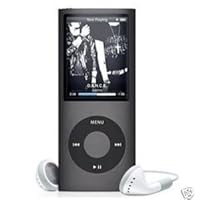
Mp4 Mp3 Player 2GB 1.8'' LCD with Fm Radio BLACK

Mp4 Mp3 Player 2GB 1.8'' LCD with Fm Radio BLACK
  • Built in 2GB Memory
  • 1.8" TFT LED Screen
  • 16 Language Support: English/Chinese/French/Spanish/Portuguese/Russian/German/Italian/Denmark/Dutch/Polish/Swedish/Czech/Japanese/Korean/Thai
  • Support MP3, WMA, WMV, ASF, WAV, ASF, ACT Formats
  • 7 Preset Equalizers: Natural, Rock, Pop, Classic, Soft, Jazz, DBB
  • Support AMV format movie. MPG, MPEG I, MEG II, AVI, MOV, QT etc are convertible to AMV files
  • Built-in Photo Viewer, Built-in Voice Recorder, Built-in E-book & Phone Book
  • Display ID3 Song Title & Lyrics

It has been extremely frustrating having to discard this

equipment due to malfunction and even worse,

having placed a claim that was the first time

dispatched as a gift, and after replacing it for a

second time (also by malfunctioning) finally the

equipment did not work properly. I lost my money because

the provider does not return the money. I want my money back.

Buy Mp4 Mp3 Player 2GB 1.8'' LCD with Fm Radio BLACK Now

When I received my MP3 in the mail, I thought it was a small and slim cute thing. The only irritating thing about this MP3 is that you have to access the volume button through the inner circle bottom';when pushing the button to turn it down,it it turns it up and you have to play around in which direct spots to push that'll turn it. The same goes for going through your list if music. Otherwise, it works and plays well. They come with a great quality earplugs.

Read Best Reviews of Mp4 Mp3 Player 2GB 1.8'' LCD with Fm Radio BLACK Here

good product ,100% good product recommended was what I was looking for, in terms of sound quality, as well as good quality pictures

Want Mp4 Mp3 Player 2GB 1.8'' LCD with Fm Radio BLACK Discount?

it didn't really work, looks nothing like the picture, bad quality.

the buttons are not even correct matched with the functions.

It looks NOTHING like the picture, and it can't play any of my music. It's made of really cheap plastic and is an over all piece of crap. Don't be fooled by the price, you get what you pay for!

Wednesday, April 16, 2014

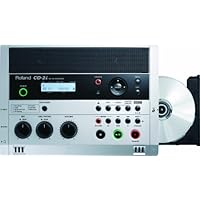
Roland CD-2I CD/SD Portable Digital Recorder

Roland CD-2I CD/SD Portable Digital Recorder
  • Simple recording direct to CD-R/RW or SD memory card High-quality sound via built-in stereo microphone and speakers
  • All-in-one portable design; thin, sturdy, and stylish
  • Easy-to-use interface with EASY GUIDE function with REHEARSAL function to set the best input level for recording automatically
  • Key, speed, and center cancel playback functions for lessons
  • XLR with phantom power; phono equalizer

Excelent piece of equipment. Meets all my expectations except that the speaker system has a lot to be desired (that is why 4 stars)

Buy Roland CD-2I CD/SD Portable Digital Recorder Now

Unit was purchased to replace our CD recorder at church. We use it to record worship services each week on SD card. Then we burn a CD to reproduce and distribute. The WAV file on SD card is used for uploading to web site. The recording quality and ease of use are outstanding.

Saturday, April 5, 2014

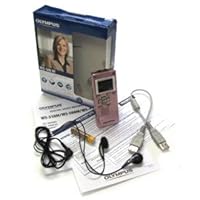
Olympus WS-500 Digital Voice Recorder (Pink)

Olympus WS-500 Digital Voice RecorderI bought this as a backup to my other Olympus recorder (which I frequently lend out). My other recorder is an Olympus WS-100 which I bought 4 years ago. It was one of the first digital voice recorders ever made. It has served me well.

This unit contains a number of improvements over the WS-100 and the WS-400.

When I bought this, I was afraid I would have to carry around a USB cable with me. However, this unit has a little slide button on the side which extends a built-in USB connector. Plugging this into a USB port is a snap.

This unit is a little more compact than the WS-100. It also seems to solve the record delay which was a time vampire on the WS-400. This unit starts to record almost immediately on pressing the record button.

I would give this unit five stars except except the menu is almost indecipherable without spending an entire day memorizing and studying it. This means that you pretty much have to have the manual available for the first months you use this or you will not be able to use most of the features (unfortunately, this seems normal for most digital personal devices nowadays (except for Apple products)).

The arcane menu arrangement does not lend itself to quick and easy use of the unit if there are constant changes to your recording requirements unless you memorize the manual or have it available.

Other than that the plusses are that it supports Vista 64 bit, and, contains all of the features of the WS-400. The unit is easy to snap record conversations and other items.

It is a good buy at the price and easier to use, with all of the features, than any of the other small personal recorders I've looked at over the years by other manufacturers.

Specifications:

Recording Format: WMA

Input level: -70dBv

Maximum working output: 60mW (8 ohm speaker)

NAND FLASH memory 2GB this unit works excellently as a flash drive with VISTA 64 or 32.

MIC Jack: 3.5mm mini-jack; impedance 2k ohms

EAR jack: 3.5mm mini-jack; impedance 8 ohms or more

RECORDING TIMES:

STXQ mode 34 h 30 min.

STHQ mode 69 h 40 min.

STSP mode 139 h 25 min.

HQ mode 139 h 25 min.

SP mode 247 h 10 min.

LP mode 544 h. 55 min.

I bought this after seeing classmates using their voice recorders. Most had purchased an olympus but a less expensive one and they eat batteries. The WS-500 is rechargeable by you USB outlet on your computer. There are approx. 200 files for keeping this organized and you can even record music. Not a feature I will be using but it's on their. Also I can hook it up to my outlet for my ipod in my car and listen to my notes while I am driving. Awesome in a long commute. Hope you find this helpful.

Buy Olympus WS-500 Digital Voice Recorder (Pink) Now

BY JENNIFER OURADA: OK, so I admit up front that I only bought this recorder (I have two other WS-100 recorders already) because it's pink... Sick but true.... It was just so cute and I couldn't resist it. It was also about $80 cheaper than buying another WS-100 which makes zero sense at all as this one has double the memory of the WS-100 and a retractable USB plug instead of pulling the WS-100 apart to plug it in or using a cord that a lot of the other Olympuses have. It also has a rechargeable battery via USB port so I can recharge instead of throwing away batteries every week, so it's eco friendly.

Anyway, the fact is the sound quality is awesome. I'm a court reporter and I just got back from recording an examination under oath with a witness who mumbled all the time. I didn't even use an external mic today; I made do with the internal mics of the Olympus which are one on either side of the top of the recorder. AWESOME is all I can rate this. It picked up ALL of the witness' "under her breath" mumblings that she thought wouldn't make it on the record -hahahaha!!! I actually did three separate recordings today to see which would be the best, and this pink recorder beats all my external mics by miles. They are hissy and this one is the proverbial clear as a bell. I would recommend this to court reporters both freelance and official. It's awesome. All these mumbling attorneys and judges have no chance against this. And probably all those fumbling mumbling professors if you're a student. :) It also records in wmv format which is about 10 times smaller than wav so it's great and easily uploadable to yousendit and the like.

This is the deal.... Literally.....

Read Best Reviews of Olympus WS-500 Digital Voice Recorder (Pink) Here

Although playing the recorded audio file on it might not sound so great, but once the file is transferred to a computer, the sound quality is actually fairly decent.

The product does what it suppose to do, but the user interface definitely could use a lot of work; its entire user interface feels like it was designed by someone who never used a computer. Another minor flaw is that once connect to the computer, you can not change the folder structure in it, therefore instead of organizing your files in a folder with clear understandable name, you will have to place it in "Folder A, B, C, D, or E".

Want Olympus WS-500 Digital Voice Recorder (Pink) Discount?

Pros: compact, lightweight, seems sensitive to hear fainter sounds

Cons: operation is not intuitive. For example, holding the stop button while plugging in the USB to charge it. If you don't hold the button, it won't start to charge. Also, no explicit "on/off" button...well, there is one but it's not labeled "on/off". Very odd.

Records in WMA, instead of MP3. Had to get a plug-in for QuickTime to play it on a Mac (which is what the recipient of this device uses).

Overall a good recorder, but you will need to read the manual (which is a pdf file stored in the device...which we found by accident) because it isn't very intuitive.

Wednesday, February 26, 2014

Emerson NR305TT Heritage Home Audio System with CD and Cassette Players

Emerson NR305TT Heritage Home Audio System with CD and Cassette Players
  • 3-speed turntable and stereo radio with CD and cassette players
  • Furniture quality cabinetry, finished with natural wood veneer
  • Built-in, full-size, 3-speed belt-driven stereo turntable
  • Motorized, drawer-loading compact disc player
  • Stereo cassette player

This is a great little system for the money,and its so well built it like a piece of furniture. If you remember how those big old Console Stereos used to sound,that is how the Emerson home audio system sounds. Granted you can't adjust Bass,Treble ect,but it has a rich sound of yesteryear that I love. My parents bought one at Cracker Barrel and I have seen them at J.C. Penneys also. I have been nothing but pleased with this system. Don't expect it to sound like a Bose system,because its not. It has a Retro look to match the Retro sound it produces. I loved digging out the old Vinyl to play again. This was my favorite Christmas gift my parents bought me. Also forgot to add that the Radio is great,I like how the Tuner lights up,just like on a old Console Stereo,and the CD player and Cassette player work well too, but I mainly use the Radio and Record player. I have also got many compliments of how nice it looks. This is a Great little system that looks nice in any Living room,Den or Bedroom. Also the price can't be beat for the quality and sound. Five stars from me.

Buy Emerson NR305TT Heritage Home Audio System with CD and Cassette Players Now

this was a gift to my parents. it works well, it was nice to find one that had the tape deck, cd and record player all in one. it is heavy and well built from what we can tell. it sounds good for the price paid. only con is that it doesnt have the treble/bass settings but it is a good deal for the price we paid

Read Best Reviews of Emerson NR305TT Heritage Home Audio System with CD and Cassette Players Here

Emerson NR305TT Heritage Home Audio System with CD and Cassette PlayersThis is an awesome stereo. It has great sound and I love that it plays cassettes and long play records

Want Emerson NR305TT Heritage Home Audio System with CD and Cassette Players Discount?

We wanted to surprise my husband, who is an avid jazz guy and had a huge LP collection catching dust. Some were even hifi and not stereo...older than dirt, like from the late 50s It plays great by not magnaimous. It's a bit tedious to have to lift the needle arm, start the record and hand place the head on the record. Miss the old automatic version that played mutiple records. We Like that it has a CD and cassette player, too. (where's the 8-track? LOL) The order went smoothly, but it arrived in the box with a photo of the player outside so the surpirse was ruined. That was a bummer. We are enjoying it, though.

The tone arm on the turntable of this product is non adjustable and has a very heavy tracking force on records causing rapid degradation and reduced audio quality. It is not worth the money.

Tuesday, February 4, 2014

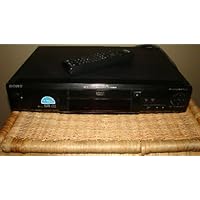
Sony DVP-S330 DVD Player

Sony DVP-S330 DVD Player
  • Dolby Digital and DTS digital output
  • 10-bit video DAC with 27 MHz processing
  • Coaxial and optical digital-audio outputs
  • CD Text and DVD Text display with compatible discs
  • Multibrand remote control (TV and receiver)

I bought the Sony DVP-330 ON OCTOBER 27/99, This is my first DVD Player, and what a great one it is. I bought the Toshiba 2190 and the Sony DVP-330 to see which one was the best. Sony has the best audio and the best crystal clear picture not to mention fast loading and chapter searching. Sony 330 is also quiet running and the remote is universal for your T.V. and sterio reciever of any brand including yourself...the buyer. The Toshiba took Three times as long to load and the picture was Super VHS quality not Digital like the Sony. The Toshiba's audio seemed filtered and the remote was seriously dated, small and cheap. I had no audio lag or lip sync problems from my Sony 330, mine was made in Japan which was also a plus. The Sony 330 is a great buy i openly recomend it. Toshiba was really pushed by sales staff but they receive more commision on Toshiba so they push it more. Toshiba's only plus is zoom and color stream(component video out). Zoom was fun but hardly useful and color stream is over rated. ***** FIVE STARS BABY! IT'S A SONY. Toshiba was boxed back.

Buy Sony DVP-S330 DVD Player Now

I was very concerned in buying a DVD player as I had heard so many problems that DVD players could have. Such as Lip Sync, artifact, fludder, poor transitions on dual layer discs etc... This had me scared to death of which one to get. The Pioneer 414 was great at everything except it had a Lip Sync problem. The Panasonic A120 was a great player except it had some dual layer disc problems. But I wasn't able to read one bad thing about the Sony so that is what I bought and I love it. Not one single complaint and trust me I have watched all 94 movies that I own on it with not one problem. It just plays great. The remote is easy to use, the picture is great, the sound is great. Buy IT!!!!

Read Best Reviews of Sony DVP-S330 DVD Player Here

This player is great if you're just getting into the DVDs. Now, it doesn't have all the bells and whistles, but if you're looking for quality and reliablility in a DVD player, then the Sony DVP-S330 is the way to go. It's priced very nicely, and you get plenty of bang for your buck.

The player has all the essentials, Dolby Digital 5.1 and DTS support, although it does not have a built in decoder. Many of the reviews I have read speak of a mysterious sound-synch issue, in which the sound is not perfectly in synch with the video. I have watched hundreds of movies on my player, and from what I've seen, the problem is nonexsistent. The remote is very easy to use, and will even control your television and surround receiver, provided they are both sony brand. I have had mine for about a year and have experienced absolutely no problems with it, aside from watching scratched up DVDs from blockbuster because some people just don't care for them. This is a great buy, and anyone who says otherwise needs to check their research.

Want Sony DVP-S330 DVD Player Discount?

This was my first DVD player, and Sony really inpressed me with this high quality, low priced product. It seems to perform just as well as the high priced models, and it contains all of the features that make DVD watching great. It is simple to hook up, and easy to use. It contains a wide array of connectors so you can find the optimal connection wether you have a plain tv or a home theater. This is a great product, and Sony did a great job on this product allowing the average consumer to get involved in the DVD phenomenom.

Just bought the 330 and had no problems with Matrix or Bug'sLife. Outstanding value -one catch. You may get a Netflixpromotional insert in with the warranty card. Don't stop there -go to Sony's website and printout the free movie coupon (5 free 15 free rentals). You can get both the Netflix promo and free movie/rental promo together!

Wednesday, January 29, 2014

Talking Module

Talking ModuleI wasn't sure of the size of the recorder when I ordered it so I didn't know if it would meet my needs. It turned out to be perfect. It's approximately 2" x 2" x 1/4" and the sound quality is excellent. I recorded a message to my wife who has Alzheimers. Sometimes when I take her to adult daycare she gets nervous that I'm not going to come back and pick her up. So I have her keep the recorder in her pocket when she's not with me, that way she can play the message whenever she wants and hear my voice reassuring her I'll be there to pick her up.

This is the first inexpensive voice recorder that sounded relatively good. In other words you could tell what song was being played when you pressed the button. I used this recorder for a school bulletin board. Students (or observers) had to press the button to hear the composition of the featured composer. If I didn't record the music too loudly it would come out relatively clear and undistorted. The recording, consequently, is clearer but soft so you had to stand close to hear. The duration is only 10 seconds which is quite small. the perfect duration for a sound sample for me is 15-20 seconds. (I couldn't find any recorder buttons that filled that requirement without them being for larger items or more expensive) Batteries lasted about 3 weeks. (Of course I don't know how many times the button was pressed each day)In any case it did the job.

Buy Talking Module Now

This worked perfect for us! It was for our grandmother that has poor eyesight. The button to replay the message was big enough for her to see and she wouldn't be able to accidentally erase the message because that button is too small and is located inside the hard case (need a apaerclip wire to reach it). We are very pleased with this product

Read Best Reviews of Talking Module Here

We live 13 hours from my 7 month old son's grandparents and it pains them that they get to watch him grow up through pictures and the once a year Christmas visit, so as a gift, I made a collage of pictures then used the voice over recorder to record his laughter and attached it to the picture frame. My mother-in-law liked it so much she requested a new picture with a new recording each month. The recording is clear and will capture any noise including a TV in the back ground. It was easy to use and designed so it takes effort to erase the recording so no worry about loosing your recording with the push of a button.

Want Talking Module Discount?

Bought this unit to use with my HO Scale Model Train layout. Will record train sounds and install a magnetic reed switch next to the track. When the rolling stock car that I installed a magnet on crosses by the switch the sound module will sound out with what I recorded. Makes the train layout more real. 10 seconds is loneg enough for my purpose of use. Fast delivery too. Bought through Amazon.com.

Tuesday, January 28, 2014

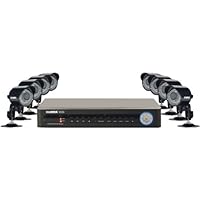
Lorex ECO2 Security Camera System with 8 Super Resolution Cameras (LH138501C8B)

Lorex ECO2 Security Camera System with 8 Super Resolution CamerasI'm impressed with the quality of this item, it was pretty easy to install, has decent quality cameras (at this price point), and works with everything I've plugged into it so far!

I recently purchased this to keep an eye on things going on around our house, we have had several instances where someone is 'tinkering' with things -not really vandalism, just messing with things -so we decided to bite the bullet and purchase a good quality observation system which would record and possibly capture the culprit. So far we haven't captured any out of the ordinary stuff, and it may be attributable to the fact that we installed this in the first place, it's a pretty big deterrent.

I'll try to walk you through my experience with this kit:

📦 UNBOXING

All items are well packaged, and everything advertised is in the box. The boxes had security tape seals on them, to let you know that the system has not been tampered with (nice little touch, though possibly not needed). The cameras and DVR all seem pretty durable and are aesthetically pleasing. The mouse on the other hand is cheap and you can tell it (more on what I did later to fix this), also the remote control is rather cheap and you need to be near to the DVR (within 4 or so feet) for it to work properly. This was a small issue for me as I put the DVR on an entertainment stand which is about 8 feet from my standard couch position :)

🔨 INSTALLATION

First of all -I am a home owner, I mention this because it is probably relevant to anyone looking to buy this for home use. You will have to run wires from outside of the house to inside the house, and to do that you will need to drill at least one rather large (5/8" to 1" hole) from outside to inside, unless you can utilize an already existing hole. This kit does not come with any of the tools you will need for installation (large long drill bit, screwdriver, cable clamps, cable ties, etc...).

Installation was pretty easy for me, after mounting the cameras I used cable clamps for the first few feet where the camera BNC wires make connection to the longer run of BNC wires (wires all included), that way if I have to change a camera out, it will be pretty easy. Then I used 5/16" staples to run the wires along the edges of the house. Once the wires "met up" with existing wire runs around the house I simply used cable ties to join them and run the rest of the way. It sounds complicated, but it was really easy other than going up and down the ladder... I sealed all connections with electrical tape also, to keep the connections dry and keep someone from disconnecting.

This kit includes 60' BNC cable runs, one for each camera. I wound up having to use two wires for two cameras, so I didn't use all eight cameras, it was fine with me as I didn't need eight observation points and having extra cameras will allow me to replace cameras as they go out (which they will). In order to use two cables for one run you will need to buy female to female BNC adapters, available here on Amazon for CHEAP or at the Shack as I got them from.

The hardest part of installation was drilling the hole and patching it when I was done running wires.

📝 List of tools I used for install:

○ Cordless drill with 1" bit, you could probably get by with a 5/8", I just didn't have one and didn't want to go get one. At the end of install I was happy that I had used the 1" bit because with so many wires going through, it gave me room to easily move the connectors through.

○ Staple gun with 5/16" T-50 Staples.

○ Cable clamps (small ones for single cables, medium for two or more). These can be bought in a kit at retailers, so you have different sizes. You'll need the small ones to hold the single cords in place.

○ Cable ties (also called Zip ties), for joining to existing cable runs. This causes the least amount of damage to the house if you have existing cable runs outside.

○ Lots of small wood screws.

○ Female to Female BNC adapters.

○ Silicon caulk for filling in and sealing the hole.

○ Some kind of faceplate for the inside wall, I used an old switch faceplate and just drilled it to make it bigger, you might be able to find something better.

○ Black electrical tape.

○ Wire cutters for cutting the cable ties once tightened.

🔩 BASIC SETUP

The DVR runs on an embedded Linux and is pretty straightforward, although I found some of the settings to be not as intuitive as I would like them to be. The cameras just connect to the back with the BNC connector, and a power connector, and they are on and working. The image quality is pretty good, it's not HD by any means, but it is good enough for what I'm trying to do with this system. During the day the image quality is great, but at night when the light is low, the image quality is also low. It's still enough to capture a reasonable image, and the DVR records at a high enough frame rate for the footage to be admissible in court.

The mouse was a disappointment, it was cheap as I stated before, and the cursor was fairly erratic --making it difficult to select and deselect items on screen. I decided to try using an optical wireless mouse I had, I plugged the dongle into the USB port, pressed connect, and to my surprise it works perfectly! It is significantly more accurate than the mouse included in this kit.

It took me a little while to get all of the settings perfected, and some of the menus are not as well organized as my mind logically thinks... for instance you have to enable each camera to record (from the Record menu), then go to another tab to tell it when and how to record (manual, continuous, motion activated), in my case I only want to record motion, to do that you will also have to go to a completely different menu (Alarm menu) to set up the motion areas. That doesn't make very much sense to me, seems like that would be another tab on the Record menu item. Tisk-tisk.

Anyway I would say for the price the basic setup is reasonably intuitive if not perfect.

📼 RECORDING AND PLAYBACK

Once all set up (motion areas, recording times, etc...), this works great. So far I've only captured deer, the neighbors cat, and my family members, but it is working and works as advertised. Playback is pretty simple and of course you can fast forward so it doesn't take that long to review a night of footage. The included hard drive is 500 GB, it claims to be able to record six months continuous footage from eight cameras. I don't think that's overstated based on how much footage I currently have, and how much hard drive space is remaining.

📡 ADVANCED SETUP

DDNS: Ok, this is where I had some problems... I have an Apple Airport Extreme base station (router) and have mostly Apple computers. The included software to make your wifi router easily work with this system for mobile viewing is all PC software, and only works with selected routers (mine not included). I'm no expert at networking, in fact it confuses the heck out of me. I youtubed and googled help with little success, so here I go, trial and error until successful...

To make a long story short I wound up getting it to work by setting up a dedicated DHCP, and using the built in template for file sharing, then adding the other necessary port forwards. It wasn't too hard, but as popular as Apple products are I would hope that in the future Lorex includes support for their routers and computers. I can see some people not being able to set that up, and it is part of the marketing.

Anyway once set up the DDNS works like a charm, I have my Android phone and iPad set up with the Lorex app, so I can view around the house from pretty much anywhere.

🆚 COMPARING TO OTHER PRODUCTS

I had previously bought X10 wireless cameras (the 2.4gHZ kind) and had them installed in certain areas around the house, but they just never worked very well so I wound up not even using them, even though I left them up as a deterrent. When new neighbors moved in next door I found that they also had some of these 2.4 gHZ cameras, and to my surprise I was able to inadvertently view the signals, so I made sure my cameras were off (if I could pick up their signal, they could pick up mine). The camera system I bought from X10 costed about $400 and never worked right, this system I bought from another retailer (not Amazon) and paid $499 and it works as advertised. Enough about X10 though, I have other products from them that work great so it might just be the surveillance systems of theirs that have issues.

✅ OVERALL

This is a great budget system, the price and quality seem to be well balanced for a typical home owner. Could it be better? Yes, but it would undoubtably cost more. I would say, for me at least, it is a solid system and is easy enough for an average home owner to install and set up themselves.

✯✯✯✯✯

Highly recommended!

I own 6 Lorex systems.... lower priced ones like this one, and their more expensive versions...

I will say this about Lorex, you get a lot for your money. Unfortunately, you get a lot of Chinese made products that rarely do what they are expected to do. You are never exactly sure what they will or won't do, as the models change so fast, there is never time to get the marketing materials accurate on the hundreds of iterations they have on every product. And when they do work, its often can be temporary, as the products are quirky. And if you don't have 12hrs min. to dedicate to set up (after all the wiring is completed) then hire a professional. I have set up a lot of these, and still can't complete a complete set up in less than 12 hrs, and then the following day, following everything in the Lorex literature, expect to be on Lorex 800 help line, on hold for up to an hour, and then the service reps are very short with you, they can't be bothered....and it seems like USA support.

Want this to work on your Android devices? Good luck. Yep, after 4 hours, got it to work on all my Android devices, within my WIFI...of course, you can only view 4 cameras...is it that hard to offer at least 2 screens of 4 cameras???? But then, it will not work when you leave WIFI, which is where you really NEED IT ! As many posters noted, the instruction manuals are not complete, so much missing information, and often, even after doing everything, and calling tech support, it simply does not work... Want it to talk to your Apple Devices? Manual says download Apple IPAD Lorex Mobile Eco app...sounds reasonable, except app does NOT EXIST, no mention of why. I later found it under Iphone apps.

all this... and yet, you can buy some Foscams, and a $5 app, IP Cam Viewer, and whamo, you have amazing access from your remote devices, as well as the ability to move the cameras around from your devices or PC...you can record on 3rd party sites as well. Wondering if this entire centralized DVR method is dated, or at least, not necessary, as they simply have not put the R&D into these products to benefit from the centralized control... or Lorex doesn't have the foresight, not sure. 6 years ago I thought, wow, they should have this system perfected in a year or two...well, 6 years later, still quirky. I think this will be my last Lorex system I buy...need to buy a better built / designed / supported video system. However, if you are on a tight budget, I can't deny, Lorex gives you a LOT for your money...like all things in life, its a set of compromises you deal with.

Update.... got very ambitious and determined to make this system work, called Lorex tech support again... wait times...

40 minutes on hold, to get level 1 tech on phone

50 minutes, level 1 tech transfers to level 2 tech...

90 minutes on hold for level 2 tech...finally I surrender...

you need to be retired, and be patient, sit on phone all day with these overseas tech support. I asked the first tech today where she is located, heavy Phillipine accent, she claimed Toronto.... oh well, so its not USA, whatever... they don't fully comprehend English, which is always part of the problem trying to resolve technical issues. When both parties have the same native tongue, it's still quite hard, add the language barrier, hold times, limited knowledge of level 1 techs, and its not easy getting these products to work FULLY.... its our new world order of Walmart and Costco dominating retail sales...

Day 3.... finally got Android running on 3G, took 6 hours to figure this one out. and, still wanted to get the Video OUT (remote) display to show what I wanted...I thought it could do it, but no information in the manuals. The 2nd level tech (2 hrs again) started probbing me, try this, try that, does this work, etc. Meaning, we both were playing a guessing game, his information was as limited as mine. Then, by sheer random luck, I hit on a formula that worked and remarkably I could control which cameras (4 options now avail, 1-4, 5-8, 8, Sequential) that display on the remote display. Again, you need tremendous patience, accept that many features are NOT documented in the users manual or in the high level teck support manuals... be willing to gamble a day or two hounding Lorex tech support (at times), or just experimenting... I guess its safe to say, the set-up is far from, plug n play. This is prob. why Lorex has some simplified systems that monitor only, which reduces the number of variables that must be set up, documented, supported, etc.

At least this system had no defective parts. The last two Lorex systems I installed, all needed the DVR to be sent back to Lorex as tech support determined they were defective, again, after 6 hours of trying everything on the phone with them. Often its not easy to decipher between a hardware and software problem.

Buy Lorex ECO2 Security Camera System with 8 Super Resolution Cameras (LH138501C8B) Now

My best friend bought this for me. We checked out the system before installing it. Everything worked fine. Took all day to install it. It looked simply beautiful Saturday night. Got up Sunday morning and there was no color at all. Checked the monitor, and it was fine. So the brain's color processor went out after only 12 hours of use! I have to go return it, but he has the receipt 60 miles away A real hassle! This unit does not have sound either like my last two units had. Lorex is getting skimpy with their engineering. Also the mouse is super cheap, they could have done much better for one dollar more.

Read Best Reviews of Lorex ECO2 Security Camera System with 8 Super Resolution Cameras (LH138501C8B) Here

I paid a company that Lorex recommended, to come in and set this system up. I paid to have the camera's installed only it seems. After they left I contacted Lorex about this and never received a response.

After letting the system run on it's own for about a week I went to look at what was recorded to find out that nothing had been recorded. So, I sat down to set this up on my own and was dumbfounded at how difficult it was. That or the DVR is broken because I cannot get it to record at all. So now I guess I paid $700 to have fake glowing cameras all around my house.

Want Lorex ECO2 Security Camera System with 8 Super Resolution Cameras (LH138501C8B) Discount?

Tuesday, January 14, 2014

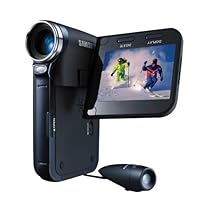
Samsung SC-X300L Flash Memory Divx Camcorder with 10x Optical Zoom and Wired External Camera

Samsung SC-X300L Flash Memory Divx Camcorder with 10x Optical Zoom and Wired External CameraI have seen more incorrect reviews for this camera than problems with American government. Maybe they're shipping multiple versions to confuse the masses and destroy their brand. MY version of this fine little camcorder does have an internal memory and it holds more images than the mint holds coins. It's a great camera which fits in your pocket, features a external doo-hickie which you can attach to your helmet, car hood, tank or hang-glider. The draw back, doesn't do too well indoors without all the lights on and my computer belched out the software (which i do not have time to fuss with). i found the device to be very user friendly. my wife thinks it's because i'm technically savvy, but hey, how true can that be, i don't even have an i-pod.

Others are correct that is does not come with internal memory, but still the camera is great. Fits in your pocket, records almost two hours on a 4GB card, and the picture is very good quality. The external camera works great and with the remote on it allows you to put the camera in a safe place while doing action sports. I have used it to record several things on my bike with great success. I would definitely buy this again.

Buy Samsung SC-X300L Flash Memory Divx Camcorder with 10x Optical Zoom and Wired External Camera Now

Yes, there are multiple versions of this camera out there. This seems to be a huge problem. The one I purchased does not take stills, does not have the built in LED flash, or the 2gb on board flash memory as described on the web site I purchased it from. This is false advertisement. Buyer beware. As far as how the camcorder operates, read the other threads. I only gave it one star because of false advertisement.

Read Best Reviews of Samsung SC-X300L Flash Memory Divx Camcorder with 10x Optical Zoom and Wired External Camera Here

PROS: The camera is awesome for video. High resolution excellent quality and the "anti-shake" feature is the best I have seen. If you want VIDEO ONLY this is an excellent choice.

CONS:

1. NO internal memory was built into the unit that I bought. As far as I am concerned that is false advertising.

2. It will function as an MP3 player, video recorder, voice recorder, and external hard drive, BUT IT WON'T TAKE STILL PHOTOS?!?! I simply do not understand the marketing decision behind that. It would have to be a simple software/firmware adjustment in order to make it function as a camera but the brain trust at Samsung felt it more marketable to include MP3 functionality or even better, voice recording? As if I am going to leave myself voice memo's with it? Now I have to carry a second device if I want photos and I am not going to drop my iPod in favor of using a video camera to listen to music.

3. Battery life is not that great.

In conclusion I would give this 5 stars if it handled still photos and came with the advertised 1GB internal memory.

UPDATE: You CAN in fact take still photographs with this camera. See Below for instructions.

Taking Still Pictures

* You have to set the mode switch to the MEMORY CARD position to use the camcorder as a Digital Still Camera.

* Audio cannot be recorded with a still image onto the Memory Card

* Images are compressed in JPEG (Joint Photographic Experts Group) format.

* The number of pixels are 640x480 unless you change the image quality (see below)

Inserting The Memory Card

1. Turn the Power switch to OFF.

2. Insert the Memory Card in the direction of the arrow into the Memory Card slot located on the bottom of the camcorder.

Recording images to a Memory Card

1. Set the mode switch to MEMORY CARD.

2. Set the power switch to CAMERA.

3. Press the PHOTO button.

The still image is recorded to the Memory Card.

Note: While the camcorder is recording the still image, appears on the screen.

Selecting Image Quality

* You can select the quality of a still image to be recorded.

1. Set the mode switch to MEMORY CARD.

2. Set the power switch to the CAMERA mode.

3. Press the MENU button. The menu list will appear.

4. Turn the MENU DIAL to highlight MEMORY.

5. Press the ENTER button to enter the sub-menu.

6. Turn the MENU DIAL to highlight PHOTO QUALITY in the submenu.

7. Press the ENTER button.

8. Using the MENU DIAL, select the image quality. Press the ENTER button to confirm the image quality.

If you exit the sub-menu without pressing the ENTER button, the quality mode is not changed.

9. To exit, press the MENU button.

Want Samsung SC-X300L Flash Memory Divx Camcorder with 10x Optical Zoom and Wired External Camera Discount?

It's a cool, little, fun camera that does HD (720p). It's perfect for action, sports, etc.

I wish they had launched the wireless version of this camcorder but they didn't.

Tuesday, December 24, 2013

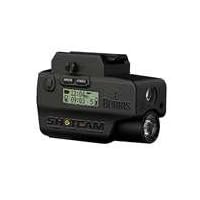
Burris Shotcam Sight

Burris Shotcam SightUPDATE: To get this to work on newer computers, download this driver after you installed the old one.. Pass word is odi(small letters) you will need this to erase old picsFirst of all, burris quality is second to none. This is so feature rich, I actually had to read the manual. Easy to use, with ambi-buttons on each side to active the laser, light and camera.

I can't believe that this has a Laser, Led 120l light, still camera and a video camer all in such a small package. I really like the removable/replaceable, rechargeable batter. I get around 3 to 4 hours with light and laser, well I haven't drained the batteries with just that.

If you have the Cash, this is a great addition to any Ar15. A little large for smaller pistols, but not my HK Tactical.

Save 50% Off

Sunday, December 22, 2013

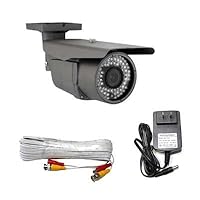
Waterproof Outdoor Surveillance Security Camera Pack - 1/3" Sony Exview HAD CCD II with Effio-E DSP

Waterproof Outdoor Surveillance Security Camera Pack - 1/3' Sony Exview HAD CCD II with Effio-E DSP Devices. 700 TVL, 2.8~12mm Varifocal Lens, 72pcs IR LED, 164 ft IR Distance, WDR, OSD Menu.I did a lot of reasearch before making a final purchase and decided on this camera. My primary use is monitoring my back door and my car. Also, living in Wisconsin, I needed something that would stand up to the elements (snow, ice, cold etc..) and after a month+ in below 0 temps, freezing rain/ice and heavy snow, its still going strong, so that is a big plus for me!

The image quality is also very good, honestly, I am surprised at how good it really is. During the day you can clearly make out faces, plates, and any other detail. At night, the tiny LEDs around the lense offer enough light for adequate picture quality. If you need a dedicated IR/night camera, I suggest looking elsewhere. You will have compromises when you go for an "All-In-One".

One of the drawbacks is its extremely sensitive when trying to adjust the focus, its very touchy! Also, the focus and zoom controls are ON the camera body, so it can be tricky when trying to get accurate focus, either do it before mounting, or youll need another person to be watching the monitor while you adjust, but again, its very touchy, so by the time they say "stop", you probably went too far! The button control to adjust in camera settings is very nice BUT, its at the end of the too short cable coming from the camera, so making adjustments while looking at the monitor can be tricky as well. You really need to have everything set up within close proximity.

Aside from these few set backs, this camera is very good, picture quality, build quality, both exceeded my expectations. I do plan to add a couple more cameras to my system, and I will definitely buy this again. I should mention, for recording and viewing, you will need a special DVR, which I also bought from GW and works very well. I purchased the 4 channel DVR(will work with 4 cameras).

Lastly, I want to mention they forgot to send my free BNC cable with the camera. I contacted GW, and Kevin replied to me. Kevin was very professional and sent out the BNC cable the same day I contacted. So if you ever do need to contact GW, rest assured, Kevin will take care of you!

In my opinion, for an "All-In-One" surveillance camera, you really cant do better than this when you factor in price/performance. If you're hesitant about this camera or would just like some input from someone who was once where you are, feel free to contact me!

This camera has made our facility a much safer place for kids to play in. The shipping was quick and the product exact. Very happy

Buy Waterproof Outdoor Surveillance Security Camera Pack - 1/3" Sony Exview HAD CCD II with Effio-E DSP Now

This camera offers 700 TVL resolution, which is a feature I really wanted. It also has good wide angle zoom capability (2.8-12mm), which I wanted to get good front entrance coverage. The focus and zoom controls are located on the bottom of the unit so they are easy to access and adjust. The IR seems to give good illumination in my testing, but I have not yet been able to test the range. The camera has a mini-joystick control on the power cord that provides access to all of the features, but this is not well documented by the manufacturer.

The only issue I had with this unit was that I was seeing a lot of squiggly lines on the screen when i first powered it up. I thought that the camera was defective. I tried it a second time with a different power supply and that worked perfectly. Apparently the power supply provided by the vendor, GW12V1A, has frequency stability problems on a 60Hz line.

Read Best Reviews of Waterproof Outdoor Surveillance Security Camera Pack - 1/3" Sony Exview HAD CCD II with Effio-E DSP Here

I ordered two of these cameras (from GW Security) based on the brand and HAD imaging element; I was particularly interested in seeing the Effio night vision capability. The price was reasonable. The vendor supplied the product in record breaking time; however, the product was a big disappointment. Outdoor at night with good white light, the colors were way off and no way to correct despite white balancing and changes to hue/saturation, etc. With suboptimal lighting and depending upon the IR LEDs (visible 840nm variety), subjects could not be identified at all close up or far away. The far away objects (50 feet) naturally were unrecognizable due to insufficient pixels/foot; all I could do is distinguishing a moving human. At closer ranges (< 20 feet), the image was totally washed out by IR hot spots. I could not find a range at which I could recognize known people at night using the IR. At the vendor's recommendation, I tried both cameras and had worse color results with the second one. I should have suspected from the "package deal", but the video/power cable was not suitable for outdoor use, being white zip cord. The power adapter was marginal as it became somewhat warm after about 15 minutes of use.

The vendor went above and beyond in accepting the cameras back for a full refund despite me having had them beyond the 7-day "return" period. Summary, GW Security 5-stars, cameras 2-stars. Caveat, I did not try these cameras during daylight so they may provide very excellent daytime video.

Want Waterproof Outdoor Surveillance Security Camera Pack - 1/3" Sony Exview HAD CCD II with Effio-E DSP Discount?

Saturday, December 14, 2013

Dazzle CompactFlash Reader (DM8000)

Dazzle CompactFlash ReaderI like the fact that I can transfer the pictures I take with my digital camera without having to plug it into the PC. It is convenient, especially if you have several CF: you don't need to turn off your camera, switch the CF, turn on the camera... and so on.

The only problem I have with this product is actualy when I am not using it. With the CF reader plugged into the USB port, my PC would crash anytime, without any reason. It took me some time before finding out that if I didn't leave the CF reader plugged when I wasn't using it, the problem would disapear. I still use the reader pretty often but I have to plug/unplug it every time.

I use Win Me. I don't know where the problem comes from but I have several other devices on the USB ports and never had any problem with any of them.

One last thing: that would be nice to have a LED to know when the CF is being read/written.

I just bought one of these a couple of days ago, and I'm glad I didI wish I'd bought one sooner, as I would have saved a lot of battery power transfering photos from my Cannon camera. And, it transferes files 10X faster than using the program that came with the camera. It works just as they sayas an extra drive, so you can drag and drop directly to a folder in your hard drive. The only drawback is that you have to go in and "rename" the transfered files in order to be bale to find a certain pic quickly in the future (they are transfered as numbered files) which is a bit time comsuming.

Buy Dazzle CompactFlash Reader (DM8000) Now

I JUST BOUGHT THIS COMPACT FLASH READER BY DAZZLE TO GO WITH MY

KODAK DC 3200 DIGITAL CAMERA. IT WORKS GREAT. IT DOES JUST WHAT

ITS SUPPOSE TO DO. THE SOFTWARE THAT CAME WITH IT IS OUTSTANDING. DAZZLE ON DVD SOFTWARE ALLOWS YOU TO BURN YOUR

DIGITAL PICTURES ONTO A DISC IN VCD FORMAT AND PLAY THEM IN YOUR

DVD PLAYER. AWESOME. IT SAYS IT IS COMPATIBLE WITH MOST DVD

PLAYERS. I HAVE AN APEX AD-1500. THIS WHOLE PACKAGE WAS A

REALLY GREAT DEAL...

Read Best Reviews of Dazzle CompactFlash Reader (DM8000) Here

I've had this reader for a couple months now, and it's worked without a hitch (under Win98). It's much much faster than the parallel reader I used to use. It's nothing fancy but it's worked for me really well.

Want Dazzle CompactFlash Reader (DM8000) Discount?

The seller was pleasant enough. I got a product similar to what I ordered, but for a MemoryStick instead of Compact Flash. It took several emails before I got a response. I was told to keep product and a refund would be given. Still haven't received the refund. I would make sure she has the product I wanted before I ordered. Seller was nice, though.