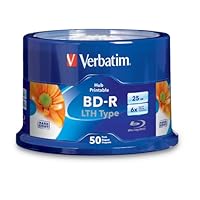
 Amazon tells me I bought these discs in July 2011. Here we are at the end of November 2012 and I still haven't gotten to the end of my spindle, though I'm around 15 discs in. I've burned them all on my trusty LG BH10LS30 at the full-tilt 6x, and I've had not a single bad burn.
Before you consider buying, did you check if your burner is LTH compatible? You have made the investment in the hardware; you owe it to yourself to get educated. BD-R is not the same thing as BD-R LTH to a burner. No matter what burner you have or when you bought it, just go to your manufacturer's web site and verify that it can burn LTH discs if you haven't already. You will save yourself money and aggravation. Once all the questions have been answered--does my burner need a firmware update for LTH?--you will be able to make an informed decision.
(For what it's worth, very few burners lack LTH support, either natively or through a firmware upgrade, but you must do your homework before you purchase discs with a mysterious suffix on the label. I learned the hard way back in the 90's, when I bought a pack of CD-R's and expected to be able to use them with my computer's CD reader.)
If you've verified that your burner supports LTH and you're getting bad burns nevertheless, it's crucial to understand that BD burning puts a pretty decent strain on your computer, relative to CD or DVD recording. You need lots of RAM and/or a fast hard drive to make the process go smoothly. Before you burn a BD, close all other programs you don't need and clear up as much free hard drive space as possible. (If you're on Windows, also defragment your hard drive every once in a while to keep it happy and healthy.) If you've got a solid-state drive in your computer, for goodness' sake, burn your files from that instead of your hard drive. And don't forget to verify every disc after the burn is complete.
The cutting edge of recordable disc burning requires common sense and following some basic guidelines. As long as you play by the rules every time, you won't find yourself blaming the disc when something goes wrong.
Now then--the price of blank BD media has dropped dramatically over the past few years (as would be expected) and now it costs only a few dollars more to buy regular (HTL) discs as opposed to these LTH discs. What's the difference between them? Regular BD-R discs utilize a non-organic recording layer; LTH discs use organic dye just like recordable CD's and DVD's. This was a canny move to bring down the initially high prices of blank BD media by utilizing as much of the older manufacturing process as possible, but now that the prices have nearly leveled out between HTL and LTH, I think these discs have had their day for any serious use. Why?
Testing and anecdotal evidence is starting to show that LTH discs may not be as good as regular BD-R discs for long-term data retention. It's a textbook case of "you get what you pay for." I suppose if you're burning something replaceable, like a movie backup, nobody will get hurt if you decide to save a few bucks and go for LTH discs. But if you are archiving lots of valuable data, something that BD-R is well-suited for, you should avoid LTH discs and spend the extra few bucks on the original, proven HTL formulation. (This goes for BD-R discs by ANY manufacturer, not just Verbatim.)
Just to make it clear, there's nothing at all inherently wrong with these Verbatim LTH discs. All of my burns so far have been flawless, and the discs all read and play back fine. As long as you're not asleep at the wheel during the burn process, and you understand that LTH has not (yet) proven itself as reliable as regular BD-R for long-term data archiving, you should have no problems burning and using these discs. (Don't forget--older BD players, pre-2008, will need a firmware update to read LTH discs!)

Save 58% Off

No comments:
Post a Comment