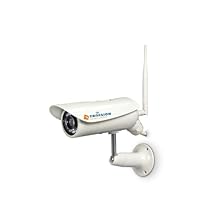
 I really wanted to like this camera, especially since I can't return it. I purchased it because it's the same camera as the Sharx model, but with a different name. I own an indoor Sharx camera and have been very happy with it and especially the tech support.
Mounting this camera wasn't too difficult, but it takes a decent sized hole in the side of your house to run the thick cable through that feeds the camera from the little housing where you make your power and data connections. Basically I mounted this on the outside of my house, under the eaves and ran the cable into the attic, where power and data connect to it.
Getting it installed and then set up through included software (Camera Setup & Multilive, also included with Sharx cameras) was pretty straightforward and I had it up and running quickly. However I ran into issues when trying to view the camera using my PC software, VitaminD. I am running a 64-bit version of Win7 and Vitamin D currently manages 3 other cameras for me, 2 Panasonic outdoor cameras and my Sharx indoor camera.
I went through VitaminD's setup process and it found the Trivision camera, gets the camera feed, and everything looks good. Except it drops the feed, and then displays a "Could not connect" screen indefinitely after that. Going through VitaminD's troubleshooter reveals that the settings are correct and you can see the live Trivision feed in the setup test screen, but once you exit that it loses the feed again.
I am experiencing a similar problem using LiveCams Pro on the iPad. Except instead of just not having a feed, it constantly cycles on and off, with strange color patterns on the camera screen. I don't have this problem with my 3 other cameras, including the Sharx brand so I finally decided to try and return the Trivision.
I contacted Amazon, who put me in touch with the seller. The seller wanted to try and fix my issue. I "spoke" with their tech-support through email, and I assume by the tech's name they are located in China. He was however helpful, and seemingly knowledgeable. Through tech support I was sent the latest version of firmware, and upgraded it using Trivision's setup utility. This actually seemed to work, as both the feeds through VitaminD and the iPad were stable immediately after the firmware update and a reboot.
The next morning however, I'm experiencing the exact same issues as before and the camera feed is only viewable through my browser, connecting directly to the camera. I understand that I'm trying to use software programs to monitor this camera, but they should be compatible. All the settings are correct, and I'm currently getting 3 live feeds from two Panasonic cameras and a Sharx camera, with 100% uptime for over 6 months on the Panasonics and over a year on the Sharx.
My other complaint (and it's a big one) is the quality of the IR night vision. It's really bad. The pics on Amazon show a nice, clear NV view but all I'm getting with this camera is a very hazy, black/white image that doesn't show much detail. The Panasonic cameras by comparison, which do not use IR lights but instead utilize a technology they call "Color Night View" gives me a better picture AND in color. I've installed other IR cameras before that have excellent night view capabilities, and this camera isn't one of them. There are some options where you can change the settings for the night vision, and I've tried every combination I can think of with no results, and now all the options are set to "Auto" which seems to be the best of the bunch.
So basically I have a camera that I can only monitor when I'm at home, and will not record to the VitaminD software which kind of defeats the purpose. I should have purchased another Panasonic instead; I will not purchase another Trivision product in the future.


No comments:
Post a Comment