Showing posts with label best digital recorder for lectures. Show all posts

Wednesday, November 19, 2014

Olympus WS-331M Digital Voice Recorder and WMA Music Player

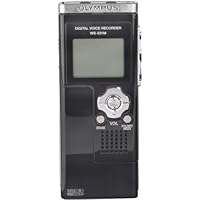
Olympus WS-331M Digital Voice Recorder and WMA Music PlayerLet me start by saying that I was originally overwhelmed by the number of digital voice recorders and the different features. As I began to study the market I soon realized that selecting the right recorder would not be easy. I eventually developed a list of the top features that I wanted in a recorder.

The most important feature was that the recorder must be compatible with Dragon Naturally Speaking. Fortunately, many of the Olympus recorders are not only compatible but excel in that area. The WS-331 has not yet been certified by Nuance (the maker of Dragon), but the lower models have been. Recognizing that the 331 is both a new model and a much improved version I knew that success of the lower models would be a good indicator. As an example, the WS-320 as well as the 300 offer excellent service for voice recognition.

Building on compatibility I also knew that I would need a recorder that was easy to use. While other recorders provide feature rich controls the attraction to the Olympus was part simplicity and convenience. The main function buttons are located on the right side of the recorder. This is the traditional location for the record, stop, and play buttons. For some something as simple as location of main buttons would seem trivial; however, for me it was a question of function over form.

The Olympus also provides a clear, though small, LED screen. Of course, given the overall size of this recorder a larger screen would be both out of proportion and make the recorder harder to use. I have found so far that I actually do not look at the screen that often, so screen size is less material than I originally thought. Even with a relatively small screen the information given to the user is clear and concise.

The size of this recorder is simply amazing. Even with a battery the recorder weighs just a few ounces. While the recorder can be easily carried in a shirt pocket I have found that it is especially convenient when carried in one of the smallest cell phone belt pouches. The Olympus is about half the size of a Blackberry or small PDA. It is thinner than most small cell phones, and will fit easily on a belt or in a purse.

One of the top attractions to this recorder is the size of the memory. At 2GB there is plenty of room to store just about anything I can dictate. As an author of several books and dozens of articles I find that using the recorder is a valuable tool which has increased my productivity. I am no longer anchored to a computer keyboard when I write; now I can write anywhere I can take my recorder.

In fact, this review was recorded using the Olympus and then transcribed by Dragon. I actually found the error rate to be lower using the recorded file than when I use Dragon live. This has less to do with the voice recognition software than it does with the quality of the recording. I find that by recording I actually write better, and that my speech is clearer which means that my error rate drops.

Another significant feature of this recorder is the direct USB connection. The recorder comes with a short USB cable which can be easily used when access to the USB port is restricted. Fortunately my computer has several USB ports on the front, so I can connect the Olympus directly to the computer.

About the only negative to this is that the recorder now sticks out on front of the computer, and if the computer were positioned in a high traffic area it might create a hazard from being run into (hazard for the recorder, that is).

The recorder appears to be made mostly of plastic. Some might find this to be a negative but for me it helps explain the lack of weight. The light weight of the recorder is certainly an advantage, and I don't believe the plastic is a true issue. The overall quality of workmanship is very high.

Files are easily transferred from the Olympus to the computer just as they would be from a flash drive. The first time I plugged the Olympus into the USB port the computer immediately recognized the recorder. This is a real advantage, especially when transferring files to a new computer. As an example, I can easily use the recorder on both my home computer and laptop without installing special software. Likewise, I can take the recorder to my office where it is compatible with any computer using as USB port. Other recorders have a proprietary system that requires the use of special software, and that is simply too inconvenient given today's market and needs.

Files on the Olympus are stored in the WMA format. The recorder also plays music files in both the WMA and MP3 format. Having such large storage capacity also means that I can download music files to the recorder and still have plenty of room to make new recordings.

There are many other features which make this a great recorder, that space simply won't allow me to detail each of them. If you are looking for a great recorder to use with voice recognition software then I highly recommend this recorder. This is also a great tool for recording lectures, or conversations, and many other matters.

This is the most amazing device! It has so many great features and the stereo sound is very helpful. I agree with the praise from most all the reviewers. There are two major flaws I want future buyers to know about before buying:

1. Low microphone sensitivity and low playback volume.

2. Loss of recording if the battery runs out.

I had previously used an RCA voice recorder with low sound quality but it did not have these two major flaws. I would have returned the Olympus unit but it's plusses are so great that I decided to keep it.

I called Olympus Tech Support and they were not helpful at all. They told me to send an email and I got no response.

If you listen to the device where the background is perfectly quiet, it's fantastic. The problem comes when you need to listen in a low to moderate noise envionment such as in a car or while walking, for example. I CONSTANTLY find myself trying to turn up the volume. It just is inadequate. I never had that problem with the RCA unit. The microphone setting also is not very sensitive. It needs another setting higher than "conf".

The other annoying thing is that when it is ready to run out of battery power, you get no warning. You just lose your recording permanently. This forces you to change the battery earlier than you might otherwise even though it has a significant amount of juice left.

I am hoping Olympus comes out with a fix for the volume problem, at least. If any of you experience this, please complain to them about it. I'm sure a software fix would correct this.

Buy Olympus WS-331M Digital Voice Recorder and WMA Music Player Now

This is the 3rd Olympus portable digital recorder I own, the others being the DS 2000 (mono) and the DS 2200 (stereo).

The good things about this WAS-331M:

capability of stereo recording without the need of external mic (capable), unlike the DS 2200 which can record in stereo only with optional stereo mic.

direct recording in wma format, instead of propriety format like the DS 2000.

recording in high fidelity (44 48 kHz).

large built-in memory (2 GB) instead of using external flash card.

capability of using as a flash drive with built in USB.

capability of using as a mp3 player (in stereo) with USB direct transfer.

USB device is recognized instantaneously; no software needed.

capability of secret conversation recording, putting in pocket/bag, although it will pick up any noise.

Now, the bad thing about it:

the battery life is not predictable. This is the most inconvenient default of this, otherwise near perfect, jewel. Who knew how many recordings I missed due to the sudden stop of recording due to low battery. The indicator showed 2 stripes, but the recording suddenly stopped at 44 minutes, although Olympus boasted a 11-hour battery life.

Should we change battery when half discharge?

Read Best Reviews of Olympus WS-331M Digital Voice Recorder and WMA Music Player Here

I've owned a number of Olympus voice recorders going back to the days of tape. All have been noteworthy performers. The WS-331M represents the state-of-the-art in non-dedicated digital voice recorders. That is, it is neither a dedicated dictation unit intended to be used with foot switches and other transcription accessories, nor a professional audio recorder.

Instead, this unit is intended for casual audio recording use. (It also has music player features which I have no need for and don't use.)

The unit has a staggering 71 hour recording capacity in HQ (High Quality) mode. I tried it in a large auditorium to record a lecture with three participants and the results were far more than merely satisfactory. Each voice was clear and distinguishable.

I used it for personal recording down to a slight whisper and the quality at every sound level is more than acceptable.

When I deliberately introduced loud background noise (a television talking heads show and a music-playing radio), dictation was still usable.

I haven't tried it with Dragon Naturally Speaking yet, but from prior experience with other Olympus and Sony recorders, I have no doubt that it will work well.

The unit is beautifully designed. About four inches long by perhaps two wide and not even a half-inch thick. Record, Stop and Play controls are conveniently located on the right side and easily manipulated with the thumb. A four-way controller on the front handles volume and forward and reverse direction. A center button takes care of the menu. There are separate buttons for Erase and Folder/Index. On the left side is the Hold button and a mode selector for Music or Voice.

All in all, one of the simplest control panels I've ever seen on a digital recorder and, frankly, a welcome change.

The LCD screen in legible and the backlight just capable enough.

Battery life is adequate. I make it a rule to regularly change batteries in units like this so I am not rendered unexpectedly powerless. Cheap insurance.

There's a lanyard attachment in the back.

Overall, the handling of this unit is absolutely sweet. Not slippery so as to cause concern for it flying out of your hand. Not too many controls that you forget how to use. Everything is simple and straightforward. A truly nice piece of design.

The coolest part is that transferring recordings to your computer requires nothing more than detaching the bottom of the WS-331M, using a quick-release button and plugging it into a USB port on your Windows PC. That's it. No software, no cables, no nothing. It's a WMA file that will play in Windows Media Player or any number of other PC players.

Overall, a sweet little unit.

Jerry

Want Olympus WS-331M Digital Voice Recorder and WMA Music Player Discount?

I reluctantly replaced a Sony voice recorder that I have been using for two years because I felt a little guilty about getting an upgrade so soon. But I was disappointed with quality and lack of MP3 capabilities. My guilt is gone! I am a pastor and the recordings are the BEST I've ever heard. I can record my sermons and listen to sermons I download off the internet. THere are 28 sermons, my fav CDs, and plenty of room for more. If you speak professionally, this is the tool for you!!

Saturday, November 15, 2014

Looxcie Wearable Bluetooth Camcorder System, Android Compatible (Black)

Looxcie Wearable Bluetooth Camcorder System, Android CompatibleAs a gadget nut, I ordered this the day it became available on Amazon and had it shipped next day (ok, so an impatient gadget nut). The concept is awesome capture and share those expected or unexpected moments in life as I see them, how I see them. The videos you see on youtube were promising and I was in need of a new bluetooth headset, so I bought it.

First thing that I noticed was how nicely everything was packaged. I took the Looxcie out of the box and set it to charge via the wall outlet adapter Don't want to run out of batteries on my day out! I love the design of this thing, looks so slick! After it was fully charged, pairing to my Android phone is a breeze. With the Looxcie software downloaded, it was time to put this thing on my ear and see what it can do!

...And that's where things started going downhill! First of all, the Looxcie does NOT fit on my ear correctly. I tried all 3 sizes of ear buds and on both ears (in case I had a deformity in one ear of which I wasn't aware) and with my glasses on and off. I read the instructions and my Looxcie did look bent as shown in their images anfter several attempts. Perhaps its the weight of the camera boom, but the Looxcie just droops down such that the camera is not eye level (aiming more at my jaw line). I would have to walk around with my head tilted up in order for the camera boom to be level with the ground. I had my wife try it as well, maybe its the size and shape of my head and she experienced the same issues, no matter how we shaped the flexible ear-piece.

After much fiddling to the point where my outer-ear was a bit sore, I managed to get the Looxcie on at an acceptable viewing angle. Any quick head jolts and I risk having the camera boom shift slightly downward again. Now comes the other fitment issue Being that the Looxcie was on my right ear, anything that was happening to my left would not be picked up. If I held my hand out in front of me, the camera eye would not see it until my hand was about to cross my nose. They really should have included some sort of curvature to the camera boom to contour to the face because as of now when it is at eye level, it points to the right (on my right ear).

I love the fact that I can use my phone's screen as a viewfinder! Going into it, I knew the Looxcie's recording specs and frame rate so my expectations were low but the resulting videos I took were even worse than expected. I tried several activities from driving, to walking to just standing and panning my head back and forth. The video I get from the Looxcie is very choppy, I would say even worse than the 15fps they claim. I was walking through the mall in one video clip. I turned to look at a dog that was there and turned my head back (more than a 1 second look) and in the captured video, I don't even see the dog because of the choppiness of the video (although I can clearly hear myself talking about it).

The other thing is battery life the Looxcie is rated for 4 hours but after a full charge and playing with the unit, I would say its more like 2-3 hours of video use tops. This should definitely be improved.

I do have to say that I like the ability of reviewing and editing video clips on my phone, then e-mailing or posting to Youtube, Facebook, etc without having to be at a PC. That is a key feature of this device!

I would have to say my expectations have not been met with the Looxcie. The concept and idea is there, but due to the lacking design, ergonomics and quality of video I am fairly disappointed. The price-point is good if they can deliver a quality product that will actually fit, stay on my ear(aimed properly) and take video where I don't miss any of the action (true 30 fps PLEASE!). I honestly wouldn't mind the low-resolution of the video if the frame rate was there and I could record for an actual 4-5 hours as claimed.

Once these issues are resolved, perhaps they can look into adding features such as retaining the last 10-30 seconds of video before the record or instant-clip button was pressed. :D

Likes:

-Concept of sharing the every-day

-Visually pleasing design

-Mobile editing/emailing of video thru an Android phone

Dislikes

-Device Fitment/Aiming of camera boom

-Recorded video quality lower than expected

-Battery life

UPDATE: As of today Looxcie updated the firmware on the device and added a new phone app and new desktop app. This is a major improvement to the device as it now adds the ability to record in 480p @30fps which I've tested and is a HUGE improvement. You can also save clips directly to the phone's SD card now instead of just on the Looxcie device. They also allow livestreaming now which is awesome.

Ok, so I was extremely excited to get this product and ordered it as soon as it became available. Since I've had it I've probably recorded about 2 hours of video with it at various places with varying noise levels. So here's my impression.

For the price it is a really nice piece of hardware, I've had no trouble with the build quality, it's comfortable and very light when wearing and adjusts to fit virtually any way you want it. The video quality is exactly what I expected it to be. Nothing great but not horrible considering the size of the device. I love the Android app that this device utilizes, you can use your phone as a "viewfinder" and Looxcie is very easy to pair with your phone (Nexus 2.2 in my case). You can save notable clips on the device by pushing the clip button making 30-second clips or make custom length clips through the app. Once you make the clips you can hook Looxcie to the computer and do what you want with them there, or upload them to the place of your choosing through the Looxcie App. Playback in the app is a little choppy but much more smooth on the computer. Using the device as a bluetooth headset has been great for me. I usually run into problems where the volume is never high enough but my Looxcie is so loud it hurts (luckily you can turn it down). Call quality is good and I have no problems hearing anyone or with them hearing me when talking through it. It's very useful to be able to use this as a "dual-purpose" device.

My gripes:

-As of now the clips you "save" are saved to Looxcie and not your phone's SD card. So viewing clips while away from your Looxcie are impossible unless you've uploaded them somewhere through the app. Now this can be fixed through an App update but just something to be aware of.

-Audio: While playing back my clips on the computer what I've noticed is that (since both microphones are on the bottom of Looxcie) I can hear myself talking fine, but whenever someone else in front of me is talking I find it difficult to make out what they're saying. I CAN hear them but if you're anywhere but in a quiet room with a couple people it can get difficult to hear anyone other than yourself. This is the only real problem I have with Looxcie.

My likes:

-Easy to use App interface, easy to pair

-Portable, wearable camcorder, letting me have my hands back. Great for when I go fishing/snowboarding or anything else.

-Look/Build quality of the device is wonderful!

-Battery life is very good considering the size of it.

-So many adjustment options makes it very comfortable and adjustable for any size/shaped head.

-Recording length (5HRs)

-First of its kind/cheap for what you get.

Overall the Looxcie is definitely worth the price and I would recommend it to anyone who is tired of always "holding the camcorder" and missing out on the action. Very useful, easy to use, and fun device even though placing one of the microphones in front would've been a wise decision. (And no I don't work for Looxcie in case you're wondering)

Buy Looxcie Wearable Bluetooth Camcorder System, Android Compatible (Black) Now

Yep jumped right in the day it was available. Not a bad price for bleeding edge though I'm sure it'll drop soon enough. Conceptually great! I love the potential! Paired immediately and Android app installed and works though the images have a pixelated quality along edges. Very cool app though! Only had for about 2 hours now. First thing was to rotate for left ear. Manual doesn't make clear what exactly rotates. Figured out it was just the earbud itself (makes sense) however when rotating it gently and smoothly the top half of the earbud clam-shell fell off. It was glued so technically its broken but a few drops of plastic adhesive fixed it. I'm not ready to return it without playing. Maybe later if anything else happens. Going to play with the actual video functionality now and write more later.

Day two. Played more with the video. Other than the previously mentioned edgyness everything seems as described. This product DOES NOT stream to or thru the handset. The real issue today is the audio quality. In a word it's atrocious! I have many many Bluetooth headsets including some real bargains and this is by far the absolute worst incoming quality I've ever experienced (that's why the stars dropped). I think there must be a defect with my unit but I'm not ready to return it yet. Again audio quality is lower than anything I've ever used. I am still so enamored with the potential of the device I will keep playing until I must decide about returning/exchanging it.

Third and forth day. Looxcie has GREAT customer service! One of the engineers was reading the reviews here and jumped right on it and contacted their customer service (on Sunday) and made arrangements for a replacement.

Before the replacement arrived today. I was able to spend a lot more time with the video functionality. Again the Android app is great! I clipped the 'my girlfriend almost hit 2 baby dear' clip that of course no one ever gets. Looxcie is gonna be great for accidents, and once in a lifetime stuff! I agree with Nathan's comments on the microphone placement and clips being pushed to the app as soon as possible but of course that could use more power when you're not necessarily close to power like you probably would be when intentionally sitting down to review clips (maybe a check box option). It's certainly ok the way it is now. And also that the video quality is more than I expected from a device this small and cool. Really haven't seen anything better at this resolution.

Replacement unit: audio is far more normal on this unit and though it still sounds a little hot it is absolutely fine. Nathan is also correct that the volume can go way up. Even to the point of distortion which was at least some of the problem with the audio experience of the original unit.

Something I didn't quite get at first but makes sense now. Looxcie is called an always on camcorder with the ability to clip the last thirty seconds. What that means though is its always on once you turn it on with the app or the capture button. Not a problem once you realize it. So battery life has multiple modes. Standby (un-connected to phone), headset mode (connected not in use w/wo capture on) and active (in a call w/wo capture). No un-met battery expectations so far.

A useful thing on the site would be audio clips for each signal tone. I hear some but not sure what it's telling me because there are some I haven't heard to know the difference (for instance there are 5 different 2 tone signals). Not too hard to force them so I've learned the difference now.

Stars go to 5+ and I love my Looxcie! Can't wait for all those clips I wished I had an always on camcorder for and of course upgrades to the device and app for even more features! I'm geeked!

And thank you to Rob and Michael.

Read Best Reviews of Looxcie Wearable Bluetooth Camcorder System, Android Compatible (Black) Here

The Android app for Looxcie (without which you can't really use the device) is infuriatingly unpolished:

(1) it does not use Android Intents for sending email or uploading videos to Youtube (ie rather than using the Android-provided facilities for this they implemented their own; for example they require your Gmail password; the only way around that is to create a separate Gmail account just for the Looxcie app)

(2) the UI for browsing the circular video buffer has many issues: it is sluggish, the position slider is too inaccurate to easily select a scene within the 4 hours of recorded video, when you click "create new clip" the position jumps so if you had carefully navigated to the beginning of an interesting scene you have to start over again)

(3) when uploading the video fails, retrying means that the app downloads the clip yet again over Bluetooth

(4) when you create a new clip and give it a title, the title is not reflected in the file name on the flash disk presented to a connected computer

This would all be tolerable if the app were open source or at least the Bluetooth protocol documented -as it stands, Looxcie officially says that they have no intention of opening up the product but instead intend to keep it a completely closed system.

Regarding the hardware: there is no motion stabilization and no wind protection for the microphone. This means when you take a movie while bicycling, you can all but forget about the sound and watching the video clip is bound to make you seasick. It also appears that the Looxcie has a hard time keeping up with rapid changes of the pictures -you'll see the image shearing.

Want Looxcie Wearable Bluetooth Camcorder System, Android Compatible (Black) Discount?

Ugh If you have 5 hours to waste and disappointment galore this is the product for you This is the iPhone version

1st A firmware upgrade

2nd press button 1,2,3 no no press 3,2,1 no no no press 2,1,3

3rd Plug it into a wall socket, no plug it into the laptop

No first press 3 buttons then it will reset then plug it into

the wall socket

After five hours four calls to the support hot line and three emails

I returned it disappointed upset and aggravated

The product is not yet mature

In my case the device could not hold a charge

I tried literally everything and even their support people could not get it to work

Was it just a bad unit My sense is "No"

Why

On the phone they relayed to me that I had to do a firmware upgrade

then I had to do a complete system reset back to the default mfg settings

My sense is that they have not worked out all the kinks for the iphone yet

Oh and by the way (a little untold fact) the transfer rate between the

device memory storage and your iphone is 300kbs that means if you recorded

20 minutes of video (which equated to a 500 mg file) It will take you

4 hours (yes 4 hours) to transfer that file using blue tooth Now that's what I call real time

Save 7% Off

Saturday, November 8, 2014

Panasonic RQ-L31 Portable Cassette Recorder with Slide Microphone

Panasonic RQ-L31 Portable Cassette Recorder with Slide MicrophoneIt's kind of inappropriate that so many people complain that recorders _intended_ for speech (e.g. lectures, interviews, notes, etc.) are bad for recording music. Kind of goes without saying. If you want to record music, if you want stereo sound, if require audio quality, then don't buy _any_ cassette recorder in this price range. (The bare minimum for these needs is possibly the Panasonic RQ-A220.)

There's also lots of confusion about the term "mini." The term mini is about the player size, not the tape's. This recorder, like all "mini" recorders, takes normal sized tapes. If you want the really small tapes then you want what they call "micro."

I purchased the RQ-31 to replace an older GE model I was using for notes and interviews. One thing stood out immediately the microphone was far more powerful. If you speak directly into the machine it will cause some distortion. This is good, actually, because it allows you to record people speaking without pushing the machine in their face. Combined with the voice activation feature this will allow you to easily record your thoughts and conversations without wasting tape. I thought this would be especially handy to record while driving just leave it in the passenger's seat and it will record only when you speak.

The most basic model on the market at this time is the Sony TCM-150 which is at least ten bucks less. Here's some of what you get by paying more: Voice activation, external microphone jack, extended record, and a tape counter. For most people these features are necessary which makes 150 model a poor choice. The Sony's TCM-200DV, however, offers all of that for about five bucks less than this Panasonic except it doesn't have the counter which I thought I needed. The next model up, the Panasonic RQ-L51, is identical to the L31 except it comes with an AC adapter and rechargeable batteries. I'm not so sure that the extra cost is worth it, but some might find the adapter necessary.

The recorder feels cheap for some reason. It's too light and there's too much plastic. (The Sony's TCM-200DV has the same weight.) Perhaps the manufacturers are putting all their effort into MP3 and digital recorders. In any case, use it for what it is. If you need an inexpensive recorder for interviews or lectures the Sony 220 or this Panasonic will likely do the job. If you require something a little more tough with better audio you'll definitely need to spend more or pick up an older machine from the days when they made these things to last.

I bought this recorder for school and due to its 3X recording, you can use a 90 minute tape for 270 minutes. For me, this means that I can use one tape each week for the classes I like to record. I recommend not using the Voice Activated Recording. It tends to make playback sound strange in the place where the tape stops itself and then restarts. If you use the 1X recording, you can listen to the tapes in your car or in any standard cassette recorder. Also, the tapes are cheaper than mini or micro cassette tapes.

Buy Panasonic RQ-L31 Portable Cassette Recorder with Slide Microphone Now

I bought the RQ-L31 from Circuit City(in their store)for a total of about $38.00; with no AC adapter or batteries. This recorder has a sensative microphone(built-in)that will pick up birds singing from a neighbors yard! The mic has two positions(up or normal); and it's difficult to tell the difference between the two settings on recordings. The voice activation record has two settings, one is for quiet, distant sounds, the other is for close-up sounds. I have used the RQ-L31 for voice and music recording. It's better at voice recording! It will record music, but a speaker that it not even "2"; just can't reproduce music that well. Also, volume output seems to be lower than most hand-held recorders; although it is totally clear, even turned all the way up. The design puts the speaker in the cassette door. Where you insert the tape(the door)is where the speaker is. I would have to say, that the recorder is not worth the $34.95 that it sells for. It does allow you to use an external mic, and it is shuts off at tape end very quietly. I have a GE mini cassette recorder that has much louder sound than the RQ-L31 by Panasonic. The GE only cost $19.99 at Walmart. It has voice activated recording too; but instead of normal or 3X normal recording length, the GE 3-5364A model has louder volume on playback, and variable speed playback control. If turned up past 75% volume, it gets distorted. The GE also tends to pick up the tape motor sound more. So, the Panasonic RQ-L31 is better at less tape noise recordings. RQ-L31 uses standard size cassette tapes, and has an LED battery level indicator(3 red lights). It is light weight and feature packed, but buy it with the understanding that it is primarily designed for voice/lecture recordings. Circuit City carries the RQ-L31 in their stores. Tape door is awkard to load tapes in, but you can get hang of it.

Read Best Reviews of Panasonic RQ-L31 Portable Cassette Recorder with Slide Microphone Here

Great recorder! The playback sound (voice) is amazingly good at 3x recording speed. It's much, much better than my Sony microcassette, even when the Sony is on the normal (best) recording speed. Like another reviewer mentioned, one drawback of 3x is you can't play it in your car deck (but who has those these days?!). But you can record 12 hours on one 120 minute tape at 3x speed! 6 hours a side. That can be good and bad; good for the capacity, bad to find specific spots, eg. the beginnings of things you tape. So, I think 60 or 90 min tapes might work better. I've also heard the longer the tape the greater likelihood of jamming... and, the tape quality itself is lower because the tape has to be manufactured thinner to fit the longer length/s in the cassette shell.

This player isn't much bigger than my Sony microcassette player. Side by side they look about the same size. At first I thought mine was defective; the tapes didn't seem to fit in properly. Load the tape in the door/lid and close it with a little more force than you think is needed (because it seems like it doesn't close properly and you might break it). Or you can seat the tape then close the lid... this method seems less 'harsh' or damaging to me.

I think this model offers the best value vs. the more expensive RQ-L51. The players themselves are identical feature, performance wise. The only difference is in accessories; the L51 includes an AC adapter and ni-cad batteries (which should not work as well or long as NMHs). Neither model includes a strap (unless I threw it away by mistake), which would have been nice; there is a place to put one on one of the corners.

Overall, I think this is a great little recorder for the money and recommend it. Note: having used this for 2 weeks at college, the 120 min tapes hold about 5 hours per side at 3x speed; not 6 hours as I mentioned above. Not sure why.

Want Panasonic RQ-L31 Portable Cassette Recorder with Slide Microphone Discount?

I got my recorder about 3-4 months ago. So far, so good. I have used it for voice recording with good results. I also like the fact it has jacks for ac adapter, external microphone and earphones. It takes standard cassette tapes. To me that is a plus.

I purchased an AC adapter from Radio Shack to keep battery purchases down. I also had to buy an additional plug since it takes a very small plug and the adapter did not come with that size.

I do handle it with reasonable care. It is plastic, so take care of it and you will probably get good service.

I had purchased 2 of these recorders and for a while both were working great. One is still working fine as of July 2, 2010 and one cannot record reliably. The tape just twitches instead of moving. That unit is still capable of playing so far at either standard speed or 1/3x speed.

Wednesday, November 5, 2014

Sabrent TV Tuner/Video Capture/DVR/DVD Maker PCI Card with Remote Control (Analog NTSC) TV-PCIRC

Sabrent TV Tuner/Video Capture/DVR/DVD Maker PCI Card with Remote Control TV-PCIRConly a few channels worked and were fuzzy,

sound never worked,

remote worked once then never again

cheap product dont buy it

The principal benefit of this product is in the valuable lesson it teaches not to buy the lowest price item without first taking a good look at the product reviews. I was never able to get the card to do anything. I tried removing and reinstalling the drivers. I tried getting assistance through the web site. I tried contacting the manufacturer and they never returned my phone call. I've decided to cut my losses and buy a different card.

Buy Sabrent TV Tuner/Video Capture/DVR/DVD Maker PCI Card with Remote Control (Analog NTSC) TV-PCIRC Now

I purchased this item and was very excited about getting it... I had a previous version of WinTv and I liked it but wanted something new... as I read the specs for this program and card it looked as if I had found what I was looking for. When I installed the card and program nothing happened, I re-installed and the card began to work but the picture was terrible none of the channels matched if something was on 21 it would show 22.... half of the channels wouldn't even come on... I had to do a system restore 3 times to get rid of the program but now there is a warning that comes on when I boot my computer about missing .dll files.... Buyer beware, this is a worthless item... I have tried to get in touch with the seller and I have recieved no reply...BUYER BEWARE !!!!

Read Best Reviews of Sabrent TV Tuner/Video Capture/DVR/DVD Maker PCI Card with Remote Control (Analog NTSC) TV-PCIRC Here

It's cheap, but I couldn't get it to work. It seems to be a problem with the drivers. I wrote to the company for help multiple times but couldn't pin them down on any clear instructions (e.g., they'd tell me to download the drivers from the internet, but when I responded that I allready did so and it still didn't work they wouldn't tell me where to go from there they stopped responding to my e-mails). I'm pretty computer savvy so if I was unable to get the thing working after several hours I don't think anyone else will be able to either.

Want Sabrent TV Tuner/Video Capture/DVR/DVD Maker PCI Card with Remote Control (Analog NTSC) TV-PCIRC Discount?

I received and installed this card yesterday. It was not recognized by Windows 2000. Neither was the driver included on the CD. Sabrent's site didn't have any driver for the card, either, but did have a wonderful FAQ link about it... Well, I'm assuming that it was wonderful, since the URL was broke. I'm giving them a chance to respond before I send it back.

Save 40% Off

Tuesday, October 21, 2014

GE 24202 10-Feet A Plug to A Plug HDMI Cable, Black/White

GE 24202 10-Feet A Plug to A Plug HDMI Cable, Black/WhiteFabulous quality, unbeatable pricing. The whole family noticed the difference between the stock issue Time Warner Cable and the GE Pro Series 24202 HDMI Cable. Thanks

Save 66% Off

Monday, October 20, 2014

Philips DVP3345VB DVD Player -Black

Philips DVP3345VB DVD Player -Black
  • DVD Player (not recorder) and VCR Combination
  • Plays MP3 and JPEG digital camera photos
  • Plays CD, (S)VCD, DVD, DVD+R/RW, DVD-R/RW, DVD+R DL, VHS
  • Hi-Fi stereo VHS enhances audio playback
  • Progressive Scan component video for optimized image quality
  • Combination
  • DVD
  • Direct Dubbing
  • Hi-Fi stereo VHS
  • VHS

My order was shipped in a very timely manner and I am very pleased with the product. I bought a refurbished Philips DVD/VHS player and it's worked perfectly! I was unsure about buying refurbished but now I'm really glad I did because not only was it a lot cheaper, but I got the same quality as if it was brand new! Great buy!

Buy Philips DVP3345VB DVD Player -Black Now

I did purchased the Phillips DVP3345VB/F7 DVD/VCR combo brand new from a retailer not Amazon. Two major issues I discovered: (1) no built-in TV tuner (I can't receive TV signals from my cable company), and (2) the DVD player did not work. I tried several different types of DVD's, but they all failed to play. However, the VCR worked perfectly. I needed a VCR/DVD combo to replace an older VCR VHS player/recorder with built-in tuner that kicked the bucket, but this unit lacked the main item I needed, and the built-in DVD player would not even work. How sad. Will be returning this unit and will look elsewhere -However, I found two promising DVD/VCR combo units at Amazon that look very promising with built-in TV tuners -Toshiba DVR670 and the Magnavox ZV457MG9 Dual Deck DVD/VCR Recorders. Can't decide which one to get, but I'll keep reading.

Read Best Reviews of Philips DVP3345VB DVD Player -Black Here

Philips DVP3345VB/F7 DVD Player and VHS Combo

I purchased this item from Amazon.com. I had a little problem getting it connected properly, but with some expert help from a freind, and some excelent help from philips, it was connected properly. It seemjs to work well with good picture and sound. we are very pleased with it for the price.

Want Philips DVP3345VB DVD Player -Black Discount?

2 for 2.

Bought this in Sept. and when hooked up the tracking on the VCR side wouldn't work. Returned to Philips for a replacement. Guess what? The DVD player on the replacement wouldn't load a DVD, VCR worked fine on the second one.

Philips blamed it on UPS and rough handling in shipping. Both boxes were in perfect condition so doubtful the shipper was the issue.

So, now stuck with a DVD/VCR combo which only works on the VCR side.

No more Philips products.

Oh and customer service with them is highly suspect as far as being able to handle the return issues.

Save 13% Off

Right from the start the VHS playback quality was very poor. The picture would drop out intermittently. That is to say, the picture would go black momentarily as the tape played. At first, I assumed that the problem was in the prerecorded VHS tapes, however; the problem got worse with time and tapes recorded from broadcast television would experience the same problem. Also note, the fast wind is rather slow and does not slow the tape near the end of the tape as do better VHS tape players.

The DVD side worked very well both video and audio.

Monday, September 8, 2014

Ematic EMS004BU eSport Clip MP3 Video Player with Video Recorder

Ematic EMS004BU eSport Clip MP3 Video Player with Video Recorder
  • 4GB Flash Memory
  • 1.8 inches Color Display
  • 5MP Camera with LED flash and Video Recorder
  • Sports Clip
  • FM Radio

I bought this mp3 a few months ago and I must say I am impressed with all of the things I can do on it. It has many handy tools, such as voice recording, calculator, and stopwatch. (It also has a camera, video recorder, and eBook feature, but I doubt I'd ever use those). It also has a nice little internal speaker so you don't have to always wear earphones. However, it isn't the most user friendly. I find the "touchscreen" type buttons to be sluggish or downright unresponsive. My hands are always very dry, so I don't know if that has any effect on the touch-type buttons or not, but I do get frustrated trying to manipulate the thing. I am also disappointed that I haven't found a "random" or "shuffle" feature for my stored music.

Buy Ematic EMS004BU eSport Clip MP3 Video Player with Video Recorder Now

I spent 2 hours trying to navigate my new mp3 player and the only progress I made was getting a single avril lavigne album to play over and over. The controls are so frustrating and pretty much impossible to work. Every time I managed to do what I wanted it would end up over clicking and then I couldn't get back. I often pushed 10 or more times before the thing responded at all.

Read Best Reviews of Ematic EMS004BU eSport Clip MP3 Video Player with Video Recorder Here

We purchase a number of these models including this one because

a number of customers had ask for them. About half have been

returned mostly because of battery life issues and an Interface

from Hell. The touch is far too sensitive and it will scramble

your menu and setting unless you place it On LOCK.

The Ear buds were unacceptable. Battery life is, at best, fair.

The Camera is a non-factor: the quality leave much to be desired.

We are thinking of giving away the rest of our models to charity (we do

that every now and then). The screen is suspect to easily breaking.

This is an awful product. Where the good reviews are coming from

are probably from employees and friends of the manufacturer.

Brandon Eli Roman, Walters Judson group.

Want Ematic EMS004BU eSport Clip MP3 Video Player with Video Recorder Discount?

I bought this for my 4 year old grandson. He loves it. His mom says, he never puts it down. Very satisfied for the price.

I purchased mine through the Warehouse Deals, and I must say this little guy is exceeding my expectations. If you are looking for a cheap Apple-type product, look elsewhere. But it works well for me; I wanted an MP3 player that I can take with me to college that if I was stolen I wouldn't have to worry too much about someone stealing it (or having to replace it if it would break), and this fits the bill. There is a bit of a learning curve to it, but over all a well designed, cheap player.

I feel I must add that the packaging looked a someone ran it over with a car, and then let a 3 year old tape it back up again nothing against the player, but a little disappointed in Amazon for that...

Thursday, August 28, 2014

Memorex 700MB/80-Minute 48x CD-R Media Black, 50-Pack Spindle

Memorex 700MB/80-Minute 48x CD-R Media Black, 50-Pack SpindleI have used dozens of different brands and colors of CDR's, and the Memorex black ones are the ONLY ones that have NEVER given me any trouble. I have Memorex black cdrs in my car that have been there for 3 years. They've been through the hottest summers and the coldest winters. To this DAY they still play great. All other cdrs that i leave in my car get ruined by the heat. The black cdrs are not exactly the "nicest-looking" cdrs on the market, but they are SUPERB in terms of performance. If you have some valuable information or music that you want to keep forever, i strongly recommend the Memorex black CDR.

MY '96 Maxima has the bose stereo (Clarion) head unit in it and was not liking my Taiyo Yuden (top quality) CD-r's when the temp was high.. so I looked at some reviews for cdr's and found these. Took a chance and ordered a 50 pack and wooo! I couldn't be happier. I burned my first disk today and tested it (it was in the upper 80's here) and my stereo had no problems with these. I reccommend you try these out if you have a picky older player.

Buy Memorex 700MB/80-Minute 48x CD-R Media Black, 50-Pack Spindle Now

I originally got these disks because I was having trouble with my car's cd player skipping with regular silver disks. I read on the internet that black disks can track better and sure enough, all burns have played perfectly. I have used 4 or 5 different drives (from cheap OEM drives to Plextor) and they all worked. These are the only disks I use for music cd's anymore.

Read Best Reviews of Memorex 700MB/80-Minute 48x CD-R Media Black, 50-Pack Spindle Here

I've used these for years. I love them. I never have any problems with them. Usually, if I go back and check after burning it was a problem with the audio file on the computer-in the rare event of an error. It was not a problem with these. I've used them in my ford, a bmw, a benz, honda, saturn, pioneer, & various computers + players. I've used them for data and music. They're great and always play. If you do have a problemcheck your burned file's quality. Chances areit isn't these CD-Rs. TIPUSE A SILVER SHARPIE (yes these exit) AND LET IT DRY BEFORE INSERTING IN PLAYER. IT SHOWS UP GREAT AND LOOKS NEAT. No need for the writing space complaint. :)

Want Memorex 700MB/80-Minute 48x CD-R Media Black, 50-Pack Spindle Discount?

The media worked fine for me, got a pack once as a gift and used them all. Between work, home, and laptop burned them on cd-r's and dvd-r's and all worked. No idea why some reviews complain about "black" cds being bad. You can buy cd-r's in red, blue, orange, silver, and ones that look like old 45 records, etc... It's just the color, it's not some other format. So if you're having trouble, don't blame the color. Memorex is a good brand name for cd-rs or dvd-rs so ignore those talking about an issue with "color".

Save 35% Off

Sunday, August 24, 2014

Olympus CS-116 Carrying Case for the WS-110 or WS-210 Voice Recorders

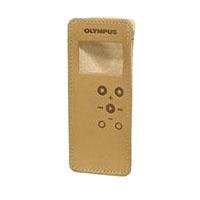
Olympus CS-116 Carrying Case for the WS-110 or WS-210 Voice RecordersI had the case pictured here, but my girlfriend lost it when she borrowed the voice recorder. The picture is of the case I wanted, and am still looking for. Apparently (like everything else that's made well), they discontinued it. What ships is a thin little case that has no belt attachment and doesn't protect the voice recorder very much at all. I returned it. I ordered the CS-112 from another company and they the CS-115, which is better than the CS-116 and better than nothing, but it's still not the case pictured here.

The product delivered was not the product dipicted in the picture. The delivered product was a skin for recorder, vs a case.

Buy Olympus CS-116 Carrying Case for the WS-110 or WS-210 Voice Recorders Now

The picture is not of case CS-116; DO NOT PURCHASE THIS ITEM BASED ON THE PICTURE!!!

Read Best Reviews of Olympus CS-116 Carrying Case for the WS-110 or WS-210 Voice Recorders Here

Great quality, exactly what I expected... I keep my recorder in my pocket and the case that came with the device was worn thru. I needed a new one. The quality of the one I received makes my device look band new. Thanks for the great qaulity.

Want Olympus CS-116 Carrying Case for the WS-110 or WS-210 Voice Recorders Discount?

Wednesday, July 30, 2014

Blue Microphones Snowball USB Microphone (Textured White)

Blue Microphones Snowball USB Microphone
  • Uniquely designed plug-and-play USB mic connects to either a Mac or PC
  • Dual capsule design and unique three-pattern switch can handle everything from soft vocals to loud garage band
  • Switchable mic patterns for a variety of recording applications, including podcasts
  • Swivel mount located on the bottom center of the mic body
  • No additional software required

Always hold it close to your mouth to eliminate echo and get that deep, rich satin voice you're looking for!

Buy Blue Microphones Snowball USB Microphone (Textured White) Now


Blue Microphones Snowball USB Microphone Bundle

This video demonstrates how the Blue Snowball microphone sounds and its different modes.

I have read some reviews that stated that the microphone had problems working with Vista. I did this review on a Vista PC. There is a product FAQ for this mic on www.bluemic.com that states that after a certain serial number (starting in 2007) the mic was updated and now supports Vista. I can attest to that as I had no problems setting it up. I just plugged it in and it worked.

Read Best Reviews of Blue Microphones Snowball USB Microphone (Textured White) Here

Okay, I own a lot of microphones. I am very picky when it comes to sound and I would gladly waste $40 in gas to return a microphone that just didn't have the sound I expect. I was delighted to hear the quality of this USB mic! It has a great clarity to it, without being "tinny" or "crispy", and without sacrificing on the lows either. No "boomy" or "hollow" sound, just a nice clean and full-range quality that I expect from my $500-range microphones (but thankfully, without having to fool with an audio interface or goofy proprietary driver software!) What a great find... plug it in and it is ready to record!!

If you are looking for an intelligent, clean, affordable microphone for voice-over projects, podcasts, quick-and-easy live recording (with your laptop, of course), or open-mic music composition before dragging all the gear out to record a full-blown multitrack, this is the best money can buy in this category. Not to mention, it looks great sitting on your desk! BLUE has definitely convinced me to buy again, solid construction and solid sound (and no stupid drivers like Samson's USB garbage). Maybe next I'll get a Bluebird or Baby Bottle, this company is worth a closer look now that I've heard the very smooth sound of their entry level -BLUE has got my attention!!

Want Blue Microphones Snowball USB Microphone (Textured White) Discount?

I've been using this Mic a little over a month and am very impressed with it. What I want to do is add some value to the many reviews that have already been posted. But first, let's get past the obvious good points:

This thing looks way cool. It's a nice techno-retro mix that I really like. It sounds great (with one caveat mentioned below. The price is very reasonable. The build quality is solid. They evey provide a heavy duty USB cable. If you need a mic and are looking for tremendous value this will fit the bill.

The audio issue I had, and I'm not alone, is that while the quality is outstanding the output level is a tad low. I contacted Blue support and learned that a fix will be released soon. Until then it's a matter of speaking up a bit or turning up the gain on whatever audio processing software you're using.

Now, to address some issues raised by other reviewers... My mic was new stock, serial number 092xxx. I plugged it into my Windows 7 (64 bit) system and it "played" right away. The stand is fine. (If you want to replace it then the On Stage DS7200B Adjustable Desk Microphone Stand, Black seems like a nice option. However, I like being able to keep a pad of post-its on my desk below the stand :)

Finally, some suggestions. I've been using audacity, a free, feature rich audio editor. Windows recorder is fine and I can't see any reason not to use audacity instead. Also, while a replacement stand is a possible add-on to consider, you should first look into a pop filter. I use the Nady MPF-6 6-Inch Clamp On Microphone Pop Filter If you check out my audio/video review which accompanies the product listing (it's somewhere near the top) you can hear a comparison of the Snowball with and without the filter. You even get a chance to guess which is which before I tell you.

Another small issue besides the slightly attenuated output is the selector switch. There's a three position switch that allows you to select cardioid (directional), -10db cardioid, or omni-directional. Unfortunately it's labeled 1, 2, and 3. I wish the manufacture had done a better job of labeling that switch.

One final comment is it would have been nice to have an analog output available. I'm no engineer (actually, I am but not that kind) and don't know if it's possible. However, if it was it would be nice to have.

Those minor issues and my hallucination about the analog output aside, this is one fine mic and you would have to spend lots more to get something even approaching this level of quality.

UPDATE: I've been using this mic for several months and continue to be impressed. One "enhancement" I've used and suggest you consider is to replace the really nice looking stand with one that I've found works a bit better: On Stage DS7200B Adjustable Desk Microphone Stand, Black. It allows the mic to be raised a bit higher and also locks in place much more firmly.

UPDATE 2: I've also started using a Blue Microphones Yeti USB Microphone. My review for it, a few down from the top, provides a comparison between the Snowball and the more-expensive Yeti.

BTW, I feel that honest, effective reviews can take the place of first-hand experiences that are lacking in online shopping. I've always appreciated the help I've received from other reviewers and work hard to return the favor as best as I can. I hope you found this review helpful and if there was anything you thought was lacking or unclear leave a comment and I'll do what I can to fix it.

Save 41% Off

I'm not a professional.

Up to now, I've been using a cheap $20 non-usb mic to record podcasts. I was having all sorts of problems with background noise. My biggest problem, though was that you could hear each and every sound my mouth made when I was talking. Also sounded tinny, shallow, and overall not good, which made it difficult to edit in Audacity as well.

In comparison, the Snowball is a freakin' miracle mic. It's not even from the same planet of mics that my other one was. Completely amazing. My voice sounds deep and rich, and there are no more annoying squishy mouth noises messing everything up.

I've never recorded in a studio, never been in a sound-proof room, and never recorded with a real studio mic. So I don't know how it compares. But for normal people wanting a great sound from a relatively inexpensive mic, this will blow you away. Hats off to Blue Mic for putting this together!

Monday, July 21, 2014

Philips PET710 7-Inch Widescreen Portable DVD Player

Philips PET710 7-Inch Widescreen Portable DVD PlayerI was originally looking at two other models of 7" portable DVD player, the Samsung DVD-L75 and the Toshiba SD-P1600. After looking at both at a local Best Buy store, I was dissapointed by their lack-luster (literally!) LCD screen. But thinking that there was no better choice available around the same price range, I still bought the Samsung since it was lighter in weight than the Toshiba and had a better button layout.

When I got the Samsung L75 home, I was further put off by the inconvenient way to adjust the aspect ratio on it (I don't like images from my TV show DVDs being horizontally stretched out to fill the widescreen) you have to get in layers of menus to do it, and it doesn't remember your preference for the next disc. The final straw was that it also randomly stops (not just skips) in the middle of a show, so I returned the Samsung L75... and am SO GLAD that I did! Because the next thing I found was this little gem of a Philips PET710, which is MUCH better in many ways.

Pros of the Philips PET710:

best LCD screen amoung competitions

very good (and loud) speakers for the size

brushed aluminum casing, not cheap plastic

good user interface design (button layout and menu navigation)

can be made region-free (more on this below)

Cons of the Philips PET710:

no AV input ports (for gaming/digital camera/iPod/etc.)

loud spin-up noise when loading a disc

battery life is adequate, but not as long as I'd like

And here's the hack to turn the PET710 into a region-free DVD player:

1. power on

2. open the DVD tray cover

from remote control:

3. press "setup"

4. navigate to the "preferences" page

5. press "OK"

6. key in "2" "5" "2" "3" "1" "5"

7. press the left arrow

8. press the down arrow

9. press "0" when region code is displayed

10. press "setup" again to exit

I can confirm that this model works with home made DVD+R, DVD-R (although the "-" formats are not listed as compatible), VCD, SVCD (but doesn't seem to support SVCD subtitles), and MP3 CD. Have not tried DVD+RW or DVD-RW discs but they probably will work as well. Aside from being region free, it can also play both NTSC and PAL formats on its own LCD screen (but does not seem to be able to do conversions say if you want to play a European PAL DVD in the player and output to your North American NTSC TV set).

[Added 12/6: In response to another reviewer's comment on the screen being "not a true 16:9" it definitely is! You only need to take out a ruler to verify this. The actual LCD screen on this player measures 154 mm by 87 mm, which is compliant to the 16:9 ratio. The top and bottom filler black bands do still show up on some movies, because some movies are filmed in the 2.35:1 ratio, an "ultra-widescreen" if you will.]

This is a good portable DVD player for the mony, but it does have some negative points that you should be aware of. It has good build quality that seems quite sturdy, unlinke a lot of other portable DVD players out there. The video and audio quality is excellent. It plays all kinds of DVDs (including ones from other countries if you use the multi region code as described in other reviews).

The only reason I'm not giving it a great rating is because there are some real negatives:

-No AV inputs. You cannot connect your digital camera to display your photos, nor can you connect a video game system to this DVD player. Most all other brands do have this functionality, so Phillips needs to get with it.

-I wish the battery didn't protrude out the back of the unit (it should be under the player instead).

-No resume function. You will lose your place if you stop a DVD movie while watching it and turn the player off.

-Very loud spinning noise. This player is annoying loud when spinning the DVD.

This Phillips seems like a solid player that will last beyond what you would expect for the price, but you should be aware of the negatives. If you cannot get beyond these negatives, I would recommend going with a Toshiba which has all the features the Phillips is lacking, although is probably not quite as good in terms of display and build quality.

Buy Philips PET710 7-Inch Widescreen Portable DVD Player Now

UPDATE 5/20/2011

I junked this unit today. While the player itself still worked, the monitor portion gave out. A DVD player with sound but no picture is pointless. The funny thing is that I think I paid $250+ for this item in 2007. Today a similar unit is under $100. The way of technology...

ORIGINAL REVIEW 3/16/2007

If you are looking for portable DVD player that is durable and offers great picture and audio quality, and plays any DVD you can find, this is it.

I'll get the flaws out of the way first...

As other reviews mentioned, the battery is a little clunky in design, and the DVD player doesn't integrate with several devices. The other small complaint I have is that the fast forward function does not work well with burned or homemade DVDs. But this may be the fault of the DVD and not the player. The skip and rewind functions work fine, however, so sometimes I will circumvent this problem by skipping forward one scene and rewinding instead of fast forwarding. I don't have this problem with regular DVDs.

But the pluses are numerous...this unit is durable, nice looking, super-easy to use (a 3 year old could figure it out in 10 minutes), and comes with both AV and car adapters, as well as a mini remote.

The weight of the unit is very reasonable. I carry it around with me a lot.

Another big bonus is the extended battery life above and beyond the manufacturer guarantee. I can usually get at least 3 hours of use on one battery charge. The battery appears to fully recharge in less than 2 hours. Another reviewer provided helpful advice about purchasing extra batteries direct from Phillips at a pretty reasonable price.

Another big plus is that this DVD player appears to play any and all DVDs. It plays DVDs in any format I have tried, including burned DVDs and PC-edited home movies. It has played DVDs that my other DVD players have rejected (including my Panasonic DVD Recorder/VCR combo that I paid $300+ for). I can't say if it plays DVDs from other regions (like Europe or Japan).

But the biggest plus to me is the picture and audio quality. On a 9" screen, picture quality really counts.

I wish I could give this unit 4 1/2 stars. It's perfect except for a few flaws noted above. If you're ok with those, this unit is perfect for you.

Read Best Reviews of Philips PET710 7-Inch Widescreen Portable DVD Player Here

I debated getting the similar Polariod 7" player, before finally settling on this Philips model...glad I got this one.

It feels very sturdy, the case is made of metal rather than plastic. The picture is beautiful, easy to view from all angles, and the built-in speakers work fine (however, I use headphones for use in the car/plane rather than jacking up the volume...it includes TWO built-in headphone jacks...very nice). There is a surround sound option which is quite effective.

The battery life absolutely blows me away, especially considering the smallish size; the package stated 2.5 hours, but it lasted almost 4 continous hours on our first use! I don't know how to explain this; maybe it's a first time use anomally...we'll see. Regardless, I would buy this unit again in a heart beat...Great value!

BTW, if you want spare batteries (Philips OEM, rather than 3rd party batteries) you need to call Philips via their Customer Service number on their website (I searched the web high & low, nobody sells these Philips OEM batteries). I just purchased 2 more batteries from Philips for a total of $45 (including tax & shipping)...what a steal.

Want Philips PET710 7-Inch Widescreen Portable DVD Player Discount?

We have been using this DVD player intensively for about a month.

For the price you get a very decent and sturdy DVD player, with a relatively sharp screen (I've seen better ones though) and very good sound quality. In my case, the fully-charged battery last for almost 3 hours. As an example, my son was able to watch Finding Nemo and Toy Story II without the need of recharging.

Controls are very easy and intuitive and it also comes with a remote control with a decent range (I tried from about 9ft-3mts and still worked).

Another plus I can see is the fact that you are able to switch from regions and easily play DVDs purchased in other countries.

The only downside I found is that the power adaptor is only meant for 110 volts so if plan to take it with you to a country with different electricity parameters (i.e. any in Europe) you better think about buying another transformer. Having said that, you always have the choice to charge it via the car cigarette plug, this is what we did in our recent trip to France.

Would I buy it again? yes!

Friday, July 11, 2014

Sescom LN2MIC-PCDM50 3.5 Line to Mic 35dB Attenuation 9 Inch DSLR Cable for Sony PCM-D50

Sescom LN2MIC-PCDM50 3.5 Line to Mic 35dB Attenuation 9 Inch DSLR Cable for Sony PCM-D50I am happy with this product. It works very well considering the limitations of the audio in my 7D Canon camera. I still recommended using the original audio file from your recording device, I use the Sony PCM-D50. That being said, the file that you end up getting in the camera itself with this cable is impressively better then with the camera's build in mic.

Thursday, July 10, 2014

Sony DSR-20 DVCAM / DV / MiniDV VTR Player/Recorder

Sony DSR-20 DVCAM / DV / MiniDV VTR Player/RecorderWe have used this unit for about 5 years and it is a very Professional piece of equipment. We used our unit to transfer our DVCAM Digital tapes to our Editing Computer and it provided us with a very detailed picture perfect footage for editing.

Monday, June 30, 2014

Panasonic DMR-ES10S DIGA Series DVD Recorder , Silver

Panasonic DMR-ES10S DIGA Series DVD Recorder , Silver
  • Single-disc DVD player/recorder with DVD-RAM, DVD-R/RW, and DVD+R recording capabilities
  • Plays DVD-Video, DVD-Audio (2-channel only), DVD+RW, video CD, MP3 CD, and JPEG image CD
  • Progressive-scan video output renders seamless, flicker-free images on high-definition and HD-ready TVs
  • Video enhancements include Visibility Modulation technology, integrated noise reduction (NR), and 4x Natural Gradation
  • Measures 16.9 x 2.5 x 13.9 inches (W x H x D)

Don't tell my girlfriend, but I think I'm in love.

I picked this unit up yesterday, so this is obviously a very preliminary review, and I'll update it later if my opinion changes, but this seems like a real winner. And at a list price of $200, a real steal also.

After buying (and returning) one pile-of-junk DVD recorder, I did a fair amount of research and found many horror stories and much dissatisfaction ... except for the Panasonic DMR-E55 (and slightly different models), which almost everyone here and at videohelp.com loved. However, it did have some difficulties for my intended use, in particular that it only wrote to write-once discs and to DVD-RAM. Now DVD-RAM seemed slick as a greased weasel, allowing the DMR-E55 to do TIVO-like tricks such as starting to record a show while you're out, getting home midway through and then watching the beginning while it's still recording the end, but if you wanted to watch the resulting disc on a standard DVD player, or to use your computer to make copies or transfer to hard drive for editing, you were out of luck (or would have to buy a DVD-RAM supporting drive). Plus, forget archiving stuff on DVD-RAM, even for use on Panasonic machines, since they run $4+ per disc.

Nevertheless, with a somewhat heavy heart and plenty of reservations, I decided the E55 was what I'd go for, the least-bad solution, so I hied me down to Best Buy thinking I'd probably come home with one. Alas, they only had a display unit left, with no box, no remote, etc. But the sales guy sort of offhandedly mentioned, "Well, we did get this new model in, there's a stack of them over there." We opened up a box, checked the manual to make sure it had all the nifty features of the E55, and in a kind of daze I walked out with one, all the qualms and the feeling of settling for something that might be a pain-in-the-neck gone.

I spent yesterday afternoon and evening playing with it, and what can I say ... it just works, smoothly and efficiently. I obviously have tried only a portion of the features and possibilities [and of course can't say anything about long-term reliability], but this new machine gets around some of the difficulties with the old E55. It seems like Panasonic was actually listening to the complaints, and came up with solutions ---

-except for the not widely supported DVD-RAM, the E55 only recorded to DVD-R, and reportedly not to (most) 8X blanks either. The ES10 additionally records to -RW and +R/4X and +R/8X, all of which I tested (and the +R were cheap discs, Teon and WinData). The results play on my computer's DVD drive. Being able to use DVD-RW gets around the DVD-RAM incompatibility for now (I can record, say, a bunch of episodes of Frasier, then transfer to the computer to edit out the ads, and re-use the original disc), though I might install a DVD-RAM compatible drive eventually. [For some reason, DVD+RW discs are not supported for writing.]

-many people commented on the obtuse manual and difficult to use remote and menus. I can't compare directly, but having been driven to blinking distraction by one bad DVD recorder, I can say the ES10 was a delight to use -it was easy to find what little I needed in the manual, and I could largely just wing it. I was making "flexible record" discs (where compression is chosen based on total program length to use the entire disc precisely) immediately. If you hit the wrong button by mistake, the unit does not begin to make grinding noises and/or go into never-never land; it's OK to try things to see what they do. And if you're stuck, the "magic" button that gets you out of certain menus or situations seems to be labelled Return.

-to fast forward/reverse, you had to use and hold the chapter skip buttons; there are now separate buttons.

I have no substantive complaints so far, but here are some annoyances. That most are so trivial speaks volumes --

-the open/close control is on the opposite end of the unit from the disc drawer; for some reason this is not intuitive to me.

-there is no on screen display of the record mode (XP, LP, etc, i.e. recording quality). Only the display on the unit itself, which can be hard to read across the room.

-the unit uses 8.5 watts even turned off; the manual notes this and says you might want to unplug it when not used for long periods. Why can't they just put in a genuine 'off' and a 'standby' if they feel it's needed?

-some of the remote buttons are too closely spaced for my stubby fingers, yet there is unused or underused real estate in the configuration.

-'stop' and some other controls seem to leave the unit in a kind of intermediate state (though they do have the desired effect); to go to a 'neutral' or startup state, I have to hit stop again. (Maybe this is some feature I just haven't figured out yet. Or maybe it's somehow an example of ...

-the menus maybe go a bit too far trying to protect you against doing foolish things. You get asked twice, not just once, if you really want to format a disc, for instance.

-the 8-hour/disc mode really is substandard, worse than a 6 hour VHS tape; but the 4-hour mode should be acceptable for many uses. [There is a 6-hour mode, but apparently you have to select that instead of 8-hour in Setup and I haven't tried it yet.]

Buy Panasonic DMR-ES10S DIGA Series DVD Recorder , Silver Now

If you're going to copy a lot of VHS tapes to DVD-R or DVD+R discs, this is the one to get. I tried both a Philips DVDR600VR DVD recorder/VCR combo and a Sony RDRVX500 DVD recorder/VCR combo. The Philips had a couple problems and I returned it, so I'll compare the Panasonic to the Sony:

The Sony had a lot of nice features and overall good quality, but I found that it had a major problem copying VHS tapes from a separate VCR with a GoDVD device. The quality in that case is substantially degraded, with streaks of interference, as with a satellite dish with the polarity or azimuth tuned wrong. This is either with the composite video connection, or using an S-Video cable from the GoDVD to the Sony. The odd thing is a signal from a separate DVD player comes through the same GoDVD device OK, and the signal from the VCR is OK without the GoDVD. The only way I found to get a decent signal from a separate VCR through the GoDVD to the Sony was through an adapter to the coaxial input, which of course is lower quality anyway and somewhat defeats the purpose.

However, with the Panasonic DMR-ES10, I made perfect copies of the exact same tapes from the same VCR through the same GoDVD device. Additionally, the Panasonic has the following handy features not on the Sony combo unit:

1. Flexible speed recording. If you have a tape that's 2 hours 5 min. you can record it at a speed that exactly fills the DVD-R (or +R), where if you just left it in SP mode it would run out. I tried a DVD-R disc recorded this way on 2 other players and it works fine.

2. You can change the thumbnail images in the menu. With the Sony you're stuck with the first frame. With this model Panasonic you can play the title to any frame you want to select for the menu image.

3. You can store phrases for the titles. For instance, if you're recording Perry Mason episodes, every title starts with "The Case of the ... " You can store that so you don't have to spell it out each time. I like to add previews to the extra space on a disc, so I saved "PREVIEWS."

The only problems I've had with the Panasonic DMR-ES10 is with DVD+R media. When recording stops, it fouls up the disc so it's unusable. I've had this problem with TDK, HP, and Sony DVD+R disks. Once in a while it works if the recording is under an hour. It always works fine with DVD-R.

This isn't a combo unit, so the quality from the VHS tape depends on the VCR. I tried two different VCRs, an old Toshiba and a newer cheaper model, and got great quality DVDs from both. I tried both VCRs with the Sony and both had the problem with the GoDVD described above, but seem fine without the GoDVD. But the VCR built into the Sony combo unit seems to have worse performance than the separate VCRs, causing flickering sometimes.

Because of that I don't see much advantage to the combo unit, and recommend the Panasonic DMR-ES10 as the best option for copying VHS tapes to DVDs.

Read Best Reviews of Panasonic DMR-ES10S DIGA Series DVD Recorder , Silver Here

Panasonic DMR-ES10 DVD Recorder

Pros: Great low price. Excellent recordings ,even in the LP (4Hr) speed.

Cons: PIP & Commercial Skip wont work on Finalized DVDs.

Full Review :

Unlike all previous Panasonic DVD recorders. Besides being able to record on DVD-R and DVD-RAM. This new model will also record on , DVD+R , DVD-RW. This is a much needed and smart move by Panasonic.

But a word of caution. Due to strict new copy protection laws. Some broadcasts now contain Copy Control signals. They may have one of three signal types: Copy-Free, Copy-Once, or Copy-Never. The recorder limits the recording according to the copy protection signal. Copy-Free encoded signals can be recorded at any time with any compatible blank disk type.Copy-Never encoded signals can not be recorded on this unit. Many of your premium cable stations(HBO,SHO)are Copy-Once programs. This means you may record the program to a disk. But you are not able to take that disk and then make a copy of it. According to the manual copy once programs may only be recorded using DVD-RAM. I did have some problems finalizing copy protected recordings from HBO using DVD-R and DVD-RW disks.

I highly reccomend purchasing the Sima CT-2 (GO DVD) Video Signal Processor (Amazon Price: $69.49) This will allow you to record any copy protected source (Cable,VHS,DVD).

Being that this is only a $200 unit. It is not made as sturdily as some of the previous models. But the many important new features and low price make up for that.

Panasonic made alot of bold claims about this unit.I was hesitant about them , especially since this is only a $200 unit. While other DVD recorders like the SONY sell for nearly $400.00. But I am happy to report that all the claims are true. The unit works great. Panasonic really backs up all thier claims about this DVD recorder.

All the DVDs I made recorded played back with very high quality. I also found no problems with compatibility when playing those DVDs back on other DVD players. Recordings made in the four (4) hour (LP) speed looked nearly identical to those made using the (2) Hour(SP)speed. The VCR Plus feature is fairly useless if you have it connected to a CABLE box. But if you have it connected to a standard antenna then VCR Plus is a useful feature.

The remote control also controls your TV. It can also be adjusted so that it wont control any other Panasonic equipment you may own. Among the important new features is that all the new Panasonic models for 2005 now have improved horizontal resolution. In the LP (4 Hours) mode, this DVD recorder has images twice as sharp as last year's models. It gives up to 500 lines resolution. This is double the horizontal resolution compared to the 250 lines of conventional LP mode recording. Thanks to this, you now have high quality four hour recordings as sharp as the Two Hour (SP )speed.

Another new feature is what Panasonic calls "VHS Refresh". This feature offers improved quality when Dubbing VHS to DVD. When connecting a VCR and the DVD recorder to record VHS videotape images onto a DVD disk. Something similar to a "Time Base Corrector", helps reduce jitter and also performs signal conversion to create a stable signal.

The unit also has 3D Digital Noise Reduction which detects and virtually eliminates randomly generated noise and color errors to help minimize flicker. This 3D DNR works on any video input source. Thanks to these two technologies, the video input signal is automatically detected and optimum processing is performed to provide an easy way to even more beautiful digital pictures. There is also a Digital Noise Reduction for playback. This helps clear up recordings made in the EP 6 hour speed. This unit has an option to allow up to Eight (8) hours of recording time. Although I really don't recommend recording with the 8 hour speed due to quality issues.

One of the most important new features is the nearly instantaneous response time in start-up and recording. It is as quick as five seconds from the DVD-RAM insertion to Play or Record. The unit has nearly as fast times for other blank DVD media. Disk finalizing takes about four minutes which is a bit slow.But that's a minor trade-off for the very quick disk recognition. The Panasonic DMR-ES10 DVD Recorder also has a "One Touch Record" button. Each press gives 30 Minutes recording time up to 4 hours. The unit then powers itself off after the recording time has finished.

All Panasonic DVD recorders offer all the benefits of the DVD-RAM format. Which include " Chasing Playback". -This feature lets you view a program that you're currently recording from any point that's already been recorded, while continuing to record the live program in progress. So you no longer have to wait for the entire program to be recorded before watching it from the beginning to the end. Simultaneous Recording & Playback are also possible using DVD RAM. This way you can record a live TV program while watching any other program that's been previously recorded on the same disk. Time Slip Button -Just press the Time Slip button once during recording on a DVD RAM, to start playing back the scene recorded 30 seconds earlier. You can also use the cursor keys to return to any point from 1 to 360 minutes earlier.

The Panasonic DMR-ES10 DVD Recorder offers a PIP(Picture-in-Picture function) and commercial skip during playback.

Please note : These two features will NOT work after the DVD +/-R/W disks are finalized. These features also wont work on pre-recorded (store bought) DVD movies. They do work on on DVD RAM disks. Since those disks do not need to be finalized.

The unit has a new layout with finalize and disk setup which makes it alot easier to use. Also new is that it goes into record mode and loaded blank and pre-recorded DVDs so much faster. Both are major improvements over earlier units. I also liked the smaller size, and large easy to read numerical readout. Total ease of use is also much improved. But novices will still need to read the manual thoroughly. I like the new sleek look. This model seems very user friendly and priced low enough. So if you haven't already purchased a DVD Recorder. Then this is the unit that may make you put away your VCR. For those who like their components to match. This unit also comes in Black. I have only one minor complaint. There is no disk time remaining display during a DVD movie playback. The time remaining display is viewable during all recording modes to view the recording time left on disk.

Connections 1 RF(TV) Input/1 RF(TV)Output, 1-Front Panel Audio/Video(S-Video)3-Rear Panel Audio/Video(S-Video),1 Rear Panel component video input. 1Audio/Video (S-Video)Outputs,1Digital Audio Optical Output.

If you need even more features than the DMR-ES10 offers. There is the DMR-EH50 model ($500) which features a 100GB hard disk drive. This gives up to 177 hours of recording time using the hard drive.

The Bottom Line :

Low Price with great Quality LP speed video ,new user friendly features. All adds up to an excellent DVD Recorder

Want Panasonic DMR-ES10S DIGA Series DVD Recorder , Silver Discount?

If you have been looking at options for converting your old analog tapes to DVD, then this unit is a consideration.

After looking at multiple options, including countless computer accessories, software, Digital8, firewire, I finally decided to use the "point and shoot" approach this unit affords.

Since we already own a Panasonic DVD/VCR unit, the user's manual was a cinch. It took about 15 minutes to get this thing out of the box and begin burning my first DVD from a vintage 8mm tape via a camcorder.

Quality was excellent. Many approaches complain about the ability to sync sound with action. This was not evident on this particular unit.

What was especially nice was that I was able to utilize a batch of Verbatim DVR-R disks that I picked up on sale.

One drawback is the inability to create multiple chapters with the -r format. The documentation states that the unit automatically creates 5 minute chapters with a DVD-RW, however I have yet to test that feature.

One other glitch is Panasonic does not seem to differentiate their remotes. In other words, the ES10 remote will turn on, activate and eject DVDs from my other Panasonic unit. I will be moving this unit to another location to avoid this.

If you invest in the DVD-RAM technology, you can edit, create new chapters etc. This might be a consideration in the future. However, since the "RAM" technology seems to be favored by the Panasonic brand, I would prefer to burn a few "generic DVDs" first.

Another option is to invest in a DVD recorder which has a hard drive built in. Prices seem to be dropping on these as well. However, reading reviews of this technology indicates a greater tendency for breakdown, so an extended warranty would certainly be a consideration.

If you are looking to convert analog tapes to DVD, are on a budget, but still desire high quality output, then this is the unit for you.

I have a digital cable box from cablevision with the built in DVR which to me is a better option than buying a $500 + DVD recorder with a built in hard drive. Considering that I rent the cable box for 10 bucks a month, and considering the lifespan of a hard drive, I think it is a cheaper option. Also if you have a digital cable box

you can't record one show while watching another, so spending all that money would be pretty useless to me.

The reason why I bought this model is because aside from owning a dvr there are occasional times where I want to keep a permanent copy of a show or movie.

You can record one show while watching another if you bypass the cable box, however you can only watch or record the analog channel's (1-99).

To record digital channels:

With the dvd recorder connected to the cable box I can set the VCR timer on the cable box to record my programs while I am not home, the VCR timer on the cable box will turn the box on and turn to the channel you want to record for however many shows you want. You just have to program the recorder to record channel 3 and set the times you want to record. The menus are pretty simple and it really isn't any trouble at all.

DVD-RAM is the best media option for this recorder because it allows you to edit the disk before you finalize it, it allows you to watch one recorded show while recording another as well. With DVD-rw if you want to erase a program in order to free up space you have to erase the last one you recorded, with DVD RAM it doesn't matter which chapter or program you delete, the free space will be useable.

DVD-RAM can be rewritten up to 100,000 times and you can buy the disks in a protective cartridge which will play in this player.

The only downside to dvd-ram is that it is not compatible with most other players and you can't use it on your computer unless you have a dvd-ram drive. I would recommend buying two or three dvd-rams double sided and in the cartridge for recording your disposable sitcoms (the ones you only want to watch once). You do of course have to flip the double sided disks if you want to record on the other side.

For the recordings you want to keep I would recommend getting some

dvd-r disks as they are most compatible with other players (more so than dvd+r).

You can also record from your DVR to the dvd-recorder, I have not tried this myself but I have read on several forums that you can.

I have copied an old VCR tape and it came out great.

The picture quality is very good on two hours and pretty good on 4 as well.

The dvd recorder will not record dolby 5.1, but it will record 2 channel dolby digital. There are no dvd recorders on the market that will record 5.1 (set top boxes that is, of course you can copy 5.1 and DTS on your computer if you have a recordable dvd drive).

This unit is perfect for use in my bedroom, since I have the DVR in my living room. I wouldn't spend much more money on one of these things because you know in a few yrs it will be obsolete with the new blueray technology.