Showing posts with label online audio recorder. Show all posts

Wednesday, November 19, 2014

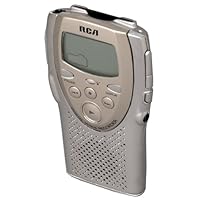
RCA RP5007 Digital Voice Recorder

RCA RP5007 Digital Voice RecorderThe RCA RP5007 is a good little voice recorder, but it has its flaws. I give it four stars because, for certain applications (long dictations in a quiet room, or short interviews and speeches in louder situations), it's very handy indeed, and much better than a mini-cassette recorder.

Its major flaw is the lack of storage for high-quality recordings. The included 4MB SmartMedia card only holds 17 minutes of HQ sound -so I'd recommend buying at least an additional 8MB card. Unfortunately, that's as big as you can get, since the unit doesn't accept cards bigger than 8MB, or 34 minutes HQ. The SP (low quality) mode lasts a long time (nearly 1hr 40min with the stock 4MB card), but the sound is highly compressed and very hard to understand unless there is no background noise at all.

It is considerably less expensive than other digital voice recorders, so compromises have been made, but they detract little from its good basic features and usability.

Here are the pluses and minuses:

GOOD:

Small and light

Reasonably easy to use

Sound quality quite good in HQ mode

Every clip is time and date stamped

Button lock prevents accidental activation

Both manual and voice-activated record modes

Dictation (close) or Conference (distant) modes

Sound clips can be stored in folders

Sound clips can have annotations appended

Rudimentary editing (insert/delete segments) possible

Quick preview mode plays 3 sec of each clip

Uses standard AAA batteries, and lasts a long time with them

Standard SmartMedia card storage included (4 MB)

Standard mini microphone and headphone jacks

BAD:

Sound quality in SP (low quality) mode barely usable, especially if there is any background noise at all

17-minute limit on included 4MB card in HQ mode (1hr 40 mins in SP mode, but as I said, it's barely usable)

Cannot use SmartMedia cards bigger than 8MB (34 min in HQ mode, 3hr 20 min in SP)

Record button pauses, but does not stop recording a clip (which requires the separate Stop button) -can be confusing on the fly

Deleting clips is confusing at first -RCA even includes a separate addendum to the manual clarifying how it works -but once you get the hang of it, it's simple

Fast-forward and reverse features are choppy and rather slow

Plastic case seems a bit fragile

No included AC adapter (but there is a plug for one)

The RP5007 is about as portable as a voice recorder can get.

To me, its most useful feature is the ability to have different memos in individual files, so that a quick listen to the first few seconds of each is all I need in order to track down a particular piece of information that I know I have stored. An "append" feature lets you listen to the start of a memo and then add further notes, which will automatically appear at the end of the existing file. The total recording time is relatively long for recorders in its price range, and the number of different files (297, I think) seemed adequate for almost any purpose. I liked the capability to add my own microphone and headset, or to use the built-in mike and speaker. Press the "lock" button after you turn the unit off, and the unit won't start up accidentally (which could run down its batteries).

Limitations? * For me, the most serious problem is that I have not yet been able to get the Rp5007's SmartMedia card to read on either a PCMCIA reader or a Clik! (Pocket Zip) drive's reader, so my original hope to transfer voice files to my PC has not been possible. * RCA appears to have discontinued the unit, so availability may be limited.

Buy RCA RP5007 Digital Voice Recorder Now

I bought this player on clearance at a local... store, hoping to use it for notetaking in school. The Recorder works fine for this purpose, but with marginal audio quality, as it must be used in the low quality setting to record any more than 18 minutes. There is no built-in memory on this recorder, all memory is through SmartMedia cards, which would not be a problem if they could be over 8 MB. (This recorder will not accept any SmartMedia Cards over 8 MB), and comes with a 4 MB. 8 MB and below cannot be found anywhere that I have seen, and the recorder formats the cards for storage in such a way that they cannot be read by Card Readers and transferred to a PC. Therefore, this player is only good for someone looking to record once, listen, and delete. Nothing else can be done with the recorder that I have seen.

Read Best Reviews of RCA RP5007 Digital Voice Recorder Here

It is a great recorder with many revolutionizing functions, but with revolution comes mistakes. It is found that with many of the RCA DVR'S that there seems to be a short in the system and very often it will shut off when trying to use the DVR and makes it very unreliable to when it is actually going to work. So if you have patience then this is the product to use, if you don't then i would recomend a different DVR..

Want RCA RP5007 Digital Voice Recorder Discount?

I purchased this digital voice recorder about a week ago and I can say to this point I am impressed with its ease of operation. Compared to the old minitape recorders, it is less than half the weight and provides a superior quality of recording. The only thing my unit doesn't have is the backlit screen. Most of the promotional info indicates this unit is backlit, but the users manual for the 5007 makes no mention of this capability. Overall this recorder should prove to be a useful item.

Wednesday, November 12, 2014

Sling Media Sling Adapter for ViP 722 or ViP 722k HD DuoDVR

Sling Media Sling Adapter for ViP 722 or ViP 722k HD DuoDVRWe travel more and more these days in our RV, and have missed the local touch, as well as our regular programs, while we travel. We often go several weeks at a time.

All it took was this $36 device, an Ethernet cable from the router to our Receiver, and in 10 minutes we were streaming our DISH to the iPad/iPhone! If you have access to internet at a reasonable speed, you are GOLD to go with this little baby! I mean, I plugged in the router to the receiver (Ethernet cat5 cable) and then plugged in the Sling Adapter THEN got the instructions out.

I had registered for DishOnline ahead of time, but by the time I located the quick start sheet, and had the instructions out, I was watching TV on the iPad! They have changed their process, so there is no need to register on the Sling site...everything is handled through DishOnline.

And you get all of the DISH Blockbuster programming in addition (yes, DISH bought Blockbuster). Netflix is free too and it has a deeper library...

It acts just like your second receiver (which means you watch what the 2nd receiver is watching). If someone else is using the second one, either you watch what they watch (or record) or you bump them. I recommend telling them before bumping them from their program or killing their recording!

It works well, and speedily, and since DISH online now has an iOS app (May 2012) that is FREE, you can watch FREE and not have to buy the $30 sling app for your iPad.

High Def or Standard (you can downsample if you are streaming over 3G or 4G to save bandwidth). I took it on a walk away from our house, and when well out of wifi range fired it up and was watching live TV from the sattelite in less than 10 seconds. I switched channels and services, and it works great. I had to step it down to Standard def instead of high def, but the picture was still great, no glitches or artifacts full speed video.

You can also use the app in conjunction with the Sling Adapter to program your DISH receiver when away from home. You can setup or kill programs...and it brings the same capability to a laptop or other computer if you are going mobile. The iPad app is more capable than the computer access via DishOnline.com ...

I'm sure glad we checked this out!

Five stars...wish I could give it more!

For less than $50 I can now stream to my office computer or any of my iOS devices. I haven't yet tried it away from home, but with even if I can only use it on my local network, it'll still be a great value. So far, so good after a few weeks and several uses.

It's worth noting, however, that it allows one stream at a time only. And my daughter complained that she couldn't change the channel on my DISH receiver while I was watching live TV. I need to check into that further, because it later seemed that I could in fact watch on my iPad independent of someone watching a different channel on the receiver.

Regardless of that "possible" limitation, I'm still very satisfied. I've used it to watch live TV as well as recorded shows on my DVR receiver and both worked well.

________

September 2012 UPDATE: I was just reminded to follow up on my comments. In fact you can view a different channel using the Sling adapter, but you're still limited by the Dish receiver to viewing or recording just two sources at any one time. So if you have two TVs and both a re in use, you cannot use the Sling Adapter to connect an iPad, for example. If you're viewing via the Sling adapter and someone turns on a second TV, that viewer gets the option to override the Sling connection.

Still happy with my Sling Adapter and still consider it a good value.

Buy Sling Media Sling Adapter for ViP 722 or ViP 722k HD DuoDVR Now

Works great on my phone. Used it on a trip,to watch my regular programs, and didn't use the hotel tv, because of lack of good programming. I highly recommend this product.

Read Best Reviews of Sling Media Sling Adapter for ViP 722 or ViP 722k HD DuoDVR Here

This works well. was easy to set up and gives me total access to my dish and its library from my Ipad. Only word of caution is that you have to have a fast connection both at your home ( where the dish/sling adaptor is) and where you are at with your mobile device. If not you get horrible lag and streaming problems. Not the sling adaptors fault BUT the sling is useless unless you have the hi speed support to power it.

Want Sling Media Sling Adapter for ViP 722 or ViP 722k HD DuoDVR Discount?

It is great tool for watching TV in your computer and in your phone any where very nice and easy to use to save you lots money,,,Also you can watch TV on your tablet very nice,

Tuesday, November 11, 2014

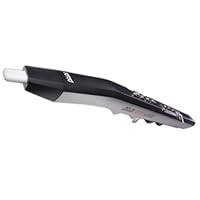
Akai EWI USB Wind Instrument Sythesizer Controller

Akai EWI USB Wind Instrument Sythesizer Controller
  • Electronic wind instrument controller
  • Plug-and-play USB connection to Mac or PC
  • Custom Garritan Aria Player software, contains wind instrument sounds
  • Multiple fingering modes: sax, traditional EWI, flute, oboe, and EVI brass
  • Removable, dishwasher-safe mouthpiece

I have used the Yamaha WX7, WX5, EWI-3020, EWI-4000s and this newest instrument, the EWI-USB. Not only is this instrument an incredible bargain at under $300 but it is much simpler to setup and use than all of the other wind controllers.

You do not have to mess around with 6 or 7 little knobs or screw adjusted controls in order to get this instrument set up to play properly.

In my opinion the EWI-USB has better dynamic range than the other wind controllers, plus it does not require an additional cable to connect with an optional power supply nor, because it gets its power via the USB connection, does it need batteries.

It includes a very nice selection of acoustic intrument samples (software synthesizer sounds) from the Garritan "Jazz and Big Band", and the Garritan Personal Orchestra package (it has a subset of sounds from these packages).

Some people prefer the Yamaha WX5 wind controller because it has mechanical keys which move, unlike the EWI-USB (or 4000s) whose keys do not move but work simply through touch (capacitive sensing). I would certainly agree that it takes a bit more time get used to the static touch action of the EWI-USB than for the mechanical keys of the Yamaha, especially if you are a student of the clarinet or saxophone. The action of the EWI-USB is more like playing the alto recorder -there is no key movement. My experience of having played recorder, flute,saxophone and then a Yamaha WX7 (mechanical keys) before moving to the static touch action of the EWI instruments was quite positive. I adjusted fairly rapidly and found that I much preferred the responsiveness of the EWI instrument, but people's experience varies.

I can think of only one negative aspect of the EWI-USB and that is the cramped spacing of the upper and lower end of the octave controllers (4 rollers). The roller at the upper and lower end are not free to rotate and the walls of the instrument are spaced too close to the up-most and bottom-most rollers making it sometimes more difficult to play very, very high and very, very low notes. Akai really ought to have designed this part better. The much more expensive EWI-4000s has 8 rollers so you are never cramped at either end.

If you are interested in playing lots of instruments including the trumpet, trombone, tuba, french horn, flute, oboe, bassoon, saxophone, clarinet, and even violin, viola or cello without having the time, money or sufficient talent to learn all of these, then this is the way to do it. Once you learn the fingering (much like the flute, recorder or saxophone), you can play any of the instruments listed above, provided you get good samples (synthesizer samples).

Not all synthesizers have really good samples of acoustic instruments (as opposed to poor imitations of acoustic instruments sounds or merely "electronic sounds"), and not all that do, are made to work especially well with wind controllers.

After many years of searching and re-searching I can recommend the "Ketron SD2 Orchestral Wizard" as the best hardware synthesizer for really good acoustic sounds. It's also one of the least expensive.

However if you want the absolute best trumpet sound then you need to get the "samplemodeling Mr. Trumpet". It's totally incredible. Sounds just like a real trumpet with all of the complex tonal variations that change with loudness and attack and virtually all of the subtlety of the real instrument. It is the most responsive of any virtual instrument and has been especially designed to work with wind controllers. If you already play flute, oboe, saxophone, or clarinet, then you will find it quite easy to learn to play a wind controller. In fact the EWI-USB has a trumpet valve fingering mode for brass players (which I have not tested), so it's even more versatile.

The samplemodeling Saxophones (Tenor, Alto, Baritone) are also really good, although I found it took a bit more time and tweaking to get the best sounds out of these compared to the trumpet. Not only is the sound very authentic but it is very responsive.

If you would like to hear some audio samples find 2010Jazz on the kara-moon website where I've uploaded lots of songs, or for the latest samples, including French Horn, go to

Buy Akai EWI USB Wind Instrument Sythesizer Controller Now

After seeing an extremely negative review on the Akai EWI USB I had to chime in. I've been composing for years with a Yamaha WX5 and have grown accustomed to scoring with wind controllers there's nothing like the performance you can get from them. After dealing with waning support on older wind controllers and specialized accessories and dead batteries all the time I finally jumped onto the Akai mainly to simplify things via USB and up to date software support. I don't regret it one bit. The keys lack action which takes a little getting used to, but this is now my go to instrument. For the price I completely recommend it for anyone with wind instrument experience looking to get a more natural sounding performance out of their digital work.

And of note I primarily work in Cubase and have never had any software issues with this. It's treated as a standard USB keyboard with the wind data simply sending extra controller information.

Read Best Reviews of Akai EWI USB Wind Instrument Sythesizer Controller Here

I was apprehensive about buying a wind controller, as I've played good old fashioned woodwinds and brass all my life. However, I was shocked to find how expressive and emotive one could be using an electronic controller like this. The EWI comes with a nice library of sounds out of the box, some are better and more natural than others. My experience with the setup and software was great, it worked flawlessly on my MacBook (2.5 Intel Core 2 Duo). I installed the software and plugged in the EWI, restarted and was up and playing in minutes.

The hardest aspect for me to adjust to was the octave scroller. If you go to the Akai site and look at the images, you'll see metal rollers that allow you to switch between multiple octaves. It took a few days to be able to run through material without accidentally shifting octaves, and at times was extremely frustrating. But now, it's no longer an issue.

The other issue, is that the EWI's mouthpiece has a very restrictive airflow. By allowing air to escape as I play, I was able to attain a breathing pattern that works well.

I don't want to mislead anyone, as I have not tried the other wind controllers on the market. But, given the price point, this was the right purchase for me. Do you're homework, there is a lot of great information and opinionated pieces (like this one) on the web. I really enjoy this instrument alongside all my lacquered ones and hope you have as much fun as I'm having.

Side note: When paired with 'Sample Modeling Mr.Sax or Sample Modeling Trumpet' the results are truly fantastic in my opinion.

Want Akai EWI USB Wind Instrument Sythesizer Controller Discount?

I couldn't be more pleased with the EWI USB!! It does exactly what it is supposed to do.

I've seen some reviews that complained about the airflow through the instrument. I find it quite easy to blow. In fact, if it were not easy to blow, I wouldn't be able to play it. I have had Bell's Palsy for 14 months and it is impossible for me to develop enough pressure to play my clarinet and my saxophones. Yet I have no trouble with the EWI. Akai recommends that you let some air escape around the mouthpiece because it requires such a small amount of airflow. I didn't find that necessary at all.

One problem that a lot of people have and that I had too, is with latency, which is the delay between touching a key or sttacking a note and the sound coming out. I found that this is caused by the sound card. Akai recommends a sound card with ASIO drivers. I found on the internet a free driver called Asio4all and it solved the latency problem perfectly. It works with most sound cards. Mine is just the built in sound module in my laptop so it isn't a very good card, but with asio4all, it works fine. I plan to try getting a better sound card so see if the sound quality improves, but if it doesn't, I am very satisfied with what I am getting.

The sound banks in the Garritan Aria software are quite good. My favorites so far are the clarinet and the strings. The flutes are pretty good too. Tweaking the settings apparently helps, but I haven;t dona a lot of tweaking yet, so I may end up with more favorites.

One thing I don;t like in the Aria software is the round knobs for adjusting the various settings. They are hard to adjust. Fortunately, I found the site (not affiliated with Akai at all) and they have a free replacement "skin" to substitutes linear slides for the knobs. Mush easier! That is also where I learned about the Asio4all driver.

So, the only problems I had were easily fixed and I am now able to play again! Couldn't be happier!!

Mike

Just an update now that I have been playing my EWI for several months.... I am playing mostly clarinet in performances, but have also played oboe cues and english horn cues. I needed a quick way to switch between voices to play the cues and I found the Reaper digital mixer/ recorder/ editor. With it, I can set up multiple channels with different instruments and enable and mute them separately or in combination as well as adjust the settings such as volume. I bought an add-on touch screen for my laptop so now I can switch between different instrument voices quickly and easily... just like using a mixer board.

Save 40% Off

My EWI-USB arrived early today and I spent a good portion of my afternoon and evening tinkering with it. I'm giving 2 stars and I'm also giving some thoughts to returning it. My only other wind controller experience is with my Yamaha WT-11. So I'll be using that for comparisons. Coincidentally, I bought 2 Akai products this week and both for the same reason: a midi input tool to use with Band in a Box on my laptop. The other is the Akai Pro LPK25 Laptop Performance Keyboard which I really like, but the problem is that I'm NOT a keyboard player. I do brass, woodwind and guitar/bass (and I'm actually a decent violist, but admitting that is like admitting you're a bed-wetter). So let's get to details.

Pros:

* The EWI can be configured for its default fingering system (sax subset), sax fingering, flute fingering, oboe fingering, or brass fingering. I DID try the brass fingering. There are cons to it and I'll address that below.

* You can configure latency/response on the fingerings. One of the reasons I ceased using my WT-11 for composing/arranging electronically was its tendency to glitch. When moving from C5 to B4 requires lifting the middle finger and placing the index finger. On a RL sax, your mouth and basic physics gives some tolerance in the shift. Not so the WT-11. You get either a C# or A grace note before you land on B. The EWI let's you set a deliberate lag on the transition so those glitches are reduced.

* In regard to things like setting sensitivity, it's way easier to do that with a control panel on your computer versus trying to tweak with a screwdriver on the WT-11

* The EWI is a solid bit of instrument. It does not feel like a toy and exhibits a good bit of good engineerig consideration

Cons:

* The worst thing is catastrophic failure. While testing today, the EWI would emit a note start and then just sieze up. The reset feature on the device did nothing to cure the problem. Further, it wasn't related to the software. I tested with Aria (supplied with the EWI), Band in a Box and Finale. In all cases, under no circumstances I could establish, the EWI just switched off. If I re-selected the MIDI device the problem cleared. While this is an aggravation that you can push past in the studio, there's no way I'm going to do a live performance with an instrument that shuts off without provocation.

* It's way too honking big. It's easily double the size and weight of the WT-11. I can't think of a technical reason for it to be quite so big.

* Crossing octive breaks are awful. The WT-11 had it perfect. If you're playing C5 and need to briefly move above that note to D5 to F#5 all you had to do was hold the C (actually, it worked wiht B/Bb/A) and then play D through F# on the right hand and the octave above was assumed. I tinkered with finger combinations on the EWI but got nothing other than expected half-steps.

A bit more smart was needed for this poduct. I won't give it at a 1-star becuse there ARE some redeening features.

* The brass fingering was innovative. However, no brass players are really going to wrap their minds around it. Trumpet was my first instrument and I stuck with it for years. I enabled the brass fingering mode and toyed with that for some time. It's a great example of cognitive dissonance. The right hand does the valve work for the instrument. But replacing lip and breath with and index finger on or off combined with the octave rollers is... well... I lack a proper word. I'm a very flexible person, but I just couldn't adapt to this.

Thursday, October 23, 2014

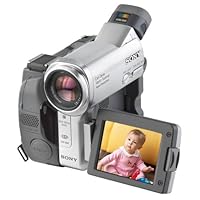
Sony DCRTRV33 MiniDV 1megapixel Camcorder with 2.5" LCD, Color Viewfinder & Memory Stick capabiliti

Sony DCRTRV33 MiniDV 1megapixel Camcorder with 2.5' LCD, Color Viewfinder & Memory Stick capabilitiesI would like to give my opinion and view on Sony TRV33 model. I know how important a review of a product

is. After a month of research on camcorders, I had two options Canon ZR70MC or a Sony TRV33. Both of these

models had their own good and bad points. But ultimately I bought the TRV33 because of the following

reasons which I think clearly surpassed Canon.

Pros:

1. Clear, crisp and detailed video.

2. Best Image quality when compared to Canon.

3. Excellent low-light performance when compared to Canon.

4. Mind blowing Nightshot in total darkness, though in Greenish tint.

5. Carl Zeiss Lens definitely has proved its name and quality.

6. Image quality when downloaded on PC using a USB 2.0 was "excellent" both indoors and outdoors.

7. The 1.0 MB still pictures are OK but not fair, best for sending an email.

Cons:

1. 10x Optical, but I did not get a chance to use beyond 10x. Technically anything beyond 15x Optical

would produce shaky video unless on a tripod.

... If price is a constraint, I would request my readers to also check the TRV22, but

purchase with a long term perspective and image quality and optics matter a lot when deciding on a

camcorder. Sony truly shines in that aspect.

Good camcorder hunting !

I've owned a number of Sony digicams (most recently the PC110) and decided to upgrade for some new features like analog pass-through (hook a VCR up to the camcorder to capture directly to your computer). I first tried the TRV70, but returned it and got this one instead. The 70 is a very different camera...considerably larger and with much better stills, but more expensive. I decided to go with the 33 because I wanted something smaller. The digital stills from most camcorders aren't going to be anywhere as good as from a halfway decent digital camera, so not a reason to pay a lot more. I got the same size LCD touch screen (a nice new feature!) and one thing I like about this model over the 70 is that the zoom is not so fast! The 70 has the same kind of zoom control, but it's very touchy and it's very hard to do a gradual zoom. The 33 allows much better control. Well, unless you have a need to do really fast zooms. I prefer to have one that does not. I find this is particularly important if you want other people to use the camera...anytime I gave someone the 110 to use, they had problems with that touchy zoom! This is an issue on a lot of Sony camcorders, I really wish they would correct it across the board.

Image quality is good and I personally don't have problems with motor noise, it's pretty typical for camcorders this size. The 10x zoom is decent, I looked at the Canons that were 20X zooms, but their image quality was not as good. The touch screen is great for features like spot focus and metering. I find it a lot easier to use than the myriad of buttons all over the camera that most models use.

Another new feature is the ability to quickly check the battery life on the camera without powering it up. I've sometimes thought it was charged when it was not and missed being able to film as a result, so this will be a lifesaver! The Sonys are great about telling you how much time is left on the battery and the tape.

Overall, an excellent camera I would highly recommend.

Buy Sony DCRTRV33 MiniDV 1megapixel Camcorder with 2.5" LCD, Color Viewfinder & Memory Stick capabiliti Now

I read all of the reviews here and went through exhaustive research before I purchased the TRV33.

First, the infamous buzzing noise. This had me very nervous since it appeared to be the one constant complaint in these reviews. Yes when you operate the camera there is camera noise. There also has been camera operating noise on every other camcorder I have owned over 15 years. It is no different from any other camcorder. As far as recording noise goes, if your footage is in a dead silent environment, then yes, the noise is slightly audible. Not annoying, not a "loud buzzing", just slight mechanical noise. If there is any amount of background noise in your footage, the "buzzing" is not noticeable at all. As a matter of fact, I edit footage in Final Cut Express on a Mac, and the noise in so slight that it doesn't even register on the audio meter.

Having said that, I will let you know that the features are fantastic, the camera is easy to use (I shot footage and transferred to my Mac through Firewire without even reading the directions) and the video footage is great. The LCD Touch Screen is fantastic as well.

The only negative thing I noticed so far is that when the footage was captured to the Mac it seemed to lose some of its clarity. When I hooked it up to my TV via composite video and played directly from the camera it rivaled DVD quality. But when I captured it to the Mac it seemed to be more jaggy and the colors we darker. I haven't burned a DVD yet to see how the final product looks, and there may be some settings I can change as well but other than that this is one fantastic camera!

Read Best Reviews of Sony DCRTRV33 MiniDV 1megapixel Camcorder with 2.5" LCD, Color Viewfinder & Memory Stick capabiliti Here

If you are reading this review and are shopping for a MiniDV camcorder you are in the learning mode for shopping. Isn't Amazon.com a great place to learn about electronics such as this. I will be happy to share my experience with this camcorder so far. This review is all about money and how I decided finally that with consumer level electronics you do usually get what you pay for. The camcorder that we origionally purchases when we were ready to buy a MiniDv camcorder was by Sharp. It was about half the cost of the Canon and Sony models that were being sold by its side. I took notice that there were often large rebates for Sharp camcorders that hammered the price down to a very low price that was just too good to pass up. Due to numerous unfortunate issues with this camera our memories that were recorded were trashed due to what I can say was just poor build quality. So the rule is don't buy a KIA and expect it to provide you with the memorable experience of a Honda/Toyota etc. Right???

Here is the good stuff. This camera is worth every dime that Sony is asking for it. After reading some reviews the only negative thing that you may read is that you can hear the motor working when recording or playing back a tape. I say that but you really would have to be listening for this to hear it. My DVD player makes more noise than this unit. So some folks really need to get a grip. More sound insulation in the area that houses the motor for the camcorder would cure this but there is really no room for anything else to be stuffed in there. This in NO WAY means that this noise is at all recorded on your tape. Anything that Sony makes in Japan seems to keep with the origional high standards that this company is known for. This camera is made in Japan and everything from the quality of construction to the quality of the images that you will see on the TV screen will just amaze you. The colors are just perfect and the sound is more than what I expected from a compact recorder. Enjoy the TRV33 if it is the final choice that you make in this search for a good camcorder. If it is a bit high for your budget then check out the TRV19 and the TRV22. The TRV19 may be the best buy that I have seen in the MiniDV world yet.

All in all this camera is compact, efficient and it is ergonimically perfect when it is held in your hand. After you purchase the Camcorder register it with Sony online. After you have done so they will most likely send you a 20% off coupon in your email to buy upgrades for the new product that you have purchased. WIth this cupon go ahead and upgrade the battery for the camcorder to at least the FM50. The FM30 that is included is just not sufficient to be the main battery. It will be a nice backup for you in a pinch but should not be relied on. The FM50 should have been standard issue IMO. Happy shopping!

Want Sony DCRTRV33 MiniDV 1megapixel Camcorder with 2.5" LCD, Color Viewfinder & Memory Stick capabiliti Discount?

One of the major considerations for me in buying a camcorder was the size. My family has owned several camcorders and they've been bulky enough that after a few months when the "new electronics" glow has worn off, nobody wants to lug it around on vacations, to amusement parks, camping, etc. It's just too much of a hassle.

I've purchased a DCRTRV33 and LOVE this thing! The PC interface through firewire (IEEE 1394) is flawless--I just plugged it in and it worked beautifully with Pinnacle Studio 8. It's packed with features, has a great picture and sound.

I've read other comments about the noisy motor and it's true that the motor is a little louder than I thought it would be. However, after indoor recording in quiet rooms for testing, I haven't been able to hear the motor during playback on my computer or TV. I think it's a negligible problem that wouldn't deter me from a purchase of this otherwise amazing piece of technology.

Thursday, October 2, 2014

Sony DCR-HC36 MiniDV Digital Handycam Camcorder with 20x Optical Zoom

Sony DCR-HC36 MiniDV Digital Handycam Camcorder with 20x Optical ZoomAfter having used an old bread-loaf-sized Sony 8mm camcorder with great success for many years, I felt it was time for an upgrade. Modern feature-packed MiniDV cameras have become very reasonably priced, as the DCR-HC36's barely $300 price tag attests, so it was only a matter of which features I wanted I prefer a powerful telephoto lens, and Sony has a curious habit of reducing zoom power the higher up the product line you go, so even though the HC36 is middle-of-the-road in the Sony camcorder lineup, its full 20x optical zoom made it a natural choice.

Modern MiniDV cameras are also very reasonably sized; occupying less than half a cubic foot, the HC36 weighs in at less than a pound even with the battery and tape. That's about large cheeseburger size, or the size of a digital camera from a few years ago. Despite toy-like dimensions, the sculpted duo-tone exterior and handsome chrome lens bezel lend to a quality look and finish.

Those of you intimidated by the arms-length list of features who "just want to hit record and go" will be glad to know that the HC36 has an Easy button. Located right next to the Sony logo on the left side of the camera is a blue button labeled yes, really "Easy". Pressing this button puts the camera into everything-automatic mode, and also increases the size of text on the display (very handy for the reading glasses set), allowing the old-school and I'm-not-technical school alike to record full quality video. You don't even have to know how to flip out the LCD screen, the Easy button literally makes the camcorder point-and-shoot.

The more technically inclined are accommodated with tailored personalization. Nearly all the camera's functions are controlled by the touch screen LCD's menu system, but Sony uses a clever shortcut; A personalized menu which you can set to display the features you want any camera function, such as exposure, white balance, etc., can be set as a menu button; A single touch of the LCD brings up the menu of buttons you've set to display. No scrolling through menus to get to some deeply-buried function, just press the screen and there's the menu that you made with your functions. This system is in some cases faster than physical buttons on the camera itself!

And there's no shortage of functions to play with. The HC36 features two different levels of night vision; "Nightshot Plus" employs an infra-red lamp on the front of the camera providing a fully lit view up to about ten feet even in total darkness, while "Super Nightshot Plus" bumps up the light sensitivity by slowing the shutter speed great for distance viewing in low light, or shots of the night sky (night vision can see stars that you can't). A Tele Macro function captures close-up sharp images from a few feet away, and the Spot Focus feature makes focusing a breeze just touch what you want focused on the touch-screen and it focuses to that object.

There's the usual basic palette of picture effects and faders included, but the true video editor will of course want to use the computer, which is what the MiniDV format was made for. An i.LINK jack (i.LINK is Sony's name for Firewire/IEEE1394, they're one and the same) is provided for a quick and quality connection. A note to the uninitiated: *DO NOT use a USB connection to export video to your computer.* The USB format is slower and will result in poorer-quality video. Connecting by Firewire provides a better-than-TV image using the right software I avoid using bundled software when possible, and would recommend using Adobe Premiere Elements 2.0 or Sony's own Vegas DVD program, both of which offer free trials to see which you prefer.

The HC36's still picture feature is a novelty; you must purchase/provide a Memory Stick Duo for the function to work, and while 640x480 VGA size images are nothing compared to a digital camera, it can be entertaining when combined with the camcorder's other features using the digital zoom and NightShot for example, you can capture an image from several hundred feet away in near darkness. Fun, but a real digital camera is still the way to go for photographs.

Connections are the HC36's weak point. The aforementioned Firewire jack is there, but the cable is not included. An analog video/audio jack (out only, no in) is provided along with RCA-ended cable to connect to your television or analog source, but because the jack and cable are non-standard and unique, should you lose the cable, you'll have to go to Sony to get another. And there's no mic input. The built-in stereo mic can record 16-bit high-quality audio, but a camcorder with this many features should have this one more.

Overall, the HC36 is the sweet spot in the Sony camcorder lineup, a big-quality features-heavy camcorder in a small, lightweight package, with a tiny price to match. Five stars for Sony's movie-making multi-tool.

(Addendum: Why not DVD? DVD camcorders offer similar features, however you must pay hundreds more for a DVD camera than a similarly-featured MiniDV cam. They're also noticably larger, and DVDs aren't nearly as easy to work with You must format a DVD before using it, which requires setting the camera on a steady surface and waiting several moments. Recording at the highest quality setting, a camcorder DVD will hold only 20 minutes, and then you must "finalize" the disc before playing it in any other DVD player. Should you need to replace the DVD during an important timely event, or forget to finalize the disc before giving it to someone or storing it, you're pretty much out of luck. Because the DVD camcorder system is set up to just play the DVD as-is, editing or getting the video on computer can be a long and very complicated process. Whereas MiniDV tapes last an hour, were made for editing, and offer slap-it-in-and-go convenience. If you have the extra money and just want to play back video as you shot it, a DVD camcorder is a possibility, but at a fraction of the price and complication, the MiniDV cam is the bang-for-the-buck convenience-is-king winner.)

The camera works great but ...Neither Sony nor Pixela, the makers of the Picture Package software that comes with some Sony camcorders with mini-disks tells you that the software IS NOT COMPATIBLE WITH WINDOWS XP, SERVICE PACK 2! It will crash your computer or not work properly. DO NOT install the Picture Package software if you have run Windows XP. If you have a DVD player on your computer, you can download the photos from the mini-disk without this dangerous software. Shame on Sony and Pixela for selling the software to Windows XP users or including it with the camera without a warning.

Buy Sony DCR-HC36 MiniDV Digital Handycam Camcorder with 20x Optical Zoom Now

I purchased the HC36 as a backup to a Sony VX2000. I filmed a play in low light and was pleasantly surprised by the quality of the video. I was able to intermix the video from the HC36 with the VX2000 with only a slight difference in quality. The onboard mic was also excellent! more than I expected. I hadn't planned on using the audio from this camcorder, but in the end I did use about 20% of the audio for a 2-hour production.

I have owned several camcorders over the years and I'm always pleased with the quality of Sony. I will definitely use the HC36 as a backup for wedding shoots.

Read Best Reviews of Sony DCR-HC36 MiniDV Digital Handycam Camcorder with 20x Optical Zoom Here

I bought this camera tonight, and after a little confusion, I am pleased. There are other reviewers out there that state you can only transfer the video to VCD. The problem is that the documentation is unclear about this. All you have to do is go to Start Menu>Picture Package>Handycam Tools>Video Capturing Tool.

I shot a small test video, transferred it, and all is well. I will recommend getting a Firewire cord when you buy the Camcorder, as it does not come with one. The quality on the firewire vs. USB video is more than noticable.

All in all, a good starter cam with more than enough features to keep you playing for some time.

Want Sony DCR-HC36 MiniDV Digital Handycam Camcorder with 20x Optical Zoom Discount?

I bought it a week ago. Tried some shooting and transfered from HC36 tape to PC smoothly with firewire connection (not USB)and Windows Movie Maker/Sony Vegas 6.0. The picture quality is good for resolution up to 720x480 (high quality). Don't expect too much from this handycam, only the basic video shooting will do. If you want to make 'Hollywood-like' movie, this is not the right choice. You need to have spare battery, the standard is about 80 minutes. One of the reason I chose Sony HC series is you can have an optional battery(NPFP90) up to around 500 minutes. For me it is important as I don't want to carry a lot of spare batteries and keep changing batteries while travelling in remote area.

For me it's a good product for what I paid.

Sunday, September 28, 2014

Memorex Digital HD Camcorder 7 in 1 Video Camcorder [Camera

Memorex Digital HD Camcorder 7 in 1 Video Camcorder [CameraI received this camera in early 2009 as a gift. At first I didn't like it: the build quality seemed a little flimsy in places (most notably near the lens and the rear controls) and the user interface is often not intuitive. After having used it for months on end (often with a Joby Gorillapod) I can say that it has held up to quite a bit of abuse and hasn't broken or malfunctioned. The battery remains strong as well. If I were buying one used I wouldn't have a problem doing so but if I were in the market for something new I'd go with a Flip UltraHD.

1)the video quality is NOT HD(high definition).

It doesn't have true 720p mode because what it does is it takes 480p and stretches from all sides so the video will look bigger but it significantly drops the quality.FAIL.

2)CAMERA WORKED 4 MONTHS ONLY ! I used it maybe 4 times a month so total number of taken videos are like 16 plus 20-25 pictures....no kidding.THE WORST QUALITY HARDWARE I'VE EVER HAD.Now it doesn't turn on,the screen flashes and boom.Screen disappears.BIG FAIL!

3)Very hard to operate this camera,even tho it has only 5 buttons,they made it difficult to find what you need,especially viewing pictures.For example,in normal cameras all you have to do is to press "play" button and it'll show you your database of videos and pictures right? But not in this case....here you have to go through entire menu,find the right option,then find the OK button which is the shoot button not the play button (if you press the wrong one you've to start all over again) then you have to know how to GET OUT from there,otherwise you have to RESTART your camera.HUGE FAIL !! Not consumer-friendly.

4)ahhhh that noise in audio....tshhhhh kshhhhhh kshhhhh...tik tik tik(when you zoom)

5)Why $130 for this low end camera? Add $10-$15 and buy something better,like Canon Powershot .

6)I'm keep trying to find a good thing about this camera but it's hard....maybe impossible.

Buy Memorex Digital HD Camcorder 7 in 1 Video Camcorder [Camera Now

I have been happy with this camera for the past two months I've owned it. It is an inexpensive HD (720) camcorder. This field is getting crowded and I haven't tested the other offerings, but this has been a very handy video camera that complements the stills I take with a digital SLR. It is mainly for making home movies of the kids. There are omissions in this product that are similar to all small camcorders in this price range: 1) good outdoors, not so good indoors unless indoor lighting is very bright, 2) anti-shake isn't the best, 3) microphones aren't very good, and 4) small, fixed lens means you don't get optical zoom. If these problems annoy you then spend more money on a better camera, but I have been happy with this memorex, it fits in a pocket, takes a couple seconds to turn on, and the battery lasts a very, very long time.

Read Best Reviews of Memorex Digital HD Camcorder 7 in 1 Video Camcorder [Camera Here

I carry this camera on me in my to go bag or in my car usually. Just something to have for instances that may call for video evidence.

Pros:

Light Weight

Decent battery life

Pretty good microphone.

Speedy turn on time (6 seconds for me)

Cons:

Can get warm when charging.

Slow focus when moving.

Price Not worth the amazon price, you can get a better one.

Terrible menu's. Occasional freezing.

I bought this off of woot.com, a one day deal site for half the price.

Want Memorex Digital HD Camcorder 7 in 1 Video Camcorder [Camera Discount?

To tell the truth, this little contraption doesn't do all what it was made to do. One of the 7 things was the webcam, and the webcam didn't even work. I would prefer this if you have a small budget because this camera stayed with me for about a year, but then i accidentally stepped on it and then it all showed on the LCD screen was black, and it was on. so if looking for portability check this is it, look for crisp looking pics, i would say no unless you have a fancy editing software to make it look better. and lastly for HD, thats a check right there.

Thursday, September 25, 2014

Samsung BD-E5300 Blu-ray Disc Player

Samsung BD-E5300 Blu-ray Disc PlayerExcelente equipo. Muy buena calidad de reproducción de imágenes en formato dvd y blue-ray (1080p). Sólo deben colocarle un cable HDMI y disfrutar de películas o videos en full hd!

I am a great Samsung fan. I have 3 flat screen tv's and 3 Samsung Blu ray players and they all work well. Software is upgraded periodically over the internet. I am very happy with this product.

Buy Samsung BD-E5300 Blu-ray Disc Player Now

Monday, September 15, 2014

D-Link DWL-P200 Power over Ethernet Power Injector

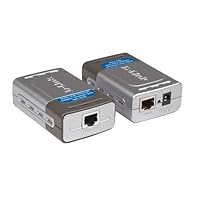
D-Link DWL-P200 Power over Ethernet Power InjectorTHE DWL-P200 PoE has two pieces (the picture doesn't simply show two views of the same unit) one is an injector (combines power and data in the cable) the other is a splitter, which breaks out the data connection and the power in two separate cables. To provide power and network connection for my outdoor video camera I didn't use the splitter).

The units are well-built and work well in my application.

Save 22% Off

Mini iMito MX1 Android 4.1 Jenny Bean Google TV Box HD IPTV Player PC Rockchip RK3066 1G DDR3 1.6Gh

Mini iMito MX1 Android 4.1 Jenny Bean Google TV Box HD IPTV Player PC Rockchip RK3066 1G DDR3 1.6Ghz Cortex A9
  • Build in Bluetooth
  • Aluminum Case
  • Support XBMC
  • Wifi 802.11 b/g/n
  • Android 4.1.1 OS, Google Play Store pre-installed

Just got and tried this out. No problems with HDMI, video and sound are fine. Plugged in a USB wireless iomedia keyboard/trackball combination that worked fine.

BUT I am getting problems with WiFi. Seems to drop the connection frequently (signal strength is 'excellent'). In particular it seems to stop working when switching from one app to another. For example, if I am watching a Netflix movie and then switch to the browser. The problem seems to occur with my dlink 802.11n router. But not with an older linksys 802.11g router.

However the issue must be with this device. We have a vast array of devices in the house that use wifi: phones, tablets, several pcs, tvs, blu ray players etc etc. This is the only device exhibiting wifi problems.

Poor or non-working wifi is a deal killer. If I can't fix it, its going back. If anyone knows of any fixes out there, please post a comment.

Update:

PS I did find that by using an extension hdmi cable (included) and allowing the device to dangle, rather then be plugged in right behind the monitor, improved the wifi signal.

Also I ordered the bobjgear usb to ethernet adapter from Amazon: http://www.amazon.com/gp/product/B007RTACDM/ref=oh_details_o03_s00_i00 and now have good fast connections.

But really, devices like this all seem to suffer from wifi issues which is the one function that most customers will want to work perfectly or the device is useless. Why don't the manufacturers get that?

Buy Mini iMito MX1 Android 4.1 Jenny Bean Google TV Box HD IPTV Player PC Rockchip RK3066 1G DDR3 1.6Gh Now

I've only had the imito one day so; this review should be tempered with the fact that one day does not mean how it will hold up. We bought the imito for my wifes dad who has spent far too many years on the old windows Web TV. I got it up and running to make sure everything was okay before surprising him with it at Christmas. Once up and running, this little product stunned my wife and myself. Its fast and efficient and does everything my Nexus 7 does and, some things better. If youre used to Google/Android, its a piece of cake.

I ordered the Logitech Key board and its a great little keyboard for the money. Some keys do not work as its 2 different companies systems melding together but, the vast majority of functions work very well.

This paragraph maybe the most important one. After hunting and pecking I settled on "Geek Buying" because Amazon warehouses the imito here in the states as well as housing the logitech keyboard. It will save you a ton of time to make sure to be aware of where the product ships from. I had both units in a few days.

Also... the manuals are Spartan at best. The logitech keyboards, (range extender), plugs into the imito, not the TV. The imioto picks up our router, which is upstairs, with no problem and like another reviewer has said... the imito runs slightly above skin temerature.

If your concerned about where the imito is made, (China), Google has contracted with a Taiwanese company to produce this type of product. No telling when it will get here and, I'm pretty sure the Google endorsed product will be based on the imito.

I dont normally review a product but, this one merited a review because its a very good product. Compared to all others I have been researching... its the best. I hope this review helps you.

Read Best Reviews of Mini iMito MX1 Android 4.1 Jenny Bean Google TV Box HD IPTV Player PC Rockchip RK3066 1G DDR3 1.6Gh Here

This is a nice little device. It came in yesterday and I quickly flashed in a new ROM (Finless ROM 1.4 from freaktab.com). I also installed Droidmote to control it via my Samsung Galaxy S3. So far everything has been working quite well. No issues with wifi or anything of that sort.

It is pretty neat to have Android Jelly Bean running on my TV. The devices main use will be as a HTTPC. I've already installed Netflix, HBO GO, Crackle, and XBMC.

This is my first experience with XBMC and all I have to say is that (besides for the lack of 720p and 1080p playback) it has been a great app for streaming online content. There are already quite a number of video add-ons that you can download and enable through XBMC. However I do suggest downloading the Navi-X add-on (which you must do by downloading it through the browser and navi-x website not within the XBMC app).

I was thinking of ordering this or the Minix Neo G4, but at the time only this device had Amazon Prime 2-day shipping, so I went with this. However Minix neo G4 is now available with Amazon Prime and in my opinion it is the superior device as it comes with its own remote with a power button which allows you to power off/on the device, an important feature the MX1 lacks. The only way to power it on/off with the stock ROM is to plug and unplug the device.

For anyone looking at this device or other android minipc's I suggest visiting freaktab.com and to get more info and insight on these devices.

Want Mini iMito MX1 Android 4.1 Jenny Bean Google TV Box HD IPTV Player PC Rockchip RK3066 1G DDR3 1.6Gh Discount?

First off, make sure you purchase through GeekBuying's Amazon store. That seller provides firmware updates, customer service and handles warranties. I am impressed by this Android TV stick. It comes with the latest firmware (software) running Android 4.1 Jelly Bean. GeekBuying released a beta to support native 1080p resolution, and is expected to release a final firmware for 1080p support in the near future. I'm writing this review in early January 2013.

The stick works with all Google Play apps and for anyone that's already on the Android ecosystem, it works seamlessly with your Google account. Netflix streams at 720p, not 1080p because of limitations that Netflix is imposing on Android devices. Note, YouTube's new app no longer supports full screen on this device (it's a bug on Google's part that hasn't been fixed yet). You'll want to downgrade the YouTube app to the 4.1.47 version and uncheck automatic updates for the YouTube app in the Google Play store. XBMC has released a version for Android and it runs beautifully on the MX1. It's only a matter of weeks before XBMC will provide hardware acceleration for the Rockchip processor which is used by the MX1. Once that happens, 1080p video will playback silky smooth. At the moment, 1080p videos in XBMC are choppy and unwatchable because the video decoder lacks hardware acceleration.

Skype video calls work great on this device with my Logitech 310 webcam (supports up to 720p streams). It seems to stream video from my webcam to the recipient at either 480p or 720p. Quality is not super sharp, but pretty good. Google Voice search also works through the webcam's microphone. I have the MX1 connected to a Linkysy USB ethernet adapter and the connection is pretty fast. WiFi also works.

I found the Lenovo N5902 2.4 Ghz wireless keyboard and input device to use with the MX1, but haven't received it yet. The keyboard I ordered was defective so it is being replaced. I'm currently using a basic USB mouse with a bluetooth keyboard. It's by no means perfect, as evident in my review. In about 2 months time (March 2013), I anticipate that GeekBuying will have released the final 1080p firmware, the YouTube app will get fixed and XBMC will have released its Android app with hardware acceleration for the Rockchip processor. Once that all comes together, I figure I'll be able to retire the Roku HD and the living room media center PC, and I'll use this little beauty to consume all non-cable media in my home.

This is a great review that convinced me to purchase the device.

For the late

Save 53% Off

I ordered this and once I recieved it had serious doubts that it was a actual IMITO MX1 as stated by the seller.After doing quite a bit of reading about the devices online and in forums speficic to the Imito and android tv sticks ran across several posts by people who have bought from this seller also and also had serious doubts about its authenticity ....

I searched extensively in the forums for hours on end and finally concluded from the forums and descriptions of the pcb colors and firmware that Imitos come from the factory with installed and concluded that it was a clone not a actually brand name Imito .

I contacted amazon customer service since this seller has not provided a contact link and we reached a agreement on resolving this and I wrote a negative review about the product .

The seller contacted me after I posted the review and stated that even though it has no Imito logo that is is the same and that the Imito is made by numerous different companies in china . After many emails in which I pointed out that it was not a Imito and the differences I had found he asked me if I would remove the negative review I had made and I relented and agreed to do so .

I kept the unit I had purchased from the seller and ordered a Imito from a seller known to be a Imito dealer and who is on the forums regular and that works with people in the US that make custom roms for many devices of this type and who supplies the stock firmware codes from the manufacturer for Imito owners

I ordered a Imito mx1 from this dealer to compare with the product I recieved from this seller just so that I could compare the two ..... Now that I have I can state that they are NOT the same unit the main processor has different identification numbers and every memory chip as well . ADD that to the fact that 4 memory chips that should all match are from 3 different vendors ....

The reset button that is supposed to be on one end which has a small hole you use a paper clip or needle to push is not even in that area so any attempt to rest the device with a metal object is very likely to cause a catastrophic short of the device as well and in fact is on the right side about the middle of the case and there is no access hole to even allow its use .....

I joined several forums and created a thread on them asking people how you can identify a actual IMITO MX1 and many people posted pictures of the devices with the case removed and I found many pictures online of actual IMITOS out of the case as well .

Seems the pcbs of the real ones are red or blue reset buttons are on the end beside the HDMI connector and they are known to have good support from the factory in terms of software and function very well ....

My unit when booted would show a screen saying R-BOX and IMITOS show a boot screen with a IMITO LOGO and the firmware Is provided by IMITO ... this was what tipped me off to begin with. Some forum members that purchased from this seller ran utilities designed to show the firmware version and maker and the chipset operating frequency ect and posted the results so that we could definitively identify what we were sold in place of what we had actually ordered and it turns out that this seller is selling ug007 units saying that they are the IMITO MX1 ..... THEY ARE NOT THEY SPECIFICALLY SAY IN FIRMWARE THAT THEY ARE UG007 UNITS

END OF STORY THIS IS A SIMPLE REVIEW YOU DECIDE WHICH WAY ... I will say the unit almost functions as well as a real IMITO but not quite

Sunday, September 14, 2014

Logitech Broadcaster Wi-Fi Webcam for HD Video Streaming, Calling, Recording - Black (960-000854)

Logitech Broadcaster Wi-Fi Webcam for HD Video Streaming, Calling, Recording - BlackPros:

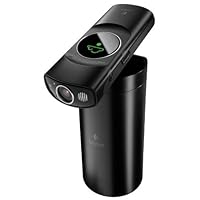
* The case it comes in is great; very nice looking, compact, durable, and the lid doubles as a mini-tripod stand (great feature)

* Easy set up with iPods and computer (uses a quick and painless method of QR code syncing)

* Device itself is small, clean looking, simple to use, has flash, and works like it's supposed to

* Livestream works wonderfully with no problems

* For the most part, works as advertised

Cons:

* Is not Windows compatible (does not work at all with Windows)

* Does not function over Bluetooth

* Does not work (or at least I couldn't get it to work) over a public wifi (university's wifi) signal

* My iPhone 5 takes higher quality video than the camera itself

* When you have it connected to your iPhone/iPod the iPhone/iPod must remain turned on (as in, the iPod cannot go into sleep mode, meaning you cannot let the screen go dim) otherwise it cuts the signal to the camera instantly, and stops the recording

This is a very cool new kind of webcam, designed specifically for Macs, iPads and iPhones. It looks good, it comes in a handy storage case that doubles as a mini-camera mount, it has a built in lamp for illuminating what you're shooting, it records decent sound as is and allows you to add an external microphone for even better sound. One thing I like is that all it takes to access the application that controls it is to plug it in to your computer via USB. It immediately leads you through the installation process.

Of course, if you have any of those devices, you already have a webcam, so why would you need a new one? You wouldn't at least not a standard webcam designed to mount on top of the computer and record your face. But what if you wanted to switch between your face and your profile or between your face and the baby's crib, as you were Skyping with grandma? This makes it easy to switch live between the built-in webcam and another view, anywhere that's in range of the same access point you are using. It would be ideal if, for example, you were streaming an interview live, where you could put one person in charge of switching the viewpoint in front of the laptop, and another interviewee seated comfortably nearby with this recording their responses.

What got me most excited, though, was the potential to use it for stop motion. I use a stop motion program (iStopMotion) that allows me to preview shots and control a webcam from my computer. With this I can set up the camera wherever I like, untethered to my computer, and then record things one shot at a time. I actually went looking around for something like this that would work on my Mac a couple years ago and couldn't find anything like it out there. The images look great, and the process works great. The camera can either mount directly, via a magnetized swivel ball on the bottom, to the top of its carrying case, or, for even greater flexibility you can remove the lid of the case and mount that to a tripod (or gorillapod) via a standard 1/4" mounting screw. I wish, though, they'd also included a screw mount on the bottom of the camera, because that would allow for even greater flexibility -say if you wanted to mount this to a gorillapod mount and mount that to a lamp on the top of the ceiling.

I have noticed, further, that for this to work you do have to have a strong WiFi signal nearby. This doesn't seem to pick up signal as well as some other WiFi devices I've used. In certain spots of my house, and even in my office, I get a message from the Broadcaster app that the video bandwidth is insufficient and I can see heavy pixelation in the images. This is true even where I know that the bandwidth is capable of streaming HD movies from Amazon or Netflix, so I can only assume it's due to the device's own WiFi transmitter/receiver. That's the biggest weakness of the device as far as I'm concerned, and the reason why I don't give it the highest rating.

Overall, though, this is a fantastic new kind of webcam, that's well designed, and works well for video calling and for other creative uses ... if you have a strong nearby signal.

Buy Logitech Broadcaster Wi-Fi Webcam for HD Video Streaming, Calling, Recording - Black (960-000854) Now

What this camera does not do is function as a security or nanny cam. It is a surprising omission in what otherwise is a very impressive wireless video camera for OSX and iOS devices. It turns off after a while.

Setup is simple. An O.R. code is generated on your setup device, in my case, a MacBook Pro. Once a connection is made to a WiFi network, you simply hold the camera about six inches from the screen and within ten seconds or so, the camera is fully operational.

The hollow base serves as a storage compartment for the device which has a builtin rechargeable battery as well as an external power connection. The base also serves as a multidirectional video mount, eliminating the need for tripods, etc.

I have accessed the stream on my MacBook Pro, my iPhone 5, and my new iPad. It also broadcasts to UStream so you can share with your friends and neighbors. A Facebook or YouTube link is provided, and uploading to those services from Apple devices is easy. iMovie is supported as well for those fans of this quirky Apple app.

Logitech positions this as a multi-angle camera to supplement the builtin in cameras on Apple devices. It promotes dual camera shots on Skype calls (and presumably on FaceTime) but unless you are a Spielberg wannabe or an aspiring adult movie star it does not seem worth the trouble.

As to the 720p resolution, it is adequate. Logitech does offer a 1080p webcam but without the wireless capacity. The wireless functionality is the key here and accompanied by a person hotspot (and a great data plan) you can practice being Steven Spielberg anywhere.

Read Best Reviews of Logitech Broadcaster Wi-Fi Webcam for HD Video Streaming, Calling, Recording - Black (960-000854) Here

We bought this camera hoping to have found the fountain of youth, but even though video quality is great and the concept is great too, even on direct power, it resets itself after 30 minutes. For streaming this is a serious problem because when Wirecast looses the signal has to be restarted to get it back and half way through a concert or church service, that is not possible.

Logitech should develop a 920 with the possibility of using Canon EF lenses. That would be a dream come true for webcasters and a huge step for human kind.

Want Logitech Broadcaster Wi-Fi Webcam for HD Video Streaming, Calling, Recording - Black (960-000854) Discount?

This device works quite well in a Wi-Fi environment. The picture quality is very good when uploaded to U-Stream or to a computer for later posting. It has the benefit of not having to lug around another computer or equipment. The base it comes with is not so great. The camera falls of easily and one should not leave it unattended. I think it is a bit pricy for what you get.

Friday, August 22, 2014

Philips SA1929/37 2 GB Flash Audio MP3 Player with Case and SportsHeadphones (Silver)

Philips SA1929/37 2 GB Flash Audio MP3 Player with Case and SportsHeadphones
  • 2 GB Flash Audio Player with travel case and sports headphones
  • MP3 and WMA Playback
  • FM Radio with 20 present stations
  • Voice recording to take notes or record anything anytime
  • Small and wearable for ultimate portablility

I am very happy with this mp3 player. This is my first real mp3 player, and I decided videos and pictures weren't something I needed or wanted, so I first considered an iPod Shuffle. After my brother reminded me that with iPod comes the mandatory iTunes, however, I decided to look for another brand. I decided to go with Philips because I've had many good experiences with their products in the past.

The player itself is very nice, like the other reviewer said, being made of metal is great and it feels very durable. It's very easy to use and has the features I wanted. You can shuffle and repeat songs and all that good stuff. Adding music is really simple, just drag and drop. The sound quality is really good. The battery life is great. You just plug in into your computer to charge it and it doesn't take long at all. I've never had it go completely dead thus far.

The earphones are great. This was the main reason I chose this model over the red, 4 GB version that comes with regular earphones. I guess I have small ears because I always have problems with earbuds hurting my ears and falling out. Because of the little wrap around piece on these however, it is easy to get this pair to stay, and stay comfortably. I wear this when I clean my house and even when I look under my couch, turning my head almost completely upside down, these still don't fall out.

I also love the little case it comes with. I didn't really think I'd use this when I bought it, but I was wrong. This consists of two pieces, a stretchy arm band, and then a very snug case for the player itself. It makes the player feel very protected and has a velcro loop thing that you can attach to the arm band or a belt loop (much more convenient than putting the player in your pocket, which is what I thought I'd do). There is also a little loop at the very top which I guess could be used to attach it to a keychain or something similar.

All in all I would definitely buy this again, in fact my mother is thinking about getting one for herself.

Buy Philips SA1929/37 2 GB Flash Audio MP3 Player with Case and SportsHeadphones (Silver) Now

This MP3 player is an excellent alternative to Apple's iPod Shuffle. The Philips player has more features, like an FM radio and voice recording, and is very well built with a mostly metal case.

Unlike some other small, inexpensive MP3 players that are cheaply built, this player feels solid and of good quality. I purchased this for exercising to replace a Sandisk player whose headphone jack failed after only 3 months. The Philips player feels solidly built.

I considered the Shuffle, but the Philips is also really small and has more features for less money including a handy case. As a second player that's extremely small and lightweight, I'd recommend the Philips GoGear SA1929 near the top of the list compared to alternatives.

Read Best Reviews of Philips SA1929/37 2 GB Flash Audio MP3 Player with Case and SportsHeadphones (Silver) Here

I bought this mainly to listen to when I work out. I am very happy with the product! the sound quality is great and it comes with head phones, a carrying case, and arm band. It is very simple to operate and holds a charge for a long time. The head phones also stay in securely, they don't fall out. I highly reccomend this product to anyone in need of a nice user friendly MP3 player.

Want Philips SA1929/37 2 GB Flash Audio MP3 Player with Case and SportsHeadphones (Silver) Discount?

This mp3 player is the best I have owned, including a ipod. The best feature is the FM setting. If you get tried of listen to your music or just want to hear the news it is nice to have that option.

Purchased this on August 12, 2009 it died on December 29. Completely dead and useless. To add insult to injury the "warranty" ended in November. $10 a month for an MP3 player is no bargain.

Sunday, August 17, 2014

Sony HDRPJ260V High Definition Handycam 8.9 MP Camcorder with 30x Optical Zoom, 16 GB Embedded Memo

Sony HDRPJ260V High Definition Handycam 8.9 MP Camcorder with 30x Optical Zoom, 16 GB Embedded Memory and Built-in ProjectorAfter spending hours researching about this camera, I bought it because I decided it was the best. Now that I have used it for several months, I know for myself. Why? Several reasons.

1. The image quality was my #1 concern and this camera doesn't disappoint. Indoors, the quality is definitely more than acceptable, but outdoors is where it really jumps out at you. Color was amazing and there was absolutely no blurriness, fuzziness or grain. It's really as good as it can get.

2. The photo mode is very useful and more than just an added feature. In 8.9 mp, the quality was better than expected (outdoors at least).

3. The touchscreen interface is easy to understand and people with steep learning curves will adjust without trouble. Also, the physical buttons on the camera are few in number, with only the most used and most logical functions being present; everything else is handled one step at a time on the touchscreen.

4. I thought that the GPS function would only be a software gadget that didn't really do anything, but it is nothing short of phenomenal. I live in Ukraine, so naturally I got it shipped here. When I charged up the camera and looked at the GPS section, I saw that the map said I was in New York, presumably the place where the camera was manufactured. I told the GPS to refresh itself and went outside. The camera brought up a satellite map and started connecting with nearby satellites. Once it connected with four of them (after about 2 minutes) I got an exact map of where I was complete with coordinates and exact date and time. The map could zoom way in and I was shocked to find that not only were the names of local areas written in the local language, but the small, almost nameless street that I lived on was present on the map! Nice.

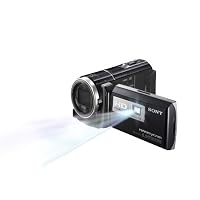
5. The projector is worth every cent of the extra $100 you need to pay for that option. It is extremely clear and the colors are almost as good as on the LCD screen itself. It's a great way to show others the videos you just took. The projector is only a few lumens though, so naturally it works better the less light there is.

6. Another cool feature, the camera takes pictures when someone on the screen smiles, great for catching moments that you would have missed otherwise. Also, you can play a video in slow-motion and then capture an image from it as a separate picture.

Now for a few important notes.

I stand by my decision that this is the best video camera out there for about $600, but that doesn't mean there are things for the buyer to keep an eye on.

First, there's the battery. I think that Sony made a good choice when balancing battery life and the size of the battery, but realistically speaking, most people will only get about an hour and a half of recording time out of a full charge, and that is only if you avoid lots of playback, projector use, and standby time. You can't really complain when you see how small the battery is and how big the LCD display is, but for those hoping for longer recording time, your best bet is to buy the optional NP-FV70 battery like I did. It provides about twice the recording time and honestly, is completely worth the extra $60. Just look out for the NP-FV100 battery pack: It's almost half as thick as the entire camera.

The other thing is the memory. Sure, 16 GB sounds like plenty, but by the time the manufacturer formats the memory and the basic camera software and satellite maps are on there, there is about 12.6 GB of space left. That's adequate, but if you like to record in medium-high quality like I do, then you might want to buy a high-capacity high-speed SD card. If you want to make good use of the GPS tagging function and the projector function, you pretty much HAVE to get an SD card, because once you move your pictures and videos off the camera, there is no way to use the projector function and using the GPS function requires that you install their software and run all of your data from there. I prefer to record in high quality FH mode which allows for full HD resolution, yet doesn't take up as much space as the higher bit rate FX mode. Not only that, but it's the highest quality mode that still allows for simultaneous picture taking and recording; anything higher and you have to quit recording to be able to take a picture. In FH mode, you can record for 1 hour and 43 minutes. By the way, don't bother recording in 60p PS mode unless you have a high-speed solid-state hard drive to put it on. Otherwise the footage will look jerky on your computer. Hard disks are too slow to adequetly process such a complex image.

These notes aside, I think that this camera is flawless except for a slightly squeaky sounding LCD screen (update: it went away after a little while.) I'm sure it's nothing more than a minor issue unique to this one camera that I received. Oh, and still images taken inside usually look grainy even in 8.9 mp; keep in mind that if quality is important, the camera function should NEVER replace a seprate still-image camera.

If you are looking for a video camera that has great video quality and a lot of cool features without bulky size or an eye-watering price, this is definitely it.

Recently while preparing for a trip to Africa, I purchased an entry level Samsung camcorder. I was extremely disappointed in both image quality and overall functionality. In fact, I did not even take it to Africa, as it offered no advantage over the camcorder functionality built into my Canon Elf digital camera.

So, I was very excited about the chance to get this higher end Sony Camcorder. After my experience with the Samsung, I came into the deal somewhat skeptical. After spending some time with this Sony, I have become a true believer. In this review, I will focus on the things I liked about this camera, as compared to the entry level cameras I have used in the past.

First, the camera is easy to use. I was able to get going with it without reading the instructions. I am of the opinion that a well designed product should be intuitive, and not need instructions. This camera receives high marks in this area. I got all features working without the manual.

Second, the quality of the video was extremely good. The camera focuses well, and the images are brilliant and have excellent contrast.

Now, some of the things that were pleasant surprises compared to my other camcorders. I was delighted to see that there was no detectable "noise" from autofocus or zoom motor. In all my other cameras, you can hear an annoying buzz as you adjust zoom, or as the camera focuses. This camera is completely quiet, and the videos do not have the annoying hum.

Next, I was happy to see the camera has jacks for an external microphone. In some applications there is no substitute for a good external microphone, and this camera is compatible with industry standard microphones.

I was also pleased with the wind reduction technology. I took several videos in relatively high wind, and the wind noise was not noticeable in the video.

The camera came with all the needed cables, and the remote.

Finally, the jaw dropping surprise. I had expected the projector to be little more than a novelty and perhaps even a nuisance. I was shocked to see that the built in projector is actually usable. In a normal room light, you can use the projector for 8X10 projection. In a darkened room, you can project a Big and Bright movie. In addition, the playback speakers provided suitable sound, especially considering their small size.

Overall, I am BLOWN AWAY by this camera. If you check my reviews, you will see I am a picky reviewer, and am often disappointed with gadgetry. Not in this case. You will not be disappointed with this camera, and it is worth every cent of the price.

I am now preparing for another trip to Africa, and this camera will definitely make the cut and go in the carry on bag. I will be visiting the Mattaw Orphan Village and can wait to take video of the children, and then project the videos for them to see.

Review Update 7/14/2012

I have returned from a two month stint of using this video camera in east Africa. I must say that I am completely blown away by this device. In addition to taking exceptional video, there are several features I found invaluable. First, the feature where it snaps still pictures as you are making videos any time it sees a smiling face. On my trip, I focused on making videos. When I got home and looked at the video card, I was delighted to see a wonderful set of still pictures which it had taken on its own (when it saw a smile). This is an excellent addition to the media material from my trip. Secondly, the built in projector. I was able to make videos of children who had never even seen their own faces. I could take them to a dark area, and show them the video of their song or dance. Absolutely incredible. This is a great piece of technology, with features that actually have value!

Buy Sony HDRPJ260V High Definition Handycam 8.9 MP Camcorder with 30x Optical Zoom, 16 GB Embedded Memo Now

While I've yet to use this product sufficiently to review all its features, I felt compelled to warn potential buyers about the fact that Amazon misleadingly aggregates reviews for at least two different models--the HDR-CX260V and HDR-PJ260V. While the two are almost identical, the PJ260V contains an additional built-in projector for watching your movies without needing to hook up the camcorder to a TV or laptop. Amazon uses the same product description for both, however, and applies the same reviews to both models. Therefore, unless you have a sharper eye than I, it's entirely possible to search for the CX260V, then read a number of reviews describing the product's projector; and end up mistakenly buying the CX260V instead of the PJ260V. As I see from at least one of the other comments to comments, moreover, I'm not alone in doing so. As such, if you want the projector, make sure you select the more expensive PJ260V and not the CX260V. While it's not a dealbreaker for me and I'm not sure the projector is worth the extra money, it would have been nice to have made the decision with full knowledge of the distinction.

Read Best Reviews of Sony HDRPJ260V High Definition Handycam 8.9 MP Camcorder with 30x Optical Zoom, 16 GB Embedded Memo Here

"WOW".. that about sums this amazingly small yet ultra powerful Video Recorder!

I have only started to use this camera but I HAD to write about it. I WILL be adding more content and showing video samples to supplement this review. But let's do a "quickie" review: 10 things that Impressed me:

1) OK.. first off.. tiny! It's amazing how small these guys are .. even compared to 2 years back!

2) The battery is rated for *up to* 9 hours.. so far I charged it only once, been setting it up, and taking small videos for about 4 days now and it still has about 1/4" left.

3) Internal Memory is 16 Gig that represents about an hour of High quality vid. and about 5 + hours at lower res.

4) It is SONY so it readily connects with Newer Bravia TV's and the PS3 but of course you can pretty much connect with anything these days.. but what is wild it has a built in Projector that will project a 100" image! I have tried it (not to 100"), and it works pretty good.. actually VERY good!

5) I like the built in USB cord.. it is not long at all, but it is nice to have a cord ready to plug in to re-charge, or synch with etc... if you don't have your case with all your stuff with you.

6) 30x OPTICAL ZOOM! -OK for ME this is the main reason I wanted THIS model. (They have many models with more memory etc..)

-I wanted the zoom because I take pictures and videos of nature, so it is not always easy to get close.

Many people already know this, bu just in case... when you see "Zoom" you ALWAYS need to see what the "OPTICAL Zoom" is.. that is the true power of the lenses.. no software is involved. The term "digital" or "extended" uses the processor in the camera to "fill in" data, and it is never as crisp in my opinion. So.. for this camera it is 30X Optical , and 55X "Extended" which is.. whoa.. VERY strong!

With that much zoom power you need....

7) Optical "Steady Shot" -This is a very good image stabilizer, it reminds me of my Canon it takes the "jitters"

out of zoom shots, and is supposed to even hold steady while walking. (I haven't tried it walking around..yet!)

8) Face detection & SMILE detection check this out..not only does he camera have face detection.. but when set up, when taking a video, if it detects a smile, it takes a picture! That's pretty cool.. you may get that "one in a lifetime" shot while shooting a video!

9) Built in GPS receiver To be honest this is kinda funky and I am just learning it., But when on (it is on by default) when you take videos (outdoors naturally) it tracks WHERE you took them.. so later on you say for example: "Remember when we were in Time Square?" Instead of looking for a file number & date on the camera, (which you can) you simply touch the "map view", find Times Square and there you are.. it will show what you shot there! It is pretty neat :)

10)"Tracking Focus" This IS cool.. lets say you are shooting a video of you kids.. or better yet your pets.. start shooting..

and from the screen you select your pet -just by touching the screen -.. it will auto track them AND keep them in focus!

THAT is pretty cool.. and it works REAL WELL. I focused in on a Cardinal, it tracked it as it went from branch to feeder to ground.. it was seamless I was pretty shocked.

Well that is 10 things that first impressed me with this camera.. again I WILL add to this and put some vids up.

I am extremely impressed by this video camera.

About the ONLY thing so far I can say against it.. and I am nit-picking, is that I like a viewfinder, I use a Rebel and I am always used to literally looking through the camera. There may be times in bright sun that there may be a glare or the screen may be washed out., but again, that is a small complaint and more of a personal preference and in no way a knock against this wonderful camera!

*****

Jim

Want Sony HDRPJ260V High Definition Handycam 8.9 MP Camcorder with 30x Optical Zoom, 16 GB Embedded Memo Discount?

I could not wait to get my hands on this camcorder. I thought it would be an improvement to the one that I have, (the Sony HDR-CX150) but was I wrong. I am going to give the most thorough and honest review that I can give. When I read all the details on this camcorder, it gave the impression that it was far superior to the one that I had, and by advertising it as a "newer model" than mine.

I did a side by side comparison and shot the same video at the same time with the new Sony HDR-CX260V and the older model Sony HDR-CX150 and here is what I came up with. Keep in mind, that the older model records in 1080i, has an older low lux function for low light shooting, does not have a wind filter, has 25x zoom, and does not have a wide angle lens. With all that said, let me break the Sony HDR-CX260V down for you:

Records in 1080/60p pros: A nice clear picture. Cons: Takes up a lot of memory fast, and to be honest, I thought the picture looked a little muted compared to the older model.

Low Lux (for low light shooting) pros: Images do come out better in low light, like for indoor shooting. Cons: over exposes. My nephew's face came out so white and there was a bright glare on his face. Also it tends to be a little grainy around the edges. There is also a constant clicking sound when the low lux is turned on.

Wind filter pros: You can still hear you, and other people when speaking on a windy day. Cons: even though you can hear voices more clearly, it seems to lose the stereo sound when the filter kicks in. Almost sounds like the voices are coming from inside of a wind tunnel.

30x optical zoom and 55x extended zoom pros: The 30x zoom works like a charm, it gets very close to the action without losing any clarity. Cons: The 55x zoom takes a while to focus and seems to lose the HD quality.

Image stabilization pros: The image stays nice and steady, even when running. No shakiness what-so-ever. Cons: none

Wide angle lens pros: It does capture more of what you're filming, I'd say probably 3-4 feet more on each side. Cons: if you move to fast, it stretches the video on the sides and it comes out distorted.

So in closing, when comparing the older model with the newer model side by side, the older model outperformed the newer one in almost every way. The main reason for buying an HD camcorder is for the video quality and I saw a HUGE difference in the way the older model's quality (1080i) was compared to the newer one (1080p).The older one is much sharper and richer then the 260v. This camcorder also feels very cheap and flimsy, almost hollow. It is not worth $550.00. The only thing I liked better about the new model is it has a nice big 3 inch touch screen, a built in GPS that works nicely, and a built in USB cord, but the USB cord seems to only work when it wants to. So remember, "Newer" doesn't always mean better.

(See my review on the Sony HDR-CX150)