Showing posts with label mini digital recorders. Show all posts

Tuesday, November 18, 2014

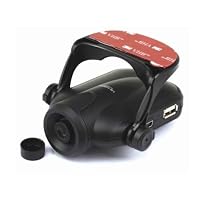
Motion Detect Car Dash Video Camera Recorder DVR

Motion Detect Car Dash Video Camera Recorder DVR
  • 2.5'' Big LCD Screen
  • Video recording with sound,Photo taking
  • High speed recording,Motion detect function,HDMI output
  • Real Time & Date display on video/photo
  • 3 file playback modes: On camera, on Computer, on HDTV

This camera had a good price, but it is a disappointment. Note that this is an older model; the latest models have an HDMI port and fewer bugs.

* Not 720p / JPEG encoding artifacts: -1 Star

The CCD in this camera is natively 640x480. If you choose the 720p recording mode, then the camera just does pixel-doubling in software.

This dashcam records to MJPEG files. You won't be able to read license plates or recognize most faces because of compression artifacts. The firmware lacks an option for changing JPEG quality.

* Stops Recording When SD Card Is Full: -1 Star

When the dashcam needs to rotate files on the SD card, it stops recording for up to two minutes, but an entire accident can happen in less than two minutes. The actual amount of offline time seems to depend on the speed of the SD card.

* Can't override poweroff: -1 Star

This dashcam always powers off when external power disconnects, even if the internal battery if fully charged. I want my dashcam to continue recording after an accident.

* Can't run from a USB Port / Can't be used as a webcam: -1 Star

Connecting the USB port puts the camera into disk mode, which means that you must power it from the 5v connector. You cannot power this dashcam from an in-vehicle USB port. You cannot use this dashcam as a webcam.

* Can't invert or rotate the video: Annoyance

The firmware doesn't have an option for changing the recording orientation.

* Can't change the recording overlays: Annoyance

The only overlay option is a timestamp.

* Nearly ideal form factor: +1 Star

The size and shape of this dashcam is nearly perfect, and it uses a standard threaded mount, like on a regular camera tripod. It is much smaller than the stock photography makes it seem. The built-in folding LCD is probably the best feature.

* Adequate performance in a variety of lighting conditions: +1

Sun flaring is minor. Quality is okay at night with street lights and head lights.

* Additional Notes

This camera records to MJPEG AVI with 8 kHz PCM mono audio. Audio quality is poor; you can't hear conversations over white noise while driving, and it is unlikely that you would get all of a conversation while stopped with a traffic cop.

Wake-up on motion detection is pretty good.

In standard quality, this camera uses 2GB per hour.

Power draw is less than 5 watts at 5 volts, so you can run this camera off of a car battery for a long time.

This camera seems to be running an embedded BSD. A firmware update could get me to add one or two stars to this review.

Buy Motion Detect Car Dash Video Camera Recorder DVR Now

I use this camera to protect myself from the lousy/agressive drivers in our area that seem to be growing by leaps and bounds. I have been using the camera for about a month now with an 8 GB card. Using the default video settings (mid range for capture) the 8 GB card stores about 3 hours of good quality video. The 120 degree field of view can capture the traffic lights even if you are at the stop line. Very Strong Sun Glare did not harm the camera although the objects were all darkened since they were all backlit. Night time capture is adequate based off of the headlights but don't expect daytime capture. (The IR cameras are described as not being able to go through the glass windshield so not much of an option.) The auto start/stop and auto rollover works as advertised. The products instructions are really poor. (I suspect that the unit is made in Russia since the only other instructions are in Russian, but so is the Mig-29!) If you want to change the defaults (e.g. I wanted a 15 min. capture window and setting the date.) You need to fumble with the buttons on the left first pressing MENU twice and then rec/snap to get the camera into the change mode and then use the buttons on the right to get the values to change. If you miss the right year you need to go past 2034 and then it rolls back to the start year. They need a definite rewrite.

Read Best Reviews of Motion Detect Car Dash Video Camera Recorder DVR Here


I bought this camera to protect myself against reckless and aggressive drivers and liars in San Antonio, where most drivers don't have insurance and drunk wrong way drivers are # 1 on the list. This camera works great as described, very good video and sound recordings. Very recommended at this great price. The video was edited with Nero and lost some Quality, also if I cleaned my windschield before the view was much better, at the video you will see a vehicle turned to the right on red, and almost was hit by another driver. Just be prepared and protect yourself :-)

Want Motion Detect Car Dash Video Camera Recorder DVR Discount?

I bought this Car DVR recorder with fairly low expectations, both given the very low price and the very mixed reviews at Amazon. After a thorough test and break-in, I am positively surprised. I would recommend this as a low cost way to record evidence for unexpected cases where it is useful to replay the past accurately.

The DVR is produced by an unidentified Chinese company. It is surprisingly good for something that's made and designed in China. There is a flip-down LCD screen of decent quality that can be used for setup and instant playback. Opening up the small unit revealed a clean printed circuit board with just 2 chips: a Korean memory chip and a CPU chip of unknown origin. Control is through 6 buttons on either sides. Its not as convenient as a touch screen, but it does the job. The included suction mount was bulkier and less flexible than the one on the picture. This design does not allow mounting the using behind the rear-view mirror, so I need to look for some more compact suction mount.

The unit runs on it built-in battery power for at least an hour. This allows the camera to be used in the same was a a flip camera. Its small and light enough for use as a spy cam or on board of a model airplane. Plugged into the cigarette lighter adapter, the DV starts recording automatically when the car starts, and stops about 30 seconds after the ignition is cut. This is the desired behavior for a 'black box'.

The included manual is terrible, as expected. Special highlight is the final section "Small tip to save you big headache" which describes the many blessings of the reset button. The manual is not adapted for the different versions on the product, describing features that do not exist (such as HDMI output, frame rate selection, audio on/off) and omitting some useful options that are supported. Using some trial and error, however, its not too hard to find your way.

Video quality is indeed nowhere near HD standard. I could not see any difference in resolution between the 'XVGA' and 'VGA', so its best to stick with basic VGA which results in a 30% smaller files and a higher frame refresh rate. The camera sensor is likely the culprit. The lens is wide angle, producing a decent panoramic view with the usual distortion around the corners. Color reproduction is weak. Given the 'black box' application we don't care too much about that. Low light performance is passable. Though not HD, the quality is still better than the standard resolution camcorders of only a few years ago. Sound quality is poor, with lots of hissing, but conversations in the car are easy to understand.

The DVR performs decent image stabilization, which causes the movies to be quite smooth, even on bumpy roads. That is a very useful undocumented feature. Other undocumented features include digital zoom and a few image viewing options. The picture includes a date and time stamp for record keeping. The built-in clock turns out to be stable and accurate.

The DVR records .avi movies in segments of up to 15 minutes. There is only a short 1 second gap between the segments. The gap was a major complaint in most other reviews, but its pretty good on my unit. Apparently the new firmware improved this. Each 15-minute .avi file is about 720Mb which should yield about 11 hours of total recording on a 32G SD card before old files are overwritten. The LCD display shows the estimated remaining recording time, though the value is on the optimistic side.

Playback on the built-in LCD screen is decent. This feature could save your day, for instance instantly proving to a cop that you are not on the cell phone while driving. There is no fast forward, unfortunately, which makes it a pain to find the proper scene. Plugging in the unit in a computer mounts the SD card as a hard drive. The USB data transfer rate cannot keep up with the video bit rate in my experience. I am not sure whether this is caused by the SD card I am using or whether its due to the USB interface. Its not a big problem, as files can be copied to the PC for smooth playback. Playback on using video signal on a TV possible, but its just not very useful.

Overal, this DVR does the job for very little money. Compared to the other options (such as Itronics), it does nearly the same job and sports a built-in screen at a fraction of the price. It lacks HD and GPS, but neither of those are really essential for a car 'black box'.

Update May 2013 (1.5 year later): The dashcam is still working flawlessly, faithfully recording whenever my car drives. Same product now costs even less.

Save 70% Off

I have been using this for a few days now. First, it took them till the end of the 3rd day to ship it which caused total delivery time to be around 9-10 days. I received it and it is one of those Chinese drop ship items. It has a surprising range of features for the price, such as auto on/off and auto record triggered by power from the cigarette lighter adapter. When the sd card is full it will loop the record and overwrite the oldest files first. The built in battery allows it to properly close out the files when the power from the adapter is cut so, in an accident, losing power will not cause you to lose the current file; which may be the most important one. The unit I received did not have a hdmi port like the photo but the opening is still cut into the casing; found this after the inspection sticker fell off after the 2nd day of use. Playback is not possible on this device. I have used 2 sdhc cards which says on the box are supported; one Kingston class 6 4gb card and one transcend class 10 16gb card. Trying to initiate playback with either card results in "one moment" appearing on the screen followed by the word "one" disappearing leaving half of the "o" yet, nothing else happens(waited up to 5min). Occasionally it will indicate "fwd 1x" but still not play, pressing the up button sometimes causes it to display "bwd 1x" but nothing plays. In the whole playback attempt process it will randomly give 2-3mm wide vertical lines of distorted picture over the still image of the first video frame. Another thing to note is the video format of the files it creates are AVI. A 4gb card will give 2:20 hr:min of record in VGA format and 1:22 hr:min in D1 and SXGA. 16gb card increased the VGA to over 9 hours. When transferring the video files to your computer you better use a sd card adapter because the maximum transfer speed that this thing can handle is apparently 1 mb/s. The video seems clear enough to see what is going on in a wide angle area in front of you but is not sharp enough to read the license plate off of the car in front of you sitting at a traffic light. I have not used when fully dark but twilight recordings are good in detail except oncoming headlights cause moments where the camera is basically blinded. The video displays on the lcd so it is right side up when the unit is mounted with the lcd folding down when opened, with no option that allows you to change this if you choose to mount it in any other orientation; like mounting it to your dash with the lcd folding up when opened. Conclusion, it's much better than nothing at all in providing piece of mind, but you get what you pay for in the quality of the video and craftsmanship.

Tuesday, November 4, 2014

PTC 10 ft High Speed HDMI 1.3 Category 2 Certified WHITE Cable w/Ferrite Cores (Gold Plated Connect

PTC 10 ft High Speed HDMI 1.3 Category 2 Certified WHITE Cable w/Ferrite Cores - Supports PS3, Xbox, Blu-Ray, HD-DVR, HD-DVD, all HDTV resolutions - 1080p and beyondthe hdmi cable was very easy to install. i needed the cable to be white to be less visible on the wall. i am very pleased with it's performance. shipping was fast. thank you Amazon.

Save 23% Off

Sunday, November 2, 2014

Vivitar DVR-620 Compact HD High Density Digital Video Recorder with 180 degree Swival Screen and Fa

Vivitar DVR-620 Compact HD High Density Digital Video Recorder with 180 degree Swival Screen and Face-detection technologyI purchased this to be a replacement for my stalwart aging DXG 506V digital video camera which has served me well over the years. Most cameras I have worked with do pretty well outdoors. Indoors is where you seperate the proverbial men from the boys and it is here where the Vivitar HD 620 falls just short of acceptable. On HD recording mode (and lets face it thats what you buy this thing for) the recording at its best is mildly grainy in bright fluorescent light and is extremely grainy in incandescent light. You can make adjustments to ISO and Exposure but in the end the best it can do is just short of adequate for indoor recording. It records High Definition resolution, but not High Definition Quality. Yes the videos are watchable and if watchable is all youre going for then you really dont need the HD feature as there are plenty of cameras (including my beloved DXG 506V) that give great recording quality at lower resolutions for much less money. The audio recording quality is actually surprisingly clear and static free....but there is a weird thing it does when recording where the volume and sensitivity literally go haywire and will subtly but quickly get very very loud. The flip out screen is a great feature and works well but feels a little fragile. I know the 50 dollar price tage is tempting, but believe me folks, spend the extra money if you want HD and get a better camera. If not spend less money and get a putzing around camera. This fails at both.


I became interested in this camera when I saw the 880HD available at a department store for the same price. I went home, looked it up on the internet, liked the idea of this model with the swivel screen and regular AA batteries, so I bought it. The first test was indoors with incandescent lighting. As mentioned in the other review, the image was grainy, much worse than my old Flip Ultra purchased in 2007. It obviously doesn't have as good of lighting correction circuitry as the Flip. The next test was in the environment I intended it for, at an outdoor music festival. In this environment it performed well. It has a zoom that could get me a non-HD quality image when I was was sitting ridiculously far from the stage, something that my old non-HD Flip could not do. At more reasonable distances I still question whether it's really HD quality, but it was nice. Closer distances with little or no zoom were fine, and what I'd consider HD quality. When panning the image becomes a bit jerky, so maybe it could use some image stabilization circuitry too. But at $25 for the camera and $12 more for an 8G (about 2 hours of video) SD card and camera case, I really can't complain. I'm happy with the purchase, I can still use the old Flip for indoor and low-lighting use and did not have to break my budget to get better quality video for the use I intended the camera for. The attached video review is using this camera for the Martin Sexton performance at the 2012 Clearwater festival.

Buy Vivitar DVR-620 Compact HD High Density Digital Video Recorder with 180 degree Swival Screen and Fa Now

Thursday, October 16, 2014

BOYO VTR101 1-Channel Digital Video and Audio Recorder

BOYO VTR101 1-Channel Digital Video and Audio Recorder
  • ASIC Chip, provides high quality H.264 recording
  • Embedded Flash 1GB or 2GB (Better image & fast recording than SD)
  • Built-in Collision Detection Sensor for automatic recording
  • Supports GPS & Google Map (Able to implement client MAP)
  • Friendly application SIV Manager (easy to use / no need additional CD)
  • Embedded Flash 1GB or 2GB (Better image & fast recording than SD

I originally purchased this because of a run in with a lying police officer. Had I had this, the entire issue would have gone my way as it was, it went all his way.

The first unit was defective, but BOYO sent out a new unit after confirming the first one was bad.

The video quality is pretty good overall. In the day it is almost good enough to read license plates (will in idea circumstances) and at night it is good enough to give a definitive record of what happened, the color of the car, make and model, etc.

The software is a little annoying, as it has quirks. For instance the file you want to look at needs to be on the desktop it won't work from USB. But after dealing with those issues the software is pretty awesome. Vehicle speed, location by GPS, G-forces the vehicle is experiencing, all put together to provide an accurate picture of what is happening/happened.

Would certainly recommend if you can find it for purchase still.

Buy BOYO VTR101 1-Channel Digital Video and Audio Recorder Now

The date and time can not be updated. it always indicates 09/15/2009.

Is there any body know the reason??

other function is ok, but not good

Read Best Reviews of BOYO VTR101 1-Channel Digital Video and Audio Recorder Here

The unit is easy to install and the video is good quality. It is stable and has a wide angle video. The manual that comes with it is fair. It is translated by an Asian to English.

Well worth the price. Very staisfied!

Tuesday, October 14, 2014

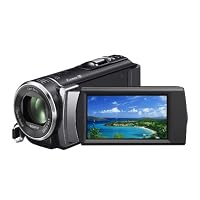
Sony HDR-CX210 High Definition Handycam 5.3 MP Camcorder with 25x Optical Zoom (Black) (2012 Model)

Sony HDR-CX210 High Definition Handycam 5.3 MP Camcorder with 25x Optical ZoomLet me start off by saying this review is 100% my personal opinion and not fact. I am not a videographer or anything of the like, just an average consumer, looking for a nice video camera.

Look & Feel

The first thing that struck me about the camera is the weight (or lack of it). The camera is very light almost to the point of feeling kinda plasticky (like a TV remote.) I suppose it could be a good thing for some but I prefer my electronics to have a bit of weight to them. I like the look of the camera it is very sleek and clean. The chrome accents really pop and look great.

Video Editing & Conversion

The video editing is very easy and if you opt to store your data on an SD card it is a very quick process. The default folder structure is very easy to navigate to find the files and transfer them to your computer. The camera also has an attached USB cord in the handle so you don't need and additional cords to retrieve your videos/pictures.

Battery Life & Other Features

Battery life is OK not great, not bad just OK. On the highest video quality setting you will get about 120 minutes of filming which seems about right.

My biggest gripe about this camera is there is no power button. The camera automatically turns on and off when you open or close the screen. It is nice because you probably won't need the camera on with the screen closed but I would prefer a power button anyways. There is a switch to open/close the lens cover though which is good thing. The camera also has several different video settings sports, indoor, ect. The camera does a pretty good job of automatically switching between them (if you have that feature on) and generally looks good in them.

Video Quality & Lens

The auto stabilization feature does its job well and it makes the video look significantly smoother. Shooting varies depending on light conditions. Daylight and outdoor look great, very crisp but it's indoors that's my problem. Filming indoor with decent light is extremely grainy. There is a lot of noise in the video; this isn't a complete surprise but a bit disappointing considering the specs given and the alleged low light features.

Using the low light setting just makes things grainy almost to the point of being unwatchable.

As I have used the camera more I will update my review, also if you have any questions please feel free to ask. I will answer as best I can.

Even though I am a bit disappointed in the indoor shooting quality I do like quite a bit about the camera. It is still pretty nice in the sub $400.00 range.

I recently purchased this after reading the mostly great reviews of this camcorder, the Sony HDR-CX210. I love everything about it (price, size, weight, ease of use) but I am very disappointed with the video quality which to me, is the most important aspect when buying an *HD* camcorder.

There are four video quality settings. I first recorded a short video in the standard mode which is the third best mode, then plugged the camera directly into my 50" HD plasma TV for playback via the included HDMI cable. The video resolution was very, very grainy/pixely. I was expecting at least DVD quality video (not Blu-ray) or something close to it, but it was not even close. I then tried the same test in the second best quality mode and the video was hardly any better. I then tried in the best video quality mode and there was a slight improvement, but still noticeable grainy and still not close to DVD quality.

I am returning this camcorder to try Sony's next model up, the HDR-CX260V for $115 more. Looking at the specs on Sony's website, the effective picture resolution of the Sony HDR-CX210 is 1310K pixels and the HDR-CX260V is 2230K. I'm hoping the extra $115 will get me to the video quality I'm expecting from an HD camcorder.

Buy Sony HDR-CX210 High Definition Handycam 5.3 MP Camcorder with 25x Optical Zoom (Black) (2012 Model) Now

The Sony HDR-CX210 is Sony's lowest high definition model. It is also the lowest model with a touch screen. You turn on the camera by opening the video screen. There is no on/off button. It focuses very well even in low light. I have found that it will take about 90 minutes of HD video in the HQ mode which is not the highest resoloution. Which is good since the battery that comes with it is only good for 90 minutes and they recommend that doing any playback be done with the power cord attached. In the High definition HQ setting, it uses about 9Mb per second of video. It transfers the videos to your computer quite fast, and will even burn it to DVD with the software you download. But you cannot use these DVD's in a DVD player unless you first convert it to the .mpg format with some other software first. I guess that and the batteries capacity are my only gripes. On the positive side, I really like the size & weight of the camcorder. Its quick startup time and the sharp focusing of this model.

Read Best Reviews of Sony HDR-CX210 High Definition Handycam 5.3 MP Camcorder with 25x Optical Zoom (Black) (2012 Model) Here

It's got a good sensor, Exmor R but that's about it. Compared to previous model HDR-CX110 this camera has many things that are actually much worse and a big downgrade. For once they have the same Exmor R sensor so low light is great. This one however has a terrible screen and the angle views are really bad. HDR-CX110 had an excellent screen that showed the picture you were recording like in real life. I guess Sony tried to cut costs and put a terrible screen on it. Another bad thing is Zoom noise. It wasn't an issue on 110 but here it is actually pretty loud and you will hear it when you're zooming. I'm returning this camera and would suggest to anyone if you can find HDR-CX110 online to buy that one instead because it's much better than this.

Want Sony HDR-CX210 High Definition Handycam 5.3 MP Camcorder with 25x Optical Zoom (Black) (2012 Model) Discount?

I recently purchased Sony camcorder model no.HDR-CX210 from Amazon.Have always been in awe of Sony products because of their quality and reputation.I only gave this camcorder four stars instead of five because of the screen.In bright sunlight it is near impossible to see.Picture quality is very sharp as is the color. I feel Sony could and should do better. Lloyd Barnett.

Save 28% Off

Sunday, October 12, 2014

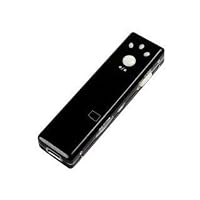
Mini Stick DVR Camera - Chewing Gum Shape Built in 4GB Memory

Mini Stick DVR Camera - Chewing Gum Shape Built in 4GB MemoryI need help figuring out how to use this thing. The instructions are obviously translated from a foreign language. There's a mini dvd that comes with it I don't know I have no idea what I'm doing.......If the company reads this please provide details starting from: 1. what are you supposed to do with the mini dvd? how do you get the driver onto your camera? what else are you supposed to do before use? 2. once you have data on the recorder, what's next to view on a computer?

Thursday, October 2, 2014

Sony DCR-HC36 MiniDV Digital Handycam Camcorder with 20x Optical Zoom

Sony DCR-HC36 MiniDV Digital Handycam Camcorder with 20x Optical ZoomAfter having used an old bread-loaf-sized Sony 8mm camcorder with great success for many years, I felt it was time for an upgrade. Modern feature-packed MiniDV cameras have become very reasonably priced, as the DCR-HC36's barely $300 price tag attests, so it was only a matter of which features I wanted I prefer a powerful telephoto lens, and Sony has a curious habit of reducing zoom power the higher up the product line you go, so even though the HC36 is middle-of-the-road in the Sony camcorder lineup, its full 20x optical zoom made it a natural choice.

Modern MiniDV cameras are also very reasonably sized; occupying less than half a cubic foot, the HC36 weighs in at less than a pound even with the battery and tape. That's about large cheeseburger size, or the size of a digital camera from a few years ago. Despite toy-like dimensions, the sculpted duo-tone exterior and handsome chrome lens bezel lend to a quality look and finish.

Those of you intimidated by the arms-length list of features who "just want to hit record and go" will be glad to know that the HC36 has an Easy button. Located right next to the Sony logo on the left side of the camera is a blue button labeled yes, really "Easy". Pressing this button puts the camera into everything-automatic mode, and also increases the size of text on the display (very handy for the reading glasses set), allowing the old-school and I'm-not-technical school alike to record full quality video. You don't even have to know how to flip out the LCD screen, the Easy button literally makes the camcorder point-and-shoot.

The more technically inclined are accommodated with tailored personalization. Nearly all the camera's functions are controlled by the touch screen LCD's menu system, but Sony uses a clever shortcut; A personalized menu which you can set to display the features you want any camera function, such as exposure, white balance, etc., can be set as a menu button; A single touch of the LCD brings up the menu of buttons you've set to display. No scrolling through menus to get to some deeply-buried function, just press the screen and there's the menu that you made with your functions. This system is in some cases faster than physical buttons on the camera itself!

And there's no shortage of functions to play with. The HC36 features two different levels of night vision; "Nightshot Plus" employs an infra-red lamp on the front of the camera providing a fully lit view up to about ten feet even in total darkness, while "Super Nightshot Plus" bumps up the light sensitivity by slowing the shutter speed great for distance viewing in low light, or shots of the night sky (night vision can see stars that you can't). A Tele Macro function captures close-up sharp images from a few feet away, and the Spot Focus feature makes focusing a breeze just touch what you want focused on the touch-screen and it focuses to that object.

There's the usual basic palette of picture effects and faders included, but the true video editor will of course want to use the computer, which is what the MiniDV format was made for. An i.LINK jack (i.LINK is Sony's name for Firewire/IEEE1394, they're one and the same) is provided for a quick and quality connection. A note to the uninitiated: *DO NOT use a USB connection to export video to your computer.* The USB format is slower and will result in poorer-quality video. Connecting by Firewire provides a better-than-TV image using the right software I avoid using bundled software when possible, and would recommend using Adobe Premiere Elements 2.0 or Sony's own Vegas DVD program, both of which offer free trials to see which you prefer.

The HC36's still picture feature is a novelty; you must purchase/provide a Memory Stick Duo for the function to work, and while 640x480 VGA size images are nothing compared to a digital camera, it can be entertaining when combined with the camcorder's other features using the digital zoom and NightShot for example, you can capture an image from several hundred feet away in near darkness. Fun, but a real digital camera is still the way to go for photographs.

Connections are the HC36's weak point. The aforementioned Firewire jack is there, but the cable is not included. An analog video/audio jack (out only, no in) is provided along with RCA-ended cable to connect to your television or analog source, but because the jack and cable are non-standard and unique, should you lose the cable, you'll have to go to Sony to get another. And there's no mic input. The built-in stereo mic can record 16-bit high-quality audio, but a camcorder with this many features should have this one more.

Overall, the HC36 is the sweet spot in the Sony camcorder lineup, a big-quality features-heavy camcorder in a small, lightweight package, with a tiny price to match. Five stars for Sony's movie-making multi-tool.

(Addendum: Why not DVD? DVD camcorders offer similar features, however you must pay hundreds more for a DVD camera than a similarly-featured MiniDV cam. They're also noticably larger, and DVDs aren't nearly as easy to work with You must format a DVD before using it, which requires setting the camera on a steady surface and waiting several moments. Recording at the highest quality setting, a camcorder DVD will hold only 20 minutes, and then you must "finalize" the disc before playing it in any other DVD player. Should you need to replace the DVD during an important timely event, or forget to finalize the disc before giving it to someone or storing it, you're pretty much out of luck. Because the DVD camcorder system is set up to just play the DVD as-is, editing or getting the video on computer can be a long and very complicated process. Whereas MiniDV tapes last an hour, were made for editing, and offer slap-it-in-and-go convenience. If you have the extra money and just want to play back video as you shot it, a DVD camcorder is a possibility, but at a fraction of the price and complication, the MiniDV cam is the bang-for-the-buck convenience-is-king winner.)

The camera works great but ...Neither Sony nor Pixela, the makers of the Picture Package software that comes with some Sony camcorders with mini-disks tells you that the software IS NOT COMPATIBLE WITH WINDOWS XP, SERVICE PACK 2! It will crash your computer or not work properly. DO NOT install the Picture Package software if you have run Windows XP. If you have a DVD player on your computer, you can download the photos from the mini-disk without this dangerous software. Shame on Sony and Pixela for selling the software to Windows XP users or including it with the camera without a warning.

Buy Sony DCR-HC36 MiniDV Digital Handycam Camcorder with 20x Optical Zoom Now

I purchased the HC36 as a backup to a Sony VX2000. I filmed a play in low light and was pleasantly surprised by the quality of the video. I was able to intermix the video from the HC36 with the VX2000 with only a slight difference in quality. The onboard mic was also excellent! more than I expected. I hadn't planned on using the audio from this camcorder, but in the end I did use about 20% of the audio for a 2-hour production.

I have owned several camcorders over the years and I'm always pleased with the quality of Sony. I will definitely use the HC36 as a backup for wedding shoots.

Read Best Reviews of Sony DCR-HC36 MiniDV Digital Handycam Camcorder with 20x Optical Zoom Here

I bought this camera tonight, and after a little confusion, I am pleased. There are other reviewers out there that state you can only transfer the video to VCD. The problem is that the documentation is unclear about this. All you have to do is go to Start Menu>Picture Package>Handycam Tools>Video Capturing Tool.

I shot a small test video, transferred it, and all is well. I will recommend getting a Firewire cord when you buy the Camcorder, as it does not come with one. The quality on the firewire vs. USB video is more than noticable.

All in all, a good starter cam with more than enough features to keep you playing for some time.

Want Sony DCR-HC36 MiniDV Digital Handycam Camcorder with 20x Optical Zoom Discount?

I bought it a week ago. Tried some shooting and transfered from HC36 tape to PC smoothly with firewire connection (not USB)and Windows Movie Maker/Sony Vegas 6.0. The picture quality is good for resolution up to 720x480 (high quality). Don't expect too much from this handycam, only the basic video shooting will do. If you want to make 'Hollywood-like' movie, this is not the right choice. You need to have spare battery, the standard is about 80 minutes. One of the reason I chose Sony HC series is you can have an optional battery(NPFP90) up to around 500 minutes. For me it is important as I don't want to carry a lot of spare batteries and keep changing batteries while travelling in remote area.

For me it's a good product for what I paid.

Monday, September 15, 2014

PalmOne Zire 72 Special Edition Handheld Silver

PalmOne Zire 72 Special Edition Handheld SilverI had a Palm III followed by a Palm V and I was pretty pleased with both these older model PDAs. After some study, I opted for a Palm Zire 72 and I am very pleased with the features.

Important to me, the Zire 72 has Palm's suite of information management applications and the ability to edit Wordand Excel-compatible files and synchronize with Microsoft Outlook (Windows only). This is one reason I got the Palm; my Blackberry is not good as a PDA and I love the easy-to-use and fast PalmOS.

The Zire 72 features:

1-megapixel image resolution (1280 x 960 pixels

32 MB of memory --64 MB in the special edition

Video capture with sound

Digital

Voice recording capability.

Wireless Bluetooth connectivity to connect to the PC or your Bluetooth-enabled phone

4.8 ounces wieght

Palm OS 5.2.8 Operating System

Software

USB cable for linking to PC

Slot for SDI memory card

16-bit 320x320 TFT screen capable of 65,000 colors.

Capabilities Rundown:

PIM and software:

Zire 72 features Palm's suite of information management applications for expenses and note, and it has the ability to edit Wordand Excel-compatible files and synchronize with Microsoft Outlook in Windows. Our own company email system will support the Palm and Pocket PC while it will not be supporting the Blackberry Enterprise System anytime soon. So the Outlook support is very important.

Bluetooth:

The Bluetooth seems designed for devices to enable mobiles, LAN and PC connections to give web capability. It would be clunky, in my view, to connect via a cell phone, so I'd love to see WiFi. But this feature can be added with a $99 card put into the SDI slot. Bluetooth is not as easy to configure; the set-up wizard seemed to be a bit difficult and there are only a few cell phone models included in the preset configurations. If you can get the 72 connected, you can use it to dial numbers, send SMS, MMS and e-mail, and browse the web using the Web Pro 3.5. Or you can opt for a WiFi card and surf at MacDonalds and Starbucks. Phones that are listed:

Sony-E T68i

Sony-E T610

Nokia 6310i

Nokia 3650

Siemens S56

Not a super list.

For PC interfacing or Palm-to-Palm there still is an infrared port.

Egonomics:

Complaints were made about the blue paint on the regular edition flaking off. I have the special edition with the silver body and this is not an issue. The control is a rectangular navigating button. The screen has the familiar Palm division between screen and stylus pad below. The Graffiti 2 was easy to use--the letters are almost exactly like written print, as long as you know where to begin the the letter, but that's practically intuitive. The sensitivity and accuracy of the stylus-pointing is a huge improvement over the very early Palms like the PalmV.

My system came with a Cordura nylon case, very nice quality and a huge improvement from the old flimsy leatherette flaps of early days. Without a case, you have to get something to cover the screen. The stylus is the same type of rod that attaches to the side by sliding into a slot.

MP3:

You need a SDI card (Secure Digital card) to load MP3 songs with RealPlayer onto the system for playing back with MP3. These are not hard to find, you may even have one floating around the house (we did.) Drag-and-drop songs onto the card on your PC, put card in Palm and go. There is a headphone jack.

There are "speakers" (tiny) and a voice recorder. Great for memos.

Camera:

The 1.2 megapixel camera has onboard adjustments for contrast and light (I needed to take down the exposure for a shot of my deck at dawn.) Digital zoom. No cover for the camera lens. The resolution was ok. The memory will hold about 85 shots, and you can move them to the SDI (optional) card. No flash.

Software:

The installation CD comes with Adobe Acrobat Reader for Palm, plus a calculator, a reader-Documents To Go which allows you to read Microsoft Word and Excel. It's recommended to download AvantGo to add internet features. Sites such as www.palmsource.com, www.freewarepalm.com, www.palmgear.com, www.download.com have many free or inexpensive applications for the PalmOS.

There is no manual, it's on the CD.

Summary:

For a PDA, this is about perfect. To be perfect, they'd have to include WiFi and or a better phone setup list for the Bluetooth. I am quite thrilled with the Zire 72--it does what I want it to do, mainly be a PDA and keep my appointments and handle some data. The camera and MP3 are nice for travel.

I am in love with my new Zire 72 PDA... BUT... I bought the special edition because I read all the reviews about the paint rubbing off the regular, blue Zire 72. I have had my PDA for just over a week now, and already the painted lettering on the top ('palm one' and 'zire 72') has cracked and mostly rubbed off. It's not a big deal -the unit is user friendly and works great, and it still looks nice, but I can't believe that this $300 item already looks worn when it is almost brand new and has been used carefully and moderately. Still a great choice, I think, but just a warning...

Buy PalmOne Zire 72 Special Edition Handheld Silver Now

Zire 72 is an excellent device with minor problems. For the price its a bargain and will ensure Palm's market share stays high.

Pro's,

1. Its a Palm, with a stable version of Palm OS.

2. Looks good and feels solid in hand.

3. Superb screen and extremely clear.

4. mp3 playback is very good.

5. Uses standard mini USB jack, not propreitary Palm connector.

6. Fast performance. Don't compare raw MHz between PDA's, this one's faster than 400MHz PPC's.

7. Available memory is a lot for a Palm.

8. Good software bundle and Bluetooth (chear up Sony Ericsson or Powerbook users)!

9. Speaker is suprisingly good at playing mp3's (64kpbs sounds great).

10. Camera is better than cell phone ones, 1.2 mega pixel.

11. Stylus is very ergonomic.

12. Silver looks better than blue edition, IMO.

Con's,

1. Down button is hard to press, ironically that's the most used button on Zire 72. The 5 way navigator is poorly designed and cheap plastic.

2. Case is slippery (on positive side it looks like the paint won't come off like on the blue edition).

3. Battery life is just slightly better than Pocket PC's, needs charging frequently.

4. Included charger is not a world charger and is bulky.

5. No bluetooth or Wifi but atleast it has SDIO slot.

6. Weak alarm sounds (think this can be fixed?) and no vibrate only mode.

7. Packaging in plastic box is tough to open and not eco-friendly.

8. Battery is not user replaceable. (dead Palm after 2 years? but same with most PDA's)

Overall Zire 72s is an excellent device and you can't go wrong with this one. Much more easier to use and reliable (Palm OS) than PPC's. Highly recommended!

Read Best Reviews of PalmOne Zire 72 Special Edition Handheld Silver Here

The Zire 72 silver Special Edition version I purchased last month has proved its worth on a daily basis. The PDA starts up instantly, more quickly than my old Dell Axim, and is overall very quick and responsive and easy to navigate for calendaring and contacts. Games play very smoothly, and the display is crisp and bright under most lighting conditions. The camera and video recording capabilities are fun and entertaining extras that are handy for the occasional spontaneous and candid snapshots of my friends. And I purchased the Tom Tom Bluetooth Navigation kit, which transforms it into a very effective navigation system for my car. The voice recorder, which isn't even available on the flagship Tungsten T5 is very useful too I can easily capture lectures, meeting minutes, everything right onto the 512MB SD memory card I use with my Zire. Its truly a definitive 'digital assistant' in every sense of the term. Very good buy I highly recommend it.

Want PalmOne Zire 72 Special Edition Handheld Silver Discount?

My Zire 72 Silver ed developed a terrible high pitched buzzing noise after about a month. This noise has rendered it very annoying to use. I have to turn it off after seconds. I then found out this is a common problem described all over the web for Palms with high res screens. I have called Palm, and the technician admits it is defective. I demanded an exchange, and they wanted to charge me $40 for an "expedited exchange". It's either that or I can send my unit in for repair and wait weeks. "Sorry, company policy" he said.

Some in the web suggest overclocking programs to fix the problem. I've tried these and no matter what setting I've tried, the noise DOES NOT go away. Only the pitch changes somewhat. Hours wasted.

If you have this problem CALL PALM AND DEMAND A FIX!! They are well aware of this problem and sell these defective products anyway. THEY HAVE TO HEAR FROM THEIR UNHAPPY CUSTOMERS, and maybe they would finally do something.

Zire 72 otherwise performs as expected. It would otherwise get a 4 star from me.

Wednesday, September 10, 2014

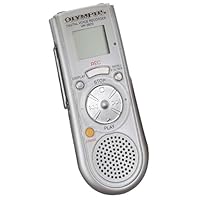
Olympus VN-3600 Digital Voice Recorder

Olympus VN-3600 Digital Voice RecorderYes it is a nice and small recorder, and certainly one with the best recording time in it's price. But the Olympus VN-3600 Digital Voice Recorder has a few frustrating flaws.

First of all, forget about using low quality recording. You can hardly make out the voices. You can still get 2.5 hours of decent sound out of it at medium quality. That should be plenty for most users.

What's really driving me crazy is the joint buttons for skipping to the next file and for fast forward. Supposedly, if you hold the button, you'll fast forward, a single push will skip. But since both play/pause, next track, previous track and stop are on jog-dial-style button, you can accidentally press stop when you want to fast forward, or fast forward when you want to pause.

Why is this frustrating? Imagine you have recorded an one hour interview and are listening to it. Accidentally pressing next track or stop will skip you from the current point in the recording to the next track or make it stop. You'll have to fast forward to the point where you ended up. And since FF is really that fast, it take a frustrating amount of time. Seperate buttons for fast forward and fast backward would have solved this issue, although there isn't any space for them on the device (since it's so nice and small...)

Maybe this is less of a problem if you've got small finger, although I don't consider mine to be extrodinarily big.

Had I know about this issue in advance, I definately would have opted for another make/model!

It's very good gadget. Before buying, keep in mind what the use would be. For memos/reminders/thoughs its great, and for lectures/interviews too. You can use the LP mode to have 6 hours available, but I recommend this mode only for memos, or things that you don't need to keep crystal clear; the recordings in LP mode are understandable.

Buy Olympus VN-3600 Digital Voice Recorder Now

Monday, September 8, 2014

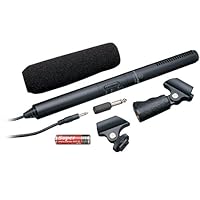
Audio-Technica ATR-6550 Video Camera Condenser Shotgun Microphone

Audio-Technica ATR-6550 Video Camera Condenser Shotgun Microphone
  • 2-range settings: normal and tele
  • 3.5mm connector plugs into video camera
  • Designed especially for use with video cameras
  • Freq resp: 70 Hz-18,000 Hz
  • Imp: Normal 1000 ohm +/- 30% and tele 2200 ohm +/- 30%

The ATR6550 is a GREAT $50 mic. If you are going to interview others, or recording in a room with echo, USE THIS MIC! The video explains my reasons for choosing this one...

Buy Audio-Technica ATR-6550 Video Camera Condenser Shotgun Microphone Now

I've used this mic on three different types of shoots so far and it's performance is pretty impressive for the price. Of course if you are an audiophile and you are comparing this to a top of the line $1600 sennheiser I'm sure you will find plenty of things to gripe about, but if you are looking for an affordable, immediate step up from your on camera mic, this works great.

I shot a scene in front of a courthouse a few days ago, and there were so many buses going by that I ended up screaming out most of the dialogue it was a little bit deafening. The performance of the mic on its regular mode was OK, but on telephoto mode it completely blocked out the sound of the buses (which were behind the camera).

Later that same day I followed a guy around on a busy street at night while he was performing some magic, and the sound (also on telephoto) was really good. I was far enough back with the camera that I couldn't hear a lot of what he was saying, but the mic picked it up clean, good volume, and intelligible.

Two warnings, make sure the mic wire is not touching anything or bumps into anything because it will get picked up on your audio. And if you are in a slightly loud environment use the telephoto. In fact, I'm sticking with the telephoto permanently for now on. I'm leaving 4 stars because I have only used the mic a few times and I don't know how it will hold up, but so far I am very happy with my purchase.

Read Best Reviews of Audio-Technica ATR-6550 Video Camera Condenser Shotgun Microphone Here


The Audio Technica ATR-6550 is a Great Mic to Record Vocal and Guitar for Youtube. I bought 2 ATR-6550's, a stereo "Y" and the 12' extension cord because the mic only has a 3' coil cord. I set the camera on auto, plug directly into the camera and record. The mic also cuts out the echo in the room. See for yourself. Search Youtube for "A Country Boy Can Survive the on crack version". (it just means it's really jacked up lol)

For a $50.00ish mic with a lifetime warranty, you can't go wrong.

Want Audio-Technica ATR-6550 Video Camera Condenser Shotgun Microphone Discount?

This is a good option if you want to use shotgun techniques with a consumer video camera. It gives sound that, after compression for youtube-level playback, would be difficult to distinguish from a professional mic. The sound is comparatively thin, it generates a small amount of internal noise, and its cabling is subject to indoor electrical noise, so it would knock a project out of contention for broadcast quality. But it pairs well with inexpensive camcorders and is an improvement over on-camera mics, especially if you don't mount it on the camera. It balances in a shock mount better than others in this price range.

Its cable is 3 feet long and coiled, and it's hardwired to the mic, so it picks up more electrical interference than a straight cable of the same effective reach. Simply having a jack would allow the option boosting the signal closer to the mic before a long cable run from a boom, for example.

But its biggest flaw is that it's unreliable. Mine had a bad internal wire connection and failed in its first hour of use. I've seen this happen with other sub-$100 shotguns. Audio-Technica has a generous lifetime warranty, and it's great to be able to trust the manufacturer to make it right; but one needs to be able to trust the gear itself. I wouldn't take this mic on a shoot without a backup, and then it's not such inexpensive option.

Save 44% Off


Listen to this test and decide for yourself if this mic is what you are needing. If you purchase this mic, you will need to buy a mono-female to stereo-male adapter to go directly into your camera and that part runs regularly for 3 bucks everywhere, radio shack ect. I used this on a T2i with no onboard volume control. I am going to run a juicedlink pre-amp on this mic and I think it will clean up nicely...

Sunday, August 3, 2014

Coby TFDVD7008 7-Inch Portable DVD/CD/MP3 Player (Black)

Coby TFDVD7008 7-Inch Portable DVD/CD/MP3 Player
  • 7-Inch widescreen TFT LCD color display
  • DVD, DVD±R/RW, CD, CD-R/RW, JPEG, and MP3 compatible, Compact portable design with anti-skip circuitry
  • Dolby Digital decoding, AV outputs for use with home theater systems
  • Integrated stereo speakers, Headphone jack for private listening
  • Multiple language, subtitle, and camera angle support,Parental lock controls

The price is right on this little unit. The picture is a little better than my previous two portable units. The sound is a little worse (if I could increase the volume just a little bit more it would be perfect). It's very lightweight. Like most cheap units, I expect to get 1-2 years of play out of this unit before I'll need to look for another.

Unusually, this unit comes with a little remote control. This remote gives you a lot more control over functions than most portable DVD players; you can for example skip directly to a specified point on the disk. And you can do things like set a chapter to endlessly looped play, or pick two points on the disk and have it endlessly loop between those two points. The "zoom" feature the remote gives you is great and is the reason why I gave this unit a fourth star rather than the three stars a cheap unit normally deserves.

Now the bad thing about that remote is that (1) it's small, and (2) there is no way of attaching the remote to or within the player so that I can already see that it is easy to misplace the remote. (I'm already considering using velcro to solve this problem).

The manual is not so great. It gets points for actually using the English language well, but loses lots of points on what it doesn't bother to tell you. You have to experiment a bit to discover undocumented features and functions. For example, the forward and reverse buttons work differently when you are currently zoomed in; they become instead pan right and pan left buttons.

And the manual won't tell you what you have to do to shut the unit down so that so that it restarts at the point on the disk where you left off. (If you just try stopping or pausing it reloads the disk and starts from the beginning). I've had success two ways: (1) pausing the picture and letting the unit go into (the undocumented) power saver mode. If you then turned the unit off and immediately back on, it seemed to remember where it left off. An even easier way: (2) use the remote to turn the unit off. If you then use the remote to turn it back on, it picks back up where it left off.

Here's another little undocumented feature. Like most units manufactured for multiple markets, there is a programming sequence you can use to change what region this player can play. Here's how to set up this player to play other region-codes using the remote:

1. Open DVD tray

2. Press the "Menu" button (ignore message "Not allowed at this moment")

3. Press 8888

4. Press the "Display" button

5. Region Code Number shows up. Use the numeric keypad to select your

region code number (0 6).

6. Press the Enter button.

I've verified my unit plays both region 1 and region 2 disks.

Buy Coby TFDVD7008 7-Inch Portable DVD/CD/MP3 Player (Black) Now

We needed an inexpensive player to be used as a second player in a spare room and for road trips. The first glaring omission is the lack of included video/audio cable. This was solved by a quick trip to Radio Shack to get the correct cable. With that solved, the remaining issues are quality related.

As far as the player drive, works great. Sound is above average too. The unit itself is very light, but you quickly realize when it is open, the weight of the screen almost makes the unit topple over backward. If you are careful with it, this might not be a problem for you. The last thing is the clarity (or resolution) of the screen. It is what I like to call "adequate". I have seen better screens, but those units were twice the price.

The bottom line is this. It is a cheap player, but it works ... so far. We are taking a trip soon and I am sure we will put it in the car and it will really get a workout. If anything happens with the player along the way, I will try to report back.

UPDATE: Aug 27, 2009

Since I bought this in May, we have had good luck with this unit. It seems pretty tough, but we have not dropped it or have been rough with it. Through normal handling and use it has held up well.

Read Best Reviews of Coby TFDVD7008 7-Inch Portable DVD/CD/MP3 Player (Black) Here

This little DVD player works really well for my 2.5 year old on long car trips.

Pro: works fine, satisfactory picture even at an angle, no bulky external battery, plays for 4 hours on battery, it can read CDs that my previous, more expensive portable DVD player could not read for some reasons.

Cons: does not come with a plug for the car, does not have a menu button! (I turn it on/off to go back to menu or keep fast-forwarding), it's very slow to start. It doesn't work with the toddler headsets I have.

I am satisfied with it just because it works fine and was a great value, the previous more expensive model I had kept stopping and I had to hit it for it to restart every few minutes, I don't remember the brand/model, so as long as my toddler can watch her cartoons uninterrupted while I'm driving, I'm satisfied.

Want Coby TFDVD7008 7-Inch Portable DVD/CD/MP3 Player (Black) Discount?

I wanted to have a unit that would play every format I could possibly run into as this was going to used to demo music and music videos in presentations. I was quite surprised that this is the only unit I found that would play all formats and was the lowest priced as well. I received the player, and it did not function at all, COBY techs said to return it, which I did. Amazon broke their neck making it right, shipped a new unit at no cost and paid for the return shipping of the bad unit! The replacement is working perfectly, longevity is always a question, but for the $ replacements are a serious option if and when needed! Internal speakers are OK for what they are, but add-on speakers make a world of improvement!

I've only used this acouple of times but so far it's working great. Good battery life, it's really light weight and the picture is good. I took it with on a plane ride and it was perfect.

Saturday, August 2, 2014

Philips LFH048800B - Pocket Memo 488 Slide Switch Mini Cassette Dictation Recorder

Philips LFH048800B - Pocket Memo 488 Slide Switch Mini Cassette Dictation Recorder
  • Activation/Review Functions - Cue & Review, Quick Review, Slide Switch, Voice Activation
  • Audible Scan - Yes
  • Batteries Required - 2 AA (included)
  • Cassette Size - Mini Cassette
  • Catalog Publishing Type - Transcriber/Dictation Machines-Cassette

We needed one these in our office. We already had a number of digital units but one partner still prefers the tape style. The recorder came with decent faux leather case, a wired microphone and wrist strap. Sometimes old technology is still better.

Save 14% Off

Friday, July 25, 2014

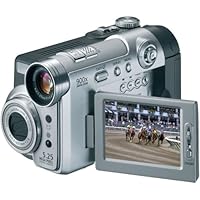
Samsung SCD6550 DuoCam MiniDV Camcorder w/10x Optical Zoom & 5MP Digital Camera

Samsung SCD6550 DuoCam MiniDV Camcorder w/10x Optical Zoom & 5MP Digital CameraThe SCD6550 is a great idea, but just doesn't preform as I had hoped. I was looking for one camera to take on vacation, replacing carrying a 2 year old Sony MiniDV and a 5 MP Sony CyberShot. My Sony takes 1 MP stills, has excellent video, but @ 1MP, the stills are not nearly print worthy. This camera is actually smaller and lighter than my Sony.

The 5MP still camera function gave excellent results, both with flash and with natural light and outside. Shot for shot it produced either as good or better prints (4x6) than the Sony CyberShot.

Digital video is this unit's short coming. I did identical shots inside and outside with the Sony and Samsung. The Samsung's video quality was very poor, looked more like analog or standard 8mm quality. Inside, with natural room lighting, it was pretty much unacceptable. Outside, the shots lacked the crispiness of the Sony. I took it back, will keep the Sony's and hope that Sony comes out with a greater than 2 or 3 MP model soon.

Anyone who says this isnt a great piece of equipment is talking complete rubbish! For the price and size it's excellent. Good quality stills and camcorder for when needed.

Yes, if you want a very small and very high quality camera then simple, buy a camera!

But for 2 in 1 this is the best on the market.

I took my one for first real use to Disney, Florida recently and it lived up to all expectations and was easy to carry, did all I asked and I came back with some very good shots (482) and a great deal of footage which is easy to play around with through my pc. 99% of shots of perfect and as good as my small canon SD400.

Yes, in a year or two I am sure something better will be around (as a previous reviewer says) but isnt there always???

Go for it.

Buy Samsung SCD6550 DuoCam MiniDV Camcorder w/10x Optical Zoom & 5MP Digital Camera Now

I would recommend this to anyone looking for a way to take video and pictures without the hassle of lugging around (and charging) two separate gadgets. It takes excellent pictures, just as good if not better than any other digital camera I have seen. I am also very pleased with the video I found the software very user friendly and video was easy to transfer and edit on my computer. The battery has a good life, I have had no problems having to stop and recharge it. There is a nite mode that compensates (very well, I think) for low light video. The camera is easy to carry around (it is smaller than my 35mm) and I am having no problems with the functionality all in all a great idea and easy to use with great pictures and great video.

Read Best Reviews of Samsung SCD6550 DuoCam MiniDV Camcorder w/10x Optical Zoom & 5MP Digital Camera Here

I have many pet peaves about this camera.

a) the video showed untrue colors and came out rather dark----don't try to record indoors

b) didn't fit into my hand naturally and had to use two hands to navigate the menu and even the record button. NOT GOOD

c) didn't start up fast enough---I always missed the shot

d) the camera photos aren't of good quality

e) microphone not that great---you couldn't even hear people that were standing ten feet away from the camera.

f) if your laptop is over 3 years old, even if you've got Windows XP, don't expect the software to be compatible.

g) the zoom lens zoomed to fast at the movement of my finger. I'd lightly press the zoom button to one side and it zoomed too fast and it did the same for zooming out. I felt like I had to just manually zoom----ie. walk up closer to the subject

I honestly say stay away from the Samsung's and the Sony's aren't much better and they have a monopoly on the matching accessories, ie. only Sony products are compatible with the camcorder.

I finally bought a JVC and they are awesome----the take more light in, better acoustical recording, better zoom function, quicker start up, and lighter. You can even buy the cheapest model (which is pretty much what I've got) and the picture is great! My parents commented on how they thought I must have a camera like the News reporters, as it's the same quality.

Want Samsung SCD6550 DuoCam MiniDV Camcorder w/10x Optical Zoom & 5MP Digital Camera Discount?

To add on to the previous reviewers, I was very disappointed with this camera's performance. I compared the "5 megapixel" photos with photos taken with my Canon, PowerShot G3 (4megapixels), and the SCD6550 simply did not produce the same quality stills. The camera itself also seemed flimsy. The idea of having a two-in-one camera is so attractive. But another attractive concept, Canon's Elura50, offered a camcorder with a compact design. In the end, however, it broke down only after a year and a half. For a $500 purchase that is not a durable lifespan (cf. reviews for Elura50 and you will see that many are having hardware problems). This camera seemed less durable than the Elura50 as I maneuvered the various parts and dials. Of course, I am returning the camera before it can prove its durability. Nevertheless, maybe the folks at CNet can stake their money on it. Lastly, I should add that the positioning of the record button and function dials are poorly placed. I found that I had to use both hands when switching back and forth from camcorder to still cam modes as well as simply engaging the record button. This definitely takes away from the idea of a convinient solution for capturing those special moments.

Again, this camera is a great idea. But, I suppose we should wait until the manufacturers make one that has both solid hardware and quality image recording. This one is on the right track, but, still so far from accomplishing a quality product.

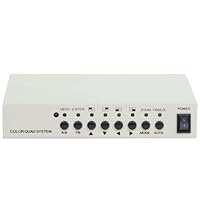
VideoSecu Office Home Video Security Camera CCTV Color Quad Splitter Processor 1EY

VideoSecu Office Home Video Security Camera CCTV Color Quad Splitter Processor 1EYThe instructions are good once the processor is installed. They need to include diagrams and written instructions for a person like me who is not electronically adapt. However the instrutions for setting date, time, quads etc, once you figure out how to get it to work with the recorder and monitor, are very understandable. Once it is all installed, the processor works great. I like how you can very easily use 1, 2, 3 or all 4 cameras and change set up whenever you want. For the price, it is very reasonable and works well with an older system.

Works well, sends out good pictures from the cameras. However, I'm still not sure it has auto-switching between pictures during recording, maybe it's just me, but I thought the instructions weren't clear, that's why I gave it 4 stars instead of 5.

Buy VideoSecu Office Home Video Security Camera CCTV Color Quad Splitter Processor 1EY Now

Works better than I ever thought. Very happy and satisfied. Thank You. Connot go wrong for the price.

Read Best Reviews of VideoSecu Office Home Video Security Camera CCTV Color Quad Splitter Processor 1EY Here

I have 4 security cameras and need to view them on one monitor. This unit fills the bill with lots of extra bells and whistles. Read the product description and it will tell you all about it. This unit is very small in size 6X4X1-1/4 inches. One feature that they don't mention is when the unit is turned on it comes up showing all four cameras on one screen, one in each quadrant. Why is this important? The way this device is used in this my application it is located with 4 mini DVRs VideoSecu Mini Security CCTV DVR Recorder Motion Detection Overwrite Schedule Videos with Audio Recording 3UAin a small hidden locked cabinet. The output of the Color Quad System is feed via one Siamese RG59 coax to a video capture adaptor that plugs into a USB 2 port on a PC. The two wires on the Siamese cable control the power to the Color Quad System. This allows the system to be powered up only when needed from my computer location to view the image which always comes up as all four cameras on screen. This set up also allows you to record the images on the PC. Some one who breaks in and could get to the PC and figure out how to see the images would think that the PC is the recorder and not realize that this was not the case. I would buy this product again as it meets all my needs.

Want VideoSecu Office Home Video Security Camera CCTV Color Quad Splitter Processor 1EY Discount?

It does exactly what I wanted a four-way split on a single screen showing my 4 cameras. It has more complex software involved if you're interested (ex: zoom, motion detection, etc.), but this isn't necessary for my situation. I put up cameras to monitor my dogs in the backyard just by changing the input on my television (and one on the front porch to see visitors). For this application, it worked flawlessly and I couldn't be happier. I've had it for about 8 months now, and it works just like new. It also notifies you if a camera goes down (if, for example, a wire or plug gets jostled and becomes temporarily loose) with a loud set of beeps. Cool product. I highly recommend it.

Save 78% Off

Monday, July 21, 2014

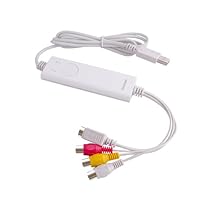
Geniatech iGrabber One Touch Video Grabber For MAC and PC, Push Button Recording

Geniatech iGrabber One Touch Video Grabber For MAC and PC, Push Button RecordingI bought this item in order to digitize some old VHS tapes of our wedding, some Hi-8 home videos of our travels, and some exercise tapes my wife wants to play from her laptop instead of a VCR. The item is very basic but provides the necessary connections to hook up our VCR to import the video footage. One of the interesting features is that it can automatically detect and work with just about any video format such as NTSC, PAL and SECAM, which is great if you have videos in more than one format. Here is the breakdown of my own experience with this product:

PACKAGING:

Professional package containing the iGrabber device, instructions, and a software installation CD-ROM. The instructions had a lot of screenshots and not much text information available for each step, but was sufficient enough for me.

INSTALLATION:

Big Problem: The software does not readily install on a Macintosh because the vendor improperly packaged the installation program instead some error (-1) appears and the installation fails.

The Solution: Locate the Installer Package and choose Show Package Contents (right-click to see this option), you will see another package inside it with the same name pop up in a new window. Double click on that inner package item and all works as it should. The company should fix the Package within a Package problem as the average user won't figure out how to get it to install.

PERFORMANCE:

The iGrabber performed very admirably for a product at any price. I am able to import VHS and 8mm Camera video at full resolution and full frame rate with no problems. The software does sometimes have a hiccup starting the second or later recording but is resolved by restarting the application. I can accept that in a $30 product. When the software is running, you can see the video and hear the audio in the application window. Simply press the button on the iGrabber to instantly initiate the video capture process and click your mouse in a special window that pops up to stop the recording when done. When capturing video, you may not hear the audio and the preview window will not update in realtime anymore this is normal and won't affect the quality of the video you are capturing. You can choose the video/audio format for compression, the directory location for automatic file creation, the resolution of the video being captured, and you can tweak tint, contrast, brightness, white and black levels, too. All the various settings are remembered each time you use the program.

** IT IS VERY IMPORTANT that your hard drive be able to keep up with the video/audio stream or the audio WILL get out of sync badly because of hanging, jerky video output. My internal drive was an SSD that had slow write performance and was not able to keep up with the 6Mbps H.264 file being created. I used the external drive I use for Time Machine backups and had perfect performance and no audio sync issues when using that fast media to create the MP4/H.264/AIC video files on. **

This software does not have any way to crop the video you are capturing, therefore, I recommend that you capture the video at full size and frame rate using the Apple Intermediate Codec (uses between 15-20Mbps, and then use another software program to edit, crop, and otherwise transcode into the format you want for the highest quality final project files. Wondershare Video to iPod (or Video Converter for Mac) is a good suite I use for just that purpose that was developed for Mac OS X.

OVERALL:

For the price, you can't beat this product. It could use some polishing and some bug fixing, however, it is very usable in its current form. It exposes numerous codecs for compressing the video and audio. I recommend H.264, MPEG 4, or the Apple Intermediate Codec for the video and uncompressed 16-bit, 48kHz audio. Slow or fragmented Hard Drives or SSD's with slow write speed will cause problems with this product where the audio gets out of sync and the video is not smooth, so make sure your system is fast enough to handle the data stream. There are many settings you will have to explore and tinker with on your own as the documentation is extremely limited and lacking and from other reviews, support is nearly non-existent. The user interface and menus are fairly intuitive.

This came with a CD that does not include the correct drivers for a Mac (and yes, I have TWO Macs that are supposedly compatible with the software). Actually, I don't know that, because the CD won't even open.

After scouring online for the MyGica website (do NOT search iGrabber, search "MyGica"), I finally found the drivers--they hide it very well. Click the link "Video Capture" on the Left Hand side of the screen, and you will see a download for Mac.

The other problem is that once I installed the software and was asked for a serial number, the serial number to use was NOT the one they said to enter on their website! I was sweating bullets, repeatedly entering a serial number from the CD sleeve that did not work (I didn't want to have to pay postage to send it back AND a restocking fee).

Finally, I tried the serial number they said NOT to use and it worked! Jeesh!

In response to a comment --->>>***AGAIN. Do NOT follow their directions. Try any of the serial numbers you see on all the packaging. One of them will work.

Finally, if you have a Mac with a built-in camera, once you hook up the VCR and open iGrabber, go to the top menu, click on "Digitizers," and select "iGrabber."

Supposedly (after extensive research on the web), setting your Video Setting to capture as JPEG is the most reasonable capture option. And warning--test the Sound!! Increase your Gain (under the Sound (Audio) Settings) if the sound is coming out too low from your computer.

Do not expect amazing Hi-Def results from the video you've captured--not gonna happen. Artifacts will appear on the bottom of the digitized video, and I don't know if that happens with every digitizer out there or not.

It would have been REALLY NICE if the company had included a manual that was actually helpful. Why did I have to figure out all this stuff from trial and error?

Buy Geniatech iGrabber One Touch Video Grabber For MAC and PC, Push Button Recording Now

I needed to transfer some old Hi-8 video and VHS to my computer. I found this and thought I'd give it a try as it was the least expensive of the options I had found. Set up took under 3 minutes. There is no manual, just a read me file (where obviously English was not a first language) but it is pretty self explanatory.

So far I have digitized one 2 hour tape from an old Sony Hi-8 (circa 1996). The video on the screen during the transfer is VERY shaky and grainy but when you're done and play it back the video is just fine. I had no issues with quality or sound on the one tape I transferred. I did not adjust ANY of the settings in the software.

Then I imported the video to iMovie and it all seems to be working fine and the quality appears to be the same as the original. (Maybe a tad bit better). I also ran other small programs (iCal, Firefox) during the transfer with no apparent issues. I'm running 10.5.8 on a 2.66GHz iMac with 2GB RAM, so nothing fancy.

It does exactly what it is supposed to do at a great price.

Read Best Reviews of Geniatech iGrabber One Touch Video Grabber For MAC and PC, Push Button Recording Here

I received the unit earlier than expected. The packaging was great and the item was as expected, until I attempted to install. The installation DVD would not work on my mac due to an error that told me the install DVD was damaged. The Windows drivers are included and worked fine after what seemed to be a lengthy install. After searching through the very poor manual that was included, and all of the installation files, I had to exhaustively search online for the mac driver only to find it under a completely different manufacturer name. The product now works but only after finding the correct drivers. Support for this product is non existent, so if you have trouble, you need to go search for the mygica website, not the name igrabber as expected.

Want Geniatech iGrabber One Touch Video Grabber For MAC and PC, Push Button Recording Discount?

I was fixing to spend more than $100 on a USB video capture device for mac. I'm very glad I did more research and ran into the iGrabber for Mac. For the price it did so much more than I expected. It performs well and let's you choose your video and audio settings before you record. I simply recorded what I wanted, then I uploaded it into iMovie to edit, and turned my VHS cassettes into DVDs.

Excellent device at an excellent price.

Thursday, July 10, 2014

Polaroid Mpa-20011s 512mb Usb2.0 Mp4/mp3/fm/voice W/2.2" Lcd

Polaroid Mpa-20011s 512mb Usb2.0 Mp4/mp3/fm/voice W/2.2' LcdI would give this player a 5-star rating except for the one fact that the battery is the major weak link so many people have problems with; but I discovered how to remedy the situation. I bought mine new in the sealed package about 1-1/2 years ago on eBay for $42 including shipping. It was easy to load music. The sound was very good with good quality ear buds (the stock ones are junk). The volume was excellent, menu easily utilized, FM radio nice, video good too, but the battery life totally stunk. A full charge would last about 40 minutes. Three weeks later, the battery totally failed to hold enough charge to turn the unit on for more than a few seconds. A week later, though trying to charge it with 2 compatible chargers, the unit wouldn't turn on at all, but the lights would come on a few seconds and turn back off. Having discovered the warranty wasn't valid, it sat until yesterday. Polaroid Support was helpful, but they don't have batteries for them, and they warn if a user opens the case, it will void the warranty. But since mine was as good as trash, I did it anyway. Now it has come to new life using rechargeable NIMH cells, with a battery pack I mounted to the back. You may be able to buy the replacement from Korea. But if you'd like instructions to convert yours, send an email to mailme800-convertpolaroid@yahoo.com.

I received the Polaroid Media Player at 4pm on February 16th and I was on the phone to support the morning of the 17th. Could not make it work by following the instructions. The web page for customer support at Polaroid didn't even list this MP3 player. Found out it's year of manufacture was 2006 and probably sat on a shelf for 4 years. Warranty department guessed that it had sat so long that the battery had failed. I was told to send it to warranty and they would either replace it or fix it. It cost another $6 to send it to Polaroid warranty. It is now March 17th and I have not seen nor heard a thing. Essentially I paid money for an out of date piece that the company is not going to stand behind and I am going to have to make a dispute through my credit card.

Buy Polaroid Mpa-20011s 512mb Usb2.0 Mp4/mp3/fm/voice W/2.2" Lcd Now

Tuesday, July 1, 2014

Sony DCRTRV310 Handycam Digital Camcorder

Sony DCRTRV310 Handycam Digital CamcorderI've played with this digital camcorder for about 5 days now and I am delighted with it's quality and features. If anyone's disappointed with the quality of the video (see reviews below), they are probably being unrealistic in their expectations. To get better video, you'd have to go up to a 3CCD camera (at about 3times the cost!). As for those who say that the camera is too big and heavy, I say just TRY shooting a still video without a tripod with a camera as small as a paperback book! You NEED something larger to get a good steady picture (even with "steadyshot"). I appreciate Sony's innovative digital 8 because the tapes are less expensive, but you still have the quality of digital recording (the Pauses are terrific!). I'm not worried that these tapes are not interchangeable with the mini-DV format. I mean, how often would I want to trade digital tapes with someone? I also have the option of playing back any old 8 or hi-8 videotapes that were previously recorded, and converting them to digital (try THAT with a mini-DV camcorder)! I like having A/V outputs AND inputs so that I can digitally record from a source other than the camera lens. The Sony infrared "nightshot" is astounding. It's like have nightvision goggles for your camcorder! The LCD screen on the TRV310 is WONDERFUL... 3.5 inches! The 20X optical zoom is sufficient, and going partway into the digital zoom ain't too bad either (as long as you don't try to actually use the full 360X!) I cannot say enough good things at this point. If I have to find something negative to say, I wish some of the controls were in easier locations to get to while I'm still filming. All in All, a nifty camcorder that I HIGHLY recommend!

I bought SONY's similar top of the line model TRV 510 shortly after becoming a new dad, this after much debate between the 310 and 510. I decided that the 510's features and extras were worth the added expense. Overall this camcorder does a very decent job of making digital home videos and digital stills, but make sure you have plenty of light, otherwise the results will be slightly grainy. Didn't notice the difference between the regular video and S Video hookups to my TV, SONY should have also included a titling function, the included battery is not sufficient for heavy taping and use, need to get the optional battery, at least 4 hrs, use the original for back-up. Still satisfed with my decision to get the TRV 510, but the TRV 310 would probably be a good choice too and also at less cost.

Buy Sony DCRTRV310 Handycam Digital Camcorder Now

Forget the other cameras. TRV-310 and the TRV-510 are the best ones for today... by far. Don't loose your time looking for other options because no other portable camcorder (in this category) can provide the features and the quality of these cameras. I've played with my TRV-310 for about 10 days and I am really impressive with this camera. This is my fifth camcorder (all 8MM and HI-8) that I have used and this the best camera that I have seen.

Some comments...

The LCD screen on the 310 is amazing. Certainly the best LCD that I have seen in my life. It is clear, bright, sharp and big... 3.5 inches. The color is truer. It is a real pleasure to play my videotapes in any place with no connection with TVs. This is one of the most important features of this camera and you have to consider that in your analysis. You will use it a lot.

The 20X optical zoom is enough and works fine (much better than my old hi-8 camera).

The PAUSEs are terrific. It is impossible to avoid the PAUSE key. Try to press the SLOW key and you will get a limpid and crystalline image.

I have lots of videos recorded on 8 and hi-8 format. The 310 is capable to play black perfectly any videotape on these formats. This camera is the right choice for everyone that have 8 and hi-8 tapes. Don't loose your time thinking to buy a mini-DV camcorder, you will have much more flexibility using the digital camera that supports your old tapes, with the same quality and flexibility. By the way, the hi-8 tapes are cheaper than the mini-DV tapes.

I didn't see notable difference between the regular video and S video hookups to my TV.

The included battery in not sufficient and an additional battery is very important.

The infrared nightshot works very fine (do you think that is it really important ? ).

The 16:9 aspect ratio feature is wonderful At the beginning you don't give so much attention on that, but when you start to use you will love this alternative. If you have a 16:9 aspect ratio television this feature will be fantastic for you. If you are considering to buy this kind of TV (to see your DVDs) this can be a considerable feature to consider.

One of the big things and rarely I see comments is the SOUND. The PCM System is fantastic. I connect the camcorder to my receiver system and I was surprised with the quality, clear and powerful sound. There is a huge difference between this PCM AUDIO SYSTEM and the audio system in my old hi-8 camera. Normally, when we study to buy a camcorder we don't invest so much time analyzing the audio, we keep focus on the video system and don't give importance to the audio. I am sure that the AUDIO SYSTEM of this digital camera will surprise you positively. You will feel the big difference if you connect the camera to a pro-logic Dolby surround sound receiver or a digital receiver. If you have a home theater system with Adobe Digital 5:1...

THE BAD THING: The missing feature on the 310 is audio dubbing. For this kind of camera this feature will be important and convenient. I would like to record narration or add a sound track on the camera after I've recorded the video. Based on the manual I can do this editing the video on my PC, but until now I didn't try it. So, I really don't know if it will work well...

GRAINY VIDEO: I read some comments about to make sure you have plenty of light to avoid a slightly grainy on the video. This is true but not at all. The illumination is not a bid deal... Don't make your decision using this comment as important ! In most of the 95% of the time you will be recording with enough light to make a brilliant and wonderful video.... So, the other 5% of the time you can face poor light and you will have a little bit grainy in your video... And so what ? The important here is that other cameras have the same problem, so it is not a decisive factor for buyers... Don't waste time with these comments...

Finally... I made a very deep analysis comparing the TRV-510 and TRV-310, the 310 is probably the good choice because it has the most advanced features with less cost.Repeating a comment that I saw below... The 310 is LIGHT YEARS beyond the other ones...

Read Best Reviews of Sony DCRTRV310 Handycam Digital Camcorder Here

Well, I had read all the reviews of this model on Amazon and based my purchasing decision partly on this information. I expected picture quality from the 310 to be at least as good as my old PAL Sony 8mm. However, after 2 weeks of using the 310 we had to conclude that it simply provides inferior picture quality in most lighting situations. Inferior in both colour reproduction and in clarity, whatever the technical specs. say. For example, I have a coat with a maroon sleeve but this appeared bright red whatever exposure or program setting I used; same with the shop model we checked with when returning the purchased unit to the store it didn't appear to be just a snafu with the particular unit we had purchased. We also compared the 310 picture with the supposedly inferior Panasonic 910 and both colour and clarity were actually better on the latter. Why? What is Sony playing at? We were expecting twice the clarity ("resolution") and 3 times the colour depth from this Digital 8 camera, as widely advertised. What are they talking about? When it comes down to it, its about picture quality, no matter what bells and whistles the machine has.

Boy, was I glad to get my money back!

Want Sony DCRTRV310 Handycam Digital Camcorder Discount?

This camcorder is highly capable. The quality of the pictures/zoom and the features are outstanding. However, instead of buying this camcorder, I purchased the similar TRV-510. The TRV-510 has a color viewfinder rather than the B&W that comes with the TRV-310. Even better, the TRV-510 comes with the ability to take digital stills and save them onto a 2MB memory chip rather than onto tape, and then to download these stills directly into your PC WITHOUT any need to buy a video capture card. The TRV-510 is a great way of getting a 640x480 digital camera and a digital camcorder in one device!

The only problem, of course, is that Amazon doesn't (yet) sell the TRV-510...