Showing posts with label digital music recorder reviews. Show all posts

Wednesday, November 19, 2014

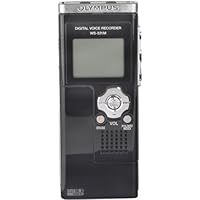
Olympus WS-331M Digital Voice Recorder and WMA Music Player

Olympus WS-331M Digital Voice Recorder and WMA Music PlayerLet me start by saying that I was originally overwhelmed by the number of digital voice recorders and the different features. As I began to study the market I soon realized that selecting the right recorder would not be easy. I eventually developed a list of the top features that I wanted in a recorder.

The most important feature was that the recorder must be compatible with Dragon Naturally Speaking. Fortunately, many of the Olympus recorders are not only compatible but excel in that area. The WS-331 has not yet been certified by Nuance (the maker of Dragon), but the lower models have been. Recognizing that the 331 is both a new model and a much improved version I knew that success of the lower models would be a good indicator. As an example, the WS-320 as well as the 300 offer excellent service for voice recognition.

Building on compatibility I also knew that I would need a recorder that was easy to use. While other recorders provide feature rich controls the attraction to the Olympus was part simplicity and convenience. The main function buttons are located on the right side of the recorder. This is the traditional location for the record, stop, and play buttons. For some something as simple as location of main buttons would seem trivial; however, for me it was a question of function over form.

The Olympus also provides a clear, though small, LED screen. Of course, given the overall size of this recorder a larger screen would be both out of proportion and make the recorder harder to use. I have found so far that I actually do not look at the screen that often, so screen size is less material than I originally thought. Even with a relatively small screen the information given to the user is clear and concise.

The size of this recorder is simply amazing. Even with a battery the recorder weighs just a few ounces. While the recorder can be easily carried in a shirt pocket I have found that it is especially convenient when carried in one of the smallest cell phone belt pouches. The Olympus is about half the size of a Blackberry or small PDA. It is thinner than most small cell phones, and will fit easily on a belt or in a purse.

One of the top attractions to this recorder is the size of the memory. At 2GB there is plenty of room to store just about anything I can dictate. As an author of several books and dozens of articles I find that using the recorder is a valuable tool which has increased my productivity. I am no longer anchored to a computer keyboard when I write; now I can write anywhere I can take my recorder.

In fact, this review was recorded using the Olympus and then transcribed by Dragon. I actually found the error rate to be lower using the recorded file than when I use Dragon live. This has less to do with the voice recognition software than it does with the quality of the recording. I find that by recording I actually write better, and that my speech is clearer which means that my error rate drops.

Another significant feature of this recorder is the direct USB connection. The recorder comes with a short USB cable which can be easily used when access to the USB port is restricted. Fortunately my computer has several USB ports on the front, so I can connect the Olympus directly to the computer.

About the only negative to this is that the recorder now sticks out on front of the computer, and if the computer were positioned in a high traffic area it might create a hazard from being run into (hazard for the recorder, that is).

The recorder appears to be made mostly of plastic. Some might find this to be a negative but for me it helps explain the lack of weight. The light weight of the recorder is certainly an advantage, and I don't believe the plastic is a true issue. The overall quality of workmanship is very high.

Files are easily transferred from the Olympus to the computer just as they would be from a flash drive. The first time I plugged the Olympus into the USB port the computer immediately recognized the recorder. This is a real advantage, especially when transferring files to a new computer. As an example, I can easily use the recorder on both my home computer and laptop without installing special software. Likewise, I can take the recorder to my office where it is compatible with any computer using as USB port. Other recorders have a proprietary system that requires the use of special software, and that is simply too inconvenient given today's market and needs.

Files on the Olympus are stored in the WMA format. The recorder also plays music files in both the WMA and MP3 format. Having such large storage capacity also means that I can download music files to the recorder and still have plenty of room to make new recordings.

There are many other features which make this a great recorder, that space simply won't allow me to detail each of them. If you are looking for a great recorder to use with voice recognition software then I highly recommend this recorder. This is also a great tool for recording lectures, or conversations, and many other matters.

This is the most amazing device! It has so many great features and the stereo sound is very helpful. I agree with the praise from most all the reviewers. There are two major flaws I want future buyers to know about before buying:

1. Low microphone sensitivity and low playback volume.

2. Loss of recording if the battery runs out.

I had previously used an RCA voice recorder with low sound quality but it did not have these two major flaws. I would have returned the Olympus unit but it's plusses are so great that I decided to keep it.

I called Olympus Tech Support and they were not helpful at all. They told me to send an email and I got no response.

If you listen to the device where the background is perfectly quiet, it's fantastic. The problem comes when you need to listen in a low to moderate noise envionment such as in a car or while walking, for example. I CONSTANTLY find myself trying to turn up the volume. It just is inadequate. I never had that problem with the RCA unit. The microphone setting also is not very sensitive. It needs another setting higher than "conf".

The other annoying thing is that when it is ready to run out of battery power, you get no warning. You just lose your recording permanently. This forces you to change the battery earlier than you might otherwise even though it has a significant amount of juice left.

I am hoping Olympus comes out with a fix for the volume problem, at least. If any of you experience this, please complain to them about it. I'm sure a software fix would correct this.

Buy Olympus WS-331M Digital Voice Recorder and WMA Music Player Now

This is the 3rd Olympus portable digital recorder I own, the others being the DS 2000 (mono) and the DS 2200 (stereo).

The good things about this WAS-331M:

capability of stereo recording without the need of external mic (capable), unlike the DS 2200 which can record in stereo only with optional stereo mic.

direct recording in wma format, instead of propriety format like the DS 2000.

recording in high fidelity (44 48 kHz).

large built-in memory (2 GB) instead of using external flash card.

capability of using as a flash drive with built in USB.

capability of using as a mp3 player (in stereo) with USB direct transfer.

USB device is recognized instantaneously; no software needed.

capability of secret conversation recording, putting in pocket/bag, although it will pick up any noise.

Now, the bad thing about it:

the battery life is not predictable. This is the most inconvenient default of this, otherwise near perfect, jewel. Who knew how many recordings I missed due to the sudden stop of recording due to low battery. The indicator showed 2 stripes, but the recording suddenly stopped at 44 minutes, although Olympus boasted a 11-hour battery life.

Should we change battery when half discharge?

Read Best Reviews of Olympus WS-331M Digital Voice Recorder and WMA Music Player Here

I've owned a number of Olympus voice recorders going back to the days of tape. All have been noteworthy performers. The WS-331M represents the state-of-the-art in non-dedicated digital voice recorders. That is, it is neither a dedicated dictation unit intended to be used with foot switches and other transcription accessories, nor a professional audio recorder.

Instead, this unit is intended for casual audio recording use. (It also has music player features which I have no need for and don't use.)

The unit has a staggering 71 hour recording capacity in HQ (High Quality) mode. I tried it in a large auditorium to record a lecture with three participants and the results were far more than merely satisfactory. Each voice was clear and distinguishable.

I used it for personal recording down to a slight whisper and the quality at every sound level is more than acceptable.

When I deliberately introduced loud background noise (a television talking heads show and a music-playing radio), dictation was still usable.

I haven't tried it with Dragon Naturally Speaking yet, but from prior experience with other Olympus and Sony recorders, I have no doubt that it will work well.

The unit is beautifully designed. About four inches long by perhaps two wide and not even a half-inch thick. Record, Stop and Play controls are conveniently located on the right side and easily manipulated with the thumb. A four-way controller on the front handles volume and forward and reverse direction. A center button takes care of the menu. There are separate buttons for Erase and Folder/Index. On the left side is the Hold button and a mode selector for Music or Voice.

All in all, one of the simplest control panels I've ever seen on a digital recorder and, frankly, a welcome change.

The LCD screen in legible and the backlight just capable enough.

Battery life is adequate. I make it a rule to regularly change batteries in units like this so I am not rendered unexpectedly powerless. Cheap insurance.

There's a lanyard attachment in the back.

Overall, the handling of this unit is absolutely sweet. Not slippery so as to cause concern for it flying out of your hand. Not too many controls that you forget how to use. Everything is simple and straightforward. A truly nice piece of design.

The coolest part is that transferring recordings to your computer requires nothing more than detaching the bottom of the WS-331M, using a quick-release button and plugging it into a USB port on your Windows PC. That's it. No software, no cables, no nothing. It's a WMA file that will play in Windows Media Player or any number of other PC players.

Overall, a sweet little unit.

Jerry

Want Olympus WS-331M Digital Voice Recorder and WMA Music Player Discount?

I reluctantly replaced a Sony voice recorder that I have been using for two years because I felt a little guilty about getting an upgrade so soon. But I was disappointed with quality and lack of MP3 capabilities. My guilt is gone! I am a pastor and the recordings are the BEST I've ever heard. I can record my sermons and listen to sermons I download off the internet. THere are 28 sermons, my fav CDs, and plenty of room for more. If you speak professionally, this is the tool for you!!

Tuesday, October 28, 2014

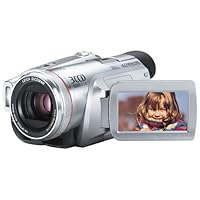
Panasonic PV-GS500 4MP 3CCD MiniDV Camcorder with 12x Optical Image Stabilized Zoom

Panasonic PV-GS500 4MP 3CCD MiniDV Camcorder with 12x Optical Image Stabilized ZoomI don't normally write online reviews, but when I saw the 2.5 average rating for the GS500, I felt compelled. First, let me qualify myself. I am a techno geek. I love electronics, and whenever I'm about to spend more than a couple hundred dollars for something, I THOROUGHLY research it. I have been doing video editing for several years, and I have produced several wedding videos. I'm not an expert, but I do know quite a bit about the topic of video cameras. Oh, and by the way, I can also very critical of products.

Secondly, let me state that, aside from the Panasonic GS400, the GS500 is by far the best camcorder you can purchase unless you plan to spend over two grand. It has great color reproduction and AMAZING low light performance. Sure, compared to the GS400, it has less functionality, but I don't think the average user is going to miss it. And, given its price is several hundred dollars cheaper than the GS400, I can almost assure you the average user will bid good riddance to the missing functionality.

So, why so many negative reviews on this camcorder? Usually, when a product that is head-and-shoulders above the competition gets negative reviews, it is because the reviewer either works for the competition or they are ignorant of the facts.

Reading the reviews on the gs500, it is my belief that ignorance was the culprit in these cases. First, to the "kid" that had a problem with his four year old video camera -we don't care. This board isn't for questions, it is for getting opinions and ratings on products of interest. And regarding products of interest, people on this particular board are interested in the gs500, not the nv gs5. Additionally, I have not had a single problem with the blue screen you describe, nor have I read about anyone else having this problem on either the gs500 or the well-established gs400. So, I'll chalk this up to an isolated issue.

To the fellow who thinks the gs500 is too heavy, it is 3 pounds. Your gs200 was only 1 pound. So, yes, the gs500 is substantially heavier than your previous camcorder. However, it wouldn't have taken much research to realize this.

Folks, the gs500 is not a crappy, little, fit in the palm of your hand, spy camcorder. It is a high quality camcorder with 3 large CCDs offering exceptional video reproduction. If quality video is what you're looking for, then you've found your camcorder. If you want something you can carry around in your shirt pocket -keep looking.

And, by the way, I have no affiliation with Panasonic.

I wanted a 3 CCD camera that was small enough to haul around without any issues, with auto features and yet with manual features that allowed me my own personal adjustments for specific scenarios or customized shots. I also wanted firewire connectivity. The GS500 seemed to fit the bill. While there are lots of comparisons to the GS400 as the superior camcorder, for a lot less money you still get the heart and soul of the camera which is:

its 3 1/4.7 inch CCDs, Leica Dicomar lens and real widescreen format which produces shockingly professional video (and very decent stills) that approaches the low end of real professional camcorders (that is in video quality, not features) costing around $500 to $800 more. My hat is off to Panasonic for its entire family of very affordable 3 CCD camcorders.

There are a couple of things I don't like. #1: It doesn't have a headphone jack. It has audio options that approach way more expensive camcorders so the lack of a headphone jack is a puzzle. However, it is PROBABLY possible to juryrig your own headphones (I've yet to cut and splice stuff to try this) or if Panasonic is smart, they'll come out with some related headphone peripheral. It is sorely needed.

#2: A lot of the things (manual features) the GS400 did in hardware the GS500 has in software through its menus. While these features retain their quality, surfing through menus is sort of a pain and takes away from the spontaneity of having some of those features at your fingertips.

Those are my only two complaints about what is a top notch camcorder that approaches professional quality. It also comes with a remote control (about 16 feet and 15 degrees on your vertical and horizontal planes) that allow you remote access to practically all of the camcorder features, and again the advanced audio features making the lack of a headphone jack puzzling.

Buy Panasonic PV-GS500 4MP 3CCD MiniDV Camcorder with 12x Optical Image Stabilized Zoom Now

One of my greatest pet peeves about system compatibility claims don't list what the cameras DO work with. This camcorder works great with iChat on Mac OS Tiger using the DV link. USB connection links directly to iPhoto. DV link also goes directly to iMovie's Firewire import, where you control the camera through iMovie.

I am loving this camera. The quality is excellent. The color shifts? Yes if you have it on auto temperature adjust, if you have multiple light sources, pick your temperature manually. I keep on having comments on how professional the quality looks, this is starting to tick me off as I want them to be telling me how cute my 3 week old son is... but with that aside, I admit the quality is nothing less than spectacular.

Big & Heavy? Yes, it is bigger and heavier than some I have tried, but I really prefer to have a little weight. The balance this one has seems great, very comfortable to shoot with. Besides, I just haven't seen anything smaller with anything near the quality.

Side note: I almost purchased the Sony HD video camera. Yes my 800 mhz Mac laptop would edit the HD video via the specifications, but when you dig deep you will find that the import is at half of live speed, the disk space requirement is enormous and processing effects and final video would be absolutely painful. GIve it a few years and the blueray DVD drives will be common, the processors and drives will be large enough to handle the load. Right now, I believe I made the best choice for the price range.

Read Best Reviews of Panasonic PV-GS500 4MP 3CCD MiniDV Camcorder with 12x Optical Image Stabilized Zoom Here

I have owned the PV-GS500 for 2 weeks now and I shoot some footage, e.g. my daughter's school concert in the evening. You can imagin that the light is by no means bright at all. The camera worked perfect. The picture quality is superbly crisp and the color is really real, vivid.

Last Dec. I bought a PV-GS300 (3.1MP) from Bestbuy and I shoot about 30 min footage with it under much brighter light than the concert I mentioned above and I got chance to compare it to GS500 since I am using the same tape left over from last shooting with GS300. I am happy I returned the GS300 one since the picture quality from that camera is not in the same level as GS500. Bestbuy charged me around $150 for repackaging when I made the return, in retrospect, still I am sure I have made the right decision. GS300 is always adjusting its focus, out of and in focus, on and off kind, especially when zooming and you are shooting under indoor condition, not necessarily in dim light (outdoor shooting has no problem on this focusing issue, I must say. But the picture quality is inferior in terms of sharpness, i.e. resolution). GS500 is much more sensitive to dim light and the image is stable, no focuing problem at all even in dim light condition and much sharper although the GS300 is also claiming the same image resolution. The zoom in GS500 is smoother too and it seems to me that the digital stablizer is really working in this new version. Besides, the magicCable thing is really neat, making you zoom smoothly like pros.

I am very happy with this camera and I am ready to gear it up with other accessories.

Want Panasonic PV-GS500 4MP 3CCD MiniDV Camcorder with 12x Optical Image Stabilized Zoom Discount?

This is a great camcorder for the price. If you are looking at the Panasonic PV-GS line of camcorders?

This is how they should be Rated:

1. PV-GS400 BUY THE: Sony Handycam® HDR-HC3 HDV Digital Camcorder, its a better choice, for the money. Fantastic video quility! Downside: Less Manual Controls. Sony requires you to buy, only their Accessories.

2. PV-GS500 BUY IT!!!

3. PV-GS250

4. PV-GS300 If money is a problem: Buy this one!

5. PV-GS150

I dont care what the reviews say ! The 500 should not be compared to the 400! Becuase the 400 is way out of the 500's price range.The 400 is to hard to find , and at the 400's price, you might as well go High-Definition !

If you read the Pro reveiws for the 250 , it got exellent reviews. the 500 , just gets average reviews. This makes no since to me!! If you do a comparison of the two camcorders side by side, The 500 is clearly a better camcorder! But these are the two camcorders that should be compared to each other. I dont care if the 500 is replacing the 400.

Pro's like to compare the 300 to the 250! But it should be compared to the 150. I dont care if the 300 is replacing the 250.These camcorders should be graded on their merits, not by what they are replacing! And thats how I graded them, ON THEIR MARITS!! If you want a great camcorder, at a great price, then buy the 500. I did!! I recieved mine on Oct 13, 2006 . Its a fantastic camcorder!! If you do side by side comparisons of all these camcorders , and forget what the pro reviewers say, and just judge them on the facts. Then I think, you will come up with the same rating, as I did!! I did not give you, great detail, in this reveiw. I will leave that, to the pro reveiwers. But forget the Pro reveiwers opinions, and stick to the facts! And you will find that the 500 wins!! Hands down!! GO BUY THE PV-GS500 NOW!!!

Friday, September 12, 2014

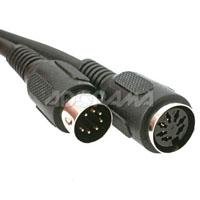
Bescor Motorized Pan Head 50' Extension Cord

Bescor Motorized Pan Head 50' Extension Cordi found you can put 4 together to get 200 feet, it's a little slower but it works, just thought i'ld let people know in case your wondering

Not much to say it's a 50' cord, it works, and is well made. What more do you need from a couple of connectors and cable?

Buy Bescor Motorized Pan Head 50' Extension Cord Now

Have 3 of these for pan heads not sure why the head does not come with a longer cord. If I was only going to be 3 feet away I would not need a motor but these cords make it nice I was able to have 1 camera in the front about 100' away and the sencond in the back of the room about 25 feet from my control station.

Read Best Reviews of Bescor Motorized Pan Head 50' Extension Cord Here

Not much to say...it's a really long cord. It works, and is a great companion for a remote camera installation.

Want Bescor Motorized Pan Head 50' Extension Cord Discount?

My husband LOVES this. It works great! Definitely something we would purchase again. We needed the extra length to put the camera up high at the football field.

Saturday, September 6, 2014

720P HD Spy Eyewear Sunglasses Hidden Camera / DVR Video , Voice Recorder 5m pixels +8G Micro SD Ca

720P HD Spy Eyewear Sunglasses Hidden Camera / DVR Video , Voice Recorder 5m pixels +8G Micro SD CardLook 3/5 stars Glasses are plastic look a little costumy. Lenses are thin plastic and clear. Not going to fool anyone into thinking they are real working glasses. Best case people think u have a fake pair of costume glasses and are trying out a look.

The camera lens was not in the center on the bridge as shown in picture. Instead the were 2 little holes on the each side of the front of the glasses where the legs connect to the front. That made the camera lens look less obvious .

Picture 4/5Picture and audio is good quality in regular light. Quality is relative to amount of light. Only able to us it for video. Haven't been able to take still pictures with it.

Direction 2/5 starsTakes practice to figure it out. Directions crappy. Once u figure out the light pattern it's easy to use. Unable to figure out how to set time or take still pictures.

Friday, August 22, 2014

Cyberhome CH-LDV700B Portable DVD Player with 7-Inch Screen

Cyberhome CH-LDV700B Portable DVD Player with 7-Inch ScreenFor the price this player works well, but it has it's problems.

Battery drain is an issue with this player. I've seen it publicized on the company's website that users should remove the battery when not using the player. It seems there's a problem with the internal charger and the shutoff switch. The shutoff switch does not completely shut off the player, and a charge still trickles through, and if the battery becomes completely discharged, the internal charger will no longer charge the internal battery. And I have had this problem, learning about it too late.

Cyberhome does offer an external charger dock and "reconditioner", but I have yet to try that, but haven't run into any situations where I needed battery power lately.

The screen seems to offer fuzzy resolution, normal for the players of it's price range, no better, or no worse.

But it's superior when hooked to a TV, I was very impressed with that.

So for the price, it's ok just get an external battery, or try the company's external dock.

I was looking for a cheap portable DVD player that the kids could carelessly handle without real worries so I purchased the Cyberhome 700B. Right out of the box, the unit seems a little flimsy to me. The included options are pretty extensive which is why I'd give this unit 3 stars. The biggest issue, besides the battery problem that others have mentioned, is that when a DVD is placed in the unit, it begins to spin and it makes a strange noise. I figured out that the disk is off balance and the unit will not read the disk until it's balanced. I do this by tilting the unit slightly. It becomes quiet and then reads the disk. This is a minor problem. The picture is quite good when you raise the saturation and contrast levels. Probably would look elsewhere if I was buying again.

Buy Cyberhome CH-LDV700B Portable DVD Player with 7-Inch Screen Now

From day one it never worked properly. Would take several reboots to read a DVD. Had terrible problems blacking out or going dead if the power cord was jiggled. It was still under warranty, so we sent it back and the manufacturer sent us a new one. Same problems with the new one. Battery life is not long enough to play a movie all the way through. Very cheaply made. Don't waste your money on it.

Read Best Reviews of Cyberhome CH-LDV700B Portable DVD Player with 7-Inch Screen Here

I bought this DVD player when I was on holiday in Florida in 2004. It packed up after a week and I returned it for a replacement. When I got back home the device packed up again after a couple of weeks.

Unknown to me at the time these units were being sold with a known fault with the battery. Cyberhome thought by adding an addendum to the units they were STILL shipping out faulty that they would not have to fix the fault.

The problem with the battery was it became "dead" if left in the unit and allowed to drain. When this happened the battery could no longer be charged with the supplied charger.

Again Cyberhome provided a "fix" rather than recall the faulty units and give the customers a fully working model. They let customers know there was a battery conditioner which would revive the battery to it's normal glory BUT, it wasn't free, you had to pay for it!

As you can guess the customers weren't happy and caused a fuss which forced Cyberhome to provide them for free.

I still think the units should have been completely replaced but at least this was better than nothing.

As if things couldn't get worse, because I was a visitor to the USA, I had no rights according to Cyberhome to have my unit repaired. They wouldn't even send a battery conditioner to my address in the UK...their excuse?...."We cannot ship to the UK". Where have you ever heard such rubbish? Their products are made in Taiwan!

I put it down to lazy and bad customer service and I will not deal with this company again. I hope whoever reads this will have the same sentiments as me.

To this day, 2 years on I have had 3 weeks use of a device which cost me more than $200.

Thanks for nothing Cyberhome. I hope your company crashes to it's knees, where it belongs!

Want Cyberhome CH-LDV700B Portable DVD Player with 7-Inch Screen Discount?

The first unit I got did not work and Cyberhome replaced it within their stated ten days. The points I would like to emphasize is the volume is not loud enough, either watching it on the screen or through the television and utilizing the volume in this manner. We had the volume at the highest level on the television and still it was not effective for movie viewing. The key is not to use the battery or keep it in the player unless you are viewing through the player.

My children and I took an Amtrak train over spring break and used this DVD player to watch movies for both trips. I like the sleek look to this DVD player, but too many options to figure out with the remote.

Tuesday, August 5, 2014

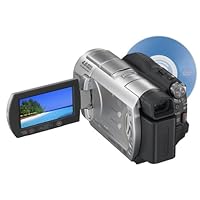
Sony DCR-DVD408 4MP DVD Handycam Camcorder with 10x Optical Zoom

Sony DCR-DVD408 4MP DVD Handycam Camcorder with 10x Optical ZoomI tried this camera during my recent visit to Seattle for Tulip festival. The recording quality is amazing. 5 channel recording is superb. I tried it in 16:9 and 4:3 fine mode with playback on HD Plasma TV. The quality was breathtakingly good. Yet to try photo (claimed to take 4 MP pictures) as photos can only be taken with a memory stick.

Cons:

-Limited Mini DVD space (20 minutes max in fine mode).

-Limited support for combining mini DVDs to a regular sized DVD. Bundled software requires double the size of DVD (9GB) free on the PC to make a movie

-Box contains just the camcorder without any memory stick or DVD. It has to be separately ordered.

This video camera is phenomenal. I bought it for the birth of my son but unfortunately he came early, one day before the camera arrived. I should have bought it sooner. So for the delivery day excitment I used by older Panasonic miniDV tape camera and after that used the Sony 408DVD camera. What a difference. I don't know why people think the miniDVs give a better quality image. In fact I know a profession who uses it and I do believe there is some credibility to that statement, but he also has very expensive professional video equipment. But for the average home user its a hassel dealing with tapes that play only in your camera or you have to capture it via your computer and burn dvds which takes hours to do and tons of hard disk space if you don't want to loose quality. This Sony is one of the higher end DVD cameras from Sony. I believe its exceptional video quality come from the fact that the lens is T-star (sharper) and twice the size of other cameras (1/3in vs 1/6in). I am extrememly happy with it. In addition I don't always have to carry 2 cameras. This camera takes 2MP video (very nice even on HD televisions) and 4MP still images with built in flash in still camera mode. This is enough to print clear 4x6 or even larger. So overall I'm very happy with this camera. You can either use rewritable miniDVDs and then transfer to regular DVDs via computer or do what I do. I buy inexpensive miniDVD -r or +r disc and keep then as "orginals". Later if I want to combine or make a special DVD I can do that. I almost bought a Hard Drive camera but it was this fact that steered me away. For the same price as a low end HD camera I got a high end DVD camera. Also I can finalize and play in anyones DVD player without the need for cables or computers etc. I also feel that every time you trasfer video data (digital or analog) there is a chance that the quality may drop based on the software your using the computer processor and the quality of the dvd writer and media used finally. Thus I decided to record on one time use DVDs as masters and make copies as needed. In point here is that what you do is up to you. Your not forced to to use a computer or forced to copy and free up your DVD-RW if you don't want to. Flexibilty means everything in electronics. I highly recommend this camera and if you can afford it try the 508 but if not the 408 is fantastic. Hope that helps you make you decision.

Buy Sony DCR-DVD408 4MP DVD Handycam Camcorder with 10x Optical Zoom Now

I had been to Portland & Oregon costal beaches. For the first time I am using a camcorder. My Sony DCR-DVD 408 captured the nature extremely good. Impeccable picture quality, 5.1 dolby stereo effect is cool. I recorded the music played by a person in the Rose test garden and it came out really well. The touch screen is another cool feature. The scene selection(Sunrise/Sunset, beaches, portrait etc) is excellent. Its worth the money.

Only negative thing is the Software is not that versatile to create your own movie.

Read Best Reviews of Sony DCR-DVD408 4MP DVD Handycam Camcorder with 10x Optical Zoom Here

I loved this camcorder, but I had to return it because unlike the DCR-DVD405 that it replaced, the DCR-DVD408 does not have analog inputs and will not function as a "VCR". This is an important feature if you want to record from another device to this camcorder. I bought one of the last remaining DVD305 instead, which is also an awesome peice of gear. I own five sony cameras and have had mostly good experinces. The one time I had a camera serviced, the repair facility in Laredo, TX performed very well and very quickly. There's really no other choice for me but Sony.

Want Sony DCR-DVD408 4MP DVD Handycam Camcorder with 10x Optical Zoom Discount?

PROS (the camera itself):

This fantastic piece of technology will cover all needs of the average (home) user, who wants to create quality footage in a fast and simple way: Stunning sound and movie quality, rich features and ergonomic controls make this camera a top choice. Still-picture quality at 4MP is more than adequate to capture precious moments.

An overall 5/5 !

CONS (the "package"):

Alas! The package accompanying the camera is a bit of disappointment:

1. A $7 Memory Stick to capture still pictures is still missing from the SONY packages. Has to be bought separately.

2. The information in the User Manual is awkwardly organised

3. The accompanying software barely covers substantial user needs

Sony has created a very cute and affordable Video-Editing software (Sony Vegas Movie Studio + DVD) that will actually do the job! It will read the DVD directly from the camera or the PC drive, create the movies and save in a variety of readable formats (mpg, avi, mov, etc). Combined with DVD architect it will create an "ab-fab" final product.

Saturday, July 19, 2014

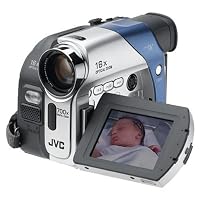
JVC GRD33 MiniDV Digital Camcorder w/16x Optical Zoom

JVC GRD33 MiniDV Digital Camcorder w/16x Optical ZoomI bought this as an upgrade from my VHS-C camcorder. I tested it against my roommates' Canon ZR80 and Panasonic GS9.

The video quality in low-light situations was suprisingly good, given what I had heard about most digital camcorders' abilities. The video quality in outdoor situations was even better. It's not up to spec with a Sony, but it's way cheaper, and it outdoes the more expensive Canon ZR. The GS9 was about the same in quality.

However, the camcorder didn't seem to handle combined bright/low-light situations all that well. While it had no problem filming dark regions (shaded/indoors) from a brightly lit area, when filming brightly-lit regions from indoors, the camcorder recorded white streaks that partially obscured whatever was being filmed. I had this problem with the ZR80 and the GS9, so it may just be an issue with low end camcorders in general.

The camcorder had no problem focusing when zooming below 20x magnification, though above 24x, it had noticeable difficulty focusing in low light. It couldn't focus at all above 40x in either bright or low light even with highly contrasting backgrounds and scenery. It shares this problem with the GRD73 and GRD93. The GS9 and ZR80 were noticeably better at focusing at these magnifications.

Though it offers the option to record photos as "stills", the quality wasn't very good. It was also difficult and time-consuming to retrieve these "stills" because the camcorder doesn't use a flash card to store them. I ended up sticking with my digital camera for taking pics; the low quality setting was better than the high quality setting on the camcorder.

I had no problems with audio. The motor, which could be heard during recording and playback (on the camcorder) was not recorded to the video and was not audible when played back on a tv or computer. However, it is very loud, and quickly became annoying. The GS9 recorded a barely noticeable shrill, but the ZR80's motor drowned out softer sounds and was very noticeable on playback (using a TV or computer).

The camcorder doesn't come with the cable needed to hook it up to a computer, but any Firewire card (aka i.Link or ieee 1394) you buy comes with the cable, so that's not much of an issue.

However, I was peeved that most of the packaged software were demo or trial versions.

I spent some time trying to find a Minidv camcorder under $400 that had great low light capabilities. I ended up with JVC's GR-D33, and here's what I found after shooting some test footage and making a DVD:

The picture quality of footage shot outside was outstanding and never looked digital. The low light capabilities are in fact impressive. Footage shot in my basement (less light than a "low light situation") was clear and wasn't too pixilated. There is a neat backlight feature that cancels out background light to record detail of the subject in the foreground. The motor noises from the camera and the zoom can be heard on tape only when recording in quiet situations, but this shouldn't be a problem under any normal circumstances. My Windows XP system saw the camera when I Firewire'd it to the computer. I captured footage in the native DV format, edited it, made a DVD to watch on TV, and was extremely impressed by the quality of the picture. This is a fantastic no-frills camera with great low light performance, and is a steal at the price.

Buy JVC GRD33 MiniDV Digital Camcorder w/16x Optical Zoom Now

I was looking for an inexpensive digital camcorder (i do own a very good digital camera) and this fit the budget perfectly. Its very easy to use on auto mode (it does have a manual mode for savvy users) and the video quality is great even indoors on dim light situations. The audio quality is good (though the mic is not external) and there is no motor noise that i've seen people complain about in other camcorders.

Pros:

Great quality, incredible value, easy to use.

Cons:

Remote control for play back.

Read Best Reviews of JVC GRD33 MiniDV Digital Camcorder w/16x Optical Zoom Here

I can tell you from personal experience with JVC mini camcorders that purchasing one is an expensive mistake. Even with a protection plan from Circuit City, Best Buy, etc., the units are EXTREMELY fragile (esp. the cassette loading/ejecting apparatus) and the now infamous "E04 Safeguard Mode" (go ahead, Google it) message will eventually appear and that will be the end of recording digital videos with a JVC mini DV camera. Further, JVC support is nonexistent with regard to these error messages and how to correct them.

Want JVC GRD33 MiniDV Digital Camcorder w/16x Optical Zoom Discount?

Received camera within 1 week.Looked very presentable.Tried it out in 1 week.Looked at the video a week later.Was very clear. Got a good working unit. Seller was honest

Friday, July 18, 2014

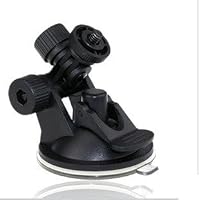
NEW DENLE Replacement Sucker Bracket Holder Mount for Car Vehicle Recorder DVR Camera

NEW DENLE Replacement Sucker Bracket Holder Mount for Car Vehicle Recorder DVR CameraThe windshield mount that came with the dash cam was a piece of garbage. The plastic center post that moves in and out to create suction separated from the suction cup shortly after I got the camera. The Denle mount has a more flexible suction cup (similar to those found on quality GPS mounts) and has not come off the windshield since it was installed.

Tuesday, July 15, 2014

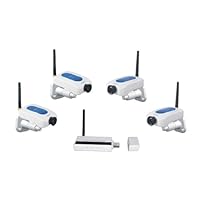
LYD W213ED4 2.4GHz Digital Wireless Security with 4 Digital Cameras, Motion Detection and Alarms

LYD W213ED4 2.4GHz Digital Wireless Security with 4 Digital Cameras, Motion Detection and AlarmsI purchased this to keep nanny on track while I am at work. I was not able to connect to internet as I am not familiar with these things. But I set it to record daily and would come home and monitor daily activity. You can connect smart phone to this and view activity from anywhere online, you just have to know how to set it.

Video Quality was OK at Best, GUI for Software was NOT user friendly. Video bleeped in and out. Buy something else.

Buy LYD W213ED4 2.4GHz Digital Wireless Security with 4 Digital Cameras, Motion Detection and Alarms Now

Lens does not get much Simple materials, beware of falling! But a great product for the price

Lens does not get much Simple materials, beware of falling! But a great product for the price

Read Best Reviews of LYD W213ED4 2.4GHz Digital Wireless Security with 4 Digital Cameras, Motion Detection and Alarms Here

Monday, July 14, 2014

HDDV-1800-Blue

HDDV-1800-BlueWhile I was believing that I wasted my money on a little worthless toy, I was quite amazed at how simple the camera is to operate once I actually tried it, and how simple it is to download to my computer. I inserted a 2G card, got rechargable batteries and went to town. It is really a fun device to have. my little one took the camera and started recording without even having to read the instructions. I must say though that if you are the type who is destructable and careless, this item is not for you because it is not made of very strong plastic. you have to handle it with loving care, and it's a great device to own!

Friday, June 13, 2014

Q-See QT518-1 Professional 8-Channel H.264 Full D1 Recording Real-Time Surveillance DVR Pre-Install

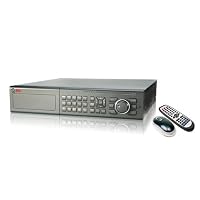
Q-See QT518-1 Professional 8-Channel H.264 Full D1 Recording Real-Time Surveillance DVR Pre-Installed 1 TB Hard DriveSorry. This was a bad experience. It took months for me to get the unit and when I did, it wasn't this one. It wasn't even this brand!!! I tried calling the seller several times and I couldn't get a response. I began to feel lucky that I got a unit at all for my money. If it will help you, after downloading the product manual for BOTH units, it appears they are nearly identical. Software, hardware, cabinet and all. The unit works very well but.....the so called DVD burner......is only a CD burner and therefore won't hold hardly anything. Also, the .AVI format that is output onto a jump drive can only be read using a PC and Windows if you use the software they give you. The file cannot be read or converted on the Mac. I tried Handbrake, Flip4mac, iSkysoft, VLC and several others. It won't happen. Finally, I cannot have the alarm send a message and picture to my email. It won't come through my provider. It's not labeled as spam but is "unable to send" because the unit doesn't offer a check box for "my server requires authentication" . So, I had to get a Gmail account. It works fine through that.

Because these units are so similar, I suspect these issues exist on both. If these issues aren't a problem for you I would have to say they are solid units. Oh....one more thing....there are 2 cooling fans in the unit so it is a bit noisy.

I thought a long time and did much research before I bought this DVR. I am very happy and glad I bought a Q-See.

Buy Q-See QT518-1 Professional 8-Channel H.264 Full D1 Recording Real-Time Surveillance DVR Pre-Install Now

Saturday, May 24, 2014

RCA DRC99310U 10-Inch Portable DVD Player with USB and SD Card Slot

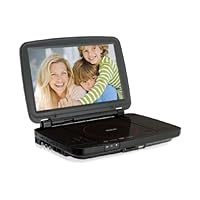
RCA DRC99310U 10-Inch Portable DVD Player with USB and SD Card Slot
  • DVD player with 10" LCD screen - wide-screen TFT LCD
  • HDMI 1080p output - connect to any HD TV
  • Plays DivX video - including premium downloaded content
  • USB port and SD slot
  • Built-in rechargeable battery - for use anywhere

It was very hard to find a portable DVD player with HDMI output. We use the DVD player to project DVD's on our church projectors. We like the portable DVD because we can cue up the DVD before it is projected. This one worked great for us!

Buy RCA DRC99310U 10-Inch Portable DVD Player with USB and SD Card Slot Now

I bought this to replace the 7inch I have and love that fact that I can see the movie much better.

Read Best Reviews of RCA DRC99310U 10-Inch Portable DVD Player with USB and SD Card Slot Here

This RCA player delvers flawless, crisp video. Sound is so-so and volume is not high enough on full. Headphones solve this problem. Recharged battery life is short but car adapter is helpful. A great player for the money.

Want RCA DRC99310U 10-Inch Portable DVD Player with USB and SD Card Slot Discount?

OK, I bought this fully knowing that it would accept DIVX inputs for the USB and SD Card. I hoped it would go ahead and take MP4, but alas, it doesn't. So I tried the VOB files onto the SD Card... no bueno. 1st, why would any video player not read MP4? 2nd, I did convert a movie to DIVX, but when plugged in, it said the resolution was not supported. It plays DVDs fine, but I'm needing to view everything off USB, SD, whatever. I don't want to carry around a bunch of DVD discs. Oh well, guess I'll box it up and send it back.

This is nice and convenient to use, it would have been great if he had wireless capability. Might have been better if I just bought a Kindle Fire!

Friday, May 9, 2014

RCA DRC99390 Portable DVD Player with 9-Inch Screen

RCA DRC99390 Portable DVD Player with 9-Inch Screen
  • DVD player with 9-inch widescreen LCD display
  • Built-in rechargeable battery
  • Built-in stereo speakers and headphone jack
  • AV output jacks to connect to external TV
  • Remote control, AC and car adapters included
  • 9" widescreen TFT LCD DVD player
  • Built-in speaker & headphone jack
  • Plays DVD, CD & JPG
  • RCA A/V output jacks

We had this dvd player for a year and have had nothing but problems with it. Sent it back to the manufactor twice already and it still won't work. Don't waste your money on this. Trust me. Buy Sony or PanasonicI've learned my lesson!!!!

Buy RCA DRC99390 Portable DVD Player with 9-Inch Screen Now

I bought this DVD player at Walmart, not through Amazon.com

I can't give a very accurate review of this DVD player, as it didn't work from the start there is audio but no video. I tried several different disks, but no picture. This is the second item I purchased recently that was broken when I got it very frustrating. For the price ($100) you would think they would test them before they stick them in the box (the box had not been opened, so it hadn't been purchased and returned). At least I can return it to Walmart tomorrow and try a different brand.

Update: Tried to return to Walmart, but they only have a 15 day return on electronics and it had been 16 days :(

Contacted RCA, mailed it to service center, got it back after about 2 weeks and it works now. It was under warranty, so I didn't have to pay for the repair just the hassle factor. Next time I buy electronics I'm going to make sure it actually works when I'm at the store.

Read Best Reviews of RCA DRC99390 Portable DVD Player with 9-Inch Screen Here

I did not purchase this item via Amazon.com, but did find it on sale last week at one of the big box stores at a fantastic price so I purchased one before it went off sale. The next day I played a dvd I had been wanting to watch and had no problem. Last night I went to play/watch another dvd and it did not work at all. I have had the item less than one week and it is going back to the big box store with me after work. Very disappointed. Thought that purchasing a well known company name's product meant that it was a quality item. I should have read the other reviews online before I purchased.

Want RCA DRC99390 Portable DVD Player with 9-Inch Screen Discount?

I have only used it once so far, but my first impressions haven't been great. The picture quality is pretty crappy, it's very loud when playing a disc, and it just feels cheap overall. I'm glad I got it on sale, but I'm still considering returning it.

I purchased two of these players. The first worked for half an hour, the second not at all. I exchanged both of them and neither of them worked. I refused to try again.

Thursday, April 24, 2014

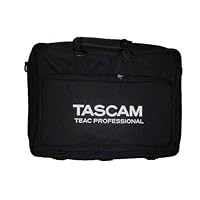
Tascam Padded Carry Case for DP-02 and DP-02CF Eight-Track Digital Portastudios

Tascam Padded Carry Case for DP-02 and DP-02CF Eight-Track Digital PortastudiosThis bag works great, and does exactly what it's intended to do. I use this bag for my Tascam DP-02, and if you have tried looking for cases, then you will know that they are very expensive (especially hard shell cases). I have looked all over, for hard shell cases, and for soft cases. I wanted a hard shell case, but they run over a hundred dollars, and way more. The more I thought about it, this one will work fine for me, since I won't be travelling with my DP-02 too much, and when I do, I won't be stacking it, or flying with it. Sure you can find cases, like gun cases, but this is an odd size to find, so the case would end up being way bigger. Believe me, I looked. Instead of goign through the hassel of finding a gun case, or something else, modding that case to make sure it works for my DP-02, I figured I would just save the time and effort, and buy a nice case that is literally intended to hold this product.

Ok, so the DP-02 fits PERFECTLY into the case, just like it should. It has a carrying handle (luggage handle) and also has a shoulder strap which you can attach. The shoulder strap is great, because it actually has metal clips, and not plastic clips. On the bag where the shoulder strap attaches, it is also metal, and not plastic (which most bags have plastic connections). This bag, if stood vertically like a briefcase, with the luggage handle pointed upwards, has plastic feet on the bottom, just as a briefcase would have metal feet or so. This just keeps it from getting wet, or dirty, or worn down, by setting it down. It's just a nice bonus feature.

On the front of the bag, there is a zipper pocket which is nice. I also own an Alesis SR18 drum machine, and it fits PERFECTLY into the front pocket. Also, I put both power cables for the DP-02 and the drum machine into the front pocket. So it basically holds everything I need.

All in all, this bag works flawless for WHAT I NEED IT FOR. If you just want a case for it, so you can store it around the house, keep the dust out,do light travelling, and figure any case is better than no case, and also jsut simply want to keep it in nice condition when not in use, then this is the case for you. If you travel A LOT, plan on taking it onto an airplane, need it stacked into your vehicle, then this is NOT the case for you. Feel free to comment if you have any questions, and I will surely try to help by answering them for you. I will also do my best in the near future to post some pics when I have the chance, since there are no good pics of this bag anywhere on the internet.

The Tascam fits snuggly into the carrying case. Plenty of padding, but not so much that it's too bulky. Extra pocket for electrical accessories is nice. Vendor delivery was on time.

Buy Tascam Padded Carry Case for DP-02 and DP-02CF Eight-Track Digital Portastudios Now

This bag perfectly fits a model Tascam recorder that I own. Was exactly what I expected well made, slightly padded for unit protection, and arrived right on time. Would use this vendor again....

Read Best Reviews of Tascam Padded Carry Case for DP-02 and DP-02CF Eight-Track Digital Portastudios Here

I purchased a Tascam DP02 portable recording studio for my son this Christmas and I hunted all over for a quality padded bag that would be the right size for him to use to carry the DP02 back and forth to band practice. I was extremely happy to find this bag since it is custom made for the DP02. It is sturdy, well made, and it is very nicely padded to prevent any damage to delicate electronic equipment. It also has a very convenient zippered pocket on the front of the bag that comes in handy for the DP02's power supply. That pocket is even large enough to hold 8.5 x 11 paper (the DP02 manual, sheet music, etc.). I am very happy with this item !!

Want Tascam Padded Carry Case for DP-02 and DP-02CF Eight-Track Digital Portastudios Discount?

Tuesday, March 18, 2014

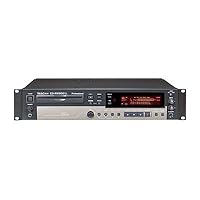
TASCAM CD-RW900SL Slot-loading CD Recorder

TASCAM CD-RW900SL Slot-loading CD Recorder
  • Please see the above description.

I had been looking for a CD Recorder that did not have the annoying 2 second pause between tracks. I have been through 4 Philips machines which are no longer on the market. This machine does what it says it does. After you are done recording you can hook up a keyboard and edit a table of contents on to the recorded disc. It also records on any blank CD. That is correct, you do not need to use CD R Music discs any longer. It is really easy to use and I made my first CD within 80 minutes of hooking it up. There aren't many options for available machines but this one is worth its' price tag. It also looks good in your rack.

Buy TASCAM CD-RW900SL Slot-loading CD Recorder Now

I bought one of these machines in U.K. where I live and -whilst it records and seems to do its job very wellI have a problem which Tascam U.K. has never heard of! I use Maxell XL-II-80 blank discs (audio-only; the gold ones) which I have been using for years on other machines (Yamaha & Sony)and they are generally very reliable with a very low failure-rate.

Well, with the Tascam I have had a failure rate of about 1 in 4...and the two problems which have arisen seem not to be addressed in the booklet:

1) The recorder is recording from another source and suddenly the message 'TR 2' appears bottom-right of the display. It then sometimes switches to 'TR 1' and back again...or any similar combination. Within about a minute the recorder stops recording as though I had pressed the stop button! This message is not listed in the booklet.

2) When on auto-tracking, I press 'REC' either on the recorder or on the remote, in order to add another track (like all CD recorders do). However, sometimes when I do this (only sometimes) the recorder stops recording; again, as though I had pressed the stop button!

I have had a replacement recorder but the second one acts in exactly the same manner; thus TWO faulty machines are unlikely.

Anyway, I spoke to an engineer at Tascam U.K. (for the third time in a week!) and he and his colleagues had never experienced either problem before. When we discussed blank discs, he said that the recorder was happier with DATA discs than with audio discs, although I can't see why that would be so.

So, I tried some Sony CD-r 'Supremas' 700MB discs (which I had bought by mistake some time ago and couldn't use on my previous Sony recorder) and they seem to work O.K. so far (6 tried).

The questions I am asking are:

Has anyone experienced similar messages or "record stop" as described above?

Why should data discs which are cheaper to buy be better on this machine than audio discs?

If data discs are indeed the ones to use, are they as good for recording (classical) music -with wide ranges of volume, tone, etcas specifically audio discs? And if that is the case, WHAT ARE THE BEST POSSIBLE DATA DISCS TO USE, or doesn't it matter?

Another small point is that, unlike previous machines, the Tascam doesn't seem to have an auto-shut off (say, after 30 seconds of silence). I like such a feature because I can leave the recorder transferring from an analogue source (like an HD recorder on which I have recorded an opera broadcast)and not get a huge wasted amount of now-unusable space at the end of the disc. Perhaps the Tascam DOES do this but the booklet is not telling me...

If anyone can help me with the above I would be very grateful it's frustrating when a perfectly brilliant machine like this is so choosy about its discs!

THANK YOU!!

Read Best Reviews of TASCAM CD-RW900SL Slot-loading CD Recorder Here

This is a great machine, quick learning curve, even for an old fellow like me, easy to operate. It does what I paid for.

Want TASCAM CD-RW900SL Slot-loading CD Recorder Discount?

this professional cd recorder is great. i am recording my extensive record collection and many live concert tapes to cd.

Save 45% Off

We order this for the church that I go to and it works perfectly. Hope it will last us a good while.

Monday, March 17, 2014

XtremeMac MicroMemo Digital Voice Recorder for iPod nano 2G (Black)

XtremeMac MicroMemo Digital Voice Recorder for iPod nano 2G
  • Compatibility: iPod nano 2G
  • Record interviews, meetings, lectures, or any audio content directly to your iPod nano
  • Flexible, detachable mic for exact positioning
  • Menus and controls display on iPod nano screen
  • Accepts other microphones with 3.5mm plug; records directly from line-in sources

I've been an Ipod user since Gen 3, owning as many as six at one time. The full Ipod's Gen 3&4 had add on features like recorders, the Mini, didn't (sadly). When I discovered I could conduct interviews and use the Ipod as a voice recorder, I was thrilled. I conducted an average of 4 interviews a week, some at the office, some out in the field. Many times, I didn't have advanced notice when I be needed to conduct an interview, (I'm an investigator)so I always had to carry either my laptop or my Sony MC-11 digital recorder in my car. The Ipod changed all that. Now I had a device I carried with all of the time anyway, and with an add on some from Belkin, I could conduct an interview with no advanced warning. Granted unless one added Linux to the 3rd gen, you could only record in mono, but that's all I needed for an interview.

As I moved to smaller and smaller Ipods, (I bought a mini thinking it would work with my recorders but later learned Apple withheld that ability) I was now in the position of having to carry two Ipods with me. This was defeating the purpose of one all around device.

My latest Ipod is the 8 gig Nano 2gen, which when it first came out, didn't have a voice recorder out on the add on market though Apple had put the recording feature back into this product line.

I was pleasantly surprised to learn Apple had enabled stereo recording, but as yet there was not an available product to access this feature.

Than came along the XtremeMac IPN-MIC-20 Micromemo Digital Voice Recorder. I did my research and all of the reviews were glowing. A big selling point was you could remove the small mic and add one of your own. From time to time, I did employ a mic disguised as a pen, so this seemed perfect for me and my line of work.

Like a kid waiting for Santa, I spent every day running to the mail box to see if my order arrived. When it did, I rushed home, read the small (very small, almost non existent instructions) and plugged it in. It took me a couple of tries to get it to work, but it did finally appear.

I made a couple of test recordings, which played back fine. I was thrilled.

The first time I went to use it in the field, out of habit I carried a back up recorder. I'm glad I did. For while the XtremeMac did record the interview, after I detached the recorder, I couldn't get the Nano to respond to anything.

I plugged it into a wall charger after I couldn't get Itunes to recognize it, did a hard reboot per Apple's support page. Still no luck.

I called Apple support, but was informed that since the product creating the problem was from a third party vendor, I was out of luck with Apple support.

I ended up having to let the battery run itself down. As the Nano doesn't spin like the other Ipod models, this was going to be a challenge.

After many tries, I was able to get the back light on, and drain the battery over four days.

I had to than reformat the Nano, which of course wiped out my music and the interview. So much for ease and dependability of use.

I did try it once more, got the same result. Now, it just sits in my drawer with various other third party add ons which have become either redundant, or old and replaced by something better.

You may have better luck than me, however as I continue to see positive reviews from various magazines. Though I'm left to wonder if any of the reviewers actually used the recorder, or just wrote up the marketing material.

Buy XtremeMac MicroMemo Digital Voice Recorder for iPod nano 2G (Black) Now

This is a great product. I have the incredibly small recorder for the Nano. Voices and musical instruments sound very life like. The bad news is that there is a lot of hiss. Not being a sound engineer I don't know if this is unavoidable or not. I use a software program called Soundsoap to clean up my recordings. It would be great if this was part of a bundle.

Read Best Reviews of XtremeMac MicroMemo Digital Voice Recorder for iPod nano 2G (Black) Here

One star is too many.

I purchased this item with some concern based on previous reviews. One review in particular that worried me described how his Nano froze and had to be restarted only after letting the batteries die, after several days, because the recording unit software somehow had basically hi-jacked the Nano and would not shut down.

I had the EXACT same experience, and had to wait 2 days to restart my Nano (my daughters). OK, fair enough, I was warned, and sometimes SHhhh..."STUFF" happens, thats fine. Lets fix it and move on. BUT, then it gets frustrating. When I sent the item back to get my refund, they (the re-seller Electro Galaxy) are now charging me a restocking fee... for an item that sometimes works, and sometimes doesnt... SO.... if you want to avoid the excess charges, hassle of filing a complaint, and just get something that works, DO NOT buy this unit (or anything else from Electro Galaxy).

Want XtremeMac MicroMemo Digital Voice Recorder for iPod nano 2G (Black) Discount?

It is so easy to use that I didn't think I had done all that was necessary. Easy to record and playback (I used it to record 62 pages of script for memorization and have been playing back as I walked/drove/watched the ball game!). The device is small and flexible so is easy to stow. Judging by the fact that my husband's voice speaking to me in the background is easy to hear on the recording, think it would work to record conversations, etc.

Save 84% Off

I highly recommend this product. I am writing a book that involves conducting a large number of interviews, and I have found the micromemo to be a wonderful device to get great recordings.

I looked into buying a very expensive digital recording machine, and when I researched this product and found it for around $30 on sale, I thought, why not take a chance on it, since I already have an iPod, before I drop a bunch of money on something else. I'm very glad I did.

I have done over a dozen interviews in noisy restaurants and cafes with the micromemo exactly as it is, without any additional microphone. I was very hesitant because I didn't want to conduct an interview and it to have a problem during the fact or afterwards (such as find out that it didn't record!), but I was very pleased with the results. In fact I was surprised at how high of a quality the result was! The voices were very clear despite lots of ambient noise at the time of the interview such as background music and people from the tables next to us talking.

Everyone who saw this simple set up was very curious and surprised that it would work so well. I was anxious that it would have problems saving larger files, such as when I let it record for longer lengths of time, but I made recordings of nearly 2 hours without pressing PAUSE or RECORD & SAVE, and when I finally did, the recording instantly appeared in a complete form ready to be listened to.

My only negative comments is that the recordings are a little quiet, and when I listen to them on my iTunes (they are automatically imported into iTunes when I plug the iPod into my Mac Powerbook), I have to listen to them at full volume, which does create a hum because the sound is being amplified to such a high degree.

This isn't a problem for my purposes, but I do think that if someone was using it to record lectures in a large auditorium, an external battery powered microphone would well to increase the recording volume. I did order the Sennheiser ME3 headset as well, and that was a bust since it didn't work with the iPod at all. I'm very disappointed about that but I was also warned that it might not work.

Also the little speaker is a total joke and to hear anything you have to turn the iPod volume all the way up and press the speaker up against your ear to hear anything. I don't know why they even bothered.

The little switch on the bottom which is purely mechanical, stiff and awkward that is supposed to switch the microphone input to a line in jack, as well as into a headset jack is really crap and is a total design flaw. Other people said they had trouble with it getting back into the correct position, and after I played with it a few times, I just left it alone because I didn't want to have any problems. I would have liked a separate headphone jack so that I can listen to the recording either while I'm making it or to do a quick test.

This little thing is a little clunky, and I am a little anxious about plugging it in and pulling it out of my iPod over and over again, which I don't think can be good for either device. I did have the iPod freeze on me twice after unplugging this device and trying to play music, but that is simple fix (hold down the MENU and SELECT button for 5 seconds or so, until the device reboots).

Nevertheless, it does shock people to see me pull my whole recording set up out of my dress shirt pocket and put it on the table in front of them! People are very surprised that this thing could actually work so well! I have a 4GB iPod and I can easily record 5 hours at the highest recording setting without using up even half of the memory or battery power!

Nevertheless, this is by far the best deal imaginable! If you already have an iPod, then this is a no-brainer! At least try it out like me, and then if it's not good enough, get something more serious. But I am very glad that I didn't spend a couple hundred extra dollars when there was such an inexpensive solution right here.

Monday, March 10, 2014

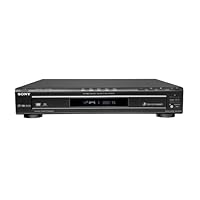
Sony DVP-NC80V/B SACD DVD Changer, Black

Sony DVP-NC80V/B SACD DVD Changer, Black
  • Instruction Manual, Remote Control, AV Cable, AA Battery x 2 (for remote), 110V USA AC Power Cord, Sony USA Warranty
  • Dolby Digital and dts Optical/Coaxial Output / Dolby Digital and dts 5.1 Channel Output
  • Multi-Disc Resume- 40 Discs
  • TV Virtual Surround - 4 Surround Modes
  • Digital Video EQ

Thus far, I can offer up only two caveats: the DVPNC80V's less-than-perfect display and its limited random programming capability. As most of your settings will probably be handled via your monitor (assuming you're using the deck for video and not just audio playback), this isn't really a problem. Even though the onboard display needs to be pretty much at eye level to be seen clearly (as another reviewer noted), it is sufficient.

As for random or "shuffle" play -and this is a big one, in my opinion -Sony still doesn't get it; how can they produce a multi-disk deck that does so much so well and STILL refuse to offer the option of random play on all five disks??? Once again, you can only shuffle a single bay at a time. Fortunately (for me), I'm using this player primarily for video and SACD audio, without all that much need for random play (I have another changer that fills the bill in that respect). Still...

All in all, though, this is quite a remarkable unit -especially at the price -and is well worth considering if you're in the market for a "do-it-all" changer. Both sound and picture are superb, with a multitude of options, especially disk compatibility: a terrific value, really.

Buy Sony DVP-NC80V/B SACD DVD Changer, Black Now

As other reviewers have pointed out this DVD changer is hard to beat for features and price. However, it's not perfect. I bought the 80V to replace a failing 3-year-old Sony 5-disc changer (the model number escapes me) and I'm slightly disappointed. The 80V has a terrible LED display -it's dim and recessed, as if hiding in a cave, almost useless. This changer is also SLOW to turn on (it displays W-E-L-C-O-M-E slowly, letter by letter, each time you fire it up). And when you put in a DVD it takes much longer than my old Sony before it starts to play. You have to sit through a 20-30 second "Loading" message before the disc even starts. I can't knock the price or features, but after 3 months of trying to get used to it I'm looking for something better. My old Sony was much more responsive, so I don't know what they were thinking. Once the 80V gets going it's fantastic, but life is too short to waste on "Loading." :-)

Read Best Reviews of Sony DVP-NC80V/B SACD DVD Changer, Black Here

This unit has so far surpassed all of my expectations. As the description states, it can truly support practically every format out on the market, including the coveted "DVD+R DL" (dual layer disc's 8.5gb's)& "DVD+RW". Other cool features include progressive scan & resume. Progressive scan means if your tv can support a higher viewing/picture clarity (as dvd's are intended to produce) this player can decode the signal to produce brilliant, vibrant, razor shap images. The one con that this unit doesn't have, is a built in dolby digital/dts decorder. No biggie tho.. As long as your receiver has one built in it, your all set. This unit pairs up magnificently to my Phillips 42 inch plasma (42pf9956/37) so much so, that my other previous units (2 panasonic& 1 jvc) pale in comparison.

Oh happy day.

Want Sony DVP-NC80V/B SACD DVD Changer, Black Discount?

I chose this for two of its features: the 5-disk changer that lets us watch different disks without having to get up to swap them in/out; and its ability to resume playing a movie after being turned off or using other disks. It does both of these very, very well.

The excellent sound and picture quality are not surprising, but that's because I also have the single-disk version of this player and knew what to expect. Otherwise, the A/V quality would have been a pleasant surprise.

Out of curiosity, I burned 100 MP3 albums to a DVD, using about 3.5GB of space. The unit plays them well, actually enhancing the sound beyond what I'd expect from MP3. The disk will play for a couple of days before having to repeat. A nice bonus.

One small omission: the unit can't list the disks that are in it, so unless you remember what they are and where, you have to try each one to see its contents. As other people have said, "Loading" is fairly slow, so a top-top menu should have been included.

Regarding the annoyingly bright blue and white lights: you can place black electrical tape over most of their surfaces, until you can see a sliver of the lights without being blinded by them. Also, they may turn off once a disk begins to play, depending on the disk's content.

The "resume" feature can be turned off in the menus, for people who don't want an "old" disk to restart in the middle. Of course, I think the ability to remember lots of disks is one of the unit's best features.

The unit's available in black or silver. Since it's rather large, black turned out to be better for us, because it's almost invisible when tucked into a rack of equipment.

We still have a Sony 5-disk CD changer from the 1980's. It still works (after almost 20 years), looks a lot like this DVD changer, but cost more than twice as much. It'll be nice if this DVD changer lasts that long.

First off, I don't have a TV. So, I could care less about the video or playback quality.

What I care about? Sound.

First off, this unit plays audio, whether it be commercial encodings or mp3s, off of CD, CD-R/W, DVD+R/W, DVD-R/W, SACD, and DVD-A (well, yeah, it's a DVD player...).

Why should you care? well, you've probably got a few gigs worth of mp3s from iTunes, or whatever, and maybe you've ripped a bunch of your commercial Audio CDs to mp3.. well.. maybe you might want to burn off all of it to one DVD-R. merely place it into the carrousel, and all 50 (up to 200 on one disc) albums are available. and they sound FANTASTIC.

Also, this unit outputs to either coaxial digital or digital optical. (Save the cash, and use the included RCA A/V cable as your coaxial digital cable.)

For the money, no other unit touches the feature list of this player. Comparing the other carousel units (Onkyo, Panasonic, ...) none of them STATE that they will play mp3 off of a DVD disc, and most don't even support both burnable dvd formats.

For me, there was NO QUESTION WHATSOEVER as to what unit would be the source for my audio system. I can pop in 5 DVDs of Mp3'd albums.. and have an all night party.

Issues:

The lcd is hard to see if you are close, and at a tight angle.. but, step back 6 feet and you can read it just fine, so, small potatoes.

The LCD display doesn't display the directory/file names while playing, on the 'track' number. (difficult unless you printout a list of directories on a data DVD/CD).

Notes:

You can replace discs during play by hitting 'exchange'. (wish people that reviewed stuff would read manuals before posting)

In Data disc mode, it counts jpgs as tracks, so keep that in mind when navigating with no video output.

I only give it 4 stars because it is still called a DVD player. Sony (or someone) should be smart and just make something called a media player... that should handle being a video source and a audio source.. and give decent hardware LCD output.. the last thing I want is a huge power-sucking tv having to be on to flip through some audio files on a disc.

Tuesday, January 28, 2014

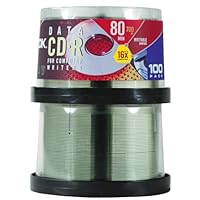
TDK CD-R80ECB100T*R CD-R, 80 Minute, 700 MB, 12x (100-Pack Spindle)

TDK CD-R80ECB100T*R CD-R, 80 Minute, 700 MB, 12xThis maybe the 10th TDK 100 pack of cd's I have boughten this past year, and it seems each time i buy it, it sounds better each time, TDK is known very well for its high-quality products, and I guarantee if you buy this product, there will not be a single defect in one of the cd's and you will enjoy using them, unlike the cheap one's that have problems each time you burn. I would give this a 10 stars but, Amazon.com only goes up to 5.

These cds are excellent quality and dont fall apart like most cheapo cd-r. Sound quality, recording quality, and the shinyness of the underside of the cd are all amazing. They come in a nice clear case and the entire contraption is about the size of a small lobster.

Buy TDK CD-R80ECB100T*R CD-R, 80 Minute, 700 MB, 12x (100-Pack Spindle) Now

TDK discs have long been known for their high quality and reliability, and now have become a great bargain! These discs have a high capacity and can even be burned at 16x in my testing. They retain their data for many years, unlike a lot of off-brand "cheapie" CD-R media that is on the market. If you need some extra discs, snag these right away! They will serve you very well, and can be stored on their spindle next to your computer even for easy access any time you have to burn!

Read Best Reviews of TDK CD-R80ECB100T*R CD-R, 80 Minute, 700 MB, 12x (100-Pack Spindle) Here

A tterrific buy. I use them to back up OtherSignles files every night. I have not had one reject so far in my first pack.

Want TDK CD-R80ECB100T*R CD-R, 80 Minute, 700 MB, 12x (100-Pack Spindle) Discount?

This is a sample of a good purchase. Good quality for low price. Cd's are excellent for audio and data recording. Easy to handle and store. One more time TDK is my choice. I recommend this stuff!

Thursday, January 23, 2014

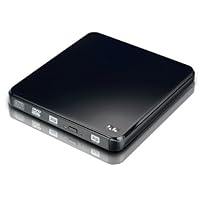
NU Slim USB External SuperMulti Drive DVD Burner ESW860

NU Slim USB External SuperMulti Drive DVD Burner ESW860First of all a great advantage no extra AC power needed that is exactly what we understand as a super slim portable drive. An AC power supply is even not included in the box and it comes just with Y-USB cable. I have IBM X61s laptop, equipped with 3 x USB 2.0 and the NU drive works perfectly on it. They say it is compatible both to USB 1.1 and 2.0, I guess that is why they provided Y-USB cable for more power on older machines. The NU is cheaper than similar drives provided by TARGUS. About the software compatibility I can say it is plug and play, no problems. I burned few CDs and DVDs, everything was just fine. They were readable on other machines. It comes with NERO 8.0 some OEM version, but works great. The finish of this product is pretty good and the design is sleek. I think that is enough I love it.

I bought this DVD Burner for my ASUS Eee PC with Windows XP and it works great. It just plug and play as advertised. No need to load included driver. It's very slim and light and powers off from USB Y-cable which makes perfect for traveling. It comes with very simple instruction manual and Nero software. It burns and plays CDs and DVDs and the price is very cheap.

I also use the drive with my other computer, SONY VAIO occasionally, and it works great with it, too.

Buy NU Slim USB External SuperMulti Drive DVD Burner ESW860 Now

I've purchased a different DVD Burner, NU ESW846PRO, from NUI Digital. The product works great and I had a great experiencing purchasing from NUI Digital. So, I bought this one for my friend's birthday gift and she also loves it. She's not a computer savvy, but she said it's very easy to use, just plug and go. She also travels a lot and said the driver is so small and compact, it is easy to carry. Great buy!

Read Best Reviews of NU Slim USB External SuperMulti Drive DVD Burner ESW860 Here

External DVD burner doesn't work with windows media player, and Nero software demands me to buy a special plug in or pay for an upgrade for a full version Nero. It's an extortion.

It is not possible to use it without paying additional money and it doesn't work with iTunes or Windows media player, only with Nero. Partial version of Nero they supplied with DVD Burner crashes. Don't buy.

Want NU Slim USB External SuperMulti Drive DVD Burner ESW860 Discount?

Been using this for several months now with an Asus 1000he netbook. This drive works with USB power only & the unit is very light weight.

I've burned DVD's, CD's & backed up a lot of data using this drive with no problems.