Showing posts with label sound recording equipment. Show all posts

Saturday, November 15, 2014

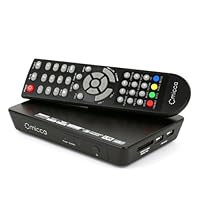
Micca MPLAY-HD Net 1080p Full-HD Digital Media Player and Network Streamer With UPnP Client and Int

Micca MPLAY-HD Net 1080p Full-HD Digital Media Player and Network Streamer With UPnP Client and Internet RadioMore than I expected, for the price this is a great product, it has played every format I have in my external 500GB HDD with great video and sound quality.

These are the Pros I want to highlight:

1.Video & sound quality, this streamer supports up to 1080p and do it great, using HDMI cable the sound's great too.

2.Video modes, I like to watch my movies in full screen mode even if they come in 4:3 or 16:9, this device supports many video modes like: movie mode, subtitle mode, full screen mode, wide screen mode, etc, so no matter how is your movie formatted, you can always get your HDTV screen full.

3.Subtitles, I live in Costa Rica and although I'm doing OK with English I really like foreign films, especially oriental, and this device has no problems with subtitles, you can change position, size and even color.

4.Menu, it comes with a nice menu (isn't the PS3 menu, but come on), and I think the response time and reception from the remote is good, you don't need to be right in front of the device to make it work

5.Additional features, I just wanted a media streamer for the movies and videos in my HDD, however this device has some more features like Internet Radio, Picasa and Flickr access, UPnP streaming from PCs on your LAN, photo and audio files streaming, All of them works OK

And these are the Cons I found:

1.This device can read DVD .ISO images and load the entire menu on your screen, this is a really cool feature and it works most of the time, however I've had issues with some particular images, sometimes I can't enter to all the features on the menu, and sometimes it won't read the file at all, I don't know if there is some particular reason for that, maybe the software you use to make the image or something.

2.You must be careful when watching a movie to avoid touch the Menu of any other button on the remote that take you out of the movie because I haven't found any way to come back again to the point I was watching.

3.Don't lose the remote since there's no way to use the device without it.

Overall I really like this device, it's very functional, cheap and has cool features, I recommend this one if you're looking for something that do the job really well and is not so expensive.

This isn't a terrible product but if you have requirements such as mine, it plain sucks.

The device itself is nice.

The GUI is easy to navigate and is visually appealing enough.

Remote is nice too but again limited in its function(no skip forward, or file info)

It will play virtually any kind of mp4, avi, mkv you name it. Internet radio features work fine. Playback/pause/ff/rew work great.

Firmware upgrade was a snap. Although I'm not sure what it accomplished as nothing really changed with functionality.

Here are the cons: UPNP is the only method of streaming your videos over a network. This is a disaster as UPNP has proven to be mediocre when it comes to streaming hd video on these players and you have to mess with your windows library (yuck!)

There is no way to discover shared folders as they have to be added to your windows library for upnp to stream the content. This is fine except the quality is poor compared to open source folder sharing. A Huge difference in playback from usb drives. Lots of skipping/stuttering when streaming over a network in 1080p or even 720p but nearly flawless with media from a external usb disk or flash drive. And the system will not show you simple file attributes like size or resolution which is always good. No slo-mo.

As a simple media player for use with external devices and flash drives its awesome. As a network media player it fails hands down.

Buy Micca MPLAY-HD Net 1080p Full-HD Digital Media Player and Network Streamer With UPnP Client and Int Now

Hands down this Micca MPLAY-HD Net has been the perfect addition to our home! From being able to play everything we have asked it to do and even more. Had a WD HD TV player and this blows it away when compared to what it can do and it actually comes with a FULL sized remote and many cool features. Received this item 3 days earlier than expected date!! YEAH! Easy to hook up and update the firmware (you have to D/L the firmware from Micca online and use a USB drive)Has media slot for card reader and that is so cool when wanting to see on your TV photos you just took. HDMI hookup and user controls were awesome! Clarity, ease of use and simple straight forward menu choices makes it so much easier to understand and find what you wan to view or listen to. Wow.. tried the internet radio features and this is outstanding! Hooked up to 2 usb drive (1TB and 2TB) and had no problems in loading and finding all connected devices. Playback was so clear we thought we had a new TV! You can also copy and delete files from the drives too! That is amazing! (wish it could read PDF files... maybe in a future firmware update.. we hope!) So much more to try out.. but as of now.. this totally is exactly what we wanted and more! Yes, we would totally recommend this to family and friends. (even those who aren't electronically inclined or device impaired!)

Read Best Reviews of Micca MPLAY-HD Net 1080p Full-HD Digital Media Player and Network Streamer With UPnP Client and Int Here

So far it's run all my HD and AVI files. Easy to use. The only downside, as some others have said is that the remote control is a little weak and you have to point directly at the box. Very happy with this device.

Want Micca MPLAY-HD Net 1080p Full-HD Digital Media Player and Network Streamer With UPnP Client and Int Discount?

If you are like me, you may have thought this version of The MPlay could stream wirelessly. It can not... Well, not as of yet. There is an Icon that's on the set-up screen for wireless adaptor, but if you attach one it will show, "Unknown Device." This is a big minus for this device, and Micca on their homepage,in their mannual, and on blogs have stated that they "may" make one which works with The MPlay, but as of now, there is none available for it. Some of these blogs and discussions go back almost 2yrs.;so maybe they don't plan on making one compatable with this device. I just thought you might like to know that if you are thinking of purchasing this device, you will have to wire it up via ethernet cable to your router to get it onto your network, which may steer many customers elsewhere. At the time of this review, The Net version is $5.00 more than The regular MPlay-HD... so dicide for yourself if it is worth waiting another year for them to make a WiFi dongle for this device or another reviewer finds a dongle compatible with this version of the product. Micca does make a dongle for its EP series media players, but it will not work on this version, according to reviewers. Patriot makes a dongle for their media player box. and there is one commonly used by WDTV Media Box users,but made by a Diff. company(AirLink 101).There is also a plethera of non-branded WiFi adaptors. One of these options may work,but I don't know for sure. Another obstical may be, it needs a firmware update to use this function. I have ordered a few nonbranded (cheap)adaptors to test out. I will repost if I find one that works. Right now, don't buy this product,unless you don't mind tethering it up to a long messy ethernet cable to use any of its network functions, such as facebook, internet radio etc. UPDATE: Micca Dist. sent me an email stating that the processor chip in this model is not powerful enough for WiFi. So there you have it. If you need a model that streams wirelessly on your network, you need to step up to The Micca EP line or get The Patriot Box Off., or WDTV Plus or Non Plus.

Thursday, October 30, 2014

Panasonic DMPBDT330 Wi-Fi Blu-Ray Player

Panasonic DMPBDT330 Wi-Fi Blu-Ray Player
  • Fast Booting and Loading
  • DVD/CD/JPEG playback
  • Energy Star Qualified

Update 3rd May 2013:

Adding another star. Got samsung s4 and retried miracast...worked superbly with this dvd player. Love being able to mirror photo albums, videos, even music from the phone. Love it.

Also, after a recent firmware update haven't seen the freezing issue repeat.

-------------------------------------------------------------------------------

Have had it for few weeks. Looks sleek, Works great....well for most parts.

3d, 2d to 3d is great. I like the network drive functionality...just enter the local ip address of your drive to browse through the shared folders. DLNA functionality worked quite well (i use plex server). Most of the files i tried streamed well. Netflix, Amazon VOD and VUDU worked quite well. Its quite fast to load, easy setup, remote is nice (dedicated netflix, internet, miracast buttons).

Few reasons I bought this to replace my LG BD670:compliments my Panasonic plasma; 2d to 3d capabilities; web browser and Miracast.

Well, Miracast has been a let down. I have tried to pair with my Samsung galaxy tab and also with S3 smartphone but the connection never stays on for more than 5 seconds. Hoping that will get fixed soon via some sort of firmware update.

The built-in browser did not look useful to me. Typing via standard remote is a pain. One Flash site that i tried didn't work (i.e. flash doesn't seem to be supported).

Right now, my biggest concern is that it sometimes freezes on me when navigating between icons. Have had to unplug and replug to get it working again...handful of times only though.

Holding on to it for now.

Buy Panasonic DMPBDT330 Wi-Fi Blu-Ray Player Now

Bought this from one of the vendors, abt Electronics. Pluses on this unit are many, including:

1) Finally, a unit that does wifi some justice. Connection is fast & reliable, and once connected, virtually no lag. Best feature.

2) Video quality is very good. Crisp, clear pictures on blue-ray, dvd, and on-line.

3) Compact and light, silver shiny unit is attractive

Didn't try hooking up a mouse, but I would think that would work fine.

Now for the negatives, which were two of the biggest factors (along with #1 above)

1) No Asian language support on browser, so words were broken from Youku, Todou, etc.

2) Opting to just test out playing videos from these sites, it did not allow for plug-in installs, so we couldn't watch anything anyway.

These two are pretty much the only negatives, but it was huge for us and catalyst for returning the item. The only thing we would ever do on the browser from this machine attached to a 52-in TV is watch videos, so these two drawbacks makes the web browser feature virtually useless for us. Too bad, it's a great product otherwise.

Read Best Reviews of Panasonic DMPBDT330 Wi-Fi Blu-Ray Player Here

Quick load times to get to viewing movies fast with a simple remote. Sleek slim cool design great deal for under $190.

I was looking for a upgrade that had fast load times. The ability to access the internet and use Netflix, Cinema Now and Pandora. It also is 4k ready so when more movies come out with that technology I will be ready

Want Panasonic DMPBDT330 Wi-Fi Blu-Ray Player Discount?

Several years ago (it's hard to believe it has been that long ago, really, but 2009 is several years ago now), I bought a Panasonic BD player (DMP-BD60). Besides wanting the ability to play Blu-ray discs on that player, I had gotten that particular player because it also offered the ability to stream content from Amazon (along with a few other network apps that it supported).

That older player was getting long in the tooth and showing its age with a lack of some key network apps that I would like to have had available, among them one for streaming UV content from the nice little library that I've built up at Vudu.

This player offers the ability to stream content from Amazon, as well as Netflix, Vudu, YouTube, hulu+ and others such as CinemaNow. Throw in, on top of all of that, the ability to browse the web directly on this player with it's own Web Browser application and you actually get a pretty nice little player that does a pretty nice job of offering everything you might need in your own media center.

Others would certainly look for the ability to access shared content from their own file servers, as well as the ability to play back content from memory cards and Flash Drives, and yes, this does that as well. It may not play all of the formats that could possibly be thrown at it, or, it might require updated firmware before it is able to play the formats you might want to use, but it is plenty versatile and well enough featured to sit firmly in the 4 star territory for purposes of this review.

Likes:

* Short and shallow (some would say sleek) design. While I'm a little surprises that it is as wide as it is, it doesn't take up much room vertically, or in shelf depth (from front to back).

* Shiny brushed metal/stainless type silver casing looks very nice.

* Drop down door/cover for the front of the device helps keep the front from getting too dusty (as the cover is easy to wipe off with a dust cloth)

* The remote control offers a "Netflix" button in a prominent place. (Hmmm, I wonder how much it cost Netflix to get that prime spot on the remote control) -this does make it easy to jump right to Netflix for streaming content if you have a Netflix account and are so inclined. (My own preference is to Amazon, but to each their own.)

* Fast boot up compared to my now 4+ year old player, it is worlds faster.

* Built-in Wi-Fi support (no need to string cable if you don't want to)

Interesting:

* Multi User Mode up to 4 people can customize their own settings for the unit. Not really needed in my home, but I like the concept

* Automatic input switching Power On Link. If your TV supports this and you are using the HDMI connection, your TV will automatically switch inputs to this Blu-ray player when it is powered on. (Also supports automatic power off functionality when you power off your TV)

Dislikes:

* Remote control doesn't seem to control my TV. Instructions mention controlling some TVs, and certainly I wouldn't necessarily expect it to control ever make and model out of the box, but the instructions don't offer any way to try different settings/control codes that might offer control of other TV models than the default selections.

Honestly, I didn't find much to not like about this unit. I didn't rate it at the 5 star mark because I do think there is some room for improvement and expect that as the firmware continues to be updated, it will keep getting better, including lessening of freezes that might have experienced along the way (by others, not so much me).

Of note: this unit does not come with an HDMI cable. HDMI cable must be purchased separately. This unit also does not offer any other connection types for video (in case someone wanted to consider hooking it up by other means).

Bottom line: a very nice, though not yet perfect, player. Priced (currently, as I write this review) a little towards the upper end of the scale that I would expect to have to pay for a nice Blu-ray player, but aimed at the higher end of the scale, including the ability to play back 3D content as well as offering 4K upscaling.

Save 12% Off

I bought this to be able to play 3D movies on my older not 3D compatible Yamaha receiver. It has 2 HDMI ports so you can connect one directly to the TV and one directly to the receiver bypassing the video portion of the receiver. This works very good with an 3D blu-ray movie. However if you want to use this setup for playing a regular blu-ray movie the video output is restricted to 1080i. So you can not play regular blu-ray movies at 1080p/24hz. I contacted Panasonic support about this problem but I found that they didn't have very much knowledge about this product. Their solution was to connect the audio of the player with an optical cable and thus losing all the HDMI audio quality and functionality. Panasonic advertises the player as capable of connecting a legacy receiver with HDMI which is simply not true if you want full blu-ray (1080p/24hz video with HD-MASTER 7.1 sound) functionality.

UPDATE:

I bought a brand new 3D ready receiver but am still experiencing the same problem. I finally got it to work by connecting it with one HDMI port and some tweaking of the settings other than the manual advises. Unfortunately the player is not stable and freezes often, especially when navigating in the menu or after the end of a movie. You have to unplug the power cord to reset it again. I posted my problem on the AVSforum and got a reply from somebody else with the same problem. The player is only a few weeks on the market now and Panasonic all ready released the third firmware version to make it stable. So, I know they are working on it and I hope they will fix these problems soon. Nevertheless I decided to send this unit back to Panasonic for repair.

Saturday, October 4, 2014

Canon FS-CF Portable Compact Flash DTE Recorder, HD Video Recording for Canon HDV and Mini-DV Camco

Canon FS-CF Portable Compact Flash DTE Recorder, HD Video Recording for Canon HDV and Mini-DV Camcorders
  • Solid State Acquisition to Editing in One Step: By recording to solid state Compact Flash cards, the Focus FS-CF can be used in extreme conditions, including high-shock and high-altitude environments.
  • The Direct To Edit Advantage: With the FS-CF Portable Compact Flash DTE Recorder, you will go from acquisition to editing with unparalleled speed, efficiency and reliability.
  • Industry Standard File Format Support: The Focus FS-CF brings the most popular DTE file formats to solid state recording. When used with 25Mb/s HDV cameras, the FS-H200 supports QuickTime 1080i50/60 and 720p25/30 recording for Final Cut Pro use as well as M2T 720p/1080i recording.
  • Removable Compact Flash Slot: The FS-CF features a CF card slot on its side for insertion of standard Type 1, UDMA, 30MB/s minimum Compact Flash Cards (16GB min.). Compact Flash cards feature a fast interface and very high capacities (currently up to 64GB) at low cost.
  • Native QuickTime HDV Support: With the FS-CF, you can record 1080i 50/60 or 720p 30 clips as native QuickTime HDV. The FS-H200 extracts and decodes the audio from the incoming HDV stream, combines it with video stream and wraps is as a QuickTime HDV file.

I love this device. I can now use my Canon XH A1 without tape. In fact, I can even use the record start/stop on the camera and this device detects the presses. My only complaint is that the controls are hard to use if you want to change settings or to delete a clip but I don't do that very often. The record start/stop/pause is what matters most and these functions can be controlled from the device also.

I have been able to edit the videos on Premiere and also play them unedited on Windows.

Monday, September 15, 2014

Sony DHG-HDD250 30-Hour High-Definition Digital Video Recorder (250 GB)

Sony DHG-HDD250 30-Hour High-Definition Digital Video Recorder
  • High-definition-capable digital video recorder with 250 GB storage: 30 hours of HD programming or up to 200 hours of standard content
  • Includes NTSC and ATSC tuners; a perfect match for bringing off-air HDTV reception to HD-ready televisions and monitors
  • Pause, rewind, and record live high-definition TV; record one program while watching another; HDMI/component-video outputs
  • CableCARD slot accommodates digital cable decoder cards; Memory Stick PRO media slot lets you enjoy digital photos and MP3 music
  • Measures 16.9 x 3.3 x 14 inches (W x H x D)

[This review is based on experiences with the DHG-HDD250; the DHG-HDD500 is identical, except that it is $150-$200 more expensive and has two 250GB hard disks instead of just one.]

If you're anything like me, you're likely looking at this Sony unit because TiVo doesn't make DVR that can receive high-definition (HD) broadcasts. (And the fact that TiVo has been dragging its feet on HD is one of many reasons that the company is not long for this world.) I bought the Sony DHG-HDD250 to replace my old TiVo box, and although there a few small things I gave up in the process, I'm mostly happy with my new Sony.

First and foremost: QUALITY. Watching live TV on the Sony unit is *almost* as good as watching TV with my TV's built-in ATSC tuner. The colors are slightly less-vibrant and there are a few more compression artifacts, but this is to be expected, and not terribly noticeable. Recordings are first-rate, and infinitely better than any low-def DVR, VCR, or even DVD recorder. And with the HDMI output, you can have a pure digital connection from the DVR to your TV. Probably the only quality issue is the confusing "Format" button on the remote, which allows you to stretch or shrink the video to display correctly on a 16:9 widescreen TV. It works, but it responds very slowly, is inconsistent, incomplete, and hard to figure out. Why they didn't include a simple "zoom" feature (like every TV on the planet) is beyond me.

THE INTERFACE. The menu system is not complicated, although not as friendly and cheerful as TiVo (it's faster and sharper-looking than TiVo, though). The Sony unit is much, much more configurable than any TiVo, and that configurability comes at a bit of a cost. Be prepared to read the manual to figure out how to record programs and set up the channel list, for instance. Thereafter, many things (like recording shows) are actually easier to accomplish (albeit more difficult to learn) than on a TiVo. Example: in the Guide, press and hold the Record button for one second to record a show. Press Record again to record it repeatedly (same time, same channel). That's it no wading through multiple screens, like on TiVo, to set up a simple recording.

THE GUIDE. The Sony uses the free TV Guide on-screen system (what used to be called GemStar, I believe) to get program data (off the air!) and display TV listings on the screen. This means you don't have to extend a phone cord or network cable to your DVR; just plug it in to your wall outlet, attach your antenna or plug in your cable card, and leave the unit powered off overnight. Each night, the DVR gets program data for the current day and the same day next week, which means it'll take six days after you take it out of the box before the listings will be fully populated. (Tip: listings come from an analog station in your area, so make sure not to exclude your analog stations from the listings until you find out which one is broadcasting!)

The guide not bad, but not great, either. It's pretty easy to use, but suffers from a few really idiotic design decisions. For instance, there's no direct way (on-screen) to show the listings for a different day (e.g., Tomorrow, next Wednesday, etc.), except for holding the "right" arrow button on the remote to cycle slowly through each hour of listings until you eventually end up on the correct day. The only shortcut is to press some numbers on the remote (e.g., 2 and then 4) and then select "hours ahead" from the menu that appears to jump 24 hours into the future. In other words, there's no "Tomorrow" or "Yesterday" buttons on the remote or on the screen. And there are many little annoyances like this, although it works okay once you get used to it.

But the DHG's guide also has some really nice features, such as the grid (which TiVo never could manage to include on their units), and even a keyword search; you can even save your searches! You can also get alphabetical listings to find the show(s) you want, and you can even filter the list to show only HD content, only movies, only comedies, etc. Also, recordings can be grouped by show, so you don't have to wade through a long list of recordings to find the recorded show you want to watch.

SEASON PASS. One of TiVo's best (and simplest) features was the Season Pass; I could tell it to record West Wing, and no matter what time and on what channel it appeared, TiVo would record it. Alas, the Sony unit DOES NOT HAVE A SEASON PASS feature; I don't know why the folks at TV Guide couldn't get this simple feature to work. You can have the DHG record multiple episodes of a show, but ONLY if they're broadcast at exactly the same time and on the same channel. If West Wing is an hour later one week, or if it's syndicated on another station, the DHG will miss it unless you manually ask it to record those episodes, too.

There are some other TiVo features absent from the DHG that I don't miss at all, such as "Recommendations" (a feature that fills up your hard disk with junk you don't want), and the "Thumbs Up" and "Thumbs Down" buttons that are supposed to influence the aforementioned recommendations (almost as effectively as TiVo's marketing partners).

OVERALL. The DHG-HDDxxx is the only DVR on the market that doesn't require an expensive digital cable subscription or satellite dish; since I get all my HD broadcasts for free with a $20 rooftop antenna, this was a must. It's also quite a nice unit; well made, attractive, and it works well. If you want an HD DVR, you'll probably be very happy with the Sony DHG-HDDxxx once you get used to it's quirks.

Buy Sony DHG-HDD250 30-Hour High-Definition Digital Video Recorder (250 GB) Now

I've owned and used the RCA Scenium DVR for several years so switching to the Sony was a bit of an adjustment.

The Sony is not quite as intuitive and takes a while to learn how it works. So far the Sony hasn't "glitched" on me (which is my only disappointment with the RCA Scenium which has malfunctioned every once in a while ever since we first bought it).

Channel management is "poor" and slightly confusing with the Sony (an issue I didn't have with the RCA because it didn't pick up HD / Antenna channels in addition to our cable channels).

The Sony is harder to "one touch" record whatever you happen to be watching. Otherwise, once you get used to using the "TV Guide" system it works well and in many respects is a *lot* easier to use.

The layout of the buttons on the remote is poor. With the RCA all the time I'd be hitting "Fast Forward" and then "Play". The button layout of the Sony remote makes this a bit tricky. Reaching the pause, play and fast forward buttons and then going to the channel up down buttons requires moving your hand (clumsy).

Give the Sony a bit of time and you'll fall in love with it. Once familiar with how it works you'll grow to appreciate the intelligent design Sony has built in. (odd quirks like Fast Forward at 30x speed and then hitting play results in an intelligent "rewind" to compensate for slow human reaction times)

I still find the "TV Guide" system very clumsy. In many respects it's great but it takes "learning" to effectively use it and checking "tomorrow" is difficult/clumsy.

Also Sony's tech support is clueless! Online support did not know ANYTHING about the device and gave incorrect advice and suggestions. E-mail support only said "use online support or call our phone support". Terrible!

If you accidentally enter the wrong cable service (poorly identified by numbers) do NOT follow tech support's advice to unplug it and wait over night to start from scratch. If you are clever you can find the place in the (poorly worded) menus to select different cable listings.

It's quite annoying that upon first plugging it in or unplugging (to move and change your physical setup) results in the Sony going "stupid" and a potentially *long* wait until it receives the correct time (and starts getting the programming info downloaded).

Probably the only real feature I miss from the RCA Scenium is the ability to just press a single button to start recording (which fails often on the RCA) and then hitting "stop" when you are done recording. The Sony wants to do it far more "intelligently" (and sometimes I don't like my electronics trying to outguess what I want to do).

This review may sound negative overall, but really the Sony is a great device. And having a DVR is wonderful. A DVR is the single greatest and most appreciated device in our entire house.

Read Best Reviews of Sony DHG-HDD250 30-Hour High-Definition Digital Video Recorder (250 GB) Here

I am very happy with this DVR after 3-days of ownership. While it is expensive, it really does deliver as both an HD tuner and 30-hour DVR. I am using this for OTA and basic cable reception, and it is giving me perfect high-def without paying for an expensive cable box

The big knock on this unit is that some people are unhappy with the free "TV Guide" software which gives the unit it's TiVo like capabilities. There is a massive thread over on the AVS forum detailing all of the pros, cons and possible problems with this unit, and pretty much all the problems stem from TV guide software or the local cable company flagging some high-def channels to prevent recording. I am pretty sure most the problems posted here on the HD500 thread are due to ignorance on the owner's part. You have to be especially careful that you let the unit turn off every night AND you have enabled an analog PBS station or you will not load your guide information.

I am quite familiar with the idiosyncracies of the TV Guide software since I already have a Panasonic DMR-E85HS that uses it.

Another point to consider is whether or not you need the 500GB or 250GB. The two DVR's are otherwise identical.

Since I do not want to pay for the upgraded service (I am paying $13/month for Basic service), buying this DVR was a more attractive choice then renting from my cable companies DVR.

Want Sony DHG-HDD250 30-Hour High-Definition Digital Video Recorder (250 GB) Discount?

I've been running one for a few weeks now and here's the problem I found with the device:

The channels that you watch by using the channel up and down button on the remote are unique and distinct from the channels you can record. Most of the folks on here having problems getting it to record are probably stumbling in to this.

I connected the unit to an antenna and my cable and had it scan for channels. This populates the list of channels you can watch. You can then press the menu key at a blank screen to enter the device menu, edit your channel list, etc.

The channels you can record are dependent on the TV-Guide Channel. You have to program this list completely separately from the main list of watchable channels.

Once you get both lists to co-incide with the best quality channels it works perfectly. Getting to that point takes time and lots of fiddling.

I am generally very happy with this DVR. The picture quality is excellent. Analog cable channels look much better than they did on the cable co's own Motorola DVR. It is nice to be able to combine antenna reception with cable reception since most cable co's don't carry all local HD channels. Most complaints with this unit come from the TV Guide On Screen software. I haven't had any major issues with that aspect. I do wish it was a little more like a Tivo so that it would skip reruns and grab the same show from multiple channels at multiple times. The software is also not very intelligent about resolving recording conflicts. There is no way to give one show a higher priority if two scheduled shows come on at the same time. But TV Guide On Screen doesn't cost 13 bucks a month like Tivo does. It also would have been nice if Sony had included dual tuners as the cable co's Motorola box has. Overall, this is a very nice product if you want to record HD programs without paying a monthly fee to the cable co.

If it had dual tuners, the ability to skip reruns, and didn't cost so much, I would have given it 5 stars.

UPDATE: After owning this piece for a while longer, I have discovered that Sony is not the company they used to be. My DVR has already been in for service once (they told me there was nothing wrong). And the next call to Sony I was on hold for 2 hours!

UPDATE 2: Unit has been to Sony twice and is getting ready to go back again. These people are clueless. They don't even understand how the thing is supposed to work until I explain THEIR product to them. The last time the unit was in, they told me the problem is with the TV Guide software the unit runs and that they couldn't do anything about it. I told them that is BS. If that was the way things worked, GM wouldn't have to fix anything on their cars since many of the parts are outsourced. Sony's name and phone number are the ones on the warranty card. And, if you try to contact TV Guide, they tell you to contact the manufacturer.

UPDATE 3: Sony sent me a brand new unit. I was hoping this would resolve the issue since I really like the DVR when it works. However, this replacement unit has now behaved the exact same way twice dropping scheduled recordings of Law and Order. There is a software problem with this model and Sony apparently can't figure that out.

UPDATE 4: Sony has bought the DVR back from me.

Saturday, July 26, 2014

Nokia 6103 Tri-Band Unlocked Phone

Nokia 6103 Tri-Band Unlocked PhoneI bought this phone to replace an aging motorola. The phone worked fine for 30 days or so then started to need re-charging more frequently. As of today I've had it for two and a half months and it needs to be re-charged every night. Nokia will let me send it in so they can look at it but their policy is no loaner which means I have to buy another phone anyway. My conversation with Nokia's repair service ended with a conviction that I will never own another Nokia product. Admittedly this is partially due to the unanswered emails I sent prior to calling them.

PHONE HAS HELP UP WELL. BATTERY LIFE IS EXCELLENT AND PHONE SERVES PURPOSE FOR WHICH IT WAS PURCHASED. THIS PHONE IS A REPLACEMENT FOR THE SAME MODEL WHICH I HAVE HAD FOR OVER THREE YEARS.

Buy Nokia 6103 Tri-Band Unlocked Phone Now

great phone and would have given it 5 stars if it had a USB connection, which it doesn't.

Read Best Reviews of Nokia 6103 Tri-Band Unlocked Phone Here

This is the worst cell phone I have ever owned. The call clarity is horrible, the instrument panel itself is clumsy design, the software has a lag and according to a T-Mobile insider it won't last for a year let alone the 2-year contract that T-Mobile made me sign-up for this phone.

This was my first phone from Nokia (I was always happy with Motorola) and it was a dissapointment. But I went ahead and got a 6133 after two faulty 6103's. The 6133 is a good phone ... does everything it says it will and it does it well too!

Want Nokia 6103 Tri-Band Unlocked Phone Discount?

Wednesday, June 4, 2014

Sony BDP-S560 1080p Blu-ray Disc Player

Sony BDP-S560 1080p Blu-ray Disc Player
  • Built-in Wi-Fi networking for accessing BD Live bonus materials as well as streaming photos from your PC
  • Full HD 1080p output for Blu-ray Discs and upconversion of standard DVD video to 1080p
  • 24p True Cinema capable lets you watch films at their intended 24 fps (frames per second); Dolby TrueHD and DTS-HD
  • Outputs: 1 HDMI, 1 component, 1 S-Video, 1 composite, 1 analog audio (2-channel), 1 digital optical audio, 1 digital coaxial audio, 1 Ethernet
  • Includes remote control and composite AV cable; measures 16.9 x 8.1 x 2.8 inches (WxDxH)

There seems to be a lack of reviews online for the new Sony 560 and Panasonic 80 Blu-ray players. So I purchased both of these Blu-ray players from Amazon, mainly becuase I wanted to do a critical, side by side comparison of all features and the audio and video quality. It wasn't a professional test-based comparison, just flipping back and forth between these players and my Samsung BD-UP5000 Blu-ray/HD DVD player on my Sony 52" Bravia LCD and studying the image with a critical eye. (I got 3 copies of the Braveheart Blu-ray to do this). Here's what I discovered:

Video Quality: Pretty much a dead tie. Both players had rich, dark blacks. Video noise (smoothness) of the pictures was so close that I couldn't tell which I was watching most of the time. Sharpness was the same. Both pictures had good "3D pop". I wouldn't be surprised if both players used the same chipset. (By the way, the Samsung uses the Reon HQV chip, and while it looked a bit "smoother" by comparison, a tiny bit of the sharpness and detail shown on the Sony and Panasonic was missing on the Samsung. Also the Samsung has a very slight cyan cast to the blacks and the overall picture.)

Audio Quality: I think the Panasonic wins here, but only by a slim margin. Panasonic touts this player as a "high clarity audio" Blu-ray player and it does sound sweet through my Onkyo TS-SR805 receiver, on my Paradigm Monitor 11 speakers. Again, this conclusion is based only on the DolbyHD sountrack on the Braveheart Blu-ray. I'm going to do more serious listening, but I think the Panasonic will still prove better, audio-wise, with any source material.

Audio Formats: Both of these players will Bitstream or PCM output the new HD audio formats. This means that if your receiver doesn't decode them, the player will. Or vice-versa. Some people say pre-amps/receivers do a better job at decoding than BD players do, but I guess that depends on your gear. The Panasonic DMP-BD80 sure sounds good, and I couldn't hear a decoding difference between it or my receiver. With the Sony, I think the receiver may have sounded a touch better, but that might have been in my head.

Speed and Handling: No question about it, the Sony beats the Panasonic hands down. This new Panasonic is no faster than last year's model it replaced, the 55. Everything about the Panasonic is slow...load times, react times when buttons are pressed, or when skipping chapters. The Sony 560 is about the same as the PS3. Every cloud has a silver lining, and the Panasonic DOES give you time to make a cup of tea while your disc is loading! Another little thing about the Panasonic that I don't like is the size (width) of the disc tray...it's the same size or a hair bigger than the disc itself (instead of being smaller like most players) so it's very hard to grab the disc. This sounds like a little niggle, but try it and see. It will drive you nuts every time you try to remove a disc...you'll end up dropping them back onto the tray if you're not extremely careful.

Remote Controls: They're about the same...both very flimsy and cheaply made. Put a gun to my head and I'll say the Panasonic's remote is a little heavier and has larger buttons that are a little better laid out. The Sony 560 is drawing fire for this because it doesn't have an eject/drawer open button on the remote. This is a silly complaint...correct me if I'm wrong, but you almost have to be standing in front of the player to put a disc in or take a disc out anyway, right?!?!?! So what's the big deal about having to press the "open" button on the player? Serious remote-picky people have a Harmony remote anyway.

Other Convenience Features: Neither of these players has Netflix built in, I guess that's a big deal now. Unless they can steam full-quality 1080P (without pauses, subject to my ISP speed) I could care less about that. The reason I have 3 Blu-ray players is because I care about quality and I'm not too cheap to buy Blu-ray movies! The Panasonic has the Amazon/VieraCast and YouTube feature though. Again, I have no desire to see a rough, low-quality mpeg video shot by an idiot on a cell phone on my high def TV! Both of these players are BD 2.0 (BD Live) capable, but only the Sony has Wi-Fi built in. That's a nice feature because you don't have to run a CAT-5 cable from your router to your Blu-ray player. I think the 560 is the first stand alone BD player to have this (the PS3 had it all along). The Panasonic has 7.1 channel analog (RCA) audio outputs, important to people that have older receivers without HDMI. The Sony 560 dropped this feature that used to be on last year's 550 model. Most people have newer, HDMI capable receivers, so I see why they did it. (Sony also did it to make their step-up model, the BDPS1000ES seem more attractive. (That player is $699 and is basically a 560 with a handful of extra features added, like a headphone jack). The Panasonic has an SD card slot on the front, good if you want to view your pictures on your TV, and a USB jack. The Sony features two USB jacks, one on the front and one on the back.

Build Quality: About the same, maybe the Sony wins here by a hair. Both are smallish players, not very deep. The Sony is about 8/10's of an inch taller.

Conclusion: Overall I like the Sony better. It's wireless connectivity is a great feature, and Sony has a great history (with the PS3) of keeping the firmware updated, and this makes it easier. The Panasonic is a nice player, and has slightly better sound, but I'm sticking with the Sony. Anyone wanna buy a slightly used Panasonic DMP-BD80?

(By the way...I had no audio problems whatsoever with the Sony, like some other reviewers had. The Sony has a lot of audio output settings, and I still think some of them had them set wrong. That, or their other gear couldn't handle the output from the 560. I'm seeing a bunch of posts online recently about different TV's and receivers not being compatible or being able to handle certain audio signals, especially bitstream...if your gear doing the decoding doesn't have the "oomph" or processing power to decode it, it will choke and puke!)

Buy Sony BDP-S560 1080p Blu-ray Disc Player Now

The Sony BDP-S560 is a capable Blu-ray player.

This is basically an updated 360 with wireless connectivity for BD Live functions. Sony finally got it right by building wireless connectivity into the player itself. Previously, you needed to have a PS3 or buy a wireless add-on to have this feature. My viewing room is too far away from a wired connection, so wireless was the only way to go. The 560 loads quickly and has most of the standard features you would expect from Sony.

Setup was very fast and simple including the wireless feature. You just needed to search for your network and then manually input your password--that was it!

The only negative feature I could find was in the 560's remote. Sony took a step backward by offering less features than its predecessor, the BDP-S550. The last remote offered a lighted display. In addition, you had an open/close button which this new player does not offer. Buttons are not clustered logically around the center button . Even the BDP-S350, the former lower end player offered a better remote. Of course for $63 you can buy the 550's remote from Sony and use it with the 560.

The Sony BDP-S560 is a good player with the added wireless feature. It could have been an even better player with a decent remote.

Read Best Reviews of Sony BDP-S560 1080p Blu-ray Disc Player Here

I bought the Sony BDP-S560 expecting the usual great performance I get from Sony products. Unfortunately not the case. The "brand new out of the box" Sony BDP-S560 Blu-ray player arrived and would not power on at all. I returned it to Amazon and ordered another. The second "brand new out of the box" Sony BDP-S560 Blu-ray player arrived. This one powered up, but when playing any Dolby encoded Blu-ray disc, the sound cuts in/out constantly during loud action scenes. It's unwatchable (or should I say torture to the ears). I tried a number of different audio settings, but none helped.

I should point out I already own a BDP S300 that works great, and I have had all Sony gear (TV's and Receivers) for years in my house. The problem has nothing to do with settings or what it is connected to. (I tried the Sony BDP-S560 Blu-ray player with other TVs and receivers in my house to no avail).

I'm returning the second unit but I will not be reordering until the "bugs" are worked out of this model. It's a shame, really liked the built in WiFi. Apparently the quality control (or engineering) on this model is not up to Sony standard.

Want Sony BDP-S560 1080p Blu-ray Disc Player Discount?

Tried two different regular DVD's and the audio cuts in and out periodically on this player. I did try one Blu-Ray disc and it didn't have that problem. Everything else is great about this player. Waiting for my replacement from Amazon at this point as I found nothing on the Sony site about this issue. Verified that it was not the TV or the HDMI cable as they both worked fine on my previous sony blu-ray.

Update got the replacement unit and it had the same problem. Called Sony support and they say no issues are reported for this unit. I find that hard to believe, since I got 2 different units and they both had the same problem. My setup for this unit is exactly like my BDP-S350, and that unit has no issues with playback. Sending it back!

The other 5 star reviews of the SONY BDP-S560 Blu-ray Disc player have many facts that I would only repeat here but simply five stars. The user friendly menu system automatically connected to my Apple wireless internet base station. The player checked for software updates and all was up to date. Cool! Also, the option "quick start" is fantastic. I hit play on the Disc player remote or the SONY TV remote and both the TV and player turn on to the HDMI input. Lights off dimmer function during playback is fantastic. This dims the display but during playback it turns it off. Making sure that "Fixed Aspect Ratio" is set in the DVD menu, the SONY BDP-S560 Blu-ray Disc player sets the picture to the SONY TV. ALL of my BD's and DVDs are pure to the screen and touchable. The up-conversion is awesome. Lastly, the Blu-ray picture is beyond beyond after adjusting the "Custom" picture setting on the SONY TV to: Backlight Minimum to Max (depending on room brightness), Picture Max, Brightness 49, Color 45, Hue 0, Color Temperature Neutral, Sharpness Max, Noise Reduction Off, MPEG Noise Reduction Off, Advanced Settings: Black Corrector Medium, Advanced C.E. Medium, Gamma Medium, Clear White Low, Live Color Off, White Balance Default. There are a lot of settings to deal with on these new Sony products. Take your time and work with the product's user friendly menus and WOW! I actually like my SONY DVD/CD players be 5 disc changers and to store information of previously played discs in the memory. Of course, this SONY BDP-S560 Blu-ray Disc player does not utilize these memory features. I purchased the Sony DVP-NC800H/B HDMI/CD Progressive Scan 5-Disc DVD Changer and the Monster Ultra HDMI Video Cable 4' for my multi-music listening and multi-DVD viewing.

Monday, June 2, 2014

Stealth Cam Jim Shockey "Sniper Pro" 8.0 Mega Pixel Digital Camera

Stealth Cam Jim Shockey 'Sniper Pro' 8.0 Mega Pixel Digital CameraNights shots are TERRIBLE! Overexposed, all pink and blue, blurry. Most animals come out at night, so if you can't get a decent night shot, what's the point? I would not recommend this stealth cam. No response to email questions about resolving this issue from the manufacturer.

Since I evaluate a lot of my purchases using Amazon.com reviews, I feel I should give my opinions on this trail cam. When it comes to trail cams, you pretty much get what you pay for. In the $1-200 range, it's gonna either be hit or miss among the same type of unit. If you want a good one, I hear Reconyx makes the best. Don't know from experience though. I know a lot of people have problems with this particular unit, and I am one of them...sort of. I had gotten this thing as a package with a First Champion 2GB SD card from Dick's and just opened it the other night. I popped the SD card in and took some pics. When I plugged it into my comp, the pics wouldn't load ("unable to view image" error). I took the memory card out, and took some pics having them save to the built in 38MB memory. This time I could view the images on my computer. I intially took the pics inside my white-colored rooms and they were very washed out due to the very bright flash, so I took it outside (where it was dark) and shot a few. In my opinion, the outodoor night picks turned out great, even on base (1.3mP) settings. Yes there was some white out on lightly colored objects. but it does what it needs to do.

So then I had to figure out the SD card issue because what's the point of using this thing if it can only hold 38 pics? After searching for people who had similar issues (seems to be problematic in other brands as well) and calling Stealth Cam, I figured it was the SD card I was using. Apparently, trail cams are very finicky with the types of SD cards they can read/write. It was recommended from Stealth Cam to use a SanDisk 4GB SD card with this unit. I got one and went home to try it out. Sure enough, the pics and video were now viewable on my computer. The daytime video turned out quite nice, too.

I can't give a review on durability, lifespan, or range since I only had it working since today. I will be testing it this coming season, so if anything breaks down or doesn't work properly I'll be sure to let you know.

Buy Stealth Cam Jim Shockey "Sniper Pro" 8.0 Mega Pixel Digital Camera Now

This camera sucks. The flash images are washed out. I ordered a lock system for my 1850 and the lock system sent fits over the cord to hold it to the tree and the lock system is sloppy and still had to go buy a pad lock. Pictures are grainy for a 8 mm. I've called the tech line at Stealth and it busy day and night and they won't answer my emails for the last three weeks for help.

Julie

Read Best Reviews of Stealth Cam Jim Shockey "Sniper Pro" 8.0 Mega Pixel Digital Camera Here

THIS THING DOESNT EVEN WORK THE BATTERIES DONT STAY IN PLACE IF YOU MOVE IT IT SHOUTS OFF CANT KEEP THE DATE AND TIME ON IT I WOULD NOT RECOMEND THIS CAMERA SPEND THE MONEY FOR A BETTER ONE AND HOPE IT WORKS TO

Want Stealth Cam Jim Shockey "Sniper Pro" 8.0 Mega Pixel Digital Camera Discount?

It just doesn't do anything. It doesn't take pictures, doesn't store pictures, and "doesn't work with MAC". Look elsewhere.

Save 36% Off

Wednesday, April 9, 2014

Hewlett Packard - HP Pavilion dv7t dv7tqe Quad Edition, 2nd Gen. Intel(R) Core(TM) i7-2630QM (2 GHz

Hewlett Packard - HP Pavilion dv7t dv7tqe Quad Edition, 2nd Gen. Intel(R) Core(TM) i7-2630QM w/ Turbo Boost up to 2.9 GHz, 1GB ATI Mobility Radeon HD 6770 GDDR5 graphics, 6GB DDR3 RAM, 750 Hard Drive, 17.3' diagonal HD+ HP BrightView LED Display, Windows 7 Home Premium 64-bit, Webcam, Fingerprint Reader, Intel 802.11b/g/n WLAN, Blu-ray player & SuperMulti DVD burnerI'm in my early 50's and not a computer guy. If you need specifics, read the specs on the seller page. I have owned several desktops and laptops and what I can tell you is this product is everything you ever wanted in a laptop. I have had mine for over two years now and never a problem. This notebook is lightening fast and is loaded with everything you would want a laptop to be. It has beats audio, lightscribe, cd/dvd/mp3 burners and my favorite feature is the biometric fingerprint scanner. It is impossible for anyone but me to access my notebook. My fingerprint can take me to any saved login screen, type in my user/password, and select login for me. It's so cool and well worth the bucks. Every click is instant. The turbo quad is the way to go.

Tuesday, March 11, 2014

JVC Everio GZ-HM200 Dual SD High-Def Camcorder (Black)

JVC Everio GZ-HM200 Dual SD High-Def CamcorderIt's been a number of years since I had a camcorder. It was a tape unit, and after the initial infatuation with the new toy, I found that I never used it. Recording was a chore (juggling tapes and batteries), uploading was tedious, and the quality wasn't all that good. For quick ad hoc recordings, my various digital still cameras could grab a few seconds of good-enough video. The camcorder disappeared from my life.

A few years later, things have really changed. I received the Everio GZ-HM200, snapped in a couple of 8GB SD cards, charged the battery, and I was ready to go. We took a day trip to Mount Rainier; the weather was perfect, and I took a lot of video of photogenic glaciers and waterfalls.

When I got home, I wanted to upload the video into my computer. The Everio comes with software for Windows PCs, and Mac users are hardly mentioned in the documentation. I had searched the various on-line discussions of Mac video, and there were many cautionary tales about compatibility issues with the Everios. I anticipated problems.

I was wrong. I connected the USB cable to my Mac Mini, started iMovie (part of iLife '09), and opened up the camcorder. The USB menu opened, and I chose the "Upload" option. iMovie detected the camera, asked me a few questions (video quality, destination, whether to check for stabilization issues), and then imported the video clips. It was trivially easy just the way I like it.

The Everio has a "Snapshot" mode to take still images, and I had tried it out. This meant that while I was working with iMovie, iPhoto also started up and offered to import the photos I'd taken. My verdict: it's OK for casual 1x use, but no substitute for a real digital camera. The problem is that the Everio's autostabilization mode only works for video, not for still images. This meant that a couple of 20x zoomed images, while impressively magnified, were hopelessly blurred. I'll stick with my Panasonic DMC-TZ4 for the still shots.

The JVC Everio is a tremendous little camera: compact, easy, light, and producing excellent HD video. (Yes, my Mac Mini feels a little underpowered for working with this.) The dual slot SD card design is excellent; the camera will automatically switch from one card to the next during recording, and you can swap cards on the fly. In XP mode (17 Mbps VBR 1920x1080) 16GB is good for 2 hours of recording, which feels about right. (You can crank it up to 24 Mbps, which will give you 1 hr. 20 min., or drop down to 5Mbps, at which point you can run for over 7 hours!) No more media juggling.....

There are tons of additional features in this camera, and sometime I may try them out. But for the basic job of plug-and-play HD video, this is hard to beat.

Recomended.


If I was able to give it a half of a star I would rate it as 3.5 out of 5 stars.

Let me start by saying I am not a techie kind of person, so I am writing this review as the average user. The JVC Everio GZ-HM200 is so small it fits in the palm of your hand. I currently own the Sony DCR-DVD305 1MP DVD Handycam Camcorder with 12x Optical Zoom so I am use to tapping the LCD screen to select my options. This unit offers laser touch operation for easy menu selection and playback by using a touch sensor bar that runs vertically on the side of the LCD screen. I caught myself trying to still tap the LCD screen but after a little while of playing with it I broke myself from the habit. The dual SD memory cards is terrific idea. No more mini dvds to carry around. Recording automatically continues over the two SD cards so no need to be swapping the cards. You can even set to have your video recordings to go to one card and still images on another. I decided to use 8GB and a 4GB SD cards which will give me a total of approximately one and half hours of recording in XP (Avg. 17Mbps) mode. Powering up the camcorder could not be any easier just open the LCD screen. The LCD screen is crystal clear and playback on the camera for review and deleting is controlled by a touch of one button. The LCD screen also rotates 360 degree. The camcorder takes BEAUTIFUL still images. Vivid colors and what impressed me the most is the perfect focusing of the images. The face detection is a great feature that can recognize up too 16 faces that adjusts the focus and exposure for sharper images. The zoom power is incredible and focuses automatically. Battery life is approximately 1.5 hours of continuous use. Check out the customer images to see how wonderful the images came out. Using the zoom in video recording was not so great. The stability of the video was shaky, but I was also on a rocking boat so it might work better on a tripod.

Now to the not so great functions. The Everio MediaBrowser software is so-so. The easy to search calendar is really neat but playback of videos is choppy and just terrible. I decided to use another program, Corel Ulead VideoStudio 11.5 Plus. With this program the video was not choppy and it was easier to preview and edit. For the next test I connected the camcorder via a IOGear Series 2000 Mini-HDMI to HDMI Cable, which is not supplied, to my HDTV and playback was perfect. Since I have a DVD recorder, I also dubbed the video to my DVD recorder and the video was clear and perfect with no jumping or skipping. JVC does offer a AVCHD recorder, JVC CU-VD50 Share Station DVD Burner for Everio Camcorders to burn and play your AVCHD discs but it is quite costly but it might make things easier.

I have inserted a video clip so you can see for yourself how the video comes out.

These are the steps I had to take to do it since you can only upload avi, flv, mov, mpg and wmv files on Amazon. The JVC Enverio saves in mts format.

1. Connect camcorder to PC

2. Choose export to Library

3. Open Enverio MediaBrowser and drag video file to export to iTunes.

4. Start Export, once complete open iTunes (50 second video took 13 minutes).

5. Now you can view it in your iTunes, but iTunes plays mp4 format so next step is to format the video to a savable/playable wmv format to upload on Amazon. Unless you have a program that changes mp4 to another format, this option is was quite useless for me unless I am viewing the videos on my iPod.

Now I attempted to change the format with my own program and this is all I had to do.

1. I opened my video editor program Corel Ulead VideoStudio 11.5 Plus [OLD VERSION]

2. Clicked on one button to convert video to wmv file format. It saved the file automatically (it took only 5 minutes to convert) and I was done and ready to upload on Amazon. So as you can see, using another video editor program makes things much easier and takes less time.

However, uploading to youtube is quite simple. You just need to set the camcorder to upload in the USB setting, open your youtube account and upload the video file directly from the drive your camcorder is connected from on your PC. Since youtube allows pretty much every kind of video format available, uploading the mts file was painless.

So as you can see, the Enverio MediaBrowser is somewhat useless and you are better off using another video editing program to convert and save your files to a format you can use easily.

Overall this camcorder is pretty neat, easy to use for video recording and still images. The small size of it makes it so convenient to carry and take with you anywhere. I purchased the JVC CB-V77U Soft Digital Camcorder Case (Black Blue) that was a perfect size to carry the camcorder and AC adapter. Just invest in a more user-friendly video editing conversion program.

Here are some additional links for items to consider:

More battery power-

1.5 hours JVC BN-VF808US 730-mAh Rechargeable Data Battery for JVC MiniDV and Everio Camcorders

3 hours JVC BN-VF815US 1460-mAh Rechargeable Data Battery for JVC MiniDV and Everio Camcorders

4.5 hours JVC BN-VF823U 2190-mAh Rechargeable Data Battery for JVC MiniDV and Everio Camcorders

Battery charger car adapter-

JVC BN-VF808, BN-VF815, BN-VF823 Replacement Battery Charger (Incl. Car and European Plug Adapters)

Battery charger kit-

JVC AA-VF8US Battery Charger for BN-VF8 Batteries

Buy JVC Everio GZ-HM200 Dual SD High-Def Camcorder (Black) Now

The JVC Everio GZ-HM200 is a very compact and feature rich HD Camcorder that performs well in most shooting conditions. I was very surprised by the small size and impressed with the range of options squeezed into the camera. This is a consumer grade camcorder, lacking some features that would appeal to the prosumer population. Here are my observations:

Pros -

* Great Video Image Quality Especially in UXP and XP Modes (except in low light see "Cons", below)

* Good Still Image Quality Surprising good JPG pictures can be taken even while shooting video, but sometimes a little jittery

* Accurate Face Recognition Helps keep people in focus (it was funny to see it recognize faces in paintings at a museum)

* Good Remote Control Includes Remote Control, a very handy feature

* Very Small Size The small size makes it easy to bring along as it can realistically be slipped into a pocket.

* Built in Light Very bright light can be set to "auto" and can save some shoots that would otherwise be lost or unusable due to poor lighting

* Dual SDHC Card Support The ability to save video to SDHC cards is great, coming from miniDV tapes this is a huge advantage since the footage doesn't have to be re-captured into the computer

* Quick Startup The camera is ready to record almost instantly after opening the LCD display

* Good User Interface The "Laser Touch" interface is simply cool and, more importantly, easy to use

* Easy Upload to YouTube The "One Touch" upload works very well

Cons -

* Weak Image Stabilization The digital Image Stabilization does make some difference, but the lack of mass of this small camera makes it harder to keep steady (especially at higher zoom levels)

* Poor Low Light Quality Video and stills shot in low light are very noisy, the built in light helps to some degree

* Slow Auto Focus Auto Focus can be sluggish when zooming

* Lack of Accessory Shoe Can not use standard video accessories like external light or microphone

* Lack of Microphone Input Jack No external microphone jack

* Weak Software The included software for video and still images is ok for clip management, but not useful for any real editing or project use

* Lack of HDMI Cable This was a huge surprise and disappointment. The camera has a mini HDMI port, but does not include a HDMI cable for connecting to HD equipment (does include composite video and audio cables)

I also picked up the following accessories (see my reviews) -

* 16gb SDHC Cards Transcend 16 GB SDHC Class 6 Flash Memory Card TS16GSDHC6E [Amazon Frustration-Free Packaging]

* Protective Lens Filter Tiffen 30.5MM UV Protector Filter

* Longer Life Battery JVC BN-VF815US 1460-mAh Rechargeable Data Battery for JVC MiniDV and Everio Camcorders

* HDMI Cable Mediabridge 5ft Mini-HDMI to HDMI Version 1.3b Category 2 1080p Blu-Ray

Overall, the pros outweigh the cons with this excellent camcorder and the small size makes it really convenient to take anywhere.

Recommended!

CFH

Read Best Reviews of JVC Everio GZ-HM200 Dual SD High-Def Camcorder (Black) Here


This video is test footage at a lake. As you may know water ripples are a true test of a HD camcorder and this one passes!

Want JVC Everio GZ-HM200 Dual SD High-Def Camcorder (Black) Discount?

I got this from a large discount club whose name starts with a 'C'. I paid $399.99 + $28 sales tax for a special bundle that included a free 4GB class 6 card and a free carrying case as well. My review is based keeping in mind this price point. If you can get this camcorder for under $450, it is worth it. Otherwise look at other models/manufacturers.

Now on to the review...

First impressions: This camcorder is tiny. Coming from a Sony Digital 8 camcorder, it seemed to be real small to me. The ergonomics are ok though and I did not have any major issues with accessing any of the features or usage. I did have a hard time initially where I was pressing the menu items on the LCD screen itself, not realizing that you need to scroll on the 'laser touch' bar on the side of the LCD screen to select a menu item and then press the OK button to activate it.

Build quality: 3.5/5. No major complaints, though I would have liked to see more metal and less plastic.

Video quality in clear daylight: 4/5 (Very good). I shot test videos in XP mode which is the 2nd highest quality. Scenes included a farmers market with lots of colors red tomatoes, yellow flowers, greens, etc and a few minutes of video in a park with lake and trees. Overall very pleased with the results and reds and yellows really came out nice and brilliant. The water on the lake came out nice and blue just like I saw it with naked eyes. Direct playback on my 46" Sony Bravia using the supplied component cable resulted in an image that could almost match the HDTV broadcasts. The zoom is quite fast and effective, though note the issue below.

Hint: 1) You need to set the signal format to output 1080i as the factory setting is 480p. Otherwise you will get poor playback quality. 2) While the zoom is great, you will want to invest in a tripod as the small size of the camera means that even small movements at high zoom result in unstable images.

Video quality indoors: 2.5/5 (borderline). A bit disappointing as the indoor video was quite grainy, even though I had some natural light coming in. For my own purpose, I am not too concerned as I have primarily bought this camcorder for outdoor use. If you plan to do a lot indoor shooting (birthday parties, for example), you need to either supplement indoor light or buy another (expensive) camcorder. This camcorder does have a built in light that can be activated, but it does not make a great deal of difference. Again, keep in mind the price point you need to shell out $700 or more to get a camcorder with decent indoor capability.

Audio quality: 3/5 (Adequate): Human voices were captured quite nicely and the wind cut function worked well. The microphone was sensitive enough to pick up distant music in the park.

Software: 3/5 (Adequate): I had no problems playing videos using Windows Vista Ultimate. Nero Vision was able to recognize the .mts files produced by this camcorder without any issues.

Battery life: 3.5/5 (Fair): No worse than what I have seen with other camcorders. I was able to stretch to almost 100 minutes of combined shooting + playback. For my own use, I do not see a need for an extra battery as I rarely shoot more than 60 minutes of video in one go. I do carry a charger/inverter in my car when going on road trips so I can charge the battery while on road.

Digital still quality: Nothing of note here except to say that you need to get a dedicated still camera if you are serious about photography. For those not so special moments, this camcorder may be used to snap a few pictures.

Manual: This is a bit skimpy and does not cover all of the menus and their uses. I wish JVC would rewrite the manual to include explanations of all the menus and features.

Other thoughts: This camcorder has dual SD card slots which is really useful. The built-in lens cover looks a bit fragile so I suggest a getting a good carrying case.

Bottom line: Nice camcorder for the value conscious customer who realizes that no matter how much you spend, things are going to get obsolete in 1-2 years anyway.

Buy this camera if:

You shoot primarily outdoors in good daylight

Need a small and light device with reasonably good video quality

Can get it for $450 or less

Do not buy this camera if:

Indoor video quality is of primary concern (spend $800 or more on a much better camcorder in this case)

Need a bit more crisper HD video here you need to spend over $1,000 on a camcorder with a bigger sensor.
Friday, March 7, 2014

Toshiba SD3750 Progressive-Scan DVD Player

Toshiba SD3750 Progressive-Scan DVD Player
  • DVD/VCD/CD player with MP3, CD-R, DVD-R, and CD-RW playback
  • Up to 540 lines horizontal resolution
  • 10-bit/54 MHz video DAC, 24-Bit/192 kHz audio DAC for superior picture and sound quality
  • Features Toshiba 3D-DNR (digital noise reduction) picture enhancement
  • Dolby Digital and DTS compatible outputs for hookup with compatible AV receiver

This Toshiba SD3750 is the 4th DVD player I've purchased, and this blows all the others out of the water! First I had a Phillips (...) player (I forget the model) which worked okay except that it was slow playing MP3's, and the power button started only working sometime after a few months (doh!). My second player was a TEAC 5 disk changer, but this one refused to play DVD's or CD's right out of the box and only played my MP3 disk. After about an hour of use, it stopped working completely and my disks got stuck in it! My third player was a Panasonic RV21U-K which was okay except that the display was a bit flickery, it didn't display MP3 song names, and it didn't zoom.

The Toshiba is by far the best machine! It has all the features I've wanted:

very nice, readable menu system

MP3 playback is quick and it shows the names on the TV

CD playback shows names on the tv AND on the actual dvd player LED display. This is pretty cool!

zoom in/out feature with DVD movies

nicely designed remote control

large, descriptive manual

Anyhow, I'd highly reccomend this player. Other Toshiba models that also look good are the 2710, and the 4700.

Buy Toshiba SD3750 Progressive-Scan DVD Player Now

After having a nightmarish experience with the Panasonic CV50, I decided to go with a different brand of player. I couldn't have made a better choice. This player delivers all it claims and more. I found CD-R, MP3, and DVD's all play flawlessly on this player. It even plays CD-RW's, although Toshiba dosen't recommend it. I found layer changes to be almost seamless, and the player "warms" up quickly. The remote is easy to understand, and the player will even beep to let you know you've pushed a button on the remote (this can be turned off, if you wish). Anyone out there who is considering trying to save themselves fifty bucks or so by buying a cheaper player should think again...the Toshiba is definately a bargain at under 200 dollars!

Read Best Reviews of Toshiba SD3750 Progressive-Scan DVD Player Here

I don't claim that this player is a top-of-the-line MP3 player. It contains that function to benefit the consumer, but for its primary function of playing DVD's, it absolutely rocks.

I own a corresponding flatscreen Toshiba TV, thus utilizing the component inputs. In addition, I use a digital optical cable connected directly into my a/v receiver. The video quality is as crisp and clear as any I've seen on a midrange player. The audio quality in DTS or DD mode is superb given that you own a fair home theatre system. Even, if you do not own a high end TV or home theatre system, this DVD player will improve the experience substantially, but it will not be fully utilized. If you can afford it, I highly recommend buying at least a flatscreen TV with component inputs. I've observed the difference between an RCA cable, S-video cable, and component cables and the difference is startling! Using an RCA cable is a disservice. If you do not have at least an S-video input, you won't realize the true worth of this machine.

The remote is not user friendly or the most functional remote out there, but Toshiba normally does not make good remotes. If you buy Toshiba products, you just have to put up with it. I was close to buying the top of the line Toshiba DVD (SD-9200), but backed out last minute, though it is one of the top DVD players out there, due to the huge price difference. For the price, $..., depending on where you buy it, the Toshiba SD-3750 is difficult if not impossible to beat, especially given its progressive capabilities.

Want Toshiba SD3750 Progressive-Scan DVD Player Discount?

After doing extensive Internet and local store research I settled on this player for a number of reasons.

1) Progressive scan to stave off obsolecence.

2) It actually read and played my burned MP3 discs

3) Company reputation

4) High ratings accross the Internet and from store salesmen

5) Several others.

I have had the player now for nearly a week, have watched several olderer (Matrix) and several newer (Shrek) DVDs with the player. Layer changes are almost completely transparent, menu navigation is easy and fairly responsive, video image is crisp, and audio is noticeably superior to VHS. The audio and video reviews are based on RCA connections as I have yet to get real cables for the device, so I expect both the audio and video to improve another notch in the near future. MP3 playback is heavenly, with random capability. The only limitation is the limited 8 character display on screen. Once I upgrade cables, I won't even turn the TV on to listen to MP3, so this is a non-issue for me.

Set-up was a breeze and operation is self-explanatory. The only drawback, 0.5 star, is the remote. All the buttons are roughly the same size, closely packed, and the grip is anything but ergonomic. The odd thing is, the remote in my box is nothing like the remote that Toshiba shows on their web site as coming with this player. In reality, this is only a minor quibble as I will soon be transferring all my remotes to one universal remote and should not have to use the stock remote ever again.

All in all, the player is top quality at a very affordable price and does everything that it should with aplomb.

Great replacement for a Panasonic DVD-31 that died only 7 months into the purchase (and out of labor warranty of course....grrrrrrrrrrrrr!!!!!!!) I like most of the features except the remote which seems to be a problem with Toshiba dvd players regardless. Anyways very happy, no problems during playback, zoom, etc. MP3 quality on CD-R media is excellent, never used MP3 on CD-RW. Great sound quality using the Yamaha Amp. Also great for the future for the progressive scan output. Forget Panasonic, they don't have zoom feature. Menu selection a little slow to change screens but good layout otherwise.

Thursday, February 27, 2014

Samsung Digimax A50 5MP Digital Camera with 3x Optical Zoom

Samsung Digimax A50 5MP Digital Camera with 3x Optical ZoomThis camera is a steal. The best feature by far is the 640X480, 30fps video mode. Honestly you do not need a video camera if you've got this baby. The video quality is very good and the compression allows for over 1!!! hour of recording with a gig SD card. The picture quality is also superb. There is no conventional viewfinder so the LARGE LCD must be used all the time which cuts battery life not a problem if you get the super-long lasting energizer lithium batteries. All in all I'm very satisfied!!!

A friend of mine had the A50 and after seeing it in action I decided to buy one myself. It takes great photos, it's light, and it was very easy to install and setup. A smart buy for someone looking to spend under $200 for a digital camera.

Buy Samsung Digimax A50 5MP Digital Camera with 3x Optical Zoom Now

I got this camera for Christmas, I've only had it a few days, and already I'm absolutely loving it! The picture is amazing, the screen is huge and I couldn't believe how clear the picture is. It's so crisp. And I thought that it was going to be a heavy clunky camera, but not at all! It's extremely light and fit's perfect in a pocket or purse. The voice playback on movies is easy to hear and is also very clear. It doesn't come with a memory card, so make sure you buy one when you buy the camera.

The only thing I was concerned about was the battery life. I actually came across this page looking for more information on how to sustain better battery life. Apparently from the user's feedback before mine I need to invest in the lithium AA batteries to make sure my pictures won't be interrupted by dead batteries. I went through a whole pack of AA's in only two days, and not that many pictures. I guess the regular old batteries just won't do. So I'm going to try that and see how it works. All in all, this is a great camera, and I am very happy with it!

Read Best Reviews of Samsung Digimax A50 5MP Digital Camera with 3x Optical Zoom Here

Friday, February 21, 2014

Olympus LS-14 Linear PCM Digital Voice Recorder

Olympus LS-14 Linear PCM Digital Voice RecorderI purchased LS-14 from Amazon, and I must say I am disappointed by Olympus and will be sending this back. Let me explain...

The recordings the LS-14 will make, will probably be "good" to "great" for most people. Keep in mind though, this will most likely be the same people who couldn't tell the difference between what they hear in a 128kb mp3 file and a 48bit 96khz WAV file. I'm not an audiophile type of person, but I do pay attention and notice the small details of sounds around me when I am recording.

I also own an Olympus LS-11 and a Sony PCM M10. I was looking for a new recorder with the same quality in it's recordings, but that can capture the full range of 20khz to 20hz (the frequencies sound range which the human ear is able to hear). The LS-11 is only able to record 20khz to 60hz (and the LS-10 can only do 20khz to 120hz), and many people have referred to the LS-11\LS-10 as having the "bass roll-off" in recordings. Still the LS-11 has been considered as one of the few handheld recorders for it's time that creates very realistic recordings for what it captures even surpassing the Sony PCM M10. The LS-11 has an aluminum body and is a solid built device in your hand. Besides the "bass roll-off" issue, when recording very low sounds with the mic sensitivity set to high, you do hear a high "hiss" sound. This is where the LS-14 was suppose to come in...

According to Olympus, here is what they have to say about the LS-14:

"Complimenting the new high-quality stereo microphones is a new amplifier circuitry. The audio and system circuitry are separated on the Olympus LS-12 and LS-14 to minimize sound degradation and keep the signal true."

and they also said the following:

"A hallmark of the Olympus LS series has always been superior sound quality, and the LS-12 and LS-14 take that reputation to a new level. The LS-12 features two new internal 90-degree directional stereo condenser microphones with a frequency response of 60Hz to 20 kHz, allowing the user to capture lower-bass frequencies. The LS-14 compliments those directional stereo condenser microphones with a third omnidirectional center "TRESMIC," increasing the frequency response range to 20Hz 20 kHz"

With that said I took the gamble and bought the LS-14 believing I would get the full range of 20hz to 20khz, and less "hiss" in my low sound recordings, but that isn't what happened.

When comparing recordings from my LS-11 and the LS-14 with the mic sensitivity set to high on both devices, I actually hear more "hiss" in my recordings on the LS-14. This IMO is a big step backwards for the recorder and not acceptable. The LS-14 will capture low frequencies, but the lower frequencies seem almost to loud and unreal. There is no way on the recorder to adjust the gain level of the center "tresmic" mic. This causes your recordings to almost have too much of an emphases on the lower frequencies. Of course you can turn off the center mic, or set a limiter, but than what's the point of the LS-14 over the LS-12 if that has to be done all the time or in my case, why upgrade from the LS-11 to begin with?

LS-14 also feels slightly better than a cheap toy in your hand. The entire thing is plastic. It's fatter and very "blocky" in design then the LS-11 and the LS-07 which the LS-14 was suppose to replace (which the LS-07 replaced the LS-11). The LS-14 doesn't come with any windscreens for the mics and makes it absolutely useless to use outside if there is any kind of breeze. Of course you can buy an accessory from Olympus for this but at least with the LS-11 when it was being sold, Olympus included the small spongy covers for the mics of that recorder. I would of rather Olympus did the same thing here than provide the cheap little carrying case they give you with this recorder.

Overall, I was not impressed with the LS-14. The very key features that drew me to buy the product were not as advertised and I found the LS-14 to be an inferior product to the now defunct LS-11 which Olympus no longer sells. It's apparent in my opinion that the LS-14 was not designed by the same engineering team that designed the LS-11 and that Olympus cut many corners to make a cheaper product with less bang then the LS-11 came originally out of the box. I've considered buying the LS-100 recorder, but don't know now and am wondering if all of their current recorders will reflect the same half-backed end result as the LS-14.

**Update 01/06/13**

I need to also point out a few things. I was very critical in my review of the LS-14, because of the amazing job Olympus did with prior recorders like the LS-11 and LS-10, (which are still being sought after today by audiophile types of people for a small handheld recorder to use to capture realistic sounds). The LS-14 is still a very good recorder. the "hiss" sound will most likely never appear in most recordings people make, and if it does, you really have to go looking for that high pitched sound with decent monitoring speakers or decent headphones and if you aren't looking to record VERY quite ambient sounds with the mic sensitivity set to high and mic gain all the way you will probably never hear the problem.

**Update 01/25/2013**

I created a video for Youtube comparing the sound quality between the LS-14 and the LS-11, which I've also included here on Amazon.

The Olympus LS-14 is an excellent recorder with quiet mic preamps, long battery life, good sounding microphones and an autogain setting which actually works. My only complaint is that the central omnidirectional microphone designed for capturing lower frequencies clips very easily and adds a ton of noise to your recordings.

The noise floor is drastically reduced when the central mic is disabled and the central mic makes the stereo image sound boxy.

One thing you should also know is that the LS-14 operates in AGC mode when used as a USB mic. So, while it's operating as a USB mic, there is no way to manually adjust recording levels.

I would have rated this recorder as a five star item, but I took off one star due to the lousy central mic and the fact that you can't manually set recording levels while it's being used as a USB mic.

Update 01/05/2013

Now that i've had more time to play with this recorder, i've learned some more about it. First, the central microphone truly, truly sucks. The noise-floor is insanely high and the bass frequencies are too overpowering. I just keep the central microphone turned off because of how much hiss it adds. I did not get a defective item, because a few of my friends purchased this recorder and the central microphone is just as bad. The central microphone is awful in every way that a mic can be awful, high noise-floor, poor dynamic range, etc. In my opinion, there's only one reason to buy an LS-14 over an LS-12, voice guidance. That's another thing the LS-14 has that the LS-12 doesn't.

If you want a recorder that can capture the full range of human hearing in high quality with its onboard microphones, then I highly recommend you buy a recorder made by a competent company, like Tascam, Roland or Sony. If you plan to use external microphones, then the LS series is a good value because the preamps are actually nice.

I've also learned through experience that the cardioid mics on the LS-12 and LS-14 are extremely sensitive to wind noise. I know all cardioid mics suffer from this problem, but the olympus mics take it to a whole new level. Even the Sony PCM-d50 isn't this sensitive. You definitely need to use a wind screen.

Update 02/06/2013

Okay, remember how I said this recorder has nice preamps? Well, I have to take that back now. I've tested this recorder with various external microphones including a stereo matched pair of DPA 4060 mics, Soundman OKM mics, and core-sound csb mics. The preamps are indeed quiet as I noted above, but there is very bad harmonic distortion below 60 Hz, giving bass frequencies a grainy, artificial sound to them. The grainyness sounds the same no matter which external mics I use, and I can even hear it when the central mic is enabled. It has a very recognizeable sound signature. I'm done with this recorder; I'm going to move onto something better sounding, like a Sony Pcm-M10.

For the record, I no longer think that the LS-14 is a great value for the money. The Roland R-05 costs the same but has far superior electronics. It just lacks a monitor speaker, which, admittedly, does kind of suck.

Buy Olympus LS-14 Linear PCM Digital Voice Recorder Now

I've had the recorder for a few months now and there's still a lot I'm still learning. Without prior experience with such a device, the maze of settings--sample rates, PCM or compressed, limiter settings, bass roll-off settings, middle microphone on or off, etc---is a bit confounding and each new recording effort begins with experimenting to find the best combination of those settings. The device came with a multilingual quick-start sheet and no other instruction manual... at least until later I discovered that the device itself does contain a manual in PDF form stored inside, which is accessible if you use the supplied USB cable, mount the device as a drive on your computer, and browse the folder it provides.

The extra musician related features--metronome, overdub, and tuning--are unused add-ons for me. I already have metronome and tuning covered when I took up an instrument. Overdubbing and the like I will likely do on the computer--especially given that I'm using the device to make digital recordings...

Do you see where I'm going with this? The truth lies somewhere between my own inexperience and questionable user design.

On the other hand, it does do everything I've needed it to do so far... especially once I followed recommendations from external reviews to turn off the noisy central microphone for most of my uses.

Read Best Reviews of Olympus LS-14 Linear PCM Digital Voice Recorder Here

The Positives:

Solid build

Rich in features

Ease in set up

User-friendly design very good ergonomics

Three built-in microphones

Long battery life

Excellent recording quality

The negative:

User manual has small print

Want Olympus LS-14 Linear PCM Digital Voice Recorder Discount?

Thursday, February 13, 2014

Panasonic AM-3PA/4B Alkalineplus AA Batteries, 4 Pack (Black)

Panasonic AM-3PA/4B Alkalineplus AA Batteries, 4 PackI have used all kinds of batteries, being an electronic nut. Panasonic's are by far the best I've ever used!!! Will never use any other kind! These digital batteries are the only ones that didn't die almost immediately in my son's Sony digital camera. A must for electronics that need these type of battery!!!!!!! Great product!!!!

Tuesday, January 7, 2014

Olympus VN2100 Digital Voice Recorder

Olympus VN2100 Digital Voice RecorderI'm a journalist and I record a lot of interviews. I rely on the Index button to note important quotes and zip ahead to them later when I'm transcribing. This Olympus only allows 10 index marks per session. So if someone says something interesting for an 11th time, you can't note it digitally; doing so would require hitting the Stop button and starting a new recording session. That's a pain. As for ease of use, the recorder sports a logically laid-out interface. It's also lightweight; I hardly notice it in my jacket pocket. However, I'll look for a new recorder with better indexing capabilities.

This product does exactly what it says it does. I realize now that what I wanted was the VN2100PC which has the USB port on the side. I wanted this device to record lectures and transfer them onto my computer but when I got the recorder and opened it I realized that there was no way to make the transfer. This is good quality and easy to use, and I suppose it would be handy for recording things that you don't mind erasing. I wrongly assumed that most recorders are made so that recordings can be stored elsewhere (like old cassette recorders) but I was wrong. If you want to transfer recordings, you will want the VN2100PC which costs about $15 more. Once again, the mistake was my own but I wrote this so that other costumers don't get stuck with what has become a paper weight to me.

Buy Olympus VN2100 Digital Voice Recorder Now

For the price you can't beat this thing. The only thing that I have a problem with is it not having a backlit display. But that was not unexpected. The mic on this is pretty sensitive. I recommend for a product under $35.

Read Best Reviews of Olympus VN2100 Digital Voice Recorder Here

This product is very compact and easy to operate

HOWEVER: it only records clearly at short distances. If you are going to use this for reminders and memos you should be very pleased. If you plan to record meetings and discussions which will take place in open rooms and at distances over 3-4 feet.... don't bother you WILL be disappointed!!!!

Want Olympus VN2100 Digital Voice Recorder Discount?

I got this to record voice, but also listen to music during outside exercise sessions. The voice recordings are great, but the music quality playing through the tiny speakers is rather tinny. Still very happy with the convenience of having music anywhere. I record music using a male to male connecting wire from my computer earphone to recorder mic input connection.