Showing posts with label digital voice recording. Show all posts

Thursday, November 6, 2014

Olympus Pearlcorder S713 Microcassette Recorder

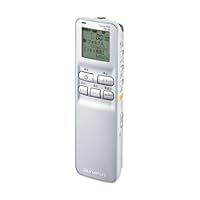
Olympus Pearlcorder S713 Microcassette RecorderI've had an Olympus Pearlcorder S713 for several years now. It has many features hard to find on new recorders. It has red LED to signal recording, a 3-digit tape counter, jacks for external headphone and microphone, auto stops at end of tape. Also has dual recording speeds and voice activated recording. I don't notice any tape noise while using internal microphone. The only caveat is that it's a microcassette. But still, the sound quality is even good for recording a little singing (in my opinion).

I've owned half-a-dozen microcassette recorders over the years and the S713 is the best one I've used so far.

Playback quality is excellent (for voice recording). Very clear. No noticeable tape hiss from the electronic components (which is a real problem with tape recorders in general). The recorder has a big speaker with plenty of volume. In fact, it's so loud that I usually keep it turned down most of the way. This makes the S713 great for playing back memos and the like in noisy environments.

Microphone sensitivity is limited, but not too bad. I haven't tried it in conference settings and I wouldn't depend on the recorder for interviews without some kind of external mike. As for recording music or lectures in big halls, forget about it. The built-in microphone works fine for voice dictation, however--either holding the recorder up to your mouth or using an external headset mike. Note: you will have to use an adaptor to plug a standard microphone into the recorder jack, but these can be picked up at Radio Shack for four or five dollars.

Battery life is excellent with Energizer Ultimate Lithium batteries. I use my S713 every day, sometimes for fairly long dictation sessions, and usually don't have to replace the batteries for several weeks.

The recorder is plastic, but fairly rugged and seems to be well-made in general. I've been using mine for over a year now on an almost daily basis and haven't had any problems at all.

VCVA works about as well as voice-activation ever works with microcassette recorders. The S713 wakes up promptly, more or less, but can take a few seconds to go into hibernation again. Some clipping occurs, but it isn't too bad. I might be wrong about this, but I don't think the VCVA sensitivity can be adjusted, so background noises will occasionally cause the recorder to wake up. If you want to use VCVA, you'll get better results with a noise-canceling headset mike (ideal for dictation while driving).

The recorder is pretty easy to use with one hand. It has a pause lever that was a little clumsy to use at first, but once I got used to it, I started using it all the time.

There is one minor design issue. Fast Play and VCVA are both enabled with one switch and which one takes effect depends on whether you're recording or playing back. If you select VCVA, for example, record something, then forget to unselect VCVA again during playback, the recorder will play your recording back at high speed. This isn't a big deal, but it can be kind of confusing until you realize you need to switch back to Normal play before playback.

The S713 would be absolutely ideal if it had an indexing feature, i.e., the ability to insert an audible beep at the end or beginning of a section of recording. Unfortunately, it doesn't, so you have to rely on the index counter, but this is pretty standard with microcassette recorders.

All in all, the S713 is an excellent recorder for this price range if you mostly just want to record your voice. It's too bad that it has apparently gone out of production.

Buy Olympus Pearlcorder S713 Microcassette Recorder Now

I am a writer and I decided to get a new micro recorder for work. I prefer tapes to digital so I went with the Olympus pearlcorder. I used the product, everything recorded fine and clear. However, my headphones don't fit in the headphone jack! I've tried four sets to include my Ipod headphones and nothing fits! I'm not sure what, if any, size headphones would fit, but I am EXTREMELY disappointed in this product.

Read Best Reviews of Olympus Pearlcorder S713 Microcassette Recorder Here

Sunday, November 2, 2014

Apex AD1110W DVD Player w/Remote (Silver)

Apex AD1110W DVD Player w/Remote
  • Apex AD1110W DVD player w/remote General Features: Stylish silver color Small compact design
  • Plays DVD/DVD-R/DVD-RW/DVD+R/DVD+RW VCD/SVCD/CD-R/CD-RW/CD/MP3/Kodak Picture CD Region 1
  • Includes remote control (batteries not included) 110-240V, 50/60Hz, 25W power supply
  • Front Panel Features: Power button DVD playback controls Loading tray Rear Panel Features: Video out
  • 2 channel audio jacks

this is a wonderful DVD player plays any format. Item took a lighting hit creaming its power supply but after repairing the power supply the DVD player as good as ever. This model is no longer made.

Monday, October 27, 2014

eForCity 2 pc 6' Digital Audio Optical Optic Fiber Toslink Cable - Molded - M/M, 6 FT / 1.8 M, Black

eForCity 2 pc 6' Digital Audio Optical Optic Fiber Toslink Cable - Molded - M/M, 6 FT / 1.8 M, BlackHi got my cables they work just fine I love the simple conection, it's great. what more can I say.

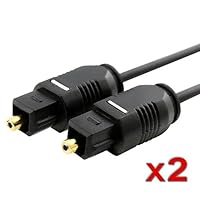
It does what it is supposed to do, although the cable is rather thin (as you can see in the photo). I recommend it...

Buy eForCity 2 pc 6' Digital Audio Optical Optic Fiber Toslink Cable - Molded - M/M, 6 FT / 1.8 M, Black Now

These cables work great and shipping was prompt. I used this cable to connect audio from my tv to a sound bar. Cable was much thinner than I expected, but this has not affected performance at all. I am a little worried that if I'm not careful I could kink or damage the cable. But for the price, these cables can't be beat! And you get two for way less than the price of one at a walk-in store.

Read Best Reviews of eForCity 2 pc 6' Digital Audio Optical Optic Fiber Toslink Cable - Molded - M/M, 6 FT / 1.8 M, Black Here

There was a mistake on this order, but it was taken car of right away. I was very happy with that and the product. The cables are a bit thin, but they work with no issues at all. I would buy from this again.

Want eForCity 2 pc 6' Digital Audio Optical Optic Fiber Toslink Cable - Molded - M/M, 6 FT / 1.8 M, Black Discount?

The cable is a perfect fit from my 47lg6500 led tv and into sony 7.1 str-dh710 a/v receiver. I am very happy with my purches.

Monday, September 15, 2014

Olympus DS-20 - Digital voice recorder - flash 128 MB - WMA

Olympus DS-20 - Digital voice recorder - flash 128 MB - WMAThe Olympus DS-20 digital voice recorder is excellent! It was easy to begin using and the instructions were clear. I like the ability to download and upload from the computer with the very easy to use and install USB port & chord. I wish it had rechargeable batteries and an A/C adapter in the package, but it is great nevertheless.

DS-20 is super cool. It's the Olympus DS-2 just with double the memory. They work identically. The DS-20 just has double memory.

Nice unit.

Buy Olympus DS-20 - Digital voice recorder - flash 128 MB - WMA Now

Thursday, September 4, 2014

Philips DVD711AT DVD Player

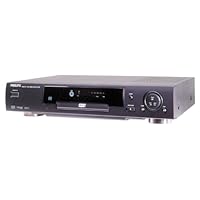
Philips DVD711AT DVD Player
  • Dolby Digital and DTS output
  • Component, composite, and S-video outputs
  • Onscreen bit-rate meter
  • Perfect still-picture frame advance
  • DVD-video, Video CD, audio CD, CD-R, and CD-RW playback

I don't have a need for a very expensive DVD player right now. To be honest, I don't think the performance features are worth the price jump. I own some pretty serious audiophile equipment; however, I don't have a high-definition TV, so I can't comment on digital imagery. I've purchased many DVD cheapo units before, and to be honest, linear branching seems to be the most problematic trouble symptom for many players. Philips didn't necessarily outshine the competition, but it is a much more solid performer in general. You get tiny pauses between linear branches (dual layer switches), which are hardly noticeable and compared to the other DVD players that require firmware upgrades to fix the lockups, the Philips is champion. I owned the GE 1105P and 1106P and they were nightmares. They would skip over chapters and lock up, so I was very close to buying a very expensive unit.

I happened upon the 711 and boy am I glad I did. It isn't that it is a flawless machine, but what a lot of people don't realize is that it is upgradeable. This means, that if it can't run a DVD (which I haven't noticed and I've played all of the trouble makers) or a technology like VCDs, Philips can mail you a disc to pop in the unit and it will flash the BIOS and fix the problem. This should be a standard feature in all DVD players. What I'm hoping for is for an upgrade that will allow this unit to become MP3 compatible. I don't know if they will, but it certainly is possible, notice "Feature Upgradeable" on the box. Even salesmen don't have a clue as to what that means. People who are complaining about the unit struggling with CD-R/W and VCDs, most likely have a legit concern, but the good news is that it can be fixed without having to ship it to Philips or having to take it to a repair shop. In the long run, being able to download a patch off the Internet, burn it to CD and pop it into your DVD player will be much more convenient than having to ship the unit out. It is a brand new product, and with most brand new products, there will be a few bugs, but in this case they can be user-patched which is a big plus. Philips doesn't have any Web site up for this unit yet, but I'll be thrilled when they do. The thought of being able to upgrade to a new technology, format, or being able to troubleshoot discs that won't play, far outweighs the minor performance issues. I'm basing my review on DVD performance and CD performance. I don't care if it can play VCDs or CD-R/W flawlessly, because most DVD players in this price range can't play CD-R/Ws and VCDs at all. Philips gave us a dual-laser setup, so playing CDs is just as fast as an ordinary CD player. Taking into consideration that you can get this unit for sub $200, it is a bargain. My opinion is is as follows:

Who the heck buys a DVD player to play CD-R/Ws or VCDs in this price range anyway? It is just an extra bonus that it can play these formats as well as it does. Both of these issues could be addressed if people report it to Philips. Perhaps the person who said Philips responded by saying that these performance issues weren't problems, didn't give Philips a chance to explain why they weren't problems. All I can say, after dealing with Thomson Electronics (GE, RCA) products, is that Philips tech-support seemed real honest to me. Thomson Electronics wouldn't even admit that their players had performance issues. Philips seemed to acknowledge the possibility that future problems could arise. That's why this disc upgradeable DVD player is revolutionary. No problem is a problem when you can flash your own BIOS. Don't hesitate to at least check it out. You can spend $500 if you want, but think about what you really need. If you already have a CD-Player, you're not going to have any problems. If you do, call Philips for a patch or download one yourself.

Buy Philips DVD711AT DVD Player Now

I bought this player to replace my DVD-ROM drive, which was hopelessly fickle about playing DVDs. The good thing about the Philips DVD711 is that it has yet to reject one of my DVDs. It is an inexpensive player with great audio and a lot of options for a player of its cost. That said, the system does have its flaws, though minor ones. It shows no indication of being able to support DVD-R, a format which it is said to be compatible with in the technical specification on Amazon, but not mentioned once in the manual. Additionally, the player seems chained to its remote control. If you lose the remote or it gets broken, you lose all access to the on screen menu and navigation capability, as there are no navigation or menu buttons on the player itself. Don't let what appears to be a fast-forward/rewind jog-dial on the front fool you either. Accessing the frame advance, zoom, and other advanced features means dealing with the sometimes cryptic hierarchical on-screen menu system. If a track has multiple angles, an on screen display in the form of a semitransparent box shows you which angle you're currently viewing. The only problem with this is that there is no way to disable it, and it invades the picture space like a Borg cube ready to assimilate your movie. That's a little harsh of course, but one would think the main purpose of a DVD player is to provide quality DVD playback at all times. This is not user error, the manual specifically states, "The angle icon remains displayed until multiple angles are no longer available." However, these are relatively small issues. Few DVD titles include multiple-angle tracks, DVD-R has yet to become popular, and most of us try to keep our remote controls where they can be found. If you're looking for a cheap DVD player that gets the job done, this is a good buy.

Read Best Reviews of Philips DVD711AT DVD Player Here

I bought this unit after I had a problem with some other brands while trying to play foreign language (specifically Indian) DVDs. This unit had no problems playing all of the 'problem' DVDs. I do not like the remote control though. It needs too many keystrokes to access most of the features, and you have to coordinate between pressing different keys on the remote and looking at the on screen display to see where it is in the menu system. I also like the 'upgradeable' feature, where the firmware can be updated onsite by running a special CD from Phillips. I have not tried it yet.

However, overall a great unit. I would buy it again, if I had to.

Want Philips DVD711AT DVD Player Discount?

I am writing this review based on a person who owns a two-speaker system with an amlifier (didn't really use rears) and a twenty-seven inch TV with S-Video input.

Let's really face it here. It doesn't really matter how many more lines of resolution a Toshiba sd1600(540) has over a Philips DVD711(500). If you have a regular television, it doesn't even hold 500 anyway. I mean, unless you are the small percentage of people that have really keen eyesight and a great HDTV or better television, as far as the picture quality goes, if its a DVD player, its good enough. What I want to focus on here is the features and the sound performance of this thing.

As for its features, there is a heavy rumor that it plays DVD-Rs as well as CD-Rs and RWs. Lots of you would think that those are great features. But its not really a feature to look for. Some people here say that the menus aren't very good. To my viewpoint, that isn't true at all. Although it takes more than just one keystroke, they aren't taking over your life. It creates an on-screen menu of options on the top of the screen. To my opinion, the Video Black Level controls didn't really help in any of the viewing quality as well. Neither did the zoom because it--not like other dvd players with zoom--pauses after zooming. I guess it is to examine artifacts or bullets that are flying. To my opinion, zoom is supposed to let one be able to watch their movie as a full screen perspective for the people that have smaller TV sets. Its sound seems pretty crisp and clearer than other dvd players I have tried such as the Aiwa XV-DV370 by a little(highly recommended and costs the same and has this professional remote control, great quality virtual surround sound and sound in general with comparison to others at its price range--A definite five star in my book) and the Apex AD-660 by a lot(Highly don't recommend because of lack of sound quality although has good 2x zoom in options). With the TruSurround 3d, one would notice that you must also place the speakers an average of 6 to 8 feet apart in order to produce the effect. The effect of this feature is not so good either. The most it did was create a center channel, and not the other side ones. Spatializer N-2-2 seems to do a better job. The remote control seems as small as a regular cell phone--easy to lose. I didn't like how toy-like it looked and felt. It also has no missing connections as well. I mean that it has S-video, Component, two analog, optical, and coaxial outputs.

As for cons, the DVD711 has skipped once and placed me in different areas of a movie--which really sucks big time if you're watching something like the Sixth Sense. And as I said, it doesn't make a good 3D effect on sound.

Why do I give it four stars you ask? It is because its wonderful crisp sound(no matter what mode), its DVD-R capability, and the fact that its feature upgradable. Another thing to keep in mind is that when they say its feature upgradable, its just saying that it only upgrades when the player has problems with playing new DVDs. If you don't really like the control, just get another one. If one was to spend this much money on a DVD player, I would certainly suggest you guys go out and buy an Aiwa XV-DV370 (plays mp3s CD-Rs and RW), Panasonic RV-30 ($50 rebate makes $130 with Digital Cinema Mode which just changes the picture mood, 2+subwoofer output along with Dialog Enhancer, smooth scanning, but missing a coaxial output.), Sony SD360 (With Active Tilt control which helps read messed up DVDs and Smoothscan modes to help less jerkiness in fast-forwarding and slowing down and great looking remote control. Many different modes of cinema sound. Best rated out in the market with $50 rebate makes $200), Toshiba SD1600 (only one of these with zoom feature to fit screen. No optical output. Top seller here on Amazon, but I heard it skips and destroys DVDs sometimes if you got one in a hundred.), or the Philips DVD711 (Not really bad at all). I just hope that all of this was helpful. And by the way, the DVD711AT and the DVD711 are one in the same models.

I bought this system today and I am very impressed with what I got for under $200. The picture quality and sound are amazing. I tested out my only 2 DVDs (Jaws and The Sixth Sense) and they run great. So if you want a good, but affordable machine, buy this one now!

Tuesday, August 12, 2014

TASCAM US-322 2-In/2-Out USB Audio Interface

TASCAM US-322 2-In/2-Out USB Audio Interface
  • High-Quality HDDA (High Definition Discrete Architecture) Mic Pre-amps
  • Up to 24bit/96kHz Recording Supported
  • Two XLR/TRS (MIC/LINE) Inputs with Full +48V Phantom Power Supply
  • On-Board Digital Mixer and Digital Effects
  • 2 Balanced TRS Analog Outputs and 2 RCA Analog Unbalanced Outputs

Everything keeps improving, and getting better, faster, and cheaper, but at this price point their isn't one available that isn't a compromise in one way or another. First off if you are planning on buying the US-322 don't. Buy its bigger brother the US-366. Getting an optical connection and additional ins and outs for such a little bit more money, as well as 192k makes it a no-brainer. To get optical (on the 366 only) at this price is great, but the A/D D/A converters leave a bit to be desired. On the other hand the mic pres are pretty good, have distortion ratings, THD of only 0.0045% and with 24 Bit/192KHz recording make these the best sounding interfaces put out by Tascam to date.

What I meant by a compromise is that even with interfaces that cost 3 to 5 times this price most of them have either good mic pres, and weak clocks, or vice versa, and some work with Windows but not so well with MAC and once again vice versa, etc. I researched interfaces for a long, long time, and considering non-crash reliability and a dozen other factors I finally sprung for an RME Fireface UFX USB 2.0 or Firewire High Performance audio interface 30 in, 30 out. Now that's an interface. I have been running it with Pro Tools 9 since 2011. Pro Tools 10Professional audio recording and music creation software is out and Pro Tools 11 is now being released.

So if you are looking for an inexpensive interface expect some compromises in one area or another. Rather than slam it out with performance specs under a microscope, I would rather provide a review helping those who are interested in setting up this Tascam US-322 or 366 so you can save a lot of time trying to figure it out. Sometimes a little help makes a huge difference in the amount of time saved. So what I did was load, and register the free and included Cubase LE6 complete with activation and eLicense registration and installation as well as installing the Tascam driver, and doing updates for both. I know a lot of the reviews here just downloaded a driver and used their existing DAW in order to test out the interface, and therefore they didn't need to spend much time with it. I don't blame them; the shortest distance between two points is a straight line. So get out a cup of coffee because installing this complete package doesn't happen in just one hour. So here goes...

If you have Windows Vista you are probably out of luck because the system requirements list Windows XP, 7, and 8. I am sure the omission of Vista is not a mistake. I know my Logitech AudioHub Notebook Speakers are non-functional in my Vista laptop if you are running Windows Media Center in it as well. It works in Win 7 just fine. So I installed it in my desktop running Windows 7 64 bit and it gives you the option of installing in 32 or 64. In addition to Cubase LE 6 it also installed AI Elements 6 as well as Agent One Content, Groove Agent One, Vintage Beat Boxes, Steinberg Drum Loop Expansion 01 which took a good amount of time to load, as well as Steinberg Halion Sonic SE 64 bit for AI Elements. I then had to activate and register Cubase LE6 which involves installing the latest eLcc, creating a Steinberg account (which is free and they don't ask you for a credit card). They provide you with an activation code after you register.

I have an iLok for Pro Tools which is a USB device that enables you to run the program. Cubase does not require that you have one, although they have an equivalent looking device, but fortunately they have a software based equivalent. They do this with an eLicense which you will then update to version 6.5.4.1122. There is an eLicense control setup and you have a Soft eLicenser number that you will use in order to generate the Activation Code generated at the Steinberg site. What came on my disc was version 6.05 which they instruct you to immediately do an update, which I did to version 6.07.

So we install the Tascam interface next which comes on a separate DVD. Included with the interface is a 5 foot USB printer style cable. You will need to install the driver disc before connecting it to your computer. Windows 7 recognizes it but fails to automatically load a driver. So install the driver off of the disc first, and then do the update. It took at least 15 minutes to do that update. What flashed on the screen was 154 megabytes and then all you see is an install screen with a scrolling series of round objects moving. At first it says, "This is going to take a long time", and they were exactly right. It almost tempts you to think something is wrong, because nothing is happening other than the scrolling, and then finally after ten minutes or so a dialogue box comes up and says, "Do you want to install?" and you click continue, and then it comes up again in another minute, and this happens a few times, and then finally it changes over to an installation finished box. (I have Verizon FIOS and usually download huge amount of data in a flash). Then you reboot.

Now this is important. Plug the US-322 directly into an available USB 2.0 port and not into a hub, even if it is a powered hub. It simply won't work. I tried it and the light wouldn't even come on indicating USB. When I went direct the interface lit up and it worked. The manuals also warn you not to use it with USB 1.1. The US-322 comes with a printed Quick Start Guide. There is also an owner's manual for both the Interface, and Cubase that are available either on the DVD, or by Googling the same and they come up as a PDF download. If you are new to setting up interfaces be prepared to do a good deal of reading. There is a driver to choose, input and output settings, as well as going into Windows Control Panel/Sound in order to choose the interface for playback, and recording. If you're new to these kinds of setups just take your time, and don't be dismayed if something doesn't work. All it takes is for one button to get pushed and Wahlah you have sound. For example in Cubase there is a monitoring button without it you won't get any sound from the headphones. If all else fails you can go to the Tascam web site by Googling Tascam US-322 and then click on the support tab, and they have a "you pay for it" phone call number in order to help you. Hope this helps.

PS: The real killer deal right now is Avid Pro Tools 9 bundle with the MBox Mini which is another limited interface but you are getting Pro Tools 9. Plus purchases of this bundle made after 10/2011 that has pro tools 9 will be able to have a free upgrade to pro tools 10 if you register your product with Avid. Considering what Pro Tools goes for by itself, and what the MBox sells for individually, and the bundle even comes with the iLok you can sell it used for what you are paying for it, and even more than you are paying for it if you take advantage of the discounts I have seen pop up as much as 20% off the already low price. Then you have Pro Tools 9, and 10 full blown versions, none of this LE stuff, and an interface, and can grow from there. This Tascam interface works great with Pro Tools. These Pro Tools 9 bundles are discounted to make way for 11, and I am seeing music stores running out of them. They are clearing the shelves preparing for 11, but it has bugs. I rarely purchase totally new versions until they have time to season some, and get feedback from users. After some time, and more updates, I will be browsing the shelves for discounts on the upgrade to 11; maybe in another year. PT 9 is all I need.

Buy TASCAM US-322 2-In/2-Out USB Audio Interface Now

I've used a friend's TASCAM US-144mkII to record electric guitar and vocals for some time and found it quite good. Almost zero noise on the guitar, when played over Guitar Rig, and good latency. A little too flat compared to my M-AUDIO Delta 1010lt.

I recently moved from a desktop to a laptop so I needed a USB interface, as my Delta was PCI only. I was going for the US-144mkII but ended up buying this one (US-322), since it was newer and had higher sample rate support. In the end it does the job, but gave me an inferior experience to the US-144mkII.

Here's my take on it, compared to the US-144mkII:

Pros

* The controls feel better than the US-144mkII's, but that's about all.

* Higher recording sample rate makes a difference on some VSTs.

* Onboard effects like reverb/compression/etc (pretty pointless actually since any software these days has these fx with much better quality).

Same

* I didn't AB test, but from memory sound quality is about the same. The supposedly better preamps didn't make a difference on my cheap AT2020 condenser, and the DAC sounds the same.

Cons

* Drivers still suck. If I set latency to minimum, which is a requirement to record guitars on Guitar Rig unless all you play is reggae, windows 7 will BSOD in a matter of minutes.

* Circuitry seems worse than on the US-144mkII, I get more noise on the US-322 with the same guitar and the same computer. Could be the drivers also, who knows.

* No midi input.

* No official TASCAM support forums, so it's very hard to researching what kind of problems to expect from the product before buying it and what kind of response to expect from TASCAM.

I would only recommend the US-322 if either you don't require low latency recording at all or it's a temporary solution for you.

Read Best Reviews of TASCAM US-322 2-In/2-Out USB Audio Interface Here

For the person who wants to do a little recording a home without too much invested in equipment, this is a great solution. In addition to this box, here's what you need:

A decent laptop or computer with a USB input.

A microphone for vocal recording (This accepts both 1/4 in jack and XLR mic cables)

1/4 cables for your music equipment (guitar of keyboard).

Headphones for monitoring, or an external monitor speaker.

I used this for recording some spoken vocals, and also recorded a piano track from my digital keyboard to my laptop and then burned a CD. My son used it to hook up his record player to his laptop to transfer some old audio tracks to CD.

This puts out a nice clean sound, and the controls are easy to figure out. The unit itself is about the size of a big sandwich, or a stack of CDs, so it's easy to take along. And instead of having a heap of controls on the unit, it has a mixer panel button to press, and a virtual mixer board will pop up on your computer screen.

I played around with the mixer, but couldn't get the effects to send to my recording software. I could hear the effects in the Tascam monitor, but the recording didn't have the effects. I'll have to play with some adjustments to see what I am missing. There is very little information included, so users have to figure it out without a manual.

Also, the Cubase software that was included isn't great. First, the box didn't indicate what "Cubase" was. It said it was included, but I couldn't figure out if it was software until I popped the DVD in to upload it. I couldn't get it to make a recording with Cubase, but the Tascam works great with my MAGIX Music Maker 2013 [Download] that I bought on Amazon a while back for use with an Alesis MultiMix 4 USB Four-Channel USB Mixer that I also purchased on Amazon. The Tascam unit produces a nice balanced sound without any audio hot spots where the record level is too high.

The Tascam is powered by USB, unlike some that require a separate power cord. My 4 year old laptop provided enough USB power to run it just fine.

One thing to note, is that depending on how your system is set up, you many not hear audio through your computer speakers when playing back your recordings. On mine, when the unit is plugged in, I can hear the audio by plugging my headphones into the Tascam monitor output. Once you disconnect the unit, your sound card will take over and you'll hear your tracks through the computer speakers again.

Technically, you could use the multiple inputs and the mixer tracks to record several instruments at once. However, I prefer to record each instrument on a separate track on my recording software and then mix them later. In fact, my MAGIX software has so many editing options that I can do after the recording that I prefer to do it that way anyway.

I would give this 5 stars if it came with software that was more user-friendly. Since the software doesn't add to the benefit, I would say this performs equal to the Alesis unit that I already own. Price point wise, the Tascam is a little spendy if you don't get anything more than you have with the Alesis.

Want TASCAM US-322 2-In/2-Out USB Audio Interface Discount?

I speak at conferences and events and like to record my presentations sometimes. When I am not able to record the video, I at least like to capture the audio and sync it to the slides using Keynote. I bought the TASCAM US-322 USB Audio Interface so I could connect my wireless lav mic system to my computer to record the audio.

I have tried numerous ways to connect the lav mic, which is a traditional wireless RF system, with no luck. I first tried a simple adapter to plug the mic output directly into the computer, but I quickly learned that wouldn't work. After several google searches I was self-educated on the difference between "line level" and "mic level" volumes.

Suffice to say, I needed some kind of interface between my microphones and computer. In came the TASCAM USB interface. It's the bridge between my traditional microphones and my mac.

I really like that I can be speaking on a panel with multiple people, and record several different inputs straight to my presentation on my computer. At the same time, I think I can record each track to an external recorder like my Zoom H4n. I haven't tried that yet but will do that next time I have a speaking engagement and update the review.

Overall I'm probably on the lower end of the users of this device, but it works really well for my needs. I highly recommend it.

Save 41% Off

I love Tascam gear, and have used it for nearly 30 years. I was excited to try out this interface and see what it could do. Unfortunately, I was disappointed.

While the construction and mechanical function of the device itself were good, the actual function with the computer left much to be desired. Also, the complete lack of a manual with the one I got made it very difficult understand the functions. (Sorry, but with a device this expensive and which includes 2 CDs of software, how hard would it be to include a full manual on the install CD?)

There was a very small quick start guide included, which basically just named the various switches, inputs, and outputs, and gave extremely sparse directions about using the software mixer screen. I was forced into trial and error to see if I could get a serious recording in anything remotely resembling a multi-track mode. I could not. I could record and layer multiple tracks (I was using Audacity, didn't want to install Cubase), but I could not get playback from the previous tracks while I also had live input. Now this could have been my computer of Audacity, as it is an older Win XP machine, but it played back multiple tracks without problem.

There was nothing in the mini-quickstart guide to address this, or even hint where one should look, other than going to Tascam's web site. I'm sorry, but that is just not good enough with a device this expensive. There should be a complete manual, at least in pdf, included with the product. If I am going to use this to do serious recording, the last thing I want to do is waste huge amounts of time digging information out of a website, or worse, from "user community" threads in some blog.

Which brings me to another minor complaint no Linux drivers included. I use mostly Linux, with only one Windows machine for software which I can't get on Linux. I wanted to try the software under Wine on Linux but was under time constraints.

Then there are the generic problems with software interfaces replacing hardware. With a hardware mixer, I can access as many controls as my fingers can handle (3 or 4 on some mixers) at the same time. Computerized mixers can only do 1 thing at a time, and one must be constantly moving the cursor from one thing to another to access controls. The controls on this interface were very fussy, and you have to position the cursor just exactly on a very small portion of a button to get it to react. I found it very tedious, and again, no actual instructions were included to help with that process. With a touch screen, it might be easier, but then why not just use buttons on a real mixer in that case? (Yeah, I know, touch screens are COOL.)

Also, software based functions are always limited by your computer and OS, and that means everyone can have a different experience consistency is much harder to maintain.

I am old school, and find hardware mixers far more responsive and useful. I know that lots of people are all excited about having software versions of hardware in their computers, and saving space, etc., etc. I value function over fashion, however, and that is what I have always liked about Tascam gear: it was supremely functional. This software falls far short of what I expect from Tascam, and the lack of a manual for the interface is inexcusable.

Good mixers, especially for multi-track recording, can be complex and difficult to learn. The layers of signal interconnection can be hard to understand at first, and takes some time to get comfortable with. Old Tascam manuals actually used to have a certain amount of instruction in multi-track recording, which was helpful to aspiring recording artists. Not so here.

I had really hoped to give this 3 or 4 stars, but sadly, it only rates a 2 (2.5 if I could) for me. Come on, Tascam, you can do better than this.

Wednesday, July 16, 2014

TheGoldenValley MP-D6600 6600mAh Power Bank / External Battery Pack/ External Battery Charger with

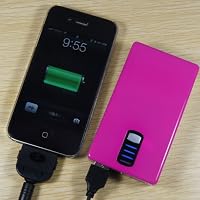
TheGoldenValley MP-D6600 6600mAh Power Bank / External Battery Pack/ External Battery Charger with Built-in Flashlight for The Latest Apple iPhone 5, iPhone 4 4s 3Gs 3G, iPod Touch, the new iPad, iPad2, all versions and series; Samsung Galaxy S3/S2/S/Note 2; HTC Titan, Sensation, ONE S/V/X, EVO Thunderbolt, Desire; LG Optimus series; Blackberry Bold, Curve, Torch; Motorola Razr HD/MAXX & Bionic, Atrix/2; Nokia Lumia 920/820/800/900; Tablets, Netbook, Digital Cameras, DV Recorders, PS Vita, Nexus 4/7, NDS / NDSL; GPS, PSP, smart cell phoneswith todays smart phones, people using them all the time, this little baby was so handy to have .. I use it about once a week when i am somewhere and cannot plug in my phone! It charges my tablet too!

Monday, July 14, 2014

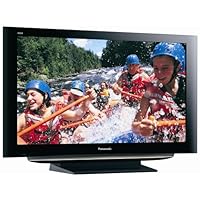
Panasonic Viera TH-42PZ85U 42-Inch 1080p Plasma HDTV

Panasonic Viera TH-42PZ85U 42-Inch 1080p Plasma HDTV
  • 1920 x 1080 Resolution
  • 1000000:1 Dynamic Contrast Ratio for the Brightest whites and darkest blacks
  • 4096 Shades of Gradation for spectacular Color Reproduction
  • Viera LinK™ HDAVI Control lets you operate all of your home theater components by pressing a single button on your TV's remote control
  • GalleryPlayer® allows you to enjoy the world's finest high definition art and photography on your Panasonic HD plasma TV

UPDATE. A couple links dedicated to this set:

Owners forum: http://www.avsforum.com/avs-vb/showthread.php?t=1000479

Break-in FAQ: http://www.avsforum.com/avs-vb/showthread.php?p=14472276#post14472276

Just a short review as there are so many already.

I spent approximately 3 years researching displays. No it didn't take me that long to figure things out, I was basically waiting for the technology to meet my expectations at a given price point.

After exhaustive research I narrowed things down to Plasma and then further down to either this set or the Samsung A550. The reason I picked the Panny over the Samsung, to be succinct:

better black levels

reliability (reportedly a bit more stable than the Samsung's, though they have gotten better)

anti-reflective coating (the Panasonic has the Samsung thoroughly beat)

IR (image retention) resistance, Panasonic is supposedly on the cutting edge for this

That said, I'll comment a bit on the Panasonic image specifically; it is stunning. First, the scaler (the hardware that handles different source material like standard definition broadcast, etc.) in this thing is top notch. I am truly impressed with what it has done with standard cable (and of course HD cable looks great). I was under the impression that few if any modern displays could handle SD well, frankly because I hadn't seen evidence of it. I was wrong, there have been a few times that I had to look hard to tell I was watching Standard Def (CNN puts out an especially clean broadcast in my area). Secondly, HD content; doubly stunning! I'm running both HD Cable and a PS3 Blu-ray. I figured I'd be buying many of my movies again in Blu-ray....wrong. Certainly true HD content has the edge but the upscaler combined with this set is jaw dropping, Pixar DVDs are quite amazing.

Now a few comments about Plasma vs LCD:

No doubt LCD has it's place, some people simply want a very "punchy" and extremely bright display. This is especially useful for daytime/bright room viewing. However, the drawbacks are considerable:

motion lag/bur: if you see it (and I do) it's VERY distracting

black levels clearly not up to par, which greatly affects the overall picture quality

On the other hand Plasma pluses:

no motion lag

industry standard black levels

extremely realistic/film like experience

A few words on Image Retention & Burn in:

These are not the same thing though the terms are often used interchangeably. Image Retention is the result of a static image (any image that doesn't change for extended periods; video game displays, station identification, etc) to remain on the screen even after you've changed images. This is a temporary problem and one that is easily erased by viewing full screen for short periods where all the pixel locations on the screen will get some activity. Frankly I've not seen even one instance on my set. Burn-in is the extreme, unfixable version of this, leaving a static image on the screen for many hours (all day) or always watching all your content letterboxed will certainly lead to burn in. It's easy to avoid. The Panasonic is especially immune to this and even has many safety features built in to prevent it (pixel shifting and auto off if a screen remains unchanged for an extended period).

Finally a few quick tips for new owners, gleaned mostly from the AVS forums and partly directly from Panasonic's own website:

Keep the Picture (contrast) and Brightness levels under 50 for the first 100 hrs. This helps the phosphors become "tempered" and in turn not so easily susceptible to bun-in and image retention. As I said, I've yet to experience either.

Watch everything in Just mode (full screen) for the first 100 hrs for the same reasons listed above

After the first 100 hrs you can turn things up & start watching things in letterbox, here are some recommended levels:

Picture: +70

Brightness: +48

Color: +44

Tint: -3

Sharpness: 0

Color temp: Warm

Color mgmt: Off

x.v.Color: Off

C.A.T.S.: Off

One final note for those on the fence: Don't go by what you see in the stores, what is displayed in no way exemplifies what these sets (any brand really) are capable of. My picture is light years better than anything I ever saw at Best Buy (including this very set). Delivery from Amazon/CEVA was a breeze by the way, took one week from ordering to door.

Buy Panasonic Viera TH-42PZ85U 42-Inch 1080p Plasma HDTV Now

I recently decided that it's time to upgrade to an HDTV, and I did a lot of research before settling on this model. I'm not an A/V expert, but I am an enthusiast, and I can tell you that this TV is simply amazing. I highly recommend it. I can't get very technical, but here are just a few thoughts on why I rate this TV so highly:

In the end, the quality of the picture is what it's about. I run Panasonic HDMI cables from a Comcast HD DVR through my Denon 850 receiver (1080 passthrough). The clarity, color and vibrancy of HD channels are breathtaking. These new Panasonic models increased the contrast ratio considerably, and I do think it makes a big difference. Even SD programming looks good on the set.

I also have an SD DVD player hooked up with component cables, and even though it's not an upconverting player the picture is still amazing.

Daytime viewing is good, although it does look better at night with less light. The new anti-reflective screen on this model does a great job, but this is still a problem I don't think any Plasma TV has solved completely yet. If I leave our living room light on it does reflect on the screen (but it looks better in the dark anyway...).

I'm still in the first 100 hours so I'm in the breaking in stage, but I haven't seen any signs of image retention. It sounds like the new models made big strides in this area as well.

The on-screen set-up menus are intuitive and easy to use -didn't have to open the manual once.

My final comment is about Amazon.com's part in this. I order it directly from Amazon (make sure you check who the seller is), and the experience was flawless. They use a distribution company for delivery, and they call you with a 4-hour time window before they deliver the TV. They also unpack it so that you can inspect for damage if anything is wrong they take it right back!

I highly recommend this TV, and there's no reason to buy it in a store use Amazon!

Read Best Reviews of Panasonic Viera TH-42PZ85U 42-Inch 1080p Plasma HDTV Here

We purchased the 42" 2008 Panasonic plasma 1080p model TH-42PZ85U about 5 weeks ago, after about 2 weeks of almost non-stop comparing of different sets at various stores. We've watched it during bright glary daytime conditions and dark room evening hours. We've watched HD channels and SD (standard-def) channels, and HD-DVD movies. We're familiar with the amazing picture quality of High-Def because we've had a Fujitsu plasma for the last 5 years, which was excellent. The Fujitsu developed an un-repairable problem with it's power supply circuit panel.

To summarize, the picture quality of the Panasonic TH-42PZ85U plasma is absolutely outstanding! It is stunning! It's mesmerizing. It's like nothing I've ever seen before. It was great in the store, but even much better under home conditions, without bright store spotlights, with good cable HD service, and without having to share a TV signal with 83 other sets.

In doing the visual research at various stores, I was attracted to LCD sets because of their incredible brightness and bright colors. Under the bright store lights, the poor plasmas looked like dim, lost souls next to the super-nova LCD's. However it soon became evident to me that LCD's had more of an artificial look to the images, especially the human face. Faces on LCD sets looked more plastic and flat, without real-world color gradients. They looked more like a poster. Faces on plasmas looked real, with real texture and color gradations, with a 3 dimensional quality. Other scenes on LCD's also looked more 2 dimensional. On plasmas, the same scene had depth and a 3-D quality. I had read about this, but didn't understand what it meant until I saw it with my own eyes.

The TH-42PZ85U is more than bright enough at home, even during a bright sunny day with lots of direct light coming in from our patio. The brightest picture mode, called "vivid" is too bright for even those conditions under its default settings. The default color setting is also way too strong and a bit too green. But after adjusting down the brightness and color strength, and adjusting the color tint a little away from green to red, the picture is truly outstanding. In the evening we use a picture mode called "cinema", which is soft yet sharp, beautiful and so real you think you are in a movie theater. When "cinema" mode is not bright enough for our inside lights, we change it to a mode called "standard". Each of the modes can be adjusted as you wish, and then retains that adjustment when that mode is chosen later.

Regardless of the picture mode, with an HD signal, the picture is incredibly sharp, smooth and non-grainy, and the quality of the colors is great and realistic. I see no motion artifacts, even when watching fast moving action such as in a basketball game. There has been no burn in of any type, even temporary. The blacks are super black, there are lots of gray shades in the dark areas, and the whites are very white. To make blacks even blacker, there is a "black level" setting under the "advanced picture" menu. It gives a choice of "light" or "black". I like it better set to "light" because "black" takes away a little from the gray shades. Even on "light", the blacks look almost as black as the bezel that surrounds the glass panel. This plasma TV has a 3-dimensional quality that just seems to make images pop out.

We have a small room (about 14x10). Two of the chairs are on either side of the TV, within 4-5 feet of the TV. The 1080 resolution screen resolution really pays off from this close distance. Even from 4 feet, when we are on channels with strong HD signals, the screen is totally smooth, with no graininess, screen-door effect, or ghosting or other artifacts. It is just as bright from an extreme side angle as from head-on.

As good as a general cable 720p signal looks, even more outstanding is the signal from our (now obsolete) HD-DVD player, which actually puts out a 1080p signal. I was watching Planet Earth on the new Panasonic plasma. The picture quality is incredible.

There are a few things about the TV that are not outstanding. Standard definition programming is very ordinary, not very exciting. I wonder if the 1080 screen resolution of the TV makes standard definition signals look even worse? The built in speakers are so-so, not great. It doesn't matter to us because I put the audio through a surround sound receiver and external speakers. The anti-glare capability of the screen is average. During sunny days we can see some glare from the sunlight outside our patio sliding doors, although the reflection is muted and dimmed.

Overall we are thrilled with this plasma TV. Even though we have had a plasma before, the picture quality is so outstanding we can't seem to pay attention to the program we are watching. We are just mesmerized by the quality of the picture we are seeing.

Want Panasonic Viera TH-42PZ85U 42-Inch 1080p Plasma HDTV Discount?

The picture is very beautiful on HD material rich colors, but not too rich, it just looks very, very real. On non-HD material this set does a better job than any other I've ever seen. I can comfortably watch non-HD material on this set. Handles motion well, and has a wide viewing angle.

I purchased a new "upconverting" DVD player but even using a non-HDMI, non-upconverting older DVD player, movies just look awesome. I suspect that the "up-conversion" logic in this TV set must be quite good.

The 2008 Panasonic plasma models seem to be lot thinner and lighter than 2007 models, so if you are trying to decide whether to get a deal on an older model or not, well, frankly I don't think you can go wrong either way but the newer ones are around one third thinner, and 20% lighter. They also offer higher contrast, at least according to the specifications.

Spent four months researching & shopping before deciding this model would give me all the TV I could want with minimal compromise and a reasonable price. I shopped the big-box stores and relied on friends' and family's feedback to get a broad understanding of the HD technology (LCD, DLP RP, Plasma) out there. Then I got serious with the details of the different platforms and finally focused on a brand after deciding that a plasma was for me. Panasonic clinched it when I saw the online reviews of this new model (their last year's model pz700 was Consumer Reports' top pick) and when I read that Pioneer was going to rely on Panasonic for their panels in future models. Then Amazon got the price right (don't wait for the pz800) and though I was hesitant to make this kind of a purchase online, I finally pulled the trigger and boy am I happy.

Amazon was terrific. Ordered it Sunday night with an articulating wall-mount (Sanus works great), a Logitech Harmony One universal remote and a Panasonic HDMI Cable. Everything started arriving Tuesday and at last! on Friday the TV arrived (no special shipping selected for anything!)

I first set it up with the table stand, no problem. Hooked it to my HD DVR cable box and in no time was enjoying a picture that really pleases. No compromises with this set. Color fidelity is awesome humans look human. The PGA Masters tournament was simply breathtaking. Edge detail is incredible none of the jaggies or noisy lines I see on my sister's cheapo Vizio LCD. I don't know what that other guy is smoking, contrast and black levels are phenomenal. Playoff Hockey reveals no blurry fast-motion images another LCD drawback. I can stand at an 89-degree angle to a head-on view and still see a perfect picture. Fortunately, my articulating mount obviates this . As for calibration, I'll get around to it using the HD Essentials DVD and the service level controls eventually, but right now I'm very happy with the "Cinema" mode and some minor customizations of this mode (changed color temp from "warm" to "normal" and adjusted the color level down to "+24"). This TV is simply stunning, and I was afraid that 42" would be too big in my relatively small room but with 1080 its no problem (six feet viewing distance).

The set's speakers are fine, sound quality for regular TV viewing is excellent. For movies and music, I use a more robust 5.1 system.

If there's a better picture to be found, I don't want it. I'm thrilled and expect I'll be very satisfied for years to come. Three cheers for Amazon & Panasonic.

Thursday, July 3, 2014

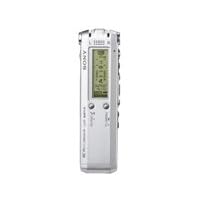
Sony 91HR Digital Voice Recorder

Sony 91HR Digital Voice RecorderSome issues about the digital recorder that disturbed me are that it is not 'user friendly' and doesn't have an OFF button. However, the recorded sound quality is great and the battery life is exceptional. We use ours in an area where it is checked out / loaned out, and so it's important to have equipment that is easy to use. from 1 to 10 I give this one a '6'.

Tuesday, June 24, 2014

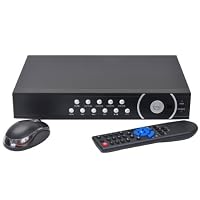
VideoSecu 8 Channel Video Security Surveillance DVR H.264 Real Time Stand Alone Network Digital Vid

VideoSecu 8 Channel Video Security Surveillance DVR H.264 Real Time Stand Alone Network Digital Video Recorder Support iPhone Google Phone with 1500GB Hard Drive for CCTV Security Camera System WD9I can view my house from iphone, This DVR record live video from 8 cameras, and backup the hard disk. It comewith 1000GB hard drive, which is excellent. Most other DVR come with 1500GB hard drive. My original purpose is to view video remotely over the internet, so I can watch my baby and the nanny. The unit was received fast. But the setup took some times. Connectin the cameras to the DVR was easy. But the remote access setup was tough. I contacted seller and they provided the link to download the software. Finally, I can watch the images from my cell phone. This is a great feature.

This unit uses the cheapes APP on the marker and is barely recognizable. The PTZ function doesn't work and the quality of replay is awful. This unit is way over priced and shoudl not be sold in the USA legally

Buy VideoSecu 8 Channel Video Security Surveillance DVR H.264 Real Time Stand Alone Network Digital Vid Now

Monday, June 9, 2014

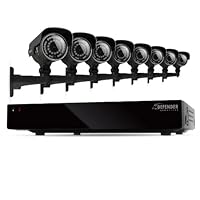
Defender Connected 8CH H.265 500GB Smart Security DVR with 8 x 600TVL IR Cut Filter 100ft Night Vis

Defender Connected 8CH H.265 500GB Smart Security DVR with 8 x 600TVL IR Cut Filter 100ft Night Vision Indoor/Outdoor Cameras - 21025I bought mine online from Sam's club for under $500. It pays to shop around. Did extensive research before buying this one. Got it all hooked up today. So far so good. Will update my review after I have used it some.

Save 35% Off

Monday, June 2, 2014

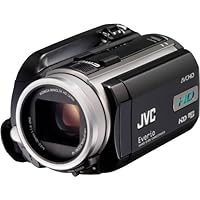
JVC Everio GZ-HD10 AVCHD High Definition Camcorder w/10x Optical Zoom

JVC Everio GZ-HD10 AVCHD High Definition Camcorder w/10x Optical ZoomI had to buy a camera for my video production class at college. My teacher told us we had to get a DV camera, but i previously have had difficulty with tape so that was my last choice. I put hours of research in to find a tape alternative that worked with Final cut pro and Adobe Premiere Pro. This is that alternative. It shoot great looking HD video and is an ease to edit using those two programs. The still images on it is nothing to write home about, but come on lets be serious. You don't buy a camcorder to take stills, you buy a camcorder to record videos. After my class was over my teacher changed his requirements in a camera after seeing the quality of video i shot with it.

(***please note it works with Final Cut Pro 6, 7, and Final Cut Express 4 ONLY***)

(***please note it works with iMovie '08 and '09 ONLY***)

(***please note it works with Adobe Premiere Pro CS4, CS5, Adobe Premiere Elements 7 and 8 ONLY***)

I included which versions support this cameras AVCHD format. It will save you hours in order to figure it out.

This review is written on 5/25/2010 so i would think that products after this review will support AVCHD

After much research and going back and forth with a non-HD Sony Handycam, we got this camera last week and so far it has really made a difference when viewing videos on our 50" HD TV screen on HDMI. It is pretty user friendly (although I found the Sony Handycam more user friendly). If you're in the market for an HD (Hi-Def) camcorder, this is the value winner.

The Everio HD takes decent stills, but definitely takes a backseat to our Canon point & shoot. On that note, our Canon 800IS P&S takes comparable quality videos to the Everio when you see them on a computer (you're just limited to 1.5 min. clips if it's holding pictures too).

The clarity (esp. outside) is excellent. The only downside is that you need a steady hand to operate b/c the "anti-shake" technology needs a little work. I suppose you win on picture quality on the flipside... unless you're willing to shell out another $300 for more steady images on top of picture sharpness. If you get an HD camera, be prepared to get a bigger battery b/c it sucks up power more quickly than a regular videocam.

I got this mainly to record our 1 year old, beginning with her birthday party coming up.

Buy JVC Everio GZ-HD10 AVCHD High Definition Camcorder w/10x Optical Zoom Now

I recently bought this camcorder to record a friend's wedding and was impressed with the quality of this little camcorder. It is not heavy and fairly easy to use. Indoor recording is okay. I used a high LED light in order to record decently, but outdoors it looks very crisp.

One huge downfall for me is the battery life. If you make this purchase, you most definitely want to also buy an extra charger and battery. The camcorder sucked the life out of my battery and I spent most of my time standing next to an outlet in order to record the wedding, which made it difficult to move around freely.

I love the HDMI port and the x.V.Color option as well.

**Mac USERS**

If you have a Mac, you will have some issues downloading to your computer. With most JVCs I have owned, they are not very Mac friendly. I used a Wondershare Video Converter to download all my video clips from the camcorder to my Mac (I had to download the converter from the internet for about $21 but it's worth having). So please be advised about that IF you are a Mac user.

Otherwise, a great camcorder for the price.

Read Best Reviews of JVC Everio GZ-HD10 AVCHD High Definition Camcorder w/10x Optical Zoom Here

Total Fun

The video looks so so good. It's really easy to use. Spend time reading the instructions and less than an hour

you could be shooting video. Toggle thru the menu and if you get lost just hit menu

and start again. The battery that is included last only about 1 hour.

I bought 2 three hour batteries which can be found here(amazon) for around $34 $39 plenty of prices to choose from.

The instructions will tell you which batteries you can use for replacement.

If you have imovie 09' it is so easy to upload the video. I use an Imac with the imovie 09' and it works perfect.

I did my research and looked for what camcorders are compatible with imovie 09 and Imac.

I found a list of all that will and will not work with my computer setup.

Whether your going to use it for making movies or not do the research.

What i have recorded for the first month since owning this camcorder and using the imovie software

my video has total life. Again research people and look up youtube and see how awesome

it is to use this camera with imovie 09 or Final cut express 4 or whatever software you want to use.

Bottom line this camcorder works for what i need and if i could show you my video

you would think you are watching a hollywood or indie movie made with this camcorder.

No Joke!

None of us are here for a long time so lets have a good time.

Capture life and share your life with your love ones and gracefully grow old with memories.

Hope this was help for those who want to have fun and enjoy making movies

from Hollywood to indie type or just memories...

Enjoy -

Want JVC Everio GZ-HD10 AVCHD High Definition Camcorder w/10x Optical Zoom Discount?

I bought this to record my daughters basketball games. After the first half, if I dont find an outlet, I am out of luck.

"Fortunately" JVC sells additional batteries for almost half the price of the camera ($79 and up depending on the size). That is a cruel trick.

The video is good, but the camera should not be dieing so fast.

Aaargh!

Friday, May 2, 2014

Q-See 100Ft BNC Extension Cable Model QS100B

Q-See 100Ft BNC Extension Cable Model QS100Bcable works great plugged straigt in and has no loss of signal qquality as always arrived very fast and great value

The wiring was perfect a d did a great job no noise or blurred from any of the cameras, and all or ends fit clean and tight

Buy Q-See 100Ft BNC Extension Cable Model QS100B Now

Friday, April 25, 2014

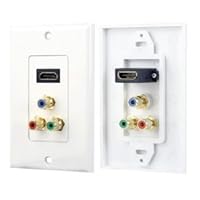
Pyle Home PHDMRCF3 HDMI/3 RGB/RCA Component Combo Wall Plate

Pyle Home PHDMRCF3 HDMI/3 RGB/RCA Component Combo Wall PlateI used a couple of these for a home theater installation to apply each HDMI wall plate in multiple gang installations: 1 in a dual voltage box(120VAC/HDMI) behind the TV (2-gang), the other, also dual voltage, 4-gang(120VAC/speaker/speaker/HDMI), behind the AV components. I picked the Pyles since they seemed to be the best value & I was in a rush to order something to have something to install & stay on schedule.

During the installation, I knew from previous experience, the 2 piece 5.1 speaker terminal wall plates I typically use were a tight fit but would work with a little force. So this was anticipated. My progress came to a screeching halt when trying a dry fit (align the plates) before screwing the trim plate on. The trim plate would NOT fit around the HDMI wall plate no matter what ugh.

Using a box knife & different files, I had to enlarge the hole big enough to go around the HDMI wall plate while my customer watched for an hour or so. By the way, I always use nylon trim plates so I can trim them in times like this standard (hard) plates shatter. I have plenty of custom fabrication experience from my car-audio installation day so this was a problem I could manage but I hate wasting time. What does one do if there is no other option in order to finish a job?

Also worth noting this wall plate does not have the ears at the top & bottom of the yoke to keep left & right sides even for a perfectly flush installation. What a pain if the drywall behind is not perfect.

These ship with their own single gang Decora trim plate. If you plan to use in a multiple gang installation I'd stay away from these & keep looking.

I had it for my music system and projector TV. The pin got pushed back in and had trouble installing it but now it works and for the price I paid, I did not expect much.

Buy Pyle Home PHDMRCF3 HDMI/3 RGB/RCA Component Combo Wall Plate Now

Thursday, April 3, 2014

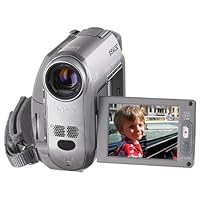
Sony DCRHC40 MiniDV Digital Handycam Camcorder w/10x Optical Zoom

Sony DCRHC40 MiniDV Digital Handycam Camcorder w/10x Optical ZoomI needed a cam to make some movies of my new daughter. I wanted something compact so that I would never hesitate to carry it around. I also wanted to make sure it was easy to use and took great video indoors. This narrowed my choices down to the Sony PC-105, TRV22 and the Canon Optura 300 / Elura 50. Except for the TRV22, all were the vertical style which while small, were awkward to use (the Sony being the worst with its horrible zoom control). The Canon's also do not have the IR-illuminated night shot capability. So, I was all set to buy the TRV22 especially since it has outstanding low-light capability when I tried out the HC40. The HC's form factor is just so great, I couldn't pass it up. It to me seems as small as the PC105 but is the much more hold-able horizontal style everyone prefers.

So I bought both the TRV22 and HC40 and compared them at home. Yes, the TRV22 does shoot noticably better in low light conditions, but practically speaking the HC40 is good enough for me, and the form factor more than makes up for it. I'd give it 5 stars if 1) its low light ability was as good as the TRV22 and 2) if its auto focus responded a bit quicker.

I used to have a Canon Elura 2, but I despised its nightshot capability and the battery life was dismal. I discovered this camera searching several review sites and after seeing it in person, I was sold by its compact size.

This camera is very easy to operate and the quality of footage taken with it is phenomenal. There aren't a lot of buttons on this camera, as most of the configuration settings are accessed through the screen-based menu system. I've read a lot of people find the menu system annoying, however I find that it's laid out quite nicely. Once you pick a setting, the camera will shut down other options that aren't applicable given the settings you've selected.

I'm very happy with the nightshot mode. If you've ever watched Survivor, the night shots shots taken with this camera look like.

The zoom control on the camera took some getting used to and I've found that using your right hand middle finger to control it works quite well. You'll also want to adjust the hand strap to firmly hold your hand to the camera.

I have not used the software that comes with this camera and that seems to be where a lot of the whining comes from on CNet. If you're going to get a DV camera and you plan to edit the footage, invest in some decent video editing software (or buy an iMac).

Buy Sony DCRHC40 MiniDV Digital Handycam Camcorder w/10x Optical Zoom Now

After looking at/researching cameras for a few months, I decided on this one. Here is what I was looking for (and what I got) in this camera.

1. Small. I wanted to be able to carry it in my pocket for easy access. This is not much bigger than my digital camera. It's freakishly small.

2. MiniDV. This appears to be the dominant home camera format, and I didn't want to be stuck w/ a format that would be out of date in a year.

3. Easily transferrable to my laptop and/or DVD recorder. No problems here. Very, very simple to transfer video.

4. Video quality. I wasn't comfortable paying a bit less for lower video quality. I'm glad I chose to pay a bit more. I'm very pleased w/ the quality. No washed out colors in my experience (as indicated in some other reviews). Very crisp and clear.

5. Low Light Capability. A number of cameras in the under-a-thousand price range have trouble w/ low light. This one does a very solid job.

A Couple of Caveats:

1. I've had a bit of trouble with wind noise. Granted, I live in Oklahoma where there are perpetual 459 mph winds, but I am surprised at this. It's not a deal-breaker, but it's mildly annoying.

2. Buying this through online services offering ridiculously cheap prices is annoying at best and dangerous at worst. I tried, no kidding, 6 different stores trying to 'get a good deal.' They all had something wrong--either it was a gray market product, or it didn't come with a battery, or it was going to take a month to get it. My strong suggestion is that you pay a bit more and buy this from someone you can trust.

3. You may want to consider buying a spare battery. You're looking at somewhere in the hour and a half range for the battery, but if you're filming your daughter's 83 hour long dance recital, or if you don't have electrical access to recharge it, the extra battery is a good investment.

BOTTOM LINE: If you're looking for a solid videotape-the-kids-at-the-beach-or-playing-t-ball camera that you can use indoors and outdoors, this is a wonderfully small, convenient, and fairly reasonably priced option.

Read Best Reviews of Sony DCRHC40 MiniDV Digital Handycam Camcorder w/10x Optical Zoom Here

I bought this camera at a retail store the day before a trip to New Orleans. My original intent was to purchase a camera but I noticed that the DV recorder was only a little more and felt adventurous. Of course, I paid a hefty price but I wasn't able to go through amazon because it was the day before my trip. That being said, I was afraid that I had been suckered into buying something of lesser quality. Being a photographer and used to high definiton cameras I thought that the DV camcorder would be a great step down.. I hadn't really even investigated camcorders for at least 5 years. Now that I'm back from the trip having shot both indoor and outdoor scenes, and watched the results on my widescreen tv I can say that I was very pleased. The camera is very very easy to use (as are most SONY products) and the quality is superb. I'm not sure what the other reviewer is complaining about. Color and contrast are great. Low light scenes will be difficult regardless of the tool you use.. the camera can't make light where there is none.. the nightvision mode helps but takes away some color.. but overall a great camera.

Want Sony DCRHC40 MiniDV Digital Handycam Camcorder w/10x Optical Zoom Discount?

If you're looking for a tiny miniDV camcorder, especially if you want to do widescreen 16:9 recording now or in the future, this is the model.

The HC40 is about 32 cubic inches, and very lightweight.

It can fit in a small-medium size camera bag, or in a large pocket. Much easier to take with you than larger camcorders.

If you don't care about size, there are some discontinued models you might find for much less, like Panasonic DV-53, or the Sony TRV22 or 19.

Unlike the HC20 or HC30, this model provides a high quality widescreen mode, with little or no loss of data when using widescreen. Instead of just putting black bars on the top and bottom of the screen, you actually record a wider area when in widescreen mode, and the image is stretched to fit normally on the tape, filling the screen with a distorted stretched image. You can then use your TV setting to compress the image to widescreen 16:9.

I've tried it, and don't notice any loss in quality compared to 4:3 mode. (To evaluate, I also looked at the stretched image compared to 4:3, to make a more fair comparison. It's hard to make a true comparison.)

Doing direct A/B comparisons on an HDTV, the image seems a little better than the Sony TRV19 (19 is similar model to the 22) in medium indoor light, but much worse in low light.

However, the motor noise is much quieter than on the TRV19.

If you want to do low light recording, less than 100 watts incandescent in small area, you might want to get a camcorder with a larger sensor. This sensor is only 1/5 inch.

The menus are customizable, which is very convenient. You can make your own menus for each camera mode.

The lens cover switch is a nice touch--no lens cap.

The battery is small, but still has about the same capacity as last year's larger one.

The LCD display has a new feature which makes use of external light. It is much more visible in bright sunlight, and you can turn the backlight off, saving the battery.

An s-video/composite/audio cable is included. One end is a small plug similar in size to iLink, and the other end of the cable has audio&video plugs.

Unfortunately the viewfinder does not tilt upwards like other models. And, you can't slide it out halfway to make extreme diopter adjustments; you can only turn a dial to make the normal adjustment. I can't use the viewfinder without my eyeglasses, because I have a strong prescription.

The photos are terrible; I wish camcorders would eliminate this feature, and focus on better video.

The strap is nice, but cannot be removed. Makes fitting in a small bag more difficult.

Sony camcorders are reputed to have great automatic point-and-shoot capability, including this model. When steadyshot is on indoors, the camera tries to set shutter speed at 1/100 to reduce blur. But if there isn't enough light, it will step down to 1/60. Gain is only applied after the aperture has opened completely and the shutter has reached 1/60. When using a tripod, you can shut off steadyshot, and the camera will automatically use 1/60 shutter, to allow a smaller aperture for better focus, or in low light, less gain for a better picture. These adjustments are made very quickly, and very intelligently. You can display the settings the camera chooses on screen while recording or in playback.

Wonderful camcorder, glad I got it!

Wednesday, March 26, 2014

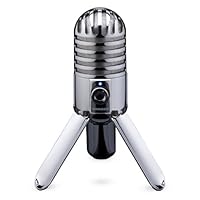
Samson Meteor Mic USB Studio Microphone (Cardioid)

Samson Meteor Mic USB Studio Microphone
  • Large (25mm) diaphragm condenser for rich audio recording
  • Cardioid pickup pattern
  • Smooth, flat frequency response of 20Hz-20kHz
  • CD quality, 16-bit, 44.1/48kHz resolution
  • Fold-back leg design provides optimal mic positioning

This is a great workhorse mic for multiple types of use.

I am a private voice instructor, and also give music lessons on multiple instruments. I mainly teach in my studio, but I do travel to student's houses as well, and always have this mic with me. It comes in a nice carrying case, but I carry it in the solid box it came in just as an extra precaution.

I record lessons as practice tools for my students, and also as a reference tool for myself, to see where I can improve my teaching methods.

The Meteor works great on the iPad for this function, (with the USB camera adaptor). It also shows up immediately on the MacBook Pro, whether opening Logic, Garageband, etc.

I read a review that said that there was trouble connecting to iChat. I had no trouble connecting with iChat or any other audio/visual based communication app. The Meteor comes with a headphone jack to monitor your voice while recording/talking, and you can manage the input/output settings in the apple menu preferences, and/or in the application preferences.

This is one of several smaller mics I have tried for the iPad, and is the only one that stands not only the test of time. It doesn't break down within weeks, (like the 3 iRig mics I have had in the last 6 months), but it is a vast improvement over the already excellent built in iPad mic. HIghly recommended.

Buy Samson Meteor Mic USB Studio Microphone (Cardioid) Now

I got this mic to go along with my iPad and it sounds great! I use the pro version of FiRe to record the sounds with. I had originally planned to use my Blue Microphone Yeti with my iPad but to do you need an external powered USB source (like a hub). Well, that killed that portability idea. So after I read online reviews of this Samson Meteor mic, I gave it a try and am glad I did. My Yeti sits at home while my Meteor goes with me everywhere. If I did not have the Yeti already, I would only own this Meteor.

Read Best Reviews of Samson Meteor Mic USB Studio Microphone (Cardioid) Here

Perhaps more than anything else, it was the introduction and subsequent success of the Zoom H2 personal digital recorder that led to an explosion of interest among home audiophiles, who suddenly found themselves equipped to make quasi-professional-level recordings with their computers plus a minimum of user-friendly equipment at reasonable prices. The price of the Samson Meteor USB mic, a fairly recent entry, has come down to the point of being fairly valued (initially, I was seeing it going for prices above the better-sounding Blue Yeti mic). It's an attractive (some would say "cute") little mic with its quaint "retro" design and deceptively fold-up, portable size. I say "deceptive" because, due to the non-adjustable mic stand, it can be more than a little challenging to find space for it on a desktop, next to a computer, and squarely in front of the narrator's mouth.

Bearing in mind the above reservation along with the actual quality of the recorded sound (it's good, but nowhere close to studio-quality), it would seem to make the most sense for those seeking "high fidelity" audio to spend the extra 20% for a Blue Yeti or an Audio Technica AT2020 USB (as tempting as the lower price of the non-USB version of the AT2020 is, be sure to try it out with a pre-amp supplying phantom power before going that route. I've known a couple of individuals who ordered the AT2020 condenser mic, only to discover that it was useless with a computer, even with the addition of a Snake Light cable).

If your primary considerations are convenience and portability, the Samson Go mic sounds almost as good as the Meteor and is unmatched in size, convenience and portability. (It scored higher than the Blue Mikey and Blue Snowflake in my auditions.) I'm tempted to say it's the perfect laptop mic, clipping to the top cover more securely than the Snowflake, whereas the Yeti is ideal for desktop use, producing rich-sounding recordings rivaling those of a professional studio's Shure SM7B mics.

Want Samson Meteor Mic USB Studio Microphone (Cardioid) Discount?

I have been using this mic along with the Meteor multi-track recorder app (I don't believe they are connected in any way). It works great. I am sure that it would work with any of the other multi-tracking apps, like Garage Band or Multitrack DAW. I can use the camera connection kit and connect directly to the iPad. It also has a stereo mini jack for real time monitoring which is great. It is a well built, well designed mic and I carry it with me to use when I am on the road.

Save 53% Off

Some of us are looking for recording solutions that are simple to use. We're not sound engineers or experts in electronics. If that's you, check out the Samson Meteor Mic.

Here's why:

#1 The Meteor Mic is simple to use. It connects directly to your computer or iPad via USB. No driver required. Simply plug it in and play. I was up and running within minutes. All I had to do was to go into my system preferences and select the Meteor Mic as my audio input. Then I opened Garage Band and started recording.

#2 The sound quality is great. The Meteor Mic features a 25mm condenser diaphragm, which is larger than other USB mics. My recordings came out very good when I spoke within 3-6" of the microphone. There was no background noise and the recording was clear and understandable. I did notice, however, that as I pulled away, it caused a slight echo. If you're going to do a lot of recording, you'll probably want to invest in a stand. The Meteor Mic has a built-in 5/8" thread mount for a stand.

#3 -It's fun! The zinc, chrome-plated body with LED lights and fold-back legs is very retro looking. Cool to look at and it's portable.

The Meteor Mic is compatible with Garage Band and is ideal for Skype voice recognition software, podcasting and recording music.

Thursday, March 13, 2014

Wide Angle Lens 230 Degree 2.7" LCD Full Hd 1080p CAR DVR Camera Vehicle Hdmi F9

Wide Angle Lens 230 Degree 2.7' LCD Full Hd 1080p CAR DVR Camera Vehicle Hdmi F9
  • 100% brand new and high quality .
  • Wide Angel Lens 230°
  • G-Sensor Function
  • Display:2.7" LTPS TFT LCD
  • Port: USB 2.0/HDMI/TV OUT

Description was correct: it has 230 degree observation. When play back on PC it looks like a wide screen movie. Night time record is pretty good too. The only function should be added is ON/OFF for the microphone... it's ON at all time-that's why only 4 stars.

Wednesday, February 19, 2014

QNAP VS-2004-PRO-US 2-Bay NVR 4-Channel Surveillance System

QNAP VS-2004-PRO-US 2-Bay NVR 4-Channel Surveillance SystemAs other reviewers stated, check all hardware for compatibility before purchasing it. This product works but if you've ever used the older analog video surveillance stuff you'll see how much it lacks in intuitiveness and ease of use. When you hand this stuff off to a client to use it has to be easy for them to operate. This really isn't. I also had a lot of trouble getting this to work over the Internet. It worked a few times and just stopped even though all the right ports were open. The analog equipment just works, no fuss. Still, we must move forward but unless you realyl need an IP system with hi-res cameras, just get an everfocus or some other analog system. It's cheaper and it works well.

Very easy to setup: installed two 500GB drives (purchased separately), took less than 10 minutes to setup and config. Be sure that your camera manufacturer AND model are QNAP supportted. I have three IP cameras made by supported manufacturers. However, none of the models were able to install/config. Downloaded and updated the latest QNAP firmware, but two of the three were still unsupported for recording. Using the "generic model" for these two cameras enabled viewing, but not recording. I was advised by QNAP that if it wasn't on their list of supported cameras, it probably will not work. In trying to work through the camera issues, I found and tried different ways to interface with the unit: you can directly attach monitor, keyboard and mouse to the QNAP; also can use IE/web interface.

Buy QNAP VS-2004-PRO-US 2-Bay NVR 4-Channel Surveillance System Now

Not a customer yet, but I thought I'd suggest that anyone looking at this go to the QNAP site and look at the compatability list for hard drives. I view this as a benefit as QNAP actually will help you choose which components will work together.

In fact, the reason I posted this as the "Often purchased together" suggestion was a drive specifically listed as "Not Recommended Hard Drives" on QNAP's site. Seagate ST2000DL003.

Read Best Reviews of QNAP VS-2004-PRO-US 2-Bay NVR 4-Channel Surveillance System Here

Thursday, February 6, 2014

Daewoo DV6T811N DVD-VCR Combo

Daewoo DV6T811N DVD-VCR Combo
  • DVD player with 6-head, hi-fi VCR
  • Quasi S-VHS playback lets you enjoy S-VHS tapes recorded on other machines
  • DVD player reads DVD-Video, CD, and MP3 CD
  • Coaxial and optical digital-audio outputs for immersive surround sound with a compatible AV receiver
  • NTSC and PAL video outputs display overseas media

I've had an apex1500 (love it), and various VHS machines.

I wanted a machine that would play VHS, VCD, SVCD, DVD-R, and mp3s. This machine does all reasonably well. The picture quality

is good, not as great as sony or apex, but close. There are

occasional black square flashs on some disks, but nothing

annoying. I'd rate this a full 5, but the mp3 playback only

shows short (useless) filenames on the screen, which means

you have to label your disks, and remember whats on them

rather than read the screen. There is a macrovision and region

free option at vcdhelp.com.

You can't touch any dual deck that does all these formats

for less than $400. So this is a great value.

Buy Daewoo DV6T811N DVD-VCR Combo Now

Over a 7 day period I searched the web for a replacement for the player that was inadvertently dropped and irreparably broken. Looking for the most features, highest reviews, and best dollar value I arrived at my top 3. The Daewoo DV6T811N was my first pick for reasons obvious as soon as I used it...It was easy to set up, the manual was clear and on a "user" level so it was playing "The Maxtrix" 15 minutes after I got home.

The only problem was that the DVD I played was rented and it was necessary to thoroughly clean the disk to get the picture to quit stuttering. After that though, I watched the entire movie trouble free, my family used the player (in DVD and VCR mode) several times with no problems either as I told them about cleaning first.....

I like anything I buy to last as long as possible so I usually end up spending more money for what I need. In this case I got the best as well as...more dollars left in my pocket! Spend more money if you need to get a particular brand, but if you want the best value get this one.

Read Best Reviews of Daewoo DV6T811N DVD-VCR Combo Here

I've purchased this same item at Targets for 144.00 on sale. This is connected to a Daewoo 25" TV I've had since 1994.The matching daewoo set show better quality than most brand names that cost more. Deawoo has got my business from now on.

Want Daewoo DV6T811N DVD-VCR Combo Discount?

The average selling price NEW, in box, with the remote is over $179 in the stores that sell them still. Make sure you get the real remote when you buy this. It will save you the headaches of changing settings with a universal.

This is a great multi-format and multi-frequency player. One of the easiest to use that I've tried.

I have:

VCDs @ 15, 23.976, 25, 29.97, 29.99 fps

DVDs @ 23.976, 25, 29.97 fps

VHS @ 23.976, 25 fps

SVHS-HD @ 24.998, 29.97, 30, 50, 60 fps

This is a direct-decode unit. That means that the decoder inside actually outputs the audio and video at the exact frequency that the media specifies. Contrary to conversion output units that modify the video by squishing the video resolution to fit and over/under-syncing the FPS rate, that generally create sporadic and often undesirable results.

My only complaint is actually one of the gems of this unit. The menus do not allow any setting for changing the output resolution and frequency and resolution aside from some basic over-scan, pan-and-scan, and zoom features. That's because it's a directunit.

I noted that some people complained that this didn't play on PAL on NTSC TVs. You will need to have a monitor/TV capable of displaying at the output resolution and refresh rate.

You can use a modern LCD computer monitor with adjustable refresh rate. Most LCD and Plasma TVs that are labelled HD 1080p have multiple settings in the advanced menu to change the scan rates. That's because it's cheaper for manufactures who are already including high-end receivers and decoders to simply include everything in a unit. That way they can sell the same units all over the world.

You'll have to switch back and forth depending on what you're playing; but that's the only issue.

If you have the proper setup. This is a great unit.

This is not worth the price. It is not dependable. The picture quality is average at best. The media compartments are flimsy and sluggish in response. Look at other brands. For a few dollars more you can do much better (think Toshiba or Sony).