Showing posts with label free sound recorder. Show all posts

Saturday, September 13, 2014

CIB K404AV500G H.264 4 CH Network Security Surveillance DVR Recording System ...

CIB K404AV500G H.264 4 CH Network Security Surveillance DVR Recording System ...Unlike many other security DVR's, this model can record both audio and video a must-have feature to me.

Pros:

1. Very inexpensive 4-CH A/V model including a built-in 500GB hard disk.

2. Sound recording quality is quite good. Better than many other more expensive models on the market.

Cons:

1. The spec listed the Highest display setting as:

* High Resolution VGA output in 1600x1200 Resolution

Actual highest setting allowed is 1280x1024. Poor preview if you put four channels on one screen.

2. Mediocre video image quality even at D1 resolution:

I tried two CCTV cameras and can not even get the image sync up. Finally, I got it work with my Panasonic camcorder. This model seems require 1.2V P-P/75ohm signal instead of the standard CCTV 1.0V P-P/75ohm video out. All image appears wash out. The image quality seems closely related to the signal level.

3. Loud system noise level:

The unit ran very quiet when first power up. After the unit warm up, it started emitting loud noise. The sound appear to coming out of the hard disk but I can't be sure.

4. Poor manual documentation & support(no support phone#):

a. No instruction on email setup

b. IE setup instruction does not work. I can only get Firefox to work.

c. Poor network setup instruction. I managed to get it work within local network. But can not get portforward to work. A local net DVR is useless to me. Never got far enough to try iPhone app.

d. Alarm-in/out stated as unsupported feature. Don't they know this is a security product? You can't connect to your home alarm if someone cut your video camera wire???

5. Sound playback over network breaks up:

I played back the same .avi file locally and found no problem. The problem appears to related Ethernet loss of packets (slow network hardware.)

In conclusion, this model could be a good choice to someone only do local DVR. Recommend buying unit bundled with cameras since this model seems only work with certain cameras. Loud system noise level is a deal breaker. Not sure this problem is just specific to my unit only.

This DVR is relatively easy to set up. The internet part is mind boggling though. I even loaded the software on my Blackberry and I can only view my cameras on my phone if I use my wi-fi, regardless of how I set it up. A little pointless. Customer service is moderately helpful, but there is a serious communication/language gap which makes the help they are trying to give hard to use. Aside from the internet issues, the DVR is great.

Buy CIB K404AV500G H.264 4 CH Network Security Surveillance DVR Recording System ... Now

I was concerned after reading a few of the reviews, however, I received the DVR last week and everything works as expected. I've worked to set the motion sensor so it doesn't record leaves moving. I also setup the machine through the home router so I can view the videos and live shots through a laptop. That feature is a must and makes it very convenient. Just plug it into the router and access the IP address of the DVR device.

I'm semi computer savy but the machine was very easy to hook up. The display when viewing from the DVR is primitive but when you use Chrome/IE/etc it's very user friendly and visually appealing.

This is my first surveillance DVR so I don't have anything to compare it to, but, for the price, I'm happy. In this age of buying so much online, unfortunately, it may come in handy some time if someone decides to steal stuff off the patio...

Update: Hooked up the email alerts and was pleasantly surprised. It sends a photo of the movement (if you have it setup for motion sense). Pretty cool. The instructions are less than helpful but for gmail the settings would be (after googling it):

Status ON

SSL ON

SMTP PORT 465

SMTP SERVER

SEND EMAIL YourAddress @gmail.com

SEND PASSWORD YourPassword

RECV EMAIL YourAddress @gmail.com (unless you want it sent to another email address)

Read Best Reviews of CIB K404AV500G H.264 4 CH Network Security Surveillance DVR Recording System ... Here

DO NOT BUY ANYTHING FROM CIB!!!!! THEY HAVE THE MOST UNRELIABLE SERVER! I HAVE USED OTHER BRANDS DVRS AND THE REMOTE VIEWING WORKS FLAWLESSLY. CIB IS ANOTHER STORY! SOMETIMES THE REMOTE VIEWING FROM A PC WORKS, BUT MOST OF THE TIME IT DOES NOT WORK! I HAVE EXPERIENCE WITH DVRS AND I KNOW HOW TO SET THEM UP AND IT DOES NOT MAKE SENSE HOW THE REMOTE VIEWING WORKS AT TIMES AND THEN DOES NOT WORK AFTER I DID NOT EVEN TOUCH THE SYSTEM. HOWEVER, REMOTE VIEWING FROM A MOBILE PHONE WORKS EVERY TIME, BUT JUST REOTE VIEWING FROM A PC DOES NOT WORK! THIS DOES NOT MAKE ANY SENSE! when i try to view on pc it just says "Internet Explorer cannot display the webpage." THEIR SERVER IS NOT AT ALL RELIABLE! DO NOT BUY!!!!!!! I do recommend swann brand dvrs though, but definitely not cib!

Want CIB K404AV500G H.264 4 CH Network Security Surveillance DVR Recording System ... Discount?

Its a budget unit with a decent feature set, so I wasn't expecting much. I was, however, expecting it to last longer than 42 days. 12 days past Amazon's return date, and to date warranty inquiries have been ignored by the seller and manufacturer.

Unit boots up and displays the video feeds, but will not record or connect to the network. All inquiries to the menu get error message "no root".

This is the second CIB unit. The first a different model failed outright in six months.

Save 16% Off

Friday, August 22, 2014

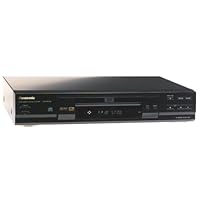
Panasonic DVD-RV30 DVD Player

Panasonic DVD-RV30 DVD Player
  • Dolby Digital and DTS output
  • Component-video outputs
  • Virtual surround sound and dialogue enhancement mode
  • High-speed smooth-motion scan
  • 24-bit, 96 kHz audio digital-to-analog converter

I have owned a DVD-ROM drive since they were first introduced three years ago. I thought that DVD-ROM would be the standard media by now, but I guess I was wrong. The picture is very bad and movies on the player look like slide shows! So I decided to get a DVD player.

I researched for several months for the right player. I researched models from Samsung, Panasonic, Sony, Toshiba, and Pioneer. I wanted to buy a player for around $250 that only played one disc (I didn't need a multidisc model) and had excellent picture and sound quality. Also, I didn't need a player with Dolby Digital or DTS decoders built-in to the player. My receiver could do that. After researching and researching, I became interested in the Sony DVP-S360, the Pioneer DV-333, and the Panasonic DVD-RV30 player. All three players are good players, but people have been complaining that Sony's "PrecisionDrive" is very loud especially in the quiet scenes of a movie, which could get kind of annoying. Also, many reviewers were saying that the Sony produces a nice, but "soft" picture, not a crisp DVD-like picture. Many reviewers complained that the Pioneer DV-333 is not built well and also produces a soft picture.

Everyone seemed to love the Panasonic DVD-RV30 DVD player. They all said that it produced a very clear, crisp, and vivid picture that rivaled the $1000+ DVD players and that the sound it produced was great. Also, since Panasonic is offering a $50 mail-in-rebate, I decided to buy the Panasonic DVD-RV30.

Setup took me five minutes. I took the player out of the box, plugged the power cord in, plugged the TV cable in (only composite cables are included with the player), and inserted the batteries in my remote. That was it!

This player has many features including:

Virtual Surround Sound (VSS): Uses your stereo system's speakers or your TV speakers to produce delays in the sound recreating a surround sound experience. This is personally one of my favorite features of the player. I thought it would be a gimmick that didn't work, but it works really well! I am amazed at the sound produced when VSS is on!

Dialogue Enhancer: Dialogue enhancer is supposed to increase the center channel of your home theater system by 6 DB which allows for the dialogue to come out clearer. Even on a normal TV system, dialogue enhancer definitely improves those DVDs where the dialogue is so hard to hear. I usually always leave dialogue enhancer on. Also, at night, I can turn the sound down and yet still understand what people are saying. This way, I won't wake up my family! :-)

Digital Cinema Mode: Supposed to improve the detail of the picture in dark scenes. I personally have not used this feature yet.

A direct-bass output is also featured. It allows you to connect your player directly to a subwoofer to enjoy the same kind of bass effects you would only usually get through a home theater system.

Other features include component video out, S-video out, and optical sound output for Dolby Digital and DTS. I am currently testing this player using just composite cables, and the picture is so amazingly clear on just composite cables! It is like you are in the movie when you use component video output cables, but your TV must support it. Check your TV manual to see whether it supports component video, S-video, or composite cable connections.

The remote is very intuitive and easy to use. All of the features the player is capable of is easily accessible through the remote. My only complaint is that you can't select a chapter in any sort of one-click way. That would have been a great feature, but it is not necessary.

I really like the resume feature this player has. If you decide to stop to run an errand in the middle of movie, even if you turn off the player and back on, the player will "remember" where you were in the movie and immediately take you there!

I have to agree with all of the reviews I read. Sound quality and picture quality is superb! Details are very crisp and easy to see, and fast action scenes are like a walk-in-the-park for this player. I threw all kinds of movies at my player, and it didn't seem to stress at all with any kind of scene. Even layer changes are very smooth. I did not even notice a single hint of a layer change in the movies I watched.

Finally, after playing about four hours worth of movies, the player did not get hot at all. The DVD inside the player wasn't even hot. Everything about this player seems very solid and will last a lifetime.

All in all, this player has to be one of the best players out onthe market right now, literally.

Buy Panasonic DVD-RV30 DVD Player Now

This entry-level DVD player comes with some nice features. The Virtual Surround Sound may not be completely obvious on all DVDs but it certainly enhances the quality of the sound for a good cinematic experience even if you are like me and only have to speakers. The Cinema button on the player is supposed to clarify darker scenes and make the picture more theatrical. It does lighten the scenes a bit but you will probably find yourself keeping that function off and allowing the darker scenes to be dark; only turning it on to find details in poorly lit scenes. The remote, though small, is quite easy to use and you can adjust to it quickly. Many of the buttons are a little small, but you rarely use the features on the small buttons anyway. Overall, I give this five stars for getting everything necessary and a little more for [the price]. So, if you are looking for the best DVD player at entry level, I would choose this one...oh yeah, the one-year warranty is always nice, too.

Read Best Reviews of Panasonic DVD-RV30 DVD Player Here

I don't have a digital-ready receiver so I decided to get a low-end DVD. I did a little DCD-player studying with the intent of purchasing a Sony S360 (my friend has one). We've watched movies together on it, and it was so much better than my PC DVD that I had to go get one. *+*I then learned that the Sony makes a weird whirling sound while playing. The sound continues as long as a movie is playing, and can be heard if the soundtrack of the movie is quiet.*+* Because of this reason and because I wanted to be different from my friend, I bought the Panasonic. I am VERY happy. It's small, lightweight, and doesn't have the audio and video gliches my PC DVD has. I'd say if you don't have a digital receiver or a receiver at all, buy this model.

Want Panasonic DVD-RV30 DVD Player Discount?

I really did my home work before I bought this unit. I compared sound specs, video specs, and DTS capability. You don't need to know one piece of technical info to understnad my review.

I went to a local store and looked at five units between 199 and 350 dollars. This RV-30 offered as much as any at the best price. I even asked a kid at (a stoor) what the real difference was. He said he could have bought any one but got this one because it was the best.

I bought it and use it daily. [wasn't supposed to open it until xmas]. Super picture quality and easy to use. Not one draw back at all.

The Panasonic DVD RV-30 is the first DVD player I havepurchased.The player was easy to setup and run. I spent a lot of time reading reviews, not only from Amazon but other websites. I was looking for a good entry level DVD and the RV-30 and Sony's 360 models were the two having the least problems of the low end models.

Setup was easy and the manual was complete (Yes, I do read manuals). I did spend quite a bit of time searching for a specific item of information in the manual, but again, it is very complete.

I found the video and audio to be as expected. The picture looks extremely good on my 27" Sanyo using a RF modulator bought at Radio Shack specificly designed to connect DVD players to older style TVs. I don't have RGB connectors on the TV. I patched the yellow video cord from the DVD player to the RF modulator and coaxial from the modulator to the TV.

The sound goes to a receiver with digital decoding using the optical output from the DVD player to the receiver. The receiver does all the work and does it well. I'm sure the RV-30 is helping but the receiver does most of the work, and the sound is excellent.

Now the reason for 4 versus 5 stars. At about 1 hour 16 minutes to 1 hour 24 minutes into a movie, all the DVDs I have played skipped. They only skipped once but skip they did. Before this time period and after the time period has passed, no skipping. I'm at a loss but am going to continue to use the machine to see if this unique problem goes away or maybe occurs only on certain DVDs. It could be a dirty disk surface (all the DVDs I've played are rentals) but I'm just not sure.

Other than this one problem, everything is perfect.

Oh, by the way, I read other reviewers of DVD players talking about how long it takes the players they own to respond to remote control commands. Whats this all about? This unit responds very quickly to remote commands. By the time I find the button, press it and look up at the TV screen, the command has taken place. I guess some people have very, very quick eye to hand coordination

Sunday, August 10, 2014

TASCAM CC-222SLmkII Slot-loading CD & Cassette Recorder

TASCAM CC-222SLmkII Slot-loading CD & Cassette Recorder
  • Slot loading transport
  • Acceptable discs: CD-R, CD-RW, CD-R-DA, CD-RW-DA
  • High Speed Recording Media is applicable
  • MP3 playback
  • 24 bit AD/DA converter

This TASCAM unit is perfect for mastering studio-quality CD's. I also use it for the excellent cassette and phonograph transfer applications. TASCAM has worked well for me, with many of their products, over many years. This unit also has a MP3 capability. If you are thinking of buying quality, this is it. I like the slot-loading CD transport. The older unit had a drawer that finally developed issues. I am replacing an original TASCAM CC-222 after 11 years with this new model. So far, it meets my expectations. You get what you pay for here. Certainly there are cheaper products to accomplish similar needs. But for a compact, multi-use solution, with digital input/output, look at this one. You can download the owner's manual before you buy it. Make sure it will do what you need it to do. Amazon's price is the best I have found. You can pay much closer to list price from some other professional retailers.

Buy TASCAM CC-222SLmkII Slot-loading CD & Cassette Recorder Now

One of the best products on the market to convert audio cassettes & LPs to CD. No computer is needed and it has tremendous versatility. You can add tracks manually or automatically which is a great feature. I highly recommend this product & I received it quickly from Amazon.Tascam CC222SLMKII CD and Cassette Recorder

Read Best Reviews of TASCAM CC-222SLmkII Slot-loading CD & Cassette Recorder Here

Should have had one of these a long time ago This works great it does exactly what it is supposed to do If you have pre-recorded tapes you want on cd, pop one in, put in a blank cd, it will divide tracks for you You don't have to sit and do it one at a time Works well with tapes you've made also All a very easy simple process And, you have RCA inputs that will allow you to do this process with just about any audio, provided there are small gaps in between. And you can even adjust that with this machine based on volume input Finalization of the disk is far simpler than on my HK CD Recorder, and much faster. The CD unit is slot loading, works just like the CD drive on your computer -

Want TASCAM CC-222SLmkII Slot-loading CD & Cassette Recorder Discount?

I bought this product to convert a lot of cassettes to CD. My parents have a lot of old cassettes with outdated vintage collection of Indian music. This product helped me convert them to CD format without too much of an issue. I did not attach to a stereo system and monitor at the same time, although it would have been the most ideal way to do it. No complaints though as the CDs that were burned were fine. I will now convert the CDs to lossless wav files and edit them properly. This will create the best quality (as good as the cassette's) that is possible. A lot of work as the burning is at "live time." You will enjoy the results if you value the cassettes and want to save them for next 100 years. :-)

This thing is great. Fantastic sound quality even on cassettes. I was very surprised with how well my old cassettes sounded on this unit connected to my Marantz SR7007 and Martin Logan electrostatic speakers. You do not need to buy expensive Audio CD-R, any CD-r will do fine. It also does a great job at detecting tracks automatically. It even plays mp3 tracks off a CD.

Wednesday, July 16, 2014

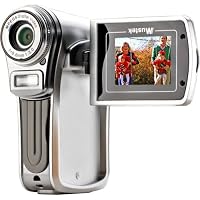
MUSTEK DV5300SE 6-In-1 Multifunctional Camera (Silver)

MUSTEK DV5300SE 6-In-1 Multifunctional CameraI have had this digital camera/camcorder for about 5 months. I have taken it everywhere and I love it. It takes great pictures, is easy to use and upload to your computer. The view screen is very good and battery life is decent for a digital camera.

There are some problems:

1) the stabalization in the video mode does not work very well and is too shaky.

2) the menu to change the settings is awkward in places and not easily figured out.

3) in bright light the LCD screen is not good and very, very hard to see.

For under a hundred bucks it is a great camera. I bought additional memory and the camera is more than serviceable. It goes without saying that if this camera was 200 dollars it would not be a good camera or a good value, but for a first camera it is excellent.

So, I had to replace my 17 year old Panasonic palmcorder. I knew I wasn't going to be continuing with a camera that utilizes a c size cassette. And, seeing as how christmas just came, I didn't want to spend a lot of money, or make a permanent decision on what kind of format to go with. I made my decision after reading many reviews on some of the cheaper models. At $59.50, how could I go wrong. From reading reviews, i knew I was buying a camera that wouldn't be great indoors. But, outdoors, the video it shoots is really quite good. And, even though I wasn't buying it for still shots, I was very impressed with the two shots i took of my daughter. The camera is tiny, and almost feels like a toy. The doors to the memory compartment, and where you hook up the wires are very flimsy, but, so far, so good. It does eat up batteries big time, but, if I decide to use this for a while, I'm going to get rechargeable ones. I've read some reviews on this model where people were complaining that it doesn't have enough memory. I bought a one gig memory stick for under 20 bucks. At under a hundred bucks you can't go wrong with this camera. Just don't have high expectations of using it indoors. Although, I did use it recently in an indoor situation with a lot of natural light coming in, and it came out much better than i expected. Combined with the price I got it for, I give it an excellent rating, but be very gentle with compartment doors. I am amending this review to 'good' on March 11th 2007 because one of the compartment doors is now in two pieces. And all I did was remove it the only way you can. And it just came off in two pieces. It does still go back on. It's the cover for the spots where the different input wires would plug in. I should also mention that the software with this camera does some pretty good things. I was able to edit out a short clip from a video and email it to a neighbor, and you can also make a jpeg from a video still shot. The zoom on this camera is digital, which I have now learned, is pretty useless. I've now learned the hard way that you need an optical zoom to be able to have any clarity as you zoom in. But, at under 60 bucks, it's still a fun toy. I even have mp3 clips loaded in and it does work well as an mp3 player. You can fill a memory card with music, and have a cheap ipod. But, who knows how long this thing will last?? It's a good way to learn the world of digital recording. And I didn't even get to the voice recorder...it works well.

Buy MUSTEK DV5300SE 6-In-1 Multifunctional Camera (Silver) Now

Feels cheap, parts don't fit together, won't start with memory card in camera. The screen is smaller than the picture would have you believe the screen doesn't fit when flipped down the memory card door doesn't stay put the over all feel is of really cheap plastic. Batteries last all of 20 minutes..

not worth a dime.

Read Best Reviews of MUSTEK DV5300SE 6-In-1 Multifunctional Camera (Silver) Here

I would suggest buying a video camera that holds more memory because this one only allowed us to tape about 15 minutes worth of video and then it was full. The pictures were also dark. I would suggest shelling out more money to get a better product cause this just wasn't worth it.

Want MUSTEK DV5300SE 6-In-1 Multifunctional Camera (Silver) Discount?

This was my first digital camera and the quality of the pictures were OK. But everything else about it was a surprise... The batteries burn out extremely fast, just after taking 9 or 10 pictures or playing a song for 3 minutes. The video playback was choppy on the LCD screen and wouldn't even play on my PC. The audio was really hard to hear out of headphones, and so on... In my opinion, this camera is OK just for taking occasional pictures of stuff, but it's a really cheap camcorder and MP3 player. This product was completely unsatifactory to me, so I had to return it. I wouldn't buy it if I were you...

Tuesday, May 27, 2014

Underwater Waterproof Digital Camera, Has only 8MB built-in memory (No External Memory slot), Compa

Underwater Waterproof Digital Camera, Has only 8MB built-in memory, Compatible with Windows 98/2000/ME/XP ONLY. NO LCD ScreenMe and my husband bought this camenmra for our vacations to punta cana.we read all reviews on how expensive cameras failed at being water resistant and we decided to go for the cheapest digital camera (eveeer) and it worked !!! We sunk it when swimming with sharks dolphings and marine lions :D and all our pictures and videos are great. When we released it under water it didn't sink it floated back to surface jajaja tip test the software in various laptops before traveling it didn't work on our newer windows versions we had to find an old laptop with the x p to backup our pic while traveling

This camera wont work with some windows like "vista" but does work with windows xp. It is very easy to install the software and upload pictures. I paid $23 plus free shipping. Not bad for the price but the LCD screen is a bit diffucult to read. The pictures are'nt as clear as you would expect from a digital camera but it survived the water. This uses AA batteries not a charger. If you want clear high quality photos this is not the camera for you but it does take ok photos.

Buy Underwater Waterproof Digital Camera, Has only 8MB built-in memory (No External Memory slot), Compa Now

This is a great digital camera for the price. Perfect for taking on vacation, especially to the beach, and leaving your expensive camera at home. and you can't beat the price. Important to note though. It is only compatable with Windows 98/2000/ME/XP.

Read Best Reviews of Underwater Waterproof Digital Camera, Has only 8MB built-in memory (No External Memory slot), Compa Here

I bought this camera looking to experiment with taking some fun photos in the pool or at the beach. While I clearly knew that this camera was not going to be of high quality, as evident because of the price and just general look, it was still a waste of money. I tried it out in the pool, excited to upload the pictures to the computer. After just my first try, I already found myself having problems. Most of the photos would not upload and had appeared to have been deleted, or possibly never even taken. I thought I was doing something wrong, until I later realized that the shutter button itself was not fully working. While it would appear and feel as if I took a photo, the camera wouldn't register or capture the image. However, OCCASIONALLY a photo would be processed, but it was extremely inconsistent and of such low quality that it wasn't even worth the frustration or time. I actually ended up losing the cord to connect the camera too, another part of this product that was difficult. There's not memory card or batteries, it just has a card to the computer that you use for charing and transferring the few photos you may have taken. Not to mention, the battery life was terrible; lasting only an hour or less.

In summary, it has now been two years since I bought this camera and I am still regretting the purchase. I have returned to Amazon again to buy a REAL underwater camera for the summer. I just wish that I wouldn't have bought this piece of plastic, and had put this money towards a functional underwater camera.

Want Underwater Waterproof Digital Camera, Has only 8MB built-in memory (No External Memory slot), Compa Discount?

I really like my camera phone that was water proof better, but if gave way. I really didn't care for this all that much. My kids barely used it the entire summer.

Saturday, May 24, 2014

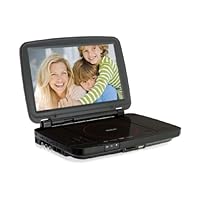
RCA DRC99310U 10-Inch Portable DVD Player with USB and SD Card Slot

RCA DRC99310U 10-Inch Portable DVD Player with USB and SD Card Slot
  • DVD player with 10" LCD screen - wide-screen TFT LCD
  • HDMI 1080p output - connect to any HD TV
  • Plays DivX video - including premium downloaded content
  • USB port and SD slot
  • Built-in rechargeable battery - for use anywhere

It was very hard to find a portable DVD player with HDMI output. We use the DVD player to project DVD's on our church projectors. We like the portable DVD because we can cue up the DVD before it is projected. This one worked great for us!

Buy RCA DRC99310U 10-Inch Portable DVD Player with USB and SD Card Slot Now

I bought this to replace the 7inch I have and love that fact that I can see the movie much better.

Read Best Reviews of RCA DRC99310U 10-Inch Portable DVD Player with USB and SD Card Slot Here

This RCA player delvers flawless, crisp video. Sound is so-so and volume is not high enough on full. Headphones solve this problem. Recharged battery life is short but car adapter is helpful. A great player for the money.

Want RCA DRC99310U 10-Inch Portable DVD Player with USB and SD Card Slot Discount?

OK, I bought this fully knowing that it would accept DIVX inputs for the USB and SD Card. I hoped it would go ahead and take MP4, but alas, it doesn't. So I tried the VOB files onto the SD Card... no bueno. 1st, why would any video player not read MP4? 2nd, I did convert a movie to DIVX, but when plugged in, it said the resolution was not supported. It plays DVDs fine, but I'm needing to view everything off USB, SD, whatever. I don't want to carry around a bunch of DVD discs. Oh well, guess I'll box it up and send it back.

This is nice and convenient to use, it would have been great if he had wireless capability. Might have been better if I just bought a Kindle Fire!

Mini Portable Car Dashboard DVR Camcorder Camera F500L HD Full 1080P with LED Light

Mini Portable Car Dashboard DVR Camcorder Camera F500L HD Full 1080P with LED Light
  • Mini full HD 1920 x 1080P@30fps portable DVR car camcorder. 2.0" LTPS TFT LCD display. Recording resolution: 1920 x 1080 (30fps); 1440 x 1080 (30fps); 1280 x 720 (30fps); 848 x 480 (60fps).
  • Video reverses recording 180 degree (Menu setting). Loop recording, time and date stamp. Still Image (jpeg) Resolution 2592 x 1944 JPEG 3200 x 2400, 4000 x 3000.
  • Video Codec MPEG-4 AVC/H.264. Video output: HDMI: CTS1.2 Compliant. Audio Mic and Speaker (Mono) Equipped. Port USB 2.0/HDMI/TV OUT. Shutter Button Electronic shutter.
  • Recording format: Mov. 4X digital zoom (Full HD resolution non), Sensor: 5 Mega pixels CMOS, Lens: 7.0mm (4.5mm optional), Focus: 10cm - infinity.
  • Supports 1080i/720p output mode, Composite: NTSC/PAL. Connection ports: USB 2.0 / HDMI / TV. External SDHC/MMC card (Max 32G SDHC Card). Battery: 3.7V 1000mAh Rechargeable Lithium-ion Battery.

UPDATE: After five weeks of constant use with this product, I've had no problems. The thing doesn't miss a beat. I record an average of 29 gigs per day, looping constantly.

...This is a long review because I believe potential buyers need to know all of this...

This product is exactly what I expected -a true HD looping dashcam (1920x1080) that I can (and do) run continually while I'm driving, for a very low price. I have been using the f500l every day in my car, even when I'm parked, for a few weeks now and have had no problems. I've captured a lot of fun video so far, though no accidents or anything really exciting.

Pros:

1. Real HD at 1920x1080. Fantastic quality videos.

2. Numerous options to tailor the camera to your needs.

3. Comes with a lot of accessories, except SD card.

4. The included windshield mount produces no vibrations or other degradation of video, even though it's cheaply made.

5. Good quality audio recording, which can be disabled.

6. Date/time stamp optional.

Cons:

1. Cheaply made. It seems quite fragile and light weight, so I have been treating it very carefully to prevent mishaps. So far so good. I picked up a small case at a local Radio Shack to protect it when transferring between cars or bringing inside the house. Cheap build quality is not a deal killer, especially for the price they're charging.

2. Menus are in Russian out of the box. Three minutes of fiddling (and laughing) fixed it. Not a deal killer.

3. Night shooting is grainy. This is to be expected for a $100 camera. The videos are fairly good at night, though. They're still HD and capture plenty of detail to enjoy watching the clips. This is not a deal killer -it's plenty good.

4. Battery seems to last 5 minutes. This might be a menu setting for battery conservation. I really haven't dug into this because I have mine plugged in at all times. Not a deal killer.

General Info:

I highly recommend this camera if you want something to continually record in your car (looping / recirculating) for the purposes of catching insurance fraudsters and liars, or just want to capture interesting driving incidents. I've transferred many of the clips to my Windows PC and edited them without too much trouble (see below for details). They look really, really good.

THINGS TO KNOW BEFORE YOU DECIDE TO BUY

1. Because the videos are .mov natively, Windows Movie Makers need to do the following to edit the clips: download Freemake Video Converter from download.com and convert the .mov files to .wmv. To view the clips, without editing, download Apple Quicktime for PC. Warning: use Freemake to convert to .wmv or be prepared to have Windows Movie Maker choke on the files, causing hours of frustration. Trust me.

If you have a Mac or use Adobe Premiere or some other quality video editor for the PC, you can probably skip the conversion steps.

2. The camera is cheap, even though its specs are impressive and the quality of the video is high. If you buy, I recommend being very careful. Cover it with some kind of scratch-free, lint-free cloth and keep store it in a rigid case when transporting. Buttons are cheap, so set the camera the way you want, then resist the urge to fiddle.

3. Buy the fastest SD card you can afford. I bought a Class 10, 32 GB card and it is flawless. Card below class 10 cause large gaps between videos. Don't be cheap on the SD card or you'll miss a driving event.

4. The menu button stops working when the camera is plugged into the cig lighter. I almost returned the camera because I couldn't access the menus, until I discovered that the menu button works fine under battery power. Very strange. I can picture an engineer named Igor or Zheng shrugging and saying, "Good enough."

5. I found it useful to change my cig lighter socket so it's always powered, even with the engine off and key out. I wanted it to record while I'm shopping, at work, or parked on the street. Never know when somebody parallel parks, crashes your car, then speeds off. You can nail them if you're always recording, even away from the car. Licenses plates are clearly readable up close.

CONCLUSION

Don't hesitate to buy this camera if you want really great looking driving videos at a very low price *AND* you're willing to be gentle with a cheaply made product. This camera is very unique because the videos are fantastic, and the price is so low. Honestly, if you get unlucky and yours breaks, you can get another for $100. It's an easy sell, really. Seller / vendor was good and reliable and no problems.

Buy Mini Portable Car Dashboard DVR Camcorder Camera F500L HD Full 1080P with LED Light Now

I am not professional driver. Luckily I had not accidents until now unlike my friends. I paid attention that the biggest problem is to prove that it was not your fault. The camcorder is always an unbiased witness of an accident which will save lots of your time with police. As a bonus, you may use it to record your recent trip and share most interesting moments with your friends :)

I should admit that camera by itself is very light weighted and can be easily cared in the pocket. Unlike other camcorders which are difficult to setup/remove, this one uses special locks, which allows you to setup/remove it in seconds. The lens is pure wide angle and because of that, some videos may look unusual or even funny :) Camera uses regular Nokia phone battery, so it can be easily replaces if needed. It can make high resolution photos (I noticed that photos are NOT wide angled and looks as normal ones). The only thing it is really missing caring bag, to protect lens from scratches (if it could be scratched of course).

I will give 5 stars to day time recorded video quality. There is a little bit more white color but you can easily fix that via settings. Gadget has option to rotate video upside down, so that allows you to setup camera on top or bottom of window. There were not delays, jumps or even waves (which usually can be found on cheap camcorders). The video looks Full HD 1920x1080 pixels.

Camcorder also records the sound but I personally did not test it. It has nice option to start recording automatically (when camera is powered) but I personally prefer to have feature to start recording once it notices voice inside the car.

UPDATE: I just found a motion detecting feature, so now the camera starts recording automatically, when it detects motion!!! AWESOME!!!

BTW camera comes without SD card, so do not forget to order it separately. I personally will suggest buying min class 7 SD card or SanDisk with 30 or 45 MB/s writing speed. This is needed to prevent any time gaps between video chunks (videos are recorded in small chunks, which allows circle recording).

As an overall this is really stable gadget. I forgot to say that camera has option to mark any chunk as 'interesting' and in that case, it will not be overwritten automatically. That's useful if you recorded something really interesting and you prefer to keep it on camera.

Read Best Reviews of Mini Portable Car Dashboard DVR Camcorder Camera F500L HD Full 1080P with LED Light Here

Unlike other reviewers, everything was already in english. It was really easy to setup and I am really surprised at how well everything works. I was expecting a lot of bugs but the thing is solid. I have it recording non-stop and it gets really, really hot in my truck and it doesn't skip a beat. 3 or 4 days after I bought it, an accident happened right in front of me. Got the whole thing on dashcam. Take a look. Quality is much better before youtube compression of course.I will probably ending up buying 1 more for my boat.

UPDATE: The camera stopped working after a week. I just sent it back to them. Sucks because now I'm out an extra 10 bucks to ship it back :( I'm rating it 2 stars until I get a unit that lasts more than a week!

UPDATE 2: Got the camera back and have had it for a while. It's been working great. The only issue is that it shuts down on it's own sometimes. It seems to shut off when it's really hot and that might be a on purpose so the unit does not get damaged. I leave it on 24 hours a day so when I get in the car, I just check to make sure it's running and if not, just turn it on. Overall satisfied.

Want Mini Portable Car Dashboard DVR Camcorder Camera F500L HD Full 1080P with LED Light Discount?

Camera bought from seller "Loftek" is a fake. The version on the manual is HDC-500. The settings in the menu are also different from the real F500LHD.

The real F500LHD has a firmware that ends in "T2L-KH" that can be updated. The company has released about 10 updates total for this camera model, the newest being V8.9 T2L-KH.

The F500LHD is a good camera, maybe the knock off version is also good. But with the price point of the knock off the same as the original, I rather just get the original version. Would recommend trying another seller on Amazon other than Loftek and maybe you'll get lucky.

Ordered from BrainyTrade since other reviewer warned against ordering from Loftek. The one that came was HDC-500. After a quick search on the Internet (dashcamtalk dot com/dod-f500lhd/), I found out that it's a fake! Sorry Amazon, I'm returning it.

Thursday, April 24, 2014

500 Black Paper CD Sleeves with Window & Flap

500 Black Paper CD Sleeves with Window & FlapThe cheapest bulk black DVD/CD sleeves i came across. Packed in plastic, divided into 5 sets of 100 sleeves. My only complaint would be that the plastic window was kinda wrinkly... but still a great deal for 500!

i think these were the cheapest (or most readily available)BLACK cd sleeves i could find.

overall not so bad.

Buy 500 Black Paper CD Sleeves with Window & Flap Now

5 stars for these reasons: Great quality paper. Black on inside & outside of sleeves. Plastic WASN'T wrinkly at all. Price was awesome & delivery was super quick. The flaps were pre-folded, but I'm not complaining. My very first purchase & I am pleased.

Read Best Reviews of 500 Black Paper CD Sleeves with Window & Flap Here

Tuesday, April 15, 2014

Sony Portable 1-Piece AM/FM/CD Cassette Boombox (CFDS26)

Sony Portable 1-Piece AM/FM/CD Cassette Boombox
  • CD-R/RW playback compatibility allows playing all compact discs recorded on personal computer or audio component CD recording units
  • Digital Synthesized AM/FM Stereo Tuner provides the most accurate drift-free tuning of AM and FM radio stations
  • 10-Key direct input for CD/tuner operation provides convenient, one-button access to preset AM/FM stations or tracks of CD player
  • 30-Station Memory Presets (10AM/20FM) uses electronic settings for easy one-button tuning of your preset stations
  • Mega Bass port speaker design integrates common cavity speaker with front firing bass duct

Had this for 7 years use it everyday. Has been dropped. Covered in sawdust. Played thousands of CDs and tapes. Yeah its old school. But ill buy it again.

Buy Sony Portable 1-Piece AM/FM/CD Cassette Boombox (CFDS26) Now

I've had this particular model for at least 4 years. It produces a very warm, rich sound.CDs on this thing sound almost as good as records! The tape deck still works too.

Read Best Reviews of Sony Portable 1-Piece AM/FM/CD Cassette Boombox (CFDS26) Here

stop playing CD. radio and cassette works though. Forget if they have warranty. Should have kept the receipt carefully.

Want Sony Portable 1-Piece AM/FM/CD Cassette Boombox (CFDS26) Discount?

I am very pleased with this product's sound quality, usability, features and appearance.

Thursday, March 27, 2014

Griffin Technology iMic USB Audio Device

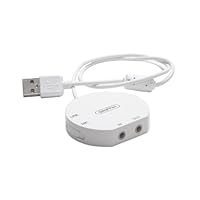
Griffin Technology iMic USB Audio DeviceLike many others before me, I bought this unit to digitize some old audio cassettes. (In my case, old radio shows from 1930-1950.) I initially tried this with a cassette player and the analog audio input on my Mac but the results were disappointing; there was a tremendous amount of humming in the finished audio. My friends at Tekserve recommended this device instead.

Installation is just a matter of plugging it into the USB port; the Mac required no drivers and saw the device as another audio device. QuickTime Player, GarageBand, iMovie, the Sound preference panel and Griffin's own "Final Vinyl" application immediately recognized the device.

I connected my tape player to the iMic, launched Griffin's "Final Vinyl" application, and got to work. The results were stunning, like night and day when compared to the analog recording I'd previously made. There was absolutely no hum to be heard. I experimented with other audio cassettes and detected no hum, static, or other problem that could be attributed to the iMic device.

The device has two standard mini stereo ports (audio in and out), and a switch on the side to change between line input and microphone input (this is important -if the switch is in the wrong place you will be disappointed with the results). It also includes a mini-to-RCA adapter cable which I thought was a nice addition. The USB cable is rather short (about one foot long) and is hardwired to the unit so don't break it.

As was previously pointed out, the "Final Vinyl" software needs work and is inarguably the weakest part of this package. (Truthfully, if Griffin DIDN'T bundle "Final Vinyl" with the iMic I would have given this a five-star rating.) It is a COMPLETELY bare-bones application. I get the strong impression that "Final Vinyl" started life as a quick hack that a programmer wrote up in a couple of hours so that they could test the iMic device, but someone in Griffin's Marketing department saw it and decided to make it part of the package. It is not very intuitive (highlighting a segment of audio and hitting the DELETE key does nothing, forcing you to go into a menu to select DELETE which also has no keyboard shortcut), offers almost nothing in terms of audio editing capabilities, is surprisingly slow, and it crashes quite a bit. (Although I think Griffin knows this; when you relaunch the app after it crashed, it remembers the audio you had previously recorded and offers you the option of using that data or starting from scratch.) Fortunately the app doesn't crash (*knock on wood*) when importing audio; the crashing seems to happen when you're trying to open or save a file AND do something else with another application at the same time.

The only other thing about this unit that bugs me is its awkward design. It's about the size of a silver dollar and perhaps 3/8" thick. The short cable means you can't keep it plugged into the back of your machine and be able to easily access it, particularly if your machine is on the floor (like mine is). The rounded shape of the unit means you can't set it on edge and tuck it into an otherwise unused bit of space, and you can't easily attach it to your computer (i.e., with a zip-tie). I have mine plugged into the front USB port on my computer with the cable looped over the handle but it's an awkward placement at best, and I have to move the cable over whenever I want to open the CD drawer. It's not REALLY horrible since I'll likely rarely use the iMic once these tapes have been digitized, but I think Griffin could have done a little more to make this unit a little more elegant.

I have a large collection of yodeling songs (yes...yodeling) on LP's and wanted a way to record them onto my computer and transfer them to disk and to my iPod. I searched around the internet but most applications require you to connect your turntable to your stereo (or other amplifier) and then to your computer. Since my stereo and my computer are in separate parts of my house, I didn't really want to relocate either of them. Other solutions were far too advanced (read expensive) for my purposes. I stumbled on the iMic and it sounded like just the thing.

According to the Griffin website "iMic allows you to connect virtually any microphone or sound input device to your iBook, PowerBook, PowerMac or other Mac or PC systems with a USB port. iMic supports both mic and line level inputs via a selectable switch, as well as a variable level output for connecting speakers or headphones" All you do is connect your turntable directly to your computer. It works perfectly! Combined with the free recording software Final Vinyl it make recording your LP's a breeze.

RC adapter cables are included. iMic is compatible with both Mac and PC but Finyl Vinyl works only on Mac's. You can use other recording software for PC's.

(Note: iMic and Final Vinyl work great for those who simply want to record to their computer. You can do some fine tuning, but you will want a higher level of technology if you also want to "clean" the sound of your old recordings.)

Buy Griffin Technology iMic USB Audio Device Now

It should go without saying that the iMic is not a professional recording device. It might also go without saying that it is just fine for the purposes for which it is intended: recording from vinyl or other similar mic or line level to your computer. I bought mine because my MacMini doesn't have an audio in (what was Apple thinking?!). Generally speaking, it does its job of getting sound into the computer, and is fairly transparent while doing so, acting much like a piece of built-in equipment would.

What should not go without saying, though, is that there is no ASIO driver for the iMic. So, it is incompatible with any recording software that requires an ASIO driver, particularly Steinberg's Cubase. As far as I have been able to find out, neither Steinberg nor Griffin have any plans to do anything about this. Note that Griffin does produce an ASIO driver which only works under Mac OS9, and there is a third party driver which will make it work, but it costs more than the iMic itself.

For the price, you can't beat the iMic. In fact, it's the lowest priced external audio interface I was able to find. And there are precious few bits of gear that fill the void between its price point and the $100 mark. Just be aware of its limitations before buying. I ended up spending another $180 on a more apropriate piece of equipment, and now my iMic is lying on my office floor.

Read Best Reviews of Griffin Technology iMic USB Audio Device Here

If you want to move your precious vinyls into your Mac or iPod, this item does the job quickly and inexpensively.

Given that audiophile external DACs for your computer may be in the two to three thousand dollar range, this little gizmo does a lot for the money for about one percent of an external Dac's price.

I have been using it with my MacBook Pro 5,1. The audio gear attached to the iMic is a good turntable (Ariston RD90), an Audiomat phono pre-amp, and a Benz Micro wood-bodied L2 cartridge. The connecting cables are high-end Cardas (cartridge to pre-amp) and high-end JPS (pre-amp to iMic).

Best lesson I learned is that the supplied software, Finyl Vinyl, works fine, but is glitchy and occasionally crashes when you set out to save the tracks individually. It also does zero noise reduction wizardry. Finally, it is not terribly accurate in doing auto-mark to divide your file into separate tracks. Always double-check track separation using the slider that stretches the on-screen soundwave graphic.

To avoid the crash and the loss of the recording, my solution was as follows. After marking off each track, save each track separately. Do not just click on "Save as" in the drop down menu (that is where the crash sometiems occurs). Instead, make a right click while your cursor (a vertical line with an inverted triangle at the top) is in the space for that track. You will see a small box saying "Save track as______" Enter the track name and then press return. The program will then saves the individual track with your file name already in place for transferring to your media player.

Best quality I have found so far is recording at 44.1 kHz, 32 bit. Since the resulting files are large, you convert them later to Apple Lossless or another lossless format inside your media player.

Quality of sound? Since I am using relatively expensive audio gear, it seemed strange to use a little device like the iMic -I was afraid that it was going to act like a box of kleenex in the middle of the data stream. But, instead, what I got was high quality digital tracks that I can make into CDs, play through my computer into my amplifier, and transfer to my iPod Touch. Definition, clarity, transient response and musicality remain good with the iMic.

I have not tried out the recent turntable and cartridge combos that are selling for about $200. No system of digitization will ever achieve the magic of a direct listening to your vinyl. However, the iMic taught me that no matter the cost of the system, it is the music to which I listen. The iMic accomplished what I had hoped for: minimum interference with the analog signal provided.

Want Griffin Technology iMic USB Audio Device Discount?

I got an iMic2 because I wanted to convert musics from my LPs and tapes to AAC/MP3 files, and my Mac Mini doesn't have an Audio-In port. It works great! It comes with adapter cables for RCA plugs, so no other equipment is needed to connect my turntable and cassette deck directly to my computer. I was a little worried that the built-in pre-amp wouldn't boost the turntable signal enough, but even that isn't a problem; the only adjustments I need to make when using the turntable as a source are to set the iMic2's input switch to "Mic" and crank my computer's audio input level all the way up. The software that comes with it, Final Vinyl (*for Macs only*), also works really well. I originally planned to use Roxio Spin Doctor to do my recording, but it freezes frequently for no apparent reason -so that was a waste of money; I just use Final Vinyl instead. It's really simple to use, and the special EQ setting for LPs mimics the EQ circuit provided by a stereo amplifier's turntable input jack (without that, the turntable signal has a "tinny" sound -but since that setting alone creates a kind of muffled effect, I like to add a second EQ setting on top of that, to boost the treble). I save the Final Vinyl AIFF files to my hard drive then import them into iTunes and convert them to AAC files there. They sound GREAT. What a nice surprise that my computer can do all this, with very satisfactory results, with just this little device and Griffin's free software.

Saturday, January 25, 2014

KGuard 4-Camera (CCD) Security System

KGuard 4-Camera Security SystemWe put these cameras up because of ppl steeling stuff at our house. The cameras were easy to install and the picture for day time is good ,but the night time is awful. You can not make out who is who at night. The more you zoom it gets blury bad.

Save 22% Off

Monday, December 16, 2013

JVC Adixxion Camera

JVC GC-XA1 Adixxion HD Action Video Camera with 1.5-Inch LCD - BlackI personally picked up this camera a week ago and have been putting it thru the ringer on my own affairs ever since then. I Skateboard, Mountain bike, Snowboard (have yet to use it for this), and Surf. So far I have used it for all 3 of the 4 options the weather has permitted and could not be happier. I have also done some work with reality show filming and studio production, which is where I first was introduced to this camera. The Image stabilizer, Image quality and over all ease of use is some of the first things that appealed to me.

Upon purchasing the unit and playing around more with it then just in the studio, I was quick to become a believer. The units comes with all of the basic mounts, but almost any camera mount will work. The sound quality is better then expected and even the quality is high enough of to use in post production. Well above the quality I need for my personal life. Also the big winner for me was the image stabilizer. Maybe i just have a shaky hand, but in the past this has always been a bit of a issue when I am zoomed in. So far I have yet to have an issue with this on the Addiction.

Image quality is on par with the rest of the industry at this level of camera, but when shooting quick motion or zoomed in the still and video images continue to look great. We have worked with other JVC products in the past and have really never had a issue with warranty's and the one time (on another product) I did have to send back they were easy and quick to exchange so I am sold on the customer service part of it. Plus the overall size of the unit, ease of use and having the build in lcd screen to preview/post review what I am recording has made my life much easier.

Looking forward to comment on white balance once there is snow on the ground, but so far the skate, surf, and trail riding I have done has came out killer for my personal life. The studio work we used it for has already been seen thru production and looks great as well. Only downside is I have yet to find many places carrying the accessories, but I think the camera is pretty new so i hope that will change soon. I have yet to really play with the wi-fi function, but just to have the option built in is a added bonus.

I want to start out by saying that I am a huge Go-Pro fan, have used the cameras for several years now. Go Pro has set the bar for action sports cameras. I have dabbled with Contour, wasn't happy with their product at all. So I was stoked when a friend brought up JVC Adixxion. Stoked, new technology and cameras always makes me happy.

A friend of mine told me about the camera, right off the bat I was stoked. An actual camera company stepping behind an action sports camera....weird. So needless to say we met up and skated and surfed for an afternoon. When he threw me the camera I flipped out, it is soooo small! It is tiny and faces a proper direction when put on a handle or carriage, so the balance isn't akward like the go pro(even though its tiny).

The most legit part of the camera is the LCD screen built into the side, don't have to pay EXTRA! Built in wifi, playback features, time lapse are 5 second segments, comes with clear lense cap and surf mount...all this is stuff I had to spend more money on in the end. Oh ya and when you buy accessories you don't have to buy seventeen pieces just to get one, there are a ton of attachments you can choose from.

I know, I thought the same thing, looks and feels legit but how does it preform?

We filmed all afternoon at the skate park, and finished the run with a sunset surf. We headed back that night goofing around at dusk shooting "lifestyle shots", just testing stuff out. I couldn't believe how amazing the quality came out. The camera tracked so well while skating, sound was super crisp(love to hear the crack of an ollie), and underwater...that was the best part. I felt like I was watching a high end surf flick. Was a little weary of the low-light issues people complained about, but our "lifestyle shots" at dusk came out epic.

I honestly haven't been this stoked for filming my friends riding in a long time! Thanks JVC for brining back that feeling.

Buy JVC Adixxion Camera Now

Ive looked at the you tube review of this item mentioned in the other review. In my opinion, the reviewer did not read all of the directions that came with his jvc addixxion camera.

The lens cover comes off every time for me with ease, read the directions.

I also am not sure how the top button broke for this person. It requires almost no pressure to push it in. I think if you smashed on it it could break. Now if it was full of gunk , that's another story perhaps.

I have used my Addixxion under water several times, on my 4by4 off road and on my motorcycle. Its worked well every time. As with a gopro, or any other action type camera, the wind noise will always be terrible. That doesn't bother me.

I feel that compared to a gopro i had the opportunity to use when deciding what is best for me, the video quality is similar, if not better in certain instances , with the jvc addixxion.

It is much easier to use than a gopro, again, in my opinion. Also, the number of mounts available are endless. They just may not have JVC stamped on the side. Anything that can take a screw mount type camera will work. Ive purchased and used a few on amazon.

The bottom line for me is this. The JVC is very similar to the gopro as far as video quality goes, but it wins out on the ease of use, available mounting options and the built in screen.

Edit: I just wanted to add that I purchased my addixxion from best buy because I wanted to pay for it with cash. I did not buy it through amazon.

Read Best Reviews of JVC Adixxion Camera Here

I bought this camera last week, and live in Southern California so mainly want it for the surf.

Have been using go pro for a couple seasons now, so wasn't sure about switching to JVC. I do surf a ton (5x's a week) and it is mainly what I want the camera for.

I took it out in the ocean for the first time two nights ago, without a housing and just with the sticky board mount. The camera worked awesome! No water damage, it took a beating (I fell off a few) and it kept on ticking with no glitches even when being jolted around. I did use my go pro float, just in case it did fall off, but didn't need it -the sticky connector thing worked well. On bigger waves I may need to look out.

All in all, the footage was sick, especially under water duck dives and riding waves down the line!!! I could not be more happy! Sound is way better than my go pro; I assume that is due to lack of housing needed. Video quality is superb. Underwater visibility is rad -some of the best shots are going under water and coming back out.

Get it, you will not be bummed out!

Want JVC Adixxion Camera Discount?

I got this camera for christmas and it is great. I love the capabilities that it has, 16 feet of water without a housing? That's great!!! I am a scuba diver and I already bought the underwater housing which is rated to 130', and I am really excited to see how it does!

This camera adjusts to light conditions much quicker than the gopro, there is less contrast so more detail is shown on the video and it has a 5x zoom. As you can easily see from the photos on here or anywhere these are sold that the JVC has a 1.5 inch LCD screen which is extremely handy when lining up a shot. Who wants to pay 80 bucks for a screen for the gopro that you have to take off when putting the camera back in its water proof housing. Also the JVC is a straight shot action cam, were ever you point it, thats the video it is taking, the gopro has an offset lens to it which means whatever you are capturing i can be cut off on the right side. And I have seen it happen, I am part of a club that is mainly gopros, I know how they work and have used them in the past.

I would say the audio is ok, not the best, but its an action camera, not a $15,000 professional camcorder. Most movies that are made with action cams have sound over them anyways. This camera doesn't have the extreme fish eye effect like the go pro, I know that the fish eye can be turned off on the gopro but the JVC just saves you that step.

I saw some people saying how it doesn't have the quick release like the gopro, but frankly who cares?! The JVC has universal, you read right, universal mounts on the bottom as well as on the left side of the camera, that means this camera can be placed on any tripod, monopod or other kind of harness that has a universal mount! JVC also comes with two adhesive mounts and a snowboarding/dirt biking mask strap mount, and two lens protectors!

The battery life for constant recording is 1hr 10mins. Which is a great amount of time, plenty of video stock to work with. If you want more battery life, I would recommend getting Wasabi batteries. They come in a two pack with a AC/car charger right here on amazon.com! I have a 64gb SD card in my JVC which will hold 9.5 hours of in Full HD!!!

Wasabi Power Battery and Charger Kit for JVC BN-VH105 and JVC GC-XA1 ADIXXION Action Camera

For all of those who are getting into action cameras, whatever you decide to get whether it be JVC, gopro or contour, enjoy making videos!!! I am a film/photography student that has been making videos for 7 years now, and I am glad to see more people getting into videos! So when choosing a camera don't count out JVC, they knew what they were doing when they made this awesome action cam!

Save 30% Off

Sunday, December 8, 2013

GSI Super Quality Digital Voice Recorder With Micro SD Card Slot, Built In Microphone And Speaker,

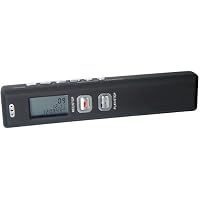
GSI Super Quality Digital Voice Recorder With Micro SD Card Slot, Built In Microphone And Speaker, Earphones Includedi was 1st suspicious about this company, since i never heard about them, but for $25 i thought let me give it a try, i use a lot of recording for my classes, i can honestly say i will never buy a Olympus or canon or any other brand, this is as good if not better, why spend the money just for the name? thanks GSI

I was trying to use it as a voice recorder only. The sound replayed by this thing is terribly distorted, both when played through build-in tiny speaker (which makes things even worse), or through headphones. Changing between "LP" and "HP" sound quality modes does not make much difference. My 20-years old microcassette voice recorder sounds ten times better. Back it goes.

Buy GSI Super Quality Digital Voice Recorder With Micro SD Card Slot, Built In Microphone And Speaker, Now

fast shipping but, It doesn't work. After inset SD card, it only shown "error 03"

I tried many different kind SD card, it still doesn't work

Read Best Reviews of GSI Super Quality Digital Voice Recorder With Micro SD Card Slot, Built In Microphone And Speaker, Here

Has servered awesomely for the past few years, definately would recommend to a friend, records well expandable, small covert and a great can be hidden in a back pack or pocket.

Want GSI Super Quality Digital Voice Recorder With Micro SD Card Slot, Built In Microphone And Speaker, Discount?

Excellent item...this voice recorder really have a good voice quality when playing a recorded audio file...and having a micro sd card slot makes it great for long time voice recording when needed...thanks...

Tuesday, December 3, 2013

Linksys Media Center Extender DMA2200 - DVD player / digital multimedia receiver

Linksys Media Center Extender DMA2200 - DVD player / digital multimedia receiverIf you are on a budget, get this. You can't go wrong. I have one and love it. Linksys is a TOP GUN in the medis business. Don't be left behind in the media age.

R.E.J.

Sunday, December 1, 2013

Canon ZR70MC MiniDV Digital Camcorder with 2.5" LCD, 22x Optical Zoom, Digital Still Mode, MMC Slot

Canon ZR70MC MiniDV Digital Camcorder with 2.5' LCD, 22x Optical Zoom, Digital Still Mode, MMC Slot, Image Stabilization and Wide Angle AttachmentThis is my first camcorder. I have downloaded several 60 minute MiniDV tapes to my editing program and have had NO detectable motor noise. I purchased the optional directional stereo microphone that attaches to the accessory shoe for higher quality sound recording, but haven't used it yet. The 22X optical zoom is fabulous. I turned off the Digital Zoom. I recorded herds of elk that I could barely see with naked eye and with the 22X Optical Zoom they were close enough to count antler points and of very good quality. Filmed beach at Pacific Ocean in Washington state, excellent quality films, zoomed in on distant objects and got very good quality shots.

Some of the reasons I decided on this make and model (after months of research and hands on with digital camcorders in stores) is due to the large size of the buttons (they are easy to locate and depress),the compact size of the camera, and it's very easy to operate. I can fit the camera in my coat pocket and the weight is barely detectable. Great for people who hike or hunt, etc. The camera's size doesn't detract from it's quality~ it's constructed of tough materials and feels like it's quality, not junky at all.

Another selling point for me is the 22X Optical Zoom. It's the highest level OPTICAL zoom that I found of any MiniDV camcorder. Canon has an excellent reputation for high quality lenses.

Some reviewers complained about the still pictures being poor quality, but that is not an issue for me. I didn't purchase it for still photos. I do find it appealing to have the option of taking a still photo with it once in a while. I have not tested the still photo option yet. I have a feeling it will be pretty good quality though :-)

THIS CAMERA DOES NOT COME WITH FIREWIRE CABLE, YOU NEED ONE TO DOWNLOAD VIDEO TO COMPUTER! Make sure you have one and that your computer has a FIREWIRE port. I had to install a firewire card to my computer.

I purchased several accessories for my camera:

1) Tele-Converter lens (TL-30.5)

2) Lens filter set (FS-30.5U)

3) Canon Directional Stereo Microphone (DM-50)

4) Canon Lens Cleaning Kit (Z-02-A ?)

5) Sony Mini DV Head Cleaner (Digital Video Cleaning Cassette)

6) Canon BP522 Lithium Battery and car charger

7) Firewire cable for video capture (Camera DOES NOT come with firewire cable! You NEED this to download the video to your computer!!!!)

8) SLIK 504QF-ll Video Tripod

9) Canon Deluxe Back Pack Bag (200 EG)

10) SIMA Video Light (fits on hotshoe) Model SL-9

(I am sure the CANON VL-3 Video Light or the VL-10li Battery Video light that fit on the hotshoe are better for this camera but I bought this on impulse at Circuit City)

I bought Adobe Premiere 6.5 for my digital video editing, and purchased two very useful books on digital video filming and editing:

1) How to Use Digital Video (SAMS Publishing) by Dave Johnson

Teaches editing in Adobe Premiere and MGI Video Wave III but the lessons are applicable to most video editing software. Full of good photos of editing software screens and easy to follow instructions. Very useful book.

2) Capture, Create, and Share Digital Movies (Survive and Thrive series, Gateway Press)

Teaches editing in Pinnacle Studio and Ulead Video Studio

but lessons are applicable to most video editing software. Has lots of good pictures of video editing software screens and easy to follow instructions. Very useful book.

I think that if most of those who left negative reviews had spent some time reading the manual and practicing with the manual and camera in hand, they would have been satisfied with the camera. Much of their negative comments deal with issues that are drawbacks to ALL digital camcorders, and are discussed in the instruction booklet. (night shooting, etc)

I'm 100% satisfied with this camera. I think it's awesome. At Circuit City you can test it for 30 days and if you aren't satisfied with it you get a full refund.

Things sometimes get better Canon improved this camcorder-series, and we should be happy about it! This is what I can say about a close model to this one (the ZR50MZ), the earlier top-model:

I work with camcorders since 1988 S-VHSC, Hi8, etc. No question, no matter what kind of digital camcorder you compare with an analog one, it is superior. However, I found this camcorder particularly interesting and bought it since I left the 'semi-professional' field (and being now an electrical engineer in software development). Here are my findings:

Pro:

1) Awesome workmanship: The high-grade plastic case pieces precisely fit and give the camcorder a valuable finish, the buttons have a well defined 'ignition' point and the connectors for FireWire, USB, Analog Video etc. are 'cemented' into the case.

2) Excellent cost / feature ratio: Although following the hype of marrying video with stills, this camcorder emphasizes on video (please, do buy a digital camera if you need digital stills). The outstanding optical unit with a real 22x zoom and one of the most effective image stabilizer in the market, combined with a friendly user-interface including illuminated buttons and a clean menu, this camcorder is a bargain.

The picture quality is excellent. One note here: please remember that the miniDV standard builds on 5.7 Mhz video bandwidth. In other words, no matter what the (multi) colored CCD ship is capable of a resolution, it comes down to a maximum of 370,000 effective pixels needed for NTSC video. The 460,000 pixels of this camcorder seem more than enough.

3) Accessories: Just in case you really care about the somewhat whining recorder server motors, please do buy the optional microphone it's an awesome addition if you do semi-professional sound-recordings. Also, Canon offers wide and tele-converters specialized for the ZR series. Not a novelty in camcording in general, but a serious affordable consumer expansion if needed.

4) Internationality: Yes, there are other electrical power systems out there: the Canon switching power supply is not only very light, it also connects to almost every wall-outlet in the world with the right (optional) plug-adapter.

5) Ergonomics: Oh yes, I thought about a palm-ready camcorder, too. But think about it: the optical unit including the lenses and the CCD has to fit into half the length of a regular camcorder like the ZR 50 (Palm recorders do not have more than 10x zoom, the ZR 50 has 22x). The camcorder fits right into my hand, the zoom button can be accessed naturally without shifting the camcorder in your hand (try Sony!) and the zoom button is depth sensitive the deeper you zoom, the less sensitive is the camcorder zoom-button. Additionally, beside so many other brands out there, the digital zoom is even useable to a certain degree. It becomes affective once the optical zoom is exhausted to a 22x. However, if you want quality video, turn it off.

6) Video Modes: Select one of the predefined video modes. One of the most impressive mode is the night-mode if the moon strikes you, your ZR 50 will catch it. However, don't expect wonders, every serious video-grapher recommends at least 100 lux (a unit of measuring light-intensity).

Con:

I couldn't find a con so far maybe the sound-quality the integrated microphone produces? Hm, given the size of the case, it seems reasonable...

Yeah, I am enjoying this camcorder. Canon showed once again that a camcorder design can meet almost all of a consumer-customer's needs:

Rich functionality, lightweight design, extensible through optional accessories including lenses, robust workmanship.

Recommended!

Buy Canon ZR70MC MiniDV Digital Camcorder with 2.5" LCD, 22x Optical Zoom, Digital Still Mode, MMC Slot Now

Prior to buying the Canon ZR70MC, I read the reviews with great interest. After buying it, as a second choice due to limited time and unavailability of our first choice at the store, I would like to share some notes with prospective buyers. First, I noted that some owners complained about "motor noise" playing back after recording. I found that if you hold your finger in the bottom front of the camera, where the microphone input is located, you will indeed get motor noise during your recording. The simple fix is to not hold your finger near the microphone input area while recording. The motor noise is then negligible. Second, I noted some people complained about the image stabilization being poor. I would not class it as being poor, but I have seen better in cameras in the $1500 and up range. A tripod is definitely recommended for lengthy or telephoto recording. Image quality is first rate, although the image will "pixelate" if you get overzealous with the telephoto feature. The 22X optical zoom is excellent, and the careful and judicious use of the digital zoom feature can lend real "close-ups" with good resolution to your recordings. Finally, the transfer of the taped images is to VHS, CD or DVD is very simple and straightforward. In particular, for those of us that still use them, VHS tapes come out with excellent resolution! The owner's manual makes easy work out of digital effects and editing, including connections and methods. The on-screen menu is not touch screen, but it is almost as easily accessed through the simple selector located on the rear side of the camera. The screen and viewfinder are both clear and sharp. All in all, I rate this camera 41/2 /5 possible with no reservations. Quite simply, I like it a lot, and I am very happy that my wife and I decided to purchase it. I recommend it.

Read Best Reviews of Canon ZR70MC MiniDV Digital Camcorder with 2.5" LCD, 22x Optical Zoom, Digital Still Mode, MMC Slot Here

If you're searching these pages for camcorder reviews you're probably bug eyed and worn out but information overload. So I'll get to the point.

I bought this camera because I'm dork who wanted a camera with a lot of features but not enough of a geek to need the latest and greatest thing out there. Didn't want to spend a fortune (I gladly paid $600)

Several factors led me to choose this model over some others I was considering (especially midrange sonys.)

1. zzzooooooooooom 20x specifically. It really works. You can really get in there and have clear details even from farrrr away.

2. connections: it comes with every possible connector built in, so you can dub to/from VCR, use USB, firewire etc. Not many cameras in this range had this many connectors (I write in Dec 03)

3. Hot shoe -easy to hook up boom mike or spotlight. Few cameras have this feature.

4. built in light small light in front comes in handy on camping trips etc.

5. compatibility -for mac/imovie users, this camera is 100% compatible.@You can fast forward, freeze etc direct from your camera. Not a huge bonus but a nice touch nonetheless.

*faults*

1. LOWLIGHT -the camera is very grainy in low light. It CAN do special lowlight shooting. but these are different. What I mean is just in standard mode, you're shooting a birthday party or a barbecue it comes out really grainy. I filmed my friends garage band concert the other day using this and an old JVC dv cam (which admittedly cost a fortune when new) and the old camera had better quality!

2. start-up time: niggling detail but it does take a while betwen turning it on and actually being able to shoot. Usually it's no problem, but there have been times when I missed a good shot because I was waiting for the camera to get in gear. Again that old JVC beat my new canon.

by the way, some people complained about motor noise but I have no idea why they say that.

SUMMARY: great feature packed camera for the price, great in good light, long battery, falls short in low light.

April 2009 Update: Been using this camera for years now with no problem. Except for the low light and other minor issues I already mentioned, I still love it. If you can get a used one cheap it's still viable.

Want Canon ZR70MC MiniDV Digital Camcorder with 2.5" LCD, 22x Optical Zoom, Digital Still Mode, MMC Slot Discount?

If you looking for a high quality Mini DV camcorder at a reasonable price then look no further. Cannon is for you. I am not a person who can be easily impressed but ZR70 has got everything which you expect from your camcorder. Here are few things I would like to share:

1. The picture quality is excellent. On a sunny day you can expect broadcast level picture quality. Even if it is cloudy the picture quality is impressive. (That is what I care about most)

2. The nightmode as well as low light mode litrally brightens the picture on the camcorder screen but you loose the picture quality but it is still better then many other top camcorders. (I tried Sony for the same conditions)

3. The voice quality is superb. The microphone is very sensitive and picks sounds cleary but at the same time picks wind noise.

4. Its small, very handy and easy to carry around.

Things which I dont like:

1. Some button are hard to reach.

2. When using digital zoom, the image stabilization is not good.

Verdict:

Good value for money. You will never regret it.

Sunday, November 24, 2013

Hauppauge-WinTV-PVR-150 MCE Bundle TV Tuner/Personal Video Recorder

Hauppauge-WinTV-PVR-150 MCE Bundle TV Tuner/Personal Video RecorderI bought this tv-tuner to use in Brazil, where I live, and it is compatible with Brazil's PAL-M standard.

Great product. Very easy to setup on Vista (no software required!), the IR Blaster works great and so does the remote control.

It's kinda hard to figure out which version of the PVR-150 card you need though, but this is the complete package: buy it if you need a remote control, a infrared receiver, and a infrared blaster to control your cable box.

I am using this with an AFN decoder box, Windows XP Media Center Edition PC, and an Xbox 360. I got this so that I could use the interactive guide in Media Center since AFN doesn't have one and be able to record shows. The install went fine except I had to download the driver's directly from Hauppauge's web site. The disc included was not compatible with XP service pack 3. After I got it hooked up I now can use my Xbox 360 as an extender and now I get to pause, rewind, and schedule recordings. While not as good as Tivo, it is a good substitute for people who are overseas and miss their DVR's.

Buy Hauppauge-WinTV-PVR-150 MCE Bundle TV Tuner/Personal Video Recorder Now

Item worked as it stated on the package. Hauppauge is a bit vague in their product designation. I wanted a device that would output FM Radio on a VISTA OS computer. This device only provided TV. I got the product number by calling Hauppauge support. It seems there are different flavors of the WinTV-PVR-150 and I had the wrong one. Amazon is excellent about returns and I ordered the correct flavor of the WinTV-PVR-150 from another source (Amazon didn't have the proper one for FM Radio). The Hauppauge device is installed in my PC and works as advertised. Hauppauge is easy to get in touch with and is quite willing to advise potential buyers about their productl

Read Best Reviews of Hauppauge-WinTV-PVR-150 MCE Bundle TV Tuner/Personal Video Recorder Here

Purchased this for watching TV on my computer. Was not interested in the recording features, and have not yet tried. Selected Hauppauge because of the more favorable reviews than other brands. Also decided on the PCI card instead of a USB device because of reviews indicating lesser picture quality with the USB devices. Have a Windows Vista machine and it runs great on Media Center. Also works with WinTV software provided. Installation and setup was easy. Was watching TV within about 20 mins of opening the box. Picture quality is very good. On the negative side, the tuner card failed after several weeks of use. However, Amazon was great about sending out a new unit. Was up and running again within 5 days. Overall, pleased with the product and the support from Amazon.

Note there are many variants of this product. I got this one because it ran on Media Center and had a remote. Would not buy without the remote.

Want Hauppauge-WinTV-PVR-150 MCE Bundle TV Tuner/Personal Video Recorder Discount?

This item lives on the floor of my closet because the device never worked. I am a skilled computer operator and technician, I was unable to get this device to work. The drivers would not install correctly. I bought the ATI TV Wonder 650 outboard device and it worked perfectly.

Tuesday, October 8, 2013

Sanyo VPC-HD2000A Xacti 8MP High Definition 1080P (Black)

Sanyo VPC-HD2000A Xacti 8MP High Definition 1080PI received the unit and have been testing it out in various shooting settings and resolutions. Right away I really appreciated the .mp4 format of the recordings and the simplicity of working with the files (on a Mac w/iMovie9). Honestly, on a fast mac, working with any of the size/formats the camera records seems to be quick and easy.

I'm a little disappointed that the iFrame format doesn't turn out to be a big of a deal as I thought it would be. iFrame is a nice compromise between 720p and 480p with low file size and a wide screen format. Shooting 720p @ 30fps seems to work just as well, with Quicktime deftly handling bouncing the clips down to a variety of formats including ipod, appletv, 480p, 720p, etc.

There are two slow down modes, the slowest the files do not play natively on my mac.

The transfer speed seems a tad slow thru the USB connection to a known USB 2.0 connections. Remedied with the purchase of a third party card reader, which is also mush easier than using the base stand for transfers.

The unit lacks a usb or video connection on camera so you have to use the stand or a card reader for transfers.

On tripod this cam works well. Hand held noticed some camera shake issues that seem to be inherent with the xacti line as opposed to the Canons (based on reading other reviews). Turning the motion stabilization of or off didn't seem to make much of a difference in informal shooting sessions. iMove seems geared to take a very long time to analyze clips for shake. best to get a tripod or monopod for better shots.

The still image quality is just ok. The 8 megapixel claim falling far short as the camera bumps it down to 2 megapixel while shooting video. Even in photo shooting mode the images leave a bit to be desired. Adequate for trips and events, but not worthy of replacing a good point and shoot.

I noticed some bluish glowing spots in some videos early on. The lens is wide angle enough to have some reflection problems. Zooming in, just a little, get's rid of the glowing spots.

The various shooting modes worked fine for around the house and yard. The 1080p highest quality mode seems to be struggling to remain sharp, even in good light. For the price you almost can't compare this cam to those costing thousands more. Despite this subtle flaw the hat tips to the Xacti when taking into considering the time and HD space saved using the native .mp4 files, along with easy archivability, and native playback with no transcoding.

Under studio lighting it was easy enough to use the many menu controls to set the white point and exposure, as well as adjusting the settings. One trick I've found that can dramatically improve low budget set shots is to use the exposure and focus lock commands to keep the Cam from hunting or altering the exposure while shooting in a attempt to get the best shot. The little thing, means well but sometime you have to think for it.

Overall a nice and small, modern, consumer cam. With some tweaks high quality shots are possible. For mAc users the easy accessibility makes the Xacti a strong contender though the iFrame format, at least for now, may be more hype than feature. Last years model might do for those not willing to for out extra to early adopt.

Overall, I am very happy with this camera. If you own a Mac, this is the camera to get because of the iFrame option. All you have to do is import the video into iMovie or Final Cut, and start editing! No waiting for the video to be transcoded, because the camera shoots in the same video format that the programs use. Transcoding is the reason that most people, (including me), never get around to editing their video on computers. It used to take hours just to get the video off the camera into an editing program. Of course you don't have to use iFrame. It also records in 1080p, 1080i, 720p, and so on. You can even do slow motion video at 600fps and 240fps. (Not HD) The slow motion is a fun feature. 16x zoom is more than most HD camcorders. You can also take a 2MP photo at the same time you record video.

The camera has a cold shoe to mount a light or a microphone. It has a mic jack and an earphone jack. It comes with a dock and remote control that can be connected to your computer, external hard drive, or TV with HDMI, composite, component, and usb. All cables are included except for the HDMI. You can even plug the dock directly into an external hard drive and offload the video files onto it.

It does have image stabilization for both the camera, and the video. The camera takes pictures equivalent to a point and shoot, and has a pop up flash. (you have to manually turn it on not automatic) The video is equivalent to other HD cameras, and I am happy with the low light performance. There are many manual settings you can use to improve the low light quality. ISO settings to 3200, exposure compensation, white balance, and so on. You can make shortcuts to the settings using the toggle switch.

A few negatives:

The lens cap is too small and pops off. I solved this by buying a 40.5 UV lens filter to protect the lens, and the cap snaps firmly into the filter.

You cannot plug a USB cable directly into the camera. You have to use the dock. It would have been much more convenient if you could charge the camera with the USB. You can plug the power cable directly into the camera. That doesn't help if you don't have an outlet handy.

All the video cables are used on the dock only. This doesn't bother me too much. I just leave the dock near my TV. I don't plan on playing video from the camera anywhere else except for at home.

If you record constantly for about 20 minutes, (video file hits about 4GB size), it starts a new file, and there may be a gap of missing video. This is not because of the camera, it is a limitation of the SD card formatting, but other cameras deal with it much better. This doesn't bother me either, because these types of cameras are not meant to be used for constant use. Home videos don't need to be that long, and you shouldn't be boring your relatives to death like that.

The zoom is difficult to use for still photos if you have the video set to HD (16:9) and the photo set to 4:3. You can zoom in to the subject, but the subject you had framed correctly in 16:9, now appears further away in 4:3. Using the same aspect ration for both video and photo resolves this problem. There is a photo preview button.

I am very happy with this camera, and I will actually get to enjoy editing my home videos right away without waiting hours to transcode my videos before I can start. I'm sure there are other cameras that have better quality, (at a higher price), but what good is it if you just let the videos sit in a closet, on a tape or SD card, and never do anything with them?!

Buy Sanyo VPC-HD2000A Xacti 8MP High Definition 1080P (Black) Now

I'm not a video boffin, so don't really understand the techno stuff, but I really like my new video camera. It is easy to use, compact, and really quite an attractive piece of equipment. It also seems to have really great video quality, as long as you have a steady hand as I understand there is no image stabilisation wizardry. It also has a great battery life and stores a good amount of video or pictures on a 16GB card.

The only negatives I've found so far are that it doesn't have a brilliant still picture quality, it seems to be the equivalent of any point and shoot still camera, but then I think this is true of all dual cameras.

It is also much better in good light, but manages fairly well in artificial or moderate light.

So for those amateurs out there, I would reccommend this camera, but shop around as you can get them for as little as £350/$550 (new).

Hope this helps, I spent ages researching different cameras before buying this one, and I haven't yet regretted it.

Read Best Reviews of Sanyo VPC-HD2000A Xacti 8MP High Definition 1080P (Black) Here

I'll be honest, I started getting skeptical when I started seeing the reviews here. Lots of commentary about people not receiving proper tech support, horrible stabilization, and lack of gapless recording. These seem far from reasons to warrant a single star, but alas, I still took the plunge. I played around with the Canon HFS100 before settling with the sanyo due to the major savings for basically the same CMOS sensor and lens aperture. I use a Velbon 540 and stabilization is not an issue even when running. For anyone on the fence about this, really look at the stuff posted on vimeo using stabilizers and wide angle lenses. Now Like I said, this camera is for tinkerers, if you know what the roadblocks are and don't mind them, get ready to enjoy a truly amazing camera. Who is this not for? The average Joe and Jane recording Bobby's Piano recital will hate this thing, just like they would hate a DSLR.PRO's:

+Image quality and optics among the best for a consumer camera under $2000.

+External Mic input

+60FPS means semi-slowmo shots that turn out awesome.

+high speed recording neat even if it lacks quality.

+Lenses and filters available to shorten DOF and do wide angle or telephoto shots.

+H.264 is easy to work with, and lightning fast to transcode using nvidia's badaboom.

CON's:

-zero stabilization (fix: buy a Manfrotto 585 for $99)

-internal mic on back of LCD (odd, real odd)

-not for "My MOM"

-some of the interface is quirky.

-no electronic viewfinder.

Want Sanyo VPC-HD2000A Xacti 8MP High Definition 1080P (Black) Discount?

I love Xacti cameras. The gun form is easy to hold. The buttons aren't perfect but the camera is easy enough to point and shoot. Memory card video cameras (rather than tape, dvd or hard disk) are great. Top range Xacti cameras are pocketable and produce superb video quality. This one even produces reasonable quality stills. This and other top of the range Xacti's have an external mike input, sadly lacking in many competitors, and for me, for vlogging and documentary type stuff, *essential*.

But the trendy new compact H.264 video format and the sheer quality of the video is a problem. Unless you have a very powerful computer (mine a 3.5GHZ Dual Pentium with 2GB RAM, is insufficient) then the video files produced will not play back in with video/sound in sync using Windows Media player. I have heard that some people are getting okay playback using Quicktime but my Quicktime, the lastest at the time of writing (7.5), is jumpy and in slow motion by turns. I get best results with a free player called zplayer but the video is smooth and the audio is synched only when the display is the size of a large matchbox.

The preview in your editor will be very choppy too, and you will not be able to "scrub through" the video to find appropriate places to cut and splice etc.

Clever people here and on Vimeo are recommending that we transcode the H.264 files before editing or playback using appropriate software. But if you have to do that, then you are almost back in days of tape capture. The beauty of memory card video is that you can drag and drop video files to your editor time line, and use them on the fly without having to go through a capture/transcoding process. What a pain in the butt.

If you do not edit your video and upload files from the card to Youtube then fine. Youtube will do the work and the videos look great. But I want to edit, and therefore preview, my videos.

My old HD2 from about three years ago on the other hand has many drawbacks. It is not nearly so good in low light. The video definition is not half as good. It looks clunky and has no curves. And above all the frame rate is lower, low, so action shots and even panning often produce nasty jumps and zigzags. But since it uses old, standard Mpeg-4 video files, which play back and edit easily even on 1.x GHz computers, for YouTube vloggy, documentary stuff, faces talking, or children playing if seated, the quality of the HD2 is ample and the video format is easy to view and edit on any computer less than 10 years old (in my experience, though there are others that have problems). For non-arty, non-action, documentary-type Youtube vlogging, the old HD2 is difficult to beat. It is smaller too. See my youtube account, timtak1, for videos taken by both cameras.

The HD2000 has an acceptable battery life. You need to buy a couple of extra batteries with the HD2. But then I will be buying another battery or two for this camera

Finally about stabilisation...I think the people complaining about stabilisation are dreaming. Is there any video camera this small that is stabilised effectively? I doubt it. If a camera weighs only a few ounces then stabilisation is going to be a problem. A television cameraman told me that he doubted that pro TV cameras were ever going to get much lighter or less heavy than a human head because pro cameramen want the weight to produce stable shots. I use two hands, put my elbows into my body, or just take care, and get acceptable results. If you want more stability then add weight. Use a monopod (recommended) or a tripod. Or buy a bigger camera. This one fits in your pocket and can take video worthy of Hollywood at only $500. Maybe there are cameras this size with software stabilisation that really works, and perhaps a few years there will be many. But right now, I guess that those that are are complaining about stabilization are used to use much bigger heavier cameras and are overlooking the basic facts of physics: intertia or whatever. Perhaps Sanyo should sell a metal weight that can be attached to the tripod screw.